CVE-2026-77427: How a Fail-Open Default Key Turns One File Read Into Total Secret Recovery in FileRise
FileRise used a hard-coded default encryption key when no key was configured, and the application booted normally with it. An attacker who already had a way to read the stored ciphertext files could decrypt TOTP seeds, the OIDC client secret, the JWT secret and stored S3/SFTP/SMB credentials.
 Published on medium.com
Xanlar Agamalizade
The full write-up lives on its author's site
It belongs to its author, so we link to it rather than copy it. The other two tabs are our own rewrites, checked against it.
Context
FileRise is a self-hosted file manager. It stores several categories of secret at rest, encrypted with AES-256-CBC, and resolves the encryption key once at bootstrap in config/config.php through a function called fr_resolve_persistent_tokens_key(). The resolved key is placed in $GLOBALS['encryptionKey'], and every component that needs to encrypt or decrypt a secret reads from that single global.
The finding is CVE-2026-77427, scored 5.9 Medium, fixed in FileRise v3.22.0. The author's framing is deliberate: a hard-coded key published in an open-source tree sounds like a non-issue, because a public key is not a secret. The questions that decide whether it is a vulnerability are what the key protects and under what conditions the application falls back to it.
Setup
The proof of concept was run against the project's own code, not a live instance. FileRise ships test-isolation environment variables, FR_TEST_UPLOAD_DIR, FR_TEST_USERS_DIR and FR_TEST_META_DIR, which were used to stand up a fresh manual install with no key configured. The real config/config.php was then loaded, exercising the actual resolver and the actual cipher. No live target was touched and no network calls were made. The runtime was PHP 8.4.22 CLI with isolated temporary directories.
The relevant precondition is a second, independent primitive that hands over the ciphertext files; the fallback itself is reachable on manual installs.
Finding it
The starting point was the consumers of the key, because the blast radius is defined by what the key protects, not by the string itself. One key resolution feeds three distinct sinks:
| Sink | Location | What it protects |
|---|---|---|
UserModel.php |
src/FileRise/Domain/UserModel.php:895 |
Each user's TOTP 2FA seed, stored in users.txt as username:bcryptHash:role:encryptedTotpSecret |
AdminModel.php |
src/FileRise/Domain/AdminModel.php:706,948 |
adminConfig.json, holding the OIDC client secret and the application's jwtSecret |
SourcesConfig.php |
src/FileRise/Storage/SourcesConfig.php:91-101 |
Pro source credentials: S3, SFTP and SMB connection secrets for every configured storage backend |
All three call the same encryptData()/decryptData() pair (config.php:187-204) against the same $GLOBALS['encryptionKey']. That makes the key a single point of confidentiality for three unrelated classes of secret, two of which reach outside FileRise: JWTs that other components trust, and standing credentials to external storage systems.
The second question was when the application uses a weak key. The resolver, condensed to the branch that matters (config/config.php:211-291), looks like this:
function fr_resolve_persistent_tokens_key(): array { $defaultKey = 'default_please_change_this_key'; $source = 'legacy_default'; $key = $defaultKey;
if ($envKey !== '' && /* valid */) { $key = $envKey; $source = 'env'; } elseif ($fileKey !== '') { $key = $fileKey; $source = 'file'; } // else: silently keep $defaultKey if ($needsAttention) { error_log('WARNING: ' . $warning); // <-- the entire consequence of misconfiguration } // ... returns the default key and lets the app boot normally}
If neither the PERSISTENT_TOKENS_KEY environment variable nor a metadata/persistent_tokens.key file is present, the function returns the published string 'default_please_change_this_key' and the application boots and runs completely normally. The only trace is an error_log() line and an admin-panel banner that is visible only after someone has already logged in as admin. This is a fail-open default: the insecure state is the running state.
What makes the fallback reachable is the install mode. FileRise already solved this for Docker: the container entrypoint start.sh:78-109 auto-generates and persists a unique random key on first boot, added in v3.9.0. Docker installs are fine in practice. But the project also officially supports a manual install path, and nothing in the PHP bootstrap does what start.sh does. There is no code-level generate-and-persist step in config/config.php or anywhere in the request path. The manual installer's only protection is a line in the README's first-run security checklist asking the operator to set the key by hand. Miss that optional step and every secret above is encrypted under a key that ships in the source tree.
The pattern is a remediation that lives in one deployment mode's tooling instead of in the application's own logic. The fix was real; it just was not where every install path could inherit it.
Exploitation
Knowing the key alone buys an attacker nothing. The ciphertext lives in files inside the install (users.txt, adminConfig.json, the sources config), and reading a stored secret requires obtaining that ciphertext first. This is a chained finding: it is exploitable only when a second, independent primitive hands over the files. The author lists the realistic second primitives as a misconfigured vhost serving USERS_DIR/META_DIR directly, a backup archive left in a web-reachable path, an LFI elsewhere in the stack, or local/insider access. That precondition is a genuine requirement, not a given.
Step 1: stand up an isolated manual install
The test-isolation variables point the application at temporary directories, and the real bootstrap is required directly:
putenv('FR_TEST_UPLOAD_DIR=' . $uploadDir);putenv('FR_TEST_USERS_DIR=' . $usersDir);putenv('FR_TEST_META_DIR=' . $metaDir);require '/root/FileRise/config/config.php';
This loads the genuine resolver and cipher against a fresh install with no key configured, without touching a live instance.
Step 2: confirm the resolver falls back to the published default
// 1) confirm the real app resolves to the legacy default:fr_get_persistent_tokens_key_status();// => source = legacy_default, usesLegacyDefault = true, key = 'default_please_change_this_key'
The status call reports source = legacy_default, usesLegacyDefault = true, and the key value 'default_please_change_this_key', confirming the fail-open branch is taken on this install.
Step 3: write a TOTP seed the way the application would
// 2) simulate UserModel::setupTOTP() writing a 2FA secret on this install:$encryptedSecret = encryptData('JBSWY3DPEHPK3PXP', $GLOBALS['encryptionKey']);
This mirrors UserModel::setupTOTP() encrypting a 2FA seed with the resolved global key. JBSWY3DPEHPK3PXP is the sample seed used here.
Step 4: decrypt as an attacker who only knows the public string
// 3) attacker, who has never run this app, knows only the public default string:$recovered = decryptData($encryptedSecret, 'default_please_change_this_key');// => 'JBSWY3DPEHPK3PXP' (exact match — full recovery)
The result is an exact match: full TOTP-seed recovery using nothing but a string from the source tree. adminConfig.json and the Pro sources credentials were verified by code trace rather than separate execution, because they call the identical encryptData()/decryptData() pair against the identical key, so the PoC is directly representative of their decryption.
The CVSS accounting
The vector is CVSS:3.1/AV:N/AC:H/PR:N/UI:N/S:U/C:H/I:N/A:N, giving 5.9 Medium. Each metric is a deliberate decision:
- AC:H encodes that a separate disclosure vector must already exist to surrender the ciphertext. Without that second condition, knowing the key yields nothing.
- PR:N because knowing the key requires no FileRise authentication; it is in the published source. Whether the prerequisite read primitive needs privilege is out of scope for this finding; the convention for a chained vulnerability is to score the realised impact assuming the prerequisite is met.
- C:H because once chained, the recovery is broad: TOTP seeds, the OIDC client secret, the
jwtSecret, and S3/SFTP/SMB credentials. - I:N because only decryption was confirmed. The tempting adjacent angle, using key knowledge to forge a remember-me token or a JWT, was investigated and could not be confirmed from key knowledge alone; the remember-me store is HMAC-keyed and would need an additional file-write primitive that was not established.
- S:U / A:N because no container or OS escape was demonstrated and there is no availability impact.
Scoring it as a standalone remote bug would overstate it, since it needs a prerequisite. Dismissing it because the key is public would understate it, since it concentrates three secret classes behind one string and the prerequisite is common.
Root cause
The mistake is a fail-open default for a security-critical value. When neither the environment variable nor the key file is present, the resolver returns a published string and lets the application boot normally. A log line and a post-login banner are not a control, because the window in which they are ignored is the window in which secrets are written under the weak key.
The existing defence did not cover every install path. The prior advisory GHSA-f4xx-57cv-mg3x (CVE-2026-33072, v3.9.0) addressed this same key: it added the Docker auto-generation and an admin-triggered rotation workflow, and the code even sets usesLegacyDefault / usesPublishedPlaceholder flags and raises a banner. What it did not do was make the fallback unreachable for manual installs or make the application refuse to boot on it. The fix landed in the Docker entrypoint and the admin UI, but not in the bootstrap that every install mode runs. The author framed the disclosure as a scoping question, asking whether the residual manual-install fallback was an accepted backward-compatibility tradeoff or an oversight in the 3.9.0 remediation. The maintainer confirmed it was the latter and shipped a fix.
Impact
Under the precondition of a second primitive that exposes the ciphertext files, an attacker who knows the published default key can recover:
- users' TOTP 2FA seeds from
users.txt; - the OIDC client secret and the application's
jwtSecretfromadminConfig.json; - stored S3, SFTP and SMB credentials for every configured Pro storage backend.
Two of those classes reach outside FileRise: JWTs that other components trust, and standing credentials to external storage systems. The impact is confidentiality only. No integrity impact was demonstrated, because token or remember-me forgery from key knowledge alone was not confirmed, and no scope change or availability impact was shown. If you run a manual/non-Docker FileRise between v3.9.0 and v3.21.0, update to v3.22.0.
Fix
v3.22.0 does both halves of a fail-closed remediation:
- Auto-generate by default, everywhere. Pristine manual installs now generate a cryptographically random 32-byte key and persist it to
metadata/persistent_tokens.key, the same protection Docker already had, now in the path every install mode runs. - Fail closed when it cannot persist. A pristine Docker install now stops with an actionable error if its generated key cannot be persisted, instead of running on an ephemeral key that would silently vanish on restart.
Existing environment-provided or persisted keys are left untouched, and installs with existing key-dependent state stay on the legacy path rather than being auto-rotated, because blindly re-keying would render already-encrypted secrets and signed sessions unreadable. The safe migration is admin-driven rotation with re-encryption, which the panel already offers.
If you have been on the legacy key, treat the OIDC client secret, jwtSecret, any stored S3/SFTP/SMB credentials and users' TOTP seeds as potentially exposed: rotate them, do not just re-key.
Variants to test
- Other deployment-mode-only remediations. Look for fixes that live in a container entrypoint, install script or admin UI but not in the bootstrap every install path runs. A positive result is a supported install mode where the insecure default is still reachable and the application boots normally.
- Fail-open defaults for key material. Grep for placeholder key strings and trace the resolver. A positive result is a branch that returns the published default and continues to serve requests, with only a log line or a post-login banner as the signal.
- Key consumer mapping. For any hard-coded or default key, enumerate every sink that reads the same global. A positive result is one key protecting several unrelated secret classes, especially ones that reach outside the application such as JWT signing secrets or external storage credentials.
- Test-isolation variables as a harness. Check whether the product exposes environment variables that redirect data directories. A positive result lets you drive the real bootstrap and cipher against a fresh install without touching a live target.
- Forgery from key knowledge. Where a key protects both encryption and an HMAC-keyed store, test whether decryption knowledge alone permits forgery. A positive result would require no additional file-write primitive; if one is needed, the integrity metric stays
N. - Prior advisory delta. Read the fix added for an earlier bug on the same component and compare what it closed against the class it was meant to close. A positive result is a residual path the earlier remediation did not reach.
What happened, in plain words
FileRise is a piece of software you install on your own computer or server to manage files, a bit like running your own private version of a cloud drive. People use it to store documents, share them with colleagues, and connect it to other storage services. Because it holds private things, it also has to keep secrets: the codes that protect people's two-factor logins, the password it uses to talk to a login provider, the signing key for the little passes it hands out, and the usernames and passwords it uses to reach external storage services.
To keep those secrets safe on disk, FileRise scrambles them with a mathematical process called encryption. Encryption is like putting a letter in a locked box: anyone can carry the box, but only someone with the right key can open it. The key here is a long string of characters. If you have the key, you can open the box. If you do not, the contents look like meaningless noise.
The problem in this report is simple to state: FileRise shipped a default key, a fallback string that the software uses when nobody has set up a proper key, and that string is printed in the project's own public source code. Anyone in the world can read it. So in some installations, all those secrets are locked in boxes whose key is written on the outside of the box for everyone to see.
That sounds bad, and it is, but the report is careful about how bad. To actually steal a secret, an attacker needs two things: the key (easy, it is public) and the scrambled files themselves (not automatic, they live inside the installation). So this is what security people call a chained finding: one weakness only becomes dangerous when a second, separate weakness hands over the files. The author scored it 5.9 Medium, and a good part of the write-up is an argument for why that number is honest in both directions: not inflated, not waved away.
The bug is tracked as CVE-2026-77427. A CVE is a public catalogue number for a known security flaw, so that everyone can talk about the same bug unambiguously. It was fixed in FileRise version 3.22.0.
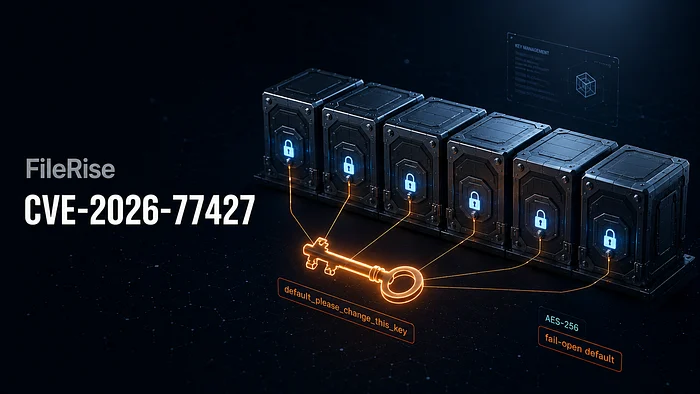
The image carries the caption CVE-2026-77427.
The key, and what it actually protects
Before going further, two ideas need explaining, because the whole finding rests on them.
Encryption at rest. When data is "at rest", it is sitting on a disk, not moving across a network. Encrypting data at rest means that if someone copies the files, they get scrambled bytes rather than readable secrets. FileRise uses a well-known method called AES-256-CBC for this. You do not need the mathematics; what matters is that it needs a key, and the same key both locks and unlocks.
A global variable. In programming, a variable is a named storage slot. A global variable is one that every part of the program can read. FileRise works out its encryption key once, at startup, and puts it in a global slot called $GLOBALS['encryptionKey']. Every part of the program that needs to lock or unlock a secret reaches into that same slot.
The author's first move was not to look at the key at all. It was to look at who uses the key. This is like finding a master key on the floor: before you panic, you check which doors it opens. The report calls these users of the key "consumers" or "sinks", and there are three of them:
| Where in the code | What it protects |
|---|---|
src/FileRise/Domain/UserModel.php:895 |
Each user's two-factor login seed, stored in a file called users.txt |
src/FileRise/Domain/AdminModel.php:706,948 |
A settings file called adminConfig.json, holding the login-provider secret and the app's own signing secret |
src/FileRise/Storage/SourcesConfig.php:91-101 |
The connection secrets for external storage services (S3, SFTP and SMB) |
Each row deserves a plain explanation, because these are the things an attacker would want.
Two-factor login seeds. Two-factor authentication (2FA) is the second step you do after typing a password, usually a six-digit code from a phone app. That app and the server share a secret seed, and the code is calculated from it. If someone steals the seed, they can generate the same codes, which defeats the second factor entirely. FileRise stores each user's seed in users.txt in a line shaped like username:bcryptHash:role:encryptedTotpSecret. Read that as four fields separated by colons: the username, a scrambled form of the password (a bcrypt hash, which is a one-way transformation, not the password itself), the user's role, and finally the encrypted 2FA seed.
The OIDC client secret and the JWT secret. OIDC is a standard way for an application to let you log in through another provider, such as a company identity system. To do that, FileRise holds a client secret, which is essentially a password proving to the provider that FileRise really is FileRise. A JWT is a small signed token, a bit like a stamped pass that says "this request comes from someone already logged in". The jwtSecret is the stamp used to sign those passes.
S3, SFTP and SMB credentials. These are three common ways to reach storage. S3 is the interface used by many cloud storage services, SFTP is secure file transfer over a network, and SMB is the file-sharing protocol used on Windows networks. FileRise's "Pro" feature lets it connect to such backends, and it stores the usernames and passwords for those connections, encrypted.
All three of these places call the same two helper functions, encryptData() and decryptData() (defined at config.php:187-204), using the same global key. That is the structural fact that makes this finding bigger than it first looks. It is not a "2FA key" or a "settings key". It is one single string standing between an attacker and three unrelated kinds of secret, and two of those kinds reach outside FileRise entirely: passes that other systems trust, and standing passwords to external storage.
The bug: a fallback that fails open
Now the second question: when does FileRise actually use a weak key? The answer lives in a function called fr_resolve_persistent_tokens_key() in config/config.php. "Resolve" here means "work out which key to use". The report shows the important part, condensed:
function fr_resolve_persistent_tokens_key(): array { $defaultKey = 'default_please_change_this_key'; $source = 'legacy_default'; $key = $defaultKey;
Line by line:
function fr_resolve_persistent_tokens_key(): array {starts the definition of the function. The: arraysays it will hand back a bundle of values rather than a single one.$defaultKey = 'default_please_change_this_key';stores the fallback key in a variable. Notice the string itself: it is a polite instruction to change it, and it is visible to anyone reading the public code.$source = 'legacy_default';records where the key came from, starting with the assumption that it is the old default.$key = $defaultKey;starts by assuming the fallback key will be used. Everything that follows is an attempt to replace it with something better.
The second part shows those attempts:
if ($envKey !== '' && /* valid */) { $key = $envKey; $source = 'env'; } elseif ($fileKey !== '') { $key = $fileKey; $source = 'file'; } // else: silently keep $defaultKey if ($needsAttention) { error_log('WARNING: ' . $warning); // <-- the entire consequence of misconfiguration } // ... returns the default key and lets the app boot normally}
Line by line:
if ($envKey !== '' && /* valid */) { $key = $envKey; $source = 'env'; }checks whether an environment variable supplied a key. An environment variable is a named setting passed to a program from outside, typically by the person who installed it or by the container it runs in. If one exists and is valid, use it and record that the source isenv.elseif ($fileKey !== '') { $key = $fileKey; $source = 'file'; }otherwise, check whether a key was read from a file. If so, use it and record the source asfile.// else: silently keep $defaultKeyis a comment describing what happens when neither exists: the fallback stays. The word "silently" is the heart of the problem.if ($needsAttention) { error_log('WARNING: ' . $warning); }writes a warning into the server's log. That log line is the entire consequence of the misconfiguration.// ... returns the default key and lets the app boot normallymeans the program carries on as if nothing were wrong.
So: if neither the PERSISTENT_TOKENS_KEY environment variable nor a file at metadata/persistent_tokens.key is present, the function returns the published string 'default_please_change_this_key' and the application starts and runs completely normally. The only traces are a line in a log file and a banner in the admin panel, and that banner is only visible after someone has already logged in as an administrator.
This is what security people call fail-open. Think of a fire door held open by a magnet: when the alarm loses power, the door stays open, because the design assumes people need to get out. That is right for a fire door and wrong for a vault. A fail-open security default means that when configuration is missing, the system chooses the insecure state and keeps running. The opposite, fail-closed, means it refuses to start until the problem is fixed.
Why the fallback is reachable at all
FileRise can be installed in more than one way, and that detail decides who is affected.
Docker. Docker is a tool that packages software into a container, a sealed box with everything it needs inside. FileRise already handled this case: the container's startup script, start.sh:78-109, automatically creates a unique random key on first boot and saves it. That was added in version 3.9.0. So Docker installations are fine in practice.
Manual install. The project also officially supports installing FileRise by hand on a normal PHP web server, documented in its README. PHP is the programming language FileRise is written in, and PHP-FPM is a common way to run it behind a web server. In this path, nothing in the startup code does what start.sh does. There is no step in config/config.php, or anywhere in the code that handles a request, that generates and saves a key. The only protection is a line in the README's first-run security checklist asking the installer to set the key by hand. Miss that optional step, as a fresh or hurried manual install easily does, and every secret listed earlier is encrypted under a key that ships in the source tree.
The pattern the author names is worth remembering: a fix that lives in one installation method's tooling instead of in the application's own logic. The fix was real. It just was not somewhere every installation path would inherit it.
The chain, and an honest accounting of it
Here is where many write-ups get carried away, so the author is deliberately careful. Knowing the key, on its own, buys an attacker nothing. The scrambled secrets live in files inside the installation: users.txt, adminConfig.json, and the storage sources configuration. To read a stored secret, the attacker must first get hold of those files. So this is a chained finding, also called a prerequisite finding: it only becomes exploitable when a second, independent weakness hands over the files.
What might that second weakness be? The report lists realistic examples:
- a web server misconfigured so that the folders holding user and metadata files (
USERS_DIRandMETA_DIR) are served directly to anyone who asks; - a backup archive left somewhere a browser can reach;
- an LFI elsewhere in the stack. LFI stands for local file inclusion, a bug where an application can be tricked into reading a file it should not;
- local or insider access, meaning someone already on the machine or already trusted.
That precondition is a genuine requirement, not a given, and it is the whole reason the score is what it is.
How the severity score was built
Security reports often carry a CVSS score. CVSS is a standard scoring system that turns a set of yes/no judgements into a number from 0 to 10, so that different teams can compare findings. The vector here is:
CVSS:3.1/AV:N/AC:H/PR:N/UI:N/S:U/C:H/I:N/A:N
That string is a compact list of answers. Read it piece by piece:
CVSS:3.1says which version of the scoring system is used.AV:Nmeans the attack vector is network: an attacker can work remotely rather than needing to sit at the machine.AC:Hmeans attack complexity is high: success depends on conditions outside the attacker's control. Here, that is the separate weakness needed to hand over the scrambled files. This is the crux of the score. Without that second condition, knowing the key yields nothing, and the metric has to say so.PR:Nmeans no privileges are required: knowing the key needs no FileRise account, because the key is in the published source. Whether the prerequisite file-reading weakness needs privileges is out of scope for this finding; the convention for a chained vulnerability is to score the realised impact assuming the prerequisite is met, not to re-argue the prerequisite.UI:Nmeans no user interaction: nobody has to click anything for the key to be known.S:Umeans scope unchanged: the impact stays within FileRise itself, with no demonstrated escape into the container or operating system.C:Hmeans confidentiality impact is high: once chained, the recovery is broad and valuable, covering 2FA seeds, the OIDC client secret, thejwtSecret, and S3/SFTP/SMB credentials.I:Nmeans no integrity impact, and this is where the author refused to inflate. Only decryption, that is reading, was confirmed. The tempting neighbouring idea, using knowledge of the key to forge a remember-me token or a JWT, was investigated and could not be confirmed from key knowledge alone. A remember-me token is the cookie that keeps you logged in after you close the browser; the report notes its store is HMAC-keyed, meaning it uses a different kind of keyed check, and forging it would need an additional ability to write files, which was not established. So integrity staysN. The author does not get to score a forgery that was not proven.A:Nmeans no availability impact: nothing was shown that would take the service down.
The result is 5.9, Medium. Score it as a standalone remote bug and you have lied upward, because it needs a prerequisite. Wave it away because the key is public and you have lied downward, because it concentrates three classes of secret behind one string and the prerequisite is common. 5.9 is the number that tells the truth: real, conditional, and worth fixing.
Proof of concept, disarmed
A proof of concept, or PoC, is a small demonstration that a bug is real rather than theoretical. The author is explicit about how this one was built: not by paraphrasing the vulnerable logic, because a paraphrase can hide bugs, but by driving the project's own code.
FileRise ships test-isolation environment variables: FR_TEST_UPLOAD_DIR, FR_TEST_USERS_DIR and FR_TEST_META_DIR. These let you point the application at temporary folders instead of the real ones. The author used them to stand up a fresh manual install with no key configured, then loaded the real config/config.php, exercising the actual resolver and the actual encryption code. No live instance was touched and no network calls were made. The runtime was PHP 8.4.22 on the command line, with isolated temporary directories.
Step 1: stand up an isolated manual install
putenv('FR_TEST_UPLOAD_DIR=' . $uploadDir);putenv('FR_TEST_USERS_DIR=' . $usersDir);putenv('FR_TEST_META_DIR=' . $metaDir);require '/root/FileRise/config/config.php';
Line by line:
putenv('FR_TEST_UPLOAD_DIR=' . $uploadDir);sets an environment variable that tells FileRise where to put uploaded files.putenvis the PHP function for setting an environment variable from inside a script, and the dot joins the variable name to the folder path.putenv('FR_TEST_USERS_DIR=' . $usersDir);does the same for the folder holding user data.putenv('FR_TEST_META_DIR=' . $metaDir);does the same for the metadata folder, which is where the key file would normally live.require '/root/FileRise/config/config.php';loads the real configuration file, the same one a live installation loads.requiremeans "read this file and run it now".
Why this step: it creates a throwaway installation that behaves like a real one, so the test exercises genuine code without risking anyone's data.
Step 2: confirm the resolver falls back to the published default
// 1) confirm the real app resolves to the legacy default:fr_get_persistent_tokens_key_status();// => source = legacy_default, usesLegacyDefault = true, key = 'default_please_change_this_key'
Line by line:
- The first line is a comment explaining the purpose: check that the real application picks the old default key.
fr_get_persistent_tokens_key_status();calls a function that reports which key is in use and where it came from.- The last line is the observed result: the source is
legacy_default, the flagusesLegacyDefaultis true, and the key is the published string.
Why this step: before testing anything else, you confirm the insecure branch is actually taken on this installation. If the resolver had found a proper key, the rest of the test would prove nothing.
Step 3: write a 2FA seed the way the application would
// 2) simulate UserModel::setupTOTP() writing a 2FA secret on this install:$encryptedSecret = encryptData('JBSWY3DPEHPK3PXP', $GLOBALS['encryptionKey']);
Line by line:
- The comment says this mirrors
UserModel::setupTOTP(), the function FileRise runs when a user sets up two-factor login. encryptData('JBSWY3DPEHPK3PXP', $GLOBALS['encryptionKey']);takes a sample 2FA seed, the stringJBSWY3DPEHPK3PXP, and encrypts it with the key the application resolved. The result is stored in$encryptedSecret, which stands in for what would be written intousers.txt.
Why this step: it produces a realistic scrambled secret, created by the application's own encryption function with the application's own key, exactly as a real installation would.
Step 4: decrypt as an attacker who only knows the public string
// 3) attacker, who has never run this app, knows only the public default string:$recovered = decryptData($encryptedSecret, 'default_please_change_this_key');// => 'JBSWY3DPEHPK3PXP' (exact match — full recovery)
Line by line:
- The comment sets the scene: the attacker has never run FileRise and knows only the public default string.
decryptData($encryptedSecret, 'default_please_change_this_key');takes the scrambled secret and unlocks it with the published string, storing the result in$recovered.- The last line is the outcome: the recovered value is
JBSWY3DPEHPK3PXP, an exact match, meaning full recovery of the 2FA seed.
Why this step: it shows the complete attack in miniature. The scrambled value came from the application; the key came from the public source tree; the secret came back intact.
The adminConfig.json file and the Pro storage credentials were verified by reading the code rather than by separate execution. That is a reasonable shortcut here because they call the identical encryptData()/decryptData() pair against the identical key, so the demonstration above is directly representative of their decryption too.
The lineage: an incomplete fix, not a fresh mistake
One habit that pays off in this kind of work is to read the fix that was added for an earlier bug, because leftover risk hides in the gap between "closed the reported path" and "closed the whole class of problem". FileRise had been here before. An earlier advisory, GHSA-f4xx-57cv-mg3x (CVE-2026-33072, fixed in v3.9.0), dealt with this very key. It added the Docker auto-generation and an admin-triggered rotation workflow, meaning a way for an administrator to replace the key. The code even sets flags called usesLegacyDefault and usesPublishedPlaceholder and raises a banner.
What that earlier fix did not do was make the fallback unreachable for manual installs, or make the application refuse to start when it was on the fallback. So this is not a case of nobody having thought about it. The fix landed in the Docker startup script and the admin interface, but not in the startup code that every installation mode runs.
That framing is more useful to a maintainer than a bare bug report. The author asked a scoping question rather than asserting a verdict: is the leftover manual-install fallback an accepted tradeoff for backward compatibility, or an oversight in the 3.9.0 fix? The maintainer confirmed it was the latter and shipped a fix.
What was checked and ruled out
A careful report is defined as much by what it rules out as by what it claims, so these were investigated and closed rather than left as vague possibilities:
- Forging a remember-me token from key knowledge alone. Investigated and unconfirmed. The store is HMAC-keyed, and forgery would need an additional ability to write files that was not established. This is why the integrity metric is
Nrather than a hopeful low value. - An authorisation sweep of
public/api/pro/**. Traced fully, with no gap found. An authorisation sweep means checking every endpoint under that path to see whether it properly checks who is allowed to call it. - Exposure of the OnlyOffice callback secret through
config.phporstatus.php. The fix from CVE-2026-33330 was confirmed intact. OnlyOffice is a document-editing suite, and a callback secret is the shared value used to prove that a callback really comes from the expected service.
Ruling things out on the record is not padding. It tells the maintainer, and the next reader, that the boundary of the claim was drawn deliberately.
The fix
Version 3.22.0 does both halves of a proper fail-closed fix:
- Auto-generate by default, everywhere. Fresh manual installs now generate a cryptographically random 32-byte key and save it to
metadata/persistent_tokens.key. That is the same protection Docker already had, now in the path every installation mode runs. "Cryptographically random" means random in a way that is suitable for security, not the predictable randomness of a dice game. - Fail closed when it cannot save. A fresh Docker install now stops with an actionable error if its generated key cannot be saved, instead of running on a temporary key that would silently vanish on restart. An ephemeral key is one that exists only in memory for the life of the process.
Existing keys supplied through the environment or already saved to a file are left untouched. Installations that already have secrets encrypted under the old key stay on the legacy path rather than being automatically re-keyed, because blindly changing the key would make already-encrypted secrets and signed sessions unreadable. That restraint is correct: the safe migration is an administrator-driven rotation with re-encryption, which the admin panel already offers.
If you run a manual, non-Docker FileRise between v3.9.0 and v3.21.0, update to v3.22.0. If you have been on the legacy key, treat the OIDC client secret, the jwtSecret, any stored S3/SFTP/SMB credentials and users' 2FA seeds as potentially exposed. Rotate them, meaning replace them with new values, rather than only changing the encryption key.
Takeaway
The engineering lesson is to fail closed for security-critical defaults. A key that at once protects 2FA seeds, JWT and OIDC secrets, and external storage credentials is exactly the kind of thing an application should refuse to start without. A log line and a banner shown after login are not a control, because the window in which they are ignored is the window in which secrets are written under the weak key.
The lesson about method is the one most worth passing on. The value in this finding was never "the key is hard-coded". It was in the two follow-up questions: what does the key protect, and when does the application fall back to it? And then in scoring the result honestly, with AC:H for the prerequisite it genuinely needs and I:N for the forgery that could not be proven. Anyone can find the string. The professional part is refusing to oversell it and refusing to dismiss it, landing on the number and the story a maintainer can actually act on.
CVE-2026-77427. Fixed in FileRise v3.22.0.
Glossary
- 2FA (two-factor authentication): a second login step beyond a password, usually a code from a phone app, calculated from a shared secret seed.
- AES-256-CBC: a widely used encryption method that scrambles data with a key; the same key locks and unlocks.
- Attack complexity (AC): a CVSS metric describing whether success depends on conditions outside the attacker's control.
- Attack vector (AV): a CVSS metric describing how an attacker reaches the target, for example over a network.
- Availability (A): a CVSS metric for whether the service can be disrupted.
- bcrypt hash: a one-way scrambling of a password, designed so the original cannot easily be recovered.
- Bootstrap: the startup code an application runs before it handles any requests.
- Chained finding: a weakness that only becomes exploitable when a second, independent weakness is also present.
- Ciphertext: data after encryption, unreadable without the key.
- Confidentiality (C): a CVSS metric for how much secret information could be exposed.
- Container: a sealed package holding an application and everything it needs to run, often managed by Docker.
- Cookie: a small piece of data a website stores in your browser, often used to remember that you are logged in.
- CVSS: a standard system that turns security judgements into a score from 0 to 10.
- CVE: a public catalogue number for a known security vulnerability.
- Decryption: turning scrambled data back into readable data using the key.
- Docker: a tool for packaging and running software in containers.
- Encryption: scrambling data with a key so that only someone with the key can read it.
- Encryption at rest: encrypting data while it sits on a disk, so copied files are unreadable.
- Environment variable: a named setting passed to a program from outside, such as by the installer or the container.
- Ephemeral key: a key that exists only in memory and disappears when the program restarts.
- Fail-closed: a design that refuses to run when configuration is missing, choosing safety over availability.
- Fail-open: a design that keeps running in an insecure state when configuration is missing.
- Global variable: a named storage slot that every part of a program can read.
- HMAC: a keyed check used to prove data has not been tampered with, using a different kind of key from encryption.
- Integrity (I): a CVSS metric for whether an attacker could alter data or forge trusted values.
- JWT: a small signed token, like a stamped pass, used to show that a request comes from a logged-in user.
- LFI (local file inclusion): a bug that lets an application be tricked into reading a file it should not.
- OIDC: a standard for logging in to an application through another identity provider.
- OIDC client secret: the password an application uses to prove its identity to an OIDC provider.
- PHP / PHP-FPM: the programming language FileRise is written in, and a common way to run it behind a web server.
- Privileges required (PR): a CVSS metric for whether an attacker needs an account or elevated rights.
- Proof of concept (PoC): a small demonstration showing that a vulnerability is real.
- README: the main documentation file shipped with a software project.
- Remember-me token: a cookie that keeps you logged in after closing the browser.
- Rotation: replacing a key or secret with a new value.
- S3 / SFTP / SMB: three common ways to reach storage, respectively cloud storage interfaces, secure file transfer, and Windows network file sharing.
- Scope (S): a CVSS metric for whether impact stays within the application or escapes into the surrounding system.
- Seed (2FA seed): the shared secret from which two-factor login codes are calculated.
- Sink: a place in code that uses a value, here a place that encrypts or decrypts a secret with the key.
- Source tree: the collection of source code files published for a software project.
- User interaction (UI): a CVSS metric for whether a person must do something, such as click a link, for the attack to work.
- Vhost: a virtual host, a website configuration on a web server that decides which files and addresses are served.
- Vulnerability: a weakness in software that can be used to cause harm.



