From POST-Based XSS to Full Account Takeover
A POST-based reflected XSS in the team invite acceptance endpoint allowed attacker-controlled input to execute JavaScript in the target's origin. The XSS was chained with authenticated account management to change the victim's email and achieve account takeover.
Mohammad-Nouri Almohammad Follow
 Published on medium.com
Bug Bounty
The full write-up lives on its author's site
It belongs to its author, so we link to it rather than copy it. The other two tabs are our own rewrites, checked against it.
Context
This write-up covers a reflected cross-site scripting (XSS) issue found during security testing of a web application, referred to throughout as Target. The vulnerable feature is the team invitation acceptance flow, which is handled by:
POST /team/invite/accept
The endpoint reflected attacker-controlled POST parameters into its HTML response without proper output encoding. By delivering a crafted form, the researcher was able to trigger JavaScript execution in the target's origin.
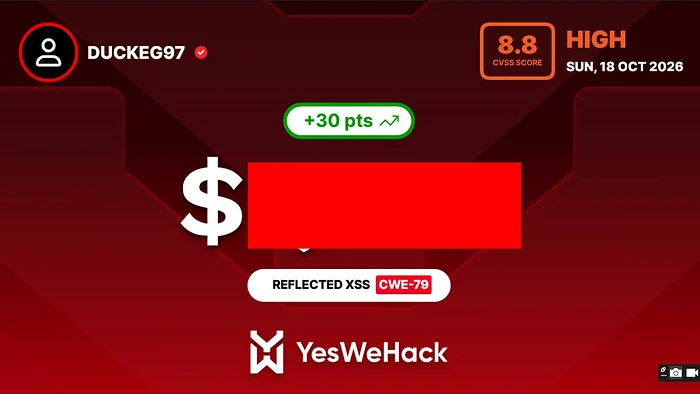
The finding was reported in collaboration with duckeg97.
Setup
The report does not describe the accounts, roles, tools or software versions used. The proof-of-concept form expects the following fields to be submitted to the endpoint: firstname, lastname, password and hash. The researcher notes that target.example should be replaced with the authorised test host and that valid test values should be provided for any required fields.
Finding it
While testing the application, the researcher found that POST /team/invite/accept reflected attacker-controlled POST parameters into its HTML response without proper output encoding. That reflection is what made JavaScript execution in the target's origin possible once a crafted form was delivered.
Three obstacles stood between the reflection and working exploitation:
- A WAF filtered the crafted payload.
- A Content Security Policy (CSP) was in place.
- The application used a CSRF-token flow that had to be satisfied before authenticated account changes would succeed.
Exploitation
Step 1: WAF evasion
The WAF initially interfered with the crafted payload. The researcher represented the payload's characters as HTML entities in the attacker-controlled form. The browser decoded those character references while parsing the form, so the resulting value was submitted in the POST request. This helped evade the WAF in the tested configuration. The underlying application issue remained improper contextual output encoding: the server reflected the submitted value into HTML without safely encoding it.
Step 2: XSS proof of concept
The following proof of concept submits a crafted firstname value to the vulnerable endpoint. Replace target.example with the authorised test host and provide valid test values for any required fields.
<!DOCTYPE html><html lang="en"><body> <form action="https://target.example/team/invite/accept" method="POST" id="poc"> <input name="firstname" value="as"><img src=1 onerror="alert(1)"></svg> ""> <input name="lastname" value="test"> <input name="password" value="TEST_VALUE"> <input name="hash" value="VALID_TEST_HASH"> </form><script> document.getElementById('poc').submit(); </script></body></html>
The firstname value is written mostly as hexadecimal character references. When the browser parses the form, it decodes them into the markup that the server later reflects. The encoded value is intended to demonstrate whether the reflected input can escape its original HTML context and trigger JavaScript execution. The alert(1) payload is non-destructive and serves only as an execution marker. The form auto-submits through document.getElementById('poc').submit().
Step 3: JavaScript proof of execution
For a separate JavaScript file, the following benign payload can be used to confirm execution. It does not read account data or modify the victim's account.
(() => { console.log('XSS proof of execution on Target'); document.title = 'XSS PoC executed'; alert('XSS proof of execution');})();
In the original test, the injected markup loaded JavaScript from external testing infrastructure. The target's CSP did not prevent the demonstrated execution path in the tested configuration. The researcher is explicit that this does not mean every CSP is bypassable: the effective directives and permitted script sources determine its protection.
Step 4: Handling CSRF token state
After confirming XSS, the initial attempt to change account information did not succeed because the application required the appropriate token state. The researcher used a hidden, same-origin iframe to load the internal page:
/account/user
After the page initialised, the script continued with the authenticated requests. This allowed the application's page initialisation and token-handling flow to run before the account modification request.
Step 5: Chaining the XSS with account management
The application exposed authenticated user information through:
GET /dashboard/api/userinfo
The response contained the current user's userId. Account updates were handled through the GraphQL endpoint:
POST /graphql
In the tested chain, the user ID was retrieved dynamically, and the account-management flow was used to change the email address. After verifying the new address through the controlled mailbox, the password-recovery process provided a path to account takeover.
The end-to-end chain was:
POST-based XSS → WAF evasion → JavaScript execution despite the tested CSP → same-origin iframe for token initialisation → retrieve user ID → change email → verify email → password recovery → account takeover.
The account-changing JavaScript is intentionally not included in the public PoC. The HTML and JavaScript snippets above demonstrate the XSS without automating account modification or takeover.
Root cause
The primary defect is improper contextual output encoding: POST /team/invite/accept reflected submitted values into HTML without safely encoding them, so the reflected input could escape its original HTML context. The existing defences did not stop the chain in the tested configuration. The WAF was bypassed by submitting the payload as HTML entities that the browser decoded while parsing the form. The CSP did not prevent the demonstrated execution path, which the researcher attributes to the effective directives and permitted script sources rather than to a general weakness in CSP. The CSRF-token flow was satisfied by first loading /account/user in a hidden same-origin iframe so that the application's initialisation and token handling ran before the account modification request.
Impact
The issue went beyond reflected XSS. In the tested environment, the XSS could be chained with authenticated account-management functionality to change the victim's email address and create a path to full account takeover. The victim's user ID did not need to be known in advance because it was retrieved from the authenticated session via GET /dashboard/api/userinfo. The takeover path depended on verifying the new address through a controlled mailbox and then using password recovery.
Fix
The primary fix is to prevent the original injection through proper output encoding, supported by a restrictive CSP and stronger controls for sensitive account changes. The report does not state which of these changes were actually made.
Variants to test
- Other reflected POST parameters. Submit HTML-entity-encoded values in every parameter of an invitation or similar accept endpoint and look for the decoded markup appearing unencoded in the HTML response. A positive result is the injected markup breaking out of its context and executing.
- Entity encoding against WAF rules. Where a WAF blocks a payload, encode the payload characters as HTML entities in the form and check whether the browser decodes them before submission. A positive result is the request passing the WAF while the server still reflects the decoded value.
- CSP with external script sources. Check whether the effective CSP directives permit loading script from external infrastructure. A positive result is execution of the injected script despite the policy.
- Token initialisation via same-origin iframe. Where authenticated actions fail for lack of token state, load the relevant internal page in a hidden same-origin iframe first. A positive result is the subsequent authenticated request succeeding.
- User ID retrieval from an authenticated API. Request the user-info endpoint from the injected context and check whether it returns the current user's identifier. A positive result is a
userIdthat can be fed into the account update flow. - Email change followed by recovery. Use the account-management flow to change the email to a controlled mailbox, verify it, and run password recovery. A positive result is control of the account without knowing the victim's user ID in advance.
What happened, in plain words
A security researcher was testing a website (called Target in the report) to see whether it could be broken into. He found a bug in the part of the site where someone accepts an invitation to join a team. When the site showed back the details a person had typed in, it did not clean them up first. That meant a cleverly written value could make the site run code written by the attacker, inside the victim's own logged-in session. This kind of bug is called cross-site scripting, or XSS for short.
On its own, XSS is already serious. But the researcher went further. He chained the bug with the site's normal account settings features, so that the injected code could change the victim's email address. Once the email address belonged to the attacker, the site's password-recovery process provided a path to taking over the account. That is a full account takeover: the attacker ends up controlling the victim's account.
Three defences stood in the way, and the report explains how each was dealt with: a WAF (a filter that blocks suspicious requests), a CSP (a browser rule that limits which scripts a page may run), and a CSRF token (a secret value the site expects alongside sensitive actions). In the tested setup the WAF was evaded, the CSP did not stop the demonstrated execution path, and the token flow was satisfied.
The finding was reported in collaboration with duckeg97.
The feature that was tested
The vulnerable feature is the team invitation acceptance flow. Picture a workplace tool where you can invite colleagues by email. When the colleague clicks the link in the invitation, the site asks them to fill in a short form: first name, last name, a password, and a hidden value called a hash that ties the form to the invitation. The site then processes that form at a particular address, called an endpoint:
POST /team/invite/accept
Two words there need explaining. POST is one of the ways a browser can talk to a server. When you type a web address into the address bar and press Enter, the browser usually uses GET, which just asks the server for a page. When you fill in a form and click Submit, the browser usually uses POST, which sends the form's contents to the server so it can do something with them, like create an account. An endpoint is simply a specific address on the server that accepts a particular kind of request, like a specific counter in a large office building.
The problem: this endpoint took the values the user submitted and pasted them straight back into the HTML page it returned, without cleaning them first. In security terms, it lacked proper output encoding. Encoding means turning dangerous characters into harmless stand-ins before showing them, the way a museum puts a valuable vase behind glass: you can still see it, but you cannot smash it. Without that, a value containing HTML or JavaScript is treated by the browser as instructions, not as text.
Setting up the test
The report does not describe the accounts, roles, tools or software versions used. What it does say is that the proof-of-concept form expects four fields to be submitted to the endpoint: firstname, lastname, password and hash. The researcher notes that target.example should be replaced with the authorised test host, and that valid test values should be provided for any required fields. In other words, you cannot just fire the form at any website; you need permission and a real test environment.
Finding the bug
While testing the application, the researcher found that POST /team/invite/accept reflected attacker-controlled POST parameters into its HTML response without proper output encoding. Reflected means the value is not stored on the server; it bounces straight back in the response to the same request, like an echo. That echo is what made JavaScript execution in the target's origin possible once a crafted form was delivered.
Origin is a browser concept: it is the combination of protocol, host and port, for example https://target.example. Browsers treat each origin as a separate security zone. Code running in one origin cannot normally read data from another. So if an attacker can get their code to run inside the target's origin, the browser treats that code as if it belonged to the site itself, and it can do anything the logged-in user could do.
Three obstacles stood between the echo and working exploitation:
- A WAF filtered the crafted payload. A WAF, or Web Application Firewall, is a filter that sits in front of a website and blocks requests that look malicious, like a bouncer at a club door checking IDs.
- A Content Security Policy (CSP) was in place. A CSP is a set of instructions the site sends to the browser saying which scripts are allowed to run. It is a second line of defence for when an XSS bug slips through.
- The application used a CSRF-token flow that had to be satisfied before authenticated account changes would succeed. CSRF stands for Cross-Site Request Forgery, an attack where a malicious page tricks a logged-in user's browser into sending a request the user did not intend. To stop it, sites include a secret, unpredictable token in sensitive forms, so a forged request without the right token is rejected. Think of it as a cloakroom ticket: no ticket, no coat.
Step 1: Getting past the WAF
The WAF initially interfered with the crafted payload. The researcher represented the payload's characters as HTML entities in the attacker-controlled form. An HTML entity is a code that stands for a character, written with an ampersand and a hash, like a for the letter a. The browser decoded those character references while parsing the form, so the resulting value was submitted in the POST request. In plain terms: the WAF saw a harmless-looking string of entity codes, but the browser turned them into the real characters just before sending them on.
This helped evade the WAF in the tested configuration. The underlying application issue remained improper contextual output encoding: the server reflected the submitted value into HTML without safely encoding it. The WAF was a filter, not a fix.
Step 2: The XSS proof of concept
The following proof of concept submits a crafted firstname value to the vulnerable endpoint. Replace target.example with the authorised test host and provide valid test values for any required fields.
<!DOCTYPE html><html lang="en"><body> <form action="https://target.example/team/invite/accept" method="POST" id="poc"> <input name="firstname" value="as"><img src=1 onerror="alert(1)"></svg> ""> <input name="lastname" value="test"> <input name="password" value="TEST_VALUE"> <input name="hash" value="VALID_TEST_HASH"> </form><script> document.getElementById('poc').submit(); </script></body></html>
Line by line, in plain words:
<!DOCTYPE html><html lang="en"><body>opens a normal, empty web page. Nothing special yet.<form action="https://target.example/team/invite/accept" method="POST" id="poc">starts a form.actionis where the form will be sent, the vulnerable endpoint.method="POST"says to send it as a POST request, the way a form submission normally works.id="poc"gives the form a name so the script at the bottom can find it.- The
firstnameinput is the interesting one. Itsvalueis written entirely as hexadecimal character references, likea. When the browser parses the form, it decodes them into the markup that the server later reflects. The encoded value is intended to demonstrate whether the reflected input can escape its original HTML context and trigger JavaScript execution. Thealert(1)payload is non-destructive and serves only as an execution marker: a pop-up box saying "1" is the classic way to prove code ran, without touching any data. - The
lastname,passwordandhashinputs are ordinary placeholder values. They exist because the endpoint expects those fields; the report says to supply valid test values for any required fields. </form>closes the form.<script> document.getElementById('poc').submit(); </script>is a tiny script that finds the form by its id and submits it automatically. The form submits itself automatically through the script.
Why this step matters: it proves the echo is dangerous.
Step 3: Proving JavaScript actually runs
For a separate JavaScript file, the following benign payload can be used to confirm execution. It does not read account data or modify the victim's account.
(() => { console.log('XSS proof of execution on Target'); document.title = 'XSS PoC executed'; alert('XSS proof of execution');})();
Line by line:
(() => { ... })();defines a small function and immediately runs it. The outer brackets are just a way of writing "run this now" in JavaScript.console.log('XSS proof of execution on Target');writes a message to the browser's developer console, a hidden panel where developers see technical messages. It is a quiet way to leave a trace.document.title = 'XSS PoC executed';changes the text shown in the browser tab. If the tab title changes, you know your code ran.alert('XSS proof of execution');shows a pop-up box. This is the loudest, simplest proof.
In the original test, the injected markup loaded JavaScript from external testing infrastructure. The target's CSP did not prevent the demonstrated execution path in the tested configuration. The researcher is explicit that this does not mean every CSP is bypassable: the effective directives and permitted script sources determine its protection. In other words, the effective directives and permitted script sources determine how much protection a CSP gives.
Step 4: Dealing with the CSRF token
After confirming XSS, the initial attempt to change account information did not succeed because the application required the appropriate token state. The application required the appropriate token state before the account change would succeed.
The researcher used a hidden, same-origin iframe to load the internal page:
/account/user
An iframe is a page inside a page, like a small window embedded in a larger one. Same-origin means the iframe loads from the same site as the page around it, so the browser lets the two talk to each other. Hidden means the user never sees it.
After the page initialised, the script continued with the authenticated requests. This allowed the application's page initialisation and token-handling flow to run before the account modification request. Why this step was needed: loading the real page first let the application's page initialisation and token-handling flow run before the sensitive request. By loading the real page quietly in the background first, the attacker's code lets the site do its normal setup, and only then sends the sensitive request.
Step 5: Chaining the XSS with account management
The application exposed authenticated user information through:
GET /dashboard/api/userinfo
An API is a way for programs to talk to a server, rather than for people to click around. This endpoint returns information about the logged-in user. The response contained the current user's userId, a unique number or string identifying the account.
Account updates were handled through the GraphQL endpoint:
POST /graphql
GraphQL is a way of asking a server for exactly the data you want, and of sending changes, through a single address. Instead of many different endpoints, there is one door with many possible requests behind it.
In the tested chain, the user ID was retrieved dynamically, and the account-management flow was used to change the email address. After verifying the new address through the controlled mailbox, the password-recovery process provided a path to account takeover. "Dynamically" means the attacker's code did not need to know the ID in advance; it asked the site for it and used whatever came back.
The end-to-end chain was:
POST-based XSS → WAF evasion → JavaScript execution despite the tested CSP → same-origin iframe for token initialisation → retrieve user ID → change email → verify email → password recovery → account takeover.
The account-changing JavaScript is intentionally not included in the public PoC. The HTML and JavaScript snippets above demonstrate the XSS without automating account modification or takeover. The public write-up shows the XSS without automating account modification or takeover.
Why it worked
The primary defect is improper contextual output encoding: POST /team/invite/accept reflected submitted values into HTML without safely encoding them, so the reflected input could escape its original HTML context. The existing defences did not stop the chain in the tested configuration. The WAF was bypassed by submitting the payload as HTML entities that the browser decoded while parsing the form. The CSP did not prevent the demonstrated execution path, which the researcher attributes to the effective directives and permitted script sources rather than to a general weakness in CSP. The CSRF-token flow was satisfied by first loading /account/user in a hidden same-origin iframe so that the application's initialisation and token handling ran before the account modification request.
What the impact was
The issue went beyond reflected XSS. In the tested environment, the XSS could be chained with authenticated account-management functionality to change the victim's email address and create a path to full account takeover. The victim's user ID did not need to be known in advance because it was retrieved from the authenticated session via GET /dashboard/api/userinfo. The takeover path depended on verifying the new address through a controlled mailbox and then using password recovery.
How to fix it
The primary fix is to prevent the original injection through proper output encoding, supported by a restrictive CSP and stronger controls for sensitive account changes. The report does not state which of these changes were actually made.
Other places to look
- Other reflected POST parameters. Submit HTML-entity-encoded values in every parameter of an invitation or similar accept endpoint and look for the decoded markup appearing unencoded in the HTML response. A positive result is the injected markup breaking out of its context and executing.
- Entity encoding against WAF rules. Where a WAF blocks a payload, encode the payload characters as HTML entities in the form and check whether the browser decodes them before submission. A positive result is the request passing the WAF while the server still reflects the decoded value.
- CSP with external script sources. Check whether the effective CSP directives permit loading script from external infrastructure. A positive result is execution of the injected script despite the policy.
- Token initialisation via same-origin iframe. Where authenticated actions fail for lack of token state, load the relevant internal page in a hidden same-origin iframe first. A positive result is the subsequent authenticated request succeeding.
- User ID retrieval from an authenticated API. Request the user-info endpoint from the injected context and check whether it returns the current user's identifier. A positive result is a
userIdthat can be fed into the account update flow. - Email change followed by recovery. Use the account-management flow to change the email to a controlled mailbox, verify it, and run password recovery. A positive result is control of the account without knowing the victim's user ID in advance.
How it was reported
The researcher reported the vulnerability through the appropriate security reporting channel. The report records the following status changes:
Under Review on 2026-09-15 17:07 Need More Info on 2026-09-30 13:32 Accepted on 2026-10-18 22:05
Glossary
- Account takeover: when an attacker gains control of someone else's account, for example by changing its email and resetting its password.
- API: a way for programs to exchange data with a server, as opposed to a page a person clicks through.
- Browser: the program you use to view websites, such as Chrome, Firefox or Safari.
- Character reference / HTML entity: a code such as
athat stands for a character; the browser turns it into the real character when it reads the page. - Content Security Policy (CSP): instructions a site sends to the browser saying which scripts may run and from where.
- CSRF (Cross-Site Request Forgery): an attack that tricks a logged-in user's browser into sending a request the user did not intend.
- CSRF token: a secret, unpredictable value included in sensitive forms so that forged requests without it are rejected.
- Endpoint: a specific address on a server that accepts a particular kind of request.
- GET: a request that asks the server for a page or data, usually by typing an address or clicking a link.
- GraphQL: a way of asking a server for exactly the data you want, or sending changes, through a single address.
- HTML: the language web pages are written in.
- HTML entity: see character reference.
- Iframe: a page embedded inside another page.
- JavaScript: the programming language browsers run to make pages interactive.
- Origin: the combination of protocol, host and port, such as
https://target.example; browsers keep each origin separate for security. - Output encoding: turning dangerous characters into harmless stand-ins before showing them, so they are treated as text and not as instructions.
- POST: a request that sends data to the server, usually from a form submission.
- Proof of concept (PoC): a small, safe demonstration that a bug is real.
- Reflected: a value that bounces straight back in the response to the same request, rather than being stored on the server.
- Same-origin: loading from the same protocol, host and port as the surrounding page, so the browser lets them interact.
- Token: a secret value used to prove a request is legitimate or to identify a session.
- WAF (Web Application Firewall): a filter in front of a website that blocks requests that look malicious.
- XSS (cross-site scripting): a bug where attacker-supplied content is treated as code by the browser and runs inside the site's origin.




