From Sub domain Takeover to Open-Redirect

I am Anil Tom. Since I haven’t written a blog for a while, I just thought of writing one.
The full write-up lives on its author's site
It belongs to its author, so we link to it rather than copy it. The other two tabs are our own rewrites, checked against it.
Context
This write-up covers a finding made in a private Bugcrowd bug bounty program. The researcher, Anil Tom, had logged back in to his Bugcrowd account after a long break and noticed some pending private program invitations. One of them caught his attention, so he opened it and checked the scope. The program listed around six domains in scope, and he began opening each website in turn.
One of those in-scope websites returned a GoDaddy parking page instead of the expected application. The report does not name the domain, and the target used later for the redirect test is referred to only as redact.com.
Setup
- A Bugcrowd account with a pending invitation to a private program.
- The program scope: around six domains.
- Tools used: the ICANN Domain Name Registration Data Lookup at
https://lookup.icann.org/lookupand dirsearch. - No credentials, roles or special access are described; the work was done against the public websites.
Finding it
While opening each in-scope website, one of them was greeted by a GoDaddy web page.
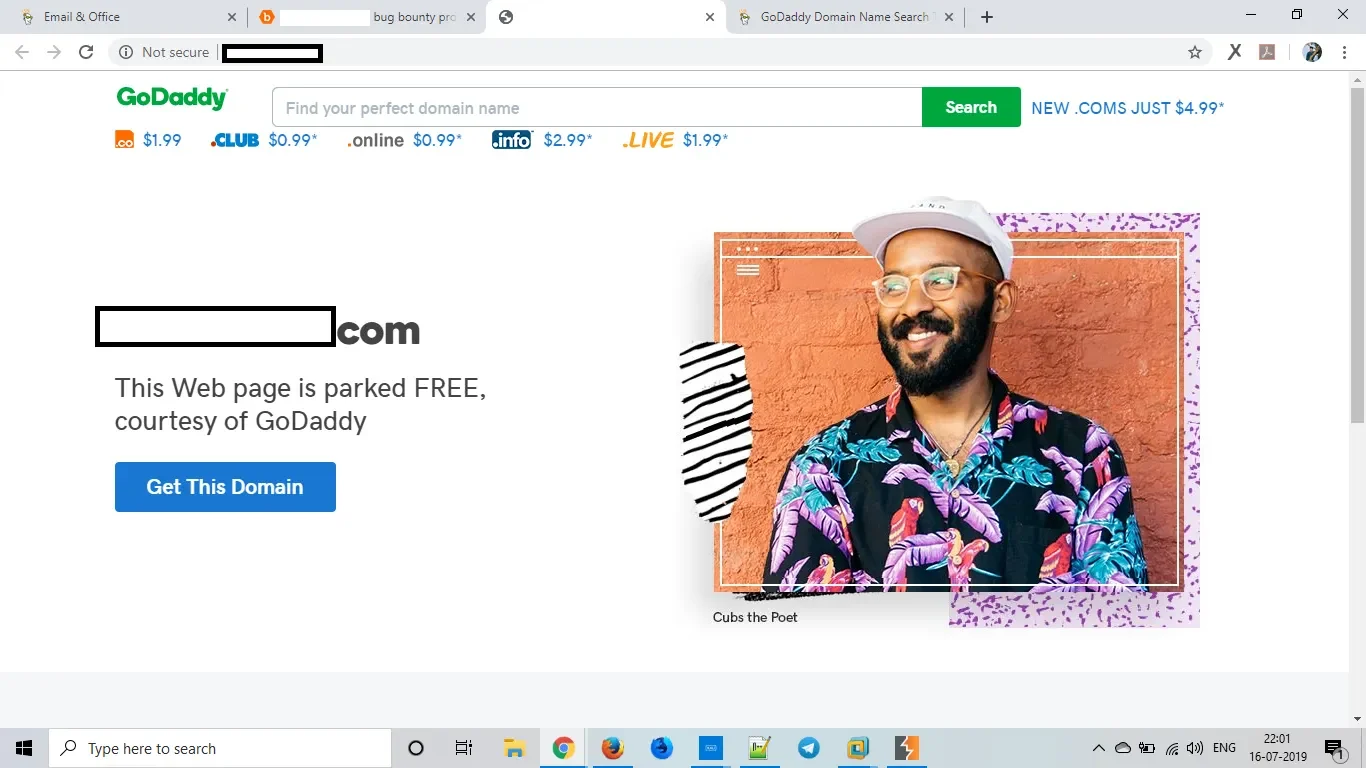
When he saw that page, his first thought was subdomain takeover.

He checked further and found that the domain had not expired, so the takeover was not possible.
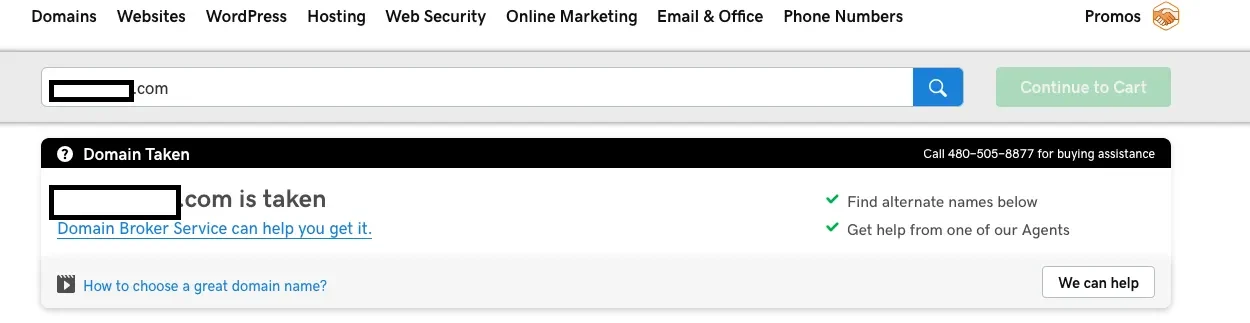

As he was closing the tab, he decided to do some recon on the website anyway. Using the ICANN lookup he found that the domain was owned by the company itself. He then ran dirsearch against the domain but could not find anything.
With no content discovered by brute force, he moved on to testing whether the site was vulnerable to open redirect.
Exploitation
Step 1: Confirm the takeover is not viable
The GoDaddy page suggested a takeover, but the domain had not expired, so subdomain takeover was not possible. Subdomain takeover was ruled out at this point.
Step 2: Reconnaissance
He looked up the domain's registration data through the ICANN lookup and confirmed company ownership, then ran dirsearch against the domain. The report does not give the exact command line or any output; the result was that nothing was found.
Step 3: Test for open redirect
The target is referred to as redact.com. He changed the URL to the following and executed it:
https://redact.com//google.co.in/
The path begins with a double slash. As expected, the request returned a redirect to https://google.com.

Step 4: Report
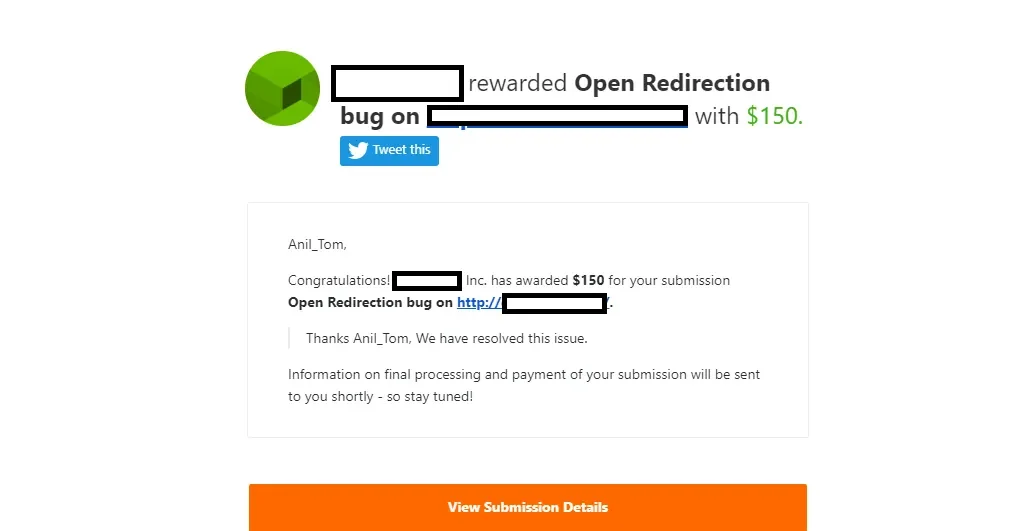
He recorded a proof-of-concept video and reported the issue to the team.
Root cause
What the behaviour shows is that the application took a user-controlled value and used it in a redirect without constraining it to a path on its own host. A leading // followed by an external host was accepted and turned into a redirect to that host. Whether the value came from a query parameter, a path segment or a header is not stated. The report also does not say what validation, if any, existed, so why the existing defences did not stop it can only be described as likely: the check probably looked for an absolute URL with a scheme, or compared against a list of allowed hosts, and a protocol-relative value slipped past it.
Impact
Open redirect is described in the report as not a high impact vulnerability. The application accepts user-controlled input that specifies a link to an external site and uses that link in a redirect, which simplifies phishing attacks. Because the modified vulnerable link is identical to the original site, the likelihood of a successful phishing attack increases. The report notes that open redirection is listed in the OWASP Top 10 for 2013 and 2010, at tenth position in both lists, since it remains an active threat in modern web applications.
In practical terms, an attacker can craft a link on the trusted domain that sends the victim to an attacker-chosen site.
Fix
A fix would need to reject or neutralise values that resolve to another host, including protocol-relative forms such as a leading //, and restrict redirect targets to paths on the application's own host or to an explicit allowlist.
Timeline
| Event | Date and time |
|---|---|
| Initial report | 16 Jul 2019, 12:45 am |
| Triaged | 17 Jul 2019, 2:56 AM |
| Fixed | 17 Jul 2019, 3:06 AM |
| Bounty awarded | 17 Jul 2019, 3:08 AM (150 USD) |
Variants to test
- Protocol-relative paths. Try a leading
//followed by an external host in any parameter or path segment that feeds a redirect, as in the payload above. A positive result is aLocationheader pointing at the external host. - Backslash and mixed-slash forms. Some parsers normalise
\or\/to//. A positive result is the same external redirect after normalisation. - Absolute URLs with a scheme. Supply
https://external.example/directly where a path is expected. A positive result is a redirect off-site. - Host confusion in the authority. Try values such as
https://[redacted]/orhttps://external.example#redact.com. A positive result is a redirect to the external host rather than toredact.com. - Encoded separators. Encode the slashes or the host, for example
%2f%2fexternal.example, and see whether the application decodes before redirecting. A positive result is an off-siteLocationheader. - Redirect parameters on other endpoints. Once dirsearch or manual browsing reveals any login, logout, return or continue parameter, test the same payloads there. A positive result is a redirect to the supplied host after authentication or navigation.
What happened, in plain words
A security researcher named Anil Tom found a bug in a website that belonged to a company running a private bug bounty program on Bugcrowd. A bug bounty program is a deal between a company and independent testers: the company says which of its systems may be tested, and pays a reward (a bounty) for real problems that are reported responsibly. A private program is one you can only join by invitation.
He started by looking at a website that showed a GoDaddy parking page. A parking page is the placeholder a domain registrar shows when a domain name exists but no website has been set up behind it. When he saw that page, his first thought was subdomain takeover. That is called subdomain takeover. In this case the domain had not expired, so the takeover was not possible.
He then did some basic reconnaissance (recon): looking up who owns the domain and trying to discover hidden pages. He found nothing. Finally he tested whether the site would redirect visitors to another website chosen by whoever builds the link. It did. That is an open redirect. He recorded a video showing it, reported it, and the company fixed it the next day and paid him 150 US dollars.

The image above is the opening of the blog post, where the author introduces himself and says the finding came from a private Bugcrowd program.
The setup
Before any testing, the researcher needed three things:
- A Bugcrowd account. Bugcrowd is a platform that hosts bug bounty programs; companies publish their programs there and researchers submit reports through it.
- An invitation to a private program. Private programs are not visible to the public, so you only see them if the company invites you.
- The program's scope. The scope is the list of systems you are allowed to test. Testing anything outside the scope is out of bounds and can get you removed from a program. Here the scope contained around six domains.
He also used two tools later:
- The ICANN Domain Name Registration Data Lookup at
https://lookup.icann.org/lookup. ICANN is the organisation that coordinates domain names on the internet. This lookup page lets anyone see public registration details for a domain, such as who registered it and when it expires. Think of it like a public land registry for internet addresses. - dirsearch, a tool available at
https://github.com/maurosoria/dirsearch. It tries a long list of common file and folder names against a website to see which ones exist. Imagine walking down a street trying every house number to see which doors are real. It is a brute-force way of finding pages that are not linked from the home page.
The report does not mention any login credentials, user accounts or special access. All the work was done against the public websites, the same way any visitor could reach them.
Finding the first clue
He opened each of the roughly six in-scope websites one by one. One of them showed a GoDaddy page instead of the expected application. GoDaddy is a company that sells domain names and hosting.
That page is the classic sign of a dangling DNS record. DNS is the internet's address book: it translates a name like example.com into the address of a server. A dangling record is an entry that still points at a hosting provider, but the provider no longer has that name claimed by anyone. If an attacker can claim the name at the provider, the record now points at the attacker's content. That is subdomain takeover: taking control of a subdomain by registering the abandoned name at the service it points to.
So his first thought was subdomain takeover. He checked further and found that the domain had not expired.
A domain registration has an expiry date, like a lease. If the owner lets it lapse, anyone can register it. Here the registration was still active, so the takeover was not possible. The report does not name the domain involved.
Changing direction: recon
As he was closing the tab, he decided to do some recon on the website anyway. Recon means gathering information about a target before attacking it: who owns it, what software it runs, what pages exist. It is the equivalent of studying a building's layout before trying the doors.
He used the ICANN lookup and found that the domain was owned by the company itself.
He then ran dirsearch against the domain. The result was that nothing was found: no hidden pages, no interesting files.
With no content discovered by brute force, he moved on to a different class of bug: open redirect.
What an open redirect is
An open redirect is a bug where a web application takes a value supplied by the user, treats it as a link to somewhere else, and sends the visitor there. The application is supposed to send you only to places it trusts, usually pages on its own site. When it will send you anywhere, the redirect is open.
Why does that matter? Because the link you click starts with the trusted company's address. A phishing email can say "click here to log in to your account" and the link really does begin with the company's domain, so it looks genuine. The victim clicks the link and is sent to a fake page controlled by the attacker. The report describes open redirect as not a high impact vulnerability, but one that simplifies phishing attacks. It also notes that open redirection is listed in the OWASP Top 10 for 2013 and 2010, at tenth position in both lists. OWASP is a community organisation that publishes lists of common web security risks; the Top 10 is its best-known list.
Testing for the redirect
The target is referred to only as redact.com, a stand-in name. He changed the URL to the following and executed it:
https://redact.com//google.co.in/
Line by line, in plain words:
https://is the scheme: it tells the browser to use a secure connection.redact.comis the host: the trusted company's website.//google.co.in/is the path part of the URL, as far as the browser is concerned. But it begins with a double slash.
That double slash is the trick: the value begins with //. The result was a redirect to https://google.com.
The image follows the redirect result.
Reporting it
He recorded a proof-of-concept video and reported the issue to the team. A proof of concept (PoC) is a small, repeatable demonstration that the bug is real: here, a video of the crafted link being opened and the browser landing on the external site. A video is useful because it shows the whole sequence, not just a screenshot of the end state.
The image follows the note that a PoC video was made and reported.
Why it worked
What the behaviour shows is that the application took a user-controlled value and used it in a redirect without constraining it to a path on its own host. A leading // followed by an external host was accepted and turned into a redirect to that host. Whether the value came from a query parameter, a path segment or a header is not stated. The report also does not say what validation, if any, existed, so why the existing defences did not stop it can only be described as likely: the check probably looked for an absolute URL with a scheme, or compared against a list of allowed hosts, and a protocol-relative value slipped past it.
What the impact is
In practical terms, an attacker can craft a link on the trusted domain that sends the victim to an attacker-chosen site. The danger is the trust the domain carries: people check the start of a link, see the company's name, and click.
How it was fixed
A fix would need to reject or neutralise values that resolve to another host, including protocol-relative forms such as a leading //, and restrict redirect targets to paths on the application's own host or to an explicit allowlist. An allowlist is a list of values that are explicitly permitted; anything not on the list is refused.
Timeline
| Event | Date and time |
|---|---|
| Initial report | 16 Jul 2019, 12:45 am |
| Triaged | 17 Jul 2019, 2:56 AM |
| Fixed | 17 Jul 2019, 3:06 AM |
| Bounty awarded | 17 Jul 2019, 3:08 AM (150 USD) |
Triaged means the program team reviewed the report, confirmed it was valid and in scope, and passed it to the people who could fix it. The whole cycle, from report to fix to payment, took about a day.
Other forms of the same bug to try
Once you understand the idea, there are several variations worth testing on any site that redirects you somewhere after you click a link. Each one is a different way of sneaking an external host past a check that was meant to keep you on the same site.
- Protocol-relative paths. Try a leading
//followed by an external host in any parameter or path segment that feeds a redirect, as in the payload above. A positive result is aLocationheader pointing at the external host. TheLocationheader is the part of the server's reply that tells the browser where to go next. - Backslash and mixed-slash forms. Some parsers normalise
\or\/to//. A positive result is the same external redirect after normalisation. - Absolute URLs with a scheme. Supply
https://external.example/directly where a path is expected. A positive result is a redirect off-site. - Host confusion in the authority. Try values such as
https://[redacted]/orhttps://external.example#redact.com. A positive result is a redirect to the external host rather than toredact.com. The@in a URL separates login details from the host, and the#starts a fragment that the browser does not send to the server, so both can confuse a naive check. - Encoded separators. Encode the slashes or the host, for example
%2f%2fexternal.example, and see whether the application decodes before redirecting. A positive result is an off-siteLocationheader. Percent-encoding is how special characters are written in URLs;%2fis a slash. - Redirect parameters on other endpoints. Once dirsearch or manual browsing reveals any login, logout, return or continue parameter, test the same payloads there. A positive result is a redirect to the supplied host after authentication or navigation.
Glossary
- Bug bounty program: an arrangement where a company invites independent testers to look for security problems in its systems and pays a reward for valid reports.
- Private program: a bug bounty program that is only visible to invited researchers, not to the public.
- Scope: the list of systems a program allows you to test; anything outside it is off limits.
- Bounty: the money paid for a valid report.
- Bugcrowd: a platform that hosts bug bounty programs and handles report submissions.
- Domain: a name on the internet, such as
example.com, that people type to reach a website. - Subdomain: a name that sits under a domain, such as
shop.example.com. - DNS: the internet's address book, translating names into server addresses.
- Dangling DNS record: a DNS entry that points at a hosting provider which no longer holds the name, leaving it claimable.
- Subdomain takeover: taking control of a subdomain by registering the abandoned name at the service its DNS record points to.
- Parking page: a placeholder page shown by a registrar when a domain exists but no website is set up behind it.
- GoDaddy: a company that sells domain names and hosting.
- Registrar: a company through which domain names are registered.
- Expiry date: the date a domain registration lapses, after which anyone can register the name.
- ICANN: the organisation that coordinates domain names on the internet; its lookup page shows public registration data.
- Recon (reconnaissance): gathering information about a target before testing it, such as ownership, software and existing pages.
- dirsearch: a tool that tries many common file and folder names against a website to discover hidden pages.
- Brute force: trying many possibilities systematically until something works.
- Open redirect: a bug where an application takes a user-supplied value and uses it to send the visitor to another site, without restricting where.
- Phishing: tricking someone into clicking a link or entering details on a fake page that imitates a trusted one.
- OWASP Top 10: a well-known list of common web security risks published by the OWASP community organisation.
- URL: the address of a page or resource on the web.
- Scheme: the first part of a URL, such as
https://, which says how to connect. - Host: the part of a URL that names the server, such as
redact.com. - Path: the part of a URL after the host that names the page or resource.
- Protocol-relative reference: a URL that starts with
//and takes its scheme from the page it appears on; the next part is read as a host. - Location header: the part of a server's reply that tells the browser to go to another address.
- Proof of concept (PoC): a small, repeatable demonstration that a bug is real.
- Triaged: reviewed and confirmed as valid by the program team.
- Allowlist: a list of values that are explicitly permitted, with everything else refused.
- Percent-encoding: the way special characters are written in URLs, for example
%2ffor a slash. - Fragment: the part of a URL after
#, which the browser keeps and does not send to the server. - Endpoint: a specific address on a server that handles a particular request.