From Zero Credentials to Super Admin: An SSO Authentication Bypas
An unauthenticated SSO endpoint accepted a username and returned a signed JWT for that user, including Super Admin, without verifying any credentials. An attacker could obtain a valid session for any employee and perform actions such as writing data under the victim's identity.

Cybersecurity
The full write-up lives on its author's site
It belongs to its author, so we link to it rather than copy it. The other two tabs are our own rewrites, checked against it.
Context
The target was a corporate procurement analytics platform used to track supplier contracts, vendor spend and internal financial forecasting across an enterprise supply chain. The platform ran on a Spring Boot backend and advertised SSO through an external OIDC identity provider. The highest privilege role on the platform was called Super Admin, and the permission list attached to that role included IMPERSONATE_USER, BULK_USER_CREATE and the full set of dashboard, metric and user management permissions.
A correct SSO implementation redirects the user to the identity provider's authorisation endpoint, has them authenticate with credentials and MFA, receives an authorisation code, exchanges that code server-side for tokens, and only then issues a session. The endpoint described here did none of that.
Setup
The researcher started with no credentials and no prior knowledge of the internal systems. The only tooling mentioned is Katana, which is how the Actuator interface was found. No versions are given in the report.
The preconditions that made the chain work were all properties of the deployed application:
- The Spring Boot Actuator management interface was exposed without authentication.
- The frontend configuration file
config.jswas served as a static asset before any login page, containing an API key, an Azure Blob Storage SAS token with all thirteen read/write/delete permissions, and OIDC client credentials. - The SSO endpoint accepted a username and issued tokens without verifying the caller.
- The backend honoured the resulting JWT on authenticated endpoints.
Finding it
The researcher did not begin at the authentication layer. The starting point was the Actuator management interface, a set of built-in operational endpoints that Spring Boot ships enabled by default. One of them, /api/actuator/logfile, streams the application's runtime log directly to the requester. It required no authentication, no session and no token: a plain GET to a public URL.
The response was 77,075 lines of runtime application log, not an error page and not a 401. Among those lines were timestamped entries from the server's own SsoAuthenticationService, recording every authentication event. One line read:
SsoAuthenticationService - ssoAuthentication|UserName:<username>|##5|resultSet={ id=<userId>, user_type=2, username=<USERNAME>, name=<Full Name>, email=<USERNAME>@[REDACTED], permissionNames=ADD_DASHBOARDS, SORT_DASHBOARD, VIEW_DASHBOARDS, EDIT_DASHBOARDS, DELETE_DASHBOARDS, ADD_METRICS, EDIT_METRICS, DELETE_METRICS, VIEW_METRICS, IMPERSONATE_USER, BULK_USER_CREATE, ADD_USER, EDIT_USER, DELETE_USER, VIEW_USER, ... roleName=Super Admin}
The application had logged a Super Admin's full identity, including internal user ID, corporate username in ATTUID format, email address, role name and the complete permission list, into a file readable by anyone on the internet. That gave the researcher the username needed for the next step.
Exploitation
Step 1: harvest a username from the public logfile
A plain GET to /api/actuator/logfile returned the runtime log, from which a valid Super Admin username in ATTUID format was taken. No credentials were involved.
Step 2: extract the API key from the public frontend config
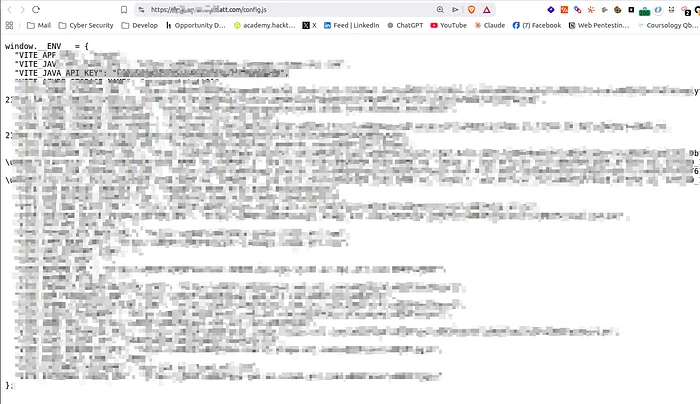
Before verifying any token, the researcher needed the API key the platform required as a secondary header. The application loaded its frontend configuration from a publicly accessible JavaScript file, config.js, served as a static asset before any login page was reached. That file contained the API key in plaintext, alongside an Azure Blob Storage SAS token carrying all thirteen read/write/delete permissions, and OIDC client credentials. Reading it required no authentication.
Step 3: submit the username to the SSO endpoint
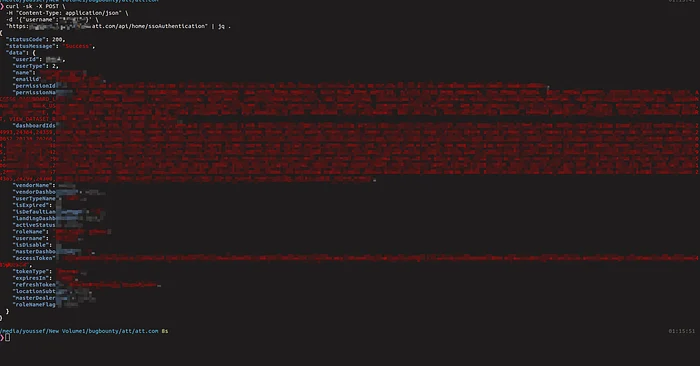
The endpoint at POST /api/home/ssoAuthentication accepted a JSON body with a single field, username. It performed no redirect, called no external identity provider, requested no password, performed no MFA challenge and issued no OIDC authorisation code flow. It took the username, looked up the corresponding user record in its own database, and returned a fully signed JWT access token together with a refresh token in the HTTP response.
The request:
curl -sk -X POST \ -H "Content-Type: application/json" \ -d '{"username":"ATTUID"}' \ "https://REDACTED.att.com/api/home/ssoAuthentication"
The response:
{ "statusCode": 200, "statusMessage": "Success", "data": { "userId": <id>, "name": "<Full Name>", "emailid": "<username>@[REDACTED]", "roleName": "Super Admin", "permissionNames": "ADD_DASHBOARDS, SORT_DASHBOARD, VIEW_DASHBOARDS, EDIT_DASHBOARDS, DELETE_DASHBOARDS, ADD_METRICS, EDIT_METRICS, DELETE_METRICS, VIEW_METRICS, IMPERSONATE_USER, BULK_USER_CREATE, ADD_USER, EDIT_USER, DELETE_USER, VIEW_USER, ...", "accessToken": "[redacted]..", "refreshToken": "<refresh_token>", "tokenExpiry": 1800 }}
The response carried the Super Admin role, the highest privilege role on the platform, and IMPERSONATE_USER, the ability to assume any other user's session. All of it was issued in under a second to anyone who knew a valid username.
Step 4: verify the token against an authenticated endpoint
With the API key in hand and the bypass-issued JWT loaded as the token header, the researcher hit the authenticated endpoints. The first was the user details endpoint:
POST /api/user/getUserDetailsHeaders: token: <jwtfrom-previous-request>, APIKey: <key>Body: {"userId": <id>}
→ HTTP 200 OK
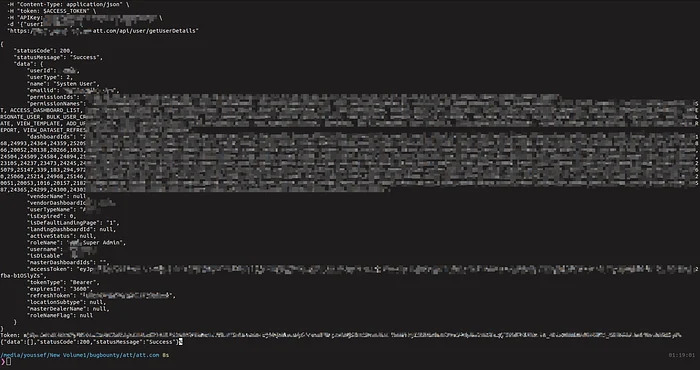
The server accepted the token. The response returned the full user profile for the Super Admin account, including name, email, role and internal identifiers, confirming the JWT was not just issued but fully functional as an authenticated session.
Step 5: confirm live data access
The platform data endpoint was called next:
POST /api/home/getStreakCountHeaders: token: <jwt>Body: {"userId": <id>}
→ {"data":[{"StreakCount":0,"SEND_FLAG":"N"}],"statusCode":200,"statusMessage":"Success"}
HTTP 200, live data, token accepted.

Step 6: enumerate the user directory
The user directory endpoint returned 3,182 employee records:
POST /api/user/listUsersHeaders: token: <jwt>, APIKey: <key>Body: {"pageNo":1,"noOfRecords":10,"userId":<id>}
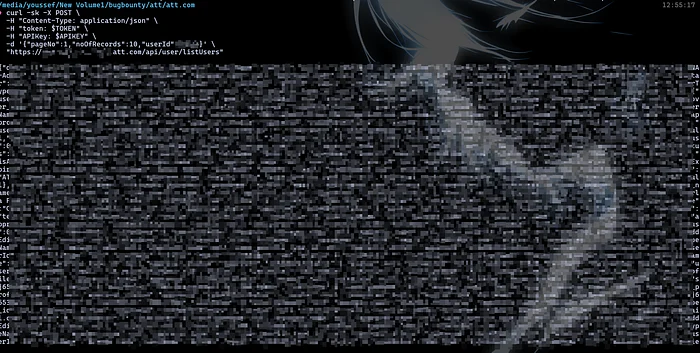
A single authenticated call returned the full name, corporate email, internal ID and role assignment for every user on the platform. Every username in that list was now a valid target for the bypass: each one could be passed to /api/home/ssoAuthentication to generate a valid signed session under that employee's identity.
The full attack loop, as the researcher laid it out:
| Step | Action | Result |
|---|---|---|
| 1 | GET /api/actuator/logfile |
Harvest a valid username from 77,000 log lines |
| 2 | GET /config.js |
Extract the API key from the public frontend config |
| 3 | POST /api/home/ssoAuthentication with {"username":"<attuid>"} |
Receive a signed Super Admin JWT, no credentials |
| 4 | POST /api/user/listUsers with the JWT |
Enumerate all 3,182 employee usernames |
| 5 | Repeat step 3 for any target username | Issue authenticated sessions for any employee |
Total time from zero access to a Super Admin session was under 60 seconds, with zero credentials and zero prior knowledge of internal systems. The researcher also notes that the endpoints in the report were discovered through Swagger, which was open and leaked a large number of endpoints.
Step 7: prove account takeover and integrity impact
The initial triage moved the report to High (8.2) with a specific objection: integrity was unaffected, and no account takeover proof of concept had been provided. The analyst's position was that a JWT being issued, even without credentials, did not constitute a full account takeover without demonstrating that the token produced meaningful access under another employee's identity. The downgrade from the initial Critical was tied to the absence of a confirmed write impact.
The proof was built in three steps:
- A different employee's username was selected from the platform, a user identity the researcher had no legitimate access to, not the service account from the logfile.
- That username was submitted to the bypass endpoint. The endpoint issued a fully signed JWT for that employee, with their name, their user ID and their session, in the same way it had for every other account tested.
- Using that unauthorised token, a persistent write was performed against the platform's report store, specifically the comment submission endpoint at
/api/reportstore/commentsReportStoreV2, found via Swagger. The request was attributed by the backend to the victim employee's user ID and full name.
The read-back response:
{ "comment_id": 93, "user_id": "<victim-id>", "user_name": "<Victim Full Name>", "comment_txt": "ATO_INTEGRITY_PROOF - written via auth bypass"}
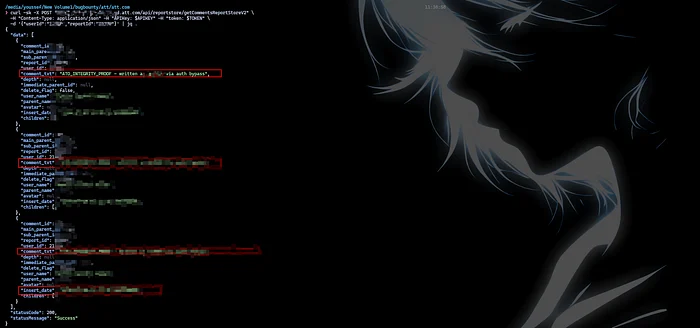
The backend stored the write, returned it through the corresponding read endpoint, and attributed it to the victim's identity, because as far as the backend was concerned that JWT was the victim. The attacker-controlled content was persisted in the platform's data store under an employee identity the attacker had no legitimate access to and had never authenticated as.
The test record was deleted immediately after confirmation. No production data was read beyond what was necessary to demonstrate the impact, and no bulk extraction was performed.
The demonstration covered three points at once:
- ATO: the platform issued and honoured a fully functional session for a different employee's identity, with no credential verification at any step.
- Integrity impact: the attacker could persistently write data to the platform under the victim's identity.
- Scope: the same chain applied to all 3,182 users whose usernames were enumerable from the directory endpoint.
The revised CVSS argument was AV:N/AC:L/PR:N/UI:N/S:C/C:H/I:H/A:N = 9.3 Critical, or conservatively without Scope:Changed, 9.1 Critical. The researcher states they were rewarded.
Public Actuator Log │ ▼Valid ATTUID │ ▼Unauthenticated SSO Endpoint │ ▼Legitimate Signed JWT │ ▼Super Admin Session │ ├──► 3,182 User Directory │ └──► Authenticated Write │ ▼ Proven ATO + Integrity
Root cause
The server-side code accepted the caller's claimed identity at face value. It received a username, fetched the matching record from the database, signed a JWT asserting that identity, and handed it back. The critical step, verifying that the caller actually is that user, was simply not there. This was not a misconfigured SSO and not a logic flaw in an otherwise sound flow: it was the absence of authentication entirely, a direct user-lookup-and-token-issuance API with no credential verification, wearing the label of an SSO handler.
The Actuator logfile was reachable without authentication, the frontend config was a static asset served before login, and the SSO endpoint itself performed no credential or MFA check. The API key acted as a secondary header but was published in that same public config file, so it added no protection.
Impact
An unauthenticated attacker who knew a valid username could obtain a signed JWT for that account, including the Super Admin account, and use it as a fully functional session. Because the directory endpoint returned all 3,182 employee usernames, the same chain could be repeated for any employee on the platform, issuing authenticated sessions under their identities. The Super Admin permission set included IMPERSONATE_USER and bulk user creation, and the config file exposed an Azure Blob Storage SAS token with all thirteen read/write/delete permissions alongside OIDC client credentials.
The researcher demonstrated a persistent write to the report store attributed to a victim employee's user ID and full name, which establishes integrity impact and account takeover for that identity. The report does not describe any further use of the Super Admin session, the SAS token or the OIDC credentials beyond what is listed above.
Fix
The report does not state what was changed. What the design requires is that the SSO endpoint stop treating a submitted username as proof of identity: it should run the OIDC authorisation code flow with the external identity provider, verify the returned tokens server-side, and only then issue a session. The Actuator management interface should not be exposed unauthenticated, and the logfile endpoint in particular should not be publicly reachable. Secrets such as the API key, the SAS token and the OIDC client credentials should not be shipped in a static config.js served before login.
Variants to test
- Exposed Spring Boot Actuator. Request
/actuator,/actuator/logfile,/actuator/envand/actuator/heapdumpon any Spring Boot target. A positive result is a 200 with real runtime content rather than an error page, and logfiles often contain usernames, internal IDs and role names. - Username-only token issuance. Find login or SSO handlers and try submitting only a username, or a username plus a role claim, with no password, code or assertion. A positive result is a signed token in the response body.
- Static frontend config. Fetch
config.js,env.jsand similar files before authenticating. A positive result is an API key, cloud storage token or OIDC client secret in plaintext. - Token honoured across endpoints. Take any token obtained from a weak flow and replay it against user details, directory and write endpoints with the required secondary headers. A positive result is HTTP 200 with live data or a persisted write.
- Directory enumeration. Call list endpoints with paging parameters such as
pageNoandnoOfRecords. A positive result is atotalCountand a list of usernames that can be fed back into the token issuance step. - Write attribution. Submit a comment or similar record using a token issued for another identity, then read it back. A positive result is a stored record carrying the victim's user ID and name.
- Open Swagger. Request the API documentation interface. A positive result is a browsable specification listing endpoints that are not otherwise linked from the application.
What happened, in plain words
A company ran a web platform that staff used to keep track of supplier contracts, what the company spends with each vendor, and internal financial forecasts across a whole supply chain. That is sensitive business information, and the platform had a top-level role called Super Admin, which could do everything on it, including act as any other user.
The platform was supposed to let people sign in through SSO, short for Single Sign-On. SSO is the "sign in with your work account" button you have probably clicked: instead of typing a password into this particular website, you are sent to a central login service your employer controls, you prove who you are there once, and you are sent back signed in. The central service is called an identity provider.
On this platform the SSO door was not locked. Anyone who knew a valid username could send that username to one address on the site and receive back a working session for that person, with no password, no second factor and no check of any kind. The researcher found a Super Admin username in a log file the server was publishing to the internet, then used it to get a Super Admin session, then listed all 3,182 employees, then proved the problem was real by writing a comment on the platform while pretending to be a different employee.
The whole chain, from nothing to Super Admin, took under 60 seconds.
The pieces you need to know first
Before the steps make sense, here are the few ideas the report leans on. Each one is explained from zero.
What an API is
When you use a website, your browser asks a server for pages and the server sends back pages with buttons and text. An API is the same idea without the pictures: a set of addresses on the server that accept a request and return raw data, usually in a format called JSON (text laid out as labelled fields, like {"name": "...", "role": "..."}). The website's own pages use the API behind the scenes; so can anyone else who knows the addresses. Think of a restaurant: the dining room is the website, the kitchen is the server, and the API is the serving hatch where orders go in and plates come out.
What a token is
A website needs to remember that you signed in. It cannot ask for your password on every click. So after you log in, the server gives your browser a small piece of text called a token, and the browser shows it on every later request as proof. A JWT (JSON Web Token) is one common kind: a string that carries a few facts about you (your user ID, say) and a signature made with a secret key the server holds. The signature lets the server check the token was issued by it and not typed by someone else. A token is like a cloakroom ticket: whoever holds it gets the coat, and the staff do not ask whether you are the person who left it.
What a cookie is
A cookie is a small piece of data a website asks your browser to store and send back automatically with every request to that site. Tokens are often kept in cookies. The report talks about tokens in request headers instead, which is the same idea: a value the client attaches to each request to say who it is.
What a header is
Every web request has a few labelled lines at the top called headers, carrying metadata: what kind of data is being sent, what the client accepts back, and often credentials. A header like token: <value> is simply the client saying "here is my ticket".
What the vulnerability class is
This is an authentication bypass: a way to get in without proving who you are. It is not a clever trick against a strong lock; it is a door with no lock that has a sign on it saying "locked". The related idea of account takeover (ATO) means getting control of somebody else's account. Integrity is one of the three classic security goals (the others are confidentiality, keeping data secret, and availability, keeping it reachable); integrity means data cannot be changed by people who should not change it.
What Spring Boot and Actuator are
Spring Boot is a popular toolkit for building Java web applications. It ships with a built-in set of maintenance pages called Actuator, meant for operators to check the health of a running application. One of those pages, /api/actuator/logfile, hands out the application's own running log: the stream of messages the program writes about what it is doing. Actuator is convenient in development and dangerous on the public internet, because it was designed for people already inside the fence.
What Swagger is
Swagger is a way of publishing API documentation: a browsable page that lists every address an API offers, what it expects and what it returns. Handy for developers. Also handy for an attacker, because it is a map of the building.
What Katana is
The report says the Actuator interface was found with Katana, a tool that crawls a website and collects the addresses it finds. The report gives no versions of anything.
The setup
The researcher began with no credentials and no prior knowledge of the internal systems. What made the chain possible were four properties of the deployed application:
- The Spring Boot Actuator management interface was reachable without logging in.
- The frontend configuration file
config.jswas served as a static asset before any login page, and it contained an API key, an Azure Blob Storage SAS token with all thirteen read/write/delete permissions, and OIDC client credentials. - The SSO endpoint accepted a username and issued tokens without checking the caller.
- The backend accepted the resulting JWT on its authenticated endpoints.
A quick word on those three secrets. An API key is a long password a program uses to identify itself to another program. Azure Blob Storage is Microsoft's cloud file storage, and a SAS token is a limited-permission pass to a storage account; this one carried all thirteen read/write/delete permissions. OIDC (OpenID Connect) is the standard behind most SSO, and its client credentials are the ID and secret the application uses when talking to the identity provider. All three were sitting in a file anyone could download.
Act I: the log file that said too much
The researcher did not start at the login page. The reasoning is worth pausing on: you learn more about a building by reading the notices on its walls than by rattling the front door. So the first move was to look at what the application was already saying about itself.
The Actuator interface was found with Katana. One of its endpoints, /api/actuator/logfile, streams the application's runtime log to whoever asks. It needed no authentication, no session and no token: a plain GET request to a public URL. A GET is the ordinary request your browser makes when you open a page.
The response was 77,075 lines of runtime application log. Not an error page, not a 401 (the status code for "you are not allowed"). The real log, with timestamped entries from the server's own SsoAuthenticationService, the part of the program that handles sign-ins, recording every authentication event as it happened.
One of those lines read:
SsoAuthenticationService - ssoAuthentication|UserName:<username>|##5|resultSet={ id=<userId>, user_type=2, username=<USERNAME>, name=<Full Name>, email=<USERNAME>@[REDACTED], permissionNames=ADD_DASHBOARDS, SORT_DASHBOARD, VIEW_DASHBOARDS, EDIT_DASHBOARDS, DELETE_DASHBOARDS, ADD_METRICS, EDIT_METRICS, DELETE_METRICS, VIEW_METRICS, IMPERSONATE_USER, BULK_USER_CREATE, ADD_USER, EDIT_USER, DELETE_USER, VIEW_USER, ... roleName=Super Admin}
Line by line, in plain words:
SsoAuthenticationService - ssoAuthenticationnames the part of the program that wrote the message and the action it was performing: a sign-in.UserName:<username>is the name the person signed in with.##5is a marker the program put in its own message; the report does not explain it further.resultSet={ ... }is the record the program looked up for that person, printed in full.id=<userId>is the person's internal numeric ID inside the platform.user_type=2is a numeric code for the kind of account.username=<USERNAME>is the corporate username, in what the report calls ATTUID format: a short company-wide identifier for an employee.name=<Full Name>is the person's real name.email=<USERNAME>@[REDACTED]is their corporate email address.permissionNames=...is the list of everything the account is allowed to do. Reading it:ADD_DASHBOARDS,SORT_DASHBOARD,VIEW_DASHBOARDS,EDIT_DASHBOARDS,DELETE_DASHBOARDSare rights over dashboards (the summary screens of charts);ADD_METRICS,EDIT_METRICS,DELETE_METRICS,VIEW_METRICSare rights over metrics (the individual numbers those charts show);IMPERSONATE_USERis the right to act as any other user;BULK_USER_CREATEis the right to create many accounts at once;ADD_USER,EDIT_USER,DELETE_USER,VIEW_USERare rights to manage accounts. The...means the list continues.roleName=Super Adminis the role, the highest on the platform.
So the application had written a Super Admin's full identity, internal ID, corporate username, email address, role and complete permission list, into a file that anyone on the internet could read without a single credential. That was finding number one, and it handed over the username needed for everything that followed.
Act II: the SSO endpoint that did not do SSO
With a username in hand, the researcher turned to the sign-in endpoint.
The platform advertised SSO through an external OIDC identity provider. Done correctly, that means five things happen in order:
- The user is redirected to the identity provider's authorisation endpoint.
- The user authenticates there with their credentials and MFA (multi-factor authentication, the second proof such as a code on a phone).
- The identity provider issues an authorisation code and redirects back to the application.
- The application exchanges that code, server to server, for tokens.
- Only then does the application issue a session to the user.
The endpoint at POST /api/home/ssoAuthentication did none of it. POST is the request type used to send data to a server. It accepted a JSON body with one field, username. It performed no redirect. It called no external identity provider. It asked for no password. It ran no MFA challenge. It ran no OIDC authorisation code flow. It took the username, looked up the matching record in its own database, and returned a fully signed JWT access token, plus a refresh token, in the HTTP response. A refresh token is a second, longer-lived token used to get a new access token when the first expires.
The request:
curl -sk -X POST \ -H "Content-Type: application/json" \ -d '{"username":"ATTUID"}' \ "https://REDACTED.att.com/api/home/ssoAuthentication"
Line by line:
curlis a command-line tool for making web requests; it is how you talk to an API without a browser.-skbundles two options:-ssilences progress chatter, and-ktells curl to accept a TLS certificate it cannot verify. TLS is the encryption behindhttps://;-kskips the check of the certificate that proves the server is who it claims.-X POSTsets the request type to POST.-H "Content-Type: application/json"adds a header telling the server the body is JSON.-d '{"username":"ATTUID"}'is the body: one field,username, holding a corporate username.ATTUIDis a placeholder for the real value.- The final argument is the address: the platform's host, with the path
/api/home/ssoAuthentication.
The response:
{ "statusCode": 200, "statusMessage": "Success", "data": { "userId": <id>, "name": "<Full Name>", "emailid": "<username>@[REDACTED]", "roleName": "Super Admin", "permissionNames": "ADD_DASHBOARDS, SORT_DASHBOARD, VIEW_DASHBOARDS, EDIT_DASHBOARDS, DELETE_DASHBOARDS, ADD_METRICS, EDIT_METRICS, DELETE_METRICS, VIEW_METRICS, IMPERSONATE_USER, BULK_USER_CREATE, ADD_USER, EDIT_USER, DELETE_USER, VIEW_USER, ...", "accessToken": "[redacted]..", "refreshToken": "<refresh_token>", "tokenExpiry": 1800 }}
Line by line:
statusCode: 200andstatusMessage: "Success"say the request worked. 200 is the standard code for "fine".datawraps everything the server is returning.userIdis the account's internal number.nameis the person's full name.emailidis their corporate email address.roleName: "Super Admin"is the highest privilege role on the platform.permissionNamesrepeats the full permission list, includingIMPERSONATE_USER, the ability to assume any other user's session, andBULK_USER_CREATE.accessTokenis the signed JWT. The visible start,[redacted], is the encoded header of the token, which names the signing method; the rest is cut off with....refreshTokenis the longer-lived companion token.tokenExpiry: 1800is how long the access token lasts, in seconds: 1,800 seconds is 30 minutes.
All of that, including Super Admin, was issued in under a second to anyone who knew a valid username.
The screenshot is captioned "Bypass SSO Auth" and sits right after the explanation of the root cause: the server took the caller's claimed identity at face value, fetched the matching record, signed a JWT asserting that identity and handed it back. The step that verifies the caller really is that user was simply not there. This was not a misconfigured SSO and not a small logic slip in an otherwise sound flow. It was the absence of authentication entirely: a direct user-lookup-and-token-issuance API wearing the label of an SSO handler.
Act III: the token works, and it opens everything
A JWT is only a claim. The real question is whether the backend honours it. The backend honoured it.
Before verifying the token, the researcher needed the API key the platform required as a secondary header. The application loaded its frontend configuration from a publicly accessible JavaScript file, config.js, served as a static asset before any login page was reached. That file contained the API key in plaintext, alongside the Azure Blob Storage SAS token with all thirteen read/write/delete permissions, and the OIDC client credentials. Reading it required no authentication.
The screenshot is captioned "Config.js" and shows that public configuration file. It appears next to the attack-loop table further down, which lists GET /config.js as step 2, extracting the API key from the public frontend config.
Step 4: check the token against a real endpoint
With the API key in hand and the bypass-issued JWT loaded as the token header, the researcher called the authenticated endpoints. The first was the user details endpoint:
POST /api/user/getUserDetailsHeaders: token: <jwtfrom-previous-request>, APIKey: <key>Body: {"userId": <id>}
Line by line:
POST /api/user/getUserDetailsis the address being called: the endpoint that returns a user's profile.Headers: token: <jwtfrom-previous-request>, APIKey: <key>lists the two headers sent.tokencarries the JWT obtained from the SSO endpoint;APIKeycarries the key taken fromconfig.js. The placeholders stand for the real values.Body: {"userId": <id>}is the JSON body, asking for the profile of one particular user ID.
The result:
→ HTTP 200 OK
HTTP 200 OK means the server accepted the request. The response returned the full profile for the Super Admin account, including name, email, role and internal identifiers. That confirmed the JWT was not merely issued but fully functional as an authenticated session.
The screenshot is captioned "UserDetials" and shows that profile response.
Step 5: confirm live data
Next, the platform data endpoint:
POST /api/home/getStreakCountHeaders: token: <jwt>Body: {"userId": <id>}
Line by line:
POST /api/home/getStreakCountis the address: an endpoint that returns a "streak count", a number the platform tracks per user.Headers: token: <jwt>sends the JWT as proof of identity.Body: {"userId": <id>}asks for the count belonging to that user ID.
The result:
→ {"data":[{"StreakCount":0,"SEND_FLAG":"N"}],"statusCode":200,"statusMessage":"Success"}
Line by line:
dataholds the answer: a list with one entry.StreakCount: 0is the count itself, zero for this user.SEND_FLAG: "N"is a flag the platform keeps alongside it; the report does not explain what it controls.statusCode: 200andstatusMessage: "Success"say the call worked.
HTTP 200, live data, token accepted.
The screenshot is captioned "StreakCount" and shows that response.
Step 6: list every employee
The user directory endpoint returned 3,182 employee records:
POST /api/user/listUsersHeaders: token: <jwt>, APIKey: <key>Body: {"pageNo":1,"noOfRecords":10,"userId":<id>}
Line by line:
POST /api/user/listUsersis the address: the endpoint that lists accounts.Headers: token: <jwt>, APIKey: <key>sends both the JWT and the API key.Body: {"pageNo":1,"noOfRecords":10,"userId":<id>}asks for page 1 of the list, ten records per page, on behalf of that user ID. Paging is how large lists are handed out in slices.
The response:
Line by line:
datawraps the answer.userListis the slice of accounts returned.- Each entry has
userId(internal number),attuid(corporate username),name(full name),emailid(corporate email) androleName(the role). The first entry is a Super Admin, the second an ordinary User. totalCount: 3182says how many accounts exist in total, far more than the ten returned on this page.
The screenshot is captioned "PII". PII means personally identifiable information: data that points at a specific person, here names, corporate emails and internal IDs. A single authenticated call returned that for every user on the platform. Every username in the list was now a valid target for the bypass, because each one could be passed to /api/home/ssoAuthentication to generate a signed session under that employee's identity.
The full attack loop, as the researcher laid it out:
| Step | Action | Result |
|---|---|---|
| 1 | GET /api/actuator/logfile |
Harvest a valid username from 77,000 log lines |
| 2 | GET /config.js |
Extract the API key from the public frontend config |
| 3 | POST /api/home/ssoAuthentication with {"username":"<attuid>"} |
Receive a signed Super Admin JWT, no credentials |
| 4 | POST /api/user/listUsers with the JWT |
Enumerate all 3,182 employee usernames |
| 5 | Repeat step 3 for any target username | Issue authenticated sessions for any employee |
Read the table as a recipe. Step 1 gives you one name. Step 2 gives you the key the other calls expect. Step 3 turns a name into a working session. Step 4 turns one session into every name on the platform. Step 5 turns every name into a session. Each step feeds the next, which is why the chain is described as self-contained.
Total time from zero access to a Super Admin session was under 60 seconds, with zero credentials and zero prior knowledge of internal systems. The researcher also notes that the endpoints in the report were discovered through Swagger, which was open and leaked a large number of endpoints.
Act IV: proving what they doubted
The first triage moved the report to High (8.2) with a specific objection: integrity was unaffected, and no account takeover proof of concept had been provided. Triage here means the security team reading the report and rating it. The rating uses CVSS, the Common Vulnerability Scoring System, a 0 to 10 scale for how bad a flaw is; 8.2 is High. The analyst's position was that a JWT being issued, even without credentials, did not amount to a full account takeover unless it was shown to produce meaningful access under another employee's identity. The downgrade from the initial Critical was tied to the absence of a confirmed write impact: nothing had yet been changed on the platform.
Fair point. Show, don't tell.
The proof was built in three steps:
- A different employee's username was picked from the platform: a real user identity the researcher had no legitimate access to, not the service account from the logfile.
- That username was submitted to the bypass endpoint. The endpoint issued a fully signed JWT for that employee, with their name, their user ID and their session, exactly as it had for every other account tested.
- Using that unauthorised token, a persistent write was made to the platform's report store, specifically the comment submission endpoint at
/api/reportstore/commentsReportStoreV2, found via Swagger. The backend attributed the request to the victim employee's user ID and full name.
A persistent write means data that stays saved on the server, as opposed to a read that changes nothing. The read-back response:
{ "comment_id": 93, "user_id": "<victim-id>", "user_name": "<Victim Full Name>", "comment_txt": "ATO_INTEGRITY_PROOF - written via auth bypass"}
Line by line:
comment_id: 93is the number the platform gave the new comment.user_idis the internal ID of the employee the platform believed had written it.user_nameis that employee's full name.comment_txtis the text that was stored, a marker chosen to make the proof obvious.
The screenshot shows that read-back. The backend stored the write, returned it through the corresponding read endpoint, and attributed it to the victim's identity, because as far as the backend was concerned that JWT was the victim. Content the attacker controlled was now saved in the platform's data store under an employee identity the attacker had no legitimate access to and had never authenticated as.
The test record was deleted immediately after confirmation. No production data was read beyond what was necessary to demonstrate the impact, and no bulk extraction was performed. That restraint matters: a proof of concept should show the door opens without walking through the whole house.
The demonstration covered three points at once:
- ATO: the platform issued and honoured a fully functional session for a different employee's identity, with no credential verification at any step.
- Integrity impact: the attacker could persistently write data to the platform under the victim's identity.
- Scope: the same chain applied to all 3,182 users whose usernames were enumerable from the directory endpoint.
The revised CVSS argument was AV:N/AC:L/PR:N/UI:N/S:C/C:H/I:H/A:N = 9.3 Critical, or conservatively without Scope:Changed, 9.1 Critical. The researcher states they were rewarded. In CVSS shorthand, AV:N means reachable over the network, AC:L means low attack complexity, PR:N means no privileges required, UI:N means no user interaction, S:C means the impact crosses a security boundary, C:H and I:H mean high confidentiality and integrity impact, and A:N means no availability impact.
Public Actuator Log │ ▼Valid ATTUID │ ▼Unauthenticated SSO Endpoint │ ▼Legitimate Signed JWT │ ▼Super Admin Session │ ├──► 3,182 User Directory │ └──► Authenticated Write │ ▼ Proven ATO + Integrity
Read the diagram top to bottom: a public log gives a valid username, which goes into an SSO endpoint that does not authenticate, which returns a legitimately signed JWT, which is a Super Admin session. From that session two branches lead to the full user directory and to an authenticated write, and together they prove account takeover and integrity impact.
Root cause
The server-side code accepted the caller's claimed identity at face value. It received a username, fetched the matching record from the database, signed a JWT asserting that identity and handed it back. The step that verifies the caller actually is that user was simply not there. This was not a misconfigured SSO and not a logic flaw in an otherwise sound flow: it was the absence of authentication entirely, a direct user-lookup-and-token-issuance API with no credential verification, wearing the label of an SSO handler.
The Actuator logfile was reachable without authentication. The frontend config was a static asset served before login. The SSO endpoint itself performed no credential or MFA check. The API key acted as a secondary header, but it was published in that same public config file, so it added no protection.
Impact
An unauthenticated attacker who knew a valid username could obtain a signed JWT for that account, including the Super Admin account, and use it as a fully functional session. Because the directory endpoint returned all 3,182 employee usernames, the same chain could be repeated for any employee, issuing authenticated sessions under their identities. The Super Admin permission set included IMPERSONATE_USER and bulk user creation, and the config file exposed an Azure Blob Storage SAS token with all thirteen read/write/delete permissions alongside OIDC client credentials.
The researcher demonstrated a persistent write to the report store attributed to a victim employee's user ID and full name, which establishes integrity impact and account takeover for that identity.
Fix
What the design requires is that the SSO endpoint stop treating a submitted username as proof of identity: it should run the OIDC authorisation code flow with the external identity provider, verify the returned tokens server-side, and only then issue a session. The Actuator management interface should not be exposed unauthenticated, and the logfile endpoint in particular should not be publicly reachable. Secrets such as the API key, the SAS token and the OIDC client credentials should not be shipped in a static config.js served before login.
Variants to test
If you want to look for the same pattern on systems you are allowed to test, these are checks worth trying, each with what a positive result looks like:
- Exposed Spring Boot Actuator. Request
/actuator,/actuator/logfile,/actuator/envand/actuator/heapdumpon any Spring Boot target. A positive result is a 200 with real runtime content rather than an error page, and logfiles often contain usernames, internal IDs and role names. - Username-only token issuance. Find login or SSO handlers and try submitting only a username, or a username plus a role claim, with no password, code or assertion. A positive result is a signed token in the response body.
- Static frontend config. Fetch
config.js,env.jsand similar files before authenticating. A positive result is an API key, cloud storage token or OIDC client secret in plaintext. - Token honoured across endpoints. Take any token obtained from a weak flow and replay it against user details, directory and write endpoints with the required secondary headers. A positive result is HTTP 200 with live data or a persisted write.
- Directory enumeration. Call list endpoints with paging parameters such as
pageNoandnoOfRecords. A positive result is atotalCountand a list of usernames that can be fed back into the token issuance step. - Write attribution. Submit a comment or similar record using a token issued for another identity, then read it back. A positive result is a stored record carrying the victim's user ID and name.
- Open Swagger. Request the API documentation interface. A positive result is a browsable specification listing endpoints that are not otherwise linked from the application.
Glossary
- Account takeover (ATO): getting control of another person's account, here by obtaining a working session for their identity.
- Actuator: the built-in set of maintenance endpoints Spring Boot ships, including one that streams the application log.
- API: a set of addresses on a server that accept requests and return raw data, used by the website itself and by anyone who knows the addresses.
- API key: a long password one program uses to identify itself to another.
- ATTUID: the corporate username format used on this platform, a short company-wide identifier for an employee.
- Authentication: proving who you are, usually with a password or a second factor.
- Authentication bypass: getting in without proving identity, because the check is missing or can be skipped.
- Authorisation code flow: the correct SSO sequence: redirect to the identity provider, authenticate there, receive a code, exchange it server-side for tokens.
- Azure Blob Storage: Microsoft's cloud file storage service.
- Body: the part of a request or response that carries the actual data, as opposed to the headers.
- Confidentiality: the security goal of keeping data secret from those not allowed to see it.
- Cookie: a small piece of data a site asks the browser to store and send back automatically with later requests.
- curl: a command-line tool for making web requests.
- CVSS: the Common Vulnerability Scoring System, a 0 to 10 scale for rating how severe a flaw is.
- GET: the ordinary request type used to fetch a page or resource.
- Header: a labelled line at the top of a request or response carrying metadata such as content type or credentials.
- HTTP 200: the status code meaning the request succeeded.
- HTTP 401: the status code meaning the request was not authorised.
- Identity provider: the central service that authenticates users for SSO.
- IMPERSONATE_USER: a permission allowing an account to act as any other user.
- Integrity: the security goal of preventing data from being changed by those not allowed to change it.
- JSON: a text format for data laid out as labelled fields.
- JWT (JSON Web Token): a token carrying a few facts about the user plus a signature made with a server-held secret, so the server can tell it issued the token.
- Katana: a tool that crawls a website and collects the addresses it finds.
- MFA (multi-factor authentication): a second proof of identity beyond a password, such as a code on a phone.
- OIDC (OpenID Connect): the standard behind most SSO; its client credentials are the ID and secret an application uses with the identity provider.
- PII (personally identifiable information): data that points at a specific person, such as a name, email or internal ID.
- POST: the request type used to send data to a server.
- Refresh token: a longer-lived token used to obtain a new access token when the current one expires.
- Role: a named bundle of permissions, such as Super Admin or User.
- SAS token: a limited-permission pass to an Azure storage account.
- Scope (CVSS): whether the impact crosses a security boundary between components.
- Spring Boot: a popular toolkit for building Java web applications.
- SSO (Single Sign-On): signing in once with a central account and being let into other applications without retyping a password.
- Super Admin: the highest privilege role on this platform, with every permission including impersonation and bulk user creation.
- Swagger: a browsable documentation page that lists every address an API offers.
- TLS: the encryption behind
https://, backed by a certificate proving the server's identity. - Token: a piece of text a client presents on each request as proof it has signed in.
- Triage: the process of a security team reading a report and rating its severity.
- Write: an action that saves or changes data on the server, as opposed to a read.