Getting access to 25k employees details
 Published on medium.com
I want to share one of my findings in a private program on HackerOne, which was — critical but straightforward one. During testing for that private program.
The full write-up lives on its author's site
It belongs to its author, so we link to it rather than copy it. The other two tabs are our own rewrites, checked against it.
Context
This is a write-up of a finding in a private program on HackerOne. The researcher describes it as critical but straightforward. During testing for that private program, they found an endpoint for internal team management. The report does not name the organisation or the product behind the endpoint; the only host detail shown is an IP address, which is redacted here.
The feature involved is an internal team management endpoint, the kind of page an organisation uses to administer its staff. In this case the endpoint sat on an IP address rather than a named host, and the researcher reached it during testing of the private program.
Setup
The report does not describe any accounts, roles or versions used before the finding. The tools named are Dirsearch, which the researcher renamed to dir, and, in the recon section, Sublister, knockpy, dnsresolver, dirsearch, bucket finder and massdns. Burp Suite Pro's history tool is also mentioned as a way to find endpoints. The precondition for the finding was simply access to the internal team management endpoint.
Finding it
The researcher opened the internal team management endpoint and, as they put it, the only thing on their mind was whether there were directories to check. That led them to brute force directories with Dirsearch.
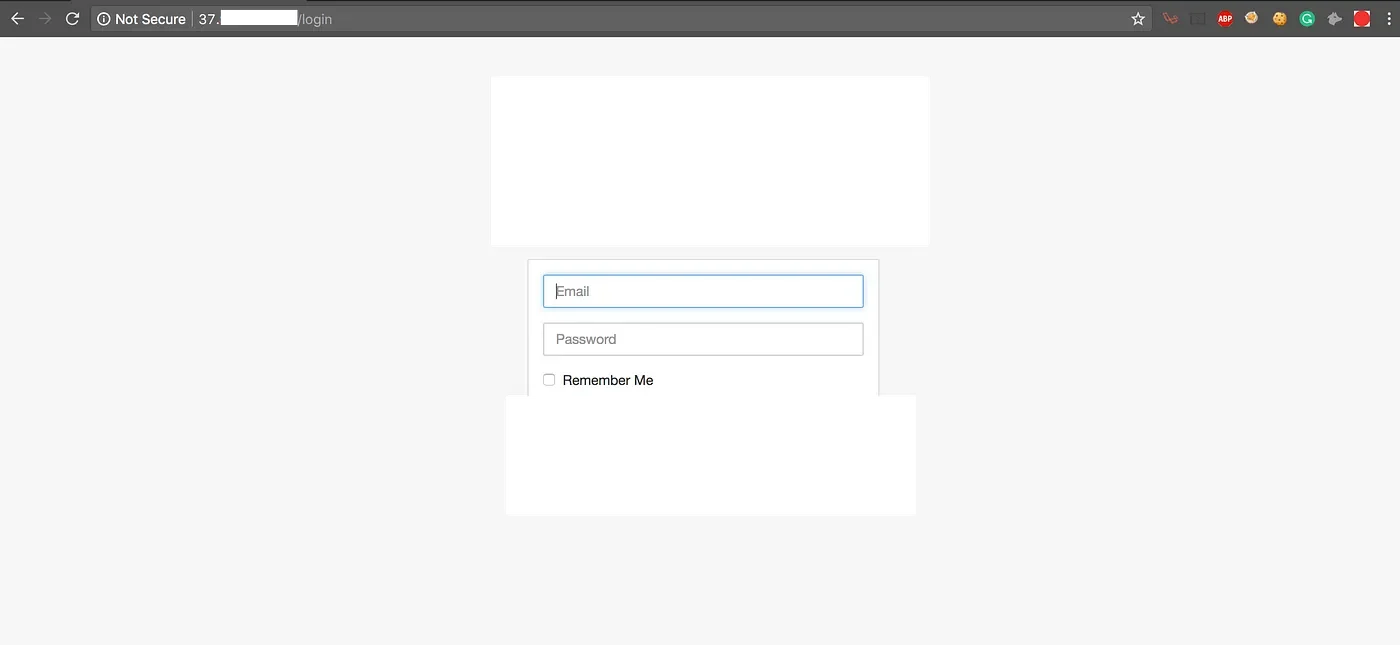
The screenshot shows the internal team management endpoint as it appeared when opened.
Exploitation
Step 1: Brute force directories on the endpoint
The researcher ran Dirsearch against the endpoint. The output is shown below; the tool was renamed to dir locally.
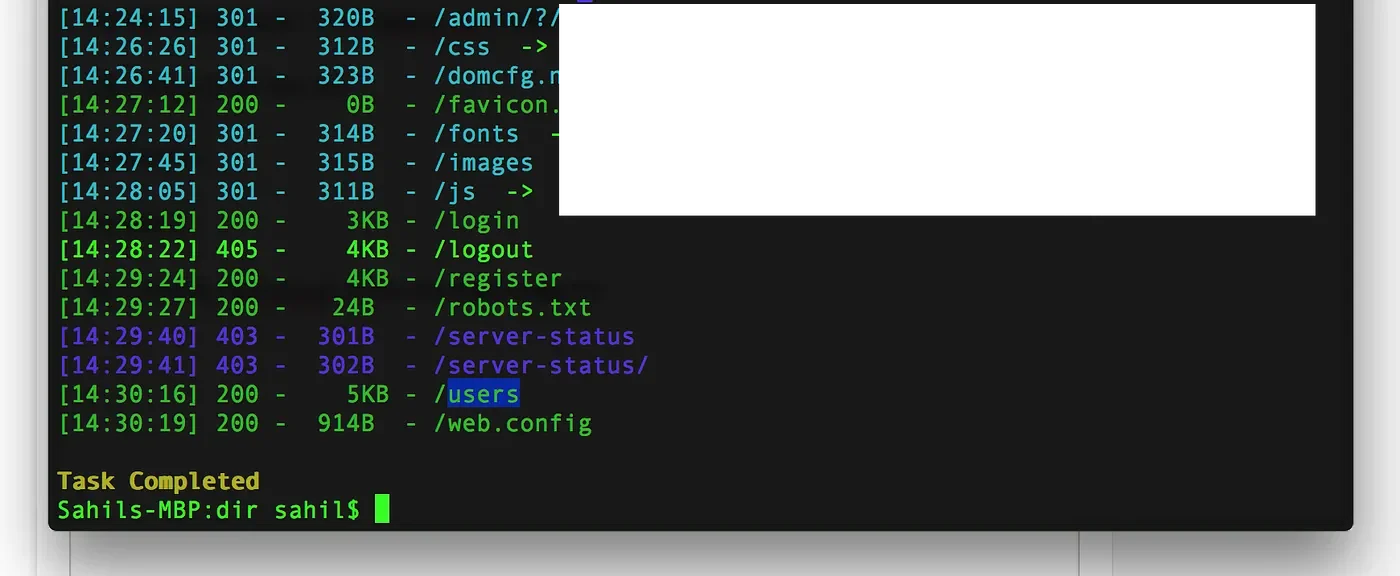
The screenshot shows the Dirsearch output. The researcher's caption notes that they renamed dirsearch to dir because they are lazy.
Step 2: Notice the register path
Among the results was a /register path on the same IP address. The report shows it as:
https://37.--.--.--/register
The host is an IP address, redacted here. The path is the interesting part: a registration page on what is supposed to be an internal team management endpoint.
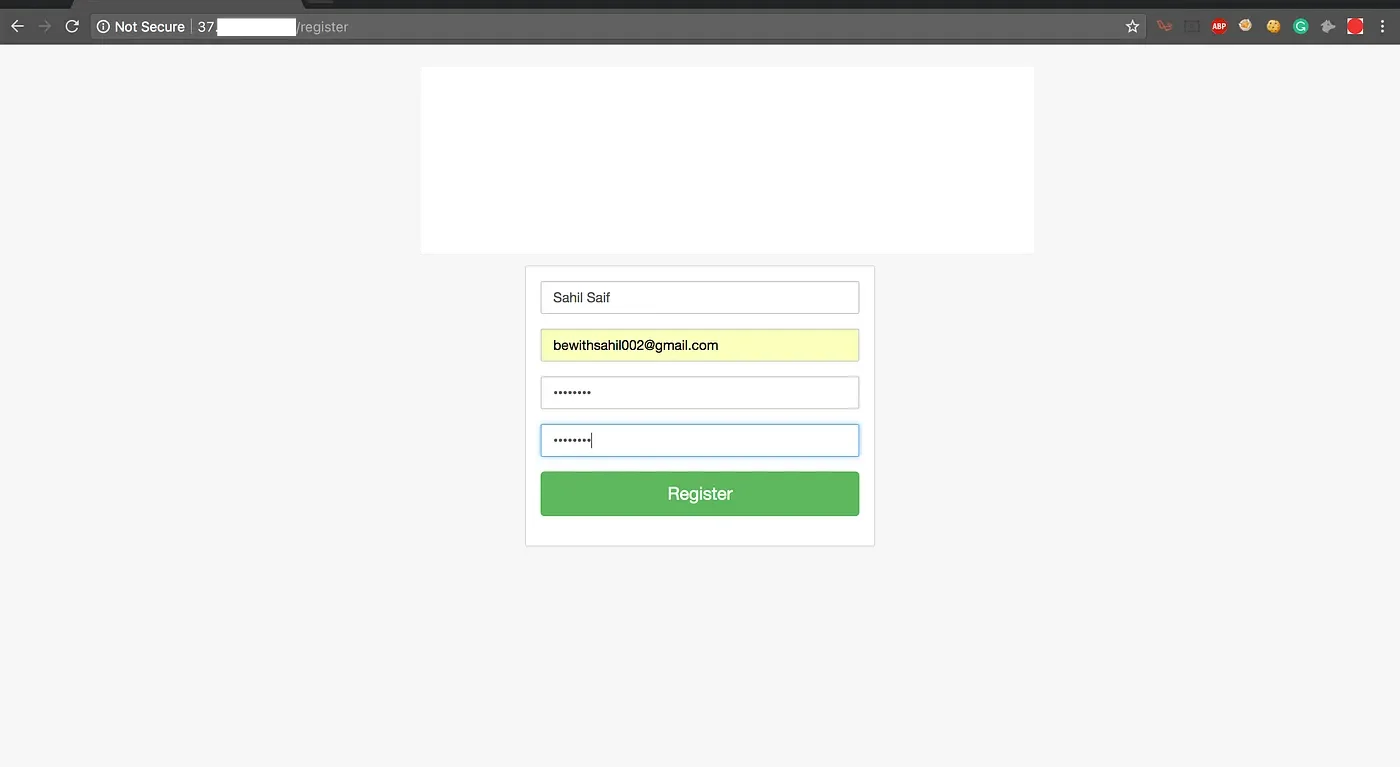
The screenshot shows the registration page that opened at that URL.
Step 3: Register an account
The researcher tried to register with their own details. There was a configuration error. They decided to register one more time with the same email and got:
The email is already registered.
The error suggested the first attempt had created an account despite the configuration error.
Step 4: Log in
The researcher logged in with the credentials they had registered. The login succeeded and landed on the admin management page.
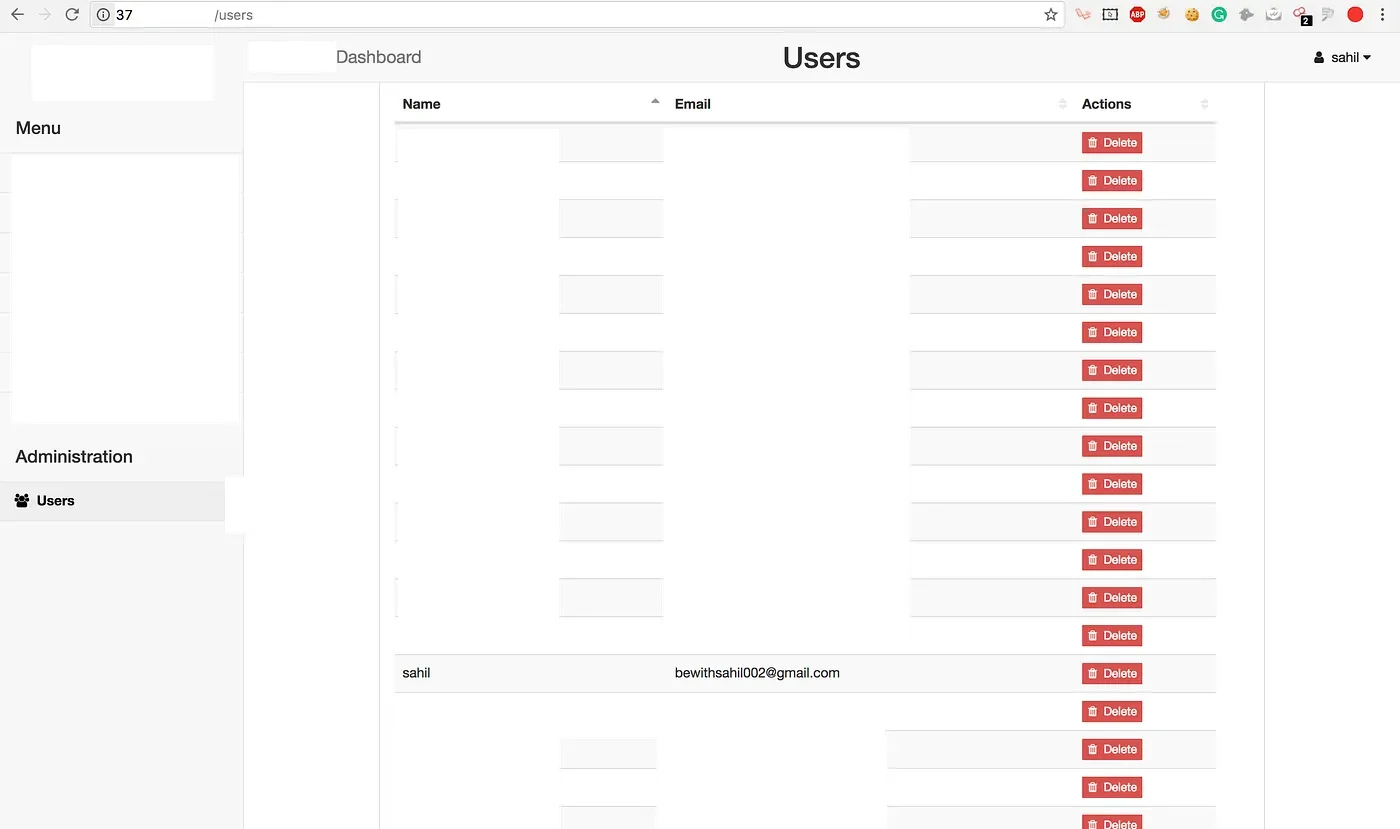
The screenshot shows the admin management page. According to the caption, all administrators' names and email addresses were disclosed, and the researcher was even able to delete them.
Step 5: Read employee records
The admin management page led on to typical employee details pages. The disclosed details included name, email, phone number, employee ID, shifts, reports and salaries.
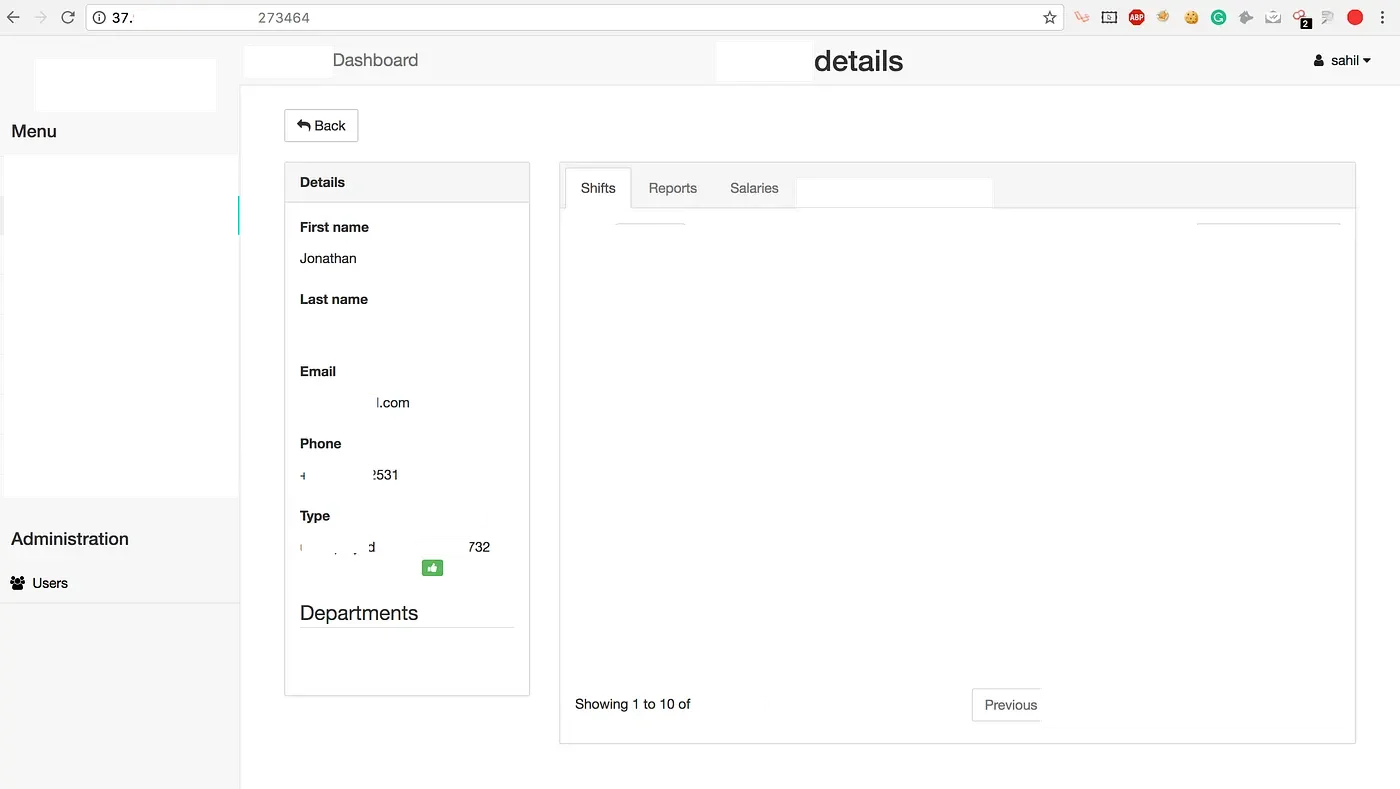
The screenshot shows a typical employee details record; the caption puts the total at 25k records. The researcher notes that some details were hidden for confidentiality and that other critical data was being disclosed too, but they did not have permission to write further about it.
Root cause
A public registration page was reachable on the internal team management endpoint. Anyone who found the /register path could create an account, and a newly registered account was given access to the admin management page and to employee records.
Impact
The researcher who found the registration page could create an account and log in. From there they could view the admin management page, which disclosed the names and email addresses of all administrators, and the researcher was able to delete those administrators. They could also read employee details, including name, email, phone number, employee ID, shifts, reports and salaries, across what the caption puts at 25k records.
The researcher hid some details for confidentiality and states that other critical data was being disclosed but that they lacked permission to write about it.
Fix
After the researcher submitted the detailed report via HackerOne, the program validated and fixed the problem within a few hours. They permanently fixed the issue by removing the public registration page from the endpoint.
Timeline
| Event | Date |
|---|---|
| Report submitted | 25-10-2017 |
| Report triaged | 25-10-2017 |
| Initial 1300 USD awarded | 25-10-2017 |
| Report closed as resolved | 25-10-2017 |
| Final 1200 USD awarded | 26-10-2017 |
How the endpoint was found
In an update, the researcher explains that many people asked how they found the asset and the internal team management endpoint. The answer: they found it through GitHub issues conversations.
Their recon process, in their words:
- After reporting some low hanging issues, follow engineering and security teams on Twitter and GitHub and look for anything interesting.
- Go through all the issues and repositories companies' engineering teams created publicly on GitHub.
- Read all blog posts by the engineering and security team.
- Check their DNS every month. Companies often stop using a service and forget to delete CNAMEs pointing to it.
- Use their services as a user and continue the recon process.
- Use the Burp Suite Pro history tool to find interesting endpoints.
Recon, in their view, is not a one time process but a continuous one.
After reporting the issue, the researcher applied Dirsearch to most of the critical endpoints belonging to the same organisation. No other endpoint was vulnerable to the same problem.
Variants to test
- Directory brute forcing on internal-looking hosts. Run Dirsearch or a similar tool against endpoints that look internal. A positive result is a path such as
/register,/signupor/adminthat returns a page rather than a 404. - Registration pages on internal deployments. Open any registration page you find and try to create an account. A positive result is a successful login with the new account, especially if it lands on an administrative page.
- Role of self-registered accounts. After registering, check what the new account can reach. A positive result is access to admin management, user lists or records that a fresh account should not see.
- Duplicate registration errors. If the first registration attempt shows an error, try the same email again. A positive result is an "already registered" message, which shows the account was created despite the error.
- GitHub issues and public repositories. Read engineering teams' public issues and repositories for hostnames and endpoints. A positive result is an internal host or path that responds when you visit it.
- Stale DNS records. Check DNS monthly for CNAMEs pointing at services the company no longer uses. A positive result is a record that resolves to a service still serving the company's data.
What happened, in plain words
A security researcher was testing a company's systems as part of a private bug bounty program on HackerOne. A bug bounty program is an arrangement where a company invites independent researchers to look for security problems in its systems and pays them for reporting what they find. A private program means only invited researchers can take part, rather than anyone on the internet.
The researcher found a page that the company used internally to manage its staff, and then found a public sign-up page on the same host. Anyone who found that sign-up form could create an account, log in, and end up looking at administrative pages and the personal details of employees. The company fixed it quickly by removing the public sign-up page, and paid a bounty for the report.
The researcher describes the finding as critical but straightforward. The report does not name the organisation or the product behind the page. The only host detail shown is an IP address, which is hidden here.
The feature involved
The page at the centre of this is an internal team management endpoint. An endpoint is simply a web address that a program or a person can send a request to; think of it as a specific counter in a large building, where you ask for one particular service. Internal team management is the kind of page an organisation uses to administer its staff: adding people, changing their roles, looking at their records.
Here it sat on an IP address rather than a named host. An IP address is the numeric address of a machine on the internet, like a street address made of numbers instead of a street name. The researcher reached this endpoint while testing the private program.
Setup
The report does not describe any accounts, roles or software versions used before the finding. The main tool named is Dirsearch, which the researcher renamed to dir on their own machine. Dirsearch is a program that tries a long list of common folder and file names against a web address, one after another, and reports which ones exist. In the recon section further down, the researcher also lists Sublister, knockpy, dnsresolver, dirsearch, bucket finder and massdns, and mentions Burp Suite Pro's history tool as a way to find endpoints. Burp Suite is a tool that sits between your browser and a website and records every request and response, so you can look back through them later.
The only precondition for the finding was being able to reach the internal team management endpoint.
Finding it
The researcher opened the internal team management endpoint. As they put it, the only thing on their mind was whether there were directories to check. A directory is a folder on a web server; on the web it appears as an extra piece of the address, such as /register after the host name. Many sites have folders that are not linked from anywhere but still respond if you type their address directly, in the same way that a building may have a back door that is not on the visitor map but is still unlocked.
That thought led them to brute force directories with Dirsearch. Brute forcing means trying many possibilities automatically until something works, instead of guessing cleverly. It is like trying every key on a large keyring on a door rather than reasoning about which key fits.
The screenshot shows the internal team management endpoint as it appeared when opened.
Exploitation
Step 1: Brute force directories on the endpoint
The researcher ran Dirsearch against the endpoint. The output is shown below. The tool was renamed to dir locally, which is why the command in the screenshot starts with that short name.
The screenshot shows the Dirsearch output. The researcher's caption notes that they renamed dirsearch to dir because they are lazy, which is a joke about saving typing.
Step 2: Notice the register path
Among the results was a /register path on the same IP address. The report shows it as:
https://37.--.--.--/register
Line by line: https:// is the scheme, telling the browser to use an encrypted connection. 37.--.--.-- is the IP address of the machine, with the remaining parts hidden here. /register is the path, the folder or page on that machine. The host is an IP address, redacted here. The path is the interesting part: a registration page on what is supposed to be an internal team management endpoint.
The screenshot shows the registration page that opened at that URL.
Step 3: Register an account
The researcher tried to register with their own details. There was a configuration error. A configuration error means the page did not behave as intended, usually because a setting on the server is wrong or incomplete. The researcher decided to register one more time with the same email and got:
The email is already registered.
Line by line: this is the message the site returned on the second attempt. It says the email address is already in use, suggesting the first attempt created an account despite the configuration error. This is a useful lesson for anyone testing: an error message on screen does not always mean the action failed.
Step 4: Log in
The researcher logged in with the credentials they had registered. Credentials are the username and password pair that identify you to a site. The login succeeded and landed on the admin management page. Admin, short for administrator, means a user with the highest level of permission, the person who can manage other users and settings.
The screenshot shows the admin management page. According to the caption, all administrators' names and email addresses were disclosed, and the researcher was even able to delete them. Disclosed here means shown to someone who should not have been able to see them.
Step 5: Read employee records
The admin management page led on to typical employee details pages. The disclosed details included name, email, phone number, employee ID, shifts, reports and salaries. An employee ID is the internal number a company gives each member of staff. Shifts are the working hours assigned to a person. Reports here means the people a person reports to, their line of management.
The screenshot shows a typical employee details record. The caption puts the total at 25k records, meaning about 25,000. The researcher notes that some details were hidden for confidentiality and that other critical data was being disclosed too, but they did not have permission to write further about it.
Root cause
A public registration page was reachable on the internal team management endpoint. Anyone who found the /register path could create an account, and a newly registered account was given access to the admin management page and to employee records. Authorisation is the part of a system that decides what a logged-in user is allowed to do, as opposed to authentication, which only decides who they are.
Security people call this security by obscurity, and it works only until someone guesses or enumerates the address.
Impact
The researcher who found the registration page could create an account and log in. From there they could view the admin management page, which disclosed the names and email addresses of all administrators, and the researcher was able to delete those administrators. They could also read employee details, including name, email, phone number, employee ID, shifts, reports and salaries, across what the caption puts at 25k records.
The researcher hid some details for confidentiality and states that other critical data was being disclosed but that they lacked permission to write about it.
Fix
After the researcher submitted the detailed report via HackerOne, the program validated and fixed the problem within a few hours. They permanently fixed the issue by removing the public registration page from the endpoint. Removing the page is a direct fix: if nobody can sign up, nobody can create an account that reaches the admin area.
Timeline
| Event | Date |
|---|---|
| Report submitted | 25-10-2017 |
| Report triaged | 25-10-2017 |
| Initial 1300 USD awarded | 25-10-2017 |
| Report closed as resolved | 25-10-2017 |
| Final 1200 USD awarded | 26-10-2017 |
Triaged means the program's staff looked at the report, confirmed it was a real issue and passed it to the people who could fix it. The dates are written day-month-year.
How the endpoint was found
In an update, the researcher explains that many people asked how they found the asset and the internal team management endpoint. The answer: they found it through GitHub issues conversations. GitHub is a website where software teams keep their code and discuss it. An issue is a public thread where people report a problem or ask a question about a project. Engineering teams sometimes mention internal hostnames or addresses in those threads without realising that outsiders can read them.
Their recon process, in their words. Recon, short for reconnaissance, means gathering information about a target before attacking it, much like looking at a building from the street before trying the doors.
- After reporting some low hanging issues, follow engineering and security teams on Twitter and GitHub and look for anything interesting. Low hanging issues are easy findings, the security equivalent of fruit you can pick without a ladder.
- Go through all the issues and repositories companies' engineering teams created publicly on GitHub. A repository is a project folder holding code and its history.
- Read all blog posts by the engineering and security team.
- Check their DNS every month. Companies often stop using a service and forget to delete CNAMEs pointing to it. DNS is the internet's address book, translating names like example.com into IP addresses. A CNAME is a DNS record that says one name is an alias for another, so a leftover CNAME can point at a service the company no longer controls.
- Use their services as a user and continue the recon process.
- Use the Burp Suite Pro history tool to find interesting endpoints.
Recon, in their view, is not a one time process but a continuous one.
After reporting the issue, the researcher applied Dirsearch to most of the critical endpoints belonging to the same organisation. No other endpoint was vulnerable to the same problem.
Variants to test
These are the same ideas generalised, so a beginner can try them on systems they are allowed to test. Never test a system without permission.
- Directory brute forcing on internal-looking hosts. Run Dirsearch or a similar tool against endpoints that look internal. A positive result is a path such as
/register,/signupor/adminthat returns a page rather than a 404. A 404 is the standard response meaning the page does not exist. - Registration pages on internal deployments. Open any registration page you find and try to create an account. A positive result is a successful login with the new account, especially if it lands on an administrative page.
- Role of self-registered accounts. After registering, check what the new account can reach. A positive result is access to admin management, user lists or records that a fresh account should not see.
- Duplicate registration errors. If the first registration attempt shows an error, try the same email again. A positive result is an "already registered" message, which shows the account was created despite the error.
- GitHub issues and public repositories. Read engineering teams' public issues and repositories for hostnames and endpoints. A positive result is an internal host or path that responds when you visit it.
- Stale DNS records. Check DNS monthly for CNAMEs pointing at services the company no longer uses. A positive result is a record that resolves to a service still serving the company's data.
Glossary
- Bug bounty program: an arrangement where a company pays independent researchers for reporting security problems in its systems.
- Private program: a bug bounty program open only to invited researchers.
- HackerOne: a platform where companies run bug bounty programs and researchers submit reports.
- Endpoint: a specific web address that accepts requests, such as a page or an API route.
- API: a way for programs to talk to each other over the web, sending requests and getting structured answers back.
- IP address: the numeric address of a machine on the internet, like
37.--.--.--. - Host: the machine a web address points at, either a name or an IP address.
- Path: the part of a web address after the host, such as
/register, naming a folder or page on the server. - Directory: a folder on a web server, visible in a web address as a path segment.
- Brute forcing: trying many possibilities automatically until one works.
- Dirsearch: a tool that tries a long list of common folder and file names against a web address and reports which exist.
- Burp Suite Pro: a tool that sits between browser and website, recording requests and responses so you can inspect them.
- Credentials: the username and password pair that identify you to a site.
- Authentication: the process of proving who you are, usually by logging in.
- Authorisation: the process of deciding what a logged-in user is allowed to do.
- Admin: a user with the highest level of permission, able to manage other users and settings.
- Disclosed: shown to someone who should not have been able to see it.
- Configuration error: a page failing because a setting on the server is wrong or incomplete.
- 404: the standard web response meaning the requested page does not exist.
- Security by obscurity: relying on something being hard to find as your only protection.
- Recon (reconnaissance): gathering information about a target before attacking it.
- Repository: a project folder holding code and its history, often public on GitHub.
- Issue: a public discussion thread on GitHub where people report problems or ask questions about a project.
- DNS: the internet's address book, translating names into IP addresses.
- CNAME: a DNS record saying one name is an alias for another.
- Triaged: reviewed by the program's staff, confirmed as a real issue and passed on for fixing.
- Bounty: the money a program pays for a valid report.

