How a Simple Wayback Search Revealed 44,000+ Exposed Job Applicant Emails
Archived copies of a recruitment platform's applicant listing pages remained accessible through the Internet Archive, exposing job applicant email addresses. An attacker could harvest these addresses for phishing or credential stuffing.
 Published on osintteam.blog
Cybersecurity
The full write-up lives on its author's site
It belongs to its author, so we link to it rather than copy it. The other two tabs are our own rewrites, checked against it.
Context
The target was a recruitment advertising platform, developed by an HR Tech company; both names are redacted in the write-up. The platform lets recruiters publish job ads to dozens, even hundreds, of job boards at once, track campaign performance, and integrate with Applicant Tracking Systems (ATS). It therefore processes a large volume of applicant data every day, which is what made the discovery worth pursuing.
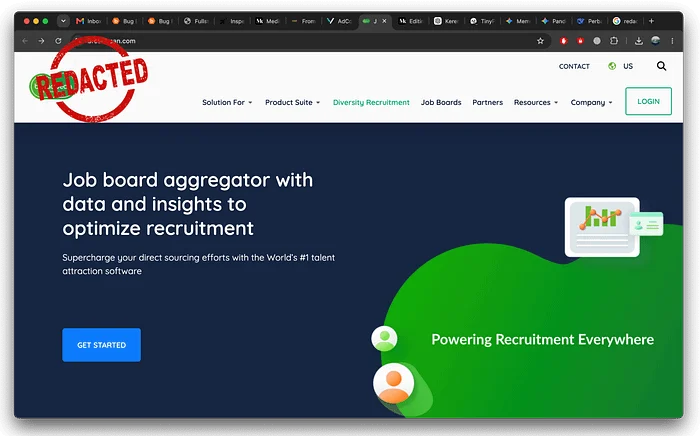
The feature at the centre of the report is a page that displays responses to a job ad. In the archived URLs it appears under a path containing mysql, with a query parameter that selects which set of responses to show. The report does not describe the page's intended behaviour beyond that.
Setup
No accounts, roles or special tooling were needed. The only tool used was the Internet Archive's Wayback Machine, queried through its CDX API. The researcher was not looking for anything specific.
Finding it
The whole discovery started with a single Wayback Machine CDX query, which simply lists archived URLs:
https://web.archive.org/cdx/search/cdx?url=*.[REDACTED]/*&collapse=urlkey&output=text&fl=original
This endpoint simply lists archived URLs. The result is a flat list of every distinct URL the archive holds for that domain.
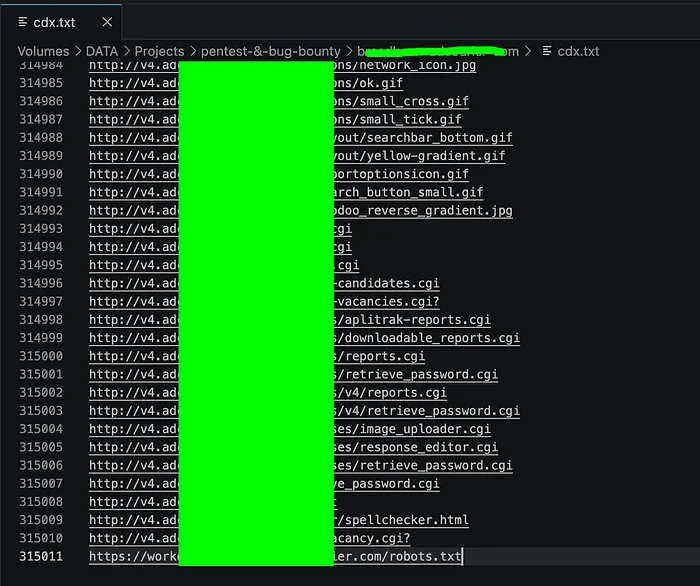
One URL immediately stood out:
http://www.[REDACTED]:80/mysql/?view_responses=<identifier>
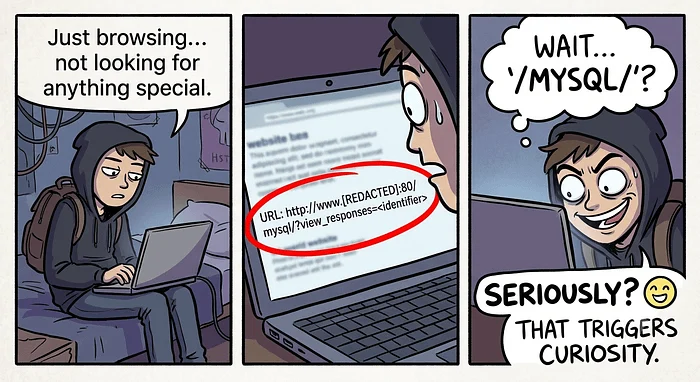
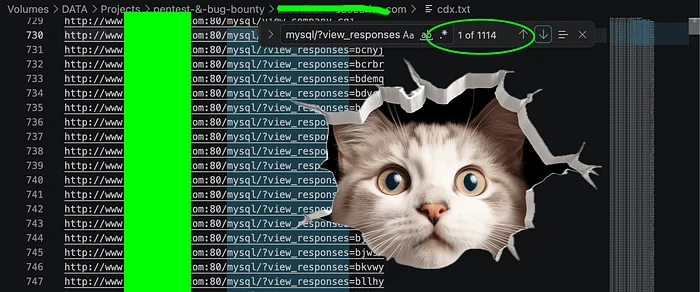
The path segment mysql on port 80, combined with a parameter named view_responses, stood out. The archive contained 1,114 URLs following exactly the same pattern. More importantly, the archive contained 1,114 URLs following exactly the same pattern, each with a different identifier.
Exploitation
Step 1: Open a live URL
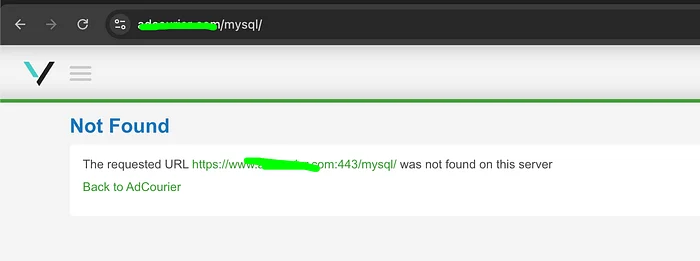
The researcher opened one of the URLs directly. The page returned nothing: it was gone from production.
Step 2: Fall back to the archived snapshot
Since the live page no longer existed, the next step was to open the archived snapshot instead.

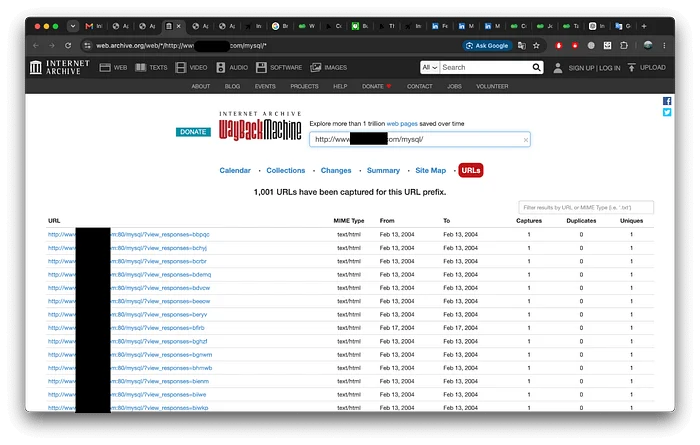
The researcher opened the archived snapshot instead. There were 1,114 archived pages in total.
Step 3: Confirm the pattern across snapshots
The researcher checked a few more archived pages, then another.
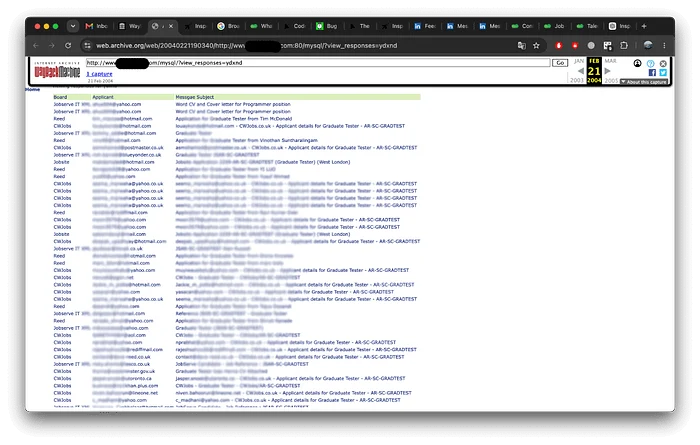
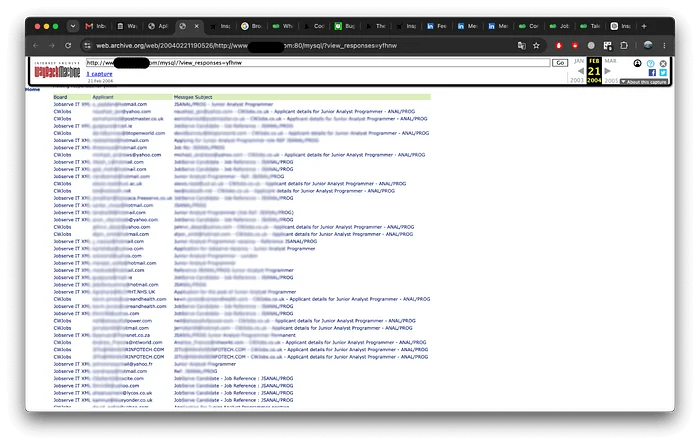
Each archived page contained roughly 40 to 50 job applicants, including their email addresses. At that point the researcher stopped checking: the problem was already obvious and there was no need to dig deeper.
Step 4: Estimate the scale
A rough estimate was enough. Using the lowest observed value of about 40 applicants per page:
1,114 × 40 = 44,560
That gives approximately 44,560 job applicant email addresses that could have been exposed through archived snapshots. The report calls this a conservative estimate and notes the actual number may be even higher.
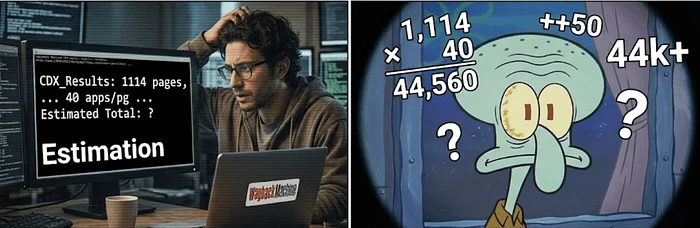
With the vulnerability confirmed, the researcher stopped digging and submitted the report.
Root cause
The report frames this as an operational oversight rather than a sophisticated exploitation. The report frames this as an operational oversight rather than a sophisticated exploitation: sensitive pages were left open to crawlers, so the archive captured them and kept serving the data after the production page was gone. The report's lesson is that sensitive pages should be kept away from crawlers, because archived copies may continue exposing data even after the issue has been fixed.
Why existing defences did not stop it: the report does not describe any authentication, rate limiting or access control on the page, and it does not say whether the identifiers were guessable or merely discoverable through the archive. The lesson it highlights is to keep sensitive pages away from crawlers, since historical exposure can outlive a fix to production.
Impact
Approximately 44,560 job applicant email addresses could have been exposed, based on the conservative estimate above. The report notes that email addresses are often underestimated, but when thousands of job seekers are involved they become valuable intelligence. Attackers could use them for:
- Spear phishing campaigns.
- Fake recruiter emails.
- Credential stuffing.
- Social engineering.
People actively looking for jobs are naturally more likely to trust emails that appear to come from recruiters, which is exactly what makes datasets like this valuable.
Fix
It was fixed in production without any notification to the researcher, who noticed on their own and sent a follow-up. The report's lessons describe what should be done:
- Keep sensitive pages away from crawlers. Prevent sensitive pages from being crawled; otherwise archived copies may continue exposing data even after the issue has been fixed.
- Don't forget yesterday's data. Organisations focus on fixing today's vulnerability, but very few ask what their application exposed last year. Historical exposure can survive long after production has been patched, so audit Internet Archive snapshots after fixing sensitive issues.
- Request archive removal. Fixing production is only step one. If sensitive pages have already been archived, submit removal requests to archive providers; otherwise the "fixed" vulnerability may continue leaking data for years.
Responsible disclosure
The timeline was as follows:
| Date | Event |
|---|---|
| June 23, 2026 | Report submitted. |
| June 26, 2026 | The issue was still present. |
| July 4, 2026 | The researcher noticed the issue had already been fixed without any notification, and sent a follow-up. |
| July 10, 2026 | The report was closed as Duplicate. |
The follow-up read:
"Hi team, I noticed the issue has been fixed. Any update on this report? Thanks!"

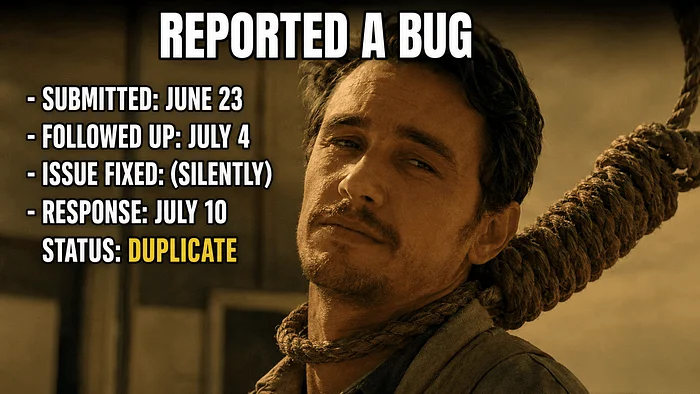
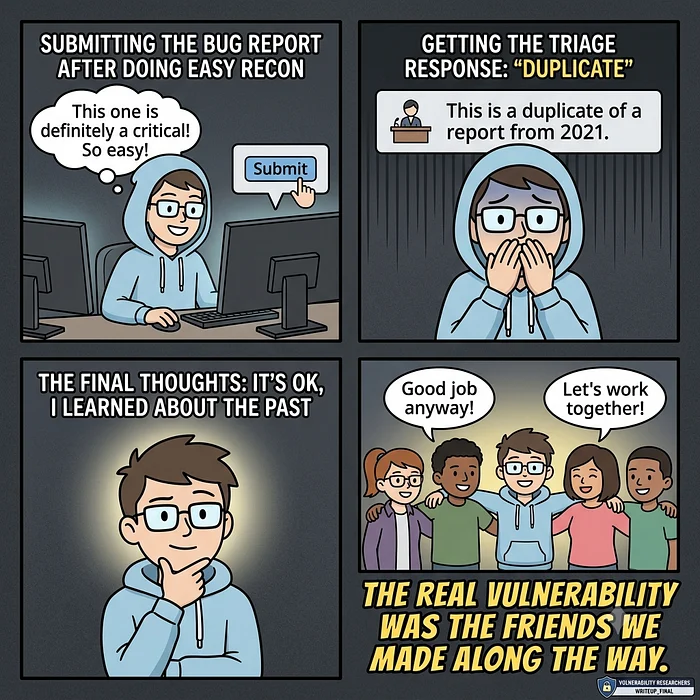
The researcher was not disappointed, given how easy the issue was to discover. The case is memorable not for the bounty or the triage result, but as a reminder that the easiest recon techniques are still incredibly effective. Sometimes the vulnerability is not hiding behind an exploit; sometimes it is hiding in the past.
Variants to test
- CDX enumeration on other domains. Run the same CDX query against a target's domain and look for paths that suggest database-backed views, such as
mysql,admin,exportorview_*. A positive result is a cluster of archived URLs sharing one parameterised pattern. - Parameter-name greps. Filter the CDX output for parameters like
view_responses,id,emailorapplicant. A positive result is a parameter whose name implies it selects stored personal data. - Snapshot inspection. Open archived snapshots of any suspicious URL and check whether they render personal data without authentication. A positive result is a page showing applicant records, including email addresses, from an archived copy alone.
- Live-versus-archive comparison. Check whether the live URL is gone while the snapshot still serves data. A positive result confirms that historical exposure outlives the production fix.
- Identifier variation. Where identifiers appear in archived URLs, try neighbouring values on any still-live equivalent. A positive result is another record set returned without authorisation.
What happened, in plain words
A security researcher was browsing an archive of old web pages, the way you might browse an old photo album of a website. He was not looking for anything in particular. While doing that, he noticed a pattern of web addresses belonging to a recruitment advertising platform, a service that helps companies post job adverts on many job boards at once. Those addresses pointed to pages that listed people who had applied for jobs, together with their email addresses.
The live pages no longer worked. But the archive had kept copies of them. The researcher opened a few of those copies and saw applicant emails on each one. The archive contained 1,114 addresses following the same pattern. Each page held roughly 40 to 50 applicants. Multiplying the two numbers gave a rough figure of about 44,560 email addresses that could have been exposed.
He reported it to the company. The company fixed the live problem without notifying him, and later closed his report as a duplicate. He was not upset about that. The point of his story is simpler: sometimes the easiest way to find a problem is to look at what a website used to show, not what it shows today.
The background: what the platform does
The target was a recruitment advertising platform, built by an HR Tech company. Both names are hidden in the write-up, so I will call them the platform and the company.
What does a recruitment advertising platform do? Imagine a company that wants to hire a new accountant. It could post the advert on its own website, on five job boards, on ten, maybe on a hundred. Doing that by hand is slow and easy to get wrong. A recruitment advertising platform is a middleman: the recruiter writes the advert once, and the platform pushes it out to dozens or even hundreds of job boards at the same time. It also tracks how each advert performs and connects to Applicant Tracking Systems (ATS).
An Applicant Tracking System is software that companies use to store and manage job applications, a bit like a digital filing cabinet for CVs and applicant details. Because the platform sits between job boards and these filing cabinets, it processes a huge amount of applicant data every day. That is exactly why the discovery mattered.
The feature at the centre of the story is a page that displays the responses to a job advert, meaning the applications that came in. In the archived web addresses, this page sits under a path containing mysql, with a parameter that selects which set of responses to show. The write-up does not describe what the page was meant to do beyond that.
Two ideas you need first: crawlers and archives
Before the steps, two concepts make everything else easier to follow.
Crawlers. A crawler (also called a spider or a bot) is a program that visits web pages automatically, follows the links it finds, and moves on to the next page. Search engines use crawlers to build their indexes. Think of a person walking through a library, opening every book, and writing down where each one is. They do not read the books; they just record what exists and where.
Web archives. The Internet Archive is a non-profit project that stores copies of web pages over time. Its best-known service is the Wayback Machine, which lets you open a page as it looked on a past date. Think of it as a time machine for websites, or as a library that keeps old editions of newspapers even after the publisher has thrown away its own copies. If a page is deleted from the live site, the archived copy can still exist.
This matters because a crawler can visit a page that shows private information, and the archive can then keep a copy of it. Fixing the live page later does not remove the copy.
Setup: what tools were needed
Almost nothing. No accounts, no special roles, no hacking tools. The only tool used was the Wayback Machine, queried through something called its CDX API.
What is an API? An API (Application Programming Interface) is a way for one program to ask another program for information, without a human clicking buttons. A useful comparison: a restaurant menu. You do not walk into the kitchen and cook; you choose an item from the menu, and the kitchen sends it out. The menu is the API: a fixed list of things you can ask for and a fixed way to ask.
The CDX API is the Wayback Machine's menu for asking questions about its index of archived pages. Instead of browsing snapshots one by one in a browser, you can ask it: give me a list of everything you have archived for this website. The answer comes back as plain text.
The researcher had no prior knowledge of how the platform worked internally. He was not looking for anything specific. That is worth noticing: the discovery did not depend on expertise about the target, only on curiosity and a public archive.
Finding it: the first query
The whole discovery started with a single Wayback Machine CDX query, which simply lists archived web addresses:
https://web.archive.org/cdx/search/cdx?url=*.[REDACTED]/*&collapse=urlkey&output=text&fl=original
Line by line, in plain words:
https://web.archive.org/cdx/search/cdxis the address of the CDX search service. This is the part that says "I want to ask the archive's index a question".?marks the start of the parameters, the options you are passing to that service. Everything after it is a setting.url=*.[REDACTED]/*tells the service which pages you are interested in. The*is a wildcard, meaning "anything". So this reads as: any address on the target's domain, followed by anything. The domain itself is hidden in the write-up.&separates one parameter from the next.collapse=urlkeyremoves duplicates. Without it, the same address captured on ten different dates could appear ten times. With it, each unique address appears once. Think of sorting a pile of receipts and keeping only one copy of each.output=textasks for the answer as plain text rather than some other format.fl=originallimits the answer to one field: the original address of each archived page.flstands for field list. It is like asking a librarian for a list of book titles only, not the full catalogue entry for each book.
The result is a flat list of every distinct address the archive holds for that domain.
One address immediately stood out:
http://www.[REDACTED]:80/mysql/?view_responses=<identifier>
Line by line:
http://is the protocol, the set of rules browsers use to fetch a page. Thesinhttpsmeans the connection is encrypted; plainhttpis not.www.[REDACTED]is the website's name, hidden in the write-up.:80is the port number. A port is like a numbered door on a building: one address can have many doors, and each door leads to a different service. Port 80 is the standard door for ordinary, unencrypted web traffic. Seeing it written out explicitly is unusual but not wrong./mysql/is the path, the part that tells the server which page or section you want. The wordmysqlis the name of a popular database system. A database is an organised store of information, like a very large, very strict spreadsheet. A path named after a database suggests the page is pulling stored records out of one.?view_responses=<identifier>is the query string, extra information passed to the page.view_responsesis the name of a parameter, and<identifier>is a placeholder for a value that selects which set of responses to show. A parameter is like a form field: the page reads it and decides what to display.
The address stood out, and the archive contained 1,114 addresses following exactly the same pattern, each with a different identifier. More importantly, the archive contained 1,114 addresses following exactly the same pattern, each with a different identifier. That is not a one-off page. That is a whole family of pages, each pointing at a different set of records.
Step 1: opening a live address
The researcher opened one of the addresses directly, in the normal way you would open any link.
The page returned nothing. It was gone from the live site. For about three seconds he thought it was unfortunate, and then he tried something else.
Step 2: falling back to the archived copy
Since the live page no longer existed, the next step was to open the archived snapshot instead. A snapshot is the copy the archive captured on a particular date.
The snapshot rendered the page as it had been captured. There were 1,114 archived pages in total.
Why take this step? Because deleting a page from a website does not delete the archive's copy. If the page was showing something sensitive while it was live, the snapshot can still show it. The live site and the archive are two separate places, and fixing one does not fix the other.
Step 3: checking more snapshots
The researcher checked a few more archived pages, then another.
Each archived page contained roughly 40 to 50 job applicants, including their email addresses. At that point he stopped checking. The problem was already obvious, and there was no need to dig deeper.
He stopped because the problem was already obvious and there was no need to dig deeper.
Step 4: estimating the scale
A rough estimate was enough. Using the lowest observed value of about 40 applicants per page:
1,114 × 40 = 44,560
Line by line:
1,114is the number of archived pages following the pattern.×means multiply.40is the smallest number of applicants seen on a single page. Using the smallest value keeps the estimate cautious.44,560is the result: the approximate number of job applicant email addresses that could have been exposed through archived snapshots.
Why use the lowest value? Because an estimate that cannot be accused of exaggeration is more credible. The write-up calls this a conservative estimate and notes the real number may be higher.
With the problem confirmed, the researcher stopped digging and submitted the report. He mentions a brief moment where a less honest idea crossed his mind, and that he ignored it. That is worth spelling out for anyone new: finding personal data does not give you permission to use it. The right move is to stop, report, and leave the data alone.
Why this matters
Email addresses are often underestimated. People think of them as low-value, because everyone has one and they are easy to guess. But when thousands of job seekers are involved, a list like this becomes valuable to an attacker.
Attackers could use them for:
- Spear phishing campaigns. Phishing is a fake message designed to make you click a link or hand over information. Spear phishing is the targeted version: the message is written for a specific group, using details that make it believable.
- Fake recruiter emails. A message that appears to come from a recruiter offering a job, but leads to a fake application form that harvests more personal data.
- Credential stuffing. Trying email and password combinations stolen elsewhere against other services, on the bet that people reuse passwords. A credential is a username and password pair.
- Social engineering. Manipulating people into revealing information or taking an action, by exploiting trust rather than technical flaws.
People actively looking for jobs are naturally more likely to trust emails that appear to come from recruiters. That is exactly what makes a dataset like this valuable. The write-up does not say whether any of the data was actually misused.
Lessons learned
One thing to like about this case is that there was no sophisticated exploitation involved. It was mostly an operational oversight: a process problem, not a clever attack. Three lessons are worth remembering.
1. Keep sensitive pages away from crawlers
Prevent sensitive pages from being crawled in the first place. Otherwise archived copies may continue exposing data even after the issue has been fixed.
2. Do not forget yesterday's data
Many organisations focus on fixing today's problem. Very few ask what their application exposed last year. Historical exposure can survive long after production has been patched, so it is worth auditing Internet Archive snapshots after fixing anything sensitive. Production here means the live, running version of the website that real users see.
3. Request archive removal
Fixing production is only step one. If sensitive pages have already been archived, submit removal requests to the archive providers. Otherwise the fixed problem may keep leaking data for years.
Responsible disclosure
Responsible disclosure is the practice of telling the owner about a security problem privately, giving them time to fix it, and not using the data yourself. Here is the timeline from the write-up.
| Date | Event |
|---|---|
| June 23, 2026 | Report submitted. |
| June 26, 2026 | The issue was still present. |
| July 4, 2026 | The researcher noticed the issue had already been fixed without any notification, and sent a follow-up. |
| July 10, 2026 | The report was closed as Duplicate. |
The follow-up read:
"Hi team, I noticed the issue has been fixed. Any update on this report? Thanks!"
A duplicate means someone else had already reported the same issue. The researcher was not disappointed, given how easy the issue was to discover. The case is memorable not for the bounty or the triage result, but as a reminder that the simplest recon techniques are still very effective. Recon, short for reconnaissance, means the information-gathering phase before any testing: looking around, collecting addresses, and noticing patterns.
Sometimes the problem is not hiding behind an exploit. Sometimes it is hiding in the past.
Variants to test
- CDX enumeration on other domains. Run the same CDX query against a target's domain and look for paths that suggest database-backed views, such as
mysql,admin,exportorview_*. A positive result is a cluster of archived addresses sharing one parameterised pattern. - Parameter-name greps. Filter the CDX output for parameters like
view_responses,id,emailorapplicant. A positive result is a parameter whose name implies it selects stored personal data. - Snapshot inspection. Open archived snapshots of any suspicious address and check whether they render personal data without authentication. A positive result is a page showing applicant records, including email addresses, from an archived copy alone.
- Live-versus-archive comparison. Check whether the live address is gone while the snapshot still serves data. A positive result confirms that historical exposure outlives the production fix.
- Identifier variation. Where identifiers appear in archived addresses, try neighbouring values on any still-live equivalent. A positive result is another record set returned without authorisation.
Glossary
- API: a fixed way for one program to ask another for information, like a menu you order from.
- Applicant Tracking System (ATS): software companies use to store and manage job applications.
- Archive: a service that keeps copies of web pages over time, such as the Internet Archive.
- Authentication: proving who you are, usually by logging in.
- Authorisation: what a logged-in user is allowed to see or do.
- Bounty: a reward paid for reporting a valid security issue.
- CDX API: the Wayback Machine's interface for querying its index of archived pages.
- Crawler: a program that visits web pages automatically and follows links, used by search engines and archives.
- Credential: a username and password pair used to log in.
- Credential stuffing: trying stolen email and password combinations on other services, betting on password reuse.
- Database: an organised store of information, like a very large, strict spreadsheet.
- Disclosure: telling the owner, and eventually the public, about a security issue.
- Domain: the name of a website, such as example.com.
- Duplicate: a report describing an issue someone else already reported.
- Enumeration: listing items one by one, such as collecting every archived address for a domain.
- Exploit: a technique that takes advantage of a flaw.
- Field list (
fl): the CDX setting that chooses which columns of information come back. - HTTP: the set of rules browsers and servers use to exchange web pages.
- HTTPS: HTTP with encryption, so others cannot read the traffic.
- Identifier: a value that selects one particular record or set of records.
- Internet Archive: the non-profit project behind the Wayback Machine.
- MySQL: a popular database system.
- Operational oversight: a mistake in how something is run or configured, rather than a clever attack.
- Parameter: an option passed to a page in the address, after the
?. - Path: the part of an address that names the page or section you want.
- Phishing: a fake message designed to make you click a link or hand over information.
- Port: a numbered door on a server; port 80 is the standard door for plain HTTP.
- Production: the live, running version of a website that real users see.
- Protocol: a set of rules for communication, such as HTTP.
- Query string: the part of an address after the
?, carrying parameters. - Recon (reconnaissance): the information-gathering phase before testing.
- Responsible disclosure: reporting a problem privately and giving the owner time to fix it.
- Snapshot: a copy of a web page captured by an archive on a particular date.
- Social engineering: manipulating people into revealing information or taking an action.
- Spear phishing: targeted phishing written for a specific group or person.
- SSRF: server-side request forgery, a flaw where a server can be tricked into making requests on the attacker's behalf.
- Triage: the process of reviewing and prioritising a submitted report.
- Vulnerability: a weakness that could let someone access or affect something they should not.
- Wayback Machine: the Internet Archive's service for viewing past copies of web pages.
- Wildcard: a
*symbol meaning "anything", used to match many addresses at once. - Zero-day: a flaw that is unknown to the vendor and has no fix yet.