How I Escaped a Cloud Storage Sandbox and Accessed Private Files
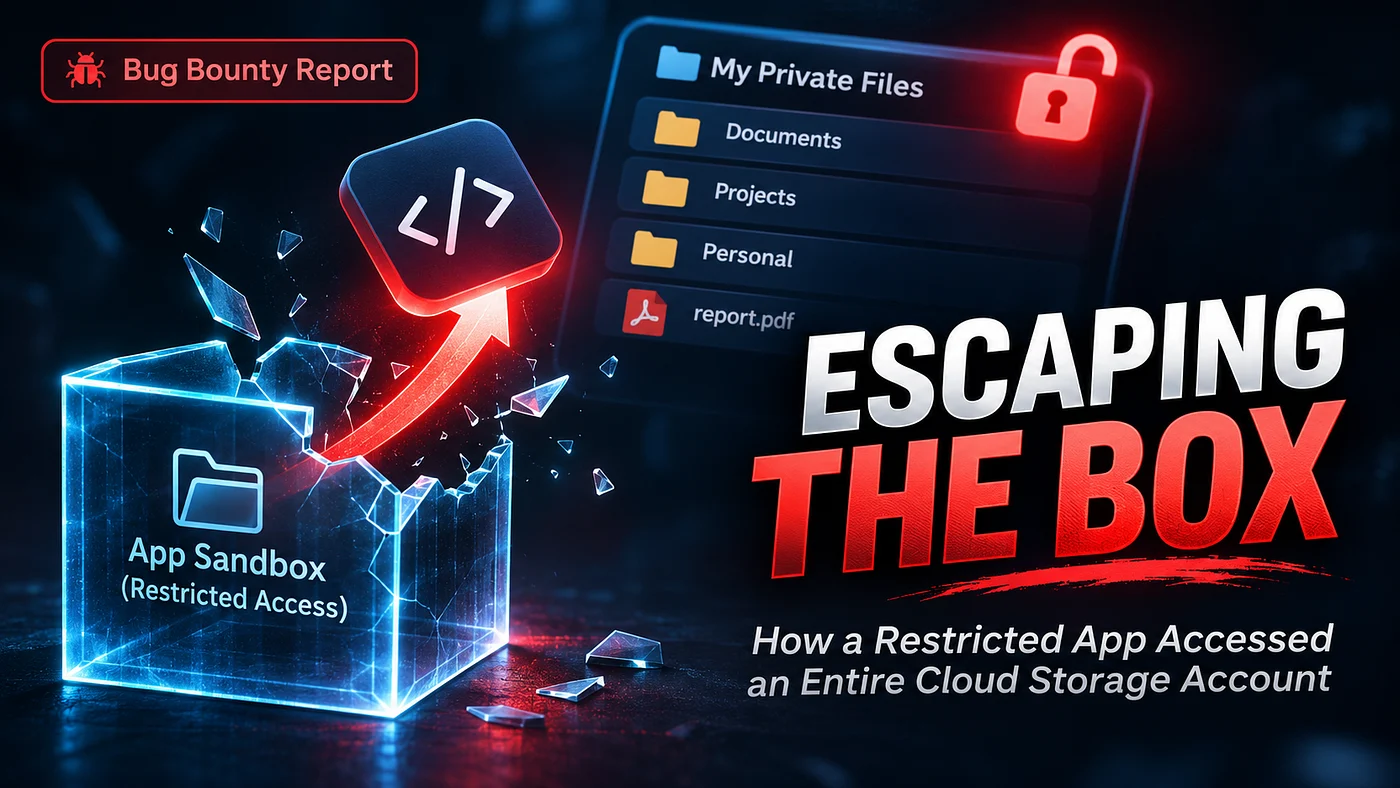
A restricted third-party application could bypass its sandbox by specifying the storage location in the request body instead of an HTTP header, gaining access to private files outside its dedicated folder. This allowed reading, modifying, and making private files publicly accessible without additional user consent.

While testing a cloud storage platform as part of its bug bounty program, I came across an interesting authorization vulnerability in its public API.
The full write-up lives on its author's site
It belongs to its author, so we link to it rather than copy it. The other two tabs are our own rewrites, checked against it.
Context
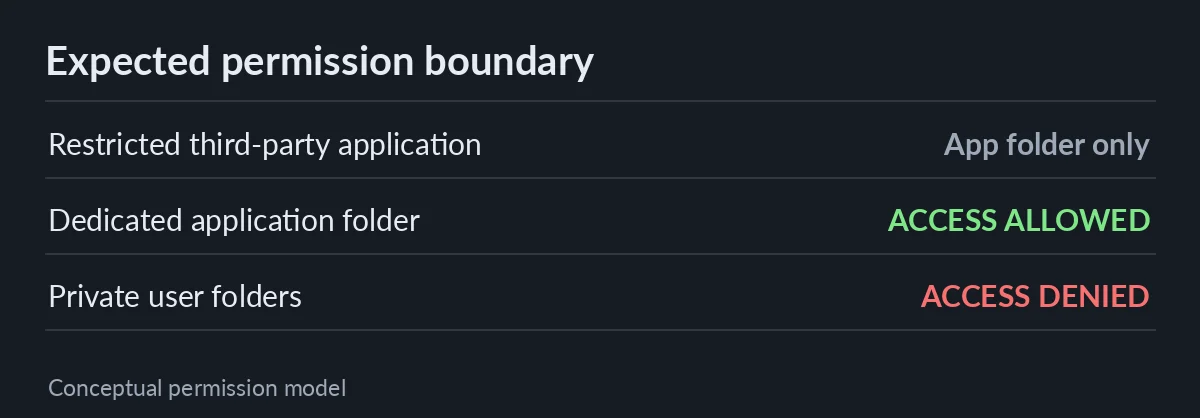
The target was a cloud storage platform with a public API that lets developers build third-party applications against a user's account. The platform offers several permission levels; the one under test restricts an application to its own dedicated folder. When a user authorises such an application, the application should only be able to reach files inside that folder and nothing else in the account, even if it holds read and write permissions. The researcher's goal was to check whether that sandbox was enforced consistently across the API. The company's identity and sensitive technical details are redacted in the write-up.
Setup
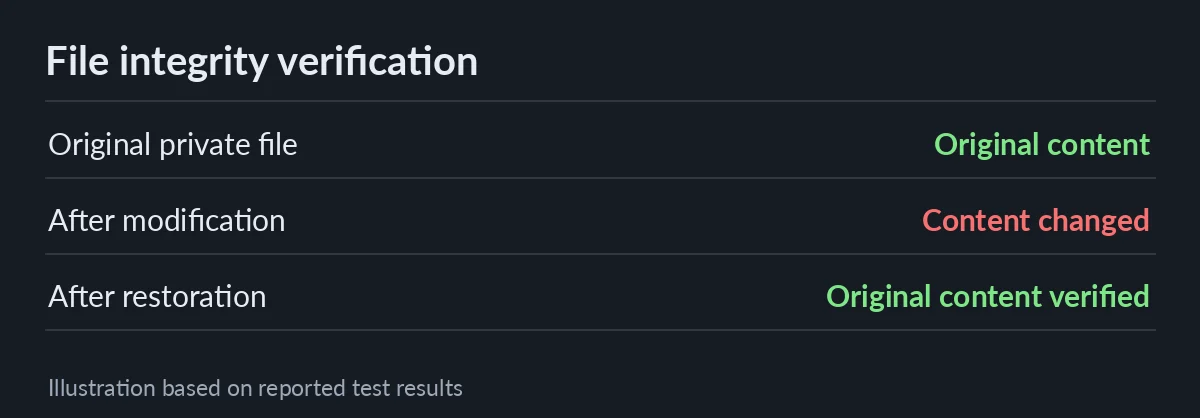
The researcher created a restricted application and authorised it through the platform's normal OAuth consent flow. No special tooling, versions or extra accounts are described. The researcher created a restricted application and authorised it through the normal OAuth consent flow. All modification testing was done on the researcher's own account, and the original content was restored afterwards.
Finding it
The first request listed the contents of the application's dedicated folder. The response was exactly what a correctly sandboxed application should see:
{
    "entries": [],
    "has_more": false
}
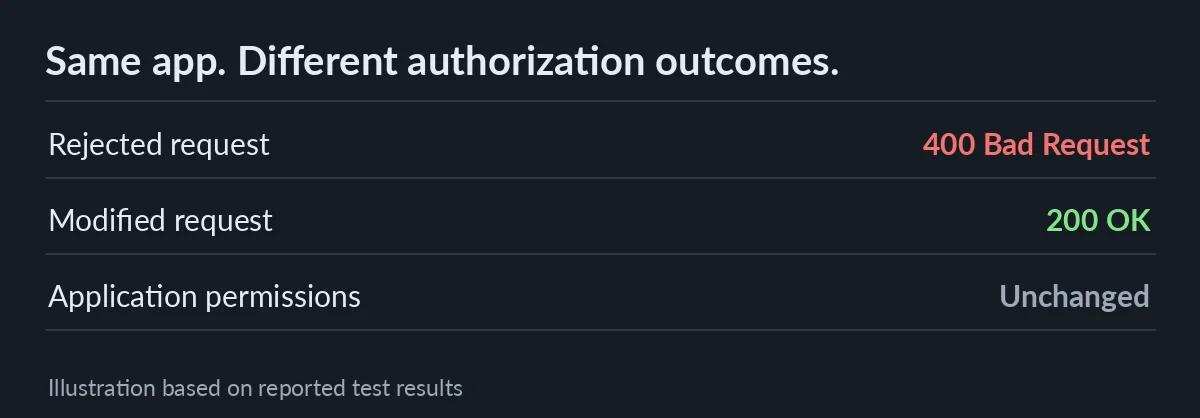
The folder was empty and the application appeared properly isolated. While experimenting, the researcher tried to change the storage namespace through an HTTP header. The server rejected it:
HTTP/2 400 Bad Request
So the server clearly recognised that the application was restricted and refused the operation. That raised the obvious question: what happens if the same storage location is expressed through the request body instead of the header? The endpoint, the access token and the permissions would all stay the same; only the way the storage location was referenced would change.
Exploitation
Step 1: move the storage location from header to body
Keeping the same endpoint, the same access token and the same permissions, the researcher referenced the storage location in the request body rather than in the header. The response changed from a rejection to success:
HTTP/2 200 OK
{
    "entries": [
        {"name": "[REDACTED_FOLDER]"},
        {"name": "[REDACTED_FILE]"}
    ]
}
The response shown is simplified and redacted, but the server returned 27 entries from the researcher's private cloud storage instead of the empty folder. Private file names, folder names, identifiers, sizes, content hashes and other metadata were suddenly readable by an application that was supposed to be confined to an empty folder. No additional permissions, no new access token and no additional user consent were involved.
Step 2: test other file-management operations
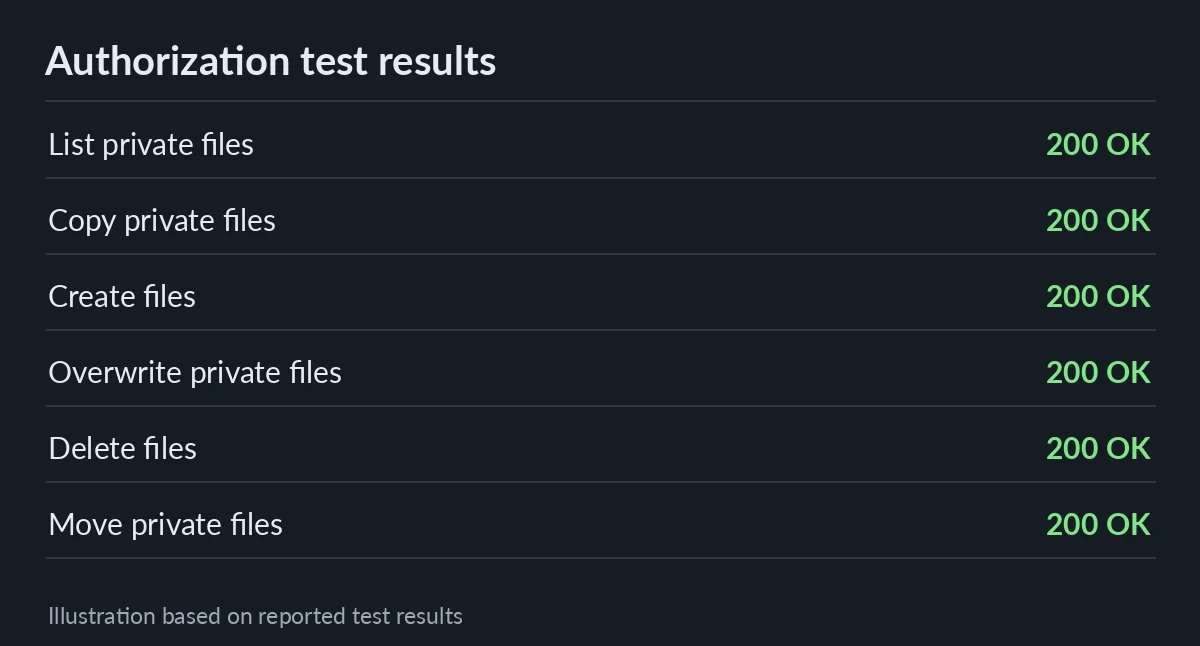
The next question was whether the flaw was limited to reading metadata or whether it affected other operations too. Using the same restricted application, the researcher tested different file-management operations. The application was no longer effectively restricted to its dedicated folder: what was meant to be a limited third-party integration could perform operations on private files the user had never authorised it to touch.
Step 3: expose private content through public sharing
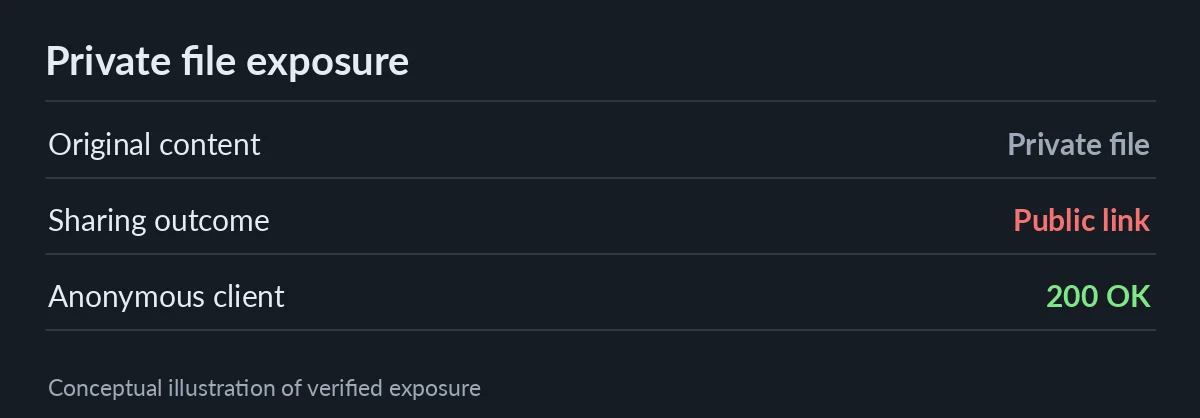
Reading and modifying private files was already serious, but the researcher wanted to demonstrate concrete impact. Further testing showed that private content could also be exposed through the platform's public sharing functionality. The generated link was opened with an unauthenticated client, without any access token, session cookies or even an account:
HTTP/2 200 OK
The file was accessible.
Step 4: confirm the exposed bytes are the original file
To be sure the retrieved file was the actual private file, the researcher compared the SHA-256 hashes of three independently retrieved versions:
- The original file downloaded by its owner.
- The file retrieved through the restricted application.
- The file downloaded anonymously.
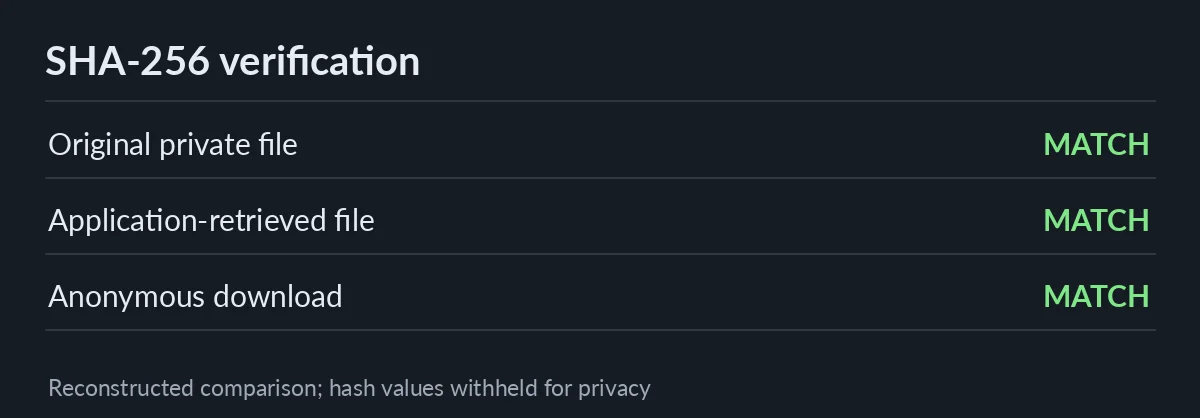
All three hashes were identical, confirming that the exposed content was byte-for-byte identical to the original private file. Further testing showed the issue was not limited to individual files: entire directories could be affected.
Step 5: temporary uploads outside the sandbox
Continuing the investigation, the researcher found the flaw also affected the platform's temporary upload functionality. Normally this feature lets an application generate a temporary URL for uploading files without requiring the recipient to authenticate. Here too the sandbox restriction was not consistently enforced: temporary upload capabilities could affect files outside the application's authorised directory. That introduced a further concern, namely that private files could potentially be created or overwritten through a temporary URL without authentication.
Root cause
The restriction was enforced on one representation of the storage location but not on another. When the location was supplied through an HTTP header, the server recognised the restricted application and returned 400 Bad Request. When the same location was supplied in the request body, the check did not apply and the request succeeded with 200 OK. In other words, the authorisation logic was tied to how the request expressed the storage location rather than to the operation itself, so an alternative representation bypassed it. The report does not describe the server-side code, so the exact implementation mistake is not stated.
Impact
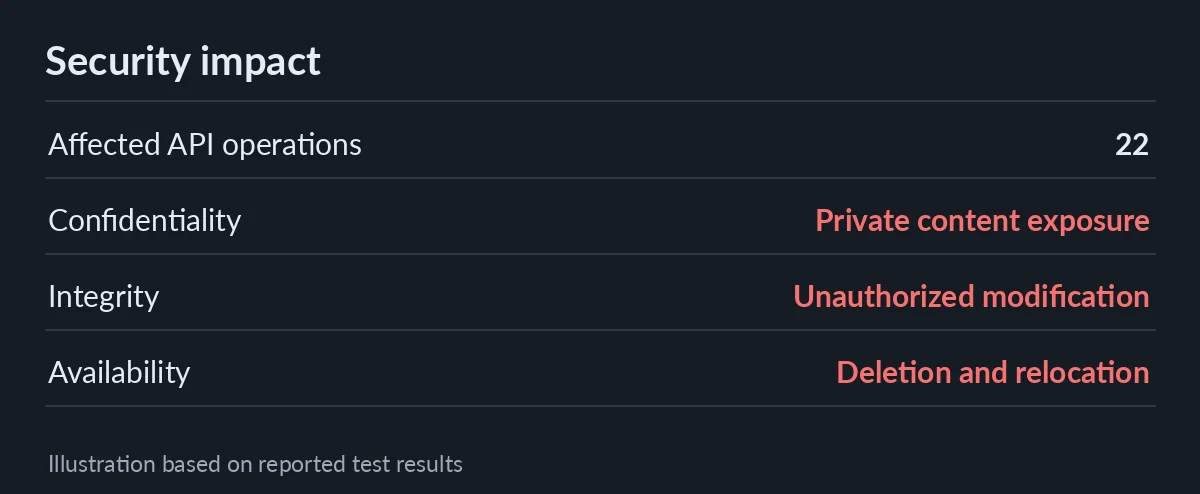
The flaw eventually affected 22 API operations. It touched all three fundamental principles of information security: confidentiality, integrity and availability. The affected application needed only the user's initial authorisation; the user never had to grant full access to their cloud storage. An application the user believed was confined to an empty folder could read private metadata, operate on private files, make private content publicly reachable without authentication, and potentially create or overwrite files through temporary upload URLs.
Two limits matter. Cross-account access was not demonstrated: the confirmed impact was limited to the account that authorised the application. And all modification testing was performed on the researcher's own account, with the original content restored afterwards. The significance is that users could authorise an application believing their private files were protected, while that application could reach content outside its intended sandbox.
Fix
The report does not say what the platform changed, if anything.
Variants to test
- Same value, different location. Take any parameter that a server validates in a header and send the equivalent value in the body, a query string or a path segment. A positive result is a
200where the header form returns400, with data outside the expected scope. - Namespace or tenant identifiers. Where an API accepts a storage namespace, account ID or tenant ID, try supplying it through each accepted channel. A positive result is data outside the application's authorised folder.
- Operation coverage. After one bypass works, replay it against every related operation: listing, reading, writing, deleting, sharing and temporary uploads. A positive result is any operation that succeeds outside the sandbox with the same token.
- Public sharing as an exfiltration path. If a restricted application can create share links, open them unauthenticated and compare hashes with the owner's copy. Identical hashes prove the private bytes were exposed.
- Temporary upload URLs. Generate a temporary upload URL through a restricted application and target a path outside its directory. A positive result is a successful write or overwrite outside the sandbox without authentication.
Hunting notes
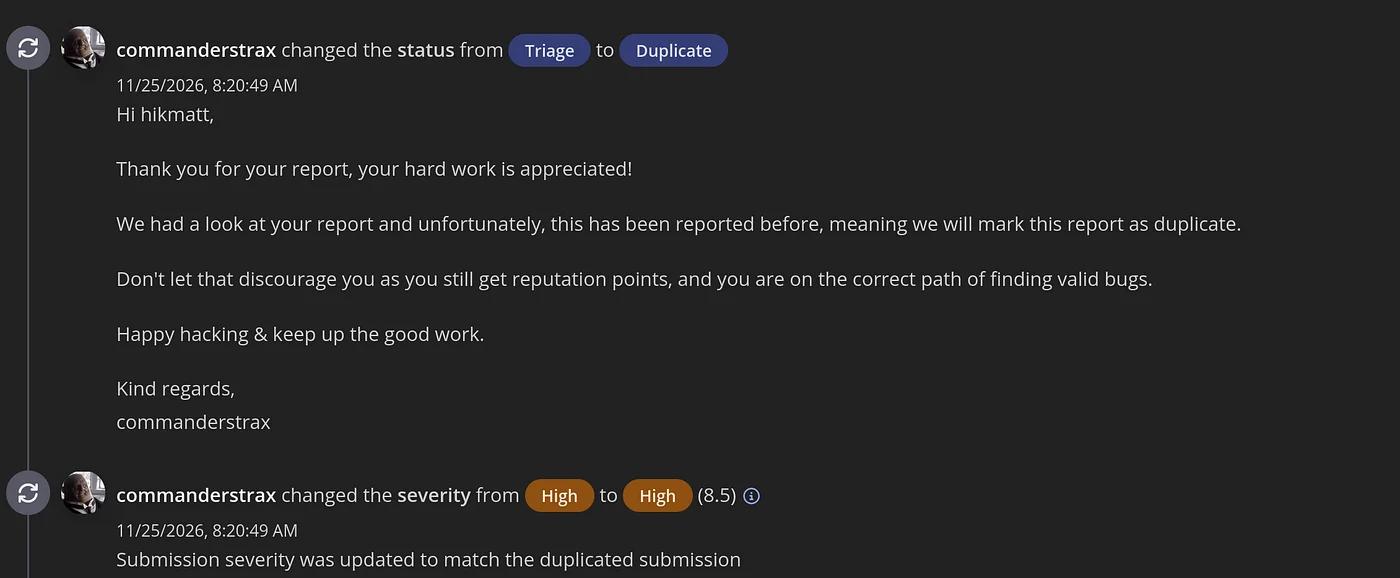
This kind of bug tends to hide wherever a security decision is made in more than one place: request parsing layers that accept the same value from headers, body, query or path, and APIs with per-application scopes or sandboxes. During recon, look for APIs that document several ways to specify the same resource, and for error responses such as 400 that reveal a restriction exists. That error is the signal to try an alternative representation of the same value. To show enough impact, move past the first proof of concept: demonstrate a full operation set, prove exposure with an unauthenticated fetch, and verify integrity with hashes. The report was ultimately closed as a duplicate because another researcher had reported the same vulnerability first, after several days of waiting for review.
What happened, in plain words
A security researcher was testing a cloud storage platform, a service that stores your files online, like a locker for your documents, photos and folders. The platform lets outside developers build small programs, called applications, that connect to your account and do things with your files. To keep you safe, the platform offers different permission levels. One of them says: this application may only touch its own dedicated folder inside your account, and nothing else. Even if the application is allowed to read and write files, it should stay inside that one folder.
The researcher found that this rule was not enforced everywhere. When the application asked for files in a certain way, the platform said no. When it asked for exactly the same thing in a slightly different way, the platform said yes and handed over private file names, folder names and other details from the researcher's own account. The researcher then showed that the same trick let the restricted application do much more: change files, make private files publicly reachable without any login, and use a temporary upload feature to touch files outside its folder. In the end, 22 different operations in the platform's API were affected. The researcher reported it, but the report was closed as a duplicate because someone else had found the same problem first.
The pieces you need to know
Before walking through the steps, here are the basic ideas, explained from zero.
- Cloud storage: a service that keeps your files on computers in a data centre instead of on your own machine. You reach them through a browser or an app. Your account holds folders and files, and the service decides who can see or change them.
- API: short for Application Programming Interface. It is the set of doors a program can knock on to talk to a service. When you click a button in a website, your browser may be calling an API behind the scenes. Developers use the same doors to build their own applications. Each door has an address, called an endpoint, and expects certain information.
- Third-party application: a program made by someone other than the cloud storage company. It connects to your account through the API. For example, a photo-printing app might ask to read your pictures.
- Permission level: a rule that says what an application is allowed to do. Some applications can read everything, some can write, and some are limited to a small area. The one in this story limits the application to its own dedicated folder.
- Sandbox: a restricted area. Think of a playpen: a child can move freely inside it but cannot leave it. Here, the application's sandbox is its dedicated folder. The platform is supposed to stop the application from stepping outside.
- OAuth consent flow: the usual way you give an application permission to access your account without handing over your password. You are shown a screen that says what the application wants to do, and you click Allow. The platform then gives the application a special pass.
- Access token: that special pass. It is a long string of characters that the application includes with every request to prove who it is and what it may do. It is not your password, and it can be limited in scope. In this story, the token belongs to a restricted application.
- Session cookie: a small piece of data your browser stores after you log in, so the website remembers you on the next page. It is another kind of pass. An unauthenticated request is one that carries no token and no cookie, meaning the server has no idea who is asking.
- HTTP header: extra information sent alongside a request, like the label on an envelope. Headers carry things such as the type of content or a preferred language. Some APIs also accept important values, such as which storage area to use, in a header.
- Request body: the main content of a request, like the letter inside the envelope. When you submit a form, the values you typed usually travel in the body.
- Endpoint: the address of one specific operation in the API, for example "/list-files" or "/share".
- Storage namespace: a way of naming which storage area a request refers to. Think of it as the name of the building where your locker is. If you can change the building name, you may reach lockers that are not yours.
- Metadata: data about data. For a file, metadata includes its name, its size, its identifier and a content hash, but not the file's actual contents.
- Content hash (SHA-256): a short fingerprint calculated from a file's bytes. If two files have the same SHA-256 hash, they are byte-for-byte identical. It is like comparing two keys by their teeth pattern instead of trying them in the lock.
- Authorization bypass: a flaw where a program is allowed to do something it should not be allowed to do. Authentication is about proving who you are; authorization is about what you are permitted to do. Here the application was correctly identified, but the permission check was skipped.
- Duplicate report: a bug report that describes the same problem someone else already reported. A bug report that describes the same problem someone else already reported.
Setting up the test
The researcher created a restricted application and authorised it through the platform's normal OAuth consent flow. That means the researcher went through the same Allow screen a normal user would see, and the application received an access token limited to its own folder. No special tools, software versions or extra accounts are described. The researcher created a restricted application and authorised it through the normal OAuth consent flow. All modification testing was done on the researcher's own account, and the original content was restored afterwards.
Finding the weakness
The first step was to ask the application to list what was in its dedicated folder. The response was exactly what a correctly sandboxed application should see:
{
    "entries": [],
    "has_more": false
}
Line by line:
{starts a JSON object, which is a way of writing structured data as name and value pairs."entries": []means the list of entries is empty. The square brackets with nothing inside are an empty list."has_more": falsemeans there are no further pages of results. APIs often return results in pages, and this flag says whether another page exists.}closes the object.
So far, so good: the folder was empty and the application appeared properly isolated. The researcher then experimented by trying to change the storage namespace through an HTTP header. In plain words, the application tried to say "use this other storage area" in the label on the envelope. The server rejected it:
HTTP/2 400 Bad Request
Line by line:
HTTP/2is the version of the protocol used to talk to the server. It is simply the language and rules of the conversation.400 Bad Requestis the server's answer meaning "I will not do this; the request is not acceptable". Here it shows the server recognised that the application was restricted and refused the operation.
That raised an obvious question: what happens if the same storage location is expressed through the request body instead of the header? In other words, instead of writing the storage area on the envelope, write it in the letter inside. The endpoint, the access token and the permissions would all stay the same; only the way the storage location was referenced would change. This is a classic thing to test: when a server says no in one place, try saying the same thing in another place it accepts.
Exploitation
Step 1: move the storage location from header to body
Keeping the same endpoint, the same access token and the same permissions, the researcher referenced the storage location in the request body rather than in the header. The response changed from a rejection to success:
HTTP/2 200 OK
Line by line:
HTTP/2is again the protocol version.200 OKmeans the server accepted the request and is returning a normal answer. The restriction that produced400a moment ago did not apply here.
{
    "entries": [
        {"name": "[REDACTED_FOLDER]"},
        {"name": "[REDACTED_FILE]"}
    ]
}
Line by line:
{starts the response object."entries": [starts a list of entries.{"name": "[REDACTED_FOLDER]"}is one entry, a folder, with its name replaced by a placeholder for privacy.{"name": "[REDACTED_FILE]"}is another entry, a file, also with its name hidden.]closes the list.}closes the object.
The response shown is simplified and redacted, but the server returned 27 entries from the researcher's private cloud storage instead of the empty folder. Private file names, folder names, identifiers, sizes, content hashes and other metadata were suddenly readable by an application that was supposed to be confined to an empty folder. No additional permissions, no new access token and no additional user consent were involved. The application simply asked in a different way, and the platform answered.
Step 2: test other file-management operations
The next question was whether the flaw was limited to reading metadata or whether it affected other operations too. Using the same restricted application, the researcher tested different file-management operations. The application was no longer effectively restricted to its dedicated folder: what was meant to be a limited third-party integration could perform operations on private files the user had never authorised it to touch. In everyday terms, the playpen gate was open, and the child could walk around the whole room.
Step 3: expose private content through public sharing
Reading and modifying private files was already serious, but the researcher wanted to demonstrate concrete impact. Further testing showed that private content could also be exposed through the platform's public sharing functionality. The generated link was opened with an unauthenticated client, without any access token, session cookies or even an account:
HTTP/2 200 OK
Line by line:
HTTP/2is the protocol version.200 OKmeans the server returned the content successfully. Because the request carried no token and no cookie, this proves that anyone on the internet could fetch the file, not just the application or the account owner.
The file was accessible.
Step 4: confirm the exposed bytes are the original file
To be sure the retrieved file was the actual private file, the researcher compared the SHA-256 hashes of three independently retrieved versions:
- The original file downloaded by its owner.
- The file retrieved through the restricted application.
- The file downloaded anonymously.
All three hashes were identical, confirming that the exposed content was byte-for-byte identical to the original private file. Further testing showed the issue was not limited to individual files: entire directories could be affected. Comparing hashes is like comparing fingerprints: if they match, it is the same file, even if it travelled through different routes.
Step 5: temporary uploads outside the sandbox
Continuing the investigation, the researcher found the flaw also affected the platform's temporary upload functionality. Normally this feature lets an application generate a temporary URL for uploading files without requiring the recipient to authenticate. Think of it as a one-time delivery slot: the application creates a link, and anyone with the link can drop a file into the account without logging in. Here too the sandbox restriction was not consistently enforced: temporary upload capabilities could affect files outside the application's authorised directory. That introduced a further concern, namely that private files could potentially be created or overwritten through a temporary URL without authentication.
Why it worked
The restriction was enforced on one representation of the storage location but not on another. When the location was supplied through an HTTP header, the server recognised the restricted application and returned 400 Bad Request. When the same location was supplied in the request body, the check did not apply and the request succeeded with 200 OK. In other words, the authorisation logic was tied to how the request expressed the storage location rather than to the operation itself, so an alternative representation bypassed it. The report does not describe the server-side code, so the exact implementation mistake is not stated.
A useful comparison is a building with two entrances. The guard at the front door checks your badge and turns you away. The side door has no guard, so you walk in. The rule exists, but it is only applied at one entrance.
Impact
The flaw eventually affected 22 API operations. It touched all three fundamental principles of information security: confidentiality, integrity and availability. Confidentiality means keeping data secret; integrity means keeping data unchanged and trustworthy; availability means keeping data reachable when needed. The affected application needed only the user's initial authorisation; the user never had to grant full access to their cloud storage. An application the user believed was confined to an empty folder could read private metadata, operate on private files, make private content publicly reachable without authentication, and potentially create or overwrite files through temporary upload URLs.
Two limits matter. Cross-account access was not demonstrated: the confirmed impact was limited to the account that authorised the application. And all modification testing was performed on the researcher's own account, with the original content restored afterwards. The significance is that users could authorise an application believing their private files were protected, while that application could reach content outside its intended sandbox.
What the fix would look like
The report does not say what the platform changed, if anything. In the building comparison, you would put a guard at every entrance and make sure both guards use the same rulebook.
Variants to test
If you ever find yourself testing something similar, these are the patterns worth trying. They are written for someone learning, so each one explains what to look for.
- Same value, different location. Take any parameter that a server validates in a header and send the equivalent value in the body, a query string or a path segment. A positive result is a
200where the header form returns400, with data outside the expected scope. In plain words: if the front door is locked, try the side door with the same key. - Namespace or tenant identifiers. Where an API accepts a storage namespace, account ID or tenant ID, try supplying it through each accepted channel. A positive result is data outside the application's authorised folder. This is like changing the building name on your locker request and seeing whether you get someone else's locker.
- Operation coverage. After one bypass works, replay it against every related operation: listing, reading, writing, deleting, sharing and temporary uploads. A positive result is any operation that succeeds outside the sandbox with the same token. One open door often means several.
- Public sharing as an exfiltration path. If a restricted application can create share links, open them unauthenticated and compare hashes with the owner's copy. Identical hashes prove the private bytes were exposed. This is how you show real impact rather than just a strange response.
- Temporary upload URLs. Generate a temporary upload URL through a restricted application and target a path outside its directory. A positive result is a successful write or overwrite outside the sandbox without authentication. It is the difference between reading someone's mail and dropping new mail into their box.
Notes for anyone hunting similar bugs
This kind of bug tends to hide wherever a security decision is made in more than one place: request parsing layers that accept the same value from headers, body, query or path, and APIs with per-application scopes or sandboxes. During recon, look for APIs that document several ways to specify the same resource, and for error responses such as 400 that reveal a restriction exists. That error is the signal to try an alternative representation of the same value. To show enough impact, move past the first proof of concept: demonstrate a full operation set, prove exposure with an unauthenticated fetch, and verify integrity with hashes. The report was ultimately closed as a duplicate because another researcher had reported the same vulnerability first, after several days of waiting for review.
Glossary
- API: the set of doors a program can knock on to talk to a service, each with an address and expected information.
- Access token: a long string a program includes with requests to prove who it is and what it may do, without using your password.
- Authentication: proving who you are, for example by logging in.
- Authorization: deciding what you are allowed to do once you are identified.
- Authorization bypass: a flaw that lets a program do something it should not be permitted to do.
- Cloud storage: an online service that keeps your files on remote computers and lets you reach them over the internet.
- Content hash (SHA-256): a fingerprint calculated from a file's bytes; identical hashes mean identical files.
- Cookie: a small piece of data a browser stores after you log in so a website remembers you.
- Cross-account access: reaching data in someone else's account; the report says this was not demonstrated.
- Duplicate report: a bug report describing a problem someone else already reported.
- Endpoint: the address of one specific operation in an API.
- HTTP header: extra information sent alongside a request, like a label on an envelope.
- HTTP/2: a version of the protocol used to talk to web servers.
- JSON: a way of writing structured data as name and value pairs, often used in API responses.
- Metadata: data about data, such as a file's name, size or identifier, rather than its contents.
- OAuth consent flow: the screen where you allow an application to access parts of your account without giving it your password.
- Permission level: a rule saying what an application may do, such as read, write, or only touch one folder.
- Request body: the main content of a request, like the letter inside an envelope.
- Sandbox: a restricted area an application is supposed to stay inside.
- Session cookie: a cookie that keeps you logged in to a website.
- Storage namespace: a name identifying which storage area a request refers to.
- Third-party application: a program made by someone other than the service you are using, which connects to your account.
- Unauthenticated: a request that carries no token and no cookie, so the server does not know who is asking.
- 400 Bad Request: an HTTP response meaning the server will not accept the request as sent.
- 200 OK: an HTTP response meaning the server accepted the request and is returning a normal answer.

