How I found a Privilege Escalation Bug in a private Ecommerce?
A non-admin user could send a crafted request to change their own role to administrator by manipulating parameters that identify the shop and user. This allowed full administrator access to the shop without any admin interaction.
 Published on medium.com
This article is based on how I found a Privilege Escalation Bug on an Ecommerce website which allowed me to get full administrator access to the shop.
The full write-up lives on its author's site
It belongs to its author, so we link to it rather than copy it. The other two tabs are our own rewrites, checked against it.
Context
This write-up describes a privilege escalation bug found on an Ecommerce website, referred to here as redacted.com. On this shop, an administrator could add other users and assign them roles. The administrator could add a user as an Admin or give them a non-admin role. The bug allowed a user who was only an administrator of a different, random shop to upgrade another user to administrator of a shop they did not control, and in doing so gain full administrator access to that shop.
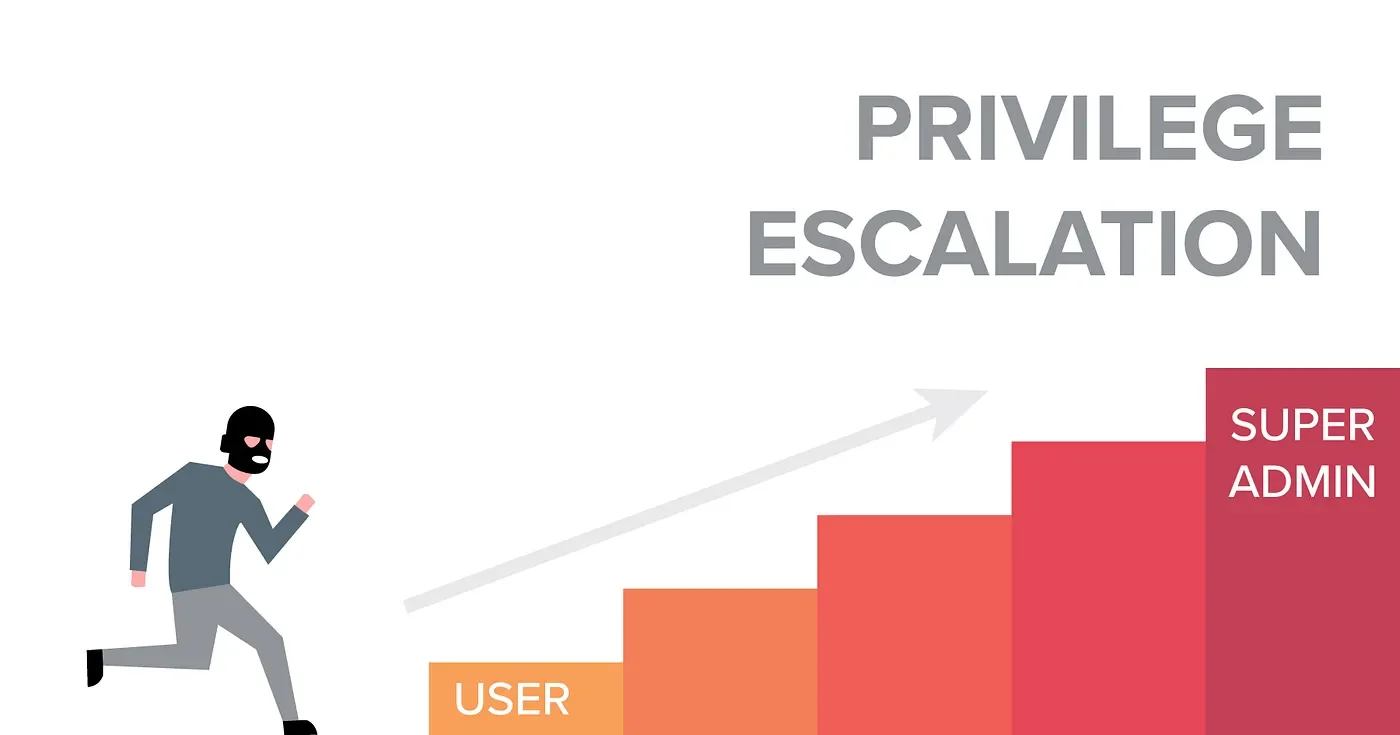
Privilege escalation, as the author defines it, is a vulnerability where a normal user is able to get an elevated resource which is normally prevented from normal users.
Setup
The researcher created three accounts on the website:
- User A: the shop administrator.
- User B: a user with a non-admin role in the shop.
- User C: an administrator of a random shop, used as the attacker account.
The attack was carried out from User C's account by replaying the request that an administrator sends when adding or editing a user, with several parameters changed.
Finding it
When the administrator added a user to the shop with a non-admin permission, the request looked like this:
POST /seller/submitEditUser.json HTTP/1.1
Host: vulnerable.vulnerable.com
Connection: close
Content-Length: 63
Accept: application/json, text/javascript
Origin: https://vulnerable.vulnerable.com
X-XSRF-TOKEN:
User-Agent:
Content-Type: application/x-www-form-urlencoded
Accept-Encoding: gzip, deflate
Accept-Language: en-US,en;q=0.9
Cookie: XXXX

JSID=JSID value;CSRFT=335131365a3ee;JSESSIONID=value;isg=ISGVALUE

role=4&language=670&active=true&userName=xxxx &userId=1010799
The researcher identified the following parameters as security relevant:
| Parameter | Role described in the report |
|---|---|
ISG |
Disclosed which shop was on the website |
userId |
Disclosed which user to upgrade |
role |
Disclosed what role should be assigned to the user on the shop |
JSID |
Checked whether the requester was part of the shop or not |
The request body also carries language, active and userName. The cookie header carries JSID, CSRFT, JSESSIONID and isg values.
The report does not explain the server-side cause; the request carried the shop, target user, role and membership values, and changing them changed the outcome.
Exploitation
Step 1: Replay the edit-user request from User C
From User C, the researcher sent the same request but changed a few parameters:
- The
JSIDparameter was changed to that of User B, which informed the website that the requester was part of that shop. - The user-role parameter was changed to
1, which informed the website to upgrade the role to admin. - The
ISGparameter was changed to match the shop whose privilege was being upgraded. - The
userIdparameter was changed to that of User B.
The request was then sent from account C.
Step 2: Observe the result
Upon doing that, User B's role was upgraded to admin without any admin interaction. In this way the researcher was able to get full administrator access to the shop.
Root cause
The report does not show the server-side code. What it describes is that the edit-user endpoint accepted the shop identifier (ISG), the target user (userId), the new role (role) and the shop membership check (JSID) from the request, and acted on them. The attacker's account was an administrator of a different shop, and the request values pointed at a different shop and a different user. The JSID value was changed to User B's, which the report says informed the website that the requester was part of that shop.
Impact
In this case, an administrator of a random shop upgraded another user to administrator of a shop they did not control, without any action by that shop's administrator. In this case the researcher obtained full administrator access to the shop.
Fix
Based on the described behaviour, the server should derive the shop and the caller's membership from the authenticated session rather than from ISG and JSID in the request, verify that the caller is an administrator of that shop before applying a role change, and restrict which role values a caller may assign.
Variants to test
- Cross-shop object reference: take an edit-user request from an administrator of shop A and change the shop identifier to shop B while keeping your own session. A positive result is that the change is accepted for shop B.
- Membership parameter tampering: replace the membership value (
JSIDin this report) with one belonging to a user of the target shop. A positive result is that the server treats the request as coming from inside that shop. - Role value tampering: change the role parameter to the administrator value (here
1) in a request sent by a non-admin or by an admin of another shop. A positive result is that the target user's role is upgraded. - Target user tampering: change the target user identifier (
userId) to another account while replaying an authorised request. A positive result is that the other account's role changes. - Missing admin interaction: perform any of the above without the target shop's administrator approving or confirming the change. A positive result is a role change that takes effect with no action from that administrator.
What happened, in plain words
An online shop website let shop owners (administrators) add other people to their shop and give them a role. A role is simply a label that says what a person is allowed to do: an administrator can do everything, a non-admin user can do less. The researcher found that a person who was an administrator of one shop could send a request that upgraded somebody else to administrator of a different shop, one they did not own. No approval from that other shop's administrator was needed. The result was full administrator access to that shop.
The researcher calls this a privilege escalation. In their words, privilege escalation is a vulnerability where a normal user is able to get an elevated resource which is normally prevented from normal users. A simple comparison: imagine a hotel where a guest's key card opens only their own room. Privilege escalation is finding a way to make the front desk system reprint that card so it opens every room, without the manager agreeing to it.
The image above is an illustration of the concept of privilege escalation, taken from a security blog.
The pieces you need to understand first
Before walking through the attack, here are the basic ideas it relies on. None of them require any special software: they are the same things your browser does every day.
- A web request. When you fill in a form on a website and press a button, your browser sends a message to the website's computer (the server). That message is called a request. The server reads it and sends back a reply, usually a page or some data.
- An API endpoint. Many websites have addresses that are meant to be used by the site's own pages rather than by a person typing in the address bar. These are often called API endpoints. An API (application programming interface) is just a defined way for one piece of software to ask another for something. The address
/seller/submitEditUser.jsonin this report is one such endpoint: it is the place the shop's admin page sends the "add or edit this user" request to. The.jsonending hints that the reply comes back as JSON, a common text format for data. - HTTP methods. Every request starts with a method, a word that says what kind of action it is.
GETusually means "give me something",POSTusually means "here is some data, do something with it". The request in this report is aPOST, because it is changing something on the server. - Headers. A request has a small block of extra information at the top called headers. Each header is a name and a value, for example
Host:says which website the request is for, andContent-Type:says what format the data in the body is in. Think of headers as the label on a parcel: who it is for, what is inside, how it should be handled. - The body. Below the headers comes the actual data being sent, called the body. In this report the body is a short list of values joined with
&, likerole=4&language=670. This format is calledapplication/x-www-form-urlencoded, which is the same format a plain HTML form uses when you submit it. - Parameters. Each
name=valuepair in the body is a parameter. Parameters are the individual settings the server reads: which user, which role, which shop. - Cookies. A cookie is a small piece of text that a website asks your browser to store and send back with every request to that site. It is how a website recognises you between page loads, because the web itself has no memory. When you log in, the server puts a cookie in your browser; on each later request the browser shows that cookie, and the server knows who you are. In the request here, the
Cookie:header carries several of them. - Tokens. A token is a value that stands in for something, usually proof that you are allowed to do something. A session token identifies your logged-in session. A CSRF token (the
CSRFTvalue here) is a value the site gives your browser so that a request coming from a different website, which would not know the value, can be rejected. CSRF stands for cross-site request forgery: tricking your browser into sending a request you did not intend. - Session. A session is the server's memory of your login. The server keeps a record, and your browser holds a cookie or token that points to that record. If someone else gets your session value, the server may treat them as you.
- Authorisation versus authentication. Authentication is proving who you are (logging in). Authorisation is what you are then allowed to do. This bug is an authorisation problem: the attacker was properly logged in, but was allowed to do something they should not have been allowed to do.
- Privilege. A privilege is a permission, a specific thing you are allowed to do. Escalation means going from a lower level of privilege to a higher one.
Setting up the test
The researcher created three accounts on the website, each playing a different part:
- User A: the shop administrator. This is the legitimate owner of the shop, the person whose admin page sends the edit-user request.
- User B: a user with a non-admin role in the shop. This is the victim: the account that ends up upgraded.
- User C: an administrator of a random shop, used as the attacker account. This is the key: User C is a genuine administrator, but only of their own unrelated shop.
Why three accounts? Because the attack needs an attacker who is already trusted somewhere (User C), a victim whose role gets changed (User B), and a legitimate administrator whose normal request is copied as the template (User A). The attack itself was carried out from User C's account, by replaying the request that an administrator sends when adding or editing a user, with several parameters changed. Replaying means taking a request that was captured once and sending it again, possibly modified.
Finding it
When the administrator added a user to the shop with a non-admin permission, the request looked like this:
POST /seller/submitEditUser.json HTTP/1.1
Host: vulnerable.vulnerable.com
Connection: close
Content-Length: 63
Accept: application/json, text/javascript
Origin: https://vulnerable.vulnerable.com
X-XSRF-TOKEN:
User-Agent:
Content-Type: application/x-www-form-urlencoded
Accept-Encoding: gzip, deflate
Accept-Language: en-US,en;q=0.9
Cookie: XXXX

JSID=JSID value;CSRFT=335131365a3ee;JSESSIONID=value;isg=ISGVALUE

role=4&language=670&active=true&userName=xxxx &userId=1010799
Line by line, in plain words:
POST /seller/submitEditUser.json HTTP/1.1: this is a POST request to the address/seller/submitEditUser.json, using version 1.1 of the HTTP protocol, the language browsers and servers use to talk. The address name suggests a seller-side action that submits an edit to a user.Host: vulnerable.vulnerable.com: the website the request is addressed to. In the report the real domain is replaced with this placeholder.Connection: close: tells the server to close the network connection after replying, rather than keeping it open for more requests.Content-Length: 63: the size of the body in bytes, so the server knows where the data ends.Accept: application/json, text/javascript: what kind of reply the browser is willing to accept, here JSON or JavaScript text.Origin: https://vulnerable.vulnerable.com: which site the request is coming from. Browsers add this automatically; servers can use it to decide whether to allow the request.X-XSRF-TOKEN:: a header for a cross-site request forgery token. Here it is shown with no value.User-Agent:: normally identifies the browser. Here it is shown with no value.Content-Type: application/x-www-form-urlencoded: the body is in the standard form format,name=valuepairs joined by&.Accept-Encoding: gzip, deflate: the browser can accept a compressed reply, to save bandwidth.Accept-Language: en-US,en;q=0.9: the browser prefers US English.Cookie: XXXX: the cookie header, where the browser sends stored cookies back. The actual values are replaced with placeholders.- The blank line separates headers from body. Everything after it is the data.
JSID=JSID value;CSRFT=335131365a3ee;JSESSIONID=value;isg=ISGVALUE: these are cookie values.JSID,CSRFT,JSESSIONIDandisgare names the site uses.JSESSIONIDis a very common name for a session identifier, the value that ties a request to a logged-in session.CSRFTlooks like a CSRF token. The values are placeholders in the report.role=4&language=670&active=true&userName=xxxx &userId=1010799: the parameters of the edit.role=4is the role being assigned (a non-admin role in this example),language=670a language setting,active=truethat the account is active,userName=xxxxthe user's name, anduserId=1010799the identifier of the user being edited.
The researcher identified four parameters as security relevant:
| Parameter | Role described in the report |
|---|---|
ISG |
Disclosed which shop was on the website |
userId |
Disclosed which user to upgrade |
role |
Disclosed what role should be assigned to the user on the shop |
JSID |
Checked whether the requester was part of the shop or not |
In other words, the request itself carried the answers to every question the server needed to ask: which shop, which user, which new role, and whether the caller belongs to the shop. The request body also carries language, active and userName, and the cookie header carries JSID, CSRFT, JSESSIONID and isg values.
The request itself carried the shop, the target user, the new role and the membership value, and changing them changed the outcome. Here it meant a user who was an administrator of one shop could point the request at another shop and another user.
Exploitation
Step 1: Replay the edit-user request from User C
From User C, the researcher sent the same request but changed a few parameters:
- The
JSIDparameter was changed to that of User B, which informed the website that the requester was part of that shop. - The user-role parameter was changed to
1, which informed the website to upgrade the role to admin. - The
ISGparameter was changed to match the shop whose privilege was being upgraded. - The
userIdparameter was changed to that of User B.
The request was then sent from account C.
The request was edited so that the shop identifier, target user, new role and membership value all pointed at the target shop and User B.
Step 2: Observe the result
Upon doing that, User B's role was upgraded to admin without any admin interaction. In this way the researcher was able to get full administrator access to the shop.
"Without any admin interaction" is the important part: the real administrator of the target shop never clicked anything, never approved anything, and may not even have known it happened.
Why it worked
The report does not show the server-side code. What it describes is that the edit-user endpoint accepted the shop identifier (ISG), the target user (userId), the new role (role) and the shop membership check (JSID) from the request, and acted on them. The attacker's account was an administrator of a different shop, and the request values pointed at a different shop and a different user. The JSID value was changed to User B's, which the report says informed the website that the requester was part of that shop.
Impact
In this case, an administrator of a random shop upgraded another user to administrator of a shop they did not control, without any action by that shop's administrator. In this case the researcher obtained full administrator access to the shop. The report does not describe what the attacker could do with that access beyond holding it.
Fix
Based on the described behaviour, the server should derive the shop and the caller's membership from the authenticated session rather than from ISG and JSID in the request, verify that the caller is an administrator of that shop before applying a role change, and restrict which role values a caller may assign. In everyday terms: stop asking the visitor which shop they belong to, and look it up from the login instead.
Variants to test
If you want to look for the same class of bug on a site you are allowed to test, these are variations on the changes described in the report. Each one changes a single value and watches whether the server accepts it.
- Cross-shop object reference: take an edit-user request from an administrator of shop A and change the shop identifier to shop B while keeping your own session. A positive result is that the change is accepted for shop B.
- Membership parameter tampering: replace the membership value (
JSIDin this report) with one belonging to a user of the target shop. A positive result is that the server treats the request as coming from inside that shop. - Role value tampering: change the role parameter to the administrator value (here
1) in a request sent by a non-admin or by an admin of another shop. A positive result is that the target user's role is upgraded. - Target user tampering: change the target user identifier (
userId) to another account while replaying an authorised request. A positive result is that the other account's role changes. - Missing admin interaction: perform any of the above without the target shop's administrator approving or confirming the change. A positive result is a role change that takes effect with no action from that administrator.
Glossary
- API: a defined way for one piece of software to ask another for something; on a website, an address meant to be used by the site's own pages.
- API endpoint: the specific address a request is sent to, such as
/seller/submitEditUser.json. - Authentication: proving who you are, usually by logging in.
- Authorisation: what you are allowed to do once you are logged in.
- Body: the data part of a request, below the headers.
- Cookie: a small piece of text a website stores in your browser and receives back on later requests, used to recognise you.
- CSRF (cross-site request forgery): tricking a logged-in user's browser into sending a request they did not intend; a CSRF token is a value used to prevent it.
- CSRF token: a value given to your browser by the site so that requests from elsewhere, which do not know the value, can be rejected.
- Header: a name and value at the top of a request or reply, carrying extra information such as the target host or the data format.
- HTTP: the protocol browsers and servers use to exchange requests and replies.
- JSON: a common text format for structured data, often used in API replies.
- Parameter: a
name=valuepair in a request that the server reads as a setting, such asrole=4. - POST: an HTTP method used when sending data to the server to change something.
- Privilege: a permission, a specific thing you are allowed to do.
- Privilege escalation: a vulnerability where a normal user is able to get an elevated resource which is normally prevented from normal users.
- Replay: sending a captured request again, possibly with changes.
- Request: the message a browser sends to a server asking it to do something.
- Role: a label that says what a user is allowed to do, such as administrator or non-admin.
- Server: the computer that runs a website and answers requests.
- Session: the server's memory of your login, pointed to by a cookie or token.
- Session identifier: the value that ties a request to a logged-in session, such as
JSESSIONID. - Token: a value that stands in for proof that you are allowed to do something.
- Vulnerability: a weakness in software that lets someone do something they should not be able to do.


