How I Found an Unauthenticated GraphQL API Leaking User Data
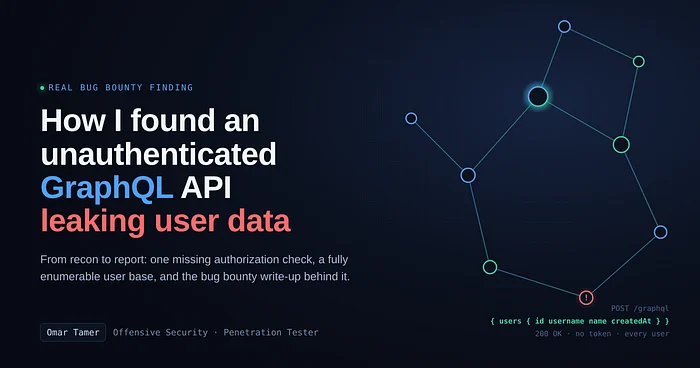
An unauthenticated GraphQL endpoint allowed querying user records without any credentials, exposing internal IDs, usernames, full names, and account creation dates. The query supported pagination and search, so an attacker could retrieve the entire user base in bulk.

medium.com
Published on medium.com
Bug Bounty
The full write-up lives on its author's site
It belongs to its author, so we link to it rather than copy it. The other two tabs are our own rewrites, checked against it.
Context
GraphQL moves a lot of control to the client. A single endpoint accepts a POST request, and the caller decides exactly which objects and fields come back. That flexibility is the feature, and it is also why one missing authorization check does not leak a single record: it leaks the graph.
This write-up is based on one of my own bug bounty findings: an unauthenticated GraphQL API that exposed user data at scale. The company stays unnamed and identifying details are generalised. What follows is the methodology I actually used: fingerprinting, schema discovery, locating the missing-authorization bug, proving impact at scale, and writing it up so the severity is undeniable.
Why GraphQL fails differently
In REST, each resource sits behind its own route, and authorization is usually checked route by route. In GraphQL, a single endpoint resolves an arbitrary tree of fields. Authorization has to be enforced at the resolver level, on every field, for every object. Teams frequently authenticate the endpoint ("you need a token to call /graphql") but forget to authorize the resolvers ("should this token see this specific object's email field?").
The result is two recurring bug classes:
- Missing authentication: the endpoint answers sensitive queries with no credentials at all.
- Broken object-level authorization (BOLA): you are authenticated, but you can request objects that are not yours by supplying their identifiers.
Both come from the same root cause: the server was built to answer questions without deciding who is allowed to ask them.
Setup
During recon I came across an endpoint that looked like GraphQL. The report does not describe the tooling used beyond a visualiser for the introspected schema, and it does not list versions of the server or its GraphQL engine. The precondition for the main finding was simply network access to the endpoint: no account, token or session was needed to reach the vulnerable query.
Finding it
Before anything else, I confirmed the endpoint was GraphQL with a minimal valid query. It answered with {"data":{"__typename":"Query"}}, confirming a live GraphQL API.
Next I fingerprinted the implementation, because the engine determines how it leaks. Different servers behave differently under malformed input: some echo distinctive error strings, some expose a specific set of default fields, some enable introspection or field suggestions by default and others do not. Sending a deliberately invalid query and studying the exact shape and wording of the error told me which discovery technique would pay off before I spent time on it.
Exploitation
Step 1: Confirm and fingerprint the endpoint
The confirmation request was a minimal query against the endpoint:
POST /graphql HTTP/1.1Content-Type: application/json
{"query":"{__typename}"}
The body asks only for the root type name, which any GraphQL server can resolve without touching application data. The response, {"data":{"__typename":"Query"}}, confirmed a live GraphQL API.
Step 2: Map the schema with introspection
Introspection is GraphQL's built-in self-description, and it is the first thing I check. When it is on, the server hands you the entire schema:
{"query":"query{__schema{types{name kind fields{name args{name} type{name kind ofType{name}}}}}}"}
This walks every type, its kind, its fields, each field's arguments, and the field's type including one level of ofType for wrapped types such as lists and non-null values. That response is a map: every type, every query and mutation, every field and argument. Loading it into a visualiser shows how the types connect, and from that point you are no longer guessing. The target has documented its own attack surface for you.
Step 3: When introspection is disabled
Disabling introspection is the usual first hardening step, and it is not a dead end. The schema can often be rebuilt indirectly:
- Field suggestions. Many engines, even with introspection off, still respond to a wrong field with "Did you mean
email?" Each hint reveals a real field name. Tooling automates this into a near-complete schema reconstruction. - Client-side artifacts. Front-end bundles, mobile apps, and documented operations contain real queries. Captured traffic shows the field names and arguments the application itself uses.
- Error-driven enumeration. Type mismatches and argument errors leak structure one message at a time.
Introspection being off reduces convenience, not exposure.
Step 4: Find the query with no guard
With the schema mapped, the real work begins: for each query and mutation that returns something sensitive, test whether authorization is actually enforced.
The method is systematic. I took the query that returns user data and sent it with every credential stripped: no Authorization header, no session cookie, nothing that identifies a user.
POST /graphql HTTP/1.1Content-Type: application/json
{"query":"{ users { id username name createdAt } }"}
It returned data. No token, no session, and the response contained user records: internal IDs, usernames, full names, and account creation dates. The finding was binary and undeniable: personal data, no authentication.
When an endpoint does require a session, the next move is BOLA: authenticate as a low-privilege user and request objects by identifiers that should not belong to you.
{"query":"{ user(id: 1337) { id email role } }"}
Here the identifier is supplied by the caller, and the fields requested (email, role) are exactly the kind of data the UI may never show. The highest-value gap is often the difference between what the UI renders and what the resolver returns. An interface may only show a display name, while the underlying type still exposes email, role, internal flags, or tokens to anyone who asks for those fields.
Step 5: Prove scale
A single leaked record is a finding. The entire user base is a severity multiplier. The vulnerable query supported cursor-based pagination, so proving scale took nothing more than following the cursor:
{"query":"{ users(first: 100, after: \"<cursor>\") { edges { node { id email } } pageInfo { endCursor hasNextPage } } }"}
The first argument sets the page size, after takes the cursor from the previous page, and pageInfo returns endCursor and hasNextPage so the walk can continue until the data runs out. Walking the cursor page by page showed that every user record was reachable in bulk. The query also accepted a search parameter, which meant an attacker could look up specific people by name instead of only dumping everything. Documenting "this query returns the full set, paginated, with no authentication" is what turns a shrug into a critical.
Step 6: Extend the impact
Before writing it up, I checked the adjacent issues that frequently accompany the core bug:
- Mutations without authorization. Write operations outrank reads. A mutation that changes state unauthenticated is a far higher-impact finding than a read.
- Query batching. Some servers accept an array of operations in one request. Where they do, per-request rate limits on sensitive actions can be bypassed by batching many attempts into a single call.
- Depth and complexity. Deeply nested, recursive selections with no depth or cost limit can exhaust server resources, a denial-of-service vector distinct from data exposure.
- Verbose errors. Stack traces and internal paths in error responses leak implementation detail useful for further attacks.
Step 7: Write it up so the severity is undeniable
The technical work is only half the job; a strong report is what gets a finding resolved instead of dismissed. I anchor every GraphQL exposure report on four points:
- No authentication required: the full request, with every credential removed, so there is no ambiguity.
- Exactly what is exposed: the specific fields and why they matter (PII, internal identifiers, authentication material).
- Scale: the pagination proof showing how much data is reachable, not just a sample.
- A realistic attacker scenario: who can do this (anyone on the internet) and what they walk away with.
Root cause
The flaw is not an exotic exploit. It is a design decision that was never consciously made: the API was built to answer questions, and no one decided which questions, from whom. The users query answered with no credentials at all, so authorization was missing somewhere between the request and the data. The report does not describe the server-side code, so the exact implementation gap is not shown; The report does not show where in the stack the check was missing.
Impact
An unauthenticated attacker on the internet could retrieve user records in bulk: internal IDs, usernames, full names, and account creation dates, and the paginated query exposed the full set rather than a sample. A search parameter also allowed looking up specific people by name.
Fix
Remediation, as I set it out in the report:
- Enforce authentication and object-level authorization at the resolver, on every field, not only at the gateway.
- Disable introspection and field suggestions in production.
- Apply query depth and complexity limits, and rate-limit batched operations.
- Return only the fields each role is entitled to, and never rely on the UI to conceal data the API still serves.
Variants to test
- Credential-stripped sensitive queries. Take each query that returns user or account data and replay it with no Authorization header and no cookies. A positive result is a response containing records rather than an authentication error.
- Identifier substitution (BOLA). Authenticate as a low-privilege user and request objects by identifiers that should not belong to you, as in the
user(id: 1337)query above. A positive result is another user's object coming back with fields such asemailorrole. - Field suggestions with introspection off. Send a misspelled field name and look for a "Did you mean" hint. A positive result is a real field name disclosed in the error.
- Cursor walk. Where a query supports cursor pagination, follow
endCursorwhilehasNextPageis true. A positive result is the full data set being reachable page by page without authentication. - Unauthenticated mutations. Send state-changing operations with credentials stripped. A positive result is a mutation that succeeds and changes state.
- Batched operations. Send an array of operations in one request where the server accepts it. A positive result is many sensitive attempts processed in a single call, bypassing per-request rate limits.
- Depth and complexity abuse. Send deeply nested, recursive selections. A positive result is the server spending disproportionate resources or failing under the load.
- Verbose errors. Trigger malformed queries and inspect the error body. A positive result is stack traces or internal paths in the response.
What happened, in plain words
A security researcher was looking around a company's website as part of a bug bounty programme. A bug bounty programme is a deal a company makes with outside researchers: find a security problem in our systems, tell us about it privately, and we may pay you a reward. During that looking around, he found a web address that answered questions about the company's users, and it answered them without asking who was calling. No username, no password, no login of any kind. Anyone on the internet who knew the address could ask for user records and get them back.
The address was a GraphQL API. An API is a way for one piece of software to talk to another: instead of a page designed for a human to look at, it is a doorway that accepts a request and sends back raw data. GraphQL is a particular style of API where the person asking writes a small description of exactly which pieces of data they want, and the server sends back exactly that. The researcher asked for user records, got them, then showed that he could keep asking and collect the whole set, page after page.
This article walks through what he did, in the order he did it, and explains each idea from scratch. The company is not named and identifying details are generalised. The report does not say how many records were exposed, whether a severity was assigned, or whether a reward was paid.
Why GraphQL fails differently
To understand the bug, you first need to understand the two common ways of building an API, because they fail in different ways.
The older style is called REST. Think of a large office building where every department has its own door with its own lock. The post room is behind one door, the accounts department behind another, the staff records behind a third. In a REST API, each kind of data sits behind its own web address, and the programmers usually remember to check permission at each door: "is this person allowed into the staff records room?"
GraphQL is different. Imagine a single service counter that can fetch anything from anywhere in the building. You walk up, hand over a note saying exactly what you want ("the name, email and role of user number 1337"), and a runner goes and collects it. That is the whole appeal: one counter, one request, and the person asking decides precisely which items come back. It is flexible and efficient.
The catch is where the permission check has to live. In GraphQL, the server has a small piece of code for each kind of data it can return. Those pieces are called resolvers: one resolver knows how to fetch a user's name, another knows how to fetch that user's email, and so on. Permission therefore has to be checked inside every resolver, for every field, for every object. If even one resolver forgets to check, that one field leaks.
Teams very often get this half right. They put a lock on the counter itself: "you need a token to talk to /graphql at all." A token is a short piece of text, like a wristband at an event, that proves you have already logged in. But they forget to check, inside each resolver, whether this particular wristband is allowed to see this particular person's email address. The door is locked, but once you are inside, every cupboard is open.
That produces two recurring kinds of bug:
- Missing authentication: the counter does not even ask for a wristband. It answers sensitive questions with no credentials at all. This is the bug in this article.
- Broken object-level authorization (BOLA): you are logged in, but you can ask for objects that are not yours by naming their identifiers. If your account is number 500 and you ask for user 1337's email, and the server hands it over, that is BOLA. "Object" here just means a single record, such as one user.
Both come from the same root cause: the server was built to answer questions, and nobody sat down and decided who is allowed to ask which ones.
Setup
During reconnaissance (the early stage of looking around a target to see what exists), the researcher came across a web address that looked like a GraphQL endpoint. The report does not list versions of the server or its GraphQL engine. The important precondition for the main finding was simply being able to reach the address over the network: no account, token or session was needed to reach the vulnerable query.
Finding it
Before doing anything else, he confirmed that the address really was GraphQL, using the smallest possible valid question. It answered with {"data":{"__typename":"Query"}}, which confirmed a live GraphQL API.
Next he fingerprinted the implementation. Fingerprinting means working out which specific software is running behind an address, the way you might recognise a car's make from the shape of its headlights. This matters because the engine (the GraphQL software itself) determines how it leaks. Different servers behave differently when you send them nonsense: some echo distinctive error messages, some expose a particular set of default fields, some have introspection or field suggestions switched on by default and others do not. Sending a deliberately invalid query and studying the exact shape and wording of the error told him which discovery technique would pay off before he spent time on it.
Exploitation
Step 1: Confirm and fingerprint the endpoint
The confirmation request was a minimal query against the endpoint:
POST /graphql HTTP/1.1Content-Type: application/json
This is the opening of an HTTP request, the format a browser uses to ask a web server for something. Line by line:
POST /graphql HTTP/1.1says: send a request of type POST (a request that carries a body of data, as opposed to simply asking for a page) to the path/graphql, using version 1.1 of the HTTP protocol.Content-Type: application/jsonsays: the body I am sending is formatted as JSON, a simple text format for structured data using curly brackets, quotes and colons.
{"query":"{__typename}"}
This is the body of the request. It is a JSON object with one key, query, whose value is the GraphQL question being asked. The question {__typename} asks only for the name of the root type, which any GraphQL server can answer without touching any application data. It is the equivalent of knocking on the door and asking "are you there?" rather than asking for anything valuable.
The response, {"data":{"__typename":"Query"}}, confirmed a live GraphQL API. The server replied with a data object containing __typename set to Query, which is the standard name for the top-level type in GraphQL.
Step 2: Map the schema with introspection
Introspection is GraphQL's built-in self-description. Think of it as a restaurant that, on request, hands you the full menu with every dish, every ingredient and every option listed. It is a feature meant to help developers build tools against the API, and it is the first thing the researcher checks, because when it is on, the server hands you the entire schema. The schema is the blueprint of the API: every type of object, every question you can ask, every field you can request.
{"query":"query{__schema{types{name kind fields{name args{name} type{name kind ofType{name}}}}}}"}
This is one long GraphQL question, and it is worth unpacking piece by piece:
query{...}declares that this is a read-only question (as opposed to a mutation, which changes data).__schemaasks for the schema itself.types{...}asks for every type defined in the schema.name kindasks for each type's name and its kind (for example whether it is an object type or an input type).fields{...}asks for the fields of each type.name args{name}asks for each field's name and the names of its arguments (the inputs a field accepts).type{name kind ofType{name}}asks for the field's type, including one level ofofType, which is how GraphQL describes wrapped types such as lists (many of something) and non-null values (something that must be present).
That response is a map: every type, every query and mutation, every field and argument. Loading it into a visualiser, a tool that draws the types and the connections between them as a diagram, shows how everything fits together. From that point you are no longer guessing. The target has documented its own attack surface for you. Attack surface means all the ways in which a system can be approached or questioned.
Step 3: When introspection is disabled
Switching introspection off is the usual first hardening step, and it is not a dead end. The schema can often be rebuilt indirectly, using three tricks:
- Field suggestions. Many engines, even with introspection off, still respond to a wrong field name with a hint such as "Did you mean
email?". Each hint reveals a real field name. Tooling automates this into a near-complete reconstruction of the schema, one guessed name at a time. - Client-side artifacts. Front-end bundles (the files a website downloads to your browser), mobile apps, and documented operations contain real queries. Captured traffic shows the field names and arguments the application itself uses. In other words, you can learn the menu by watching what other customers order.
- Error-driven enumeration. Type mismatches and argument errors leak structure one message at a time. Enumeration means listing things one by one; here, each error message tells you a little more about what exists.
Introspection being off reduces convenience, not exposure.
Step 4: Find the query with no guard
With the schema mapped, the real work begins: for each query and mutation that returns something sensitive, test whether authorization is actually enforced. A query reads data; a mutation changes it.
The method is systematic. He took the query that returns user data and sent it with every credential stripped: no Authorization header (the part of a request where a token is normally placed), no session cookie (a small piece of data your browser stores after you log in, so the site recognises you on the next request), nothing that identifies a user.
POST /graphql HTTP/1.1Content-Type: application/json
This is the same request opening as before: a POST to /graphql, with a JSON body. The only difference is what is missing: there is no Authorization header and no Cookie header. That absence is the whole test.
{"query":"{ users { id username name createdAt } }"}
This asks for the users list, and for each user in it, four fields: id (the internal identifier), username, name (the full name) and createdAt (when the account was created). It is a plain request for personal data with nothing attached to prove who is asking.
It returned data. No token, no session, and the response contained user records: internal IDs, usernames, full names, and account creation dates. The finding was binary and undeniable: personal data, no authentication. Binary here means there were only two possible outcomes, and the answer was the bad one.
When an endpoint does require a session, the next move is BOLA: log in as a low-privilege user and request objects by identifiers that should not belong to you.
{"query":"{ user(id: 1337) { id email role } }"}
This asks for a single user, identified by id: 1337, and for three fields: id, email and role. The identifier is supplied by the caller, and the fields requested (email, role) are exactly the kind of data the user interface may never show. If you are logged in as user 500 and this returns user 1337's email, the server has failed to check that the object belongs to you.
The highest-value gap is often the difference between what the UI renders and what the resolver returns. The UI, or user interface, is what you see on screen. An interface may only show a display name, while the underlying type still exposes email, role, internal flags, or tokens to anyone who asks for those fields. The screen is a shop window; the resolver is the stockroom behind it.
Step 5: Prove scale
A single leaked record is a finding. The entire user base is a severity multiplier: the more people affected, the more serious the problem. The vulnerable query supported cursor-based pagination, so proving scale took nothing more than following the cursor. Pagination is splitting a long list into pages. A cursor is a marker that says "you stopped here, continue from this point", like a bookmark in a book.
{"query":"{ users(first: 100, after: \"<cursor>\") { edges { node { id email } } pageInfo { endCursor hasNextPage } } }"}
Line by line:
users(first: 100, after: "<cursor>")asks for theuserslist, 100 at a time, starting after the position given by the cursor. Thefirstargument sets the page size;aftertakes the cursor from the previous page.edges { node { id email } }asks for the list's edges, and for each edge the node (the actual user record), returningidandemailfor each one. Edges and nodes are GraphQL's way of wrapping list items so that extra information can be attached to each position.pageInfo { endCursor hasNextPage }asks for information about the page itself:endCursoris the cursor pointing at the end of this page, andhasNextPagesays whether there is more after it.
Walking the cursor page by page, feeding each endCursor back in as the next after, showed that every user record was reachable in bulk. The query also accepted a search parameter, which meant an attacker could look up specific people by name instead of only dumping everything. Documenting "this query returns the full set, paginated, with no authentication" is what turns a shrug into a critical. In other words, one leaked record might be dismissed as a curiosity; the whole set, reachable on demand, is not.
Step 6: Extend the impact
Before writing it up, he checked the adjacent issues that frequently accompany the core bug:
- Mutations without authorization. Write operations outrank reads. A mutation is a GraphQL operation that changes data, such as editing a profile or deleting a record. A mutation that changes state without authentication is a far higher-impact finding than a read, because it lets an outsider alter things rather than merely look at them.
- Query batching. Some servers accept an array of operations in one request. Where they do, per-request rate limits on sensitive actions can be bypassed by batching many attempts into a single call. A rate limit is a cap on how many requests you may make in a period; if the cap counts requests rather than operations, packing many operations into one request slips past it.
- Depth and complexity. Deeply nested, recursive selections with no depth or cost limit can exhaust server resources, a denial-of-service vector distinct from data exposure. Denial of service means making a service unavailable to its real users, for example by making it work so hard it cannot answer anyone.
- Verbose errors. Stack traces and internal paths in error responses leak implementation detail useful for further attacks. A stack trace is the internal list of function calls a program was making when it failed, which can reveal how the software is built.
Step 7: Write it up so the severity is undeniable
The technical work is only half the job; a strong report is what gets a finding resolved instead of dismissed. He anchors every GraphQL exposure report on four points:
- No authentication required: the full request, with every credential removed, so there is no ambiguity. Anyone reading it can repeat it.
- Exactly what is exposed: the specific fields and why they matter (PII, internal identifiers, authentication material). PII stands for personally identifiable information, data that identifies a real person.
- Scale: the pagination proof showing how much data is reachable, not just a sample.
- A realistic attacker scenario: who can do this (anyone on the internet) and what they walk away with.
Root cause
The flaw is not an exotic exploit. It is a design decision that was never consciously made: the API was built to answer questions, and no one decided which questions, from whom. The users query answered with no credentials at all, so authorization was missing somewhere between the request and the data. The report does not describe the server-side code, so the exact implementation gap is not shown; The report does not show where in the stack the check was missing. The gateway is the front door that every request passes through; checking there is not enough if the individual resolvers behind it do not check too.
Impact
An unauthenticated attacker on the internet could retrieve user records in bulk: internal IDs, usernames, full names, and account creation dates, and the paginated query exposed the full set rather than a sample. A search parameter also allowed looking up specific people by name.
Fix
Remediation, as he set it out in the report:
- Enforce authentication and object-level authorization at the resolver, on every field, not only at the gateway.
- Disable introspection and field suggestions in production. Production means the live system real users use, as opposed to a test environment.
- Apply query depth and complexity limits, and rate-limit batched operations.
- Return only the fields each role is entitled to, and never rely on the UI to conceal data the API still serves. Hiding a field on screen does nothing if the API still hands it over to anyone who asks.
Variants to test
These are the same ideas, written as things you could try on another target:
- Credential-stripped sensitive queries. Take each query that returns user or account data and replay it with no Authorization header and no cookies. A positive result is a response containing records rather than an authentication error.
- Identifier substitution (BOLA). Log in as a low-privilege user and request objects by identifiers that should not belong to you, as in the
user(id: 1337)query above. A positive result is another user's object coming back with fields such asemailorrole. - Field suggestions with introspection off. Send a misspelled field name and look for a "Did you mean" hint. A positive result is a real field name disclosed in the error.
- Cursor walk. Where a query supports cursor pagination, follow
endCursorwhilehasNextPageis true. A positive result is the full data set being reachable page by page without authentication. - Unauthenticated mutations. Send state-changing operations with credentials stripped. A positive result is a mutation that succeeds and changes state.
- Batched operations. Send an array of operations in one request where the server accepts it. A positive result is many sensitive attempts processed in a single call, bypassing per-request rate limits.
- Depth and complexity abuse. Send deeply nested, recursive selections. A positive result is the server spending disproportionate resources or failing under the load.
- Verbose errors. Trigger malformed queries and inspect the error body. A positive result is stack traces or internal paths in the response.
Glossary
- API: a doorway that lets one piece of software ask another for data or actions, usually returning raw data rather than a page for a human.
- Attack surface: all the ways a system can be approached or questioned by an outsider.
- Authentication: proving who you are, for example with a password or a token.
- Authorization: deciding what a proven identity is allowed to see or do.
- BOLA (broken object-level authorization): a bug where you are logged in but can request records that are not yours by naming their identifiers.
- Bug bounty programme: a scheme where a company invites outside researchers to report security problems privately, often for a reward.
- Complexity limit: a cap on how much work a single query may ask the server to do.
- Cookie: a small piece of data a browser stores after you log in so the site recognises you on later requests.
- Credential: anything that proves identity, such as a password, token or session cookie.
- Cursor: a marker in a paginated list saying where you stopped, so you can continue from there.
- Denial of service: making a service unavailable to its real users, for example by exhausting its resources.
- Depth limit: a cap on how deeply nested a query may be.
- Endpoint: a specific web address that accepts requests, such as
/graphql. - Enumeration: listing things one by one, often by reading error messages.
- Field: a single piece of data you can ask for in GraphQL, such as
email. - Fingerprinting: working out which specific software and version is running behind an address.
- GraphQL: an API style where one endpoint accepts a request describing exactly which fields to return.
- Header: extra information attached to an HTTP request, such as
Content-TypeorAuthorization. - HTTP: the protocol browsers and servers use to exchange requests and responses.
- Introspection: GraphQL's built-in feature that lets a caller ask the server to describe its own schema.
- JSON: a simple text format for structured data using curly brackets, quotes and colons.
- Mutation: a GraphQL operation that changes data, as opposed to a query that only reads it.
- Object: a single record, such as one user.
- Pagination: splitting a long list into pages.
- PII (personally identifiable information): data that identifies a real person, such as a name or email address.
- POST: an HTTP request type that carries a body of data.
- Production: the live system real users use, as opposed to a test environment.
- Query: a GraphQL operation that reads data.
- Rate limit: a cap on how many requests you may make in a period.
- Reconnaissance: the early stage of looking around a target to see what exists.
- Remediation: the fix for a security problem.
- Resolver: the piece of server code that fetches one field of data in GraphQL; permission checks must happen here.
- REST: an older API style where each kind of data sits behind its own address.
- Schema: the blueprint of a GraphQL API: every type, field, query and mutation.
- Session: the state of being logged in, usually tracked by a cookie or token.
- Severity: how serious a finding is judged to be.
- Stack trace: the internal list of function calls a program was making when it failed.
- Token: a short piece of text that proves you have already logged in, like a wristband at an event.
- UI (user interface): what you see and interact with on screen.
- Unauthenticated: done without proving any identity at all.
- Visualiser: a tool that draws a schema as a diagram of types and connections.

