How I Made €200 Bypassing Cross-Portal Access Control
An admin for one portal could create, edit and delete business units belonging to another portal because the backend did not check whether the authenticated user had rights over the target account identifier. A listing endpoint also exposed identifiers for all portals, making the attack straightforward.

medium.com
Published on medium.com
Cybersecurity
The full write-up lives on its author's site
It belongs to its author, so we link to it rather than copy it. The other two tabs are our own rewrites, checked against it.
Context
The target is a private bug bounty program, referred to throughout as redacted.com. The product is a multi-tenant B2B platform built around isolated "Portals", one per organisation. Inside a portal, organisational structure is modelled with two entities: Business Units (BU) and Group Business Units (Group BU).
Access is governed by a Role-Based Access Control model with a clear rule: an Admin assigned to Portal A may only manage Business Units inside Portal A, and must never be able to create, edit or delete Business Units belonging to Portal B. The UI appeared to enforce this: buttons for adding or editing units outside the user's scope were disabled or hidden. The backend did not enforce it.
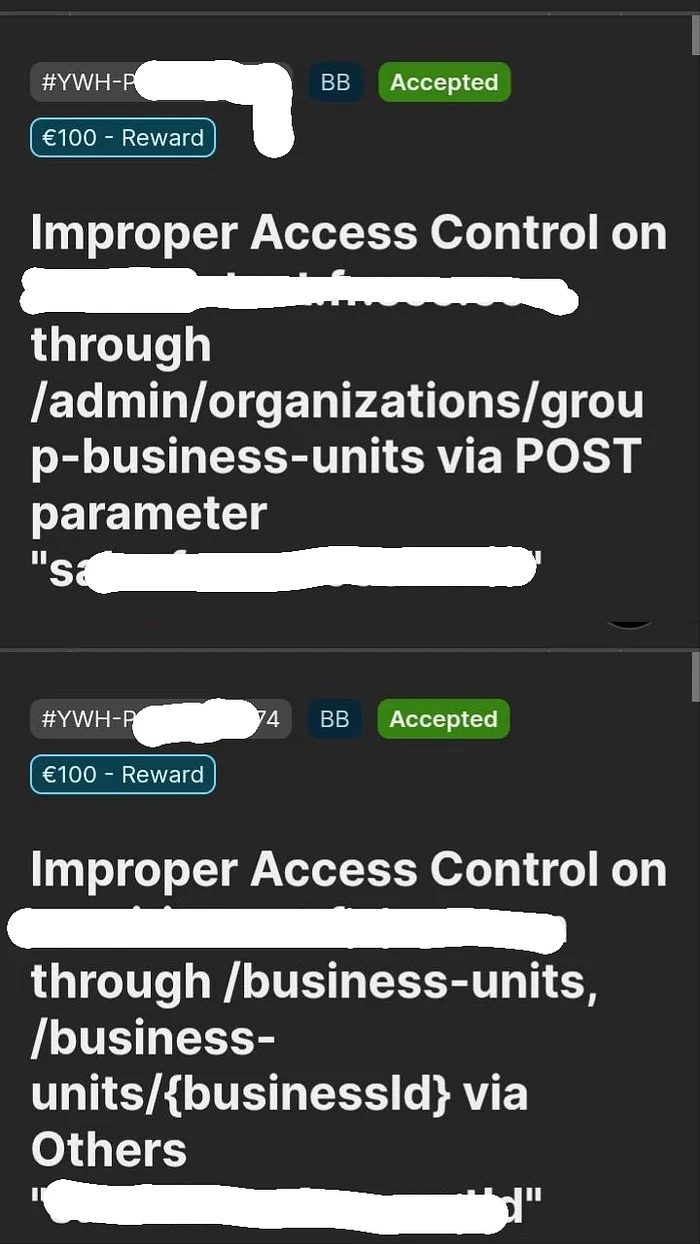
The finding is a Broken Access Control / cross-portal authorisation bypass, paid as two separate reports of €100 each, for a total of €200.
Setup
- A private program account on redacted.com, with an Admin role scoped to Portal A.
- A second organisation (Portal B) whose identifiers were reachable through the platform's own listing endpoints.
- Burp Suite to intercept and replay requests, and to send direct HTTP requests that bypass the UI.
- The API host used in the requests is
api.redacted.com; the session is carried as a bearer token for the Portal A admin.
No versions, framework details or account provisioning steps are given in the report.
Finding it
While testing the Group Business Unit creation feature, the researcher noticed that the web UI prevented the Portal A admin account from selecting or creating groups for other organisations. That is a client-side restriction only, so the next step was to bypass the UI and inspect the backend request in Burp Suite.
The creation request goes to:
/admin/organizations/group-business-units/new
That endpoint takes a key parameter, targetAccountId, an identifier representing the organisation's account. If the server trusts that parameter without checking that the caller has management rights over the account it names, the portal boundary is only as strong as the UI.
Exploitation
Step 1: obtain a victim targetAccountId
To exploit the creation endpoint, a valid targetAccountId belonging to Portal B was needed. The listing endpoint was tested:
POST /business-units/list
Sending a standard payload:
{"limit": 1000, "offset": 0}
returned a complete list of Business Units across all portals, including their respective targetAccountId values. The listing endpoint returned Business Units across all portals, including their targetAccountId values, which made the second step possible.
Step 2: create a Group BU inside the victim portal
With a targetAccountId belonging to Portal B (shown in the report as 0017Qxxxxxx), a direct POST request was crafted:
POST /admin/organizations/group-business-units/new HTTP/1.1Host: api.redacted.comAuthorization: Bearer <admin_token_portal_A>Content-Type: application/json{ "targetAccountId": "0017Qxxxxxx", "groupName": "got Hacked"}
The request carries the Portal A admin's bearer token, but names the Portal B account in targetAccountId and supplies an arbitrary groupName. The backend failed to validate whether the authenticated session had management rights over that targetAccountId. It answered HTTP 200 OK, and the new Group BU was created inside the victim's portal.
That report was submitted and €100 was awarded.
Step 3: look for the same flaw on modification and deletion
After the first report was accepted, the natural question was whether creation was the only endpoint missing an ownership check. The sister endpoints handling individual Business Units were investigated:
/admin/organizations/business-units/new
/business-units/group/{id}
The workflow was:
- Authenticate as an Admin for Portal A.
- Extract victim entity IDs from Portal B via
/business-units/group/list. - Send direct
UPDATEandDELETErequests targeting those entity IDs.
Step 4: delete a victim Group BU
A delete request was sent against a victim group identifier:
DELETE /business-units/group/{victim_group_id}
The server returned an error response:
{"code":"FAILED","description":"Can not delete group business unit"}
On refreshing the target state, however, the entity was actually deleted. The backend executed the deletion query despite returning a failure status to the client, a flawed response handling pattern in which the client-visible result and the actual state change disagree.
Step 5: modify victim Business Units
The researcher was also able to arbitrarily edit the titles and properties of Business Units belonging to other organisations.
Because this flaw affected distinct endpoints and directly impacted Business Unit assets rather than only groups, it was submitted as a second report. It was initially flagged as a potential duplicate; the researcher clarified the distinct scope and endpoint behaviour with the triage team, the report was re-opened and accepted, and an additional €100 was paid.
Root cause
The core mistake is that sensitive endpoints accept an object identifier from the request body or path (targetAccountId, group and business unit IDs) and act on it without verifying that the authenticated principal owns or has explicit permission to manage that object. Authorisation is enforced in the UI by disabling or hiding controls, but the API trusts the client to send only identifiers within the caller's scope. The listing endpoints returned identifiers for every portal, so a Portal A admin could discover Portal B's targetAccountId and entity IDs.
The deletion case adds a second defect: the handler returns a FAILED status to the client while the deletion has already been carried out, so the response cannot be relied on to tell whether the operation succeeded. The report does not show the server-side code, so the exact ordering of the check, the query and the response construction is not shown.
Impact
An authenticated admin of one portal can, under the conditions shown, create Group Business Units inside another organisation's portal, edit the titles and properties of that organisation's Business Units, and delete its Group Business Units. The deletion happens even though the API tells the caller it failed. The identifiers needed to do this were obtainable from the platform's own listing endpoints. The report does not describe any further impact beyond these cross-portal write operations.
Fix
No remediation details are given in the report. The measures it argues for are server-side ownership checks on every sensitive endpoint, verifying that the authenticated user owns or has explicit permission to manage the target object ID, and not relying on frontend restrictions for security. Whether any of this was implemented is not stated.
Variants to test
- Identifier parameters in request bodies. On any multi-tenant API, take an object ID from your own tenant, swap it for one from another tenant, and replay the request directly. A positive result is a
200plus a state change visible in the victim tenant. - Listing endpoints with large
limitvalues. Send payloads such as{"limit": 1000, "offset": 0}to list endpoints and inspect whether results cross tenant boundaries. A positive result is records carrying another organisation's account or entity identifiers. - Sister endpoints of a confirmed flaw. Once creation is found to lack an ownership check, test the corresponding update and delete routes for the same object type. A positive result is a successful modification or removal of another tenant's object.
- Response versus state. After any request that returns an error, re-read the target object. A positive result is a
FAILEDresponse followed by an actual change, which indicates the operation ran before the error was constructed. - UI-disabled actions. Where a button is disabled or hidden, capture the request it would have sent and replay it with Burp. A positive result is the backend accepting the action the UI refused to offer.
What happened, in plain words
A security researcher tested a private bug bounty program, which is a company that pays people to look for security mistakes in its systems. The company is called redacted.com in the write-up to keep it private. The product is a business platform where several different organisations each get their own separate area, called a Portal. Think of it like a large office building where each company rents its own floor: everyone uses the same building, but each company should only be able to walk around its own floor.
Inside each portal, the platform lets an organisation organise itself using two kinds of records: Business Units (BU) and Group Business Units (Group BU). A Business Unit and a Group Business Unit are records the platform uses to organise an organisation. People with the right permissions can create, edit and delete them.
Who is allowed to do what is decided by a Role-Based Access Control model, usually shortened to RBAC. That simply means each user account is given a role, such as Admin, and the role decides which actions the account may perform. The rule here was simple: an Admin assigned to Portal A should only be able to manage Business Units inside Portal A, and should never be able to create, edit or delete Business Units that belong to Portal B.
On the screen, the rule looked like it was being followed. Buttons for adding or editing units belonging to other organisations were greyed out or hidden. But a button being disabled in a web page is only a decoration. The real work is done by the API, which is the part of the server that the web page talks to behind the scenes. If you can send the same request the button would have sent, without using the button at all, the disabled button means nothing. That is exactly what the researcher did, and it paid €200 in total, split across two separate reports of €100 each.
This article walks through the whole story from zero, explaining every term as it appears.
1. Understanding the architecture: multi-portal setup
redacted.com is a multi-tenant B2B platform. "Multi-tenant" means one installation of the software serves many separate customer organisations at once, and each customer is a tenant. "B2B" means business-to-business: the customers are companies, not individual consumers. Each tenant gets its own isolated Portal.
Within a portal, the organisational structure is managed through two main entities:
- Business Units (BU): individual sections of the organisation.
- Group Business Units (Group BU): groups that bundle Business Units together.
Under the platform's RBAC model, access should strictly enforce this rule:
- An Admin assigned to Portal A should only manage Business Units within Portal A.
- They must never be able to create, edit or delete Business Units belonging to Portal B.
On the user interface (UI) level, this control seemed to be in place. Buttons to add or edit units for organisations outside the user's scope were disabled or hidden. But as bug hunters know: client-side restrictions are not real security.
"Client-side" means anything that happens in your own browser. Your browser is the client; the server is the machine that holds the data. A rule enforced only in the browser can be ignored, because the browser is under the user's control. The server must check the rule again for itself. A useful comparison: a shop that puts a sign on the door saying "staff only" has not locked the door. Anyone can walk past the sign. The lock has to be on the server side.

2. Bug #1: never trust client-side controls (€100)
While testing the Group Business Unit creation feature, the researcher noticed that the web UI prevented the account (a Portal A Admin) from selecting or creating groups for other organisations. The screen simply would not offer the option.
So the next step was to bypass the UI and look at what the browser actually sends to the server. For this the researcher used Burp Suite, a tool that sits between your browser and the server and lets you read, pause, change and resend every request. Think of it as a recording device placed on the phone line: you hear exactly what was said, and you can say something different yourself.
The creation request was sent directly to:
/admin/organizations/group-business-units/new
This is a URL path, the part of a web address that tells the server which action is being requested. Reading it from right to left: new means "create something new", group-business-units says what kind of thing, organizations says it belongs to an organisation, and admin says it is an administrative action. So the whole path means "create a new Group Business Unit for an organisation, as an administrator".
This endpoint required a key parameter: targetAccountId, an identifier representing the organisation's account. A parameter is a named value sent along with a request, like a field on a paper form. targetAccountId is the name of the field, and its value is a unique code that points at one particular organisation's account. If the server believes whatever account code you put in that field, then you can point it at any organisation you like.
The recon step
To exploit this, a valid targetAccountId belonging to a victim organisation (Portal B) was needed. Recon, short for reconnaissance, means gathering information before attacking. The researcher tested the listing endpoint:
POST /business-units/list
This path means "list the Business Units". The word POST in front of it is the HTTP method, which tells the server what kind of action you want. GET normally means "give me something", and POST normally means "here is some data, do something with it". Listing endpoints often use POST because the search criteria are sent in the request body rather than in the address.
By sending a standard payload:
{"limit": 1000, "offset": 0}
Line by line:
- The outer curly braces
{ }mark a JSON object, which is a way of writing labelled data as text. JSON is the common language web pages and servers use to exchange structured information. "limit": 1000says "give me up to 1000 results". A large limit is a classic trick: if the server does not cap it, you get far more than the page would normally show."offset": 0says "start from the first result". Offset is how many records to skip before starting.- The comma separates the two fields.
The server responded with a complete list of Business Units across all portals, exposing their respective targetAccountId values. In other words, the listing endpoint did not restrict itself to the caller's own portal. It handed over records from every tenant, and each record carried the account code of the organisation it belonged to. That leak is what made the next step possible: the researcher now had a Portal B account code to use.
The exploitation
A targetAccountId belonging to Portal B was grabbed (shown in the report as 0017Qxxxxxx) and a direct POST request was crafted:
POST /admin/organizations/group-business-units/new HTTP/1.1Host: api.redacted.comAuthorization: Bearer <admin_token_portal_A>Content-Type: application/json{ "targetAccountId": "0017Qxxxxxx", "groupName": "got Hacked"}
Line by line:
POST /admin/organizations/group-business-units/new HTTP/1.1is the request line. It says: use the POST method, on this path, speaking version 1.1 of the HTTP protocol. HTTP is the language browsers and servers use to talk to each other.Host: api.redacted.comnames the server being contacted.api.in front is a common convention for the machine that serves the API rather than the web pages.Authorization: Bearer <admin_token_portal_A>is the authentication header. It carries a token, which is a long secret string the server gave the user when they logged in. "Bearer" means "whoever bears (carries) this token is treated as that user". It works like a wristband at an event: show the wristband and you get in, no need to show ID again. The token here belongs to the Portal A admin, and it is a secret, so it is shown as a placeholder rather than a real value.Content-Type: application/jsontells the server that the body of the request is written in JSON, so it knows how to read it.- The body contains two fields.
"targetAccountId": "0017Qxxxxxx"points at the victim organisation in Portal B."groupName": "got Hacked"is the name to give the new group. The name is the value sent for the new group.
The backend failed to validate whether the authenticated session had management rights over targetAccountId. "Validate" here means check. The server read the account code from the request and acted on it without asking the crucial question: does the person holding this token actually have permission over that account? The server responded with HTTP 200 OK, and the new Group BU was successfully created inside the victim's portal.
HTTP 200 OK is the standard status code for "the request succeeded". Status codes are three-digit numbers: codes starting with 2 mean success, 4 mean the client did something wrong, and 5 mean the server had a problem. Seeing a 200 after sending a request aimed at another organisation's account is the proof of the bug.
The report was submitted, and €100 was awarded.
3. Bug #2: escalating to edit and delete (€100)
After the first report was accepted, the researcher asked a natural follow-up question: if creation lacks ownership checks, what about modification and deletion? A bug found in one place is often a family trait. If one door was left unlocked, it is worth trying the other doors on the same corridor.
The sister endpoints handling individual Business Units were investigated:
/admin/organizations/business-units/new
/business-units/group/{id}
- The first path is the creation route for a single Business Unit, as opposed to a group.
- The second path handles one specific group. The
{id}part is a placeholder: in a real request it is replaced by the actual identifier of the record you want. Curly braces in documentation mean "put your value here".
The workflow
- Authenticate as an Admin for Portal A.
- Extract victim entity IDs from Portal B via
/business-units/group/list. - Send direct
UPDATEandDELETErequests targeting those entity IDs.
In plain words: log in normally as the Portal A admin, then use the platform's own listing route (/business-units/group/list) to collect the identifiers of records that belong to Portal B, then send requests that change or remove those records. UPDATE means "change an existing record" and DELETE means "remove it". The identifiers are the internal codes the platform uses to tell one record from another, like a serial number on a parcel.
Deletion logic flaw
When sending a DELETE /business-units/group/{victim_group_id} request, the server returned an error response:
{"code":"FAILED","description":"Can not delete group business unit"}
Line by line:
"code":"FAILED"is the server saying, in machine-readable form, that the operation did not succeed."description":"Can not delete group business unit"is the human-readable explanation, telling the caller the group could not be deleted.
However, upon refreshing the target state, the entity was actually deleted. The backend executed the deletion query despite returning a failure status to the client, a classic example of flawed response handling. "Refreshing the target state" means going back and looking at the actual record again, rather than trusting the reply. The reply said no, but the record was gone. The server did the work and then reported an error anyway, so the response did not reflect the actual state.
Modification logic flaw
The researcher was also able to arbitrarily edit the titles and properties of Business Units belonging to other organisations. "Properties" are the fields of a record, such as its name or settings.
Since this flaw affected distinct endpoints and directly impacted Business Unit assets (rather than just groups), it was submitted as a second report. "Distinct endpoints" means different URLs handling different kinds of records, so it was a separate issue rather than the same one reported twice. Although initially flagged as a potential duplicate, the researcher clarified the distinct scope and endpoint behaviour with the triage team. The triage team is the group of people at the program who read incoming reports, decide whether they are valid, and route them to the right place. The report was re-opened and accepted for an additional €100.
4. Key takeaways
- Frontend restrictions are not backend security. Disabling UI elements or modifying DOM state does not secure an API. Always test direct HTTP requests. The frontend is what runs in your browser; the backend is what runs on the server. The DOM is the browser's live model of the page, and it can be changed freely by anyone using developer tools. A greyed-out button is a suggestion, not a lock.
- Enforce server-side ownership checks. Ensure every sensitive API endpoint verifies: does the authenticated user own or have explicit permission to manage the target object ID? "Ownership check" means the server confirms that the record named in the request belongs to the caller before doing anything with it.
- Communicate clearly with triagers. If your report is initially closed or miscategorised, politely provide step-by-step evidence explaining why the endpoint or scope is distinct. A clear, calm explanation with evidence is often what turns a rejected report into an accepted one.
Happy hunting!
Glossary
- API: the part of a server that other software talks to, receiving requests and returning data, usually in JSON.
- Authentication: proving who you are, typically by logging in and receiving a token.
- Authorisation: deciding what an authenticated user is allowed to do.
- Backend: the software running on the server, where the real checks and data live.
- Bearer token: a secret string that grants access to whoever presents it, like a wristband at an event.
- Broken Access Control: a vulnerability where the system fails to check whether a user is allowed to perform an action or reach a record.
- Burp Suite: a tool that intercepts, inspects, modifies and replays the requests between a browser and a server.
- Business Unit (BU): a record representing a section of an organisation inside the platform.
- Client-side: anything that happens in the user's own browser, and can therefore be changed by the user.
- Content-Type: a request header that says what format the body is written in, such as JSON.
- Cross-portal: reaching from one organisation's isolated area into another's.
- DELETE: an HTTP method meaning "remove this record".
- DOM: the browser's live, editable model of the page.
- Endpoint: a specific URL path on a server that performs a specific action.
- Frontend: the part of a web application that runs in the browser.
- GET: an HTTP method meaning "give me something".
- Group Business Unit (Group BU): a record that bundles several Business Units together.
- Host: the request header naming which server is being contacted.
- HTTP: the protocol browsers and servers use to exchange requests and responses.
- HTTP 200 OK: the status code meaning the request succeeded.
- Identifier (ID): a unique code that points at one specific record.
- JSON: a text format for writing labelled data, used widely for API requests and responses.
- Multi-tenant: one installation of software serving many separate customer organisations at once.
- Offset: how many records to skip before starting a list.
- Parameter: a named value sent with a request, like a field on a form.
- Payload: the data sent in the body of a request.
- Portal: an isolated area of the platform belonging to one organisation.
- POST: an HTTP method meaning "here is some data, do something with it".
- RBAC (Role-Based Access Control): a permission model where each user has a role, and the role decides what they may do.
- Recon: gathering information about a target before attacking it.
- Request line: the first line of an HTTP request, naming the method, path and protocol version.
- Scope: the boundary of what a user, or a bug bounty program, is allowed to touch.
- Status code: a three-digit number in an HTTP response saying whether the request succeeded or failed.
- Triage team: the people at a bug bounty program who review incoming reports and decide whether they are valid.
- UI (User Interface): the buttons, fields and screens a person sees and uses.
- UPDATE: an operation that changes an existing record.
- URL path: the part of a web address that names which action or resource is being requested.
- Validate: to check that something is correct or permitted.
- Vulnerability: a weakness in a system that can be used to do something the owners did not intend.

