IIS welcome page to source code review to LFI!
An open-source web chat application exposed a thumbnail handler whose image parameter could be abused for path traversal to read local files and for server-side requests to arbitrary URLs. An attacker could read files on the server and make the server issue requests to internal or external destinations, though returned data was limited to images.
 Published on medium.com
Hi, in this writeup I’ll walk you through how I managed to get a limited Local file disclousre (LFI) / Blind SSRF.
The full write-up lives on its author's site
It belongs to its author, so we link to it rather than copy it. The other two tabs are our own rewrites, checked against it.
Context
A subdomain of the target returned the default IIS welcome page. Nothing else was known about the application behind it, so the work started with enumeration of the web root and its directories. That enumeration led to an open source web chat product, eStreamChat, and the rest of the write-up is a source code review of that product which produced a limited local file disclosure (LFI) and a blind SSRF.
The feature at the centre of it is a thumbnail handler, Thumbnail.ashx, which takes an img parameter and uses its value in two different ways depending on what the value contains.
Setup
The write-up does not describe any accounts, roles or credentials. The tools used were:
- IIS-ShortName-Scanner, run before fuzzing.
- ffuf, used to find the files and folders whose short names the scanner disclosed.
- The public eStreamChat source code on GitHub, reviewed at commit
[redacted].
Finding it
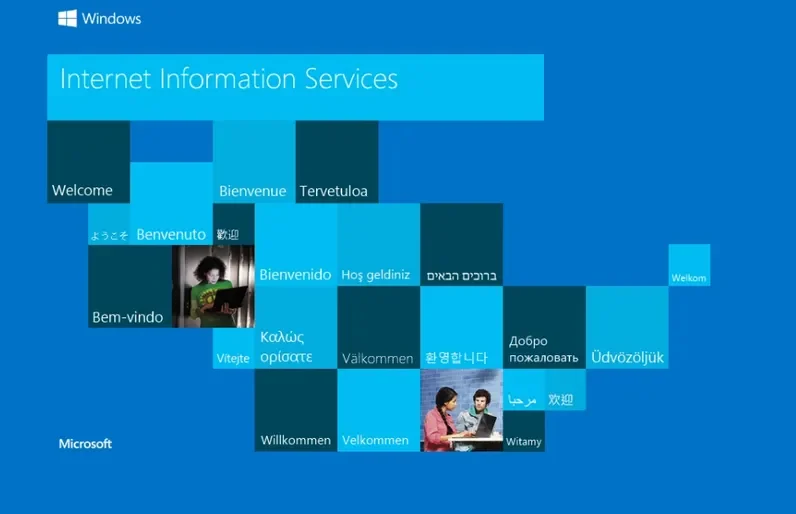
The starting point was a subdomain that served the IIS welcome page.
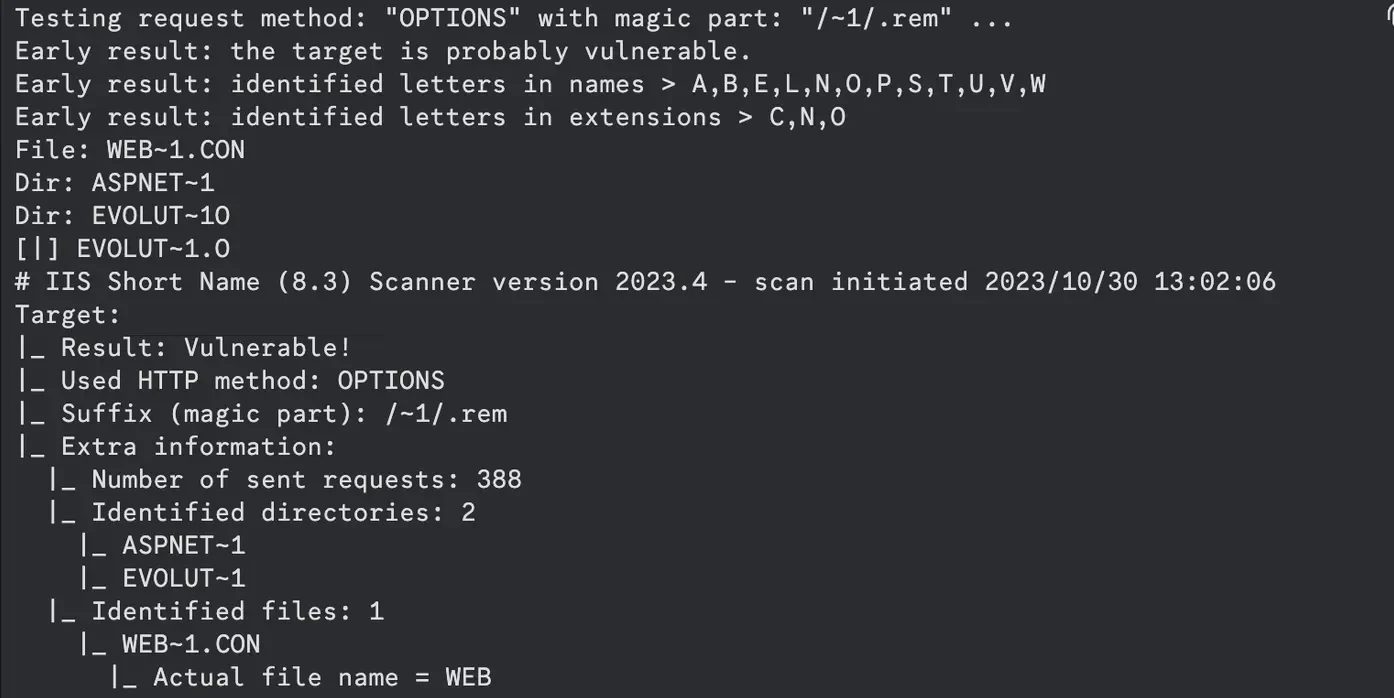
Before fuzzing, the researcher ran IIS-ShortName-Scanner against it. The scanner reported that the target was vulnerable to IIS Short File Name Disclosure.
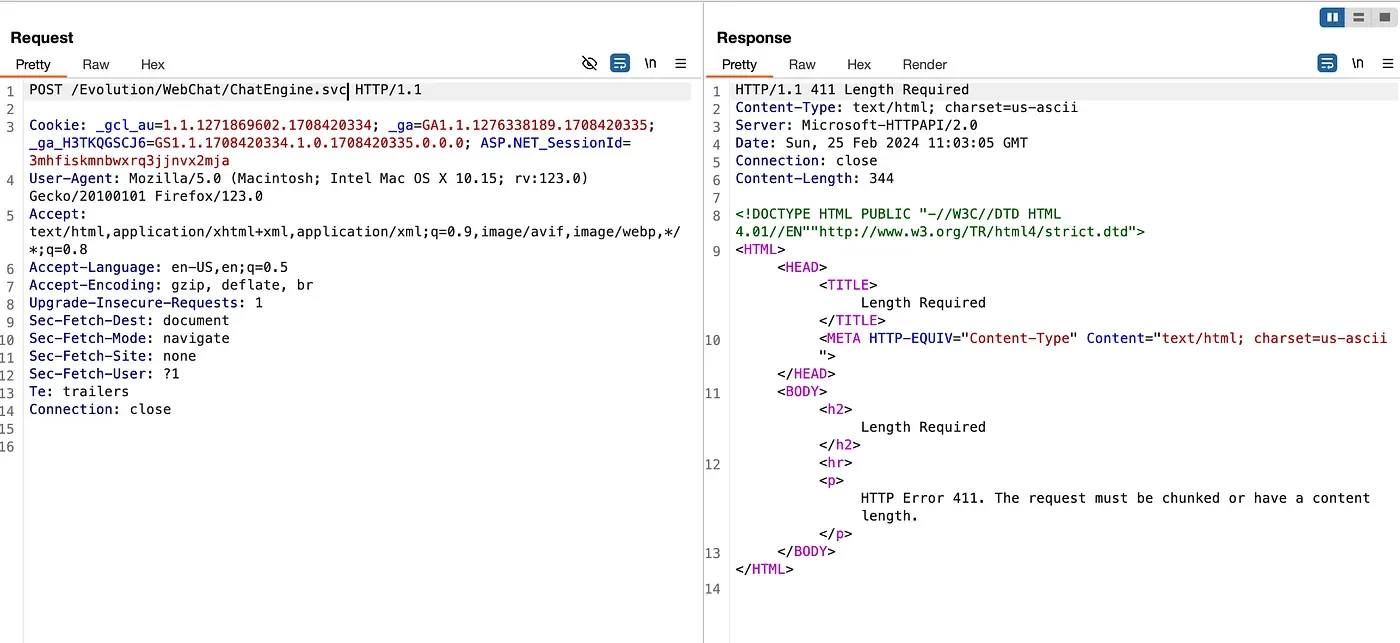
With the short names in hand, ffuf was used to find the corresponding files. One of the folders found was named EVOLUTION. The scanner was then run again against that folder, and the process was repeated, folder by folder, until the path shown below was reached.
At that point the researcher wondered whether the web chat software was open source. It was.
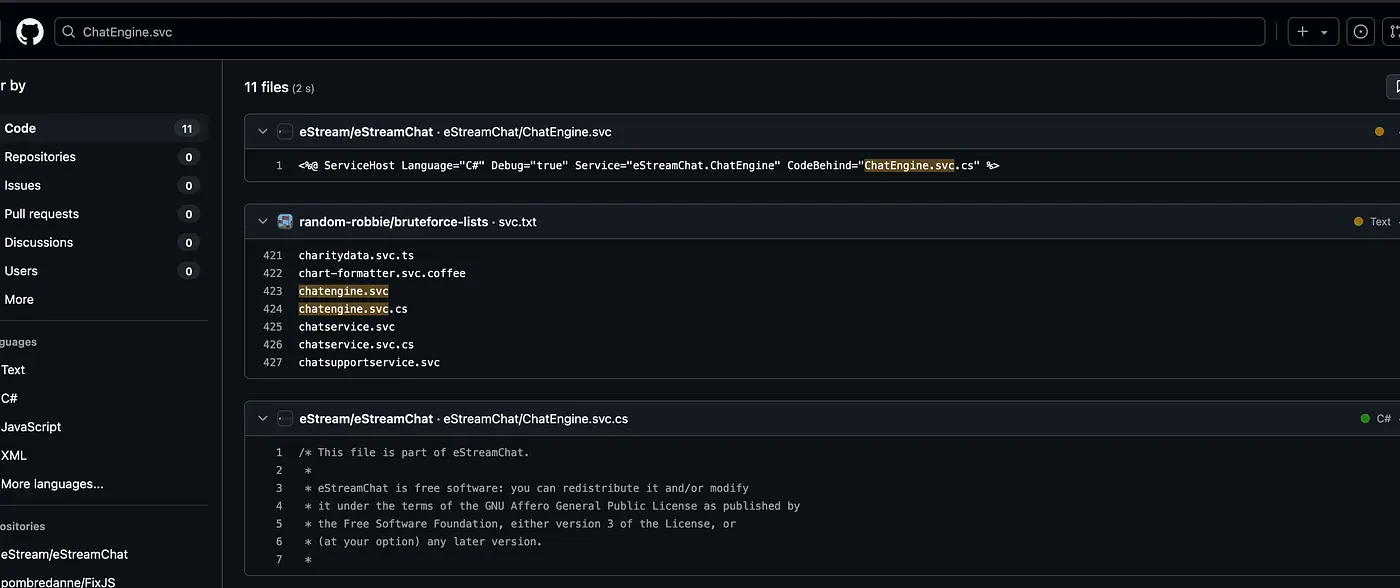
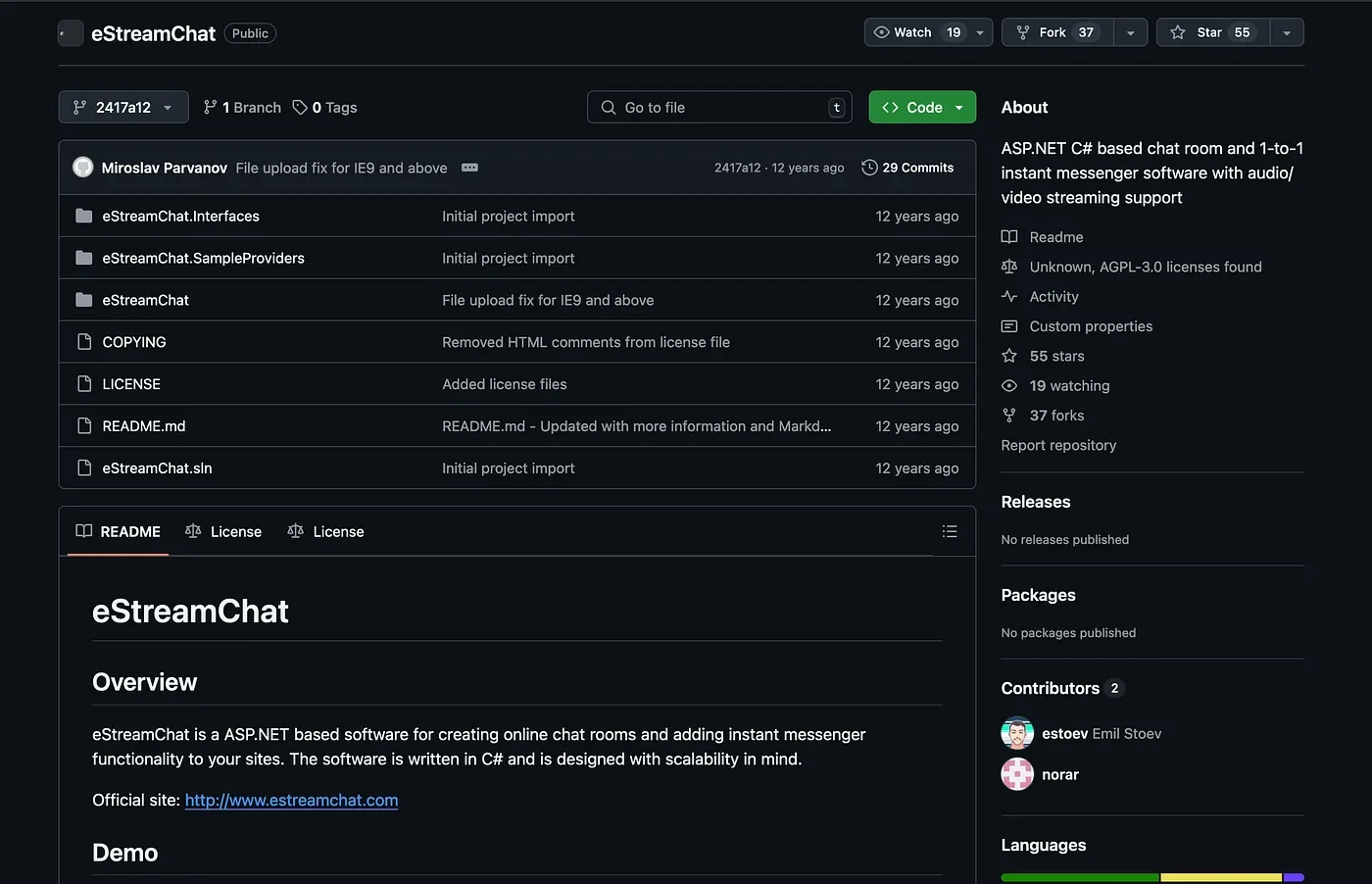
The researcher's first impression was that software created around ten years earlier would not have been written with security in mind.
Exploitation
Step 1: read the thumbnail handler
Digging through the source code, the researcher found the following file:
https://github.com/eStream/eStreamChat/blob/[redacted]/eStreamChat/Thumbnail.ashx.cs
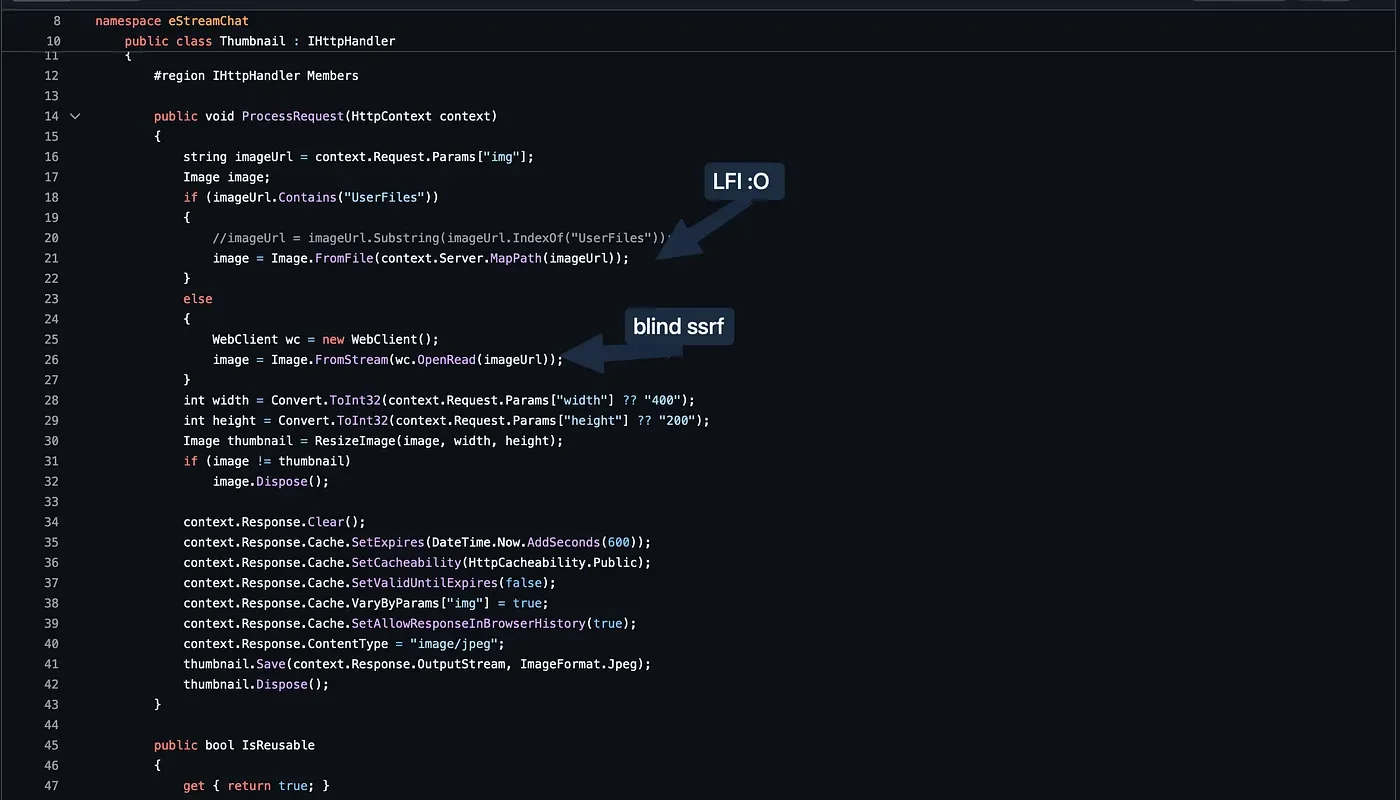
The handler takes an img parameter and interprets its value in two different ways:
- If the value contains
UserFiles, the handler queries that path from the server directly. This is the LFI path, and it can be bypassed trivially with path traversal, for exampleUserFiles/../wheredoyouwannago. - Otherwise, the handler makes a request on the server's behalf to the URL supplied in the parameter. This is the SSRF path.
Step 2: understand the response handling
The response is not returned directly to the caller. It is passed into a ResizeImage function, which does not accept the type of data being returned unless it is an image.
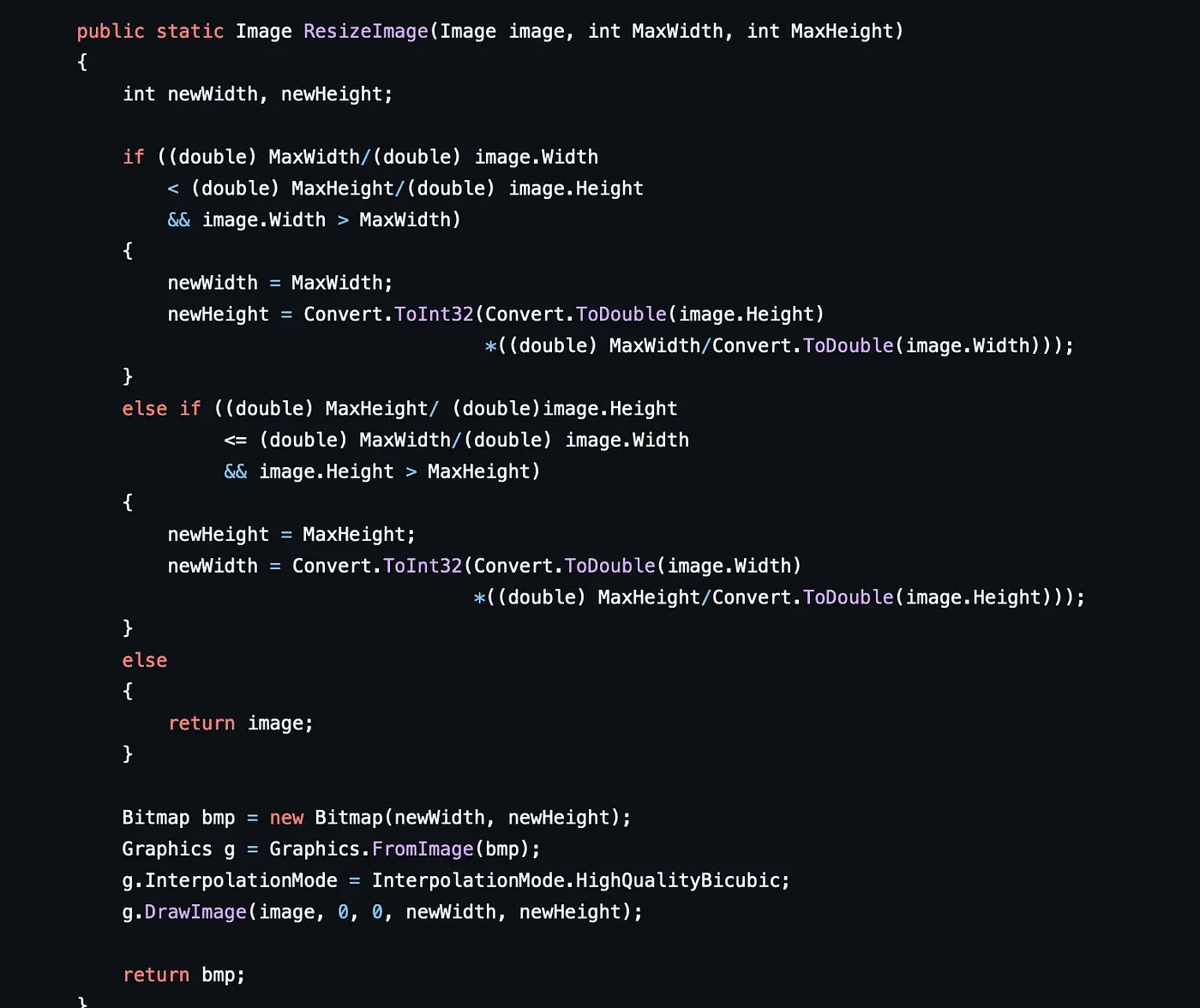
That restriction shapes what the two bugs can actually do: the handler can be used to exfiltrate images that exist on the server, or to perform blind SSRF, by hitting the endpoint.
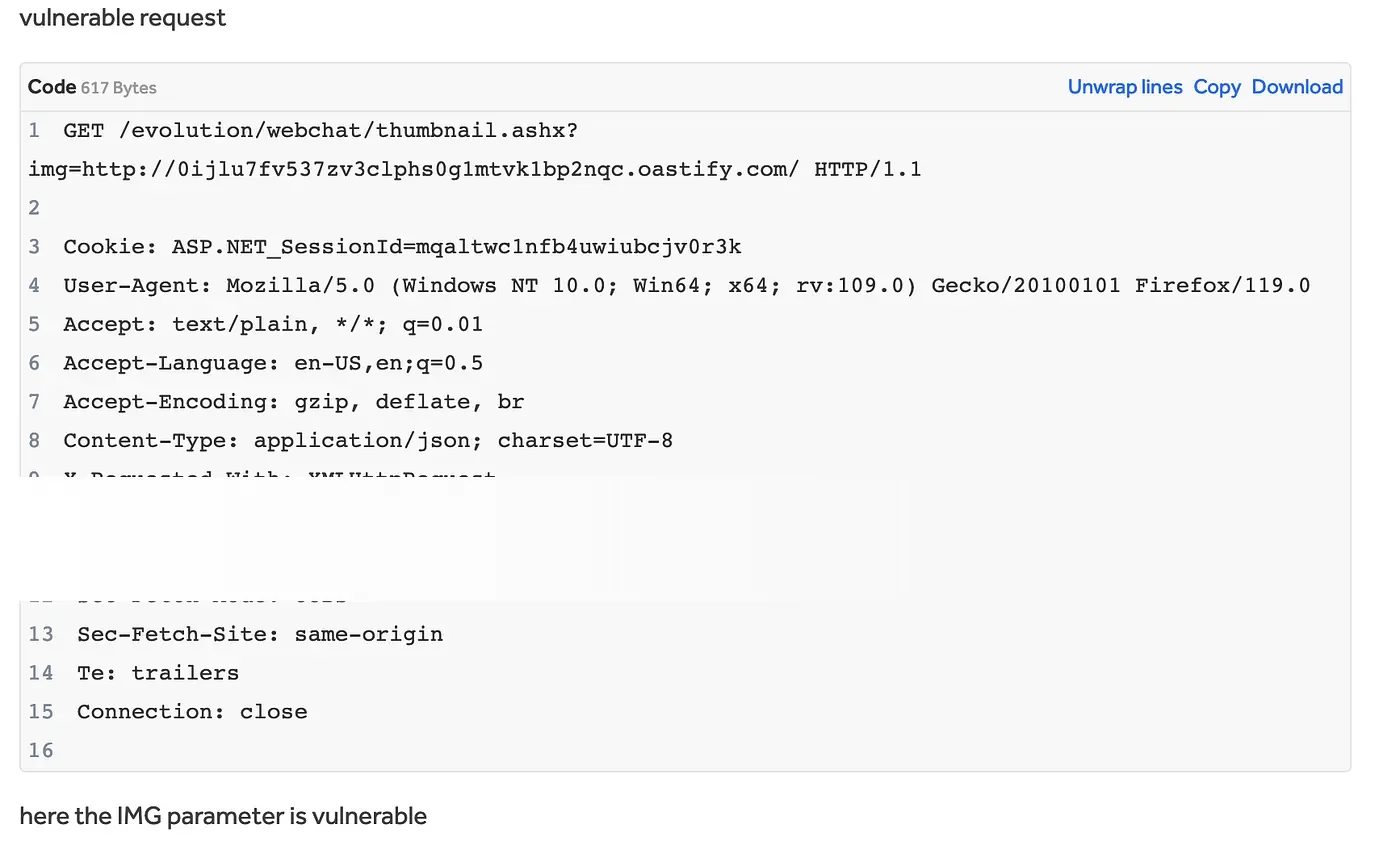
Step 3: try the LFI
When the LFI was tried against the researcher's own server, it turned out that the UserData path did not need to be specified.
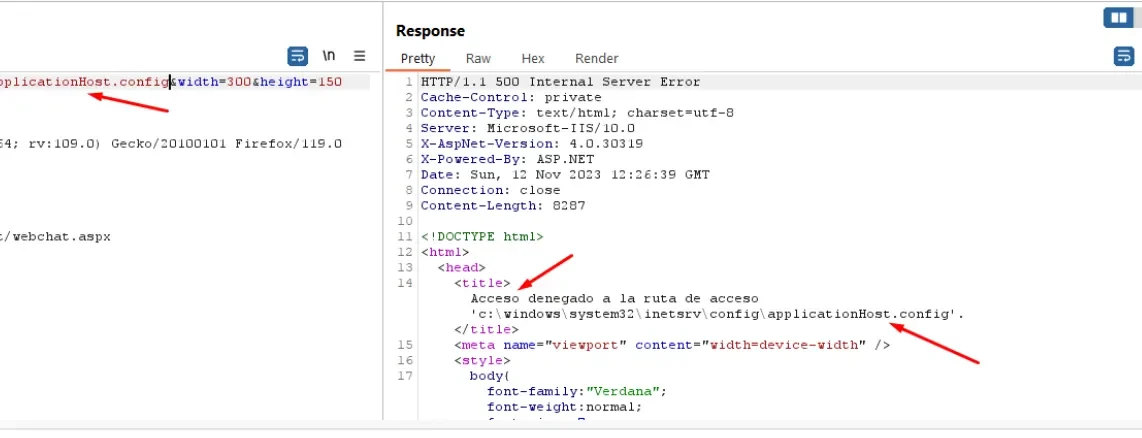
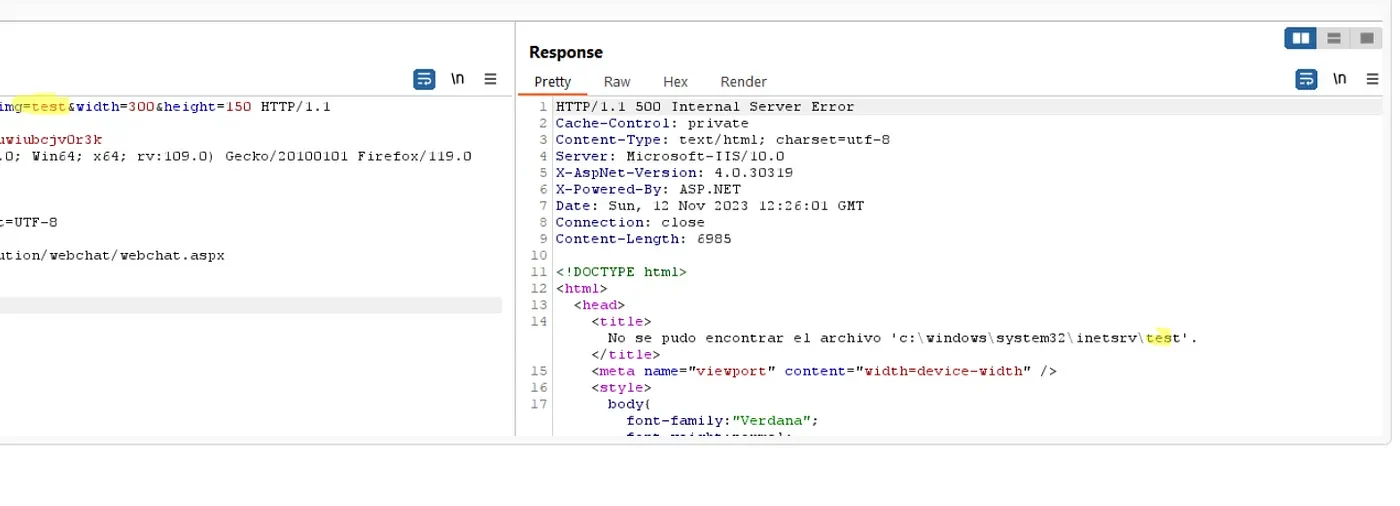
Root cause
The img parameter is interpreted in two ways: as a local path when it contains UserFiles, otherwise as a URL the server requests. A check for UserFiles decides between the two modes, and the local branch can be bypassed with path traversal such as UserFiles/../wheredoyouwannago. The remote branch lets the caller choose the URL that the server requests, which is a classic SSRF primitive.
The only thing limiting the damage is the ResizeImage step: because the response is fed into image resizing, non-image content is not returned to the caller. Because the response goes into ResizeImage, non-image content is not returned, so the SSRF is blind and the LFI is limited to images.
Impact
Under the conditions described, an attacker can:
- Read image files from the server through the LFI, subject to the
ResizeImagerestriction. - Make the server issue requests to attacker-chosen URLs, with the responses not returned directly, so the SSRF is blind.
The write-up does not describe any further impact, such as access to internal services or non-image files.
Fix
Variants to test
- Run IIS-ShortName-Scanner against any IIS host that returns a default or welcome page, then feed the disclosed short names to ffuf. A positive result is a set of real files and folders that the scanner's short names map to.
- Look for
.ashxhandlers that take a path or URL parameter, especially in older open source ASP.NET products. A positive result is a handler whose parameter changes what the server fetches or reads. - Try path traversal against any parameter that is checked with a substring such as a directory name:
UserFiles/../<target>. A positive result is a request that reaches a path outside the intended directory. - Point the same parameter at a URL you control and watch your own logs for the incoming request. A positive result is a request arriving from the target's server, which confirms SSRF even when the response is not returned.
What happened, in plain words
A security researcher found a website address (a subdomain) that showed only the default welcome page of Microsoft's web server software, IIS. That page is the default page IIS serves when a site is set up without a custom start page. It tells you almost nothing about what is actually running behind it.
Instead of giving up, the researcher used a few tools to guess the names of files and folders that were hidden behind that welcome page. Those guesses led to a web chat program called eStreamChat. The researcher then discovered that the program's source code (the human-readable instructions that make the program work) is published publicly on GitHub, a website where programmers share code. Reading that code revealed two weaknesses: a way to make the server hand over image files stored on it (a "local file inclusion", or LFI), and a way to make the server visit a web address of the attacker's choosing (a "server-side request forgery", or SSRF).
This article walks through each step in the same order the researcher took them, explaining every term from scratch.
Some background ideas first
Before the steps, here are a few everyday comparisons for the concepts that come up.
- A server is a computer that stays switched on and answers requests from other computers. Think of it as a shop counter: you ask for something, the person behind the counter fetches it.
- A web server is the part of that computer that listens for requests from browsers. IIS (Internet Information Services) is Microsoft's web server program, the Windows equivalent of the more famous Apache or Nginx.
- A subdomain is a prefix on a domain name. If the main site is
example.com, thenchat.example.comis a subdomain. Companies often run many subdomains for different services, and some are forgotten or left with default settings. - A welcome page is the placeholder page a web server shows when no real site has been configured. Seeing it is like finding a shop with the lights on but no products on the shelves: it suggests something is there, but not what.
- Enumeration means systematically listing what exists. If you were exploring a building, enumeration would be walking every corridor and writing down every door number, rather than hoping to stumble on the right room.
- Fuzzing means sending lots of automatically generated guesses at a target and watching which ones get a different answer. It is the digital equivalent of trying many keys on a lock and noticing which one turns.
- Source code is the text programmers write to create a program. When it is published openly ("open source"), anyone can read it, including people looking for mistakes.
- A parameter is a piece of information you attach to a request, like the filling you choose when ordering a sandwich. In a web address, parameters usually appear after a
?, for example?img=something. - A handler is a small piece of server code that deals with one specific kind of request. A thumbnail handler, for instance, is the code that produces small preview images.
- LFI (local file inclusion) means tricking a server into reading a file from its own disk that it was not supposed to show you. It is like persuading a librarian to fetch a document from a locked back room by giving a shelf number that starts in the public area and then climbs over the wall.
- SSRF (server-side request forgery) means making the server itself send a request to a destination of your choosing. The server is like a trusted employee with keys to every door; if you can convince that employee to go and fetch something for you, you can reach places you could not reach yourself.
- Blind SSRF is SSRF where you do not get to see the answer the server received. You only know the request happened, for example because your own server logs show it arriving.
- Path traversal is the trick of using
../in a file path to climb up out of the folder you are supposed to be in. In a filing cabinet,../means "go up one drawer".
The starting point: an IIS welcome page
The researcher had a subdomain that returned the IIS welcome page.
That page alone does not reveal the application behind it. The natural next question is: what files and folders exist on this server that are not linked from anywhere?
Step 1: find hidden file names with IIS-ShortName-Scanner
Before fuzzing, the researcher ran a tool called IIS-ShortName-Scanner, available at:
https://github.com/irsdl/IIS-ShortName-Scanner
This tool exploits IIS Short File Name Disclosure. Windows historically limited file names to eight characters plus a three-character extension (the "8.3" short name), so a file called Thumbnail.ashx might also be reachable under a shortened name such as THUMBNA~1.ASH. IIS sometimes answers differently depending on whether a short name exists, and the scanner uses those differences to work out the first few characters of real file and folder names.
The scanner reported that the target was vulnerable to IIS Short File Name Disclosure.
In plain terms: the server was leaking fragments of the names of files and folders that were never meant to be listed. It is like a receptionist who will not tell you the names of the staff, but will nod whenever you guess the first letter correctly.
Step 2: turn short names into real paths with ffuf
With the short names in hand, the researcher used ffuf to find the corresponding files. ffuf is a fuzzer: you give it a wordlist and a URL pattern, and it sends a request for every combination, reporting the ones that return something interesting.
One of the folders found was named EVOLUTION. The scanner was then run again against that folder, and the process was repeated, folder by folder, until the path shown below was reached.
Why repeat the process? Because each confirmed folder gives you a new, more specific place to guess inside. It is like finding one unlocked door in a corridor, then using the room behind it to look for the next door. Each round narrows the search and makes the next round more likely to succeed.
Step 3: recognise the product and find its source code
At that point the researcher wondered whether the web chat software was open source. It was.
The researcher's first impression was that software created around ten years earlier would not have been written with security in mind. That is a reasonable instinct: older code often predates modern security guidance, and it is more likely to contain patterns that are now known to be dangerous.
Step 4: read the thumbnail handler
Digging through the source code, the researcher found the following file:
https://github.com/eStream/eStreamChat/blob/[redacted]/eStreamChat/Thumbnail.ashx.cs
This is a link to one file in the eStreamChat repository on GitHub. The long string of letters and numbers in the middle (2417a12c...) identifies an exact snapshot of the code, so the reader sees precisely the version the researcher reviewed. The file ends in .ashx.cs: .ashx is a handler file used by ASP.NET (Microsoft's framework for building web applications), and .cs means the code is written in C#.
The handler takes an img parameter and interprets its value in two different ways:
- If the value contains
UserFiles, the handler queries that path from the server directly. This is the LFI path, and it can be bypassed trivially with path traversal, for exampleUserFiles/../wheredoyouwannago. - Otherwise, the handler makes a request on the server's behalf to the URL supplied in the parameter. This is the SSRF path.
Why is the first case dangerous? The code checks whether the text UserFiles appears anywhere in the value, and if it does, it treats the value as a file path on the server's own disk. But the check only looks for the word; it does not stop the path from climbing out of the UserFiles folder afterwards. The string UserFiles/../wheredoyouwannago passes the check because it contains UserFiles, and then the ../ moves the path up one level, outside the intended folder. The wheredoyouwannago part is just a placeholder name the researcher used to show that any path can be reached.
Why is the second case dangerous? If the value does not contain UserFiles, the server is told to fetch whatever URL is in the parameter. The server makes the request on your behalf, so it can be pointed at a URL you specify.
Step 5: understand why the response is limited
The response is not returned directly to the caller. It is passed into a ResizeImage function, which does not accept the type of data being returned unless it is an image.
In plain words: the server fetches whatever you asked for, but before showing it to you, it tries to shrink it as if it were a picture. If the content is not a valid image, the shrinking step fails and you get nothing useful back. This is not a deliberate security measure; it is simply how the thumbnail feature works. But it has a security side effect: it limits what the two bugs can actually achieve.
That restriction shapes what the two bugs can do: the handler can be used to exfiltrate images that exist on the server, or to perform blind SSRF, by hitting the endpoint.
The LFI can be used to exfiltrate images on the server, because non-image data does not survive the resizing step. And the SSRF is blind, because even if the server successfully fetches a page from an internal address, that page is not an image, so it will not be returned to you. You can still confirm the request happened by watching your own server's logs.
Step 6: try the LFI against your own server
When the LFI was tried against the researcher's own server, it turned out that the UserData path did not need to be specified.
This is a useful practical detail. When the LFI was tried, it turned out the UserData path did not need to be specified. That makes the attack simpler: fewer pieces need to line up for the file read to succeed.
Why it works
The img parameter is interpreted in two ways: as a local path when it contains UserFiles, otherwise as a URL the server requests. A check for UserFiles decides between the two modes, and the local branch can be bypassed with path traversal such as UserFiles/../wheredoyouwannago. The remote branch lets the caller choose the URL that the server requests, which is a classic SSRF primitive.
The only thing limiting the damage is the ResizeImage step: because the response is fed into image resizing, non-image content is not returned to the caller. Because the response goes into ResizeImage, non-image content is not returned, so the SSRF is blind and the LFI is limited to images.
In everyday terms: the code asks "does this text contain the word UserFiles?" and treats a yes as permission to read a file. But a word appearing in a sentence does not prove the sentence is safe. The ../ is the loophole that turns a harmless-looking path into a trip outside the folder.
What an attacker could do
Under the conditions described, an attacker can:
- Read image files from the server through the LFI, subject to the
ResizeImagerestriction. - Make the server issue requests to attacker-chosen URLs, with the responses not returned directly, so the SSRF is blind.
The write-up does not describe any further impact, such as access to internal services or non-image files.
How it should be fixed
The write-up does not say what was changed.
An allowlist is the opposite of a blocklist: instead of trying to spot bad input, you list exactly what is allowed and reject everything else. Canonicalising a path means converting it to its simplest, final form first (so UserFiles/../secret becomes secret), and then checking that the result is still inside the folder you intended.
Things worth trying on other targets
- Run IIS-ShortName-Scanner against any IIS host that returns a default or welcome page, then feed the disclosed short names to ffuf. A positive result is a set of real files and folders that the scanner's short names map to.
- Look for
.ashxhandlers that take a path or URL parameter, especially in older open source ASP.NET products. A positive result is a handler whose parameter changes what the server fetches or reads. - Try path traversal against any parameter that is checked with a substring such as a directory name:
UserFiles/../<target>. A positive result is a request that reaches a path outside the intended directory. - Point the same parameter at a URL you control and watch your own logs for the incoming request. A positive result is a request arriving from the target's server, which confirms SSRF even when the response is not returned.
Glossary
- Allowlist: a list of things that are explicitly permitted; anything not on the list is rejected.
- ASP.NET: Microsoft's framework for building web applications and services.
- Blind SSRF: server-side request forgery where the attacker cannot see the response, only confirm that the request was made.
- Canonicalise: reduce a path or value to its simplest standard form before checking it, so that tricks like
../are resolved first. - C#: a programming language developed by Microsoft, commonly used for Windows and web applications.
- Enumeration: systematically listing what exists on a target, such as files, folders or services.
- eStreamChat: an open source web chat product whose source code the researcher reviewed.
- ffuf: a command-line fuzzing tool that sends many generated requests and reports interesting responses.
- Fuzzing: automatically sending many guesses at a target and watching for different or revealing responses.
- Handler: a piece of server code that processes one specific kind of request, such as producing a thumbnail.
- IIS (Internet Information Services): Microsoft's web server software for Windows.
- IIS Short File Name Disclosure: a weakness where IIS reveals fragments of the shortened 8.3 names of files and folders that are not otherwise listed.
- IIS-ShortName-Scanner: a tool that detects and exploits IIS Short File Name Disclosure.
- LFI (local file inclusion): tricking a server into reading and returning a file from its own disk that it should not expose.
- Open source: software whose source code is published and can be read by anyone.
- Parameter: a named value attached to a request, often after a
?in a URL, that changes what the server does. - Path traversal: using sequences such as
../in a file path to climb out of the intended folder. - ResizeImage: the function in the handler that shrinks the fetched content as if it were an image, which fails for non-image data.
- Root cause: the underlying coding mistake that makes a vulnerability possible.
- Source code: the human-readable instructions that make up a program.
- SSRF (server-side request forgery): making a server send a request to a destination chosen by the attacker.
- Subdomain: a prefix on a domain name, such as
chatinchat.example.com, often used for a separate service. - Thumbnail: a small preview version of an image.
- UserFiles: the folder name that the handler checks for in the
imgparameter to decide whether to read a local file. - Welcome page: the default placeholder page a web server shows when no real site is configured.




