Is Your Web App Leaking Files?

radiohackers.com
Published on radiohackers.com
Cybersecurity
The full write-up lives on its author's site
It belongs to its author, so we link to it rather than copy it. The other two tabs are our own rewrites, checked against it.
Context
During security testing of a web application, I came across a file-related endpoint that appeared to accept a user-controlled file parameter without properly restricting which files could be accessed. The endpoint used a file parameter to retrieve or download a file. The behaviour I observed suggested that the application trusted the path supplied in the request rather than confining access to its intended directory.
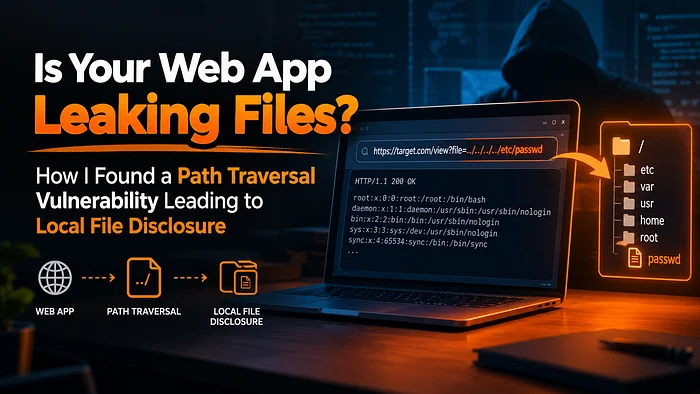
The image is an AI-generated illustration used as the article's header.
Setup
I inspected the HTTP request and response using Burp Suite. Testing was carried out within the authorised testing scope. The report does not name the target application, the endpoint, or the parameter values used, and the proof of concept below is presented as a simplified, sanitised example rather than the exact request.
Finding it
I focused on an endpoint that used a file parameter to retrieve or download a file. The question I wanted to answer was whether the application restricted file access to its intended directory or trusted the path provided in the request.
By testing a path traversal input within the authorised scope, I observed that the application returned content resembling the Linux /etc/passwd file rather than restricting access to the expected file location. Instead of returning a normal application document, the server appeared to disclose a local operating-system file. That response was the key finding.
Exploitation
Step 1: Identify the file retrieval endpoint
I located an endpoint that took a file parameter and used it to retrieve or download a file. The report does not give the real endpoint or parameter values.
Step 2: Send a traversal input
The following is a simplified example of the type of request involved. The actual endpoint and parameter values should be replaced with the sanitised details from an authorised test.
GET /download?file=TRAVERSAL_TEST_INPUT HTTP/1.1Host: authorized-test.example
The file parameter carries the user-controlled path. On Linux, the sequence ../ moves one directory level upward, so a path containing traversal sequences can escape the directory the application intends to serve from if the final resolved path is not checked.
Step 3: Observe the response
The server returned content resembling /etc/passwd. The observed behaviour was:
- HTTP status:
200 OK - Content type:
application/x-download - Content disposition:
attachment; filename=passwd - Response body: recognisable Linux account entries
The 200 OK status, the download-related content type and the passwd filename all supported the finding that the application was returning local file contents in response to a user-controlled file request. The response body contained recognisable account entries.
A successful HTTP response alone does not prove a vulnerability; the disclosed content and the application's intended access restrictions are what matter. Here, the content resembled an operating-system file rather than a normal application document.
Root cause
The application did not properly validate file paths supplied by users. It processed the user-controlled path without verifying that the final resolved path stayed inside the designated base directory, so traversal sequences could move outside it. The report describes the behaviour rather than the code, so the exact implementation mistake is not shown;
Impact
The primary concern is that the application may allow users to read files outside the directory intended by its developers. Disclosure of /etc/passwd can reveal account names and details about the server's local account structure, which may help an attacker understand the environment and identify targets for further investigation.
The severity depends on which files are accessible, the permissions of the application process, and the sensitivity of the exposed information. The impact could be more serious if the same weakness exposes readable application configuration files, private keys, or credentials, but those additional exposures must be verified separately rather than assumed from the /etc/passwd result alone. I did not treat credential disclosure, privilege escalation, or remote code execution as confirmed impacts because the available evidence does not establish them.
The issue falls under CWE-22: Improper Limitation of a Pathname to a Restricted Directory ('Path Traversal').
Fix
The report sets out preventive measures rather than describing a change that was made.
- Avoid accepting arbitrary file paths. Where possible, accept a file identifier rather than a raw filesystem path, and map that identifier on the server to a known, permitted file. This reduces the risk of a user manipulating a request to reach an unintended location.
- Validate the resolved path. If user-supplied filenames are necessary, resolve the requested path to its canonical form and verify that the final destination remains inside the designated base directory. Validation should account for path normalisation and filesystem behaviour; simply blocking the text
../is not sufficient on its own. - Apply least-privilege permissions. The application process should only have access to the files it needs to operate, which limits the impact of a traversal flaw even if input validation fails. Sensitive configuration files, private keys and other secrets should not be readable by unnecessary application processes.
- Handle errors securely. Reject unauthorised file requests and avoid returning file contents or detailed filesystem errors. Security logging can help identify repeated traversal attempts and suspicious file access patterns.
Variants to test
- File download and retrieval endpoints: send a traversal input in the file parameter and check whether the body contains operating-system file content rather than an application document.
- Document viewers and image retrieval functions: these often take a user-controlled file reference. A positive result is a response whose body is clearly not an application document but a local file.
- Any feature accepting user-controlled file references: check whether the final resolved path is confined to the intended directory. A positive result is content from outside that directory, confirmed by the body rather than by the status code alone.
Always test within the authorised scope and report only what your evidence demonstrates. When publishing a real finding, include a redacted request and response screenshot, and avoid exposing unrelated user information, internal secrets, or sensitive production data.
What happened, in plain words
A security researcher was testing a website to see whether it was safe. The website had a feature that lets you download a file, and that feature took the name of the file from the person using it. The researcher tried giving it a path that climbed out of the intended folder, and the response contained content resembling a file belonging to the computer's operating system. The file was the Linux system file /etc/passwd, which lists the accounts that exist on the machine.
In short: a website that was supposed to serve its own documents appeared to return a system file instead, because it did not properly restrict the file path the visitor supplied. This kind of mistake is called path traversal, and when it lets someone read files stored on the server it is also called local file disclosure.
This article walks through the same finding from the beginning, explaining every term as it comes up, so that you can follow it with nothing more than a browser and a computer.
Some background before we start
What a web application is
When you open a website, your browser sends a request over the internet to a computer somewhere else, called a server. The server runs a program, the web application, which reads the request, decides what to do, and sends a response back. Your browser then draws that response on your screen.
A useful comparison: the browser is a customer in a restaurant, the request is the order, and the web application is the kitchen. You say what you want, the kitchen prepares it, and it comes back to your table. You never walk into the kitchen yourself.
What an endpoint is
An endpoint is one specific address inside a web application that does one specific job. A site might have one endpoint for the home page, one for logging in, and one for downloading a file. Each endpoint has its own address, called a URL, which is the thing you see in your browser's address bar.
Think of a large office building. The building is the website; each endpoint is a particular desk behind a particular door. You knock on the door, and the person at that desk handles your request.
What a parameter is
Many endpoints need extra information to do their job. That extra information is passed in a parameter. In a URL, parameters come after a question mark, written as name=value. For example, ?file=report.pdf means "the parameter called file has the value report.pdf".
If the endpoint is a desk, the parameter is the note you slide across it: "please give me the document named on this note".
What a file path is
Computers store files in folders inside folders, like a set of nested boxes. A file path is the full written route to one file, for example /home/website/documents/report.pdf. Each / separates one folder from the next, starting from the very top of the filesystem.
What ../ means
On Linux (and on macOS, and in web servers generally), the two dots .. mean "the folder one level up". So ../ means "go up one folder". If you are standing in /home/website/documents/ and you write ../, you are now in /home/website/. Write ../../ and you are in /home/. This is a normal, useful shorthand that every operating system understands.
It is also the tool that makes path traversal possible, which is why it matters so much here.
What path traversal is
Path traversal, also called directory traversal, is a vulnerability where an application lets a user supply a file path and does not check where that path ends up. Because ../ can climb out of any folder, a user who is allowed to write the path can climb out of the folder the application meant to serve from and reach files elsewhere on the machine.
An everyday comparison: a library that only lends books from its own shelves. If you ask for "the book called ../basement/accounts.xlsx", a careful librarian notices the odd name and refuses. A careless one walks to the basement and hands you the accounts file, because they simply followed the name you gave them.
What /etc/passwd is
On Linux, /etc/passwd is a plain text file that lists the user accounts on the machine: their usernames, numeric user and group identifiers, home folders, and which command shell they use when they log in. Despite the name, on modern Linux systems it usually does not contain actual passwords; the password data lives elsewhere. It is still useful to an attacker because it reveals who exists on the server and how it is set up.
What Burp Suite is
Burp Suite is a tool used by security testers. It sits between your browser and the server, like a recording device placed on the phone line. It lets you see the exact request your browser sent and the exact response the server returned, and it lets you change the request before it goes out. The researcher used it here to inspect the HTTP request and response.
What an authorised testing scope is
A scope is the list of systems a tester is allowed to touch. Testing a website without permission is illegal in most countries, even if you mean no harm. The researcher tested within an authorised scope, and the example request below is a simplified illustration with placeholder values.
The finding
While testing a web application, the researcher found an endpoint that took a file parameter and used it to fetch or download a file for the visitor. The question worth asking was simple: does this endpoint only serve files from the folder it is supposed to serve from, or does it trust whatever path the visitor writes?
The image is an AI-generated illustration used as the article's header.
To answer that, the researcher sent a path containing traversal sequences and watched what came back. The server returned content that looked like the Linux /etc/passwd file. Instead of a normal website document, the response contained an operating-system file. That response was the key finding.
How the test was carried out
Step 1: Find the file retrieval endpoint
The first job was to locate an endpoint that takes a file parameter and uses it to retrieve or download a file. This is the kind of feature you have used yourself: clicking a "Download PDF" button, opening a shared document, or viewing an image that lives on the server. Under the button, the browser is sending a request with a file name in it.
The real endpoint and the real parameter values are not given in the report; the example below uses placeholders.
Step 2: Send a traversal input
The researcher sent a request in which the file parameter carried a traversal test value. Here is the simplified example from the report:
GET /download?file=TRAVERSAL_TEST_INPUT HTTP/1.1Host: authorized-test.example
Line by line, in plain words:
GET /download?file=TRAVERSAL_TEST_INPUT HTTP/1.1is the request line.GETis the type of request: it means "please give me something"./downloadis the endpoint being asked.?file=TRAVERSAL_TEST_INPUTis the parameter: the parameter is calledfile, and its value is the placeholderTRAVERSAL_TEST_INPUT, which stands in for the real traversal sequence the researcher used.HTTP/1.1states which version of the web protocol is being spoken.Host: authorized-test.exampletells the server which website the request is for. One server can host many websites, so this line says which one is meant.authorized-test.exampleis a placeholder address, not a real site.
Why send this at all? Because the value of file is the one thing the visitor controls. If an application takes that value, appends it to its own folder path and opens the result without checking the final path, a value containing ../ can climb out of that folder. The test is designed to find out whether that happens.
Step 3: Observe the response
The server replied with content resembling /etc/passwd. The observed behaviour was:
- HTTP status:
200 OK - Content type:
application/x-download - Content disposition:
attachment; filename=passwd - Response body: recognisable Linux account entries
What each of those means:
- HTTP status is a three-digit code the server sends to say how the request went.
200 OKmeans "here is your content, everything worked". Other common codes are404for "not found" and403for "forbidden". - Content type tells the browser what kind of thing is being sent, so it knows how to handle it.
application/x-downloadsays "this is a file to be downloaded", not a web page to be displayed. - Content disposition is an instruction about what to do with the file.
attachment; filename=passwdsays "treat this as a download and suggest the namepasswdfor it". - Response body is the actual content, the thing inside the envelope. Here it contained account entries of the kind found in
/etc/passwd.
All three of the status, the content type and the suggested filename supported the conclusion that the application was handing over a local file in response to a user-controlled request. But a 200 OK on its own proves nothing: plenty of harmless requests return 200 OK. What matters is what the content actually was, and whether the application was ever supposed to serve it. Here the content resembled an operating-system file rather than a normal application document.
Why the application did this
The application did not properly check the file paths supplied by users. It took the path from the request and used it without confirming that the final destination stayed inside the folder it was meant to serve from. Because ../ can climb upwards, a path containing those sequences could step outside that folder.
The report describes the behaviour rather than the source code, so the exact programming mistake is not shown.
A comparison: a receptionist who is told "deliver this parcel to room 12" and who walks to room 12 without checking that the sender was allowed to send anything there. The receptionist followed instructions faithfully; the problem is that nobody checked the instructions.
Why this is a security problem
The main worry is that the application may let people read files outside the folder its developers intended. How bad that is depends on three things: which files can be reached, what permissions the application process has, and how sensitive the exposed information is.
Disclosing /etc/passwd reveals account names and details about how the server's local accounts are arranged. That helps an attacker build a picture of the environment and decide where to look next. It is reconnaissance: the first stage of an attack, not the attack itself.
The impact could be more serious if the same weakness exposed readable application configuration files, private keys, or credentials. Those possibilities must be checked separately; they cannot be assumed from the /etc/passwd result alone. The researcher did not claim credential disclosure, privilege escalation, or remote code execution as confirmed impacts, because the evidence did not establish them.
This class of issue is catalogued as CWE-22: Improper Limitation of a Pathname to a Restricted Directory ('Path Traversal'). CWE is a public list of common software weaknesses, each with a number, so that everyone can refer to the same problem by the same name.
How developers can prevent it
The report sets out preventive measures rather than describing a fix that was applied.
- Avoid accepting arbitrary file paths. Where possible, let the user send a file identifier, such as a short code or a number, rather than a raw path. The server then looks up that identifier in its own list of permitted files. If the user cannot write a path, they cannot write
../into one. - Validate the resolved path. If user-supplied filenames really are necessary, work out the full, final location the path points to, and check that it is still inside the intended folder. This has to account for how the operating system tidies up paths. Simply blocking the text
../is not enough on its own, because there are other ways to write the same thing. - Apply least-privilege permissions. Give the application process access only to the files it needs to do its job. Then, even if the checking fails, there is little else for an attacker to reach. Sensitive configuration files, private keys and other secrets should not be readable by processes that do not need them.
- Handle errors securely. Refuse unauthorised file requests without returning file contents or detailed error messages that describe the filesystem. Keep security logs so that repeated traversal attempts and unusual file access patterns can be spotted.
Other places to look for the same mistake
The same weakness can appear wherever a feature takes a file reference from the user:
- **File download and retrieval endpoints. Send a traversal input in the file parameter and check whether the body contains operating-system file content rather than an application document.
- Document viewers and image retrieval functions. These often take a user-controlled file reference. A positive result is a response whose body is clearly not an application document but a local file.
- Any feature accepting user-controlled file references. Check whether the final resolved path stays inside the intended folder. A positive result is content from outside that folder, confirmed by the body rather than by the status code alone.
Always test within an authorised scope and report only what your evidence demonstrates. When publishing a real finding, include a redacted request and response screenshot, and avoid exposing unrelated user information, internal secrets, or sensitive production data.
What the researcher took away from it
File download and retrieval features deserve careful attention during testing. A parameter that looks simple can become a security boundary, because the server uses it to reach into its own filesystem.
It also reinforced the difference between demonstrated impact and potential impact. Finding a file disclosure is a first step; a strong report explains exactly what was exposed, why that breaks the application's intended restrictions, and what evidence supports the conclusion.
Conclusion
Path traversal is a reminder that user input should never be trusted when it decides which files a server opens. Here, the response containing Linux account information suggested that the application's file-handling logic did not adequately restrict access to the intended folder.
For anyone learning web security, the goal is not simply to find a strange response. It is to demonstrate the issue safely, document its real impact, and give developers practical steps to fix it. Pay close attention to file download endpoints, document viewers, image retrieval functions, and any other feature that accepts a file reference from the user.
Glossary
- Web application: a program running on a server that receives requests from browsers and sends responses back.
- Server: the computer (or program on it) that stores a website and answers requests for it.
- Request: the message a browser sends to a server asking for something.
- Response: the message a server sends back, containing a status, some headers and usually a body.
- Endpoint: one specific address inside a web application that performs one specific job.
- URL: the address of a resource on the web, as shown in the browser's address bar.
- Parameter: extra information attached to a request, written in a URL as
name=valueafter a question mark. - File path: the written route to a file through nested folders, with
/separating each level. ../(dot dot slash): shorthand meaning "the folder one level up"; repeating it climbs further up the folder tree.- Path traversal (directory traversal): a vulnerability where user-supplied file paths are not checked, letting someone reach files outside the intended folder.
- Local file disclosure: a vulnerability where a server returns the contents of a file stored on its own machine to someone who should not have it.
/etc/passwd: a Linux text file listing user accounts, their identifiers, home folders and login shells; usually it does not contain actual passwords.- Linux: a family of operating systems widely used for servers.
- Burp Suite: a tool that sits between browser and server so a tester can inspect and modify requests and responses.
- Authorised testing scope: the defined list of systems a tester has permission to test.
- Sanitised: with real addresses, names and values replaced by placeholders so nothing sensitive is published.
- HTTP: the protocol browsers and servers use to exchange requests and responses.
- GET: the HTTP request type meaning "please give me this resource".
- Host header: the part of a request that says which website on the server is being asked for.
- HTTP status code: a three-digit number in the response saying how the request went, such as
200 OK,403or404. 200 OK: the status meaning the request succeeded and the content is being returned.- Content type: a header telling the browser what kind of content is being sent, such as a web page or a download.
- Content disposition: a header telling the browser what to do with the content, such as treat it as a download with a suggested filename.
- Response body: the actual content carried by a response.
- Root cause: the underlying mistake in the application that produces the vulnerability.
- Impact: the harm that could result from a vulnerability.
- Severity: how serious a vulnerability is, judged from what can be reached and how sensitive it is.
- CWE-22: the catalogue entry for improper limitation of a pathname to a restricted directory, the formal name for path traversal.
- Least privilege: the principle of giving a program only the access it needs to do its job, and no more.
- Path normalisation: the process of tidying a path into its single, canonical form so that different spellings of the same location compare equal.
- Private key: a secret piece of cryptographic data used to prove identity or decrypt data; leaking one can be very serious.
- Credentials: usernames, passwords or other secrets used to log in.
- Privilege escalation: gaining a higher level of access on a system than you are supposed to have.
- Remote code execution: running your own commands on someone else's server; among the most serious outcomes of a vulnerability.
- Reconnaissance: the early stage of an attack, gathering information about a target before trying anything more direct.
- Redacted: with sensitive details removed before publication.



