Local File Inclusion (interesting method)
The avatar image retrieval endpoint accepted a user-controlled file path and returned the file's contents base64-encoded in a data URI, allowing an attacker to read arbitrary local files such as the application's web.config. The author demonstrated reading web.config by supplying a relative path with backslashes.
 Published on captainhoook.medium.com
Hello researchers, This is Captainhook and I decide to Share An interesting LFI vulnerability That I found In BC’s program.
The full write-up lives on its author's site
It belongs to its author, so we link to it rather than copy it. The other two tabs are our own rewrites, checked against it.
Context
The target was an application installed from its binaries and reachable locally at localhost:8020. The feature in scope was the avatar upload on the Dashboard: a user picks an image, the client posts it to the profile API, and a second request tells the backend which image belongs to the profile so it can be rendered.
The interesting part is not the upload itself but the second request. The profile update carries an ImageName value, and the server resolves that value to a file on disk, reads it, and returns it to the browser as a Base64 data URI. That resolution step is where the file inclusion lives.
Setup
- Install the application from its binaries.
- Reach the instance at
localhost:8020; the front end was served fromlocalhost:8010, which appears as theOriginandRefererin the requests. - Log in and open the Dashboard section, where the avatar upload is available.
- Capture the two requests the avatar flow generates with an intercepting proxy.
No special role is described beyond having access to the profile/avatar functionality.
Finding it
The researcher first tried the usual malicious file upload scenarios against the avatar endpoint. All of them failed. What drew attention was the second request in the flow, the one that locates the uploaded image, because it takes a filename from the client and hands it to the server.
The upload request for setting the avatar looked like this:
POST /api/Profile/Image HTTP/1.1Host: localhost:8020Content-Length: 17889Accept: application/jsonAuthorization: Bearer [TOKEN]Content-Disposition: form-data; name=""User-Agent: Mozilla/5.0 (Windows NT 10.0; Win64; x64) AppleWebKit/537.36 (KHTML, like Gecko) Chrome/87.0.4280.88 Safari/537.36Content-Type: multipart/form-data; boundary=----[redacted]: http://localhost:8010Referer: http://localhost:8010/Accept-Encoding: gzip, deflateAccept-Language: en-US,en;q=0.9,fa;q=0.8,de;q=0.7Connection: close------[redacted]-Disposition: form-data; name="uploadFile"; filename="20201179525SECURITYADMIN.jpg"Content-Type: image/jpegÿØÿà.....
The multipart body carries the image under the field uploadFile with a filename of 20201179525SECURITYADMIN.jpg and content type image/jpeg. The request is authorised with a bearer token.
Immediately after, the client sent the request that associates the uploaded image with the profile:
The JSON body has two fields: UserId, identifying the profile, and ImageName, the unique name of the image that was just uploaded. ImageName is the parameter the researcher chose to test.
Exploitation
Step 1: send an invalid image name
The value of ImageName was changed to something that does not exist. When the image was opened, the browser showed a broken image.

That response indicates there is no such file or image in the directory. The server did not reject the request outright; it simply could not resolve the name to a file.
Step 2: send a valid path and observe the two behaviours
Passing a valid path to ImageName produced one of two outcomes, depending on whether the path resolves:
- A) A page with the URI
unsafe:data:image/jpeg:base64,..appears. This means the file or path is invalid or does not exist. - B) A page with the URI
data:image/jpeg:base64,…appears. This is a black page, shown below.
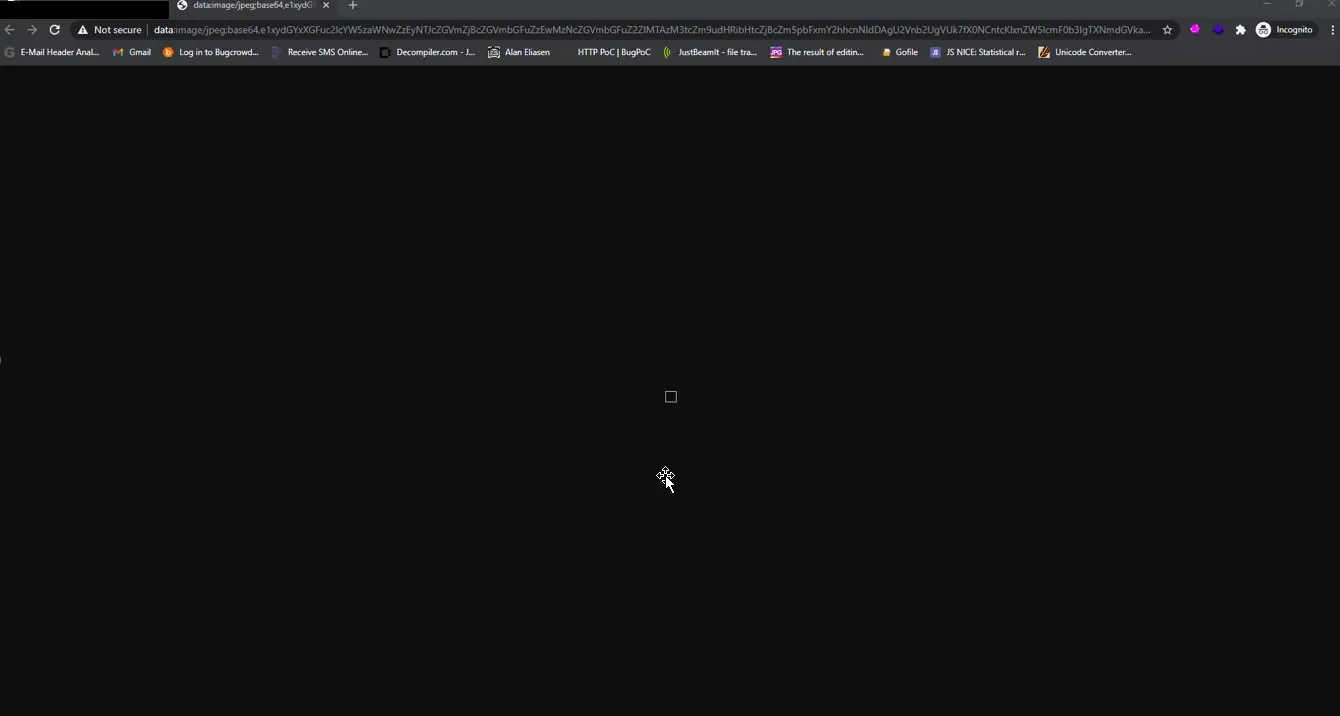
Behaviour B tells you the file or path does exist: the image fetcher read the content of the file, converted it to Base64, and placed it in the URI scheme. Behaviour A means the file or path is invalid or does not exist.
Step 3: retrieve web.config
With the oracle established, the next step was to point ImageName at a file outside the image directory. The example used the application's web.config:
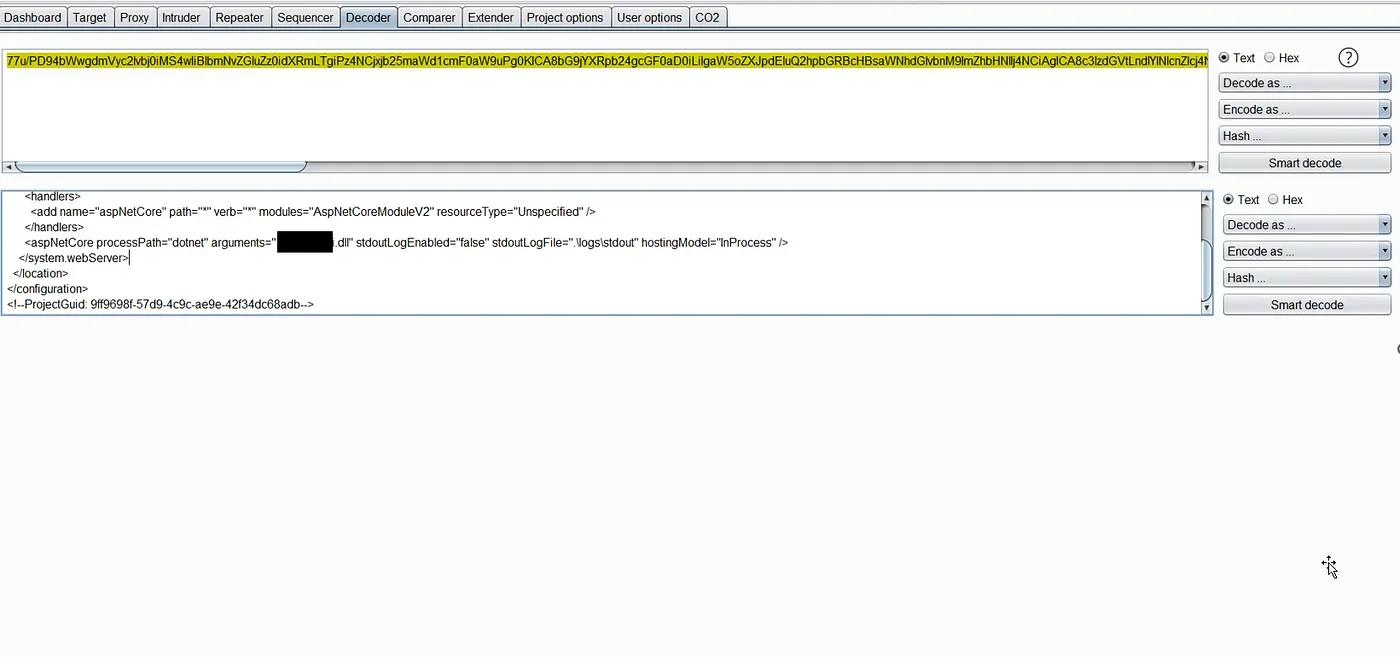
The payload is ..\web.config, a Windows-style traversal using a backslash to climb out of the image directory and read the configuration file. The response matched behaviour B, so the file was read and returned as a Base64 data URI. Decoding that Base64 produced the contents of web.config, and the content was valid.
Root cause
The ImageName value from the client is used to locate a file, and a traversal sequence such as ..\ is accepted. The server then reads whatever file the path points to and encodes it as Base64 for the data URI. Because the traversal sequence ..\ is accepted, the path escapes the upload directory and reaches application files such as web.config.
The earlier malicious upload attempts all failed; the vulnerable operation is the later lookup, which takes a client-supplied name. The only observable difference between a hit and a miss is the presence or absence of the unsafe: prefix on the returned URI, which is enough to use the endpoint as a file-existence oracle.
Impact
An authenticated user with access to the profile/avatar functionality could read files outside the image directory, as demonstrated with web.config. In the demonstrated case this included web.config, which typically holds configuration data and can contain secrets. The report does not enumerate further files or show what else was reachable, so the full extent of what could be read is not established here. The precondition is an authenticated session able to send the profile update request.
Fix
Do not accept a client-supplied path for image lookup. Store the image under a server-generated identifier and map that identifier to a file inside a fixed directory. If a name must be accepted, resolve the final path and verify that it is still inside the intended directory before reading it, rejecting any input containing traversal sequences. The report does not state which fix, if any, was applied.
Variants to test
- Backslash versus forward slash traversal. On Windows targets try
..\, on Unix-style targets try../. A positive result is behaviour B: adata:image/jpeg:base64,…URI whose decoded content is the target file. - Absolute paths. Supply a full path to a known file instead of a relative one. A positive result is the same Base64 data URI containing that file's content.
- Encoding and normalisation tricks. Try URL-encoded or double-encoded traversal sequences, and mixed separators, where a filter strips one form. A positive result is a resolved path that the plain form was blocked from reaching.
- Other file-reading parameters. Look for any other request field that names a file (documents, exports, templates) and apply the same invalid-versus-valid comparison. A positive result is a change in response that correlates with file existence.
- Existence oracle. Even where content is not returned, compare responses for existing and non-existing paths. A consistent difference confirms the endpoint leaks file existence, which is useful on its own.
What happened, in plain words
A security researcher was testing a web application that had been installed on a computer and was running locally. The application had a profile page where you can upload a picture to use as your avatar (the small image shown next to your name). The researcher tried the usual tricks for uploading a harmful file through that picture upload, and every one of them failed.
But there was a second request in the flow, sent right after the upload, that told the server which picture belonged to the profile. That request contained a field called ImageName, and the server took whatever name was in that field, found the matching file on the computer's disk, read it, and sent its contents back to the browser as an image. Because the server trusted the name the browser sent, the researcher could put a path to a completely different file in that field, and the server would read that file instead. This is called Local File Inclusion (LFI): the application includes a local file it was never meant to hand out.
By pointing ImageName at the application's web.config file (a configuration file that often holds sensitive settings), the researcher got the server to return that file's contents, encoded as Base64 (a way of turning any data into plain text characters). Decoding it gave back the real file.
Background: the words you need first
Before walking through the steps, here are the ideas that come up, explained from scratch.
- Web application: a program you use through your browser. Your browser sends requests to a server, and the server sends back pages or data.
- API: a way for one piece of software to talk to another. Instead of sending back a whole web page, an API sends back just the data, often in a format called JSON (text that looks like
{"name":"value"}). The avatar feature uses an API: the browser posts the image, then posts a small JSON message saying which image to use. - Request: a message your browser sends to a server. It has a method (like
GETto fetch something orPOSTto send something), a path (like/api/Profile/Image), headers (extra information), and sometimes a body (the data being sent). - Header: a line of extra information attached to a request, such as what type of data is being sent or who is asking.
- Token: a long string of characters that proves who you are, a bit like a wristband at an event. Once you log in, the application gives your browser a token, and the browser shows it on every request so the server knows it is you. In the requests below it appears as
Authorization: Bearer [TOKEN]. - localhost: the name a computer uses to refer to itself.
localhost:8020means "this same computer, on port 8020". A port is like a numbered door on a computer that a particular service listens behind. - Base64: a way of writing any data (including binary files like images) using only ordinary text characters. It is not encryption; anyone can decode it back to the original. It is used so that binary data can travel inside text-based formats.
- Data URI: a way of putting a file's contents directly inside a web address, starting with
data:. For example,data:image/jpeg;base64,...means "here is an image, written in Base64, right here in the link". - Path traversal: using special sequences like
..(meaning "go up one folder") to climb out of the folder you are supposed to be in and reach other files. On Windows, folders are separated with backslashes (\); on Linux and macOS, with forward slashes (/). - LFI (Local File Inclusion): a bug where the application lets a user influence which file on the server gets read or included. If the user can point it at files outside the intended folder, they can read things they should not.
- Oracle: in security testing, a signal that tells you yes or no. Here, the application's response tells you whether a file exists, even before you can read it.
- Intercepting proxy: a tool that sits between your browser and the server and lets you pause, look at, and change requests before they are sent. The researcher used one to capture and edit the avatar requests.
The setup
- The application was installed from its binaries (the ready-made installation files) on a computer.
- The application was then reachable at
localhost:8020. The front end (the part you see in the browser) was served fromlocalhost:8010, which is why those addresses appear asOriginandRefererin the requests: they tell the server which page the request came from. - The researcher logged in and opened the Dashboard section, where the avatar upload lives.
- With an intercepting proxy, the researcher captured the two requests the avatar flow generates.
The report does not describe any special role being needed beyond being able to use the profile and avatar feature.
Finding the interesting request
The researcher first tried the usual malicious file upload tricks against the avatar endpoint: attempts to upload a file that the server would treat as something other than an image. All of them failed. What drew attention was the second request in the flow, the one that tells the server which uploaded image belongs to the profile. That request takes a filename from the browser and hands it to the server, which is exactly the kind of place where a file inclusion bug can hide.
The upload request for setting the avatar looked like this:
Line by line, in plain words:
POST /api/Profile/Image HTTP/1.1: this is a POST request (sending data) to the address/api/Profile/Imageon the server, using version 1.1 of the HTTP protocol (the language browsers and servers speak).Host: localhost:8020: the request is aimed at the machine itself, port 8020.Content-Length: 17889: the body of the request is 17,889 bytes long.Accept: application/json: the browser is happy to receive JSON data back.Authorization: Bearer [TOKEN]: the proof of identity.Bearermeans "whoever carries this token is allowed". The actual token is a secret and is redacted here.Content-Disposition: form-data; name="": part of the multipart form machinery, describing a form field.User-Agent: ...: tells the server which browser and operating system are being used. Here it is Chrome 87 on Windows 10.Content-Type: multipart/form-data; boundary=----[redacted]: the body is a multipart form, which is how browsers send files. Theboundaryis a made-up string that marks where one part of the form ends and the next begins, like a separator between sections of a parcel.Origin: http://localhost:8010andReferer: http://localhost:8010: the page that made the request was served from port 8010.Accept-Encoding: gzip, deflate: the browser can accept compressed responses.Accept-Language: en-US,en;q=0.9,fa;q=0.8,de;q=0.7: the browser's preferred languages, with English first, then Persian, then German.Connection: close: close the connection after this request instead of keeping it open.- The lines starting with
------WebKitFormBoundary...are the separators between parts of the form. Content-Disposition: form-data; name="uploadFile"; filename="20201179525SECURITYADMIN.jpg": this part of the form is the file, the field is calleduploadFile, and the file's name is20201179525SECURITYADMIN.jpg.Content-Type: image/jpeg: the file claims to be a JPEG image.ÿØÿà.....: the first bytes of the image file itself. Those strange characters are how the raw binary of a JPEG looks when shown as text.
Immediately after, the browser sent the request that associates the uploaded image with the profile:
Line by line:
POST /api/Profile/Profile HTTP/1.1: a POST request to/api/Profile/Profile, the address that updates the profile.Host: localhost:8020: again, the local machine on port 8020.Content-Length: 86: the body is 86 bytes long.Access-Control-Allow-Origin: *: a header about which other websites are allowed to read the response. The*means any origin.Accept: application/json, text/plain, */*: the browser will accept JSON, plain text, or anything else.User-Agent,Origin,Referer,Accept-Encoding,Accept-Language,Connection: the same kinds of information as in the upload request.{"UserId":"SECURITYADMIN","ImageName":"YOUR_IMAGE_UNIQUE_NAME"}: the body, in JSON.UserIdsays which profile is being updated.ImageNameis the unique name of the image that was just uploaded. This is the field the researcher decided to test, because the server uses it to find a file.
Exploitation, step by step
Step 1: send an invalid image name
The researcher changed the value of ImageName to something that does not exist. When the image was then opened, the browser showed a broken image.
That broken image tells you there is no such file or image in the directory. Importantly, the server did not reject the request outright. It simply could not find a file matching the name. That is a useful observation: the server is trying to look up whatever name it is given.
Step 2: send a valid path and watch for two behaviours
Next, the researcher passed a valid path to ImageName. The application then behaved in one of two ways, depending on whether the path points to a real file:
- A) A page with the URI
unsafe:data:image/jpeg:base64,..appears. This means the file or path is invalid or does not exist. - B) A page with the URI
data:image/jpeg:base64,…appears. This is a black page, shown below.
Behaviour B tells you the file or path does exist. The image fetcher read the contents of the file, converted them to Base64, and put them into the URI scheme. Behaviour A means the file or path is invalid or does not exist.
In other words, the application has become an oracle: the presence or absence of unsafe: tells you whether a file exists on the server, before you even read it.
Step 3: retrieve web.config
With that oracle established, the next step was to point ImageName at a file outside the image directory. The example used the application's web.config:
Line by line:
- The request line,
Host,Content-Length,Access-Control-Allow-Origin,Accept,User-Agent,Origin,Referer,Accept-Encoding,Accept-LanguageandConnectionheaders are the same as before. {"UserId":"TN2","ImageName":"..\\web.config"}: the body now targets a different profile,TN2, and theImageNamevalue is..\web.config. The..means "go up one folder", and the backslash is the Windows folder separator. So the server is asked to climb out of the image folder and readweb.config, a configuration file that sits elsewhere on disk.
The response to this request matched behaviour B, so the file was read and returned as a Base64 data URI. The researcher then decoded that Base64 and saw the contents of web.config. The decoded content was valid.
Why it worked
The ImageName value from the browser is used to locate a file, and a traversal sequence such as ..\ is accepted. The server then reads whatever file the path points to and encodes it as Base64 for the data URI. Because the traversal sequence ..\ is accepted, the path escapes the upload folder and reaches application files such as web.config.
The earlier malicious upload attempts all failed, and the vulnerable operation is the later lookup. The vulnerable operation is not the upload but the later lookup, which trusts a name supplied by the browser. The only visible difference between a hit and a miss is the presence or absence of the unsafe: prefix on the returned URI, which is enough to use the endpoint as a file-existence oracle.
What the impact is
A logged-in user who can use the profile and avatar feature could read files outside the image folder, as demonstrated with web.config. In the demonstrated case this included web.config, which typically holds configuration data and can contain secrets. The report does not list other files or show what else was reachable, so the full extent of what could be read is not established here. The precondition is a logged-in session that can send the profile update request.
How to fix it
Do not accept a path supplied by the browser for image lookup. Store the image under a name the server generates itself, and map that name to a file inside a fixed folder. If a name must be accepted, work out the final path and check that it is still inside the intended folder before reading it, rejecting any input that contains traversal sequences. The report does not say which fix, if any, was applied.
Other things worth testing
- Backslash versus forward slash traversal. On Windows targets try
..\; on Unix-style targets try../. A positive result is behaviour B: adata:image/jpeg:base64,…URI whose decoded content is the target file. - Absolute paths. Supply a full path to a known file instead of a relative one. A positive result is the same Base64 data URI containing that file's content.
- Encoding and normalisation tricks. Try URL-encoded or double-encoded traversal sequences, and mixed separators, where a filter strips one form. A positive result is a resolved path that the plain form was blocked from reaching.
- Other file-reading parameters. Look for any other request field that names a file (documents, exports, templates) and apply the same invalid-versus-valid comparison. A positive result is a change in response that correlates with file existence.
- Existence oracle. Even where content is not returned, compare responses for existing and non-existing paths. A consistent difference confirms the endpoint leaks file existence, which is useful on its own.
Glossary
- API: a way for software to talk to other software, usually exchanging data rather than whole web pages.
- Avatar: the small picture shown next to a user's name in an application.
- Base64: a way of writing any data using only ordinary text characters; it is not encryption and can be decoded by anyone.
- Bearer token: a secret string sent with a request to prove identity; whoever carries it is treated as the logged-in user.
- Binary: data made of raw bytes rather than readable text, such as an image file.
- Boundary: a made-up string in a multipart form that marks where one part ends and the next begins.
- Content-Length: a header stating how many bytes long the request body is.
- Content-Type: a header stating what kind of data is being sent, such as
image/jpegormultipart/form-data. - Data URI: a web address that contains the file's contents directly, starting with
data:. - Endpoint: a specific address on a server that accepts requests, such as
/api/Profile/Profile. - Header: a line of extra information attached to a request or response.
- HTTP: the language browsers and servers use to exchange requests and responses.
- Intercepting proxy: a tool that sits between browser and server and lets you pause, inspect and change requests.
- JSON: a text format for structured data, looking like
{"name":"value"}. - LFI (Local File Inclusion): a bug where the application lets a user influence which local file on the server is read or included.
- localhost: the name a computer uses for itself;
localhost:8020means this computer, port 8020. - Multipart form: the format browsers use to send files and form fields together in one request.
- Oracle: a signal in an application's response that tells you yes or no, such as whether a file exists.
- Origin: a header telling the server which page or site a request came from.
- Path traversal: using sequences like
..to climb out of the intended folder and reach other files. - Port: a numbered door on a computer that a particular service listens behind.
- POST: an HTTP method used to send data to the server.
- Referer: a header telling the server the address of the page that made the request.
- Request: a message a browser sends to a server, with a method, address, headers and sometimes a body.
- Token: a secret string proving who you are, sent with requests after you log in.
- URI: a string identifying a resource, such as a web address or a
data:link. - User-Agent: a header describing the browser and operating system making the request.
- web.config: a configuration file used by some web applications, typically holding settings and sometimes secrets.



