One Email Parameter Was All It Took: How Broken Access Control Let Me Create a Folder in Another…
A folder-creation request carried an email parameter identifying the target account, and the server appeared to act on it without checking that the logged-in user owned that account. By swapping the email to a second account he controlled, the author saw the folder appear in that other account.
 Published on samadhanshimple.medium.com
Cybersecurity
The full write-up lives on its author's site
It belongs to its author, so we link to it rather than copy it. The other two tabs are our own rewrites, checked against it.
Context
The target is a web application with a folder-management feature. When a user creates a new folder through the Add Folder functionality, the application sends an email address along with the request. The report does not name the application, the program, or the endpoint.
That email parameter is the whole story. The question the researcher asked was simple: does the server verify which account the authenticated user is allowed to modify, or does it trust the email address sent by the browser?
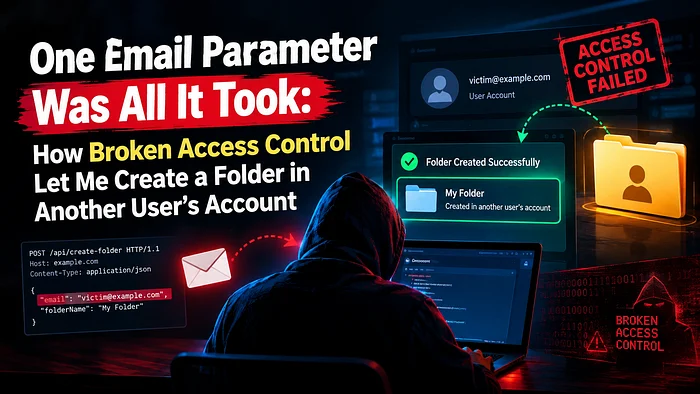
The image is an AI-generated illustration used as the article's header.
Setup
The test used two accounts, both controlled by the researcher:
- Account 1: the account used to initiate the folder-creation request.
- Account 2: the account used to verify whether the folder appeared in another account.
Both accounts were logged in through separate browser sessions, so the authenticated sessions could be compared without mixing them up. Burp Suite was used to intercept and inspect the HTTP request generated when creating a folder. No versions, endpoints or parameter names beyond the email parameter are given in the report.
Finding it
While inspecting the intercepted folder-creation request, the researcher noticed that it contained an email parameter. An email address is an identifier, not proof that a user has permission to modify the associated account, so the parameter was worth investigating.
A secure application should verify the authenticated user's permissions on the server. It should not rely on a client-controlled parameter to make authorisation decisions. The concern was whether the server used the supplied email address to decide which account the folder belonged to, without independently checking that the authenticated user was allowed to act on that account.
Exploitation
Step 1: Create a folder in Account 1
The researcher logged in to Account 1, opened the folder-management feature, and used Add Folder to create a new folder. The request was intercepted in Burp Suite before being forwarded, and its parameters were examined to understand how the application identified the account associated with the new folder.
Step 2: Identify the email parameter
The request contained an email parameter. The report does not reproduce the request itself, so the exact parameter name, method, endpoint and any other fields are not shown.
Step 3: Modify the request
The email parameter was changed from Account 1's email address to the email address associated with Account 2, and the modified request was forwarded through Burp Suite. The purpose was to see whether the server would reject an operation targeting an account the authenticated user was not authorised to manage.
Step 4: Verify the result
After forwarding the request, the researcher checked Account 2. The folder appeared in Account 2. The request originated from Account 1, but after the email parameter was changed the folder was created under Account 2.
The behaviour suggested that the application might be using the supplied email address to determine the target account without properly enforcing the required authorisation checks. The researcher notes that the exact cause still needs to be confirmed: the application could, for example, have an intended delegation feature or another authorisation rule that affects the result.
Root cause
One possible cause is that the server takes the email address from the request as the identity of the account to act on, without checking that the authenticated session belongs to that account. In other words, authorisation is decided from a client-controlled value rather than from the session's own identity and permissions.
The report does not show server-side code or logs, so this remains an inference from the observed behaviour rather than a confirmed mechanism. The researcher explicitly leaves open the possibility that the behaviour is an intended delegation feature.
Impact
An authenticated user can create folders in another user's account without permission. Depending on how the application uses folders, this could create unwanted content, interfere with organisation, or affect workflows that depend on folder ownership.
Creating a folder may look like a minor action, but the point is whether the operation respects account boundaries. The impact should be limited to what was actually demonstrated: only folder creation was verified. It would be incorrect to claim that the same flaw allows file access, data theft, deletion or account takeover.
Severity depends on impact and on the program's own guidelines. A parameter change alone does not automatically make this a high-severity IDOR.
Classification
The researcher proposes the following:
| Item | Value |
|---|---|
| Potential vulnerability | Broken Access Control |
| Related CWE | CWE-639, Authorisation Bypass Through User-Controlled Key, if the evidence confirms a user-controlled key is used to access or modify another user's resource without proper authorisation |
| OWASP category | A01:2021, Broken Access Control |
| Affected feature | Add Folder |
| Authentication | Required in the observed scenario |
Fix
It lists four measures developers should take:
- Do not trust client-supplied identity parameters. An email address supplied by a browser should not, by itself, determine which account a user can modify.
- Enforce authorisation on the server. Before creating a folder, check whether the authenticated user has permission to perform the requested action in the target account.
- Test with multiple accounts. Authorisation testing should include requests made by one user that reference resources belonging to another user, covering both permitted and denied actions.
- Add automated authorisation tests. Verify that users cannot create, update or delete resources in other accounts unless the permission model explicitly allows it.
Lessons learned
A small request parameter can reveal a significant authorisation weakness. The email parameter was not inherently vulnerable; the concern was whether the server used that value without independently verifying the user's permissions.
For testers, the important part is to identify the account boundary, test it safely with accounts you control, and verify the actual result. A reliable report explains what was changed, what the server did, why the behaviour violates the expected permission model, and what impact was demonstrated. Report what you can reproduce, demonstrate the impact you can prove, and avoid claiming consequences you have not verified.
What happened, in plain words
A security researcher was testing a website with a folder-management feature. When you click "Add Folder", your browser sends a small message to the website's server asking it to create the folder. The researcher noticed that this message included an email address.
That raised a simple question. When the server receives the message, does it check that the person sending it is really allowed to change the account named by that email address? Or does it just trust whatever email address the browser sends?
To find out, the researcher used two accounts that they owned. They created a folder while logged in to the first account, but changed the email address in the message to the second account's address before sending it. The folder appeared in the second account. In other words, a person logged in to one account could create a folder inside a different account, just by editing one value in the request.
This is a classic example of a permission problem. The rest of this article explains, from scratch, what every piece of that means, how the test was done, and why it matters.
The image above is an AI-generated illustration used as the header of the article.
Some background you need first
Before the steps make sense, here are the basic ideas. None of them require any prior security knowledge.
What a web application is
A web application is a website that does more than show pages. You log in, and it remembers who you are and lets you do things: create folders, write notes, upload files. Behind the scenes it is two programs talking to each other.
- The client is the part running in your browser. It draws the buttons and pages you see.
- The server is a computer somewhere else that stores the data and decides what is allowed.
When you click a button, your browser sends a message to the server. The server does the work and sends back an answer. That message is called an HTTP request, and the answer is an HTTP response. HTTP is simply the language browsers and servers use to exchange these messages.
What an API is
An API (Application Programming Interface) is the set of requests a server accepts. Think of a restaurant: the menu is the API. You can order only what is on the menu, and the kitchen (the server) prepares it. You never walk into the kitchen yourself. In a web application, the menu items are things like "create a folder", "list my files" or "delete a note".
What a request looks like
An HTTP request has a few parts:
- A method, which says what kind of action you want.
GETmeans "give me something".POSTmeans "here is some data, do something with it". - A URL, which says which resource you are talking about.
- Headers, which are extra labels attached to the message, such as what kind of data is inside.
- A body, which carries the actual data, for example the name of the folder you want to create.
What a cookie or session is
When you log in, the server needs a way to recognise you on the next request. HTTP by itself has no memory: each request arrives as if from a stranger. So after you log in, the server gives your browser a small piece of text called a session cookie (or just session token). Your browser automatically attaches it to every later request to that site.
The cookie is like a wristband at an event. You show your ticket once at the entrance, you get a wristband, and after that the staff let you in and out based on the wristband, not on your face. The server reads the cookie, looks up which account it belongs to, and knows who you are.
This matters here because the cookie is the trustworthy proof of who you are. Anything else in the request, such as an email address typed into a form, is just data the browser sent. The server should never treat that data as proof of identity.
What authorisation means
Two words sound alike and are often confused:
- Authentication is proving who you are. Logging in with a password is authentication.
- Authorisation is what you are allowed to do once you are known. Even logged in, you should not be able to read someone else's files or change their account.
A secure application checks both. It authenticates you with your cookie, then authorises each action: is this particular user allowed to do this particular thing to this particular object?
What broken access control is
Broken access control is the name for the family of bugs where the application fails to enforce those permission rules. The user is properly logged in, but the server lets them do something they should not be allowed to do, such as touching another person's data.
A common variety is IDOR, short for Insecure Direct Object Reference. That happens when the application uses a value supplied by the user (an ID, a number, an email address) to pick which object to act on, and never checks whether the current user is allowed to touch that object. The name sounds complicated, but the idea is simple: the server lets the browser choose the target, and does not verify the choice.
A useful comparison is a hotel. Your key card opens your room. If the hotel's system instead let you type any room number into a panel and the door opened without checking that the room was yours, that would be broken access control. The card is your authentication; the missing check is the broken authorisation.
What Burp Suite is
Burp Suite is a tool used by security testers. One of its main features is a proxy: it sits between your browser and the server, so every request your browser sends passes through it. You can pause a request, look at it, change it, and then let it continue.
Think of a postal worker who is allowed to open your letters, read them, edit them, and then seal them again before delivery. That is what an intercepting proxy does with web requests. It is how the researcher in this story was able to change the email address before the request reached the server.
The setup
The test used two accounts, both created and controlled by the researcher:
- Account 1: the account used to start the folder-creation request.
- Account 2: the account used to check whether the folder showed up somewhere it should not.
Using two accounts you own is important. It lets you test whether one account can affect another without ever touching a real person's data. It is the safe and ethical way to check a permission boundary.
Both accounts were logged in through separate browser sessions. A browser session here means a separate, isolated login, for example two different browser profiles or one normal window and one private window. Keeping them separate means the cookies for Account 1 and Account 2 do not get mixed up, so you always know which account a given request came from.
Burp Suite was used to intercept and inspect the request that the browser generates when a folder is created. The report does not name the application, the bug bounty program, or the specific address (endpoint) that the request goes to.
Finding the problem
While inspecting the intercepted folder-creation request, the researcher noticed that it contained an email parameter.
A parameter is a named value inside a request. If a request is a form, the parameters are the fields on it: a field called name with the value Holiday photos, a field called email with the value of an address. Parameters can travel in the URL (after a ?), in the body of the request, or in headers.
Why is an email parameter interesting? Because an email address identifies an account, but it does not prove that the person sending the request has permission to act on that account. Anyone can type any email address into a form. The browser is fully under the user's control, so anything it sends can be changed.
A secure application should check the authenticated user's permissions on the server. It should not rely on a value the client controls when deciding what is allowed. The question was whether the server used the supplied email address to decide which account the folder belonged to, without independently checking that the logged-in user was allowed to act on that account.
Doing the test
Step 1: Create a folder in Account 1
The researcher logged in to Account 1, opened the folder-management feature, and used Add Folder to create a new folder. The request was paused in Burp Suite before being sent on, and its parameters were examined to understand how the application decided which account the new folder belonged to.
Why pause it? Because you cannot learn how a request is built until you can see it. Once you can read the request, you can see every value the browser is sending, including the email address. That is the moment the interesting question becomes testable.
Step 2: Identify the email parameter
The request contained an email parameter. The report does not reproduce the request itself, so the exact parameter name, the method, the endpoint and the other fields are not shown.
Why does this matter? Because the email address is the one value that names an account. If the server trusts it, then changing it changes the target. If the server ignores it and uses the session cookie instead, changing it should do nothing.
Step 3: Modify the request
The email parameter was changed from Account 1's email address to the email address associated with Account 2. The modified request was then sent on through Burp Suite.
The purpose was to see whether the server would reject an operation aimed at an account the logged-in user was not authorised to manage. A correct server should notice that the cookie belongs to Account 1 while the request asks to act on Account 2, and refuse. A broken server would simply do what it was told.
Step 4: Check the result
After sending the modified request, the researcher checked Account 2. The folder appeared in Account 2. The request came from Account 1, but after the email parameter was changed, the folder was created under Account 2.
This suggested that the application might be using the supplied email address to decide the target account, without properly enforcing the required permission checks. The researcher is careful to note that the exact cause still needs confirming. For example, the application could have an intended delegation feature, a legitimate way for one account to act on another, or some other rule that affects the result.
Why the cause is described as likely, not certain
Seeing the folder appear in Account 2 proves the behaviour. It does not, by itself, prove the mechanism. The report shows no server-side code and no logs, so the explanation is an inference from what was observed, not a confirmed internal cause.
One possible explanation is that the server takes the email address from the request as the identity of the account to act on, without checking that the session belongs to that account. In plain terms, the permission decision is made from a value the client controls, instead of from the session's own identity and permissions.
But the researcher explicitly leaves open the possibility that this is an intended delegation feature. Some products really do let one user act on behalf of another, for example a team administrator. If that is the case, the question becomes whether the feature is meant to work for every user, or only for those with the right role. That is why the report describes the finding as a potential vulnerability rather than a confirmed one.
What the impact is, and what it is not
An authenticated user can create folders in another user's account without permission. Depending on how the application uses folders, this could create unwanted content, interfere with how someone has organised their work, or affect workflows that depend on who owns a folder.
Creating a folder may look like a minor action. But the point of security testing is not only how sensitive an operation appears. It is also whether the operation respects the boundaries between accounts. A small action that crosses an account boundary is still a broken boundary.
The impact should be limited to what was actually demonstrated. Only folder creation was verified. It would be incorrect to claim that the same flaw allows reading files, stealing data, deleting things, or taking over an account. Those claims would need their own evidence.
Severity depends on the impact and on the bug bounty program's own guidelines. A parameter change alone does not automatically make something a high-severity IDOR. The rating has to follow the program's rules and the demonstrated effect.
How this kind of issue is classified
The researcher proposes the following labels:
| Item | Value |
|---|---|
| Potential vulnerability | Broken Access Control |
| Related CWE | CWE-639, Authorisation Bypass Through User-Controlled Key, if the evidence confirms a user-controlled key is used to access or modify another user's resource without proper authorisation |
| OWASP category | A01:2021, Broken Access Control |
| Affected feature | Add Folder |
| Authentication | Required in the observed scenario |
A quick word on those labels. CWE is a public catalogue of weakness types, each with a number, so people can refer to the same kind of bug consistently. OWASP is a well-known community project that publishes a list of the most common web application security risks; A01:2021 is the 2021 edition's first entry, broken access control. "Authentication: required" simply means the attacker in this scenario has to be logged in, which is typical for this class of bug.
How developers can prevent it
The report does not say whether the vendor changed anything. It lists four measures developers should take.
- Do not trust client-supplied identity parameters. An email address supplied by a browser should not, by itself, decide which account a user can modify. The browser is under the user's control, so anything it sends can be edited.
- Enforce authorisation on the server. Before creating a folder, check whether the logged-in user has permission to perform the requested action in the target account. The check must happen on the server, because that is the only part the user cannot edit.
- Test with multiple accounts. Authorisation testing should include requests made by one user that reference resources belonging to another user, covering both actions that should be allowed and actions that should be denied.
- Add automated authorisation tests. Verify that users cannot create, update or delete resources in other accounts unless the permission model explicitly allows it. Automated tests catch this kind of regression before it reaches real users.
Other places to look for the same pattern
Once you know the shape of the bug, you can look for it elsewhere.
Lessons learned
A small request parameter can reveal a significant authorisation weakness. The email parameter was not inherently vulnerable. The concern was whether the server used that value without independently verifying the user's permissions.
For testers, the important part is to identify the account boundary, test it safely with accounts you control, and verify the actual result. A reliable report explains what was changed, what the server did, why the behaviour violates the expected permission model, and what impact was demonstrated. Report what you can reproduce, demonstrate the impact you can prove, and avoid claiming consequences you have not verified.
Glossary
- API: the set of requests a server accepts, like a menu you can order from.
- Authentication: proving who you are, for example by logging in.
- Authorisation: what you are allowed to do once you are known.
- Broken access control: a bug where the application fails to enforce permission rules, so a logged-in user can do things they should not.
- Browser session: an isolated login in a browser, for example a separate profile or private window, so cookies for different accounts do not mix.
- Burp Suite: a tool used by security testers that can pause, inspect and change web requests between the browser and the server.
- Client: the part of a web application running in your browser.
- Cookie (session cookie): a small piece of text the server gives your browser after login, which the browser sends back on later requests so the server can recognise you.
- CWE: a public catalogue of weakness types, each with a number, used to refer to the same kind of bug consistently.
- Endpoint: the specific address a request is sent to.
- GET: an HTTP method meaning "give me something".
- Header: an extra label attached to an HTTP message, such as what kind of data it contains.
- HTTP: the language browsers and servers use to exchange requests and responses.
- HTTP request: the message your browser sends to the server when you do something.
- HTTP response: the message the server sends back.
- IDOR (Insecure Direct Object Reference): a bug where the application uses a value supplied by the user to pick which object to act on, without checking whether the user is allowed to touch it.
- Method: the part of an HTTP request that says what kind of action you want, such as GET or POST.
- OWASP: a well-known community project that publishes lists of common web application security risks.
- Parameter: a named value inside a request, like a field on a form.
- POST: an HTTP method meaning "here is some data, do something with it".
- Proxy: a program that sits between your browser and the server and passes messages through, optionally letting you inspect or change them.
- Server: the computer that stores the data and decides what is allowed.
- Session token: another name for the value stored in a session cookie, used to recognise you.
- URL: the address of a resource on the web.

