Choosing a Program :)
A Django admin panel on a subdomain accepted credentials from a regular user account created on a different subdomain, letting any registered user log in. The attacker could then view sensitive staff data and write data on the server.
 Published on medium.com
This is my first write-up, I will try to share something that might help you and obviously pardon my mistakes.
The full write-up lives on its author's site
It belongs to its author, so we link to it rather than copy it. The other two tabs are our own rewrites, checked against it.
Context
This write-up covers a reconnaissance-driven authentication bypass against a Django-based admin panel. The target is described under the placeholder name hackerboy.com, with the vulnerable host being the sub-domain fullapi.hackerboy.com. That host exposes a Django admin login at /admin, and it also exposes an account manager path at /account_mngr. A separate host, account.hackerboy.com, is the normal user-facing site where anyone can register and log in.
The feature that matters here is authentication. The admin panel on fullapi.hackerboy.com is meant for staff or employees of hackerboy.com; the report states that it has no registration option and that normal users should not be able to log in. The user site, by contrast, is open to anyone.
Setup
The researcher worked with a private program invitation and started from the program scope and description, checking what the program accepts and does not accept. No specific versions, headers or credentials are given in the report.
The tooling used for sub-domain enumeration was:
knockpy hackerboy.com
python sublist3r.py -u hackerboy.com
aquatone
webscreenshot
These were used to enumerate sub-domains and capture screenshots of what each one served. The researcher also mentions looking at Google, GitHub, Censys and Shodan for additional information, without finding anything special.
Finding it
After enumerating sub-domains, the researcher tried a few known vulnerabilities on selected sub-domains without success. A day later, while reviewing the collected screenshots again, one screenshot stood out. It showed a sub-domain of the form fullapi.hackerboy.com.
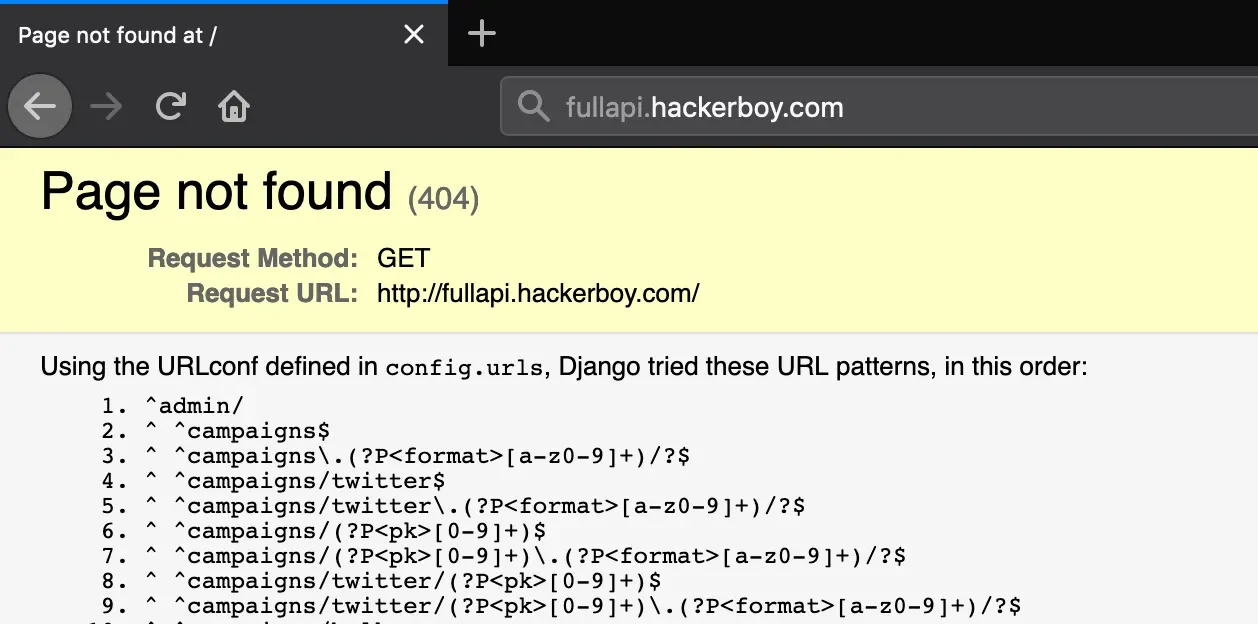
Visiting that host returned an error, but the screenshot showed that paths were being exposed. That observation is what moved the researcher from blind testing to looking at the paths the host itself revealed.
The next step was the obvious one for a Django target: the /admin login page.
Visiting /admin returned a Django admin login page.
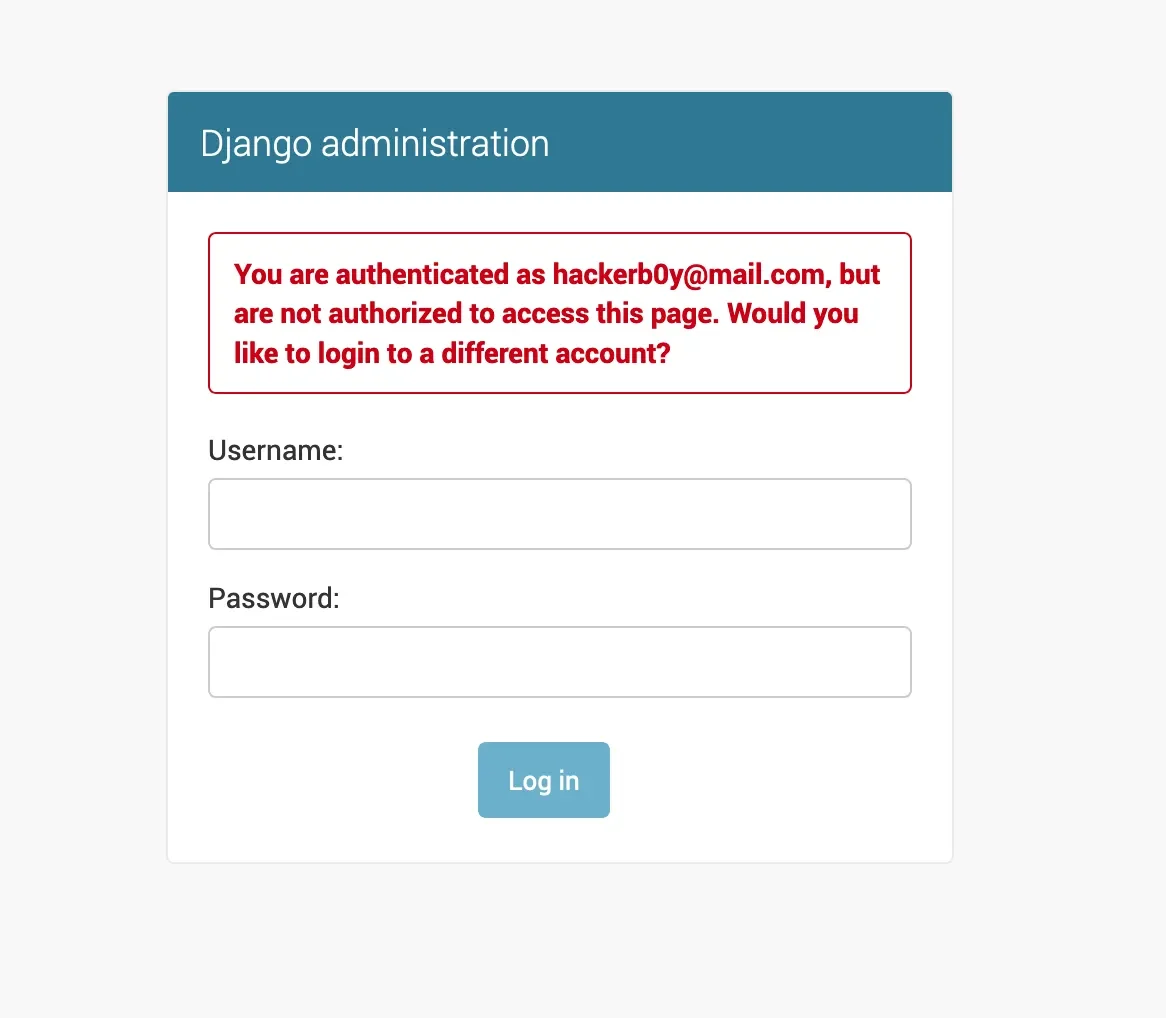
At this point the panel was still asking for authentication. The researcher tried some brute-force attempts against it without success, then ran a dirsearch. The dirsearch results were not needed, because the paths were already exposed. The researcher then began visiting each exposed path directly.
Exploitation
Step 1: Visit the exposed account manager path
One of the exposed paths was /account_mngr. Visiting it returned an account manager list without any authentication.
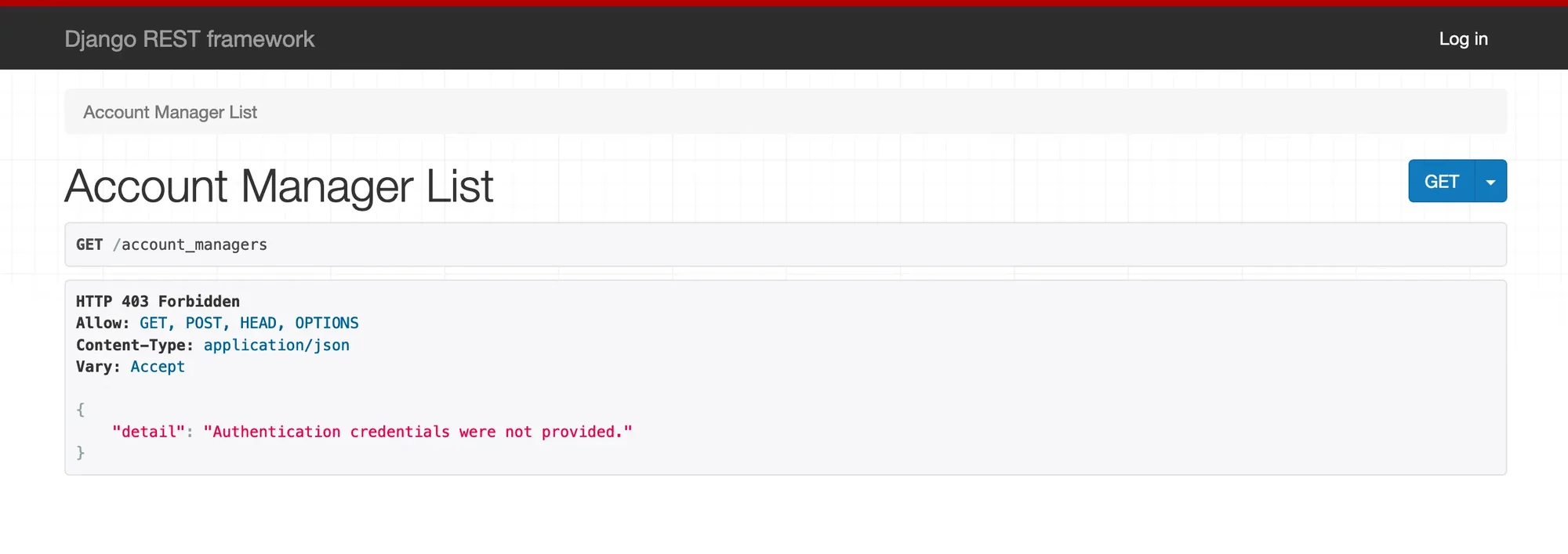
The page was reachable without authentication.
Step 2: Follow the login link
On that page, the researcher clicked the "Log in" button in the top right corner. It led to a Django login page.
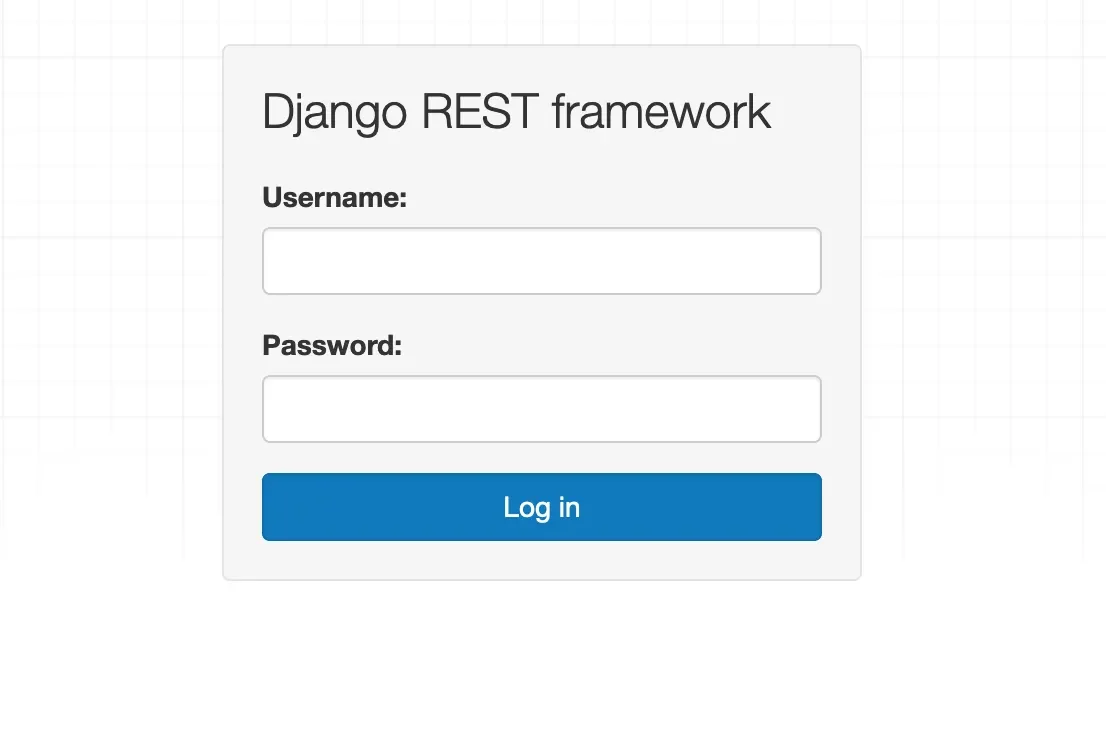
This is the login form that guards the admin panel. The report does not show the form's fields or the exact request body, only that it is a Django login page.
Step 3: Register on the user site
The key observation is the split between the two hosts. account.hackerboy.com is for all users and allows anyone to create an account and log in. fullapi.hackerboy.com has no registration option, and normal users are not supposed to be able to log in because it is an admin panel reserved for hackerboy.com staff or employees.
The researcher created an account on account.hackerboy.com.
Step 4: Reuse those credentials on the admin panel
With the account created on the user site, the researcher entered the same login information on fullapi.hackerboy.com. The server accepted it and logged the researcher into the admin panel.
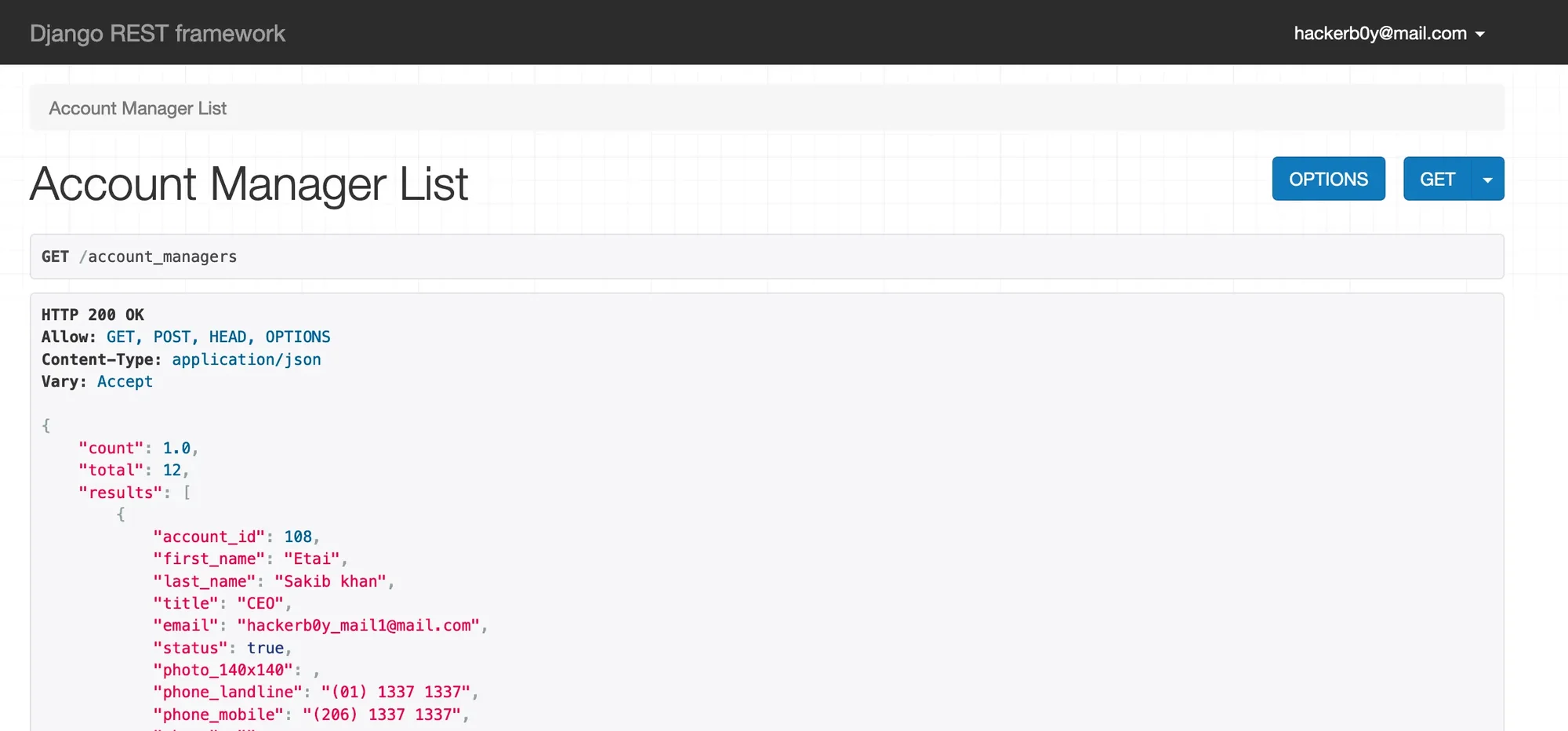
The researcher reacted with surprise at seeing what appeared to be a phone number and other credentials of the CEO. The report does not enumerate the rest of the data shown.
Step 5: Assess what the panel allows
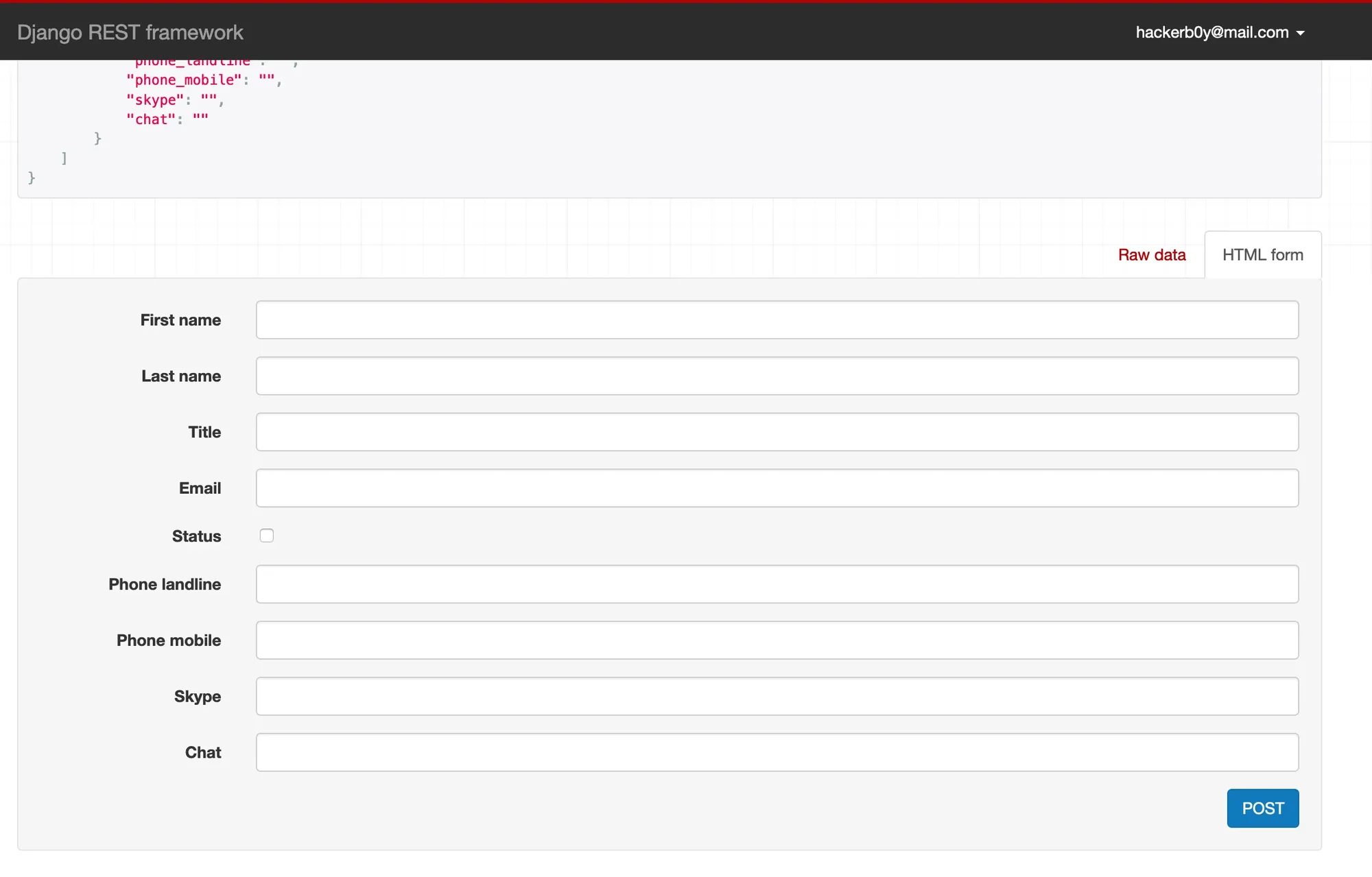
The researcher then looked at what the admin panel could do and found that it gave full access, including the ability to write data on the server.
Root cause
The researcher's own explanation is that the role of users is probably not set properly, or that the server only checks whether the user account is valid, not whether the user is staff. If any valid account is accepted, then anyone who can register on the user site can log in to the admin panel. The report hedges this ("maybe", "I might be wrong"), so the exact check is likely a missing staff or role check on the shared authentication backend rather than a flaw in Django's login itself.
The researcher's guess is that the server only checked whether the account was valid. The /account_mngr path was reachable without authentication.
Impact
An attacker who can register on account.hackerboy.com can log in to the admin panel on fullapi.hackerboy.com with those same credentials. From there the panel gives full access, including writing data on the server, and exposes sensitive staff information such as the CEO's phone number and other credentials. The report notes that this may also mean anyone can log in with a user's registered information, though the researcher is unsure.
The condition is that the attacker can create an account on the user-facing site.
Fix
The report does not describe a fix or a change made by the program. Based on the root cause, the admin panel should check that the authenticated user has the staff or admin role, not merely that the account exists, and the exposed paths such as /account_mngr should require authentication and authorisation.
Variants to test
- Register on the public user site of a target and try the same credentials on any admin or API sub-domain. A positive result is a successful login to a panel that has no registration option of its own.
- Request exposed paths found in screenshots or error pages without authentication, such as account manager or user list paths. A positive result is a page that returns account data without a session.
- Compare the authentication behaviour of sibling hosts that share a user store. A positive result is a session issued by one host being accepted by another with higher privileges.
- Check whether the admin panel distinguishes staff from normal users after login. A positive result is a normal account reaching administrative actions such as writing data.
What happened, in plain words
A security researcher found a way to get into the private administration area of a website using an ordinary account that anyone could create. The site had two parts: a public part where people could sign up, and a private part meant only for the company's staff. The researcher's guess is that the private part did not check whether the person logging in was actually staff. So the researcher signed up on the public site, then used the same username and password on the private site, and was let straight in. Once inside, the researcher was surprised to see what appeared to be a phone number and other credentials of the CEO, and found the panel allowed writing data on the server.
The researcher found the private part while looking back through the collected screenshots. That is the whole story: careful looking, a bit of curiosity, and one missing check.
Background: the words you need first
Before walking through the steps, here are the ideas that come up again and again. Each one is explained from scratch.
- Sub-domain: a website's address can have a prefix in front of the main name. If the main site is
hackerboy.com, thenshop.hackerboy.comandapi.hackerboy.comare sub-domains. Think of the main domain as a building and sub-domains as separate offices inside it, each with its own door and its own staff. - API: short for Application Programming Interface. It is the part of a website that other software talks to, rather than a human with a browser. When a phone app shows you a list of products, it is usually asking an API behind the scenes. APIs often live on sub-domains with names like
api.orfullapi.. - Admin panel: a private web page where the people who run a site manage it. It might list users, edit content, or change settings. Because it controls everything, it is the most valuable page for an attacker to reach.
- Authentication: proving who you are. Typing a username and password is authentication. The server checks them and, if they match, decides you are who you claim to be.
- Authorisation: what you are allowed to do once you are known. Authentication is the bouncer checking your name is on the list; authorisation is whether that name gets you into the VIP room. A common bug is a site that authenticates you correctly but forgets to authorise you for the page you asked for.
- Authentication bypass: any flaw that lets someone get past a login check they should not pass. It does not have to mean breaking a password; often it means the check is simply missing or applied in the wrong place.
- Django: a popular toolkit for building websites in the Python programming language. It comes with a ready-made admin panel, which is why so many Django sites have a page at
/adminthat looks the same. - Path: the part of a web address after the domain name. In
fullapi.hackerboy.com/admin, the path is/admin. Infullapi.hackerboy.com/account_mngr, the path is/account_mngr. - Reconnaissance (recon): the information-gathering phase before attacking anything. It is the equivalent of walking around a building noting which windows are open before trying any doors.
- Screenshot tool: a program that visits a list of web addresses and saves a picture of what each one looks like. Reviewing those pictures by eye is a fast way to spot something odd.
- Brute-force: trying many passwords in a row, hoping one works. It is slow and noisy, and often fails against a well-built login.
- Dirsearch: a tool that tries a long list of common path names against a site (like
/admin,/backup,/login) and reports which ones exist. It is a way of guessing what pages a site has. - Session / cookie: after you log in, the server gives your browser a small piece of data, usually stored as a cookie, so it can recognise you on the next page. Without it you would have to type your password on every click. If a session from one site is accepted by another, that is a serious problem.
The setup: choosing a target and gathering information
The researcher had been invited to a private bug bounty program. A bug bounty program is a scheme where a company invites outsiders to look for security problems in its systems and report them, often for a reward. The researcher's stated attitude was to ignore how many other people were already working on the program and to aim for at least one valid report. The advice given is to read the program's scope and description carefully, because those documents say what the company will accept and what it will not. Testing outside the scope is not allowed.
Throughout the write-up the real company name is replaced with the placeholder hackerboy.com.
Step 1: Find the sub-domains
The first job was to discover which sub-domains existed. The researcher used four tools, run one after another:
knockpy hackerboy.com
knockpy takes a domain name and tries a large list of common sub-domain prefixes against it, reporting which ones resolve to a real server. The argument hackerboy.com is the domain being tested. The output is a list of sub-domains that exist.
python sublist3r.py -u hackerboy.com
This runs a Python script called sublist3r.py. The -u flag means "the URL or domain to look up", and hackerboy.com is the value. Sublist3r gathers sub-domain names from public sources such as search engines and certificate records, so it finds names that a word-list alone might miss.
aquatone
Aquatone is a tool that takes a list of web addresses and produces a visual report, including screenshots of each site. It is run here without arguments in the write-up, but its purpose is to turn a long list of sub-domains into something a human can scan quickly.
webscreenshot
Webscreenshot does the same core job: it visits each address and saves a picture of the page. Having two screenshot tools is a way of making sure nothing is missed.
Why start here? Because a large company usually has many sub-domains, and each one is a separate application with its own code and its own mistakes. The main website is often well tested; a forgotten sub-domain is much more likely to have a gap.
The researcher also looked at Google, GitHub, Censys and Shodan for extra information. Censys and Shodan are search engines for internet-connected devices and services, so they can reveal what software a server is running. Nothing special turned up from those sources.
Step 2: Try some known problems, and fail
With the sub-domain list in hand, the researcher picked a few and tried some well-known vulnerability types against them. None of them worked. This is normal: most attempts fail, and the value of recon is that it narrows down where to look next.
Step 3: Look again at the screenshots
A day later the researcher went back through all the screenshots. One of them stood out. It showed a sub-domain of the form fullapi.hackerboy.com.
When the researcher visited that address, the site returned an error. The screenshot showed that paths were being exposed. That is the turning point. Instead of guessing path names with a tool, the researcher could simply read the names the server had already given away.
Why does this matter? An error page that lists internal paths is like a shop that leaves its stockroom door open with a label on it. Nothing has been stolen yet, but the attacker now knows exactly where to walk.
Finding the admin panel
The next step was the obvious one for any Django site: try the /admin path.
This is a raw HTTP request, the format a browser sends to a server. Line by line:
GET /admin HTTP/1.1says "please give me the page at the path/admin, using version 1.1 of the HTTP protocol".GETis the method used when you simply want to read a page.Host: fullapi.hackerboy.comtells the server which website you are asking for. One server can host many sites, so this line is how it knows which one you mean.
The response was a Django admin login page.
So the private management area existed and was reachable. But it was still asking for a username and password, so the researcher was not in yet.
Step 4: Try guessing passwords, and fail
The researcher tried some brute-force attempts against the login form. They did not succeed. The brute-force attempts did not succeed.
Step 5: Run dirsearch, then realise it is unnecessary
The researcher then ran dirsearch to find more paths. But partway through, a thought: the paths were already exposed by the error page. Why guess when the server has already told you the answers? So the researcher stopped and began visiting each exposed path directly.
This is a good habit to learn: before reaching for a tool, check whether the information you need is already in front of you.
Exploitation: getting in
Step 6: Visit the exposed account manager path
One of the exposed paths was /account_mngr. Visiting it returned an account manager list without any login at all.
Again, line by line:
GET /account_mngr HTTP/1.1asks for the page at the path/account_mngr.Host: fullapi.hackerboy.comsays which site on the server is being asked.
The page came back with a list of accounts without authentication.
This is the first real sign of trouble. A page that lists accounts should require you to be logged in, and probably to be an administrator. Here it required nothing. It showed that this page did not require login.
Step 7: Follow the login link
On that account manager page, the researcher clicked the "Log in" button in the top right corner. It led to a Django login page.
This is the same kind of login form that guards the admin panel. The report does not show the form's fields or the exact request body that gets sent when you submit it, only that it is a Django login page.
Step 8: Notice the split between the two hosts
Here is the key observation, and it is worth slowing down for.
account.hackerboy.comis the public site. Anyone can create an account there and log in. It is the front door for ordinary users.fullapi.hackerboy.comis the admin panel. It has no registration option, and ordinary users are not supposed to be able to log in, because it is reserved forhackerboy.comstaff or employees.
Two different doors, two different sets of people expected. But, as the next step shows, they were not really separate at all.
Step 9: Create an account on the public site
The researcher created an account on account.hackerboy.com. This is something any member of the public could do; there was nothing special about it.
Step 10: Use the same login on the admin panel
With the account created on the public site, the researcher went to the login form on fullapi.hackerboy.com and entered the same username and password. The server accepted them and logged the researcher into the admin panel.
This is the authentication bypass. No password was cracked and no code was exploited; the admin panel accepted an account created on the public site.
Once inside, the panel showed sensitive data, including a phone number and other credentials belonging to the CEO. The report does not list the rest of the data shown.
Step 11: See what the panel allows
The researcher then looked at what the admin panel could actually do, and found that it gave full access, including the ability to write data on the server.
"Write data" means changing or adding records in the site's database, not just reading them. That turns a data leak into the ability to alter the site itself.
Why it worked
The researcher's own explanation is a guess, and the report says so plainly. The likely cause is one of two things:
- The role of each user is not set properly, so a normal user is treated as if they were staff.
- The server only checks that the account exists and the password is correct, and never checks whether the account is allowed into the admin area.
If any valid account is accepted, then anyone who can register on the public site can walk into the admin panel. The report hedges this ("maybe", "I might be wrong"), so the exact check is probably a missing staff or role check on the shared login system, rather than a flaw in Django's login code itself.
The researcher's guess is that the server only checked whether the account was valid. The /account_mngr page was reachable without authentication.
A useful comparison: imagine a building where the front desk checks your name against a list of residents, and the door to the manager's office checks the same list. If the list does not say who is a manager, anyone who lives in the building can walk into the manager's office.
What an attacker could do
An attacker who can register on account.hackerboy.com can log in to the admin panel on fullapi.hackerboy.com with those same credentials. From there the panel gives full access, including writing data on the server, and exposes sensitive staff information such as the CEO's phone number and other credentials. The report also suggests this may mean anyone can log in with a user's registered information, though the researcher is unsure.
The condition is that the attacker can create an account on the public site.
How it should be fixed
The report does not describe a fix or a change made by the program. Based on the cause, the admin panel should check that the logged-in user has the staff or admin role, not merely that the account exists. The exposed paths, such as /account_mngr, should require login and should check permissions before showing anything.
Things to try on other targets
These are patterns worth testing, written as a checklist. Each one describes what to do and what a positive result looks like.
- Register on the public user site of a target and try the same credentials on any admin or API sub-domain. A positive result is a successful login to a panel that has no registration option of its own.
- Request exposed paths found in screenshots or error pages without logging in, such as account manager or user list paths. A positive result is a page that returns account data without a session.
- Compare the login behaviour of sibling hosts that share a user list. A positive result is a session issued by one host being accepted by another with higher privileges.
- Check whether the admin panel distinguishes staff from normal users after login. A positive result is a normal account reaching administrative actions such as writing data.
Glossary
- Admin panel: a private web page where the people who run a site manage users, content and settings.
- API: the part of a website that other software talks to, rather than a human with a browser.
- Authentication: proving who you are, usually with a username and password.
- Bug bounty program: a scheme where a company invites outsiders to look for security problems and report them, often for a reward.
- Cookie: a small piece of data a site stores in your browser, often used to remember that you are logged in.
- Django: a popular toolkit for building websites in the Python programming language, which includes a ready-made admin panel.
- Dirsearch: a tool that tries a long list of common path names against a site and reports which ones exist.
- GET: the HTTP method used when you simply want to read a page.
- Host header: the line in an HTTP request that tells the server which website you are asking for.
- HTTP: the language browsers and servers use to exchange pages and data.
- Path: the part of a web address after the domain name, such as
/admin. - Role: a label on an account, such as "normal user" or "staff", that says what it is allowed to do.
- Scope: the list of systems a bug bounty program allows you to test.
- Session: the server's record that you have logged in, usually tied to a cookie in your browser.
- Sub-domain: a prefix on a domain name, such as
fullapiinfullapi.hackerboy.com, that points to a separate application. - Write access: permission to change or add data, not just read it.

