Session Invalidation Testing with BurpSuite: Can You Still Modify an Account After Logout?
After logging out, a captured profile name-change request still succeeded and the account name changed. An attacker with a stolen session identifier could continue modifying the account after the user believes the session has ended.

infosecwriteups.com
Published on infosecwriteups.com
Burpsuite
The full write-up lives on its author's site
It belongs to its author, so we link to it rather than copy it. The other two tabs are our own rewrites, checked against it.
Context
Logging out of a web application is supposed to end the authenticated session and stop further access to protected account features. Once a user logs out, the application should no longer accept requests that rely on the revoked session.
While testing a web application's account settings, the author explored a scenario involving profile modification after logout. The feature under test was the account name change on the profile settings page. The test asked a simple question: does the application properly invalidate authenticated sessions when a user logs out?
The article walks through the testing process, the potential security implications, and how developers can prevent similar session-management issues. The target application is not named, and no version, endpoint path or parameter name is given.
Setup
The test used three things:
- Burp Suite Proxy, to capture the profile modification request.
- Burp Suite Repeater, to replay the captured request and inspect the response.
- A web browser, to interact with the application, verify the account changes, and perform the logout action.
The test focused on an account the author controlled. Testing should always be performed on systems you own or are explicitly authorised to assess. No Burp Suite version is stated.
Finding it
The author captured a name-change request, sent it to Repeater, logged out of the application, and then replayed the same request. The server returned a successful response, and the account name appeared to change again.
That observation raised the security question at the heart of the article: does the application properly invalidate authenticated sessions on logout?
A successful response alone does not prove that the session is still valid. The actual account modification and the server-side authentication behaviour must also be verified, which is why the author checked the account state rather than trusting the status code.
Exploitation
Step 1: Create an account and log in
The author registered a test account and logged in normally. After authentication, they navigated to the profile settings page, where the application allowed the account name to be changed. This established a baseline: the profile modification feature worked as expected before the logout behaviour was investigated.
Step 2: Capture the name-change request
With Burp Suite open, the author captured the HTTP request generated when changing the account name. The request contained the relevant profile parameter and the session cookie used by the application. It was sent to Burp Suite Repeater so it could be resent without repeating the entire browser workflow. The author modified the name value and submitted the request, confirming that the application processed the change successfully.
The article does not reproduce the raw request, so the endpoint, parameter name and cookie name are not shown. The only cookie name mentioned anywhere in the article is PHPSESSID, given as an example of how session identifiers may be stored, not as the cookie observed in this test.
Step 3: Log out of the application
After confirming normal behaviour, the author returned to the browser and logged out using the application's logout functionality. The expected behaviour was that the authenticated session would be revoked, and that any subsequent request relying exclusively on that invalidated session would no longer be authorised to modify the account.
Step 4: Replay the captured request
The author returned to Burp Suite Repeater and resent the previously captured name-change request using the original session cookie. The server returned a success response, suggesting the request had been processed despite the logout. The author then checked the account state to determine whether the name had actually changed.
Step 5: Verify the result
The account name appeared to change after logout. This was the key observation, because it went beyond receiving a successful HTTP response and indicated that the requested modification had taken effect.
Based on this result, the behaviour warrants further investigation as a potential session invalidation vulnerability. Additional testing is necessary to establish whether the server genuinely accepted a revoked session, or whether another mechanism, such as a still-active session in another browser context, explains the result.
Root cause
Several implementation issues could explain the observed result. Identifying the actual cause requires examining how the application manages sessions and processes authenticated requests. The article lists four possibilities:
- The server-side session is not invalidated. The logout handler may terminate the browser's local session state without revoking the corresponding session on the server. If the backend continues to recognise the old session identifier, previously captured requests may remain usable.
- Logout clears only the browser cookie. Some applications clear the session cookie from the browser but leave the server-side session active. The browser may appear logged out even though someone holding the original session identifier can still make authenticated requests.
- The endpoint does not enforce authentication correctly. A profile modification endpoint should verify that the request belongs to a currently authenticated session. If the endpoint relies on insufficient checks or trusts stale authentication state, it may allow operations that should have been rejected.
- The test environment retains another active session. Multiple browser sessions, session renewal, or application-specific authentication behaviour could also affect the result. These possibilities should be ruled out before attributing the finding specifically to improper session invalidation.
The article does not confirm which of these applies. The article does not confirm which of these applies; the root cause was not established.
Impact
If the server accepts a revoked session after logout, the impact depends on the application's functionality and the privileges associated with that session. An attacker who has obtained a valid session identifier may be able to continue performing authenticated actions after the legitimate user believes the session has ended. Depending on the application's design, those actions could include profile changes or other sensitive operations.
For this particular test, the demonstrated impact is the ability to change the account name after logout. Access to additional account functions, exposure of sensitive information, or account takeover should not be claimed unless separately demonstrated. The risk may be greater on shared devices or where a session token has been exposed, which makes proper logout handling an important part of protecting authenticated accounts.
If further testing confirms that the server accepts a session that was successfully revoked during logout, the finding may be classified as an improper session invalidation issue. The article cites two references:
| Reference | Relevance |
|---|---|
| CWE-613: Insufficient Session Expiration | Potentially relevant when a session remains usable beyond its intended lifetime |
| OWASP Top 10: A07:2021, Identification and Authentication Failures | Broader category for authentication and session-management weaknesses |
The final classification should match the verified root cause. A successful profile change after logout does not automatically establish a particular CWE or OWASP category. Severity should be based on the demonstrated impact, exploitability and the application's context: a confirmed issue affecting only a low-risk profile field may warrant a different rating from one that enables continued access to sensitive account functions.
Fix
The article recommends server-side session management rather than relying on the browser:
- Invalidate sessions on logout. The logout endpoint should revoke the active session on the server, rather than relying exclusively on deleting the browser cookie.
- Validate authentication on every protected request. Account modification endpoints should verify that the associated session is active and authorised before processing the request.
- Reject revoked session identifiers. Once a session has been invalidated, replaying a request with its former identifier should not restore authenticated access.
- Manage session expiration and rotation. Applications should enforce appropriate expiration rules and rotate session identifiers when required by the authentication lifecycle.
- Test logout across sensitive endpoints. Security testing should verify that previously captured requests cannot perform protected actions after the associated session has been revoked.
The article does not say whether any of these changes were made; it presents them as recommendations.
What happened, in plain words
Imagine you leave a hotel and hand back your key card at reception. A few minutes later you walk back to your room, wave the same old card at the door, and it opens. That is roughly what this article describes, except the "room" is an online account and the "key card" is something called a session cookie.
When you log in to a website, the site gives your browser a small piece of data to remember you by. Every time you click something, your browser shows that piece of data to the site, and the site says "ah yes, that is the person who logged in". When you log out, the site is supposed to throw that piece of data away on its own side, so that even if someone kept a copy, it would no longer work.
In this test, the author logged in to a website, changed their account name, and used a tool called Burp Suite to keep a copy of the request that did the name change. Then they logged out. Then they sent the saved request again, exactly as it was, with the old cookie still attached. The website replied that everything was fine, and the account name appeared to change again, even though the user had supposedly logged out.
That is the whole story. The article is careful not to overstate it: a friendly reply from the server is not proof on its own, so the author also checked the account to see whether the name really changed. It did appear to. The article then explains what could cause this, why it matters, and how developers should fix it. It does not name the website, and it does not show the actual request, so we do not know the exact address or field names involved.
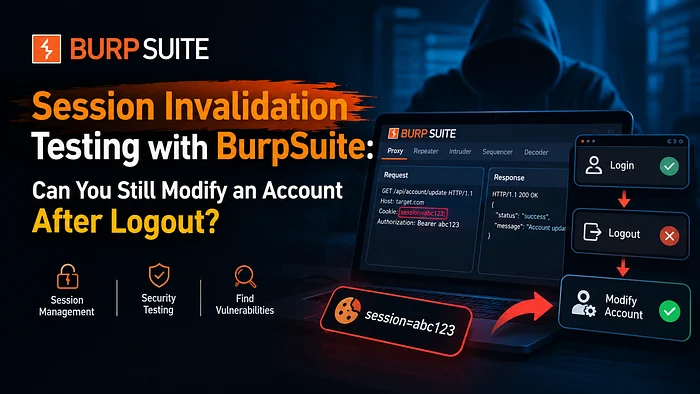
The image at the top of the article is described in the article itself as AI generated. It is the header illustration for the piece.
The idea being tested: session invalidation
Before the steps, it helps to understand the words in the title.
A session is the period during which a website remembers that you are logged in. Think of it as a wristband at a festival: you show your ticket once at the gate, get the wristband, and after that you just show the wristband to get into the stages. You do not show your ticket again every time.
A session identifier is the unique code on that wristband. Websites often store it in a cookie, which is a small piece of text your browser keeps for a particular site and sends back with every request to that site. The article mentions PHPSESSID as an example of a cookie name that some websites use for this purpose. It is only an example of how session identifiers may be stored, not the cookie seen in this test.
Session invalidation means cancelling the wristband. When you log out, the website should mark that identifier as dead on its own side, so that anyone still holding a copy of it gets turned away.
The article makes an important distinction here. Redirecting you to the login page, or deleting the cookie from your browser, only changes what your browser does. It does not necessarily change what the server will accept. If the server still recognises the old identifier, the session has not really been invalidated, even though your screen looks logged out.
A second distinction matters just as much: a successful-looking response does not prove the session is still valid. The article says the actual account modification and the server-side authentication behaviour must also be verified. In other words, do not trust the website saying "done"; go and look at the account.
The tools, explained from scratch
Three things were used.
- Burp Suite Proxy. Burp Suite is a program that sits between your browser and a website and lets you watch, pause and edit the traffic going back and forth. The Proxy part is the listening post: it records every request your browser makes. A request is simply the message your browser sends to a website, for example "please change my name to X". A response is the website's reply.
- Burp Suite Repeater. This is a part of Burp Suite that lets you take a request you captured and send it again, as many times as you like, without clicking through the website again. Think of it as a recorded phone message you can replay on demand.
- A web browser. Used to use the website normally: register, log in, change the name, log out, and check the result.
The test was done on an account the author controlled. The article states plainly that testing should always be performed on systems you own or are explicitly authorised to assess. That is the ethical and legal baseline for any security testing: you do not poke at someone else's website without permission. No Burp Suite version is given.
The finding
The author captured a name-change request, sent it to Repeater, logged out of the application, and then replayed the same request. The server returned a successful response, and the account name appeared to change again.
That raised the question the article is built around: does the application properly invalidate authenticated sessions on logout?
As noted above, the author did not stop at the success message. They checked the account state, because a status code alone proves nothing. This is a habit worth copying: verify the effect, not just the reply.
The test, step by step
Step 1: Create an account and log in
The author registered a test account and logged in normally. After logging in, they went to the profile settings page, where the application allowed the account name to be changed.
Why this step? To establish a baseline. Before testing anything unusual, you confirm the feature works in the ordinary way. If the name change had failed while logged in, any later result would be meaningless. The baseline says: this button works, this request does what it claims.
Step 2: Capture the name-change request
With Burp Suite open, the author captured the request that the browser generated when changing the account name. That request contained the profile field being changed and the session cookie the application uses to recognise the user. The author sent it to Repeater so it could be resent without repeating the whole browser workflow, then modified the name value and submitted it, confirming the application processed the change successfully.
Why this step? Because you cannot replay something you have not saved. Capturing the request turns a one-off click into a reusable object you can send again later, after logging out, when the browser itself would no longer be able to make that request.
The article does not reproduce the raw request, so the address, the field name and the cookie name are not shown. The only cookie name mentioned anywhere in the article is PHPSESSID, and that is given as a general example of how session identifiers may be stored, not as the cookie observed in this test.
Step 3: Log out of the application
After confirming normal behaviour, the author went back to the browser and logged out using the application's own logout function.
The expectation was simple: the session should be revoked, and any later request relying only on that dead session should no longer be allowed to modify the account. This is the moment the wristband is supposed to be cancelled.
Step 4: Replay the captured request
The author returned to Repeater and resent the previously captured name-change request, using the original session cookie. The server returned a success response, suggesting the request had been processed despite the logout. The author then checked the account state to see whether the name had actually changed.
Why this step? This is the heart of the test. If the server had refused, the story would end there and the logout would be working. The interesting outcome is acceptance, and the interesting follow-up is whether acceptance meant anything real.
Step 5: Verify the result
The account name appeared to change after logout. The article calls this the key observation, because it goes beyond a friendly HTTP response and indicates the requested modification actually took effect.
Even so, the author is careful. The behaviour warrants further investigation as a potential session invalidation vulnerability, but more testing is needed to establish whether the server genuinely accepted a revoked session, or whether something else explains it, such as a still-active session in another browser context. In plain terms: the result is suspicious and worth chasing, but it is not yet a proven root cause.
What could cause this
Several implementation issues could explain the result. Finding out which one applies requires looking at how the application manages sessions and processes authenticated requests. The article lists four possibilities.
- The server-side session is not invalidated. The logout handler may end the browser's local state without revoking the matching session on the server. If the backend still recognises the old identifier, previously captured requests may keep working. In hotel terms: reception took your card but never told the door to forget it.
- Logout clears only the browser cookie. Some applications delete the cookie from the browser but leave the server-side session alive. The browser looks logged out, yet anyone holding the original identifier can still make authenticated requests. The wristband is gone from your wrist, but the gate still accepts it.
- The endpoint does not enforce authentication correctly. A profile modification endpoint should check that the request belongs to a currently logged-in session. If it relies on weak checks or trusts stale login state, it may allow operations that should have been rejected. Here, endpoint means a specific address on the server that performs a specific job, like a service counter for one task.
- The test environment retains another active session. Multiple browser sessions, session renewal, or application-specific login behaviour could also affect the result. These possibilities should be ruled out before blaming improper session invalidation.
The article does not confirm which of these applies. The article does not confirm which of these applies; the root cause was not established.
Why it matters
If the server accepts a revoked session after logout, the impact depends on what the application can do and what privileges that session carries. An attacker who has obtained a valid session identifier may be able to keep performing logged-in actions after the legitimate user believes the session has ended. Depending on the design, those actions could include profile changes or other sensitive operations.
For this particular test, the demonstrated impact is the ability to change the account name after logout. The article is explicit that access to other account functions, exposure of sensitive information, or account takeover should not be claimed unless separately demonstrated. That restraint is part of good reporting: describe what you saw, not what you imagine.
The risk may be greater on shared devices, or where a session token has been exposed, which makes proper logout handling an important part of protecting accounts.
If further testing confirms that the server accepts a session that was successfully revoked during logout, the finding may be classified as an improper session invalidation issue. The article cites two references.
| Reference | Relevance |
|---|---|
| CWE-613: Insufficient Session Expiration | Potentially relevant when a session remains usable beyond its intended lifetime |
| OWASP Top 10: A07:2021, Identification and Authentication Failures | Broader category for authentication and session-management weaknesses |
CWE is a public catalogue of common software weakness types, each with a number, so people can talk about the same problem consistently. OWASP Top 10 is a widely used list of the ten most serious categories of web application security risk. The article stresses that the final classification should match the verified root cause: a successful profile change after logout does not automatically establish a particular CWE or OWASP category. Severity should follow demonstrated impact, exploitability and context. A confirmed issue affecting only a low-risk profile field may deserve a different rating from one that allows continued access to sensitive account functions.
How to fix it
The article recommends managing sessions on the server rather than relying on the browser.
- Invalidate sessions on logout. The logout endpoint should revoke the active session on the server, not just delete the browser cookie.
- Validate authentication on every protected request. Account modification endpoints should check that the session is active and authorised before doing anything.
- Reject revoked session identifiers. Once a session has been invalidated, replaying a request with its old identifier should not restore access.
- Manage session expiration and rotation. Applications should enforce sensible expiry rules and change session identifiers when the login lifecycle calls for it. Rotation means issuing a fresh identifier at key moments, so an old one stops being useful.
- Test logout across sensitive endpoints. Security testing should confirm that previously captured requests cannot perform protected actions after the session has been revoked.
The article does not say whether any of these changes were made; it presents them as recommendations.
Glossary
- API: a way for one piece of software to talk to another, like a service counter where you ask for something specific and get a specific answer.
- API key: a long secret code that lets a program act on your behalf, similar to a password for software.
- Absolute expiry: a hard limit on how long a session can last, no matter how active the user is.
- Baseline: the normal, expected behaviour of a feature, recorded before testing anything unusual so later results can be compared against it.
- Burp Suite: a tool that sits between your browser and a website so you can watch, pause, edit and resend traffic.
- Burp Suite Proxy: the part of Burp Suite that records the requests your browser sends and the responses it receives.
- Burp Suite Repeater: the part of Burp Suite that lets you resend a captured request as many times as you like.
- Cookie: a small piece of text a website asks your browser to keep and send back with later requests, often used to remember that you are logged in.
- CWE: a public catalogue of common software weakness types, each with a number, so people can refer to the same problem consistently.
- CWE-613: the catalogue entry for Insufficient Session Expiration, where a session stays usable longer than it should.
- Endpoint: a specific address on a server that performs a specific job, such as changing a profile name.
- HTTP request: the message your browser sends to a website asking it to do something.
- HTTP response: the website's reply to a request, including a status code and usually some content.
- Idle expiry: logging a user out after a period of inactivity.
- MFA (multi-factor authentication): proving who you are with more than one thing, such as a password plus a code from your phone.
- OWASP Top 10: a widely used list of the ten most serious categories of web application security risk.
- OWASP Top 10 A07:2021: the entry for Identification and Authentication Failures, a broad category covering login and session-management weaknesses.
PHPSESSID: an example name for a cookie that some websites use to store a session identifier.- Privilege: the level of access an account has, for example a normal user versus an administrator.
- Replay: sending a previously captured request again, unchanged or nearly unchanged.
- Request: see HTTP request.
- Response: see HTTP response.
- Rotation: issuing a fresh session identifier at key moments so that an old one stops being useful.
- Server-side: happening on the website's own computers rather than in your browser.
- Session: the period during which a website remembers that you are logged in.
- Session cookie: the cookie that carries the session identifier.
- Session identifier: the unique code that stands in for your login, like the code on a festival wristband.
- Session invalidation: cancelling a session so that its identifier no longer grants access.
Set-Cookie: the instruction a server sends to tell the browser to store or delete a cookie.- Status code: the number in a response that says broadly what happened, such as success or refusal.
- Token: a general word for a piece of data that stands in for something else, such as proof that you are logged in.
- Vulnerability: a weakness in software that could be misused to do something the owner did not intend.

