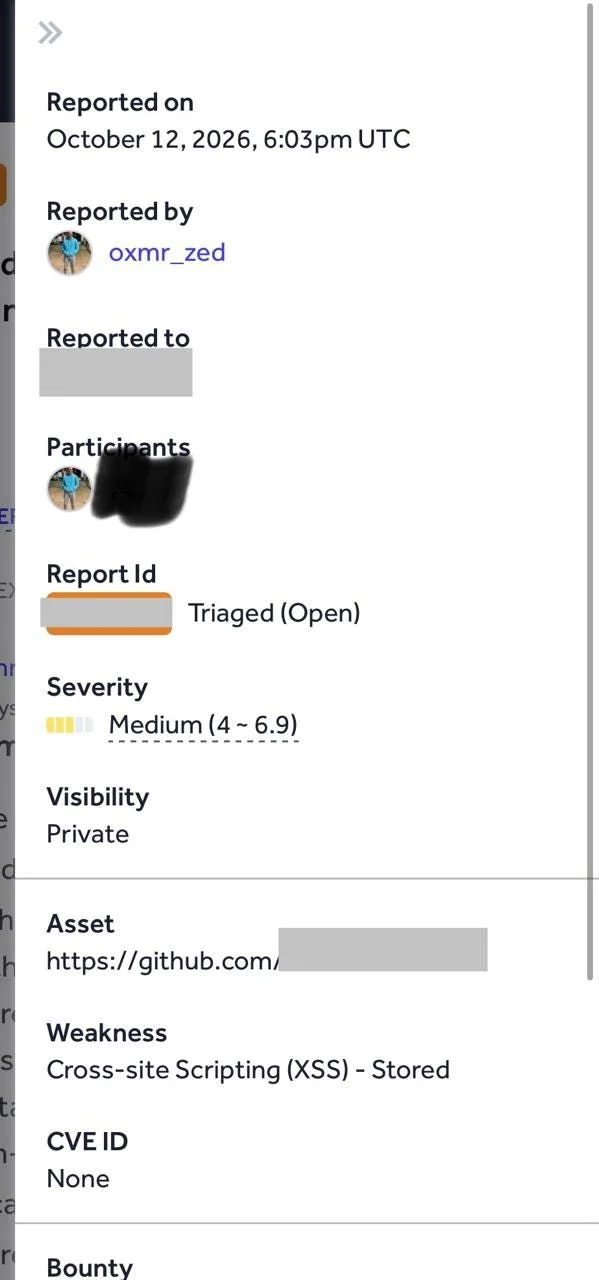
Stored XSS in an Admin Alert Component via an Admin-Editable Store Name
The admin alert component renders its message with .html_safe, disabling HTML escaping. A store name, which an admin can edit, is interpolated into a bulk store-destroy failure message through a non-_html I18n key and joined with a raw <br/>, so a store name containing HTML/JS executes in the admin's browser when that alert renders.
 Published on medium.com
Cybersecurity
The full write-up lives on its author's site
It belongs to its author, so we link to it rather than copy it. The other two tabs are our own rewrites, checked against it.
Context
The target is the admin panel of a Ruby on Rails e-commerce platform. The feature at the centre of the finding is the admin alert component, a small view partial that renders a flash message to the administrator. In normal use it displays short status text after an admin action, for example the summary shown when a bulk store-destroy operation only partially succeeds.
The alert component is not the only notification mechanism in the admin. Everything else in the admin goes to an auto-escaping Toast component. The alert component is the exception: it is wired to flash[:alert], and it renders its message as raw HTML. The report describes this as the one path where the escaping Rails normally provides is switched off end to end.
Setup
The report does not describe a specific account setup, tooling or version numbers. The relevant preconditions are structural rather than environmental:
- Access to the admin panel, with the ability to edit a store's Name field.
- The ability to trigger a bulk store-destroy operation that fails for at least one store, for example by attempting to delete the default store or a store that cannot be removed.
- For the impact to extend beyond self-XSS, a deployment with multiple admins or role separation, where a lower-trust admin can edit a store name and a higher-trust admin later views the failure alert.
The researcher confirmed the payload was rendered verbatim into the DOM on a live install, and also built a script that renders the real admin Alert component using the controller's exact message-construction path, so the result reflects production rendering rather than a mock.
Finding it
The starting point is the sink. The admin alert component renders its message like this:
<p class="font-normal text-sm text-black leading-none"><%= @message.html_safe %></p>
Rails escapes interpolated output by default. Calling .html_safe on the message explicitly turns that protection off: whatever string arrives in @message is written into the DOM as raw HTML. That is only safe if every caller guarantees the message is already sanitised, and nothing enforces that guarantee.
The second half is the source. The one channel routed to this unescaped component is the flash[:alert] raised when a bulk store-destroy partially fails. The controller builds its summary like this (simplified in the report):
failure_summary = failed.map { |record| t(".error.description", name: record.name, reason: ...) }.join("<br/>")
Two details make the store name dangerous on this path:
- The locale key is the plain one,
description: "%{name}: %{reason}", not a_htmlkey. In Rails, only*_htmlI18n keys auto-escape their interpolations; a plain key does not escape%{name}. - The pieces are joined with a raw
"<br/>"string rather than a safe join, so the whole result stays an ordinary, unsafe string carrying the raw name.
An unescaped store name therefore travels, unescaped, all the way into a component that renders it unescaped. Everything else in the admin goes to the auto-escaping Toast component; flash[:alert] is the one path wired to the unescaped Alert component.
Exploitation
Step 1: Set the store name to a payload
In the admin, set a store's Name to:
<img src=x onerror=alert(document.cookie)>
The store name is an admin-editable field, so this is a normal edit operation.
Step 2: Trigger a failing bulk store-destroy
Trigger a bulk store-destroy that fails for at least one store, for example by attempting to delete the default store or a store that cannot be removed. The failure causes the controller to build the failure summary from the names of the stores that could not be deleted.
Step 3: Observe the alert render the payload
The failure alert renders, and the store name executes as HTML/JS in the admin's browser. The researcher's script reproduces the controller's message construction and then renders the actual component, checking whether the payload came out raw or escaped. The first stage rebuilds the flash message string:
=== admin stored XSS via store name (rendered component) ===[1] built flash message string: "<img src=x onerror=alert(document.cookie)>: can't be deleted" html_safe? false (interpolation did NOT escape the name) contains raw payload? true
The built string contains the payload verbatim, and the interpolation did not escape the name. The second stage renders the component and inspects the message paragraph:
[2] rendered component HTML (message paragraph): <p class="font-normal text-sm text-black leading-none"><img src=x onerror=alert(document.cookie)>: can't be deleted</p>==============================payload rendered RAW (executable): truepayload rendered ESCAPED (safe): falseRESULT: STORED XSS CONFIRMED (store name rendered unescaped in admin)
The payload is written into the paragraph verbatim: the <img> tag is live markup, not escaped text, which is what makes the onerror handler fire. The report states that on a live install the payload was rendered verbatim into the DOM, not escaped.
Root cause
The bug is an output-escaping failure with two halves that line up badly.
At the sink, .html_safe on @message opts the alert component out of Rails' default escaping. The component trusts every caller to pass an already-sanitised string, and nothing enforces that.
At the source, the bulk store-destroy failure summary is built from the store name through a plain I18n key. Only *_html keys auto-escape their interpolations in Rails, so %{name} is inserted raw. The pieces are then joined with a raw "<br/>" string rather than a safe join, so the result remains an ordinary unsafe string. The unescaped name reaches the unescaped sink unchanged.
Existing defences did not stop it because the admin's other notifications use the auto-escaping Toast component, and this single flash[:alert] path is the one wired to the unescaped Alert component. The escaping Rails would normally do for free is switched off along the entire path.
Impact
The concrete impact is JavaScript execution in the admin context. The report gives two scenarios:
- In a multi-admin or role-separated deployment, a lower-trust admin who can edit a store name can land script in a higher-trust admin's session when the failed bulk-destroy alert renders. That enables session and CSRF-token theft, and actions performed as the victim admin.
- In a single-admin store it is self-XSS, which is why the overall rating is Low.
Beyond this one path, the hard-coded .html_safe is a latent footgun: any future flash[:alert] assignment that happens to carry user-influenced data becomes XSS for free, with no extra mistake required.
Fix
The report does not state what was changed. The fix implied by the analysis is to stop opting out of escaping on this path: remove .html_safe from the alert component, or sanitise the message before it is marked safe, and build the failure summary so that the store name is escaped, for example by using an escaping _html I18n key and a safe join instead of a raw "<br/>".
Variants to test
- Other
.html_safesinks. Search the codebase for.html_safe,raw, andhtml_safeon strings built from model attributes. A positive result is a field an admin or user can edit appearing as live markup in the rendered page. - Plain I18n keys with interpolation. Look for
t(...)calls that interpolate user-controlled values through keys without the_htmlsuffix. A positive result is the value appearing unescaped in the output. - Raw joins. Look for
.join("<br/>")or similar string joins that assemble messages from user-influenced data. A positive result is the joined string reaching a sink without escaping. - Flash paths. Compare which flash keys are rendered by escaping components and which by unescaped ones. A positive result is a
flash[:alert]or similar assignment carrying user-influenced data into an unescaped component. - Role-separated admin flows. In deployments with multiple admin roles, check whether a lower-privileged admin can edit fields that appear in alerts shown to higher-privileged admins. A positive result is script execution in the higher-privileged session after the alert renders.
What happened, in plain words
A shop website has an admin area, a private set of pages where staff manage the shop. One of the things staff can edit there is a store's Name. The admin area also shows small messages after an action, for example a summary when a bulk delete only partly succeeds. One of those messages is built from the store names, and it is displayed in a way that treats the text as if it were part of the page's code rather than as plain text. So if a store name contains code, the browser runs that code.
That is the whole bug. A person who can edit a store name can put a small piece of code in it. When a later bulk store-destroy partly fails and the failure message is shown, the code runs inside the admin's browser, with the admin's permissions. The report calls this stored XSS: the malicious text is saved on the server (stored), and it runs later when someone views it.
Background: what the pieces are
Before the details, a few ideas that come up throughout.
- Ruby on Rails is a toolkit for building websites. It has a default safety habit: when it puts a value into a web page, it escapes it. Escaping means turning characters that have special meaning in HTML into harmless look-alikes. For example,
<becomes<. The browser then shows the character on screen instead of treating it as the start of a tag. Think of it as putting a letter in a sealed envelope: the postal service still delivers it, but nobody can read it as an instruction. - HTML is the language web pages are written in. Text between
<and>is a tag, an instruction to the browser such as "show an image here". If user text is inserted without escaping, the browser cannot tell the difference between your text and a real instruction. - JavaScript is the programming language browsers run. It can read the page, read cookies, and send requests. A tag can carry a small JavaScript instruction, for example an
onerrorhandler that runs when an image fails to load. - A cookie is a small piece of data a website stores in your browser so it can recognise you on the next request. In an admin area, a cookie often holds the proof that you are logged in. If someone else's code runs in your browser, it can read that proof.
- A CSRF token is a secret value placed in forms so the server can tell that a request really came from the site's own pages and not from a malicious page elsewhere. If code runs in your browser, it can read this token too.
- XSS (cross-site scripting) means getting your own code to run inside someone else's browser session on a website. Stored XSS means the code was saved on the server first, so it runs for whoever views the affected page later.
- A sink is the place where data finally gets written into the page. A source is where that data came from. Most escaping bugs are a bad pairing of the two: dangerous data from a source reaching a sink that does not escape it.
- I18n (internationalisation) is Rails' system for text in multiple languages. Text is looked up by a key, and values can be inserted into it with placeholders such as
%{name}. Some keys end in_htmland are treated as HTML; those escape the inserted values automatically. Plain keys do not. - A flash message is Rails' way of showing a one-time message after an action, for example "saved" or "could not delete". It is stored briefly and shown on the next page.
The two halves of the bug
The sink: a component that switches escaping off
The admin alert component, the small piece of the page that shows the message, renders its text like this:
<p class="font-normal text-sm text-black leading-none"><%= @message.html_safe %></p>
Line by line:
<p class="...">starts a paragraph and gives it styling classes. The classes only affect appearance.<%= @message.html_safe %>is the important part.@messageis the text the component was given..html_safeis a Rails method that tells Rails: "this text is already safe HTML, do not escape it". Rails then writes it into the page exactly as it is.</p>closes the paragraph.
Rails would normally escape @message for free. Calling .html_safe turns that protection off. This is only safe if every single place that sends text to this component has already cleaned it. Nothing in the code enforces that promise, so the component is trusting its callers blindly.
The source: a message built from the store name
Only one path sends text to this unescaped component: the alert raised when a bulk store-destroy partly fails. The controller, the part of the code that handles the request, builds the summary like this (the report shows a simplified version):
failure_summary = failed.map { |record| t(".error.description", name: record.name, reason: ...) }.join("<br/>")
Line by line:
failedis the list of stores that could not be deleted..map { |record| ... }goes through that list and turns each store into a short piece of text.t(".error.description", name: record.name, reason: ...)looks up a translated sentence and fills in two placeholders: the store's name and the reason it failed..join("<br/>")glues all those pieces together with an HTML line break between them.
Two details make the store name dangerous here:
- The translation key is the plain one,
description: "%{name}: %{reason}", not a_htmlkey. In Rails, only*_htmlkeys escape the values inserted into them. A plain key inserts%{name}exactly as it was typed. - The pieces are joined with a raw
"<br/>"string, not a safe join. So the whole result stays an ordinary string, and Rails treats ordinary strings as untrusted.
So the store name travels unescaped from the database, through the translation, through the join, into a component that also does not escape. Everything else in the admin goes through a different notification component, a Toast, which does escape. This one flash[:alert] path is the exception.
Steps to reproduce
- In the admin, set a store's Name to:
<img src=x onerror=alert(document.cookie)>
This is a normal edit: the name field is meant to be editable.
-
Trigger a bulk store-destroy that fails for at least one store, for example by trying to delete the default store or a store that cannot be removed. This step is needed because the failure is what makes the server build the summary from the store names.
-
The failure alert appears, and the store name runs as HTML and JavaScript in the admin's browser.
Proof of concept and results
The researcher did not only describe the bug. They wrote a script that renders the real admin alert component using the same message-building code as the controller, so the result reflects what production would show, not a mock-up. The script does two things: first it rebuilds the message the way the controller does, then it renders the actual component and checks whether the payload came out raw or escaped.
First stage, building the message:
=== admin stored XSS via store name (rendered component) ===[1] built flash message string: "<img src=x onerror=alert(document.cookie)>: can't be deleted" html_safe? false (interpolation did NOT escape the name) contains raw payload? true
What this shows:
- The built message contains the payload exactly as typed, followed by
: can't be deleted. html_safe? falsemeans the string is still an ordinary, untrusted string at this point. That is expected: the problem is not that it is marked safe here, but that the component marks it safe later.contains raw payload? trueconfirms the translation step did not escape the name.
Second stage, rendering the component:
[2] rendered component HTML (message paragraph): <p class="font-normal text-sm text-black leading-none"><img src=x onerror=alert(document.cookie)>: can't be deleted</p>==============================payload rendered RAW (executable): truepayload rendered ESCAPED (safe): falseRESULT: STORED XSS CONFIRMED (store name rendered unescaped in admin)
What this shows:
- The paragraph contains the
<img>tag as live markup, not as escaped text. If it had been escaped, you would see<img ...>instead. payload rendered RAW (executable): truemeans the browser would treat it as a real tag and run theonerrorcode.payload rendered ESCAPED (safe): falseconfirms the safe outcome did not happen.- The final line states the conclusion: stored XSS confirmed.
The report states that on a live install the payload was rendered verbatim into the page, not escaped.
Why the existing defences did not stop it
Most admin notifications use the Toast component, which escapes its text. This one alert path uses a different component that does not. Rails' automatic escaping is a strong default, but it can be switched off one call at a time, and here it was switched off at both ends of the path: the message was built without escaping, and the component rendered it without escaping. Neither half is a problem on its own. Together they are.
Impact
The code runs in the admin's browser, with the admin's logged-in session. The report describes two situations:
- Several admins with different levels of trust. A lower-trust admin who can edit a store name can plant code that runs in a higher-trust admin's session when the failed delete alert appears. That allows stealing the session and the CSRF token, and performing actions as the victim admin.
- A single admin. The admin would be attacking their own session, which is called self-XSS. That is why the overall rating is Low.
There is also a longer-term risk. The hard-coded .html_safe stays in the component. Any future code that sends user-influenced text to this alert becomes an XSS bug immediately, with no further mistake needed.
Fix
The report does not say what was actually changed. The fix that follows from the analysis is to stop switching escaping off on this path: remove .html_safe from the alert component, or clean the message before marking it safe, and build the failure summary so the store name is escaped, for example with an escaping _html translation key and a safe join instead of a raw "<br/>". The report does not say which of these was applied.
Variants to test
If you are reviewing a similar application, these are the places to look:
- Other
.html_safesinks. Search the code for.html_safe,raw, andhtml_safeapplied to strings built from database fields. A positive result is a field an admin or user can edit appearing as live markup on the page. - Plain I18n keys with placeholders. Look for
t(...)calls that insert user-controlled values through keys without the_htmlsuffix. A positive result is the value appearing unescaped in the output. - Raw joins. Look for
.join("<br/>")or similar joins that assemble messages from user-influenced data. A positive result is the joined string reaching a sink without escaping. - Flash paths. Compare which flash keys are shown by escaping components and which by unescaped ones. A positive result is a
flash[:alert]or similar assignment carrying user-influenced data into an unescaped component. - Role-separated admin flows. In setups with several admin roles, check whether a lower-privileged admin can edit fields that appear in alerts shown to higher-privileged admins. A positive result is code running in the higher-privileged session after the alert appears.
Glossary
- Admin panel: the private part of a website where staff manage content and settings.
- Alert component: a small reusable piece of a web page that displays a message to the user.
- Bulk store-destroy: an action that tries to delete several stores at once.
- Cookie: a small piece of data a site stores in your browser, often used to keep you logged in.
- CSRF token: a secret value in forms that proves a request came from the site's own pages.
- Controller: the part of a web application that handles an incoming request and decides what to do.
- DOM: the browser's in-memory model of the page, which scripts can read and change.
- Escaping: converting characters with special meaning in HTML into harmless text so they are displayed, not executed.
- Flash message: a one-time message shown after an action, such as a success or failure notice.
- HTML: the language web pages are written in, using tags such as
<p>and<img>. - I18n: internationalisation, the system for translated text with placeholders such as
%{name}. - JavaScript: the programming language browsers run, able to read page data and send requests.
onerrorhandler: a JavaScript instruction attached to a tag that runs when the resource fails to load.- Payload: the piece of code an attacker wants to get executed.
- Ruby on Rails: a toolkit for building websites, with escaping on by default.
- Self-XSS: when someone runs malicious code in their own session, attacking only themselves.
- Sink: the place in code where data is written into the page.
- Source: the place in code where data comes from.
- Stored XSS: cross-site scripting where the malicious text is saved on the server and runs when someone later views it.
- Toast component: a notification component that escapes its text automatically.
- XSS (cross-site scripting): getting your own code to run inside someone else's browser session on a website.



