The ART of Chaining Vulnerabilities
The author describes two penetration testing projects where he chained multiple vulnerabilities to fully compromise the target. In the first, he decrypted a mobile app's configuration files to find an internal GitLab server, registered an account, discovered the admin username, brute-forced the password while bypassing a WAF, and used credentials from private repositories to pivot into databases and servers. In the second, he found a hidden registration page, exploited a leaked verification code, logged in with a phone number, and uploaded a JSP reverse shell to achieve remote code execution.
 Published on ahmdhalabi.medium.com
During my career, I had the chance to be part of an Operation Unit running projects on a high level scale. We had one goal to achieve: hacking the complete infrastructure of a target.
The full write-up lives on its author's site
It belongs to its author, so we link to it rather than copy it. The other two tabs are our own rewrites, checked against it.
Context
This write-up describes two red team style projects carried out against a company's infrastructure with no interaction from the target side. The stated purpose was to assess how much damage an attacker could cause after infiltrating the infrastructure. The author frames both projects as exercises in chaining vulnerabilities: using several small weaknesses together to reach a much larger impact than any single bug would give, ending in what he calls full remote access into the target.
The first project starts from a mobile application (an APK) and ends with the whole company owned. The second starts from a single IP address and ends with remote code execution on a server. The report gives no program name, no bounty figures and no CVSS scores; it is a narrative of the two engagements.
Setup
The tools named in the report are:
jadxorapktool, to decompile the Dex and APK files into readable Java and Smali code.- IDA Pro, to reverse engineer the native library.
- Shodan or Censys, as an alternative to direct port scanning when scanning is slow.
- A wordlist built by hand from open source research, for the administrator password.
No versions are given for any of the tools, and the report does not name the target, the application or the IP addresses involved.
Finding it
The first project begins with the APK in hand.
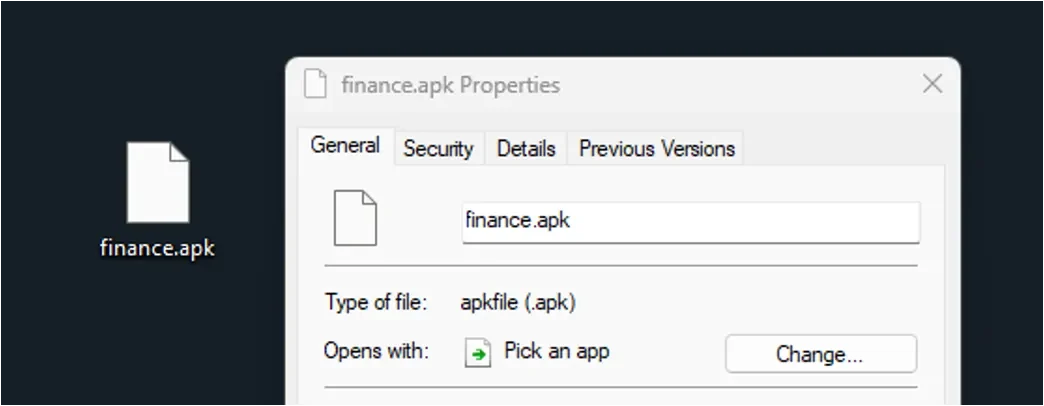
After decompiling, the author reviewed the source and noticed that the configuration files were encrypted with a JSC extension.
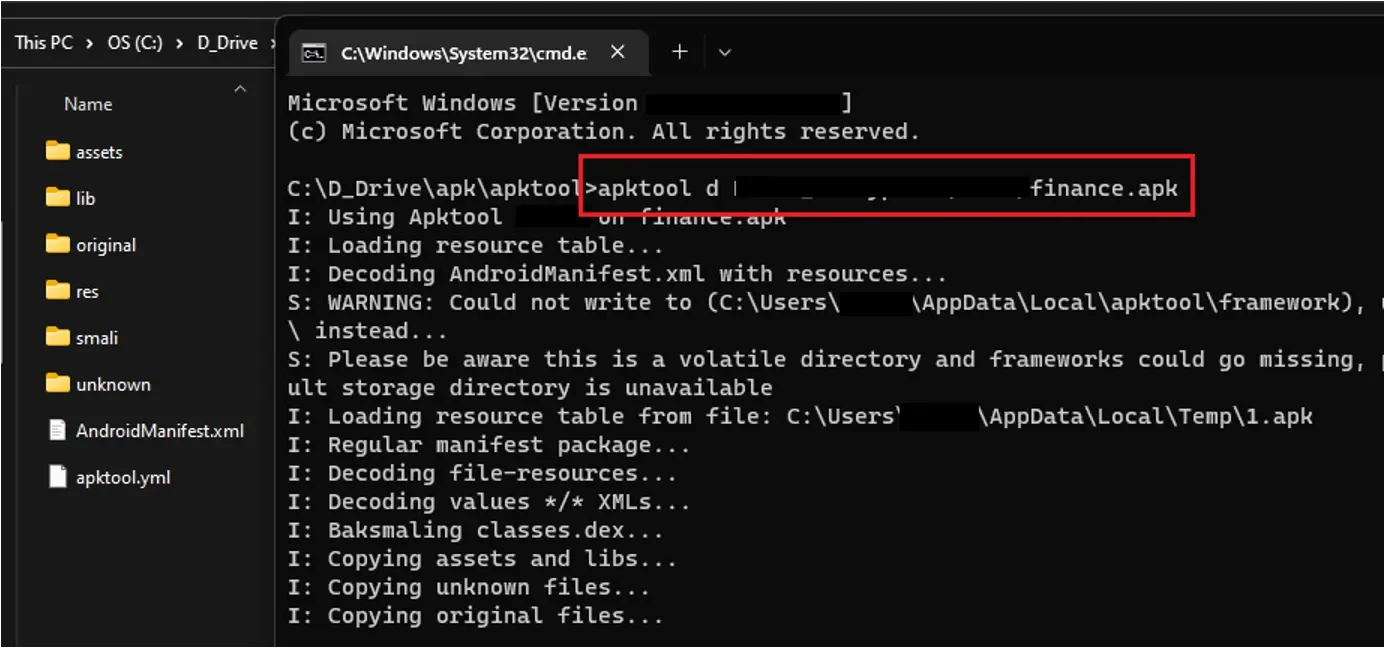
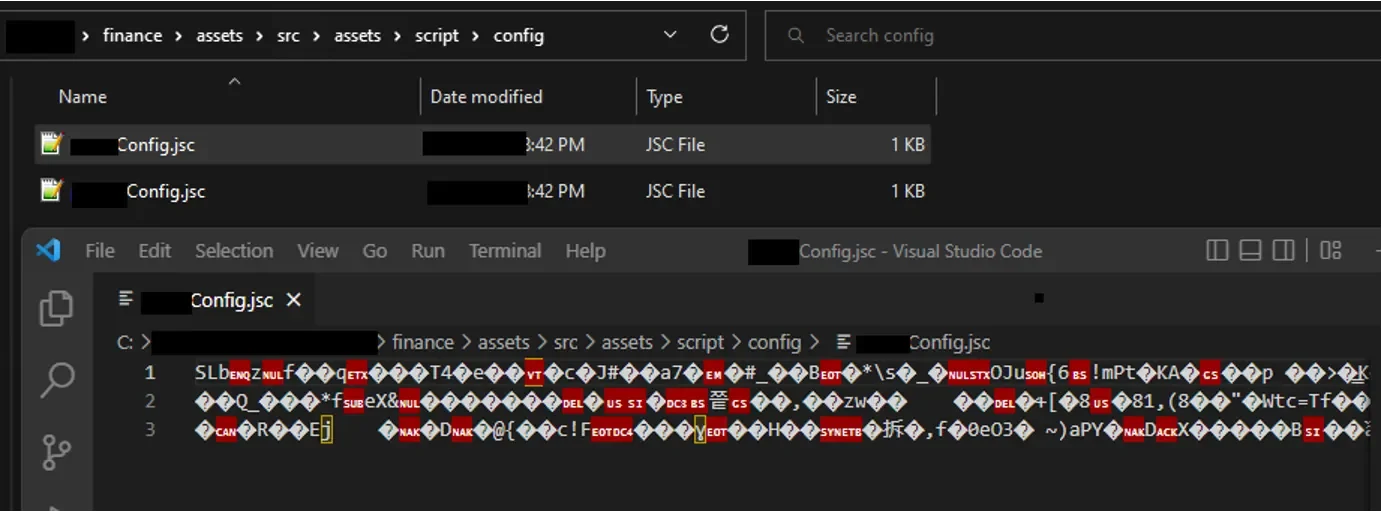
JSC stands for JavaScript compiled Script, which developers use to encrypt files containing sensitive information such as server IPs, credentials and secret keys. That is exactly the kind of data worth recovering, so the next step was to decrypt those files.
Exploitation
Step 1: Decompile the APK
The APK was decompiled with jadx or apktool, producing Java and Smali code for review.
Step 2: Identify the JSC encryption
Reviewing the decompiled source showed configuration files with the JSC extension. JSC is built on Cocos2d-x, an open source cross-platform development framework, so the author searched the decompiled application files for Cocos2d-x artefacts.
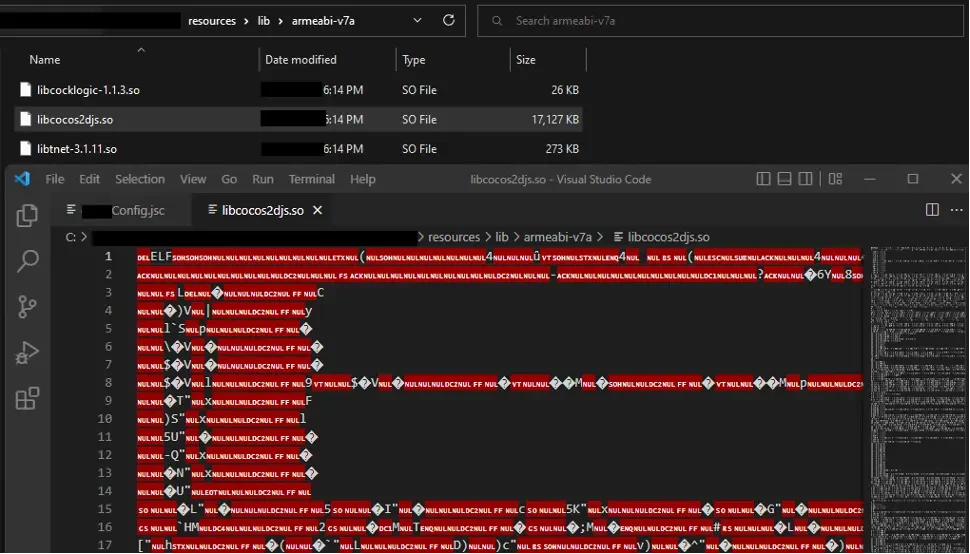
Step 3: Recover the XXTEA key
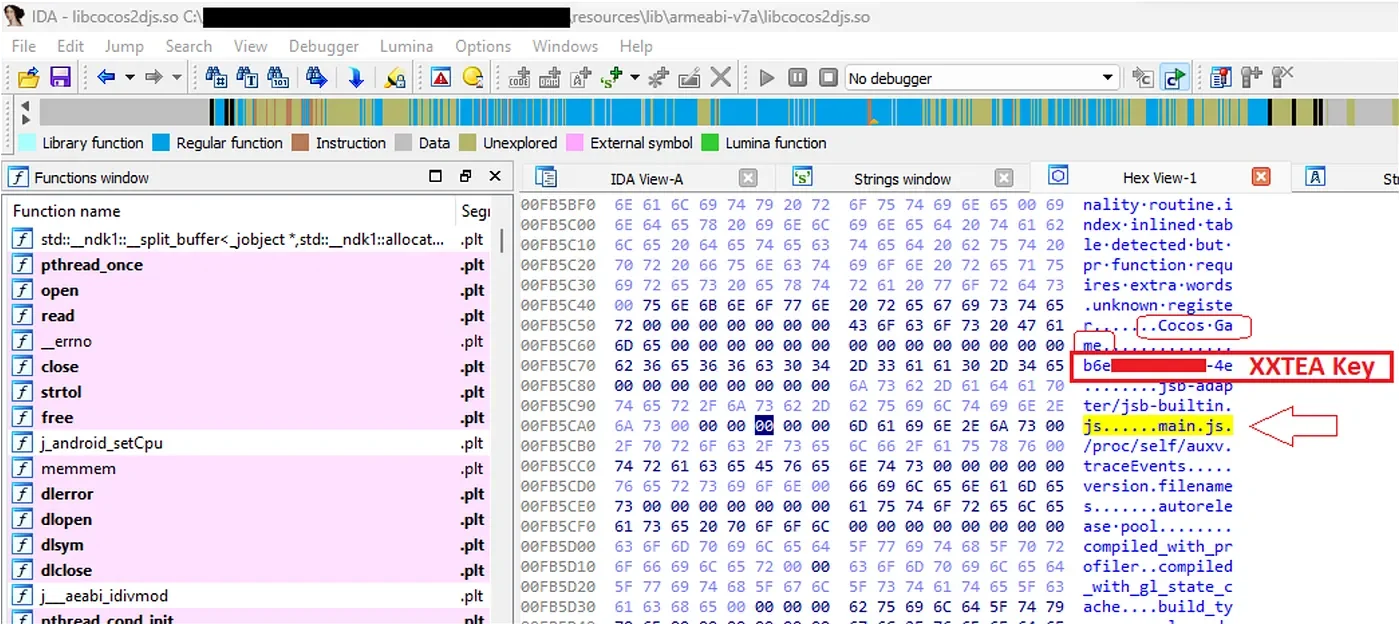
The libcocos2d-x.so file was reverse engineered with IDA Pro, looking for the main.js function. The goal was the XXTEA decryption key that Cocos2d-x uses to encrypt the files.
Step 4: Decrypt the JSC files
With the XXTEA key recovered, the JSC files were decrypted.
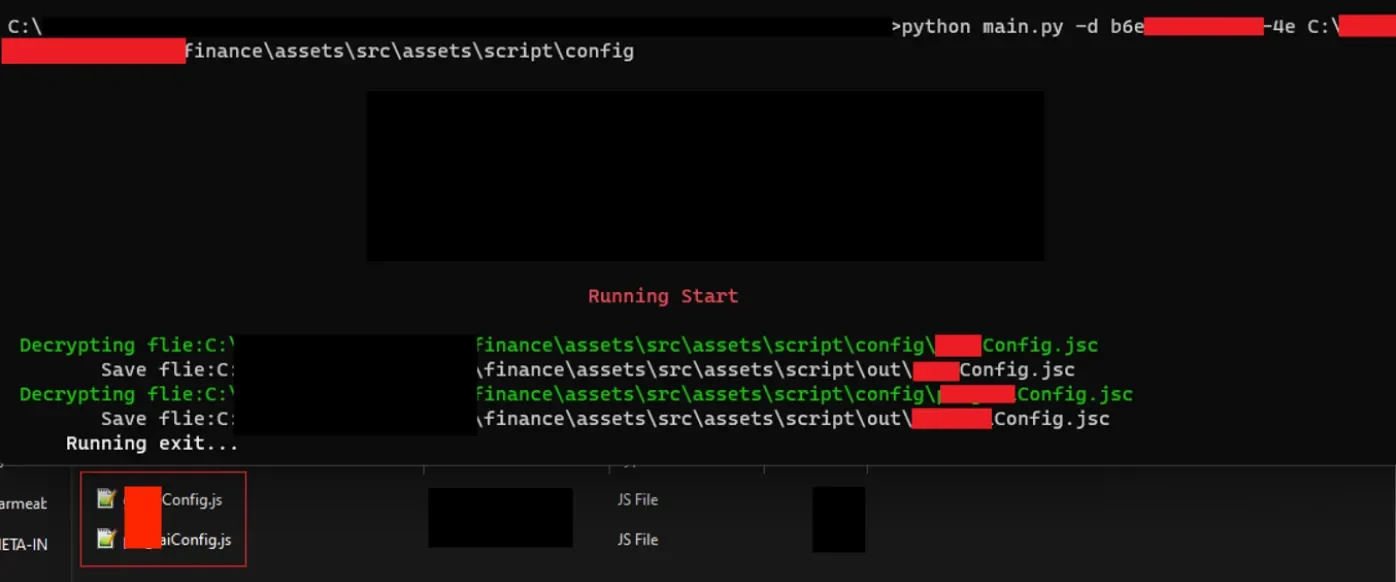
This yielded readable JavaScript and access to the source code. In the author's words, decrypting the JSC files broke the application encryption.
Step 5: Find an internal IP in the configuration
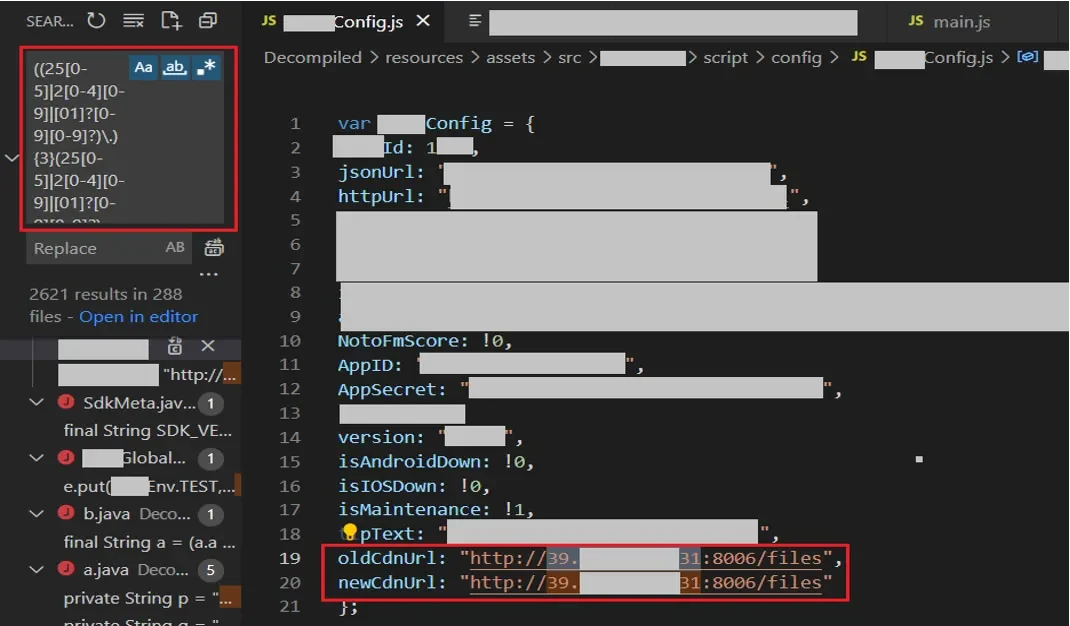
During source code review, one of the decrypted configuration files contained an interesting IP address.
Step 6: Port scan, then fall back to OSINT
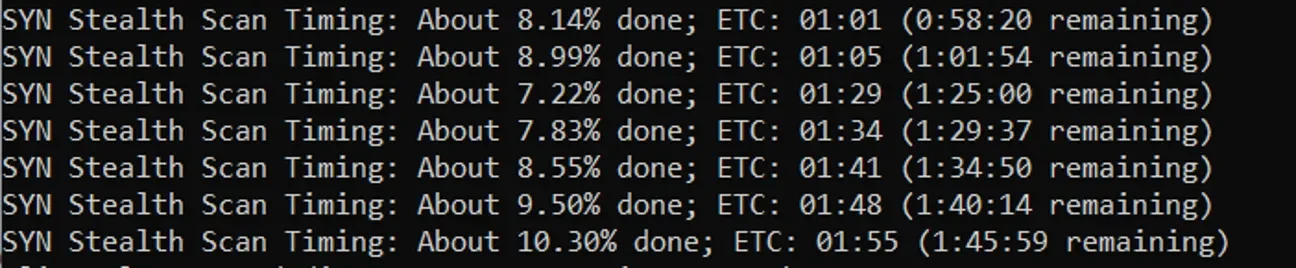
Port scanning the address produced huge delays in packets, which the author attributes to some form of protection.
As an alternative, he used open source intelligence (Shodan or Censys) to detect open ports, and found port 8100 running GitLab.
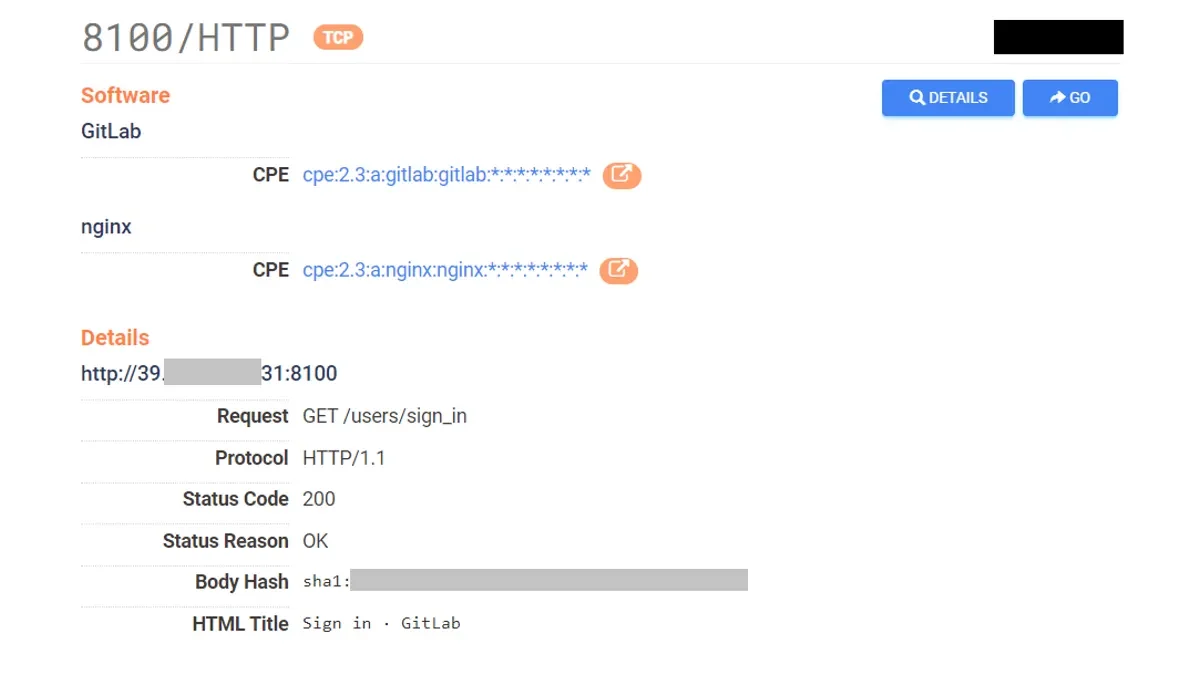
Step 7: Register on the exposed GitLab
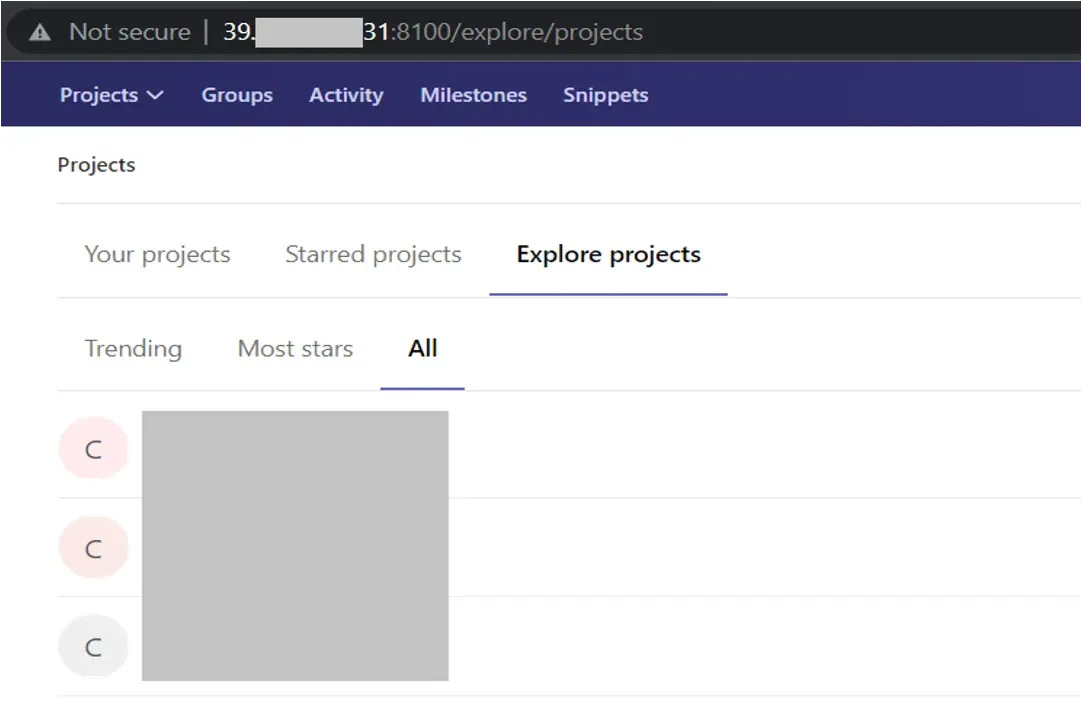
Navigating to the IP on port 8100 presented a GitLab page with a working Register button. The author registered an account and accessed the company's GitLab. No public projects were available to users with a normal role or privilege.
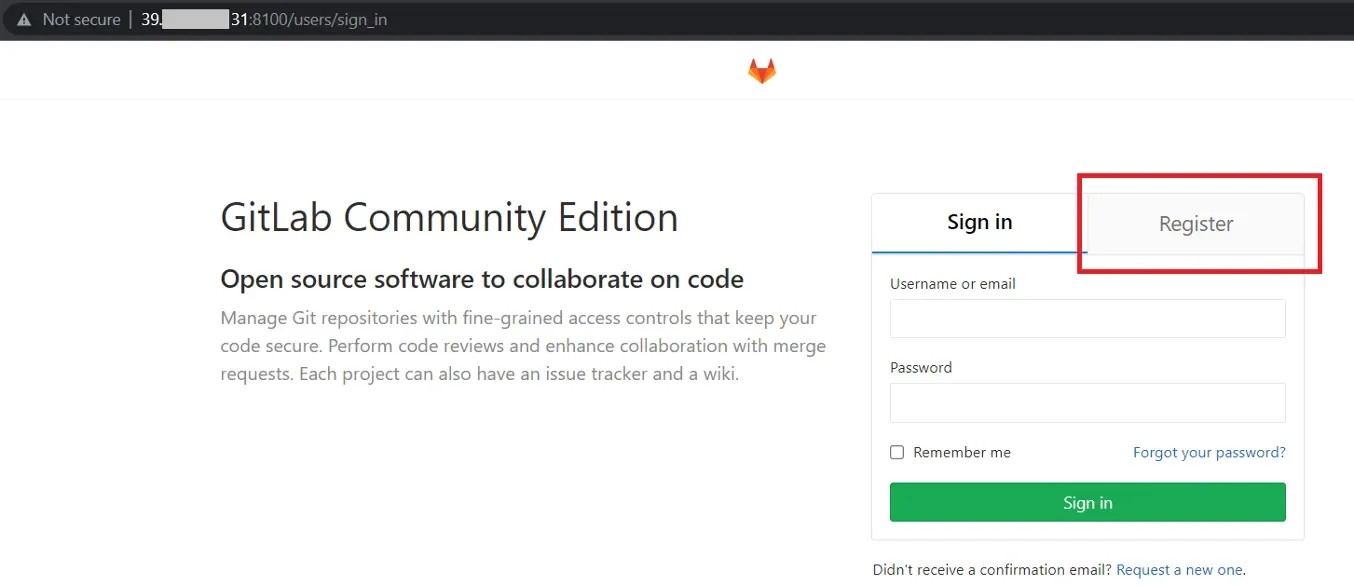
Step 8: Enumerate users through the API
Content discovery turned up the endpoint api/v4/users, which discloses user details. The username of the administrator was found there.
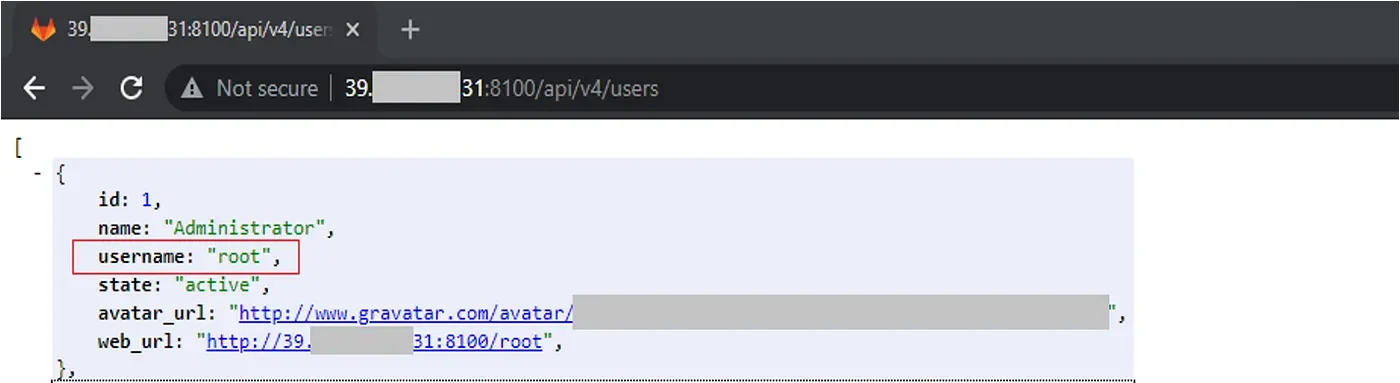
Step 9: Build a targeted wordlist
The author noted the username, logged out, and prepared to brute force the password for the admin account root. The wordlist was not random: he spent a couple of hours going through the company's social media profiles, open source sources such as GitHub, the website and any other source that would give him a proper understanding of the password the administrator might use.
Step 10: Bypass the brute force protection with X-Forwarded-For
The web application used a WAF to protect against brute force mechanisms. The author tricked the WAF and bypassed the brute force protection with the following header, incrementing the last octet by 1 for each request:
X-Forwarded-For:127.0.0.$1$
The $1$ placeholder is replaced by a counter that increases with every request, and the author describes this as tricking the WAF and bypassing the brute force protection.
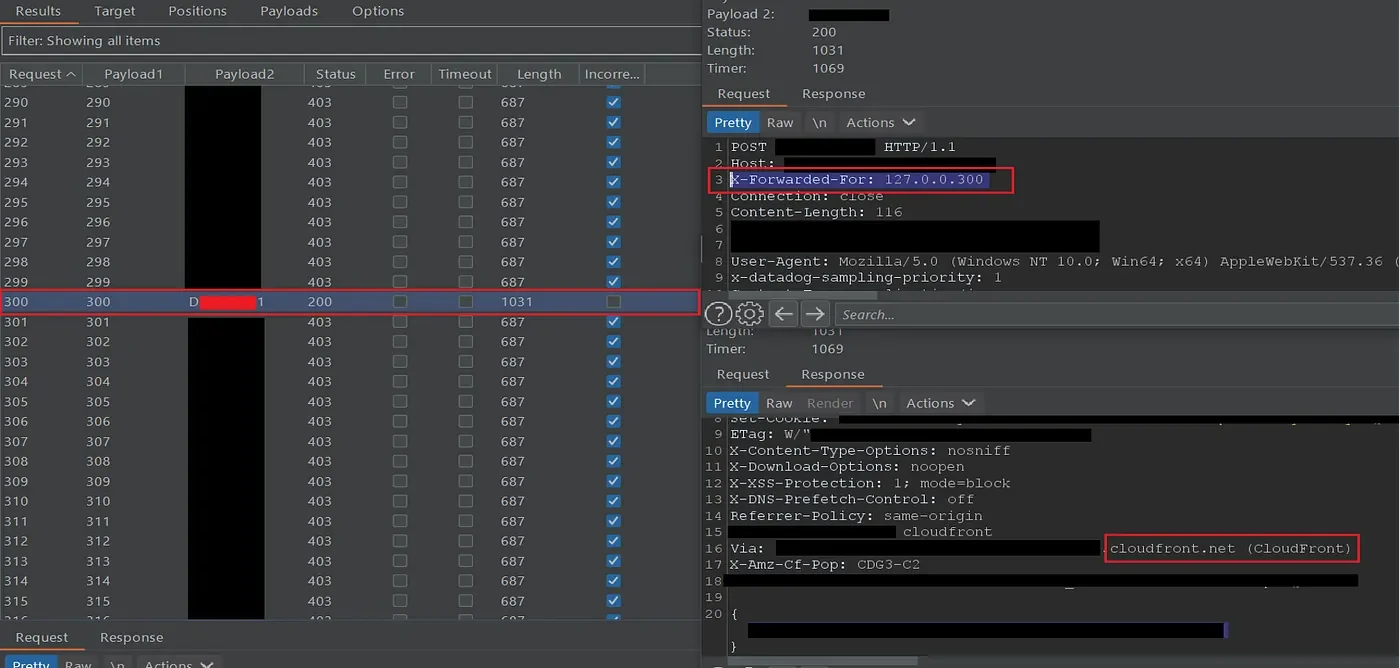
A successful login followed, which the author describes as breaking the WAF protection. At this point both the application encryption and the WAF protection were broken.
Step 11: Admin access to GitLab
With admin privileges on GitLab, the author could view the private repositories.
Step 12: Harvest credentials from the source code
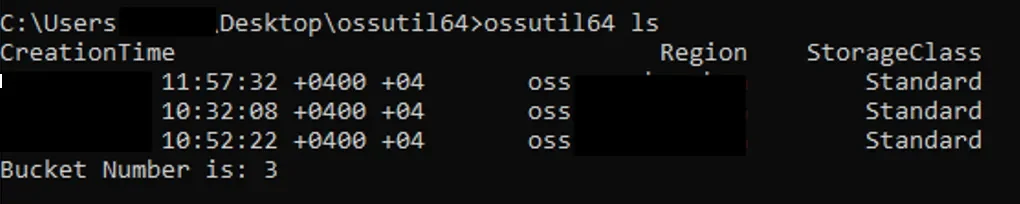
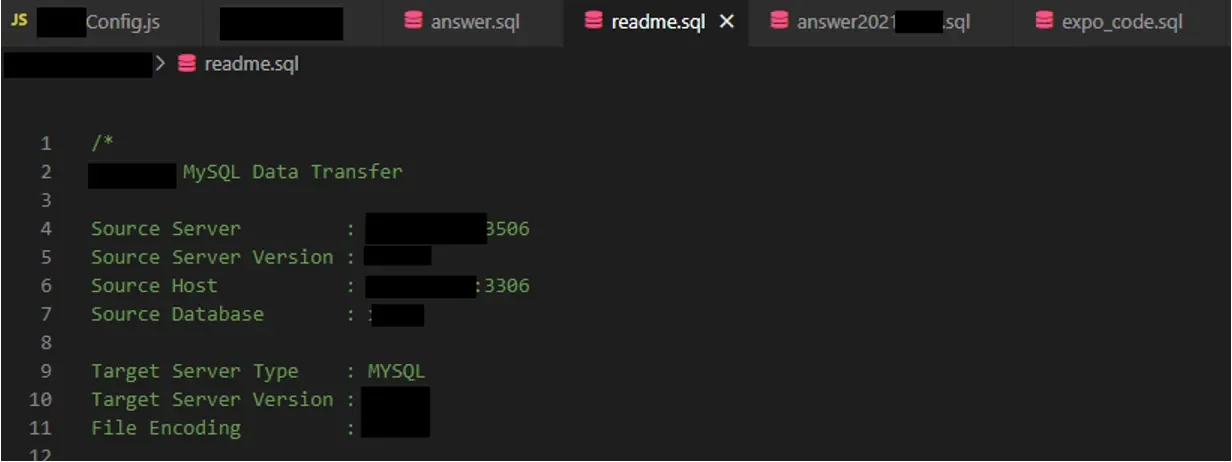
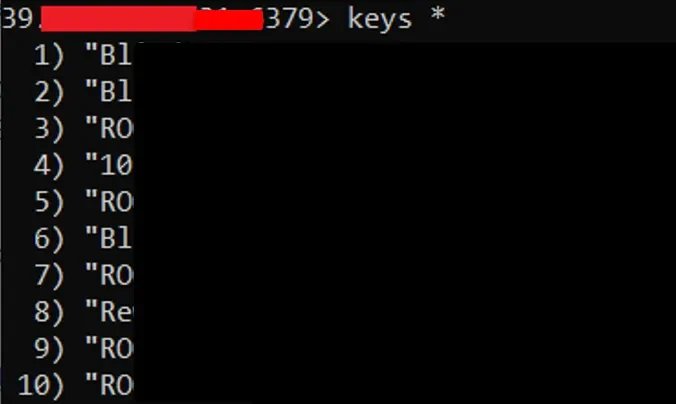
Reviewing the source code in those repositories revealed credentials for the company's infrastructure, including cloud databases, SQL databases and Redis.
Step 13: Recover the server credentials
From the databases, the author found the credentials of the target server: a username, and a password that was hashed but, in his words, easy to decode.
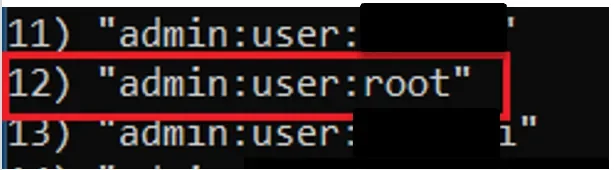

These credentials gave access to all the backend management systems.
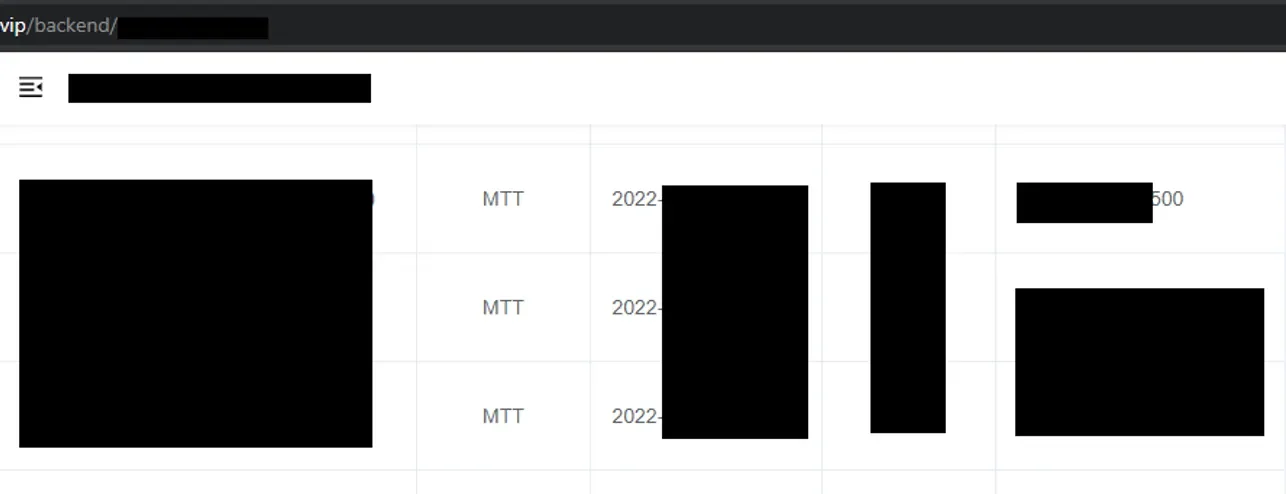
Step 14: Escalate Redis to RCE and pivot
From Redis, the author escalated to remote code execution and accessed another server. He then pivoted from one server to another, ending up with access to all the servers.
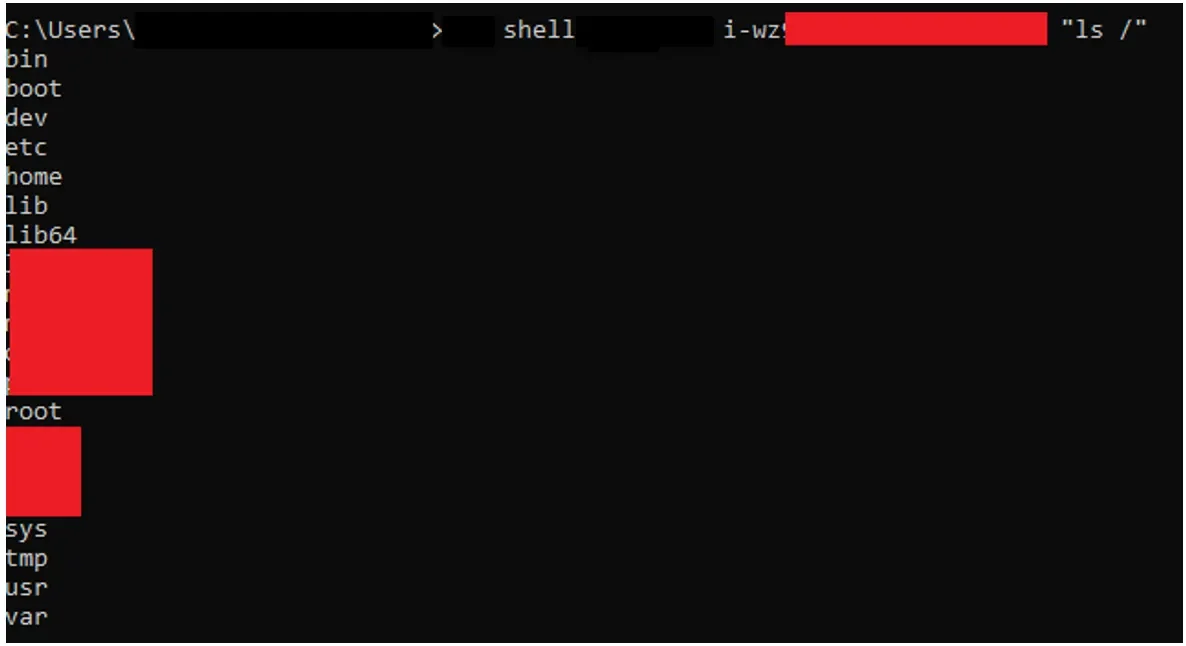
That closed the first project: the whole company was owned, and the author states he stayed persistent without anyone noticing.
Project 2: from a single IP address
The second project started with only one IP address as a prerequisite. The steps, as listed in the report:
- Port scanning the IP address found open SSH, but it was not vulnerable and brute forcing the password did not work.
- A reverse IP lookup revealed the domain name.
- Subdomain enumeration found a resolving subdomain,
vip.target.com. - Port scanning that host found Nginx, Xampp and Java running.
- Checking for common vulnerabilities and known exploits found nothing vulnerable to a CVE.
- Directory brute force found a login page.
- Common usernames and brute forcing the password input did not work.
- Reading the page source and the JavaScript files revealed a hidden registration page.
- Registration required a whitelisted range of phone numbers.
- After several tries, the phone number pattern was found.
- A verification code is sent to the phone number and is required to register. The problem: the author had no access to the phone number he added and could not add a different pattern.
- Intercepting requests and responses showed that the verification code is leaked in the response.
- The verification code was confirmed and registration succeeded.
- The login page required a username and password.
- Login failed with the message that the username is not valid, even though the same username had been used at registration.
- Using the registered phone number instead of the username logged in successfully.
- The server runs Xampp. File upload endpoints were searched; all picture uploads were validated and protected.
- After two hours of browsing the dashboard and checking every functionality, an endpoint was found that did not validate the upload icon extension.
- A PHP reverse shell was uploaded and the directory where it is stored was visited. The shell did not execute and PHP was not rendered in the page.
- Checking the requests showed
.doin the request URL: although the application runs on Xampp, the backend is Java. - A simple JSP reverse shell was written and uploaded.
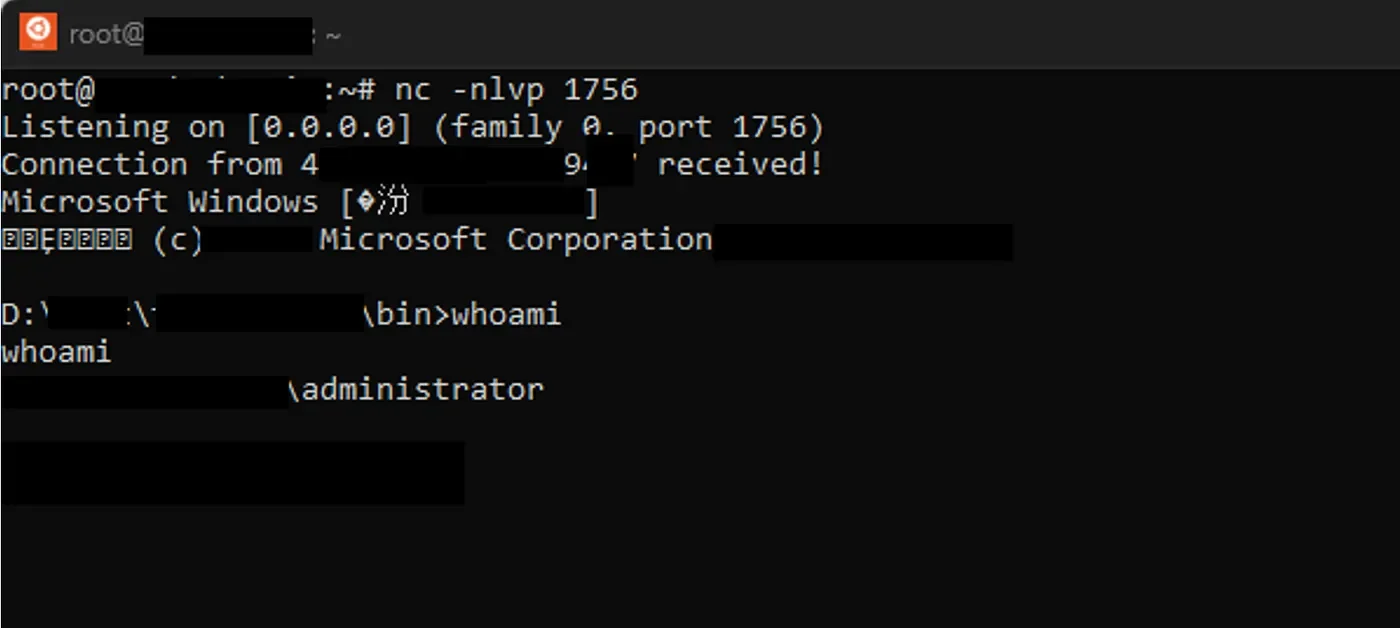
- This gave remote code execution and access to the server as Administrator.
Root cause
The first project is a chain rather than a single defect. The application encryption was reversible because the XXTEA key ships inside the client: anyone with the APK and the right tooling can extract it from libcocos2d-x.so and decrypt the configuration. That exposed an internal IP. The GitLab instance on port 8100 allowed self-registration, and its api/v4/users endpoint disclosed user details including the administrator's username. The web application used a WAF to protect against brute force mechanisms, and rotating the X-Forwarded-For header defeated that protection. Credentials for cloud, SQL and Redis services were then found in private repositories, and the server password, though hashed, was easy to decode. Each layer assumed the previous one would hold.
The second project hinges on a verification code that is leaked in the response, which let the author confirm it without access to the phone number. The upload endpoint missed validating the icon extension, and the backend being Java rather than PHP meant the correct payload was a JSP shell.
Impact
In the first project, the author states he obtained full remote access into the target, owned the whole company, accessed all servers and stayed persistent without anyone noticing. In the second, he obtained remote code execution and accessed the server as Administrator. Both outcomes depend on the specific conditions described: a self-registration GitLab reachable on an internal IP, an API that discloses the admin username, a WAF that honours a client-supplied forwarding header, credentials committed to repositories, and, in the second case, a registration flow that leaks the verification code and an upload endpoint that misses one extension.
Fix
- Do not rely on code encryption alone: anything the app can decrypt, an attacker with the APK can decrypt too.
- Do not put sensitive information such as server IPs, credentials and secret keys in the application source code, even encrypted.
- In addition to a WAF, implement web security protections inside the web application server and the code. In particular, do not let rate limiting or lockout depend on a client-controlled header such as
X-Forwarded-For.
Variants to test
- Decompile other mobile apps and look for encrypted configuration bundles (JSC or similar). A positive result is readable JavaScript or configuration after extracting the key from the native library.
- Search decrypted configuration for internal IPs and hostnames, then check them with Shodan or Censys when direct scanning is slow. A positive result is an exposed service such as GitLab on a non-standard port.
- On any exposed GitLab, try self-registration and then
api/v4/users. A positive result is a working account and user details, including administrator usernames. - Against login forms behind a WAF, rotate
X-Forwarded-Forper request. A positive result is that lockout or rate limiting never triggers while attempts continue. - Review private repositories reachable after compromise for credentials to cloud, SQL and Redis services. A positive result is working credentials, and from Redis, a path to RCE.
- On registration flows that require a phone number, intercept the responses. A positive result is the verification code appearing in the response body.
- On upload endpoints, test every extension, including icon and image types. A positive result is an accepted file that the server later executes; check the request URL for the backend technology (
.dosuggests Java) before choosing the payload.
Timeline
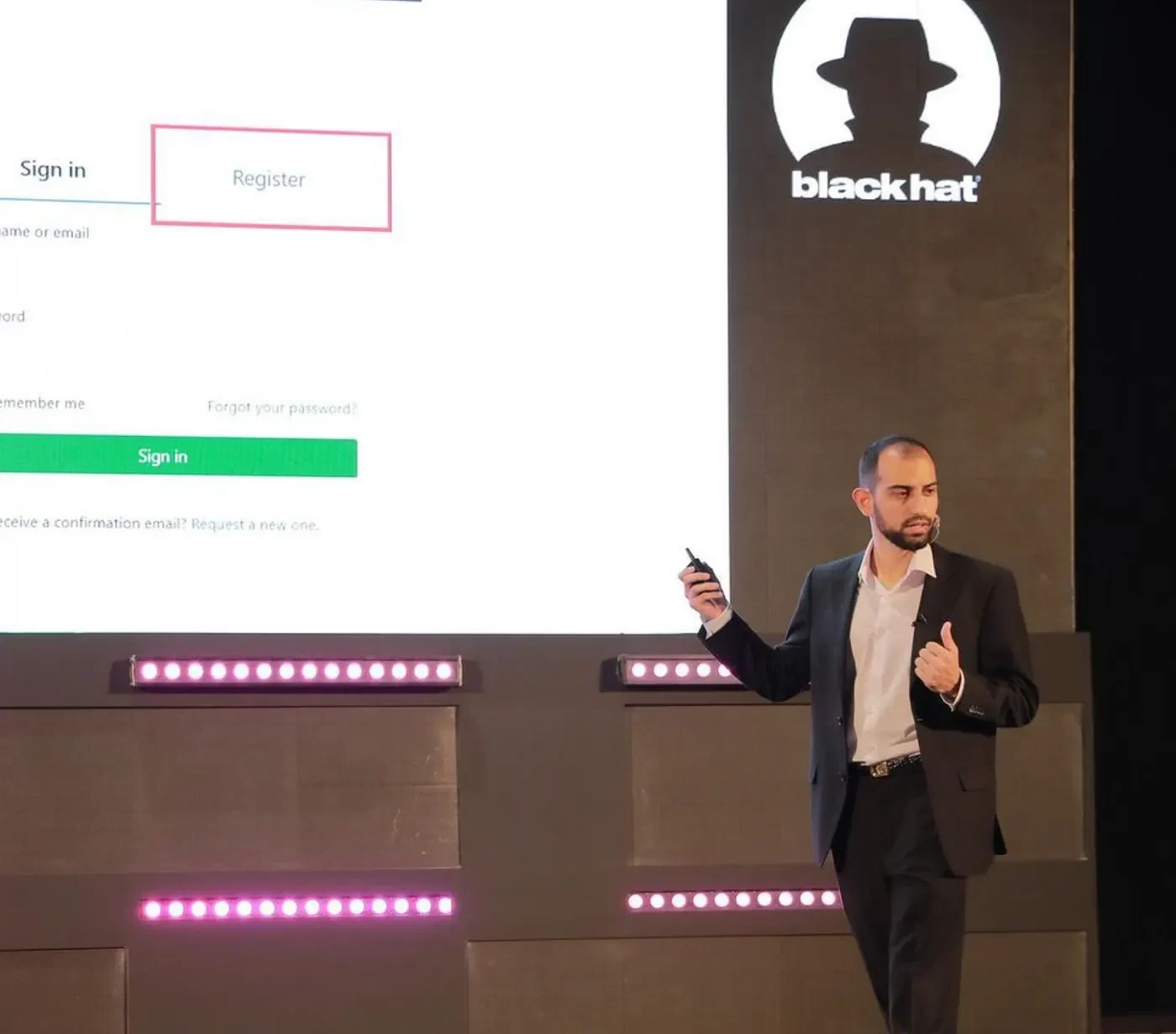
Project 1 took 25 hours in total: 5 days at 5 hours per day. Project 2 took 4 hours. The author also references his BlackHat 2022 talk, where he explained some of the stages of the first project in detail.
What happened, in plain words
This article tells the story of two security projects. In both of them, the author broke into a company's computer systems without any interaction from the target side. The goal was to find out how much damage a criminal could do if they got inside.
The important idea in both projects is called chaining vulnerabilities. A vulnerability is a weakness in a computer system, like a door that does not lock properly. On its own, one small weakness might not let an attacker do much. But if you find several small weaknesses and use them one after another, like climbing a series of stepping stones, you can end up somewhere far more important than any single weakness would allow. The author compares it to chaining an open redirect with XSS, then XSS to account takeover, or SSRF to RCE. Do not worry about those terms yet; they are just examples of small bugs leading to bigger ones. In his projects he did not stop at two or three links in the chain. He kept going until he had what he calls full remote access into the target: the ability to control the company's computers from his own machine, from anywhere.
The first project starts with a mobile phone app. From that app alone, he ends up owning the whole company. The second project starts with nothing but a single IP address (a number that identifies a computer on the internet) and ends with him running commands on a server.
The report does not name the company, the app or the IP addresses, and it gives no bounty amounts or severity scores. It is a story of two engagements, told step by step.
Who the author is, briefly
The author introduces himself as Ahmad Halabi. He says he started his hacking career in mid-2019 and within five months ranked first on the U.S. Department of Defence leaderboard on HackerOne, a well-known bug bounty platform. He then did bug bounty full time for six months, and later worked on a startup called Cybit Sec, focused on blackbox penetration testing and vulnerability research, which was later acquired by Resecurity, a threat intelligence company.
You do not need to know any of that to follow the story, but it explains why he is comfortable moving from one system to the next without hesitation.
The tools he used
Before the steps, here is the short list of tools named in the report, with a plain explanation of each:
- jadx or apktool: programs that take an Android app file and turn it back into readable code. Think of an app as a sealed box; these tools open the box and lay out the parts so you can read them.
- IDA Pro: a program for looking inside compiled machine code, the low-level instructions a computer actually runs. It is like a very powerful magnifying glass for binary files.
- Shodan or Censys: search engines, but instead of searching web pages they search for devices and services connected to the internet. If you want to know whether a particular computer exposes a particular door to the world, these can tell you without you knocking on the door yourself.
- A wordlist: a list of candidate passwords. Here it was built by hand from public research about the company, not taken from a generic list.
The report gives no version numbers for any of these tools, and it does not name the target, the application or the addresses involved.
Project 1: Owning the company from a mobile app
The starting point is an APK file. An APK is the file format Android uses to install an app, roughly the Android equivalent of an .exe on Windows. Having the APK in hand means having the whole app on your own computer, where you can take it apart at leisure.
Step 1: Decompile the APK
The first step was to decompile the APK. Decompiling means converting the app back from the form a phone runs into a form a human can read. Apps are normally shipped in a compact, machine-friendly form; decompiling reverses that as far as possible.
The author suggests jadx or apktool, which help decompile the Dex and APK files into readable Java and Smali code. Dex is the format Android uses to store compiled app code, Java is the programming language the code was originally written in, and Smali is a readable, low-level representation of the same code. In everyday terms: the app is a cake, Dex is the baked cake, and these tools give you back something close to the recipe.
Step 2: Notice the encrypted configuration files
After reviewing the source code, the author noticed that the configuration files were encrypted with a JSC extension. A configuration file is a file an app reads to learn settings: where its servers are, what keys it uses, and so on. The .jsc extension told him these particular files were not plain text but scrambled.
JSC stands for JavaScript compiled Script. Developers use it to encrypt files that contain sensitive information, for example server IP addresses, credentials and secret keys. That is exactly the kind of data worth recovering: if you can read those files, you learn where the app talks to and possibly how it logs in. So the next step was to decrypt them.
Step 3: Find the framework behind the encryption
JSC uses Cocos2d-x, an open source cross-platform development framework. A framework is a collection of ready-made building blocks that developers use to build apps faster; Cocos2d-x is commonly used for games and similar apps. Knowing the framework matters because the way the files are encrypted is a property of the framework, and frameworks are public: their code can be studied by anyone.
So the author searched the decompiled application files for Cocos2d-x artefacts, meaning files whose names or contents show the framework is present.
Step 4: Recover the XXTEA key
The author then reverse engineered the libcocos2d-x.so file, searching for the main.js function. The .so file is a native library: a bundle of compiled code the app loads and uses, in this case the Cocos2d-x framework itself.
For this job he used IDA Pro. The purpose was to find the decryption key XXTEA that Cocos2d-x uses to encrypt the files. XXTEA is the name of a specific encryption algorithm, a mathematical recipe for scrambling data. A key is the secret value the recipe needs: the same algorithm with a different key produces completely different scrambled output, so without the key you cannot unscramble the files.
Here is the crucial point, and it is worth pausing on. If an app can decrypt its own files on your phone, then the key must be inside the app somewhere. Anyone who has the app can, with enough patience and the right tools, find that key. Encryption protects data in transit or at rest from someone who does not have the key, but it cannot protect data from someone who has the program that holds the key.
Step 5: Decrypt the JSC files
With the XXTEA key recovered, the author used it to decrypt the JSC files.
Once decrypted, the files were readable JavaScript, and he could read the source code. JavaScript is the programming language these configuration and script files were written in. In his words, decrypting the JSC files broke the application encryption.
Step 6: Find an internal IP address in the configuration
During the source code review, one of the decrypted configuration files contained an interesting IP address.
An IP address is the number that identifies a computer on a network, like a postal address for machines. An internal IP address is one that belongs to the company's private network rather than to the public internet. Finding one in an app's configuration is valuable because it points at infrastructure the company may believe is hidden from outsiders.
Step 7: Port scan, then fall back to OSINT
He started port scanning the address. A port is a numbered door on a computer; different services listen on different doors, and a port scan means knocking on many doors in turn to see which ones answer. But he was getting huge delays in packets, which he attributes to some form of protection. Packets are the small chunks of data computers exchange; delays suggest something in between is slowing or filtering the traffic.
As an alternative, he used open source intelligence, or OSINT: information gathered from public sources rather than by probing the target directly. Here that meant Shodan or Censys, which had already recorded that port 8100 was open and running GitLab.
GitLab is a service for storing and managing source code, similar in spirit to GitHub. Companies often run their own private copy. Port 8100 is simply the door number where this copy was listening.
Step 8: Register on the exposed GitLab
Navigating to the IP on port 8100 showed a GitLab page with a working Register button. The author registered an account and got into the company's GitLab. No public projects were available to users with a normal role or privilege, so a fresh account did not immediately show anything interesting.
Step 9: Enumerate users through the API
After some content discovery, he found the endpoint api/v4/users, which discloses user details. An API is a way for programs to talk to each other, and an endpoint is one specific address in that API that answers a particular kind of request. Content discovery means trying common paths and names to see what exists on a server.
This endpoint returned user details, and among them was the username of the administrator.
Step 10: Build a targeted wordlist
He noted the username, logged out, and prepared to brute force the password for the admin account root. Brute forcing means trying many candidate passwords in turn until one works. root is a traditional name for the most powerful account on a system.
The wordlist was not random. He spent a couple of hours going through the company's social media profiles, open source sources such as GitHub, the company website and any other source that would give him a proper understanding of the password the administrator might use. People tend to reuse words that matter to them, and public profiles leak those words.
Step 11: Bypass the brute force protection with X-Forwarded-For
The web application used a WAF to protect against brute force mechanisms. A WAF, or Web Application Firewall, is a filter that sits in front of a website and inspects incoming requests, blocking ones that look malicious. Many WAFs also rate limit: they count attempts per client and lock out anyone trying too many passwords too quickly.
To count attempts per client, the WAF has to know who the client is. It usually takes that from the connection itself, but it may also trust a header called X-Forwarded-For. A header is a small piece of extra information attached to a web request, like a note on an envelope. X-Forwarded-For exists because traffic often passes through proxies, and it is meant to record the original client address along the way.
The author tricked the WAF and bypassed the brute force protection with this header, incrementing the last part by 1 for each request:
X-Forwarded-For:127.0.0.$1$
Line by line: X-Forwarded-For is the header name. 127.0.0.$1$ is its value, an address in the 127.0.0.x range, which is the range reserved for the local machine. The $1$ is a placeholder replaced by a counter that goes up by one with every request: [redacted], then [redacted], then [redacted], and so on. The author describes this as tricking the WAF and bypassing the brute force protection.
A successful login followed, which the author describes as breaking the WAF protection. At this point both the application encryption and the WAF protection were broken.
Step 12: Admin access to GitLab
With admin privileges on GitLab, he could view the private repositories. A repository is a storage space for source code and its history; a private one is visible only to chosen users. Admin privileges mean the highest level of access, so every private repository was open to him.
Step 13: Harvest credentials from the source code
Reviewing the source code in those repositories revealed credentials for the company's infrastructure, including cloud databases, SQL databases and Redis. Credentials are the username and password pairs used to log in to a service. A database is an organised store of data; a cloud database is one hosted by a cloud provider, an SQL database is one queried with the SQL language, and Redis is a very fast in-memory data store often used for caching and queues.
Step 14: Recover the server credentials
From the databases, he found the credentials of the target server: a username, and a password that was hashed but, in his words, easy to decode. Hashing is a one-way scrambling of a value: you can turn a password into a hash, but you are not supposed to be able to turn the hash back. In practice, weak or common passwords can be recovered by trying candidates and comparing their hashes, which is what he means by easy to decode.
These credentials gave access to all the backend management systems. Backend systems are the parts of an application users never see, where the real work happens.
Step 15: Escalate Redis to RCE and pivot
From Redis, he escalated to remote code execution and accessed another server. Remote code execution, or RCE, means getting a machine to run commands you supply from your own computer. Escalating means turning a limited foothold into a stronger one. He then pivoted from one server to another, ending up with access to all the servers. Pivoting means using one compromised machine as a stepping stone to reach others that are not directly reachable from outside.
That closed the first project: the whole company was owned, and the author states he stayed persistent without anyone noticing. Persistent means keeping access over time, so you can return later.
Project 2: From a single IP address
The second project started with only one IP address as a prerequisite. Here are the steps as listed in the report, with a plain explanation of each.
- Port scanning the IP address found open SSH, but it was not vulnerable and brute forcing the password did not work. SSH is a protocol for logging in to a remote computer securely; an open SSH port means the login service is reachable, but that alone is not a weakness.
- A reverse IP lookup revealed the domain name. A reverse IP lookup asks which domain names point at a given IP address, like looking up which residents are registered at a postal address.
- Subdomain enumeration found a resolving subdomain,
vip.target.com. A subdomain is a prefix on a domain, such asvipin front oftarget.com; enumeration means trying many candidate names to see which exist. - Port scanning that host found Nginx, Xampp and Java running. Nginx is a web server, Xampp is a package that bundles a web server with other tools, and Java is a programming language and runtime.
- Checking for common vulnerabilities and known exploits found nothing vulnerable to a CVE. A CVE is a public identifier for a known security flaw, so this step checked whether the software was running a version with a documented bug.
- Directory brute force found a login page. Directory brute force means trying many common folder and file names on a website to see what exists.
- Common usernames and brute forcing the password input did not work.
- Reading the page source and the JavaScript files revealed a hidden registration page. Page source is the code a browser receives for a page; JavaScript files are the scripts that page loads.
- Registration required a whitelisted range of phone numbers. Whitelisted means only values on an approved list are accepted.
- After several tries, the phone number pattern was found.
- A verification code is sent to the phone number and is required to register. The problem: the author had no access to the phone number he added and could not add a different pattern. A verification code is a short number sent to prove you control the phone.
- Intercepting requests and responses showed that the verification code is leaked in the response. Intercepting means capturing the traffic between browser and server, for example with a proxy tool, so you can read exactly what was sent and returned.
- The verification code was confirmed and registration succeeded.
- The login page required a username and password.
- Login failed with the message that the username is not valid, even though the same username had been used at registration.
- Using the registered phone number instead of the username logged in successfully.
- The server runs Xampp. File upload endpoints were searched; all picture uploads were validated and protected. A file upload endpoint is a feature that accepts a file from the user.
- After two hours of browsing the dashboard and checking every functionality, an endpoint was found that did not validate the upload icon extension. The extension is the part after the dot in a filename, such as
.jpg; validating it means checking it is an allowed type. - A PHP reverse shell was uploaded and the directory where it is stored was visited. The shell did not execute and PHP was not rendered in the page. A reverse shell is a small program that, when run, connects back to the attacker and hands over a command prompt. PHP is a programming language commonly used on web servers.
- Checking the requests showed
.doin the request URL: although the application runs on Xampp, the backend is Java. The.dosuffix is a hint that the server-side code is Java rather than PHP. - A simple JSP reverse shell was written and uploaded. JSP is Java's equivalent of a PHP page: a file the Java server runs.
- This gave remote code execution and access to the server as Administrator.
Why it worked
The first project is a chain rather than a single defect. The application encryption was reversible because the XXTEA key ships inside the client: anyone with the APK and the right tooling can extract it from libcocos2d-x.so and decrypt the configuration. That exposed an internal IP. The GitLab instance on port 8100 allowed self-registration, and its api/v4/users endpoint disclosed user details including the administrator's username. The web application used a WAF to protect against brute force mechanisms, and rotating the X-Forwarded-For header defeated that protection. Credentials for cloud, SQL and Redis services were then found in private repositories, and the server password, though hashed, was easy to decode. Each layer assumed the previous one would hold.
The second project hinges on a verification code that is leaked in the response, which let the author confirm it without access to the phone number. The upload endpoint missed validating the icon extension, and the backend being Java rather than PHP meant the correct payload was a JSP shell.
What the impact was
In the first project, the author states he obtained full remote access into the target, owned the whole company, accessed all servers and stayed persistent without anyone noticing. In the second, he obtained remote code execution and accessed the server as Administrator. Both outcomes depend on the specific conditions described: a self-registration GitLab reachable on an internal IP, an API that discloses the admin username, a WAF that honours a client-supplied forwarding header, credentials committed to repositories, and, in the second case, a registration flow that leaks the verification code and an upload endpoint that misses one extension.
How to fix it
- Do not rely on code encryption alone: anything the app can decrypt, an attacker with the APK can decrypt too.
- Do not put sensitive information such as server IPs, credentials and secret keys in the application source code, even encrypted.
- In addition to a WAF, implement web security protections inside the web application server and the code. In particular, do not let rate limiting or lockout depend on a client-controlled header such as
X-Forwarded-For.
Things to try on your own targets
- Decompile other mobile apps and look for encrypted configuration bundles (JSC or similar). A positive result is readable JavaScript or configuration after extracting the key from the native library.
- Search decrypted configuration for internal IPs and hostnames, then check them with Shodan or Censys when direct scanning is slow. A positive result is an exposed service such as GitLab on a non-standard port.
- On any exposed GitLab, try self-registration and then
api/v4/users. A positive result is a working account and user details, including administrator usernames. - Against login forms behind a WAF, rotate
X-Forwarded-Forper request. A positive result is that lockout or rate limiting never triggers while attempts continue. - Review private repositories reachable after compromise for credentials to cloud, SQL and Redis services. A positive result is working credentials, and from Redis, a path to RCE.
- On registration flows that require a phone number, intercept the responses. A positive result is the verification code appearing in the response body.
- On upload endpoints, test every extension, including icon and image types. A positive result is an accepted file that the server later executes; check the request URL for the backend technology (
.dosuggests Java) before choosing the payload.
How long it took
Project 1 took 25 hours in total: 5 days at 5 hours per day. Project 2 took 4 hours. The author also references his BlackHat 2022 talk, where he explained some of the stages of the first project in detail.
Glossary
- APK: the file format Android uses to install an app.
- API: a way for programs to talk to each other, with defined addresses for specific requests.
- Backend: the parts of an application users never see, where the real work happens.
- Brute force: trying many candidate values, such as passwords, in turn until one works.
- Chaining vulnerabilities: using several small weaknesses together to reach a much larger impact than any single one would give.
- Cocos2d-x: an open source cross-platform development framework, commonly used for games and similar apps.
- Configuration file: a file an app reads to learn settings such as server addresses and keys.
- Credentials: the username and password pairs used to log in to a service.
- CVE: a public identifier for a known security flaw.
- Database: an organised store of data.
- Decompile: convert a finished program back into a form a human can read.
- Dex: the format Android uses to store compiled app code.
- Endpoint: one specific address in an API or website that answers a particular kind of request.
- Extension: the part of a filename after the dot, such as
.jpg. - Framework: a collection of ready-made building blocks developers use to build apps faster.
- GitLab: a service for storing and managing source code, which companies often run privately.
- Hash: a one-way scrambling of a value; weak or common inputs can still be recovered by trying candidates.
- Header: a small piece of extra information attached to a web request.
- IDA Pro: a program for looking inside compiled machine code.
- IP address: the number that identifies a computer on a network.
- jadx / apktool: programs that decompile Android apps into readable code.
- Java: a programming language and runtime.
- JavaScript: a programming language used for scripts and configuration files.
- JSC: JavaScript compiled Script, a format developers use to encrypt files containing sensitive information.
- JSP: Java's equivalent of a PHP page, a file the Java server runs.
- Key: the secret value an encryption algorithm needs to scramble or unscramble data.
- Nginx: a web server.
- OSINT: open source intelligence, information gathered from public sources rather than by probing the target directly.
- Packets: the small chunks of data computers exchange.
- Persistent: keeping access over time so you can return later.
- PHP: a programming language commonly used on web servers.
- Pivot: use one compromised machine as a stepping stone to reach others.
- Port: a numbered door on a computer where a service listens.
- Port scan: knocking on many doors in turn to see which ones answer.
- Rate limit: counting attempts per client and blocking anyone who tries too many too quickly.
- RCE (remote code execution): getting a machine to run commands you supply from your own computer.
- Redis: a very fast in-memory data store often used for caching and queues.
- Repository: a storage space for source code and its history.
- Reverse shell: a small program that, when run, connects back to the attacker and hands over a command prompt.
- Shodan / Censys: search engines for devices and services connected to the internet.
- Smali: a readable, low-level representation of Android app code.
- SQL database: a database queried with the SQL language.
- SSH: a protocol for logging in to a remote computer securely.
- Subdomain: a prefix on a domain, such as
vipin front oftarget.com. - Verification code: a short number sent to prove you control a phone.
- Vulnerability: a weakness in a computer system.
- WAF (Web Application Firewall): a filter in front of a website that inspects incoming requests and blocks malicious ones.
- Wordlist: a list of candidate passwords.
- Xampp: a package that bundles a web server with other tools.
- XXTEA: the name of a specific encryption algorithm.



