Using Dark Web in Bug Bounty
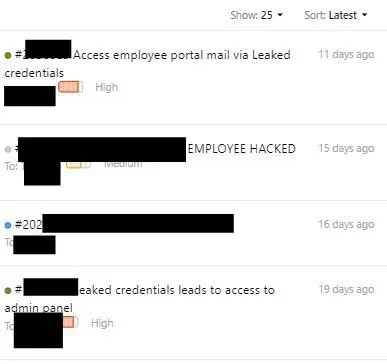
The author describes using leaked credentials found on the dark web and Telegram channels to log into a company's employee and admin login portals. This let them access an employee account and an admin panel, though the text gives no technical detail on the targets.
 Published on realm3ter.medium.com
In this article, I’ll talk about some findings and bugs that I’ve reported recently by using CTIand Dark web
The full write-up lives on its author's site
It belongs to its author, so we link to it rather than copy it. The other two tabs are our own rewrites, checked against it.
Context
This write-up is not about a single vulnerability in one product. It describes a workflow: using cyber threat intelligence (CTI) and material gathered from the dark web to obtain valid credentials, and then using those credentials against a target's login panels in a bug bounty or VDP programme. The author, Muhammad Mater (@micro0x00), frames the technique as credential stuffing driven by leaked data rather than by guessing.
The author defines CTI as knowledge and information about potential or ongoing cyber threats, including the tactics, techniques and procedures (TTPs) used by threat actors, collected, analysed and disseminated so that organisations can understand and mitigate risk. The dark web is described as the part of the internet that is intentionally hidden and reachable only through specific software such as Tor, and as a marketplace where threat actors exchange information, tools and services, including stolen data, exploit kits, zero-day vulnerabilities and databases.
The bridge between the two is infostealer malware: malicious software that infiltrates a victim's system and steals sensitive information through keylogging, screen capturing, clipboard monitoring, form grabbing and memory scraping. The author notes that infostealers are typically distributed through malicious email attachments, compromised websites, or as payloads delivered by other malware, and warns that cracked copies of tools such as Burp Suite are themselves infostealer malware. The stolen data, including credentials belonging to bug hunters, is sold on dark web markets, dark forums and some Telegram channels.

Setup
The workflow needs no special access to the target. The preconditions are:
- A target programme whose policy permits this kind of finding. The author stresses that not all programmes accept it, and that some treat it as NA or informative.
- A list of employee email addresses for the target.
- Leaked data covering those addresses, collected from Telegram channels and underground hacking forums.
- A list of the target's login panels and portals.
The tooling named in the article is:
- Email discovery through search engines, with https://hunter.io/search/ given as an example.
- Dark web search engines such as Grams, Torch or Ahmia to find websites and hacking forums.
- Specialised dark web monitoring products such as DarkOwl, Flashpoint or Recorded Future, which the author describes as paid products that automate monitoring and content analysis.
- A bot of the author's own that pulls data from Telegram channels and underground hacking forums and parses the logs so they can be searched by the target's domain.
- Google dorks and https://github.com/Mr-Robert0/Logsensor, which searches for login panels belonging to the target.
The author says the approach was first tried on VDP programmes. He also notes that he learned OSINT two years before writing and that the same cross-skills serve both defensive and offensive work.
Finding it
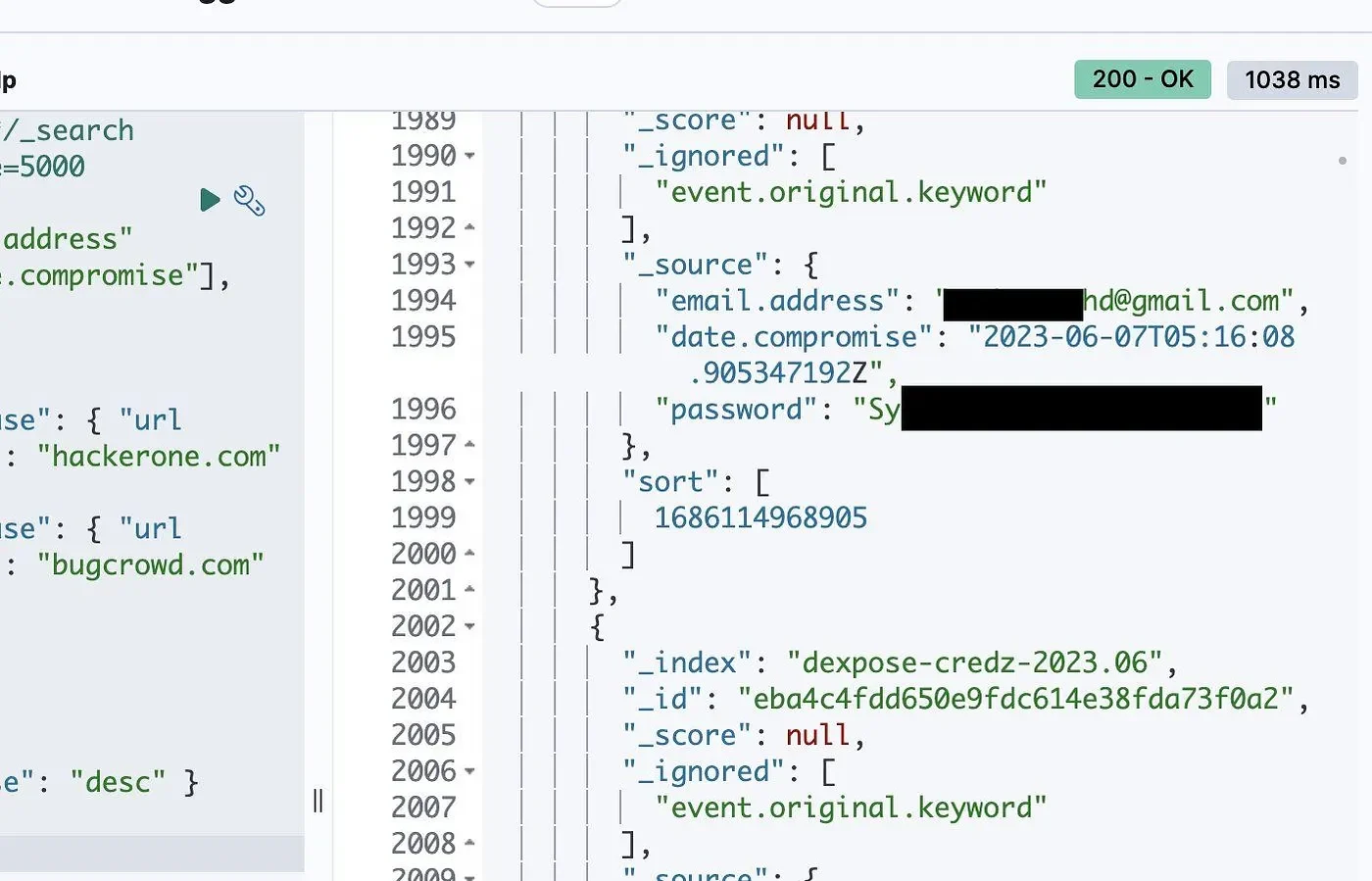
The starting observation is that infostealer logs contain credentials for corporate accounts, and that these logs circulate publicly enough to be collected. The author built a collection and monitoring pipeline: a bot that ingests data from Telegram channels and underground hacking forums and parses the logs so that entries can be searched by the domain of the target.
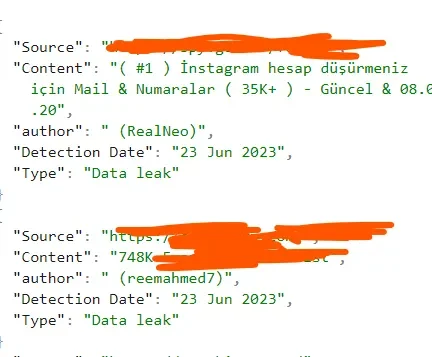

With that pipeline in place, the question for a bug hunter becomes whether any employee of a given company appears in the collected data with a credential that still works on one of the company's own login panels. The author's stated motivation is simply that he is a bug hunter and wanted to use the data in bug bounty work.
Exploitation
Step 1: enumerate employee email addresses
The first step is to target the emails of the company's employees using search engines, with hunter.io given as the example.
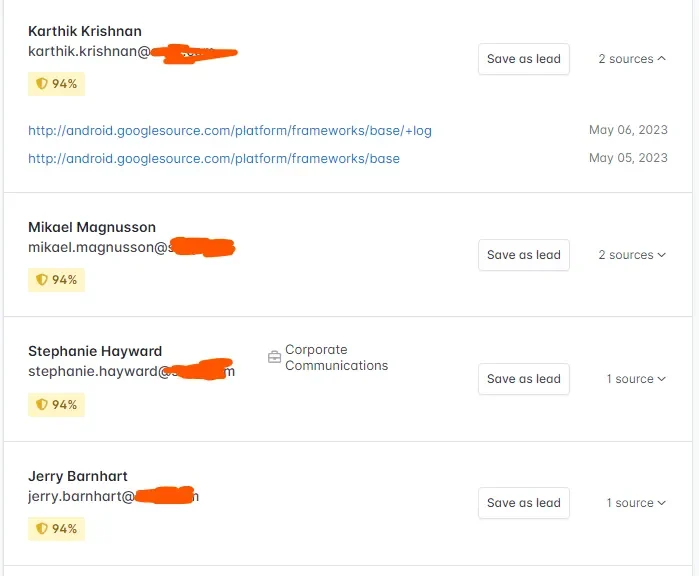
The goal is to get all emails for company employees, so that the leaked-data search in the next step can be keyed on the company's domain rather than on individual names.
Step 2: search for leaks and old breaches
Next, search for any leaks for the company or any old breach affecting it, and get leaked data from the dark web.

The author lists three ways to monitor the dark web for this material:
- Use dark web search engines such as Grams, Torch or Ahmia to find websites and hacking forums.
- Use specialised monitoring tools such as DarkOwl, Flashpoint or Recorded Future to automate monitoring and analyse content.
- Search hacking forums directly, as the author did, using more than one forum to collect data from many sources such as Telegram, hacking forums and data breaches.
He adds a caution: exercise care when joining dark web forums and communities, prioritise legal and ethical practice, and avoid engagement in illegal activities or accessing illegal content.
Once the data is in hand, check whether any of the enumerated emails appears in it, and whether the entry includes credentials.
Step 3: find the login panels
With a candidate email and credential, the next step is to locate the target's login portals using dorks:
site:target.com inurl:"login"
The dork restricts results to the target's domain and to URLs containing login. The author also uses Logsensor, which searches for any login panels of the target.
Step 4: try the credentials
The author then tried to log in with almost all login panels and portals, including the mail portal panel.
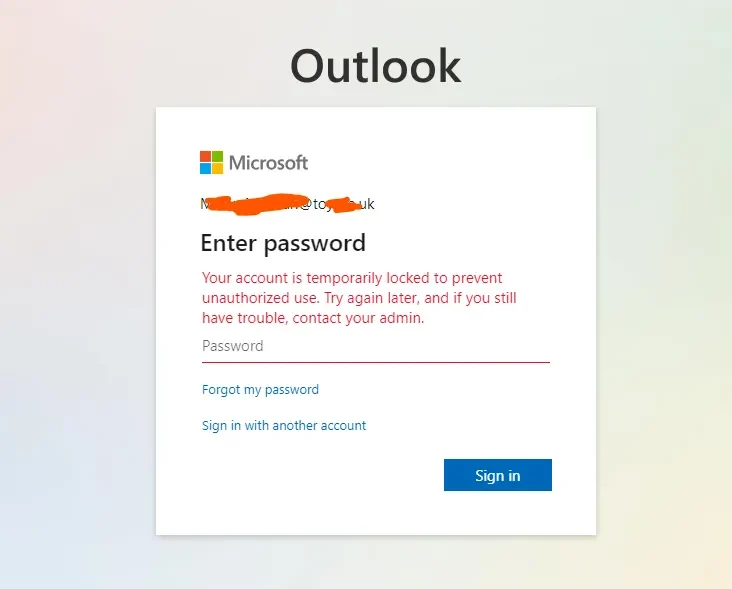
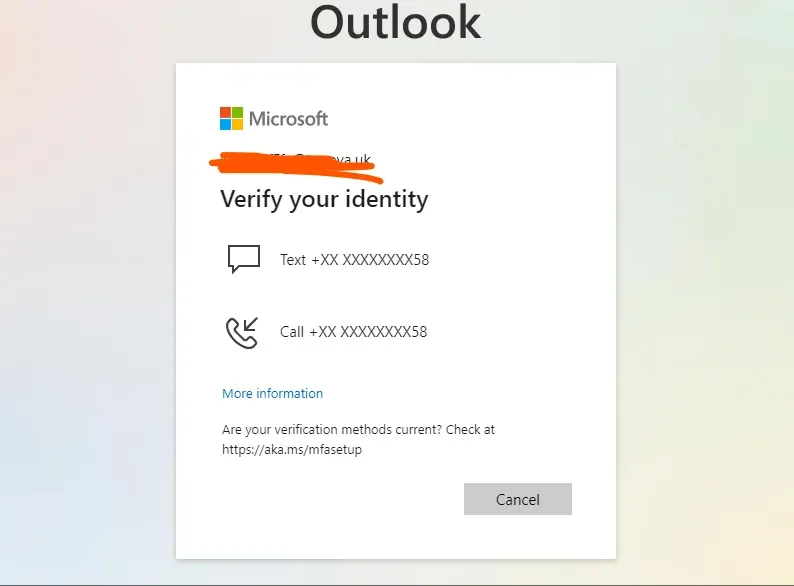
The attempts were repeated across panels ("Again and Again") until a credential worked.
Step 5: the result
The author reports that he finally logged in as an employee.
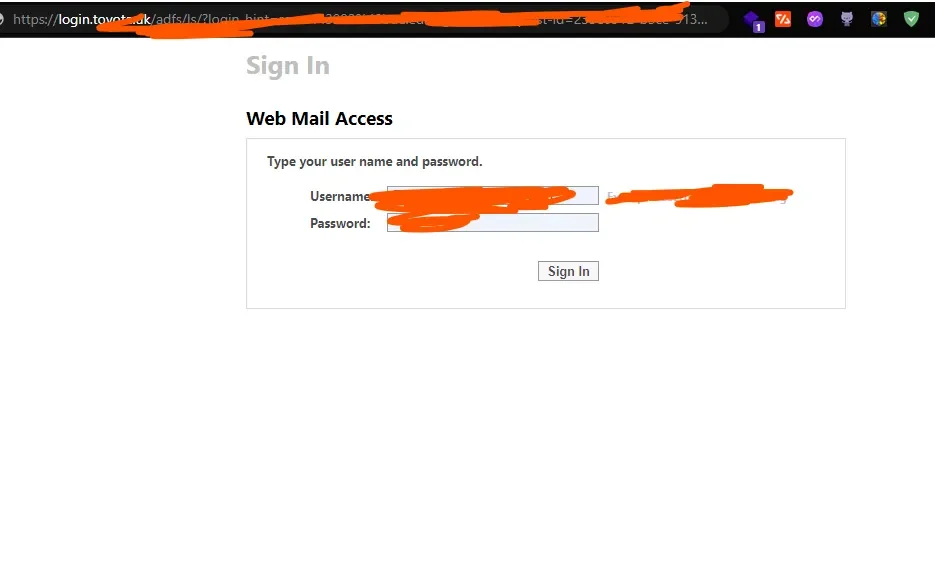
In a second scenario, one of the credentials gave access to the company's admin panel.

Root cause
The weakness is credential reuse: employees whose credentials appear in infostealer logs or breach data still had working accounts on the company's own login panels, including the mail portal and, in one case, the admin panel. The report does not describe any server-side flaw; the exposure comes from the accounts themselves and from the fact that the leaked data was publicly collectable.
The login panels accepted a username and password combination that was already circulating. The report does not state whether MFA, breached-password checks or anomaly detection were present on the affected panels.
Impact
Under the conditions described, an attacker who collects the same public data can obtain access to a company employee's account, and in the reported second scenario to the company's admin panel. The author does not describe what either account could reach beyond the login itself, so the downstream impact is not quantified here.
The impact depends on the programme. The author notes that not all programmes accept this as a bug: some consider it NA or informative, so the programme policy should be checked before spending effort. He also notes that most triage teams, on learning that the data is valid, will ask for additional information about the source of the information and how it was obtained, with a request along these lines:
Can you please provide additional details such as what method of OSINT did you use to identify this finding and what OSINT tool you used? Also, can you please provide steps to reproduce?
In that case the whole process is explained. His third tip is to demonstrate the impact of the data rather than just reporting it.
Fix
The author's own operational advice is to check the programme policy first, to be ready to document the OSINT method and the tools used when triage asks, and to show the impact of the data rather than only the data itself.
Variants to test
- Mail portals and webmail. Try leaked credentials against the target's mail portal as well as its main application. A positive result is a successful login to webmail with an employee address.
- Admin panels. Run the same credential set against administrative interfaces found with the dork above or with Logsensor. A positive result is access to an admin panel, as in the author's second scenario.
- Multiple forums and channels. Collect from more than one forum and from Telegram channels, as the author did, and search the parsed logs by the target's domain. A positive result is a larger set of candidate credentials for the same domain.
- Old breaches. Search for historical breaches affecting the company, not only recent infostealer logs. A positive result is an old credential that still works.
- Policy check before testing. Confirm that the programme accepts credential-based findings. A positive result is a policy that does not classify them as NA or informative, which avoids wasted reports.
What happened, in plain words
This article is not about a single bug in a single website. It describes a way of working: collecting stolen usernames and passwords that are already floating around on the internet, and then trying those logins against a company's own login pages as part of a bug bounty programme.
The author, Muhammad Mater (@micro0x00), describes the technique. Credential stuffing means taking a list of real username and password pairs that leaked somewhere, and trying them on other systems, on the bet that people reuse the same password in more than one place. It is different from guessing: nobody is trying random passwords, they are trying passwords that are known to have belonged to real people.
Two ideas sit behind the workflow. The first is CTI, short for cyber threat intelligence. The author defines it as knowledge and information about potential or ongoing cyber threats, including the tactics, techniques and procedures (TTPs) used by threat actors, collected, analysed and disseminated so that organisations can understand and mitigate risk. In everyday terms, CTI is research about who is attacking whom, how, and with what, turned into something a defender can act on. It is like a neighbourhood watch newsletter: not the burglary itself, but a description of how burglars have been getting in.
The second idea is the dark web. The author describes it as the part of the internet that is intentionally hidden and reachable only through specific software such as Tor. Tor is a browser and network that routes your traffic through several relays so that the destination and the visitor are hard to link. The dark web, in this description, is a marketplace where threat actors exchange information, tools and services, including stolen data, exploit kits, zero-day vulnerabilities and databases. An exploit kit is a packaged set of tools for breaking into systems; a zero-day is a flaw the vendor does not yet know about, so there is no fix yet.
The bridge between CTI and the dark web, in this account, is infostealer malware. Malware is software written to do something harmful on a machine. An infostealer is a type of malicious software designed to infiltrate a victim's system and steal sensitive information. The author says it can capture data through keylogging (recording every key pressed), screen capturing (taking pictures of the screen), clipboard monitoring (watching what you copy and paste), form grabbing (reading what you type into web forms before it is sent) and memory scraping (reading secrets out of a program's working memory).
Infostealers, the author notes, are typically distributed through malicious email attachments, compromised websites, or as payloads delivered by other malware. A payload is the part of an attack that actually does the damage, carried in by something else. He adds a warning that matters to anyone reading this: cracked copies of tools such as Burp Suite are themselves infostealer malware. Burp Suite is a popular program for testing websites; a cracked copy is a modified, unpaid version from an unofficial source, and the modification can be the malware itself.
The stolen data, including credentials belonging to bug hunters, is sold on dark web markets, dark forums and some Telegram channels. Telegram is a messaging app with large public and private group channels, which makes it a convenient shop front.
Setup
The workflow needs no special access to the target. You do not need an account, an invitation or a vulnerability in the target's software. The preconditions are:
- A target programme whose policy permits this kind of finding. A bug bounty programme is a scheme where a company invites outsiders to test its systems and pays for valid reports; a VDP, vulnerability disclosure programme, is the same idea without payment. The author stresses that not all programmes accept this kind of finding, and that some treat it as NA (not applicable) or informative, meaning acknowledged but not rewarded.
- A list of employee email addresses for the target.
- Leaked data covering those addresses, collected from Telegram channels and underground hacking forums.
- A list of the target's login panels and portals. A login panel is simply the page with a username field and a password field; a portal is a website that gathers several services behind one login.
The tooling named in the article is:
- Email discovery through search engines, with https://hunter.io/search/ given as an example. Hunter is a service that indexes email addresses published on the web, often in the pattern a company uses for its staff.
- Dark web search engines such as Grams, Torch or Ahmia to find websites and hacking forums. These work like a normal search engine, but for pages that ordinary search engines do not list.
- Specialised dark web monitoring products such as DarkOwl, Flashpoint or Recorded Future, which the author describes as paid products that automate monitoring and content analysis. Automation here means a program watches the sources continuously instead of a person reading forums by hand.
- A bot of the author's own that pulls data from Telegram channels and underground hacking forums and parses the logs so they can be searched by the target's domain. A bot is a small program that runs on its own; parsing means turning messy text into structured fields, for example pulling the email, password and website out of a block of pasted text. A domain is the part of a web address after the @ in an email or after the www, such as example.com.
- Google dorks and https://github.com/Mr-Robert0/Logsensor, which searches for login panels belonging to the target. A dork is a search query that uses special operators to narrow results; Logsensor is a tool that automates the same search.
The author says the approach was first tried on VDP programmes. He also notes that he learned OSINT two years before writing, and that the same cross-skills serve both defensive and offensive work. OSINT, open source intelligence, is research done entirely from publicly available material: search engines, social media, public records, published documents.
Finding it
The starting observation is that infostealer logs contain credentials for corporate accounts, and that these logs circulate publicly enough to be collected. A log here is the file the malware writes out: a list of what it captured, often one line per website with the username and password typed there.
The author built a collection and monitoring pipeline: a bot that ingests data from Telegram channels and underground hacking forums and parses the logs so that entries can be searched by the domain of the target. In plain terms, the bot reads the channels, tidies the text into rows, and lets him ask a simple question: does anything in here mention example.com?
With that pipeline in place, the question for a bug hunter becomes whether any employee of a given company appears in the collected data with a credential that still works on one of the company's own login panels. The author's stated motivation is simply that he is a bug hunter and wanted to use the data in bug bounty work.
Exploitation
Step 1: enumerate employee email addresses
The first step is to target the emails of the company's employees using search engines, with hunter.io given as the example.
The goal is to get all emails for company employees, so that the leaked-data search in the next step can be keyed on the company's domain rather than on individual names. This matters because the bot searches by domain: if you know the domain, you do not need to know every person's name in advance.
Step 2: search for leaks and old breaches
Next, search for any leaks for the company or any old breach affecting it, and get leaked data from the dark web. A breach is an incident where data was taken from a system without permission; the resulting collection is often called a leak when it is published or sold.
The author lists three ways to monitor the dark web for this material:
- Use dark web search engines such as Grams, Torch or Ahmia to find websites and hacking forums.
- Use specialised monitoring tools such as DarkOwl, Flashpoint or Recorded Future to automate monitoring and analyse content.
- Search hacking forums directly, as the author did, using more than one forum to collect data from many sources such as Telegram, hacking forums and data breaches.
He adds a caution: exercise care when joining dark web forums and communities, prioritise legal and ethical practice, and avoid engagement in illegal activities or accessing illegal content.
Once the data is in hand, check whether any of the enumerated emails appears in it, and whether the entry includes credentials. This is a matching exercise: take the list of company addresses, look each one up in the collected logs, and keep the rows that come back with a password attached.
Step 3: find the login panels
With a candidate email and credential, the next step is to locate the target's login portals using dorks:
site:target.com inurl:"login"
Line by line, in plain words:
site:target.comtells the search engine to return only pages on the target's own domain. Replacetarget.comwith the real domain you are allowed to test.inurl:"login"tells the search engine to return only pages whose web address contains the wordlogin. The quotes keep the word together as one phrase.- Together, the query asks: show me pages on this domain whose address mentions login. That is a fast way to find the front doors of a website without crawling it by hand.
The author also uses Logsensor, which searches for any login panels of the target. The reason for this step is practical: a leaked credential is only useful if you know where it can be typed in, and companies often run several separate login pages, one per service.
Step 4: try the credentials
The author then tried to log in with almost all login panels and portals, including the mail portal panel. A mail portal is the web page where staff read their work email in a browser; it is often a separate system from the main application, which is exactly why it is worth checking separately.
The attempts were repeated across panels ("Again and Again") until a credential worked. The reason for repeating is that a leaked password may have been used on one service and not another, or may have been changed on some accounts but not all.
Step 5: the result
The author reports that he finally logged in as an employee.
In a second scenario, one of the credentials gave access to the company's admin panel. An admin panel is the interface where staff manage users, settings and content; access to it is usually far more powerful than access to a normal account.
Root cause
The weakness is credential reuse: employees whose credentials appear in infostealer logs or breach data still had working accounts on the company's own login panels, including the mail portal and, in one case, the admin panel. A second factor is something beyond the password, such as a code from a phone app; if it is required, a stolen password on its own is not enough to get in.
The report does not describe any server-side flaw; the exposure comes from the accounts themselves and from the fact that the leaked data was publicly collectable. The login panels accepted a username and password combination that was already circulating. The report does not state whether MFA, breached-password checks or anomaly detection were present on the affected panels. MFA is multi-factor authentication, the same idea as a second factor; a breached-password check refuses a password that is known to appear in leak lists; anomaly detection flags logins that look unusual, such as a new country or a new device.
Impact
Under the conditions described, an attacker who collects the same public data can obtain access to a company employee's account, and in the reported second scenario to the company's admin panel. The author does not describe what either account could reach beyond the login itself, so the downstream impact is not quantified here.
The impact depends on the programme. The author notes that not all programmes accept this as a bug: some consider it NA or informative, so the programme policy should be checked before spending effort. He also notes that most triage teams, on learning that the data is valid, will ask for additional information about the source of the information and how it was obtained, with a request along these lines:
Can you please provide additional details such as what method of OSINT did you use to identify this finding and what OSINT tool you used? Also, can you please provide steps to reproduce?
Line by line, in plain words:
- The first sentence asks which OSINT method and which OSINT tool you used, so the triage team can judge whether the finding came from public sources and whether your process can be repeated.
- The second sentence asks for steps to reproduce, meaning a numbered sequence that another person can follow to see the same result.
- A triage team is the group that reads incoming reports, checks them and decides whether they are valid.
In that case the whole process is explained. His third tip is to demonstrate the impact of the data rather than just reporting it: show what the account can actually do, not only that the password worked.
Fix
The author's own operational advice is to check the programme policy first, to be ready to document the OSINT method and the tools used when triage asks, and to show the impact of the data rather than only the data itself.
Variants to test
- Mail portals and webmail. Try leaked credentials against the target's mail portal as well as its main application. A positive result is a successful login to webmail with an employee address.
- Admin panels. Run the same credential set against administrative interfaces found with the dork above or with Logsensor. A positive result is access to an admin panel, as in the author's second scenario.
- Multiple forums and channels. Collect from more than one forum and from Telegram channels, as the author did, and search the parsed logs by the target's domain. A positive result is a larger set of candidate credentials for the same domain.
- Old breaches. Search for historical breaches affecting the company, not only recent infostealer logs. A positive result is an old credential that still works. Rotating a password means replacing it with a new one.
- Policy check before testing. Confirm that the programme accepts credential-based findings. A positive result is a policy that does not classify them as NA or informative, which avoids wasted reports.
Glossary
- Admin panel: the interface where staff manage users, settings and content, usually with far more power than a normal account.
- Anomaly detection: a defence that flags logins which look unusual, such as a new country or a new device.
- Bot: a small program that runs on its own and performs a task repeatedly.
- Breach: an incident where data was taken from a system without permission.
- Breached-password check: a defence that refuses a password known to appear in leak lists.
- Bug bounty programme: a scheme where a company invites outsiders to test its systems and pays for valid reports.
- Burp Suite: a popular program for testing websites; a cracked copy is an unofficial modified version and can carry malware.
- Credential: a username and password pair used to log in.
- Credential stuffing: trying real leaked username and password pairs on other systems, betting on password reuse.
- CTI (cyber threat intelligence): knowledge and information about potential or ongoing cyber threats, including the tactics, techniques and procedures used by threat actors, collected, analysed and disseminated so organisations can understand and mitigate risk.
- Dark web: the part of the internet that is intentionally hidden and reachable only through specific software such as Tor.
- Domain: the part of a web address after the @ in an email or after the www, such as example.com.
- Dork: a search query that uses special operators to narrow results.
- Exploit kit: a packaged set of tools for breaking into systems.
- Form grabbing: malware reading what you type into web forms before it is sent.
- Infostealer: malicious software designed to infiltrate a victim's system and steal sensitive information.
- Informative: a report outcome meaning acknowledged but not rewarded.
- Keylogging: recording every key pressed on a machine.
- Leak: a collection of data that has been published or sold after a breach.
- Log: here, the file an infostealer writes out, listing what it captured, often one line per website with username and password.
- Login panel: the page with a username field and a password field.
- Malware: software written to do something harmful on a machine.
- Memory scraping: malware reading secrets out of a program's working memory.
- MFA (multi-factor authentication): requiring something beyond a password, such as a code from a phone app, so a stolen password alone is not enough.
- NA (not applicable): a report outcome meaning the programme does not consider the finding in scope.
- OSINT (open source intelligence): research done entirely from publicly available material.
- Parsing: turning messy text into structured fields, for example pulling email, password and website out of a block of text.
- Payload: the part of an attack that does the damage, carried in by something else.
- Portal: a website that gathers several services behind one login.
- Rotate a password: replace it with a new one.
- Screen capturing: malware taking pictures of the screen.
- Second factor: something beyond the password, such as a code from a phone app, required at login.
- Telegram: a messaging app with large public and private group channels.
- Tor: a browser and network that routes traffic through several relays so the destination and the visitor are hard to link.
- Triage team: the group that reads incoming reports, checks them and decides whether they are valid.
- TTPs (tactics, techniques and procedures): the patterns of how threat actors operate.
- VDP (vulnerability disclosure programme): like a bug bounty programme but without payment.
- Zero-day: a flaw the vendor does not yet know about, so there is no fix yet.