Vertical Privilege Escalation: The user can takeover an admin account via response manipulation
A normal user could manipulate the server's response to a permissions request to add an admin permission, causing the application to display admin settings. The attacker could then change the admin's password and email, leading to full account takeover.
 Published on janmuhammadzaidi.medium.com
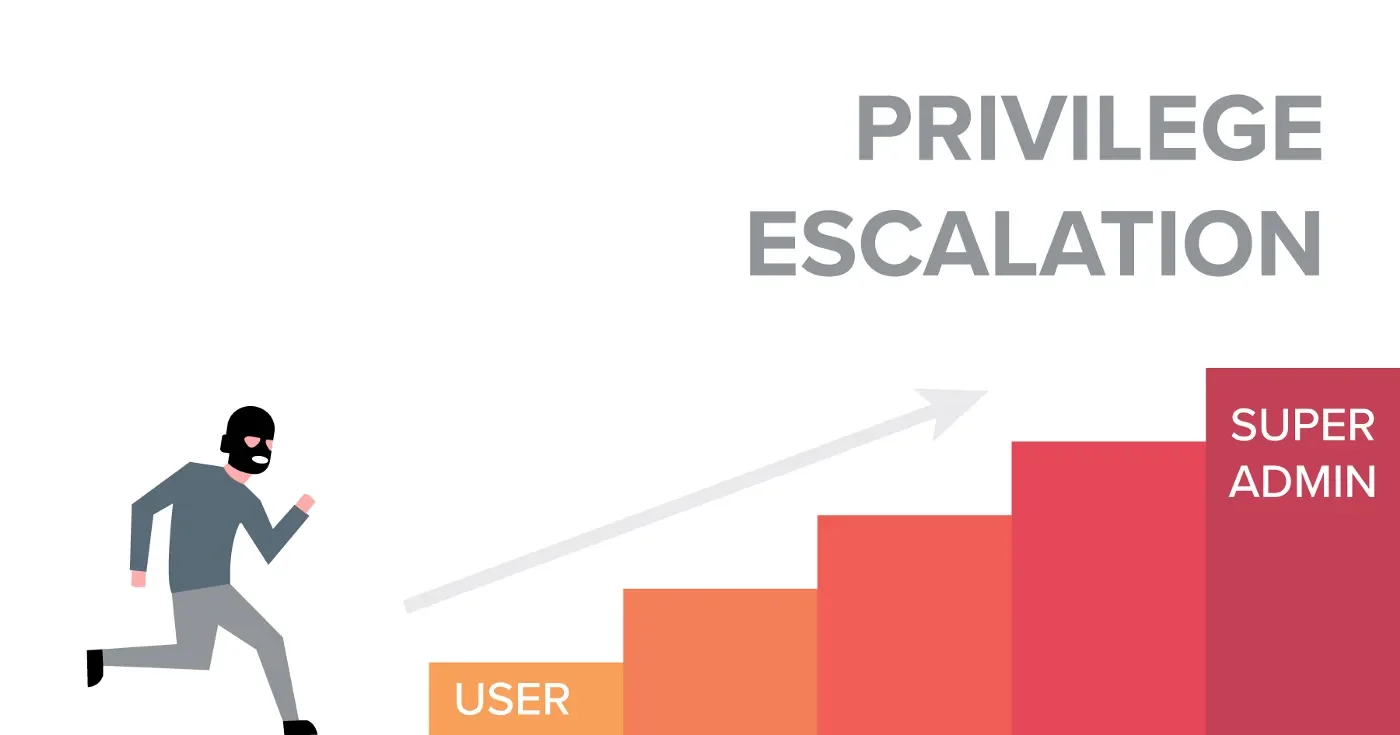
Privilege escalation attacks occur when a threat actor gains access to an employee’s account, bypasses the proper authorization channel, and successfully grants themselves access to data they are not supposed to have. When deploying these attacks threat actors are typically attempting to exfiltrate data, disrupt…
The full write-up lives on its author's site
It belongs to its author, so we link to it rather than copy it. The other two tabs are our own rewrites, checked against it.
Context
This write-up describes a vertical privilege escalation found on a confidential target. The product is a web application with an organisation model: an account can invite another user into the same organisation, and accounts hold admin or user rights. The feature involved is the company settings area, reached at /settings/company-settings/users, where an administrator manages the users of the organisation. The application fetches the current user's permission list from an API endpoint, and after the list was edited the admin settings appeared in the interface.
The author frames the finding with the standard definitions: vertical privilege escalation is when an attacker uses a flaw in the system to gain access above what was intended for them, while horizontal privilege escalation is when a user gains the access rights of another user at the same level. The attack described here is the vertical kind, carried out by manipulating an HTTP response.
Setup
Two accounts were created inside one organisation:
[redacted], created first, holding admin rights.[redacted], invited from the admin account, holding ordinary user rights.
Traffic was captured and replayed with Burp Suite, using Burp Proxy to intercept and Burp Repeater to resend requests. The browser was Firefox 102.0 on Linux x86_64, as shown in the captured User-Agent. No other preconditions are described: the researcher had valid credentials for both accounts and was working inside an organisation they controlled.
Finding it
After exercising the application's functionality, the researcher reviewed the logged traffic in Burp Suite and noticed a POST request to a permissions endpoint. The request body is empty JSON ({}), and the response returns the list of permissions granted to the calling user. That design is what drew attention: the client asks the server what it is allowed to do, and the answer is a plain JSON array of permission names.
The captured request looked like this:
POST /redacted/api/user/PermGet HTTP/2Host: redacted.comCookie:cookies hereUser-Agent: Mozilla/5.0 (X11; Linux x86_64; rv:102.0) Gecko/20100101 Firefox/102.0Accept: application/json, text/plain, */*Accept-Language: en-US,en;q=0.5Accept-Encoding: gzip, deflateContent-Type: application/jsonContent-Length: 2Refreshtoken: token hereOrigin: https://redacted.comSec-Fetch-Dest: emptySec-Fetch-Mode: corsSec-Fetch-Site: same-originAuthorization: Bearer xyzReferer: https://redacted.com/settings/company-settings/usersTe: trailers{}
The request carries the session cookie, a Refreshtoken header and a bearer Authorization header, and it is sent from the company settings users page. The body is {}.
Sent to Repeater, the request returned the permission set of the account:
HTTP/2 200 OKDate: Tues, 06 April 2022 09:28:10 GMTContent-Type: application/json; charset=utf-8Access-Control-Allow-Origin: *Access-Control-Expose-Headers: Date,DateUTC,RefreshToken,AccessTokenCf-Cache-Status: DYNAMICStrict-Transport-Security: max-age=15552000; includeSubDomains; preloadX-Content-Type-Options: nosniffServer: cloudflareCf-Ray: 775c3ac5de882f28-SINAlt-Svc: h3=":443"; ma=86400, h3-29=":443"; ma=86400{"data":["Forms","Reports_view","Audits","Reports_export","Checklists","Locations_view","Tracker","History","Employees",],"isSuccesful":true,"errorMessages":null}
The data array lists the permission identifiers the account holds: Forms, Reports_view, Audits, Reports_export, Checklists, Locations_view, Tracker, History and Employees. The response also sets isSuccesful to true and errorMessages to null. Because the client is told its own permissions by the server in a response the client can see and modify, the researcher considered response manipulation.
Exploitation
Step 1: Intercept the permissions request from the low-privileged account
Burp Proxy was configured to intercept the same PermGet request, this time issued from the [redacted] session, and the "Request to response" option was used so that the response could be edited before it reached the browser. The response received was the same shape as the one above, listing the user's own permissions.
Step 2: Add an admin permission to the response
Before forwarding, the researcher edited the JSON body and inserted an additional entry, SettingsAdmin, into the data array. The manipulated response was:
HTTP/2 200 OKDate: Wed, 07 Dec 2022 09:28:10 GMTContent-Type: application/json; charset=utf-8Access-Control-Allow-Origin: *Access-Control-Expose-Headers: Date,DateUTC,RefreshToken,AccessTokenCf-Cache-Status: DYNAMICStrict-Transport-Security: max-age=15552000; includeSubDomains; preloadX-Content-Type-Options: nosniffServer: cloudflareCf-Ray: 775c3ac5de882f28-SINAlt-Svc: h3=":443"; ma=86400, h3-29=":443"; ma=86400{"data":["Forms","Reports_view","Audits","Reports_export","Checklists","Locations_view","Tracker","History","Employees","SettingsAdmin",],"isSuccesful":true,"errorMessages":null}
The only change is the appended SettingsAdmin string in data. Everything else, including the status line, headers and the isSuccesful flag, is left as the server sent it.
Step 3: Forward and observe the admin settings
With the modified response forwarded to the browser from the user account, the admin account's settings appeared in the interface. From there the researcher could change the administrator's password and email address. That is the takeover: control of the admin account's credentials, obtained while authenticated only as an ordinary user.
Root cause
The application trusted a client-side permission list. The PermGet endpoint returns the caller's permissions as JSON, and the front end uses that list to decide which UI elements and settings pages to render. Because the decision is made on data the client receives and can alter, adding SettingsAdmin to the array was enough to make the admin settings available to a normal user.
The researcher attributes the success to a lack of server-side validation and improper access controls. The report does not show the individual requests used to change the admin's password or email, so the exact server-side check that was missing on those calls is not documented here.
Impact
An authenticated user with ordinary rights in an organisation could take over an administrator account in the same organisation by manipulating one response. With the admin settings open, the attacker can change the administrator's password and email, which in practice means full control of that account. The researcher carried out the attack by intercepting and modifying their own traffic with Burp Proxy. The report describes the target as confidential and does not state how many organisations or users were affected.
Fix
The report does not say what the vendor changed. The remediation guidance it gives is:
- Never rely on obfuscation alone for access control.
- Unless a resource is intended to be publicly accessible, deny access by default.
- Wherever possible, use a single application-wide mechanism for enforcing access controls.
- At the code level, make it mandatory for developers to declare the access that is allowed for each resource, and deny access by default.
- Thoroughly audit and test access controls to ensure they are working as designed.
The concrete implication for this bug is that every privileged action behind the admin settings must be authorised on the server against the caller's stored role, not against a permission list the client supplies or displays.
Variants to test
- Permission list endpoints. Find requests whose response enumerates the caller's roles or permissions, then add an admin-style entry and reload the privileged page. A positive result is the admin UI rendering and its actions succeeding.
- Role or flag fields in profile responses. Look for
role,isAdminor similar fields in responses to login or profile calls and flip them. A positive result is privileged functionality becoming usable without a matching server-side rejection. - Direct calls to privileged actions. Take the request that a privileged action issues (for example, changing another user's password or email) and replay it from a low-privileged session without any response editing. A positive result is a successful change, which shows the server never checked the role at all.
- Client-side gating of routes. Navigate directly to admin routes that the UI hides from ordinary users. A positive result is the page loading with working actions rather than a redirect or an authorisation error.
- Cached or shared permission responses. Check whether permission responses are cached or reused across sessions, for example through cache headers or shared tokens. A positive result is one user's permission set being served to another session.
What happened, in plain words
A security researcher found a way for an ordinary user of a web application to take over an administrator's account. The trick did not involve breaking any password or guessing any secret. It relied on a simple fact: the application asked the server for a list of what the logged-in user was allowed to do, and then trusted that list when deciding which screens to show. Because the list travelled through the user's own browser, the user could edit it on the way in and add a permission they were never granted. The application then showed them the administrator settings, and from there they could change the administrator's password and email address.
This kind of attack is called privilege escalation: gaining access to more than you were meant to have. The specific version here is vertical privilege escalation, where a lower-level user reaches up to a higher level. The mechanism is called response manipulation: changing the answer the server sends back before the browser sees it.
The write-up uses a few terms that are worth explaining before we go further.
- An API (Application Programming Interface) is the part of a website that the page talks to behind the scenes. When you click something, your browser often sends a small request to the server and gets data back, rather than loading a whole new page. Think of it as the counter at a shop: you ask for something specific, and the assistant hands you exactly that item.
- A request is the message your browser sends to the server. A response is the message the server sends back. Every time a page loads or a button does something, a pair of these travels across the network.
- A cookie is a small piece of data the server gives your browser and asks it to send back with every request, so the server can recognise you. It is like a wristband at an event: you show it at the door and you are let in without explaining who you are each time.
- A token is similar but usually travels in a header rather than a cookie. It is a string that proves you have already logged in. The application in this report uses both a cookie and tokens.
- JSON is a common text format for structured data. It looks like
{"name": "value"}and is used because both humans and programs can read it easily. - Burp Suite is a tool that sits between your browser and the server and lets you look at, pause and edit the traffic going both ways. It is widely used by security testers.
- Burp Proxy is the part of Burp Suite that intercepts traffic. Burp Repeater is the part that lets you resend a captured request over and over, changing it each time.
The product in this report is a web application that organises users into organisations. One account can invite another person into the same organisation, and accounts hold admin or user rights. The feature involved is the company settings area, reached at /settings/company-settings/users, where an administrator manages the users of the organisation. The application fetches the current user's permission list from an API endpoint, and after the list was edited the admin settings appeared in the interface.
The author frames the finding with the standard definitions. Vertical privilege escalation is when an attacker uses a flaw in the system to gain access above what was intended for them. Horizontal privilege escalation is when a user gains the access rights of another user at the same level. The attack described here is the vertical kind, carried out by manipulating an HTTP response.
Setting up two accounts
To test whether an ordinary user could reach administrator features, the researcher needed both kinds of account inside the same organisation. Two accounts were created:
[redacted], created first, holding admin rights.[redacted], invited from the admin account, holding ordinary user rights.
Having both accounts is what makes the comparison possible. The researcher can log in as the administrator, see what the admin screens look like, then log in as the ordinary user and try to reach the same screens. Without the second account there would be nothing to compare against.
Traffic was captured and replayed with Burp Suite, using Burp Proxy to intercept and Burp Repeater to resend requests. The browser was Firefox 102.0 on Linux x86_64, as shown in the captured User-Agent. No other preconditions are described: the researcher had valid credentials for both accounts and was working inside an organisation they controlled.
Finding the interesting request
After exercising the application's functionality, the researcher reviewed the logged traffic in Burp Suite and noticed a POST request to a permissions endpoint. The request body is empty JSON ({}), and the response returns the list of permissions granted to the calling user. That design is what drew attention: the client asks the server what it is allowed to do, and the answer is a plain JSON array of permission names.
Why does that matter? If the server itself checked every action against the user's real role, then a permission list sent to the browser would be harmless. It would just be a hint for the interface. But if the interface is the only place the check happens, then whoever controls the interface controls the check. The researcher considered response manipulation and tested it.
The captured request looked like this:
POST /redacted/api/user/PermGet HTTP/2Host: redacted.comCookie:cookies hereUser-Agent: Mozilla/5.0 (X11; Linux x86_64; rv:102.0) Gecko/20100101 Firefox/102.0Accept: application/json, text/plain, */*Accept-Language: en-US,en;q=0.5Accept-Encoding: gzip, deflateContent-Type: application/jsonContent-Length: 2Refreshtoken: token hereOrigin: https://redacted.comSec-Fetch-Dest: emptySec-Fetch-Mode: corsSec-Fetch-Site: same-originAuthorization: Bearer xyzReferer: https://redacted.com/settings/company-settings/usersTe: trailers{}
Line by line, in plain words:
POST /redacted/api/user/PermGet HTTP/2is the request line.POSTis the method, meaning the browser is sending data to the server rather than just asking for a page./redacted/api/user/PermGetis the address of the API endpoint, andPermGetsuggests it returns permissions.HTTP/2is the version of the protocol being used.Host: redacted.comtells the server which site the request is for. One server can host many sites, so this line picks the right one.Cookie:cookies herecarries the session cookie. This is the wristband that proves the user is logged in.User-Agent: Mozilla/5.0 (X11; Linux x86_64; rv:102.0) Gecko/20100101 Firefox/102.0identifies the browser and operating system. It tells the server this is Firefox 102.0 on a 64-bit Linux machine.Accept: application/json, text/plain, */*says the browser is happy to receive JSON, plain text, or anything else.Accept-Language: en-US,en;q=0.5says the preferred language is US English.Accept-Encoding: gzip, deflatesays the browser can accept compressed responses, which saves bandwidth.Content-Type: application/jsonsays the body of the request is JSON.Content-Length: 2says the body is two bytes long, which matches{}.Refreshtoken: token hereis a token used to refresh the session, so the user does not have to log in again constantly.Origin: https://redacted.comtells the server which site the request came from. Browsers add this automatically for cross-origin checks.Sec-Fetch-Dest: empty,Sec-Fetch-Mode: corsandSec-Fetch-Site: same-originare security hints the browser adds so the server can tell how the request was made.same-originmeans it came from the same site.Authorization: Bearer xyzis the main access token.Bearermeans whoever holds this token is treated as the user. It is like a cloakroom ticket: the person holding it gets the coat.Referer: https://redacted.com/settings/company-settings/userssays which page the request was sent from. Here it is the company settings users page.Te: trailersis a minor header about how the connection handles trailing data.{}is the body: an empty JSON object. The request is not asking for anything specific, just "give me my permissions".
Sent to Repeater, the request returned the permission set of the account:
HTTP/2 200 OKDate: Tues, 06 April 2022 09:28:10 GMTContent-Type: application/json; charset=utf-8Access-Control-Allow-Origin: *Access-Control-Expose-Headers: Date,DateUTC,RefreshToken,AccessTokenCf-Cache-Status: DYNAMICStrict-Transport-Security: max-age=15552000; includeSubDomains; preloadX-Content-Type-Options: nosniffServer: cloudflareCf-Ray: 775c3ac5de882f28-SINAlt-Svc: h3=":443"; ma=86400, h3-29=":443"; ma=86400{"data":["Forms","Reports_view","Audits","Reports_export","Checklists","Locations_view","Tracker","History","Employees",],"isSuccesful":true,"errorMessages":null}
Line by line:
HTTP/2 200 OKis the status line.200means the request succeeded.Date: Tues, 06 April 2022 09:28:10 GMTis when the server produced the response.Content-Type: application/json; charset=utf-8says the body is JSON encoded in UTF-8, a standard character encoding.Access-Control-Allow-Origin: *is a CORS header. CORS (Cross-Origin Resource Sharing) controls which other sites are allowed to read this response. The*means any site is allowed to read it, which is broad.Access-Control-Expose-Headers: Date,DateUTC,RefreshToken,AccessTokenlists extra headers that browser code is allowed to read. Notice it includes token headers.Cf-Cache-Status: DYNAMICis a Cloudflare header saying this response was generated fresh, not served from a cache.Strict-Transport-Security: max-age=15552000; includeSubDomains; preloadtells the browser to always use HTTPS for this site for the next 15552000 seconds (about 180 days), including subdomains.X-Content-Type-Options: nosniffstops the browser from guessing a different content type than the one declared.Server: cloudflaresays the site sits behind Cloudflare, a content delivery and protection service.Cf-Ray: 775c3ac5de882f28-SINis Cloudflare's identifier for this particular request, ending with the code for the Singapore data centre.Alt-Svc: h3=":443"; ma=86400, h3-29=":443"; ma=86400advertises that the server also supports HTTP/3 on port 443, for up to 86400 seconds.- The body is the important part:
{"data":["Forms","Reports_view","Audits","Reports_export","Checklists","Locations_view","Tracker","History","Employees",],"isSuccesful":true,"errorMessages":null}.
The data array lists the permission identifiers the account holds: Forms, Reports_view, Audits, Reports_export, Checklists, Locations_view, Tracker, History and Employees. The response also sets isSuccesful to true and errorMessages to null. Because the client is told its own permissions by the server in a response the client can see and modify, the researcher considered response manipulation.
Exploitation
Step 1: Intercept the permissions request from the low-privileged account
Burp Proxy was configured to intercept the same PermGet request, this time issued from the [redacted] session, and the "Request to response" option was used so that the response could be edited before it reached the browser. The response received was the same shape as the one above, listing the user's own permissions.
Why intercept the response rather than the request? The request is not the problem. The user is allowed to ask "what am I permitted to do?". The problem is the answer. By pausing the answer before the browser reads it, the researcher can change what the browser believes about the user's rights.
Step 2: Add an admin permission to the response
Before forwarding, the researcher edited the JSON body and inserted an additional entry, SettingsAdmin, into the data array. The name suggests it is the permission that unlocks the administrator settings. The manipulated response was:
HTTP/2 200 OKDate: Wed, 07 Dec 2022 09:28:10 GMTContent-Type: application/json; charset=utf-8Access-Control-Allow-Origin: *Access-Control-Expose-Headers: Date,DateUTC,RefreshToken,AccessTokenCf-Cache-Status: DYNAMICStrict-Transport-Security: max-age=15552000; includeSubDomains; preloadX-Content-Type-Options: nosniffServer: cloudflareCf-Ray: 775c3ac5de882f28-SINAlt-Svc: h3=":443"; ma=86400, h3-29=":443"; ma=86400{"data":["Forms","Reports_view","Audits","Reports_export","Checklists","Locations_view","Tracker","History","Employees","SettingsAdmin",],"isSuccesful":true,"errorMessages":null}
The only change is the appended SettingsAdmin string in data. Everything else, including the status line, headers and the isSuccesful flag, is left as the server sent it. The date in this response is different from the earlier one, which simply reflects that this was a separate session on a different day.
Step 3: Forward and observe the admin settings
With the modified response forwarded to the browser from the user account, the admin account's settings appeared in the interface. From there the researcher could change the administrator's password and email address. That is the takeover: control of the admin account's credentials, obtained while authenticated only as an ordinary user.
Think about what this means in practice. The ordinary user never learned the administrator's password. They did not need to. Once the admin settings screen opened, the application offered the same controls it would offer a real administrator, including the ability to set a new password and a new email address.
Root cause
The application trusted a client-side permission list. The PermGet endpoint returns the caller's permissions as JSON, and the front end uses that list to decide which UI elements and settings pages to render. Because the decision is made on data the client receives and can alter, adding SettingsAdmin to the array was enough to make the admin settings available to a normal user.
The researcher attributes the success to a lack of server-side validation and improper access controls. The server relied on the client having been told it was allowed. The report does not show the individual requests used to change the admin's password or email, so the exact server-side check that was missing on those calls is not documented here.
A useful comparison is a hotel. A good hotel checks your key card at the door of every room. A bad hotel gives you a printed list of rooms you may enter and trusts you to follow it. If you can reprint the list, you can enter any room. The application here was the bad hotel.
Impact
An authenticated user with ordinary rights in an organisation could take over an administrator account in the same organisation by manipulating one response. With the admin settings open, the attacker can change the administrator's password and email, which in practice means full control of that account. The researcher carried out the attack by intercepting and modifying their own traffic with Burp Proxy. The report describes the target as confidential and does not state how many organisations or users were affected.
It is worth being clear about the scale. This is not a bug that lets a stranger on the internet break in without an account. It requires a valid login inside the organisation. Once inside, that account can climb to administrator.
Fix
The report does not say what the vendor changed. The remediation guidance it gives is:
- Never rely on obfuscation alone for access control.
- Unless a resource is intended to be publicly accessible, deny access by default.
- Wherever possible, use a single application-wide mechanism for enforcing access controls.
- At the code level, make it mandatory for developers to declare the access that is allowed for each resource, and deny access by default.
- Thoroughly audit and test access controls to ensure they are working as designed.
The concrete implication for this bug is that every privileged action behind the admin settings must be authorised on the server against the caller's stored role, not against a permission list the client supplies or displays. In hotel terms: check the key card at the door, every time, and do not trust a list the guest printed themselves.
Variants to test
If you want to look for similar bugs in applications you are allowed to test, these are the patterns to try. Each one follows the same idea: find a place where the client is trusted with a decision the server should be making.
- Permission list endpoints. Find requests whose response enumerates the caller's roles or permissions, then add an admin-style entry and reload the privileged page. A positive result is the admin UI rendering and its actions succeeding.
- Role or flag fields in profile responses. Look for
role,isAdminor similar fields in responses to login or profile calls and flip them. A positive result is privileged functionality becoming usable without a matching server-side rejection. - Direct calls to privileged actions. Take the request that a privileged action issues, for example changing another user's password or email, and replay it from a low-privileged session without any response editing. A positive result is a successful change, which shows the server never checked the role at all.
- Client-side gating of routes. Navigate directly to admin routes that the UI hides from ordinary users. A positive result is the page loading with working actions rather than a redirect or an authorisation error.
- Cached or shared permission responses. Check whether permission responses are cached or reused across sessions, for example through cache headers or shared tokens. A positive result is one user's permission set being served to another session.
Glossary
- API: the part of a website that pages talk to behind the scenes to send and receive data, rather than loading whole new pages.
- Request: the message a browser sends to a server asking for something or sending data.
- Response: the message a server sends back to a browser.
- HTTP: the protocol browsers and servers use to exchange requests and responses.
- HTTP/2: a newer version of HTTP that is faster and more efficient than the original.
- Header: a labelled line in a request or response carrying metadata, such as the content type or a token.
- Cookie: a small piece of data a server gives the browser and asks it to send back with every request, used to recognise a logged-in user.
- Token: a string that proves a user has logged in, usually sent in a header.
- Bearer token: a token where whoever holds it is treated as the user, like a cloakroom ticket.
- Refresh token: a token used to obtain a new access token without asking the user to log in again.
- Session: the period during which a server remembers who a logged-in user is.
- JSON: a text format for structured data, written with curly braces, square brackets and quoted names.
- Endpoint: a specific address on a server that accepts requests, such as
/api/user/PermGet. - POST: an HTTP method used when the browser sends data to the server.
- Status code: a number in the response saying what happened, such as
200for success. - CORS: Cross-Origin Resource Sharing, a set of rules controlling which other sites may read a response.
- Cloudflare: a service that sits in front of websites to cache content and filter traffic.
- HTTPS: HTTP protected by encryption, so traffic cannot be read or changed in transit by outsiders.
- HSTS: a header telling the browser to always use HTTPS for a site.
- User-Agent: a header identifying the browser and operating system.
- Referer: a header saying which page a request came from.
- Burp Suite: a tool for inspecting, pausing and editing traffic between a browser and a server.
- Burp Proxy: the part of Burp Suite that intercepts traffic.
- Burp Repeater: the part of Burp Suite that resends a captured request, with edits, as many times as you like.
- Intercept: to pause a request or response in transit so it can be inspected or changed.
- Response manipulation: editing the server's answer before the browser reads it, so the browser acts on false information.
- Privilege: a permission to do something, such as view reports or manage users.
- Privilege escalation: gaining access to more than you were meant to have.
- Vertical privilege escalation: a lower-level user reaching up to a higher level, such as an ordinary user reaching administrator features.
- Horizontal privilege escalation: a user gaining the rights of another user at the same level, such as one customer reaching another customer's account.
- Access control: the rules deciding who may do what.
- Server-side validation: checking a rule on the server, where the user cannot change it, rather than in the browser.
- Client-side: happening in the user's browser, where the user has control.
- Obfuscation: hiding something by making it hard to read, which is not the same as protecting it.
- Deny by default: refusing access unless it has been explicitly granted.
- Role: a named set of permissions, such as administrator or ordinary user.
- Organisation: a group of user accounts managed together inside the application.
- Root cause: the underlying reason a bug exists, as opposed to its visible symptom.
- Remediation: the fix or guidance for fixing a vulnerability.
- Takeover: gaining control of another person's account, for example by changing their password and email.

