Weird and very easy authentication bypass found with Google dorking
The site's login check could be bypassed simply by opening it in a new tab, exposing a list of 1902 company domains with editable fields. An attacker could also add and delete domains through the API, and one listed domain was vulnerable to subdomain takeover.
 Published on infosecwriteups.com
In this post, I will explain how I found an authentication bypass, and further explored the functionality of the website, to increase the impact of the submission.
The full write-up lives on its author's site
It belongs to its author, so we link to it rather than copy it. The other two tabs are our own rewrites, checked against it.
Context
The target was a bug bounty program with a wide scope. The main domain did not offer much functionality, so the researcher moved on to subdomain enumeration and Google dorking. The interesting asset turned out to be a React.js single-page application that displayed a list of 1902 domains owned by the company. Each entry carried four fields: type, business owner, technical owner and legal entity. Through the site it was possible to edit those fields, but adding, deleting or editing domains themselves was not offered by the interface.
Normally the site is meant to be reachable only by authenticated users: when the data has not finished loading, the browser is redirected to the company login portal.
Setup
The researcher worked without credentials for the application itself, using a browser and Burp Suite to inspect and replay requests. The only precondition for the finding was the ability to reach the site and open it in a browser tab. No accounts, roles or special tooling beyond Burp are described.
Finding it
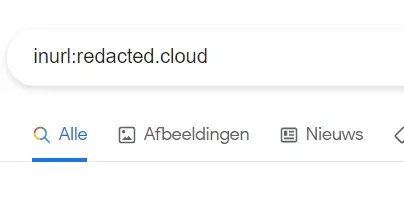
Subdomain enumeration started with a Google dork using the query inurl:redacted. That surfaced a domain of the form redacted.cloud, so the query was narrowed to inurl:redacted.cloud. One of the results was a site that showed something like "Loading data...". The React favicon identified the stack.
After a few seconds, and before the data had actually loaded, the browser redirected to the company login portal. Because the site had not been examined properly, the researcher opened it again in a new tab. This time all the data loaded and there was no redirect to the login portal.
After a little more trying, the conclusion was that opening the site in a new tab was enough to bypass the login. The researcher did not understand why this happened, but concluded that opening the site in a new tab was enough to bypass the login.
Exploitation
Step 1: bypass the login
Open the site in a new tab. The data loads and the redirect to the login portal does not happen. No request or payload is shown for this step; the bypass is purely a matter of how the page is opened.
Step 2: inspect the edit request
With the list of 1902 domains visible, the researcher edited the type field of a domain and inspected the resulting request in Burp Suite. The domain being edited was also sent in the request body. The endpoint used to edit or add a row was /update.
Step 3: add an arbitrary domain
The domain value in the request body was changed to www.grumpinout.be. After refreshing the page, that domain was present in the list. The edit functionality therefore also accepted new rows, even though the interface did not offer adding domains.
Step 4: try to delete the row
Since the endpoint to edit or add a row was /update, the researcher tried the following endpoint to delete the previously added row:
/remove
This did not work.
Step 5: delete with a different endpoint
A second attempt used /delete, and this time it worked: the domain was removed from the list.
Step 6: download the domain list
Through the site it was also possible to download a list of all the domains. One domain in that list was vulnerable to takeover.
Root cause
The report does not describe the server-side code, so the exact mistake is not stated. What the behaviour shows is that the authentication check is not enforced consistently on the data path: the redirect to the login portal happens while the data is loading, and a page opened in a new tab reaches the data without being sent to the portal. The report does not state the cause. The endpoint to edit or add a row was /update, and the domain being edited was sent in the request body.
Impact
The researcher could read the list of 1902 domains with their fields, edit those fields, add a domain via /update and remove it via /delete. The downloaded list also exposed a domain vulnerable to subdomain takeover. The authentication bypass was marked as high severity and fixed within 24 hours, with the entire site and API taken offline. The subdomain takeover was marked as medium. No bounty was paid because the program did not pay bounties.
Fix
The report states what was done rather than what should be: the site and API were taken offline within 24 hours of the authentication bypass submission. A durable fix would be to enforce authentication and authorisation on the server for every data and mutation endpoint.
Variants to test
-
Open a single-page app in a second tab while the first is still loading. A positive result is data rendering without the login redirect.
-
Try sibling verbs on a known mutation endpoint, as
/removewas tried before/delete. A positive result is a state change through an undocumented path. -
Change the domain value in the body of an edit request, as the domain was sent alongside the
typefield. A positive result is a new row appearing after a refresh. -
Download any export the application offers and check the listed hostnames for takeover. A positive result is a domain whose DNS points at a service that no longer claims it.
What happened, in plain words
A security researcher was looking at a company's bug bounty program. A bug bounty program is a deal where a company says: if you find a security problem in our systems and tell us about it responsibly, we will thank you (and sometimes pay you). The researcher found a website that redirected to a login portal, but could be opened by opening it in a second browser tab. Once inside, they could read a list of 1902 domains the company owned, change some of the details attached to those domains, add a domain of their own to the list, and delete it again. They also downloaded the whole list and found one domain that could be taken over by an outsider.
The login bypass was rated high severity and fixed within 24 hours: the company took the whole site and its API offline. The takeover issue was rated medium. No money was paid, because this particular program did not pay bounties.
Below is the whole story, step by step, with every term explained as it comes up.
Background: what the researcher was looking at
A bug bounty program usually publishes a scope: a list of which websites and systems are fair game to test. This program had a wide scope, meaning a lot of targets were allowed. The main domain (the company's primary website address) did not have much functionality, so there was not much to test there. The researcher therefore moved on to two other techniques:
- Subdomain enumeration. A subdomain is a website address that sits under a main one. If the main site is
example.com, thenshop.example.comandmail.example.comare subdomains. Companies often have many, and some are forgotten or less protected. Enumerating them means finding as many as possible. - Google dorking. This means using special search operators in Google to find pages that normal searches would not surface. For example,
site:limits results to one website, andinurl:looks for pages whose address contains a given piece of text. It is a way of asking Google to act as a free index of the internet.
The interesting target turned out to be a React.js single-page application. Two concepts there:
- React.js is a popular toolkit for building websites. A site built with it is recognisable by its favicon, the little icon shown in the browser tab. React has a well-known one, so the researcher could tell what the site was built with at a glance.
- A single-page application (SPA) is a website that loads one page and then fetches data in the background, updating what you see without reloading. Think of a restaurant menu that is printed once, with the kitchen sending out dishes as they are ready, rather than reprinting the whole menu for every course.
The site displayed a list of 1902 domains owned by the company. Each entry had four fields:
| Field | What it means |
|---|---|
type |
A category label for the domain |
business owner |
The business person or team responsible for it |
technical owner |
The technical person or team responsible for it |
legal entity |
Which legal company within the group owns it |
Through the website you could edit those four fields. What you could not do through the interface was add, delete or edit the domains themselves. The interface simply did not offer those buttons.
Normally the site is meant to be reachable only by logged-in users. When the data has not finished loading, the browser is redirected to the company login portal. A login portal is the page where you type your username and password. A redirect is the browser being told: do not show this page, go to that other address instead.
Setting up
The researcher had no account or password for the application itself. The tools were a browser and Burp Suite. Burp Suite is a program that sits between your browser and the website and lets you read and replay the requests the browser sends. A request is the message your browser sends to a server to ask for a page or to submit data; the server's answer is the response. Being able to pause a request, look at it, change a value and send it again is the core skill behind most web security testing.
The only precondition for the finding was being able to reach the site and open it in a browser tab. No accounts, roles or special tooling beyond Burp are described.
Finding it
The hunt started with a Google dork using this search query:
inurl:redacted
inurl: tells Google to return only pages whose web address contains the text after the colon. Here the text is hidden as redacted, which is what researchers do to avoid naming a target publicly. This search surfaced a domain of the form redacted.cloud, so the query was narrowed to:
inurl:redacted.cloud
Narrowing the query is like moving from a city map to a street map: fewer results, but the ones you get are much more likely to be relevant.
One of the results was a site that showed something like "Loading data...". The React favicon identified the stack, as described above.
After a few seconds, and before the data had actually loaded, the browser redirected to the company login portal. Because the site had not been examined properly, the researcher opened it again in a new tab. This time all the data loaded and there was no redirect to the login portal.
After a little more trying, the conclusion was that opening the site in a new tab was enough to bypass the login. A login bypass (or authentication bypass) means getting past the login check without valid credentials. The researcher did not understand why this happened, but concluded that opening the site in a new tab was enough to bypass the login. Authentication is simply the process of proving who you are, like showing a membership card at a club door.
Exploitation
Step 1: bypass the login
Open the site in a new tab. The data loads and the redirect to the login portal does not happen. No request or payload is shown for this step; the bypass is purely a matter of how the page is opened. A payload is the piece of data you deliberately put into a request to test what the server does with it.
Step 2: inspect the edit request
With the list of 1902 domains visible, the researcher edited the type field of a domain and inspected the resulting request in Burp Suite. The domain being edited was also sent in the request body. The request body is the part of the request that carries data, as opposed to the address line. The endpoint used to edit or add a row was /update. An endpoint is a specific address on a server that performs one job, like a counter in a post office: one window for stamps, another for parcels. /update is the window that handles changes.
Why this step matters: the researcher wanted to see exactly what the browser sends when a field is edited. If the domain name travels in the body, then perhaps it can be changed to something else.
Step 3: add an arbitrary domain
The domain value in the request body was changed to:
www.grumpinout.be
After refreshing the page, that domain was present in the list. The edit functionality therefore also accepted new rows, even though the interface did not offer adding domains. In other words, the website's buttons were not the whole story: the server behind them accepted more than the buttons offered. This is a common theme in web security. The interface is a shop window; the API is the warehouse behind it. An API (application programming interface) is the set of addresses and rules a website uses to talk to its server. If the warehouse door is unlocked, it does not matter that the shop window has no handle.
Step 4: try to delete the row
Since the endpoint to edit or add a row was /update, the researcher guessed that a related endpoint might delete it. The first guess was:
/remove
This did not work. Guessing endpoint names is like trying door handles in a corridor: many will be locked or simply not exist, but the pattern of names often gives you a hint about the next one to try.
Step 5: delete with a different endpoint
A second attempt used:
/delete
This time it worked: the domain was removed from the list. The researcher had now shown that a domain could be added and removed from the company's list.
Step 6: download the domain list
Through the site it was also possible to download a list of all the domains. One domain in that list was vulnerable to takeover. A subdomain takeover is a situation where a company points one of its subdomains at an outside service, then stops using that service, but leaves the pointer in place. Anyone who can claim the abandoned service can then serve their own content under the company's name. It is like cancelling a magazine subscription but leaving the forwarding address active, so the next person to rent that address receives the company's post.
Root cause
The report does not describe the server-side code, so the exact mistake is not stated. What the behaviour shows is that the authentication check is not enforced consistently on the data path: the redirect to the login portal happens while the data is loading, and a page opened in a new tab reaches the data without being sent to the portal. The report does not state the cause. Client side means the check happens in your browser; server side means it happens on the company's machine. A client-side check is like a bouncer who only checks tickets at the front door of a building with an open side entrance. The endpoint to edit or add a row was /update, and the domain being edited was sent in the request body.
Impact
The researcher could read the list of 1902 domains with their fields, edit those fields, add a domain via /update and remove it via /delete. The downloaded list also exposed a domain vulnerable to subdomain takeover. The authentication bypass was marked as high severity and fixed within 24 hours, with the entire site and API taken offline. The subdomain takeover was marked as medium. No bounty was paid because the program did not pay bounties.
Severity ratings are the program's way of saying how much a finding matters. High means it needs fixing urgently; medium means it matters but is less immediately dangerous.
Fix
The report states what was done rather than what should be: the site and API were taken offline within 24 hours of the authentication bypass submission. A durable fix would be to enforce authentication and authorisation on the server for every data and mutation endpoint. Authorise means checking not just that you are logged in, but that you are allowed to do this particular thing to this particular record.
Variants to test
If you want to look for similar problems yourself, these are the patterns worth trying. Only test systems you are allowed to test, such as those in a bug bounty scope.
- Open a single-page app in a second tab while the first is still loading. A positive result is data rendering without the login redirect.
- Compare the API responses with and without a session, using Burp Repeater. A session is the server's memory of who you are, usually carried by a cookie or token, which is a small piece of data your browser stores and sends back with each request. Burp Repeater is the part of Burp that lets you send the same request again and again with small changes. A positive result is a
200with data where a401or403is expected. Those are HTTP status codes:200means OK,401means not logged in,403means logged in but not allowed. - Try sibling verbs on a known mutation endpoint, as
/removewas tried before/delete. A positive result is a state change through an undocumented path. - Change the domain value in the body of an edit request, as the domain was sent alongside the
typefield. A positive result is a new row appearing after a refresh. - Download any export the application offers and check the listed hostnames for takeover. A positive result is a domain whose DNS points at a service that no longer claims it. DNS is the internet's address book, translating names like
example.cominto the machine addresses behind them.
Glossary
- API: the set of addresses and rules a website uses to talk to its server, separate from the buttons you see.
- Authentication: proving who you are, usually with a username and password.
- Authorise: checking that a logged-in user is allowed to perform a specific action on a specific record.
- Bug bounty program: a scheme where a company invites outsiders to report security problems, sometimes for a reward.
- Burp Repeater: the part of Burp Suite that lets you resend a captured request with changes.
- Burp Suite: a tool that sits between browser and website so you can read, pause and replay requests.
- Client side: code or checks that run in your own browser.
- Cookie: a small piece of data a website stores in your browser and receives back on later requests, often used to remember who you are.
- DNS: the internet's address book, turning names into machine addresses.
- Endpoint: a specific address on a server that performs one job, such as
/updateor/delete. - Favicon: the small icon shown in a browser tab, which can reveal what a site is built with.
- Google dorking: using special search operators such as
inurl:to find pages normal searches miss. - HTTP status code: a number in a response saying what happened, such as
200OK,401not logged in,403forbidden. - Login bypass / authentication bypass: getting past a login check without valid credentials.
- Login portal: the page where users type their username and password.
- Payload: the piece of data you deliberately place in a request to test the server's behaviour.
- React.js: a popular toolkit for building websites, recognisable by its favicon.
- Redirect: the browser being told to go to a different address instead of showing the page.
- Request: the message a browser sends to a server asking for a page or submitting data.
- Request body: the part of a request that carries data, as opposed to the address line.
- Response: the server's answer to a request.
- Scope: the list of systems a bug bounty program allows you to test.
- Server side: code or checks that run on the company's machine, not in your browser.
- Session: the server's memory of who you are across requests, usually carried by a cookie or token.
- Severity: a rating of how serious a finding is, such as high or medium.
- Single-page application (SPA): a website that loads once and fetches data in the background without full page reloads.
- Subdomain: a website address under a main one, such as
shop.example.comunderexample.com. - Subdomain enumeration: finding as many of a company's subdomains as possible.
- Subdomain takeover: claiming an abandoned outside service that a company's subdomain still points at.
- Token: a small piece of data, similar to a cookie, used to prove who you are on later requests.