When a 777 Directory Becomes a Security Issue: A Bug Bounty Story About State Tampering
A local configuration utility created its state directory with world-writable permissions, relying on the system umask to restrict access. In environments with a permissive umask, another local user could modify or delete trusted application state, tampering with execution history and automation behaviour.
 Published on medium.com
Cybersecurity
The full write-up lives on its author's site
It belongs to its author, so we link to it rather than copy it. The other two tabs are our own rewrites, checked against it.
Context
This finding came out of a bug bounty engagement against a well-known open-source utility used to manage workstation configuration and automation. The target was not a web application, an API or a cloud service: the researcher focused on how the application stored and protected its local state.
That state matters because applications routinely keep execution metadata, lock files, databases, caches and "run once" markers that influence future behaviour. If an attacker can manipulate that state, they may be able to alter application logic without touching the source code or gaining elevated privileges.
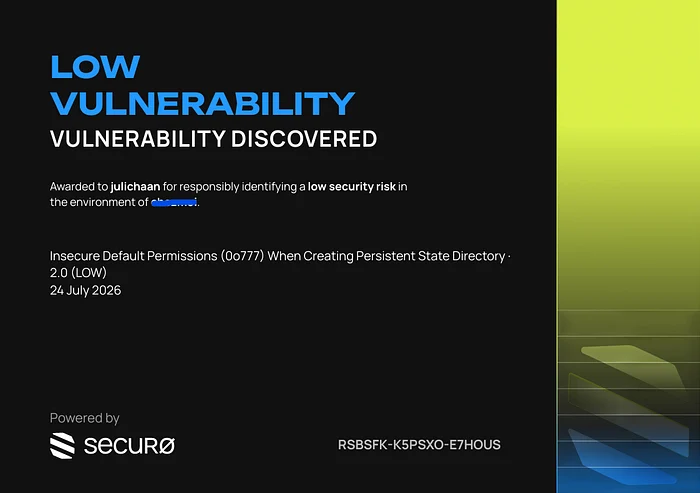
The report deliberately omits the vendor, platform and infrastructure details to respect disclosure boundaries. It was ultimately accepted as a valid security hardening issue, not because it enabled immediate compromise, but because it introduced unnecessary security variance between environments.
Setup
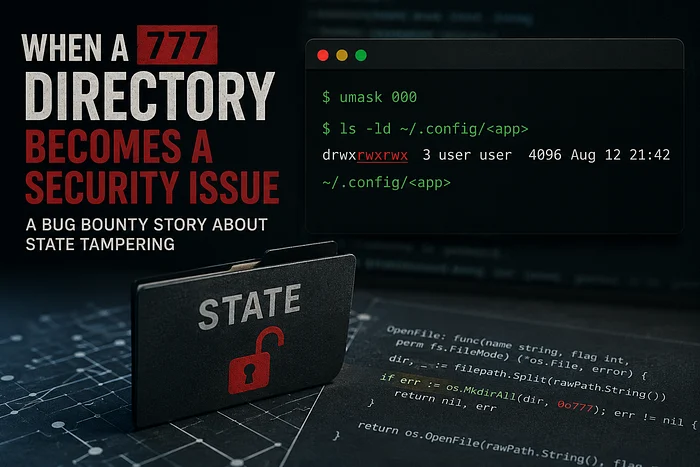
The precondition that matters is the environment's umask: the issue only manifests where the mask is permissive, for example umask 000. The report mentions CI/CD runners, containers, development systems and multi-user workstations as places where a permissive mask such as umask 000 may be configured.
Finding it
While tracing the application's state persistence flow, the researcher found the code path that opens the state database. The database file itself was created with restrictive permissions; the concern came from the parent directory being explicitly requested as 0777:
OpenFile: func(name string, flag int, perm fs.FileMode) (*os.File, error) { dir, _ := filepath.Split(rawPath.String())
if err := os.MkdirAll(dir, 0o777); err != nil { return nil, err } return os.OpenFile(rawPath.String(), flag, perm)}
At first glance nothing appears particularly dangerous, which is exactly why the pattern is easy to miss in review. The directory is created with os.MkdirAll(dir, 0o777) before the file is opened, so the permissions of the directory that holds the state depend on whatever the operating system's mask removes from that request.
Exploitation
The issue was easy to demonstrate safely, and the report notes that the attack surface remains local.
Step 1: Configure a permissive mask
umask 000
This sets the process mask so that no permission bits are stripped from anything the application requests.
Step 2: Remove the existing state database directory
Deleting the directory forces the application to recreate it on the next run, which is when the MkdirAll call with 0o777 executes.
Step 3: Execute a normal application workflow that recreates the state
No malicious input is needed at this stage: an ordinary workflow that writes state is enough to trigger directory creation.
Step 4: Inspect the resulting permissions
ls -ld <state-directory>
The directory inherits permissions that are significantly broader than what would typically be expected for security-sensitive application state. With umask 000, the requested 0777 survives intact and the state directory becomes writable by other users.
The report is explicit about what this finding is not:
- It is not Remote Code Execution.
- It is not Privilege Escalation.
- It does not allow an external attacker to compromise the system.
The attack surface remains local.
Root cause
The mistake is relying on the system's umask for security-sensitive directory permissions. umask acts as a permissions filter: when an application requests file or directory permissions, the operating system removes specific bits according to the active mask. The report gives this table of requested mode, mask and result:
| Requested Mode | Umask | Result |
|---|---|---|
| 0777 | 022 | 0755 |
| 0777 | 002 | 0775 |
| 0777 | 000 | 0777 |
In many desktop environments a restrictive umask prevents the problem from appearing, which is why the assumption usually holds. The flaw is that security-sensitive software should not depend on environmental defaults remaining secure. Where the mask is permissive, the state directory ends up writable by other users and trust boundaries begin to blur.
Impact
Security is also about integrity. If another local user can modify trusted application state, they may be able to:
- Delete execution history.
- Force "run once" automation to execute repeatedly.
- Alter internal assumptions used by workflows.
- Corrupt state information and influence future behaviour.
- Create difficult-to-diagnose operational issues.
In shared environments these effects can become surprisingly impactful. The report characterises the finding as a low-complexity issue whose impact depends heavily on deployment context:
| Factor | Assessment |
|---|---|
| Attack Surface | Local state directory |
| Complexity | Low |
| Prerequisites | Shared environment and permissive umask |
| Impact | State tampering and integrity loss |
| Exploitability | Context dependent |
| Severity | Medium |
Fix
The remediation was straightforward: instead of requesting a world-writable directory and relying on umask to remove permissions, the application should explicitly enforce the intended security boundary.
if err := os.MkdirAll(dir, 0o700); err != nil { return nil, err}
This ensures that only the owner can access the directory regardless of the surrounding environment. The change is small, but it removes a security dependency that should never have existed in the first place.
Variants to test
The broader lesson is that most real-world vulnerabilities emerge from assumptions: that environment variables are trusted, that input will always follow expected formats, that infrastructure defaults are secure, that permission models behave consistently everywhere. In this case the application assumed umask would always compensate for an overly permissive directory creation request.
- Grep the codebase for directory and file creation calls that pass permissive modes, such as
0777,0o777,0666or0o666, and check whether the resulting path holds state, credentials, caches or lock files. A positive result is a security-sensitive path whose final permissions depend on the mask rather than on an explicit mode. - Run the application under
umask 000in a container or CI runner and inspect the permissions of every directory it creates withls -ld. A positive result is a state or configuration directory that is group- or world-writable after a normal workflow. - Repeat the same workflow under a restrictive mask and compare the results. A positive result is a permission set that differs between environments, which is the variance the report describes.
- Look for "run once" markers, execution history and lock files inside such directories, then check whether a second local user can delete or rewrite them. A positive result is automation that re-executes or history that disappears after another user touches the state.
- Check whether the application ever re-validates the permissions of its state directory at startup. A positive result is an application that trusts whatever permissions it finds and never warns about a world-writable state path.
What happened, in plain words
A security researcher was taking part in a bug bounty programme. A bug bounty programme is a scheme where a company or project invites outside people to look for security problems in its software and report them, often paying a reward for good findings. During that work, the researcher looked at a well-known open-source utility. Open source means the program's source code is published and anyone can read it. This particular utility is used to manage the configuration and automation of a workstation, meaning a normal desktop or laptop computer used for work.
The target was not a website, not an API and not a cloud service. An API is a way for two programs to talk to each other over a network, usually exchanging data in a fixed format. A cloud service is software running on someone else's computers that you reach over the internet. None of that was involved here. The researcher instead looked at something much less glamorous: how the application stores and protects its own local state.
"Local state" means the small files a program keeps on your own machine to remember things between runs. Think of it like the notes a shopkeeper keeps in a drawer: which orders were already handled, which tasks were already done, what happened last time. If someone else can reach into that drawer and change the notes, the shop can behave strangely even though nothing in the shop itself was broken.
That is exactly the kind of problem found here. The application kept a directory for its state and asked the operating system to create it with permissions that were far too generous. Whether that became a real problem depended on a system-wide setting called umask, which we will explain shortly. The finding was accepted as a valid security hardening issue. "Security hardening" means making something more resistant to attack even when no attack is currently possible. It was accepted not because it allowed an immediate break-in, but because it made the software behave differently, and less safely, in some environments than in others.
The report deliberately leaves out the vendor, the platform and the infrastructure details, to respect disclosure boundaries. In plain terms: the people who wrote the software get to decide how much is made public, and the researcher kept to that.
The setup
A shell is the text window where you type commands instead of clicking icons; on Linux and macOS it is the Terminal app, on Windows it is PowerShell or the Command Prompt.
The one precondition that matters is the environment's umask. Let us unpack that word, because everything else depends on it.
Every file and folder on a Linux-style system carries permissions: a short set of rules saying who may read it, who may write to it (change it) and who may execute it (run it, for programs). These permissions are usually written as three digits, one for the owner, one for the group and one for everyone else. Each digit is a sum of three values: 4 means read, 2 means write, 1 means execute. So 7 is 4+2+1, meaning read, write and execute all allowed. 6 is read and write. 5 is read and execute. 0 is nothing at all.
That gives us the numbers used in this story:
777means everybody, the owner, the group and every other user on the machine, can read, write and execute. For a folder, "write" means you can create, rename and delete files inside it.700means only the owner has any access at all.755means the owner can do everything, and everyone else can read and execute but not write.
Now, umask is a filter applied on top of whatever permissions a program asks for. The name stands for "user file-creation mode mask". When a program says "create this folder with permissions 777", the operating system does not simply obey. It subtracts the bits set in the mask first. Think of it like a shop that prints a sign saying "Open to all" but has a house rule that always blacks out certain words before the sign goes up. The program asks; the mask trims.
The issue only appears where the mask is permissive, for example umask 000, which trims nothing at all. The report mentions CI/CD runners, containers, development systems and multi-user workstations as places where a permissive mask such as umask 000 may be configured. CI/CD runners are machines that automatically build and test software whenever a developer saves a change; they are often configured loosely because they are meant to be disposable. A container is a lightweight, isolated box on a machine that holds one application and its dependencies. A multi-user workstation is a computer several people log into, each with their own account.
Finding it
While tracing the application's state persistence flow, the researcher found the piece of code that opens the state database. "State persistence" simply means saving state to disk so it survives after the program closes. A database here is just a file the program uses to store structured records, not a separate server.
The database file itself was created with restrictive permissions, which sounds reassuring. The concern came from the parent directory, the folder that contains the file, being explicitly requested as 0777:
OpenFile: func(name string, flag int, perm fs.FileMode) (*os.File, error) { dir, _ := filepath.Split(rawPath.String())
if err := os.MkdirAll(dir, 0o777); err != nil { return nil, err } return os.OpenFile(rawPath.String(), flag, perm)}
Line by line, in plain words:
OpenFile: func(name string, flag int, perm fs.FileMode) (*os.File, error) {declares a function calledOpenFile. A function is a named block of code that does one job and can be called by name. This one takes a file name, a flag (options such as "create if missing") and a permission value, and it returns either an open file or an error. TheOpenFile:prefix is a label the report uses to point at this function.dir, _ := filepath.Split(rawPath.String())takes the full path of the file the program wants to open and splits it into two parts: the folder part, stored indir, and the file name part, which is thrown away into_. The underscore is a convention meaning "I do not care about this value". So after this line,dirholds the folder that will contain the state file.if err := os.MkdirAll(dir, 0o777); err != nil {asks the operating system to make that folder, and any missing folders above it, with permissions0o777. The0oprefix is just how this language writes an octal (base eight) number, which is the traditional way permissions are written;0o777is the same as777. If anything goes wrong, the error is stored inerrand the next line runs.return nil, errhands the error back to whoever called the function, along withnil, meaning "no file".}closes the error check.return os.OpenFile(rawPath.String(), flag, perm)now actually opens the file, using the permissions passed in by the caller. This is the restrictive part mentioned above: the file gets sensible permissions even though its folder did not.}closes the function.
At first glance nothing appears particularly dangerous, which is exactly why the pattern is easy to miss in a code review. The folder is created with os.MkdirAll(dir, 0o777) before the file is opened, so the permissions of the folder that holds the state depend on whatever the operating system's mask removes from that request. If the mask removes nothing, the folder ends up open to everyone.
Reproducing the behaviour
The issue was easy to demonstrate safely, and the report notes that the attack surface remains local.
Step 1: Configure a permissive mask
umask 000
This sets the mask for the current shell session so that no permission bits are stripped from anything the application requests. The researcher does this first because the whole point is to simulate an environment where the mask offers no protection. Without this step, a normal desktop would quietly hide the problem.
Step 2: Remove the existing state database directory
Deleting the folder forces the application to recreate it on the next run, which is when the MkdirAll call with 0o777 executes. If the folder already exists, the program has no reason to create it again, and the vulnerable line never runs.
Step 3: Execute a normal application workflow that recreates the state
No malicious input is needed at this stage. An ordinary workflow that writes state, the same thing a regular user does every day, is enough to trigger the folder creation. That is what makes the finding interesting: nothing unusual has to happen for the folder to appear with loose permissions.
Step 4: Inspect the resulting permissions
ls -ld <state-directory>
Here ls lists files, -l asks for the long format that includes permissions, and -d says "show me the folder itself, not its contents". The angle brackets are a placeholder: you would type the real path of the state folder there. The output shows the folder's permissions, owner and group.
The folder inherits permissions that are significantly broader than what would typically be expected for security-sensitive application state. With umask 000, the requested 0777 survives intact and the state folder becomes writable by other users. In other words, anyone else with an account on that machine can add, rename or delete files inside it.
The report is explicit about what this finding is not:
- It is not Remote Code Execution. Remote Code Execution, often shortened to RCE, means an attacker somewhere else on the network can make the machine run their own code. That is the dramatic scenario people imagine, and it did not happen here.
- It is not Privilege Escalation. Privilege escalation means a user with limited rights finds a way to gain the rights of a more powerful user, such as an administrator.
- It does not allow an external attacker to compromise the system. Someone outside the machine cannot use this to get in.
The attack surface remains local. "Attack surface" is the set of places where an attacker could try to get in; here, that set is limited to people who already have an account on the same computer.
Root cause
The mistake is relying on the system's umask for security-sensitive folder permissions. As we saw, umask acts as a permissions filter: when an application requests file or folder permissions, the operating system removes specific bits according to the active mask. The report gives this table of requested mode, mask and result:
| Requested Mode | Umask | Result |
|---|---|---|
| 0777 | 022 | 0755 |
| 0777 | 002 | 0775 |
| 0777 | 000 | 0777 |
Reading the table: in the first row the program asks for 777 and the mask 022 removes the write bit for group and others, leaving 755, so only the owner can write. In the second row the mask 002 removes only the write bit for others, leaving 775, so the group can write too. In the third row the mask 000 removes nothing, leaving 777, so everyone can write.
In many desktop environments a restrictive umask prevents the problem from appearing, which is why the assumption usually holds. Most home users never notice anything, because their system's default mask quietly cleans up after the program. The flaw is that security-sensitive software should not depend on environmental defaults remaining secure. A program that is safe only because of a setting somewhere else is not really safe; it is lucky.
Where the mask is permissive, the state folder ends up writable by other users and trust boundaries begin to blur. A "trust boundary" is an imaginary line between two areas that trust each other differently, for example between one user's private data and another user's reach. If you can write to a folder, you can often rename or replace the files inside it, regardless of what permissions those files carry.
Impact
Security is also about integrity, not just secrecy. Integrity means data has not been changed by anyone who should not change it. A system can keep every secret perfectly and still be broken if someone can quietly rewrite its records.
If another local user can modify trusted application state, they may be able to:
- Delete execution history. The record of what has already run disappears, so the program loses its memory of past actions.
- Force "run once" automation to execute repeatedly. A "run once" marker is a small note saying "this task has already been done, do not do it again". If someone deletes the note, the task runs again, and again, every time.
- Alter internal assumptions used by workflows. A workflow is a sequence of automated steps; if the notes it relies on are edited, the steps can take a different path than intended.
- Corrupt state information and influence future behaviour. Corrupt here means damaged or inconsistent, not necessarily malicious-looking.
- Create difficult-to-diagnose operational issues. Problems that appear intermittently and cannot easily be traced back to their cause.
In shared environments these effects can become surprisingly impactful, because many people use the same machine and the same state folder. The report characterises the finding as a low-complexity issue whose impact depends heavily on deployment context. "Deployment context" means where and how the software is installed and run: a single-user laptop is a very different place from a shared build server.
| Factor | Assessment |
|---|---|
| Attack Surface | Local state directory |
| Complexity | Low |
| Prerequisites | Shared environment and permissive umask |
| Impact | State tampering and integrity loss |
| Exploitability | Context dependent |
| Severity | Medium |
A word on the table's vocabulary. "Complexity" describes how hard the issue is to trigger; low means it takes little effort. "Prerequisites" are the conditions that must be true first. "Exploitability" is how practical it is to abuse in the real world, and "context dependent" means the answer changes with the environment. "Severity" is the overall seriousness rating, here Medium: worth fixing, not an emergency.
The fix
The remediation was straightforward. Instead of requesting a world-writable folder and relying on umask to remove permissions, the application should explicitly enforce the intended security boundary.
if err := os.MkdirAll(dir, 0o700); err != nil { return nil, err}
Line by line:
if err := os.MkdirAll(dir, 0o700); err != nil {asks the operating system to create the folder with permissions0o700instead of0o777. The only change is that single digit. If something goes wrong, the error is captured inerrand the next line runs.return nil, errpasses the error back to the caller, with no file.}closes the error check.
This ensures that only the owner can access the folder regardless of the surrounding environment. Even with umask 000, a request for 700 cannot become broader than 700, because a mask can only remove permissions, never add them. The change is small, but it removes a security dependency that should never have existed in the first place: the program no longer needs to hope that the machine's settings are sensible.
A broader security lesson
One of the most valuable lessons from bug bounty work is that impactful findings rarely look like movie scenes. Most real-world vulnerabilities emerge from assumptions:
- Assuming environment variables are trusted. Environment variables are named settings that the operating system passes to programs, such as where to store files or which language to use; they can be set by whoever runs the program.
- Assuming input will always follow expected formats.
- Assuming infrastructure defaults are secure. Infrastructure here means the machines, containers and build systems the software runs on.
- Assuming permission models behave consistently everywhere. Permission models are the rules a system uses to decide who may do what; they differ between operating systems and configurations.
In this case, the application assumed that umask would always compensate for an overly permissive folder creation request. That assumption held true most of the time. Security issues often begin precisely where those assumptions stop being true.
Variants to test
- Search the codebase for folder and file creation calls that pass permissive modes, such as
0777,0o777,0666or0o666, and check whether the resulting path holds state, credentials, caches or lock files. A positive result is a security-sensitive path whose final permissions depend on the mask rather than on an explicit mode. "Credentials" means usernames, passwords or keys; a "cache" is a store of data kept for speed; a "lock file" is a marker that stops two copies of a program from running at once. - Run the application under
umask 000in a container or CI runner and inspect the permissions of every folder it creates withls -ld. A positive result is a state or configuration folder that is group- or world-writable after a normal workflow. - Repeat the same workflow under a restrictive mask and compare the results. A positive result is a permission set that differs between environments, which is the variance the report describes. "Variance" simply means inconsistency.
- Look for "run once" markers, execution history and lock files inside such folders, then check whether a second local user can delete or rewrite them. A positive result is automation that re-executes or history that disappears after another user touches the state.
- Check whether the application ever re-validates the permissions of its state folder at startup. A positive result is an application that trusts whatever permissions it finds and never warns about a world-writable state path.
Final thoughts
This finding was ultimately accepted as a valid security hardening issue, not because it enabled immediate compromise, but because it introduced unnecessary security variance between environments. The most dangerous bugs are not always the loudest ones. Sometimes they are a single permission bit away from becoming somebody else's problem.
Glossary
- API: a way for two programs to talk to each other over a network, usually exchanging data in a fixed format.
- Attack surface: the set of places where an attacker could try to get in.
- Bug bounty: a scheme where a company or project invites outside people to find and report security problems, often for a reward.
- Cache: a store of data kept for speed so it does not have to be fetched or computed again.
- CI/CD runner: a machine that automatically builds and tests software whenever a developer saves a change.
- Cloud service: software running on someone else's computers that you reach over the internet.
- Complexity: how hard an issue is to trigger.
- Container: a lightweight, isolated box on a machine that holds one application and its dependencies.
- Corrupt: damaged or inconsistent, not necessarily malicious-looking.
- Credentials: usernames, passwords or keys used to prove identity.
- Deployment context: where and how software is installed and run.
- Environment variable: a named setting the operating system passes to programs, which can be set by whoever runs the program.
- Exploitability: how practical it is to abuse an issue in the real world.
- Function: a named block of code that does one job and can be called by name.
- Integrity: the property that data has not been changed by anyone who should not change it.
- Local state: the small files a program keeps on your own machine to remember things between runs.
- Lock file: a marker that stops two copies of a program from running at once.
- Open source: software whose source code is published and anyone can read it.
- Parent directory: the folder that contains a given file or folder.
- Permissions: the rules saying who may read, write or execute a file or folder.
- Prerequisites: the conditions that must be true before an issue can occur.
- Privilege escalation: a user with limited rights finding a way to gain the rights of a more powerful user.
- Remote Code Execution (RCE): an attacker somewhere else on the network making a machine run their own code.
- Security hardening: making something more resistant to attack even when no attack is currently possible.
- Severity: the overall seriousness rating of a finding.
- Shell: the text window where you type commands instead of clicking icons.
- State persistence: saving state to disk so it survives after the program closes.
- Trust boundary: an imaginary line between two areas that trust each other differently.
- umask: a filter that removes permission bits from whatever permissions a program requests when creating files or folders.
- Variance: inconsistency, here between environments.
- Workflow: a sequence of automated steps.



