When an AI Backend Forgot to Ask Who You Were: Finding Unauthenticated LLM Invocation in a FigmaBot…
The /chat endpoint of a Figma-oriented AI backend accepted requests with no authentication and a null pairing code, yet still invoked the language model and returned generated content. An unauthenticated attacker could therefore consume the AI service remotely and observe the agent's intended Figma tooling, though unauthorised Figma document access was not demonstrated.
 Published on medium.com
Bug Bounty
The full write-up lives on its author's site
It belongs to its author, so we link to it rather than copy it. The other two tabs are our own rewrites, checked against it.
Context
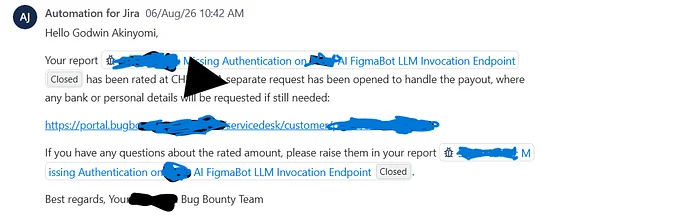
During an authorised security assessment of a FigmaBot backend, I found that the /chat endpoint accepted unauthenticated requests and invoked model inference even when no valid pairing code or authenticated session was supplied. The backend identified itself as a Figma-oriented AI assistant and described an intended set of Figma-related tools. I disclosed the issue responsibly to the affected organisation, and it was subsequently resolved.
The organisation's name, hostname, infrastructure details, bounty information and internal evidence are deliberately omitted here. The technical details are kept where they help explain the vulnerability without exposing the affected environment.
Setup
The assessment was carried out against the application's API surface. The core test used no session cookie, no Authorization header and no valid pairing code. The publicly exposed OpenAPI specification was also reviewed, and it listed the following endpoints:
/chat
/pairing
/pairing/{code}/status
/health
The presence of a pairing workflow was the key design signal: the service was not meant to be a purely anonymous chatbot, but one where a client establishes a relationship with the backend first.
Finding it
The starting question was simple: what happens if the AI backend is called without authenticating first? While exploring the API surface I came across /chat and asked whether the endpoint actually required authentication. A successful unauthenticated request does not by itself prove a vulnerability, since some AI services intentionally offer anonymous chat, so the next question was what the service was designed to do. The pairing endpoints in the OpenAPI specification suggested that a client-to-backend relationship was expected, which made the unauthenticated behaviour of /chat look like a boundary failure rather than a feature.
Exploitation
Step 1: Send a harmless prompt with no credentials
I sent a request with no session cookie, no Authorization header, and the pairing value explicitly set to null:
POST /chat HTTP/1.1
Host: [REDACTED]
Content-Type: application/json
Accept: application/json

{
  "messages": [
    {
      "role": "user",
      "content": "Reply with exactly: PaulHaykeens"
    }
  ],
  "pairing_code": null
}
The messages array carries a single user turn, and pairing_code is set to JSON null rather than a real code. The backend responded:
HTTP/1.1 200 OK
Content-Type: application/json
and returned:
{
  "content": "PaulHaykeens"
}
There was no authentication token, no authenticated session and no valid pairing code, yet the backend processed the prompt and returned model-generated content. The hypothesis was that the model invocation layer might be reachable before the application verifies the caller's identity.
Step 2: Ask the model about its role and tools
To understand what sat behind /chat, I sent another harmless request asking the model to describe its role and the tools available to it. The responses identified the service as a Figma-oriented assistant and referenced functionality such as:
* `get_document_info`
* `get_node_info`
* `create_frame`
* `create_text`
* `create_component_instance`
* `set_auto_layout`
* `set_focus`
* `delete_node`
This showed the backend was not merely generic text generation but part of an AI agent workflow designed around interaction with Figma, which changed how the authentication issue should be read: an unauthenticated user could directly invoke an AI backend that appeared to sit behind a pairing-oriented Figma workflow.
Step 3: Try to escalate to Figma access, and stop where the evidence stops
I then tried to determine whether the missing authentication could be escalated into actual access to Figma documents or canvas operations. The model described Figma-related tools, but testing did not produce reliable evidence of actual Figma document access using pairing_code: null. I did not obtain:
* real document names
* Figma file keys
* real node IDs
* actual canvas contents
* confirmed unauthorized canvas modifications
Some responses were inconsistent, so the model's description of its tools could not be treated as proof that those tools were executable in the unauthenticated session. The finding was therefore scoped to what could be proven: unauthenticated remote users could invoke the backend LLM functionality. The Figma tooling exposure is supporting evidence about the intended role of the service, not proof of unauthorised canvas access.
Step 4: Check CORS
The endpoint's CORS behaviour was also checked. The API responded to a preflight request with:
Access-Control-Allow-Origin: *
and allowed the POST method. This was not treated as the primary vulnerability: CORS was not required to exploit the authentication issue, because the API was already directly reachable without authentication. It made the exposure more convenient for browser-based clients but was not what caused the security boundary to fail.
Step 5: Reproduce the core behaviour
For researchers working in an authorised environment, the core behaviour can be reproduced with a minimal request:
curl -i -sS 'https: -H 'Content-Type: application/json' \ - data '{ "messages": [ { "role": "user", "content": "Reply with exactly: PaulHaykeens" } ], "pairing_code": null }'
A vulnerable implementation returns a successful model response despite the absence of authentication or a valid pairing session. The specific prompt string is not the point; the observation is:
No authentication +
No valid pairing +
Successful model invocation
Root cause
The core issue was the order in which security controls were applied. The application exposed a pairing mechanism, but /chat accepted:
"pairing_code": null
and proceeded to invoke model inference anyway. The intended flow would presumably look something like:
Client
  │
  ├── Authenticate / Pair
  │
  ▼
Validate session
  │
  ▼
Authorize request
  │
  ▼
Invoke FigmaBot / LLM
The observed behaviour instead looked closer to:
Unauthenticated Client
  │
  ▼
/chat
  │
  ▼
LLM invocation
The authentication or pairing boundary was therefore not enforced before model execution. The permissive CORS policy did not cause this; it only made the exposure more convenient for browser-based clients.
Impact
The most concrete impact demonstrated was unauthorised consumption of the backend AI service: an attacker could remotely submit prompts and receive model responses without a valid user session or pairing code. Depending on the underlying infrastructure and usage model, this could result in:
- unauthorised consumption of LLM resources
- abuse of model quotas
- increased operational costs
- automated prompt abuse
- exposure of internal AI-agent behaviour
- disclosure of implementation or tooling information
A potentially more significant concern was the Figma integration: if the unauthenticated execution path had been connected to live Figma tools, the consequences could have included unauthorised access to or manipulation of Figma resources. I could not confirm that escalation, so it was not reported as demonstrated impact. A good report separates what was proven from what could potentially happen if another control were also bypassed.
Fix
The issue was responsibly disclosed to the Program and subsequently resolved. My recommendations were:
- Authenticate before invoking the model. The
/chatendpoint should verify the caller's authentication state before allowing model execution. - Enforce pairing server-side. If the FigmaBot workflow requires pairing, the server should validate the pairing/session state rather than accepting
"pairing_code": nulland continuing execution. - Apply rate limits and quotas. Even authenticated AI services should have per-user, per-session and per-IP controls to prevent resource abuse.
- Restrict CORS. If browser access is required, CORS should be limited to trusted application origins rather than allowing every origin.
- Minimise agent/tool disclosure. An AI agent should not unnecessarily expose internal tooling, implementation details or privileged capabilities to unauthenticated callers.
The lesson is simple: the backend trusted the request before establishing who was making it. An endpoint can look ordinary from the outside, return 200 OK, and still have crossed an LLM invocation boundary without first establishing authentication or pairing. The interesting question is not only what an endpoint returns, but which security boundary the backend crossed to produce that response, and how far that boundary can be crossed before the evidence runs out.
Variants to test
- A positive result is a
200with model-generated content and no session or valid code. - If the unauthenticated and invalid-token responses are identical to the authenticated one, the check likely happens after invocation.
- A positive result is data that could only come from a live Figma workspace.
- A wildcard origin with
POSTallowed on an unauthenticated endpoint confirms browser-based abuse is practical. - No limit on an unauthenticated endpoint supports the resource-abuse impact.
- A positive result is version, configuration or pairing-state information returned without authentication.
What happened, in plain words
A company built a helper bot for Figma, the design tool many teams use to draw screens and components. The bot is powered by a large language model (LLM), the same kind of technology behind chat assistants: you send it text, it sends text back. The bot's brain lives on a server, and the website or plugin talks to that server through an API.
An API is the set of doors a program offers to other programs. Think of a restaurant: the dining room is the website you see, and the kitchen door where orders are handed in is the API. Anyone who knows the address of that door can knock. The question is whether the kitchen checks who is knocking before it starts cooking.
In this assessment, the kitchen did not check. The endpoint called /chat, the door through which prompts go in and model answers come out, accepted requests from anyone. No login, no session, no pairing code. It still ran the model and returned an answer. The researcher, Godwin Akinyomi, who writes publicly as Paul Haykeens, found this during an authorised security assessment, reported it responsibly, and the organisation fixed it.
The rest of this article walks through exactly how he got there, one small step at a time, and explains every term along the way.
The words you need before we start
A few ideas come up again and again, so here they are once, in everyday language.
- Endpoint: one specific address inside an API, usually a path like
/chat. If the API is a building, an endpoint is one named counter inside it. - Request and response: your browser (or a tool like curl) sends a request; the server sends back a response. A request has a method (what you want to do), a path (where), headers (extra labels) and sometimes a body (the content).
- HTTP method:
GETusually means "give me something",POSTmeans "here is data, do something with it". - Header: a small labelled line attached to a request or response, such as
Content-Type: application/json, which says "the body is JSON". - JSON: a text format for structured data, made of keys and values in curly braces, like
{"name": "value"}. It is how most APIs exchange data. - Authentication: proving who you are. Logging in with a password is authentication.
- Session cookie: a small piece of text your browser stores after you log in and sends back with every request, so the server recognises you. It is like a wristband at an event: the door staff check the wristband instead of your ID every time.
- Token: a similar proof of identity, usually sent in an
Authorizationheader rather than a cookie. Same idea, different pocket. - Pairing code: a short code that links one client (say, a plugin) to one backend account, a bit like pairing a Bluetooth speaker with your phone. It is a way of saying "these two belong together".
- LLM inference: the act of the model actually generating an answer. It costs the provider real computing money every time it happens.
- CORS: a browser rule about which websites may call which APIs from inside a browser tab. We will come back to it.
- OpenAPI specification: a public document that lists an API's endpoints and what they expect. Like a menu posted outside the restaurant.
Setting the scene
The assessment was carried out against the application's API surface. The core test used no session cookie, no Authorization header and no valid pairing code. The publicly exposed OpenAPI specification was also reviewed, and it listed the following endpoints:
/chat
/pairing
/pairing/{code}/status
/health
Line by line:
/chatis where prompts are sent and model answers come back. This is the door we care about./pairingis presumably where a client asks to be paired with the backend./pairing/{code}/statuslets a client check whether a given pairing code has been accepted. The{code}part is a placeholder for an actual code./healthis a common endpoint that reports whether the service is up, like a light on a machine.
The presence of a pairing workflow was the key design signal: the service was not meant to be a purely anonymous chatbot, but one where a client establishes a relationship with the backend first. That is why the menu matters. If the menu lists a pairing counter, the kitchen was probably designed to check pairing before cooking.
Finding it
The starting question was simple: what happens if the AI backend is called without authenticating first? While exploring the API surface the researcher came across /chat and asked whether the endpoint actually required authentication.
A successful unauthenticated request does not by itself prove a vulnerability, since some AI services intentionally offer anonymous chat. This is an important habit: a door being open is not a bug if the building is a public library. So the next question was what the service was designed to do. The pairing endpoints in the OpenAPI specification suggested that a client-to-backend relationship was expected, which made the unauthenticated behaviour of /chat look like a boundary failure rather than a feature.
A security boundary is an invisible line the software is supposed to enforce: logged-in users on one side, everyone else on the other. When a request crosses that line without the check happening, that is the bug class here. It is often called a missing authentication or broken access control issue: the server does the work before asking who is asking.
Exploitation
Step 1: Send a harmless prompt with no credentials
The first test was deliberately boring. No destructive action, no attempt to read anyone's data. Just: will you answer me at all? The request was sent with no session cookie, no Authorization header, and the pairing value explicitly set to null:
POST /chat HTTP/1.1
Host: [REDACTED]
Content-Type: application/json
Accept: application/json

{
  "messages": [
    {
      "role": "user",
      "content": "Reply with exactly: PaulHaykeens"
    }
  ],
  "pairing_code": null
}
Line by line:
POST /chat HTTP/1.1says: I want to send data to the/chatendpoint, using version 1.1 of the HTTP protocol.Host: [REDACTED]names the server. The real hostname is hidden here on purpose, because publishing it would point strangers at the organisation's infrastructure.Content-Type: application/jsontells the server the body is JSON, so it knows how to read it.Accept: application/jsontells the server the client would like JSON back.- The blank line separates headers from body. Everything after it is the content.
"messages"is a list of conversation turns. Chat-style APIs use this shape so the model can see the history."role": "user"marks this turn as coming from the human, as opposed to the assistant."content": "Reply with exactly: PaulHaykeens"is the prompt. It asks for a fixed, harmless answer, which makes it easy to see whether the model really ran."pairing_code": nullis the key part.nullin JSON means "no value". The client is openly saying it has no pairing code.
The backend responded:
HTTP/1.1 200 OK
Content-Type: application/json
and returned:
{
  "content": "PaulHaykeens"
}
Line by line:
HTTP/1.1 200 OKis the status line.200is the standard code for "it worked".Content-Type: application/jsonsays the answer is JSON.- In the body,
"content"holds the model's reply, and the reply is exactly the requested string. That proves the model was actually invoked and generated text, not that a cached page was served.
There was no authentication token, no authenticated session and no valid pairing code, yet the backend processed the prompt and returned model-generated content. The hypothesis was that the model invocation layer might be reachable before the application verifies the caller's identity. In plain terms: the kitchen cooked before checking the order slip.
Step 2: Ask the model about its role and tools
To understand what sat behind /chat, another harmless request asked the model to describe its role and the tools available to it. The responses identified the service as a Figma-oriented assistant and referenced functionality such as:
* `get_document_info`
* `get_node_info`
* `create_frame`
* `create_text`
* `create_component_instance`
* `set_auto_layout`
* `set_focus`
* `delete_node`
What these names suggest, in plain words:
get_document_infoandget_node_infolook like read operations: fetch details about a design file or one element inside it.create_frame,create_textandcreate_component_instancelook like write operations: add things to a design.set_auto_layoutandset_focuslook like settings changes.delete_nodelooks like a delete operation.
In an AI agent, a "tool" is a function the model is allowed to call on its own behalf. The model does not touch Figma directly; it asks the backend to run one of these named functions. Think of a chef who cannot leave the kitchen but can shout orders to a runner.
This showed the backend was not merely generic text generation but part of an AI agent workflow designed around interaction with Figma. That changed how the authentication issue should be read: an unauthenticated user could directly invoke an AI backend that appeared to sit behind a pairing-oriented Figma workflow. If the runner really listens to anyone who shouts, the stakes are higher than a free chat.
Step 3: Try to escalate to Figma access, and stop where the evidence stops
The next step tried to determine whether the missing authentication could be escalated into actual access to Figma documents or canvas operations. Escalation means turning a small permission problem into a bigger one: from "can talk to the bot" to "can read or change designs".
The model described Figma-related tools, but testing did not produce reliable evidence of actual Figma document access using pairing_code: null. The researcher did not obtain:
* real document names
* Figma file keys
* real node IDs
* actual canvas contents
* confirmed unauthorized canvas modifications
What those would have been:
- A real document name would show the bot could see someone's actual design file.
- A Figma file key is the unique identifier of a file, like a house number. Getting one would prove real reach into Figma.
- A node ID identifies one element in a design, such as a specific rectangle or text box.
- Canvas contents would be the actual drawing data.
- Confirmed modifications would mean something in a real design had been changed.
Some responses were inconsistent, so the model's description of its tools could not be treated as proof that those tools were executable in the unauthenticated session. A model saying "I can delete nodes" is a claim, not evidence. It is like a person claiming they have keys to a building: you still have to see the door open.
The finding was therefore scoped to what could be proven: unauthenticated remote users could invoke the backend LLM functionality. The Figma tooling exposure is supporting evidence about the intended role of the service, not proof of unauthorised canvas access. Keeping the claim narrow is what makes a report trustworthy.
Step 4: Check CORS
The endpoint's CORS behaviour was also checked. CORS stands for Cross-Origin Resource Sharing. Browsers normally stop a page on one website from quietly calling an API on another website, unless that API explicitly says it is fine. The API responded to a preflight request with:
Access-Control-Allow-Origin: *
and allowed the POST method.
Line by line:
- A preflight request is a browser asking permission before the real request, like a scout asking whether the road is open.
Access-Control-Allow-Origin: *means "any website may call me from a browser". The*is a wildcard for every origin.- Allowing
POSTmeans those websites may send data, not just read it.
This was not treated as the primary vulnerability: CORS was not required to exploit the authentication issue, because the API was already directly reachable without authentication. It made the exposure more convenient for browser-based clients but was not what caused the security boundary to fail. In other words, the front door was already unlocked; CORS just made it easier to walk in from any browser tab.
Step 5: Reproduce the core behaviour
For researchers working in an authorised environment, the core behaviour can be reproduced with a minimal request:
curl -i -sS 'https: -H 'Content-Type: application/json' \ - data '{ "messages": [ { "role": "user", "content": "Reply with exactly: PaulHaykeens" } ], "pairing_code": null }'
Line by line, as far as the text allows:
curlis a command-line tool for sending HTTP requests. It is the same kind of request your browser sends, just typed instead of clicked.-iasks curl to show the response headers as well as the body, so you can see the status code.-sSkeeps the output quiet but still shows errors.-H 'Content-Type: application/json'adds the header that says the body is JSON.- The
- datapart carries the JSON body: one user message asking for a fixed reply, and"pairing_code": null.
A vulnerable implementation returns a successful model response despite the absence of authentication or a valid pairing session. The specific prompt string is not the point; the observation is:
No authentication +
No valid pairing +
Successful model invocation
That three-line summary is the whole finding. Everything else is context.
Root cause
The core issue was the order in which security controls were applied. The application exposed a pairing mechanism, but /chat accepted:
"pairing_code": null
and proceeded to invoke model inference anyway. The intended flow would presumably look something like:
Client
  │
  ├── Authenticate / Pair
  │
  ▼
Validate session
  │
  ▼
Authorize request
  │
  ▼
Invoke FigmaBot / LLM
Reading the diagram: the client first authenticates or pairs, then the server validates the session, then it authorises the specific request, and only then does it invoke the model. Each arrow is a checkpoint. The expensive, sensitive step is last on purpose.
The observed behaviour instead looked closer to:
Unauthenticated Client
  │
  ▼
/chat
  │
  ▼
LLM invocation
Reading this one: the client goes straight to /chat, and the model runs. The checkpoints are missing or happen after the work.
The authentication or pairing boundary was therefore not enforced before model execution. The permissive CORS policy did not cause this; it only made the exposure more convenient for browser-based clients.
Impact
Impact means what harm the bug could actually cause. The most concrete impact demonstrated was unauthorised consumption of the backend AI service: an attacker could remotely submit prompts and receive model responses without a valid user session or pairing code. Depending on the underlying infrastructure and usage model, this could result in:
- unauthorised consumption of LLM resources
- abuse of model quotas
- increased operational costs
- automated prompt abuse
- exposure of internal AI-agent behaviour
- disclosure of implementation or tooling information
In everyday terms: someone else is eating at the restaurant and the owner pays the food bill. Model calls cost money, quotas are limited, and a script can send thousands of prompts per minute. The bot also revealed what it was and which tools it had, which is useful information for anyone planning a further attack.
A potentially more significant concern was the Figma integration: if the unauthenticated execution path had been connected to live Figma tools, the consequences could have included unauthorised access to or manipulation of Figma resources. The researcher could not confirm that escalation, so it was not reported as demonstrated impact. A good report separates what was proven from what could potentially happen if another control were also bypassed.
Fix
The issue was responsibly disclosed to the Program and subsequently resolved. The recommendations were:
- Authenticate before invoking the model. The
/chatendpoint should verify the caller's authentication state before allowing model execution. - Enforce pairing server-side. If the FigmaBot workflow requires pairing, the server should validate the pairing/session state rather than accepting
"pairing_code": nulland continuing execution. - Apply rate limits and quotas. Even authenticated AI services should have per-user, per-session and per-IP controls to prevent resource abuse. A rate limit is a cap on how many requests one caller may make in a period, like a bouncer counting people in.
- Restrict CORS. If browser access is required, CORS should be limited to trusted application origins rather than allowing every origin.
- Minimise agent/tool disclosure. An AI agent should not unnecessarily expose internal tooling, implementation details or privileged capabilities to unauthenticated callers.
The lesson is simple: the backend trusted the request before establishing who was making it. An endpoint can look ordinary from the outside, return 200 OK, and still have crossed an LLM invocation boundary without first establishing authentication or pairing. The interesting question is not only what an endpoint returns, but which security boundary the backend crossed to produce that response, and how far that boundary can be crossed before the evidence runs out.
Variants to test
- A positive result is a
200with model-generated content and no session or valid code. The idea is that one open door often has neighbours. - If the unauthenticated and invalid-token responses are identical to the authenticated one, the check likely happens after invocation. This is like testing whether a guard checks badges at the entrance or only after you are already inside.
- A positive result is data that could only come from a live Figma workspace. Prompt injection means getting the model to do something through wording rather than through a legitimate control.
- A wildcard origin with
POSTallowed on an unauthenticated endpoint confirms browser-based abuse is practical.OPTIONSis the method browsers use for that preflight question. - No limit on an unauthenticated endpoint supports the resource-abuse impact.
- A positive result is version, configuration or pairing-state information returned without authentication.
Glossary
- API: the set of addresses and rules one program uses to talk to another, like a restaurant's order counter.
- Endpoint: one specific address inside an API, such as
/chat. - Request: the message a client sends to a server, with a method, path, headers and sometimes a body.
- Response: the message the server sends back, including a status code and usually a body.
- HTTP: the protocol browsers and APIs use to exchange requests and responses.
- HTTP method: the verb of a request, such as
GET(fetch) orPOST(send data). - Header: a labelled line of extra information attached to a request or response.
- JSON: a text format for structured data using keys and values in curly braces.
null: a JSON value meaning "nothing" or "no value".- Status code: a number in the response saying what happened;
200means success. - Authentication: proving who you are, for example by logging in.
- Authorisation: deciding what an identified caller is allowed to do.
- Session: a server's memory of a logged-in user across several requests.
- Session cookie: a small value stored by the browser and sent with requests so the server recognises the session.
- Token: a value, often in an
Authorizationheader, that proves identity or permission. Authorizationheader: the header conventionally used to carry a token.- Pairing code: a short code linking a client to a backend account, like pairing a Bluetooth device.
- LLM: large language model, the kind of AI that generates text.
- Inference: the act of the model generating an answer, which consumes computing resources.
- AI agent: an AI setup that can call named functions (tools) to act on other systems.
- Tool: a function an AI agent is allowed to call, such as
get_document_info. - Prompt: the text sent to a model to get an answer.
- Prompt injection: steering a model through wording so it performs an action the operator did not intend.
- OpenAPI specification: a public document describing an API's endpoints and their inputs.
- CORS: Cross-Origin Resource Sharing, the browser rule set that decides whether a page on one site may call an API on another.
- Preflight request: an automatic browser
OPTIONSrequest asking an API whether a cross-site call is allowed. - Origin: the combination of scheme, host and port that identifies a website to the browser.
- Wildcard (
*): a symbol meaning "anything", here every origin. - Rate limit: a cap on how many requests a caller may make in a given period.
- Quota: an allowance of usage, often tied to cost or plan.
- Security boundary: an invisible line the software must enforce, separating who may do something from who may not.
- Broken access control / missing authentication: a bug class where the server performs an action without first checking who is asking.
- Escalation: turning a small permission problem into a larger one, such as from talking to a bot to reading real documents.
- Impact: the actual harm a vulnerability can cause.
- Responsible disclosure: reporting a vulnerability privately to the organisation and allowing time to fix it before publishing.
- curl: a command-line tool for sending HTTP requests.
- Figma: a design tool for screens and components; a FigmaBot is an AI assistant built to work with it.
- Node: one element inside a design, such as a frame or a text box.
- File key: the unique identifier of a Figma file.

