ZIP SLIP TO ROOT: Turning a ZIP Upload into Remote Code Execution | **CYBER TAMARIN**
The application's ZIP extraction process did not enforce directory boundaries, allowing crafted archive entries with traversal sequences to write files outside the intended extraction directory. An authenticated admin could potentially place PHP files in web-accessible directories, leading to remote code execution.
 Published on cybertamarin.medium.com
Bug Bounty
The full write-up lives on its author's site
It belongs to its author, so we link to it rather than copy it. The other two tabs are our own rewrites, checked against it.
Context
During a private penetration testing engagement, the author found a file upload feature that accepted ZIP archives for administrative operations. The application offered several such operations, all of which took archives as input:
- Template management
- Plugin management
- Backup management
- Application updates
The application supported PHP-based templates and plugins, so files written into web-accessible directories could be executed by the web server. The question that drove the assessment was not whether the application accepted a particular extension or MIME type, but whether it safely extracted the contents of an uploaded archive.
Setup
The assessment was black-box, starting from the application's administrative functionality. The report does not name the product, its version or the server software. Administrative access was required to reach the upload features, and the author notes that exploitation depended on the traversal path and on filesystem permissions. No specific tooling is described beyond preparing controlled ZIP archives and submitting them through the application's administrative upload functionality.
Finding it
The author prepared controlled archives with different directory structures and focused on whether archive entries could influence the final extraction location. A specially crafted ZIP archive contained a directory traversal sequence in an entry name:
evil/evil/../../pwned.php
The archive was submitted through the administrative upload functionality. The application accepted the archive as expected, but the extraction process did not adequately enforce the intended directory boundaries. That indicated a potential Zip Slip vulnerability: the archive was treated as trusted input, and entry paths were used to decide where files landed on disk.
Exploitation
Step 1: Compare the archive-processing workflows
The author tested the available archive-processing workflows and compared how each one extracted the crafted archive. One functionality stood out: the application update mechanism. Unlike the template management workflow, which performed a basic check for an expected archive entry, the update workflow had no equivalent validation safeguard.
Step 2: Note the extraction destination
The update process extracted archive contents into the application's root directory. This widened the impact considerably: the issue was no longer limited to writing files inside a particular template or plugin directory. Depending on the traversal path and filesystem permissions, the extraction could potentially reach other application files.
Step 3: Validate the impact
The author evaluated whether the extraction behaviour could be abused to place attacker-controlled files in locations processed by the web server. Because the application supported PHP-based templates and plugins, writing PHP files into executable application directories was the main concern. Under suitable conditions, the exploitation chain was:
AUTHENTICATED ADMIN | v ZIP ARCHIVE UPLOAD | v CRAFTED ARCHIVE ENTRIES | v PATH TRAVERSAL | v ARBITRARY FILE WRITE | v PHP FILE IN WEB DIRECTORY | v REMOTE CODE EXECUTION
The key finding was that an attacker with the required administrative access could potentially use unsafe archive extraction to achieve server-side code execution, with the privileges of the web server process.
Root cause
The extraction process did not enforce the intended directory boundaries. Entry names from the uploaded archive, including traversal sequences such as ../../, were used when writing files, so an entry could resolve outside the extraction directory. The update workflow made this worse in two ways: it lacked the basic check that template management performed for an expected archive entry, and it extracted into the application root rather than a confined directory. Checking for the presence of an expected file inside an archive is not a boundary check: it says nothing about where the other entries will be written. The report does not show the extraction code.
Impact
An attacker with the required administrative access could potentially leverage unsafe archive extraction to achieve server-side code execution. The resulting execution would occur with the privileges of the web server process. Potential consequences listed in the report:
- Arbitrary file creation outside intended upload directories.
- Overwriting existing application files.
- Modification of sensitive configuration files where reachable.
- Placement of executable PHP files within web-accessible directories.
- Potential Remote Code Execution.
Although administrative authentication was required, the impact of successful exploitation could extend beyond the privileges normally associated with file upload functionality. The report hedges the outcome: file write and code execution depended on the traversal path, filesystem permissions and suitable conditions for the web server to process the written files.
Fix
The recommended remediation is to treat every uploaded archive as untrusted input. The application should:
- Validate every ZIP entry before extraction.
- Reject directory traversal sequences and absolute paths.
- Resolve and canonicalise destination paths before writing files.
- Ensure every destination remains within the approved extraction directory.
- Extract archives into isolated temporary locations before deployment.
- Apply consistent validation across all archive upload functionalities.
- Restrict write permissions on sensitive application directories and configuration files.
Simply checking whether an expected file exists inside an archive is not sufficient. Every archive entry must be validated independently.
Variants to test
- A positive result is a file appearing outside the extraction directory.
- A positive result is a write to the absolute path rather than a rejection.
- A positive result is a file written outside the intended directory after a restore or import.
- A positive result is a file created at the link target.
- A positive result is the traversal entries being extracted despite the check.
- A positive result is code execution from a file placed by the archive.
- A positive result is a successful write with fewer privileges than expected.
What happened, in plain words
A security researcher was hired to test a private web application, meaning the owner gave permission to try to break in and report what was found. While exploring the parts of the application meant for administrators, the researcher noticed that several features let an administrator upload a ZIP file. A ZIP file is a container: one file that holds many other files inside it, like a cardboard box full of folders and papers. When the application receives such a box, it has to unpack it, which means writing each file inside the box onto the server's disk.
The researcher asked a simple question: when the application unpacks the box, does it check where each file is supposed to go, or does it trust the labels written on the files inside? It turned out the application trusted them. By putting a file inside the ZIP whose label said, in effect, "go up two folders and then write yourself here", the researcher could make the application write a file outside the folder where uploads were supposed to land. This kind of trick is called Zip Slip.
One particular feature, the application update mechanism, was worse than the others: it unpacked the archive directly into the application's root directory, the top-level folder of the whole application. Because the application ran PHP (a programming language commonly used to build websites), a file written into a folder the web server serves to visitors could be executed as code. That turns a file upload problem into remote code execution, usually shortened to RCE: the ability to make the server run code of your choosing.
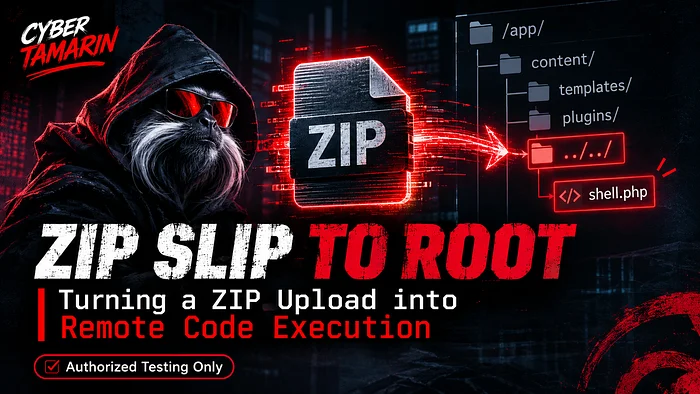
The image is a decorative illustration for the article, credited to ChatGPT.
A few things are worth saying up front, because they shape how serious this is. The attacker needed to be logged in as an administrator already. The researcher does not name the product, its version or the server software. Whether the final step, code execution, actually worked depended on the path used, on the file permissions of the server and on other suitable conditions. The report describes a potential chain rather than a single magic request.
The concepts you need before we start
Before walking through the steps, here are the ideas the rest of the article relies on. Each one is explained from zero.
Server and web server. A server is a computer somewhere that stores a website and answers requests from browsers. The web server is the program on that computer that listens for requests and sends back pages, images and files. When you type an address into your browser, your browser asks the web server for something and the web server replies.
Application. The website itself, the collection of code and data that makes the features work. In this story the application is a piece of software with an administrative area, the part used by staff rather than ordinary visitors.
Administrator. A user account with extra powers, such as managing templates, plugins, backups and updates. Reaching these features required being logged in with such an account.
Upload. Sending a file from your computer to the server. When you attach a photo to a message, you are uploading. Here the uploaded file is a ZIP archive.
ZIP archive. A single file that contains other files, each with a name and a path inside the archive. Think of it as a shipping box with a packing list: every item in the box has a label saying where it belongs. The application reads that packing list when it unpacks.
Extraction (unpacking). The process of taking each file out of the archive and writing it to disk. The application decides where each file goes based on the name stored inside the archive. That decision is the heart of this whole story.
Directory and path. A directory is a folder. A path is the address of a file or folder, like photos/holiday/beach.jpg. The dots matter: .. means "the folder above the current one". So ../ means "go up one level". Two of them, ../../, mean "go up two levels".
Directory traversal. Using .. in a path to climb out of the folder you are supposed to stay in. If a program takes a path from a user and does not check it, the user can walk the path upwards and reach places they should not. This is the weakness class at play here.
Zip Slip. The specific name for directory traversal through the names of files inside an archive. The archive is trusted, its internal labels are used as-is, and a label containing .. makes a file land outside the intended folder.
Arbitrary file write. Being able to make the server create a file wherever you like, or overwrite an existing one. On its own this is already serious; combined with a web server that executes certain file types, it can become code execution.
PHP. A programming language widely used for websites. A file ending in .php that sits in a folder the web server serves can be run as a program by the server when someone requests it. That is why writing a .php file into the right folder is the last link in the chain.
Remote code execution (RCE). Making the server run code you supplied, from a distance, without sitting at its keyboard. It is usually the most severe outcome in web security because the code runs with the server's own powers.
Privileges and file permissions. Every program on a server runs as some user account, and every file has rules about who may read or write it. The web server process runs as a particular user; whatever code it executes inherits that user's permissions. If that user cannot write to a folder, the attack fails there.
MIME type and file extension. The extension is the tail of a filename, like .zip. The MIME type is a label the browser sends describing the kind of file, like application/zip. Applications sometimes check these to decide whether to accept an upload. The researcher deliberately did not stop at that question.
Black-box testing. Testing without seeing the source code or internal design, only interacting with the application the way a user would, through its screens and forms. The researcher started this way, from the administrative features.
Penetration testing. Authorised, structured attempts to find security weaknesses, usually under a contract. This was a private engagement, meaning it was arranged for one client and not a public bug bounty programme.
01. Reconnaissance: finding the entry point
Reconnaissance means looking around before attacking: mapping what the application offers and picking the places worth testing. The researcher began with a black-box assessment of the administrative features, clicking through what an administrator could do.
Several operations accepted ZIP archives:
- Template management
- Plugin management
- Backup management
- Application updates
A template is a reusable design or page layout; a plugin is an add-on that extends the software; a backup is a saved copy of data; an update is a package that upgrades the application. All four are ordinary administrative chores, and all four involve handling a box of files from outside. That is exactly the kind of feature where an unpacking mistake hides.
The researcher could have asked the usual upload questions: does it accept a .zip extension, does it check the MIME type. Instead the question was different and more fundamental: does the application safely extract the contents of an uploaded ZIP archive? The reason to ask that is simple. Accepting a file is one thing; deciding where each of its contents lands on disk is another, and the second decision is where trust can go wrong.
02. Testing the extraction mechanism
The researcher prepared controlled archives and varied their internal directory structures. The aim was to see whether the names of entries inside the archive could influence where files ended up on disk.
One archive contained an entry named like this:
evil/evil/../../pwned.php
Read it piece by piece. evil/evil/ says the file sits inside a folder called evil, which is inside another folder called evil. Then ../../ says: go up one level, and up one more. Those two climbs cancel out the two evil folders, so the path points above the starting folder. Finally pwned.php is the filename, and the .php ending marks it as a PHP program. The name pwned is just a label meaning "compromised"; the file itself would be whatever the attacker put in the archive.
The archive was then submitted through the application's administrative upload functionality, the normal upload screen an administrator would use. The point was not to sneak a forbidden file type past a filter. The application accepted the archive as expected. The question was what happened next, during extraction.
The answer: the extraction process did not adequately enforce the intended directory boundaries. In plain terms, the application was supposed to keep every unpacked file inside one folder, and it did not. The labels inside the archive were followed wherever they pointed, including upwards out of that folder. That is the signature of a potential Zip Slip vulnerability.
Why does this happen? Unpacking code typically reads each entry name from the archive and joins it to a base folder to build the destination path. If nobody checks the result, a name containing .. produces a destination outside the base folder. The archive is treated as trusted input, and its entry paths decide where files land on disk.
03. Exploitation: escaping the extraction directory
Finding that one feature is loose is useful; finding out how loose each feature is tells you how bad it can get. So the researcher tested the available archive-processing workflows and compared their extraction behaviour, feeding the crafted archive to each and watching where files went.
One functionality stood out: the application update mechanism. Two differences mattered.
First, template management performed a basic check for an expected archive entry. In other words, before unpacking, it looked inside the box to confirm a particular file it expected was present. The update workflow had no equivalent validation safeguard. That check is weak anyway, as we will see, but the update path did not even have that.
Second, and more importantly, the update process extracted archive contents into the application's root directory. The root directory is the top folder of the application, the one from which everything else hangs. Unpacking there means the starting point is already the highest useful level, so a traversal path can reach almost anything the server user can write to.
This significantly expanded the potential impact. The issue was no longer limited to writing files within a particular template or plugin directory. Depending on the traversal path and filesystem permissions, the extraction process could potentially reach other application files. Think of it as the difference between being able to leave a parcel in one labelled locker and being able to leave it anywhere in the building, including the manager's office.
04. Impact validation: from file write to RCE
Finding a path traversal issue is one thing. Demonstrating its actual security impact is another. A file written in the wrong place is a bug; a file written in the wrong place that the server then executes is a break-in. So the researcher evaluated whether the extraction behaviour could be abused to place attacker-controlled files in locations processed by the web server.
Because the application supported PHP-based templates and plugins, the possibility of writing PHP files into executable application directories was particularly concerning. A PHP file in a served folder is not just stored data; when a visitor requests it, the server runs it. If an attacker can choose its contents, the attacker is effectively choosing code for the server to run.
Under suitable conditions, this could establish the following exploitation chain:
AUTHENTICATED ADMIN | v ZIP ARCHIVE UPLOAD | v CRAFTED ARCHIVE ENTRIES | v PATH TRAVERSAL | v ARBITRARY FILE WRITE | v PHP FILE IN WEB DIRECTORY | v REMOTE CODE EXECUTION
Read the chain from top to bottom, following the arrows. It starts with an authenticated admin: someone already logged in with administrative rights. They upload a ZIP archive. The archive contains crafted entries, names chosen on purpose. Those names cause path traversal during extraction. The result is arbitrary file write: files appear where the attacker chose. One of those files is a PHP file placed in a web directory, a folder the web server serves. When that file is requested, the server executes it, giving remote code execution.
Each arrow is a step that must succeed for the next to matter. That is why the researcher says "under suitable conditions". The important finding was that an attacker with the required administrative access could potentially leverage unsafe archive extraction to achieve server-side code execution. The resulting execution would occur with the privileges of the web server process, meaning the code could do whatever the web server user is allowed to do on that machine, and nothing more.
05. Why this was interesting
What made this vulnerability particularly interesting was the number of administrative functionalities relying on archive extraction. A weakness in one archive-processing mechanism potentially affected several application features, because the same kind of unpacking code tends to be reused across them.
The update functionality was especially concerning because its extraction destination was the application root. Starting at the top of the tree means traversal has the shortest distance to everything else.
Potential security consequences included:
- Arbitrary file creation outside intended upload directories.
- Overwriting existing application files.
- Modification of sensitive configuration files where reachable.
- Placement of executable PHP files within web-accessible directories.
- Potential Remote Code Execution.
Take these one at a time. Creating files outside the upload folder means the attacker controls what appears on disk beyond the area meant for user content. Overwriting existing files means the attacker can replace parts of the application itself, for example a page or a script. Configuration files hold settings such as database credentials, so modifying them where reachable can change how the application behaves or expose secrets. Placing PHP files in web-accessible directories is the step that turns storage into execution. And the last item, potential RCE, is the sum of the previous ones.
Although administrative authentication was required, the impact of successful exploitation could extend beyond the privileges normally associated with file upload functionality. That sentence deserves unpacking. Normally, an admin uploading a file is expected to add content, not to run code on the server. Here the upload feature becomes a way to cross from "managing content" into "running programs", which is a boundary the application did not intend to cross.
06. Remediation: securing the extraction process
The recommended remediation is to treat every uploaded archive as untrusted input. Untrusted means: assume the contents were chosen by someone hostile, no matter who uploaded them or how ordinary the feature looks.
The application should:
- Validate every ZIP entry before extraction.
- Reject directory traversal sequences and absolute paths.
- Resolve and canonicalize destination paths before writing files.
- Ensure every destination remains within the approved extraction directory.
- Extract archives into isolated temporary locations before deployment.
- Apply consistent validation across all archive upload functionalities.
- Restrict write permissions on sensitive application directories and configuration files.
Here is what each step means in everyday terms.
- Look at each item in the box and check its label before taking anything out, rather than trusting the packing list wholesale.
- Refuse labels that try to climb upwards with
..or that give a full address from the very top of the disk, called an absolute path, such as one starting with/. - Turn each destination into its final, unambiguous form, the way a postal service normalises an address before delivery, so that
a/../bandbare recognised as the same place. - After that normalisation, confirm the destination still sits inside the approved folder. If it does not, stop.
- Unpack into a separate, temporary area first, then move only the approved contents into place, so a mistake cannot touch live files.
- Use the same checks in every feature that unpacks archives.
- Limit which folders and files the web server user may write to, so that even a successful write lands somewhere harmless.
Simply checking whether an expected file exists inside an archive is not sufficient. Every archive entry must be validated independently. The reason is that the presence check answers a different question: it confirms the box contains what you expect, but says nothing about where the other items in the box will be written. An attacker can include the expected file and the malicious entries side by side.
07. Final thoughts
This engagement was a good reminder that black-box penetration testing should go beyond checking whether an application accepts malicious-looking input. The real security question is what the application does with that input after accepting it. A filter at the door tells you who gets in; it does not tell you what happens once they are inside.
A ZIP archive is just a container. But when an application blindly trusts the paths contained inside it, that container can become an entry point for filesystem manipulation and potentially remote code execution. The box is harmless; the labels on the items inside are the risk.
One upload functionality. One missing security boundary. Multiple potential exploitation paths. Sometimes, the road to RCE starts with something as ordinary as extracting a ZIP file.
Glossary
- Absolute path: a file address that starts from the very top of the disk, such as one beginning with
/, rather than from the current folder. - Application: the website or software being tested, including its features and its administrative area.
- Application root: the top-level folder of the application, from which all its other folders hang.
- Arbitrary file write: the ability to make the server create or overwrite a file at a location of the attacker's choosing.
- Authenticated admin: a user who has already logged in with administrative rights.
- Backup management: an administrative feature for creating, storing or restoring copies of application data.
- Black-box testing: testing an application only through its visible features, without access to its source code or internal design.
- Canonicalize: to rewrite a path into its single, unambiguous final form, resolving
..and similar shortcuts. - Configuration file: a file holding an application's settings, sometimes including sensitive values such as database credentials.
- Directory: a folder on a disk.
- Directory traversal: using
..in a path to climb out of the folder a program intended you to stay in. - Entry (archive entry): one file or folder stored inside an archive, with its own name and internal path.
- Extraction: the process of unpacking an archive and writing its contents to disk.
- File extension: the tail of a filename, such as
.zipor.php, hinting at the file's type. - File permissions: the rules on a server deciding which user accounts may read, write or execute a given file or folder.
- MIME type: a label describing a file's kind, such as
application/zip, often sent by browsers and checked by upload features. - Path: the address of a file or folder, such as
photos/holiday/beach.jpg. - Penetration testing: authorised, structured attempts to find security weaknesses in an application, usually under a contract.
- PHP: a programming language widely used for websites;
.phpfiles in served folders can be executed by the web server. - Plugin management: an administrative feature for installing and managing add-ons that extend the application.
- Privileges: the powers granted to a user account or program, such as which files it may write.
- Private engagement: a penetration test arranged for one client, as opposed to a public bug bounty programme.
- Reconnaissance: the looking-around phase of a test, mapping features and choosing where to probe.
- Remote code execution (RCE): making a server run code supplied by an attacker from a distance.
- Remediation: the fix or set of fixes recommended to close a weakness.
- Server: a computer that stores and serves a website and answers requests from browsers.
- Template: a reusable page layout or design used by the application.
- Template management: an administrative feature for uploading and managing such templates.
- Untrusted input: data that must be assumed hostile, no matter who supplied it.
- Update mechanism: the feature that installs application updates, which here unpacked archives into the application root.
- Upload: sending a file from a computer to a server.
- Web directory: a folder whose contents the web server serves to visitors, and where certain file types can be executed.
- Web server: the program on a server that listens for requests and sends back pages, files and responses.
- ZIP archive: a single file containing other files, each with a name and internal path.
- Zip Slip: directory traversal carried out through the entry names inside an archive, so extracted files land outside the intended folder.



