Tweet Deck XSS- Persistent- Group DM name
Group names in TweetDeck were not properly filtered, allowing a stored cross-site scripting attack. An attacker could create a group with a malicious name and trigger script execution when a victim viewed it in TweetDeck.
 Originally disclosed on HackerOne
- Triaged in 2 hours
- Fixed in 5 hours
- Paid in 7 days
- Disclosed after 7 days
Hello
Group names in tweetdeck.twitter.com aren't filtered properly, giving scope for Cross site vulnerability attacks. Challenge I have faced while escalating the xss:
- group name can only be 9 character long.
How i bypassed it: Set multiple group names with different payloads, which means we can craft a good lengthy xss exploit using multiple group names.
Steps to reproduce:
- Create a Twitter DM group on twitter.com with group name
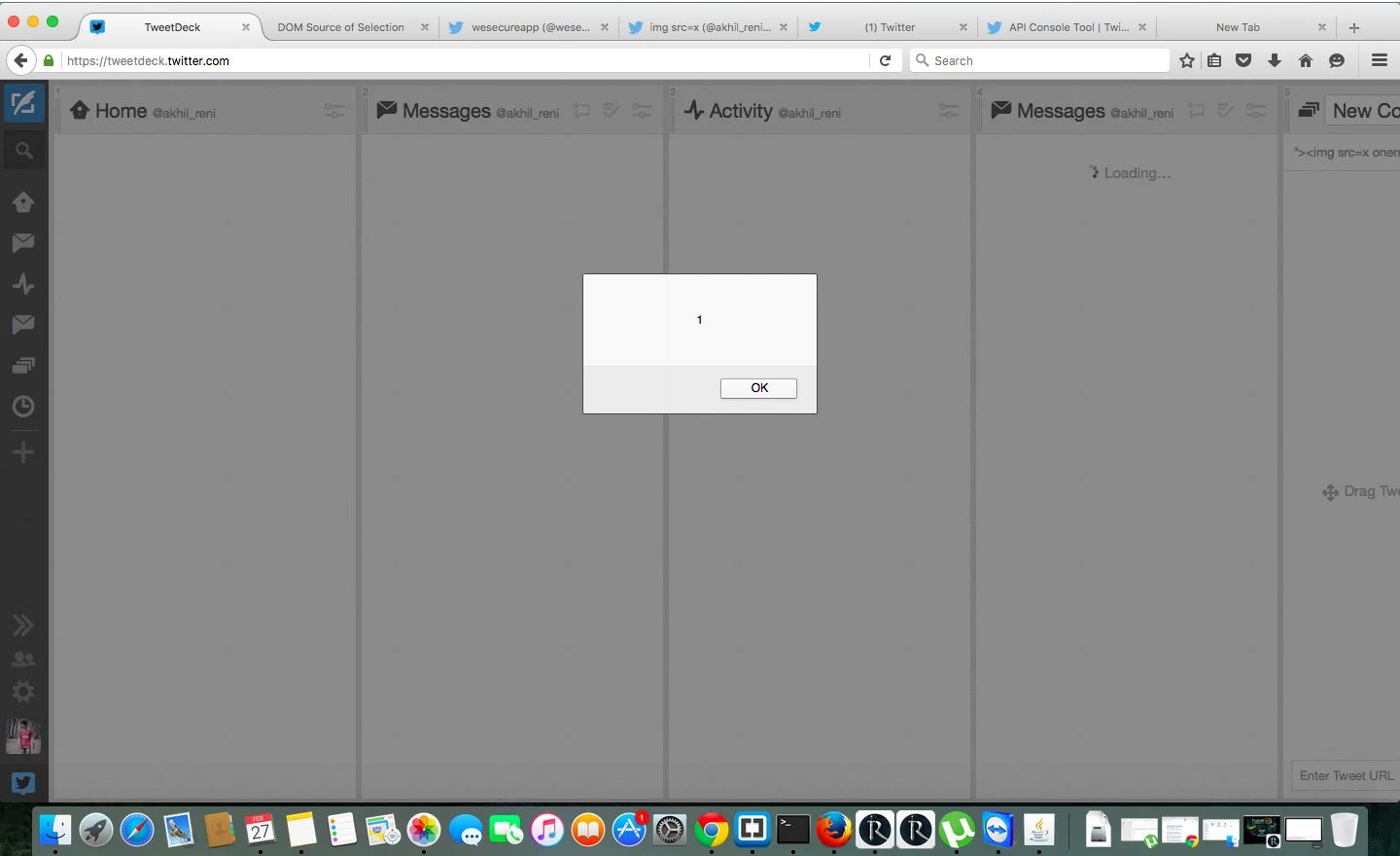
<script>alert(1);// - go to https://tweetdeck.twitter.com/ to trigger the xss
Exploitation: Group names can be changed by any user in the group you can invite any user to https://tweetdeck.twitter.com/
Screenshot attached.
Environment : Works on all modern browsers
Regards, WeSecureApp
Attachments
Not written yet. The AI write-up for this report has not been written yet. The Original tab links to the source.
How it worked
Root cause
Likely the group name was inserted into the page without proper output encoding or sanitisation.
Impact
An attacker could run script in TweetDeck for users who view the malicious group name.
What the attacker needed
Twitter account; Victim views the group in TweetDeck
Explained by bugbounty.wiki with AI from the original and checked against quotes from it; it can still be wrong. Read the original before relying on a detail.
Not written yet. The AI write-up for this report has not been written yet. The Original tab links to the source.
XSS is when a site shows user input without cleaning it, so code runs in other people's browsers. Here the group name field was not cleaned, so a name with a script tag would run when viewed in TweetDeck.
What is XSS?
Script an attacker supplies runs in another user's browser, on the target's origin, with that user's session.






