SSRF Attack Leading To AWS Metadata
An Apache HTTP Server vulnerable to CVE-2021-40438 (an SSRF in mod_proxy) was found on a public subdomain, and the author used it to reach the cloud metadata address. This let them list AWS instance metadata, which they describe as full private data access.
 Published on medium.com
I would like to share the recent successful Disclosure of server-side request forgery that I found.
The full write-up lives on its author's site
It belongs to its author, so we link to it rather than copy it. The other two tabs are our own rewrites, checked against it.
Context
The target in this report is the europe.eu domain, and the specific host involved is the subdomain eea.europa.eu. The researcher found it while enumerating subdomains of the target and identified it as vulnerable to CVE-2021-40438, a server-side request forgery (SSRF) flaw in the Apache HTTP Server.
SSRF is a web security vulnerability that lets an attacker induce the server-side application to make requests to an unintended location. In the normal case the server is tricked into fetching a resource on the attacker's behalf, and the attacker sees the result. When the server sits inside a cloud network, the "unintended location" can be an internal address that the outside world cannot reach directly.
The feature being abused here is Apache's mod_proxy. Apache released version 2.4.49 of the HTTP Server, which included a fix for CVE-2021-40438, a critical SSRF vulnerability affecting Apache HTTP Server 2.4.48 and earlier versions. The vulnerability resides in mod_proxy and allows remote, unauthenticated attackers to force vulnerable HTTP servers to forward requests to arbitrary servers, giving them the ability to obtain or tamper with resources that would potentially otherwise be unavailable to them.
The affected versions are all Apache HTTP Server versions up to 2.4.48, provided mod_proxy is in use. CVE-2021-40438 is patched in Apache HTTP Server 2.4.49 and later. So the precondition for the bug on any host is a vulnerable Apache version with mod_proxy enabled, and the payoff depends on what that server can reach on the internal network. On a cloud instance, that internal reach includes the instance metadata service.
Setup
The preconditions for this finding are modest. On the target side, the host has to run an Apache HTTP Server version up to 2.4.48 with mod_proxy in use, which is the configuration affected by CVE-2021-40438. On the researcher's side, the work starts with subdomain enumeration against the target domain, which is how eea.europa.eu came into view. No account, role or credential on the target is needed: the flaw is reachable by remote, unauthenticated attackers.
The first working payload was opened in the browser, and the AWS instance file and directory listing was read there.
For payload material the researcher used the SSRF collection in PayloadsAllTheThings:
https://github.com/swisskyrepo/PayloadsAllTheThings/blob/master/Server%20Side%20Request%20Forgery/README.md
That collection was the starting point for the simple SSRF attempts, and the cloud-specific payloads came after those failed. The other ingredient is knowledge of the cloud metadata address, the "magic" IP [redacted], which in AWS is used to retrieve user data and instance metadata specific to the instance. The chain therefore needs a vulnerable Apache host that can reach that address.
Finding it
The entry point was subdomain enumeration on the target europe.eu. That sweep surfaced the subdomain eea.europa.eu, and the researcher identified it as vulnerable to CVE-2021-40438. The report does not describe the enumeration tooling or the exact response that flagged the host, only that the subdomain was found this way and that it carried the Apache flaw.
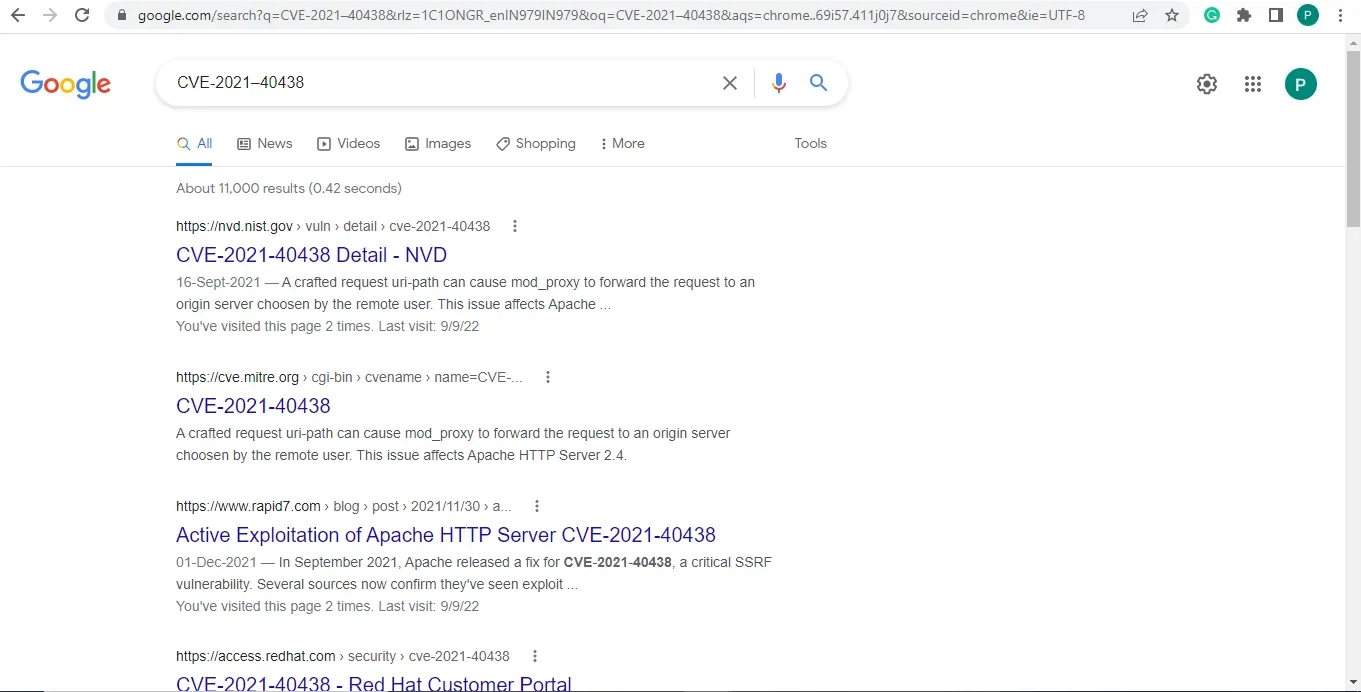
The identification came together with research into the CVE itself. While reading up on CVE-2021-40438, the researcher found something interesting: the flaw is an SSRF in mod_proxy, reachable without authentication, and it lets a vulnerable Apache server forward requests to arbitrary servers. That description is what made the host worth pursuing. If the server could be made to forward a request to any address, the question became which addresses the server itself could reach but the outside world could not.
The answer for a cloud-hosted instance is the metadata service at [redacted]. What it does show is that the next step was to stop trying generic SSRF payloads and aim the proxy at that address instead.
Exploitation
The exploitation moved from generic SSRF payloads to cloud-specific ones, and then walked the AWS metadata tree one path at a time until credentials appeared. Each step below is a single request against eea.europa.eu, with the response read in the browser.
Step 1: Simple SSRF payloads fail
The first attempts used the SSRF collection from PayloadsAllTheThings:
https://github.com/swisskyrepo/PayloadsAllTheThings/blob/master/Server%20Side%20Request%20Forgery/README.md
Simple SSRF payloads were not working. The report does not list which individual payloads were tried or what each returned, only that the straightforward ones failed against this host.

That failure is what pushed the approach towards cloud instances. Instead of pointing the proxy at an arbitrary external or internal host, the next attempt aimed it at the metadata address.
Step 2: The magic IP and the first working payload
The [redacted] IP address is a "magic" IP in the cloud world; in AWS it is used to retrieve user data and instance metadata specific to the instance. The researcher decided to use the payload for that address.
The exploit syntax used was:
https://vulnerablewebsite/?unix:bunchofAAAA|http://ssrfpayload/
The real exploitation request was:
Root cause
The flaw is CVE-2021-40438 in Apache HTTP Server's mod_proxy. The report describes it as a critical SSRF affecting Apache HTTP Server 2.4.48 and earlier versions, residing in mod_proxy, and allowing remote, unauthenticated attackers to force vulnerable HTTP servers to forward requests to arbitrary servers. The affected set is all Apache HTTP Server versions up to 2.4.48, provided mod_proxy is in use, and the fix landed in 2.4.49.
The mechanism the researcher used to trigger it is visible in the shape of every payload: a unix: scheme in the query string, a long run of filler characters, a pipe, and then the target URL.
https://vulnerablewebsite/?unix:bunchofAAAA|http://ssrfpayload/
In the real requests the filler is a very long string of A characters and the target is the metadata address, for example:
The unix: prefix asks for a Unix domain socket, the filler stands in for a socket path, and the pipe separates that from the URL the proxy should fetch. The report does not explain the parsing bug itself; it only shows that this construction is what made the vulnerable server forward the request. What follows from the payloads is that the proxy accepted the crafted value and issued the request to the address after the pipe, which is the behaviour the CVE describes.
Why the request reached the metadata service comes down to where the request was made from. The forwarding was performed by the Apache server on eea.europa.eu, not by the researcher's browser. The server sits inside the cloud network, so a request it makes to [redacted] is an internal request to the instance metadata service, an address that is not reachable from the outside in the normal course of things.
The report describes no network-level restriction that would have blocked egress to [redacted].
Impact
The final response from the metadata service contained the instance's AccessKeyID, SecrectAccessKey and Token. Those are the credentials of the cloud instance. Anyone who holds them can act as the instance's IAM role, subject to whatever permissions that role was granted.
The metadata read along the way also exposed the instance's own details. The researcher listed the AWS instance files and directories, read the contents of the meta-data folder, and read the public hostname. The report does not reproduce the individual values returned for those paths, so the specific hostname and the full directory listing are not part of the record. The image of the first successful listing is captioned full private data access.
The conditions are narrow but common. The attacker needs a host running Apache HTTP Server up to 2.4.48 with mod_proxy in use, reachable from the internet, and able to reach [redacted]. No account or credential on the target is required at any point: the flaw is reachable by remote, unauthenticated attackers, and every request in this chain was sent without authentication. The impact lands on the cloud account that hosts the vulnerable server, not on the researcher's own infrastructure, because the request to the metadata service is made by the server itself from inside the cloud network.
The exposure is the finding: instance role credentials in the hands of an unauthenticated remote party, together with instance metadata that the outside world is not meant to read.
Fix
The fix for the Apache side is the one the report names: CVE-2021-40438 is patched in Apache HTTP Server 2.4.49 and later. Any host still running 2.4.48 or earlier with mod_proxy in use should be upgraded to 2.4.49 or a later release.
Upgrading closes the parsing flaw that let the crafted unix: value in the query string turn into a proxy request to an arbitrary destination. It does not, on its own, change what the server can reach. A patched Apache host that still has unrestricted egress to [redacted] remains one bug away from the same outcome, because the metadata service answers any request that arrives from the instance.
The second half of the fix is therefore at the metadata service and the network around it. The measures that follow from the finding are:
- Require IMDSv2 (session-token based access) on EC2 instances, so a simple forwarded GET without the token header does not return credentials.
- Restrict egress from the instance so that only the processes that legitimately need the metadata service can reach
[redacted], and block it for the web server and proxy workers. - Reduce the blast radius of the instance role: least-privilege policies, so that leaked
AccessKeyID,SecrectAccessKeyandTokenare worth as little as possible.
The report presents the upgrade as the fix and does not set out a remediation plan of its own; the points above are what the exposure it demonstrated calls for.
Variants to test
The construction that worked here is worth trying wherever a host looks like it might be running a vulnerable Apache with mod_proxy. The shape is always the same: a unix: scheme in the query string, a long filler string standing in for the socket path, a pipe, and then the URL the proxy should fetch.
https://vulnerablewebsite/?unix:bunchofAAAA|http://ssrfpayload/
In the real requests the filler was a very long run of A characters, and the target was the metadata address. The variants below change only the part after the pipe, or the host, and each one is a concrete thing to send.
Walk the metadata tree
Start at the root of the metadata service and descend one path at a time, as the researcher did. A positive result is a response body that lists files and directories rather than an error page or the site's normal content.
The last one is the payoff path. A positive result is a response containing AccessKeyID, SecrectAccessKey and Token, as happened on eea.europa.eu. Anything short of that, such as a directory listing or a hostname, still confirms the SSRF and is worth reporting on its own.
Try the other metadata paths
The report only walks the identity-credentials branch. The same technique can be pointed at the other well-known paths under /latest/meta-data, and a positive result is any response that returns instance-specific data instead of an error. The report does not list these paths or their contents, so treat them as things to try rather than things that were shown to work.
Change the filler
The filler string is there to stand in for a Unix socket path. If a target rejects one length or one character, vary it: a shorter run of A, a longer one, or a different repeated character. A positive result is the same as before, a response from the metadata service rather than a proxy error. The report shows two fillers in use, bunchofAAAA in the syntax example and bunchofA in the real requests, and a very long run of A in the first successful request, which suggests the exact value is not critical.
Try other internal destinations
The pipe does not have to point at the metadata address. Point it at other addresses the server can reach but the outside world cannot, such as internal hosts and services on the server's own network. A positive result is a response that clearly comes from the internal service, for example a banner, a default page or an error message naming the internal host, rather than the target site's own content.
Try other schemes and ports
The unix: prefix is what triggered the flaw on this host. On other targets, try the same construction with different schemes and with explicit ports after the pipe, for example http://[redacted]:80/. A positive result is the same metadata response arriving through a different scheme or port, which shows the proxy is following the crafted value rather than a fixed upstream.
Look for the same flaw on other hosts
Run the same payload shape against every host in scope that might run Apache with mod_proxy, especially ones found during subdomain enumeration. A positive result is a metadata listing or any internal response. Because the flaw is reachable without authentication, no account is needed for any of these attempts.
Hunting notes
This bug hides in the gap between what a host runs and what it can reach. The vulnerable component is Apache HTTP Server up to 2.4.48 with mod_proxy in use, so the first filter during recon is version and module information for every host in scope. A host that answers with an Apache banner in the affected range, or that behaves like a reverse proxy, is worth a payload.
The recon signal that produced the target was subdomain enumeration on europe.eu, which surfaced eea.europa.eu. That is the ordinary starting point: enumerate broadly, then look at what each host is running. Public bodies and institutional domains tend to carry many subdomains, and older ones are the ones most likely to sit on an unpatched Apache with a proxy configuration.
The second signal is cloud hosting. The whole chain depends on the vulnerable server being able to reach [redacted], which is true of an EC2 instance and not of a host outside the cloud network. A host that resolves to cloud infrastructure, or that serves content from a cloud-hosted origin, is a better candidate than one on a traditional data centre network.
The third signal is the failure of simple payloads. When generic SSRF payloads from a collection like PayloadsAllTheThings do not work, that is not a reason to stop. On this host the simple payloads failed and the cloud-specific construction worked, so a host that ignores ordinary SSRF attempts is still worth trying with the unix: prefix, the filler and the pipe aimed at the metadata address.
On demonstrating impact, the researcher did not stop at a directory listing. The chain was walked one path at a time, from the root of the metadata service through /latest, /latest/meta-data, the public hostname and the identity-credentials/ec2/ branch, until the final request returned AccessKeyID, SecrectAccessKey and Token. That is the difference between "the server can be made to fetch a URL" and "instance role credentials are readable by an unauthenticated party", and it is the evidence a program needs in order to treat the report as critical rather than informational.
The report was submitted to CERT-EU, and the response came after 3 days. The researcher appears in the CERT-EU Hall of Fame.
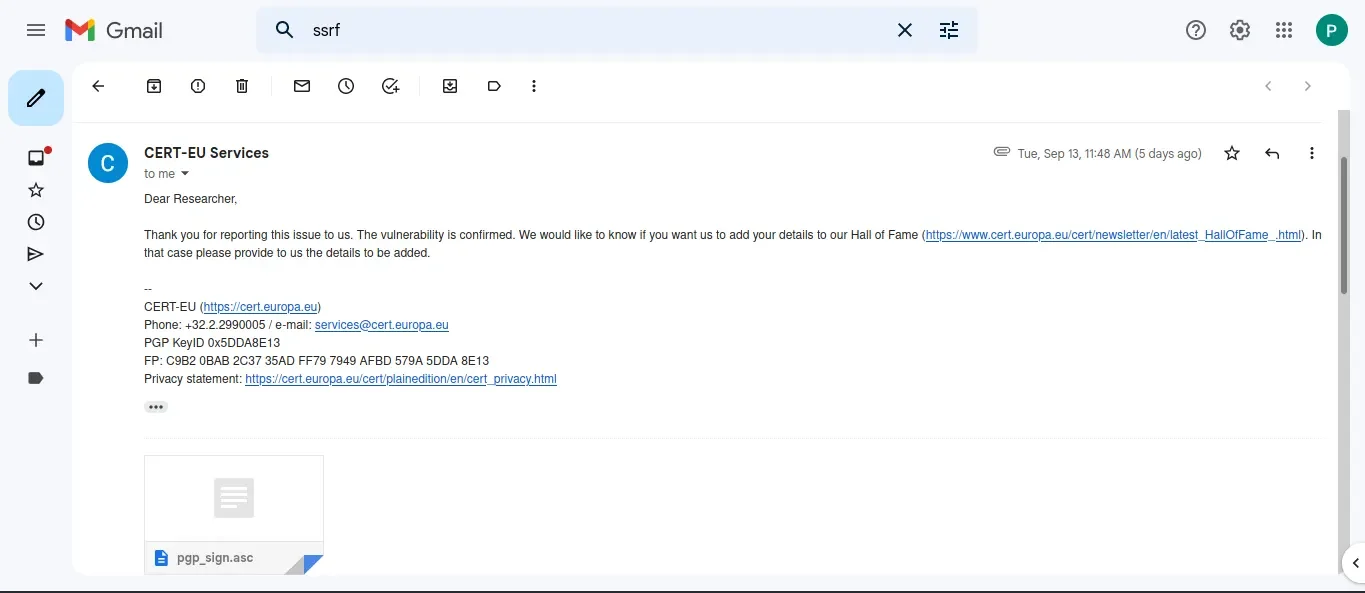
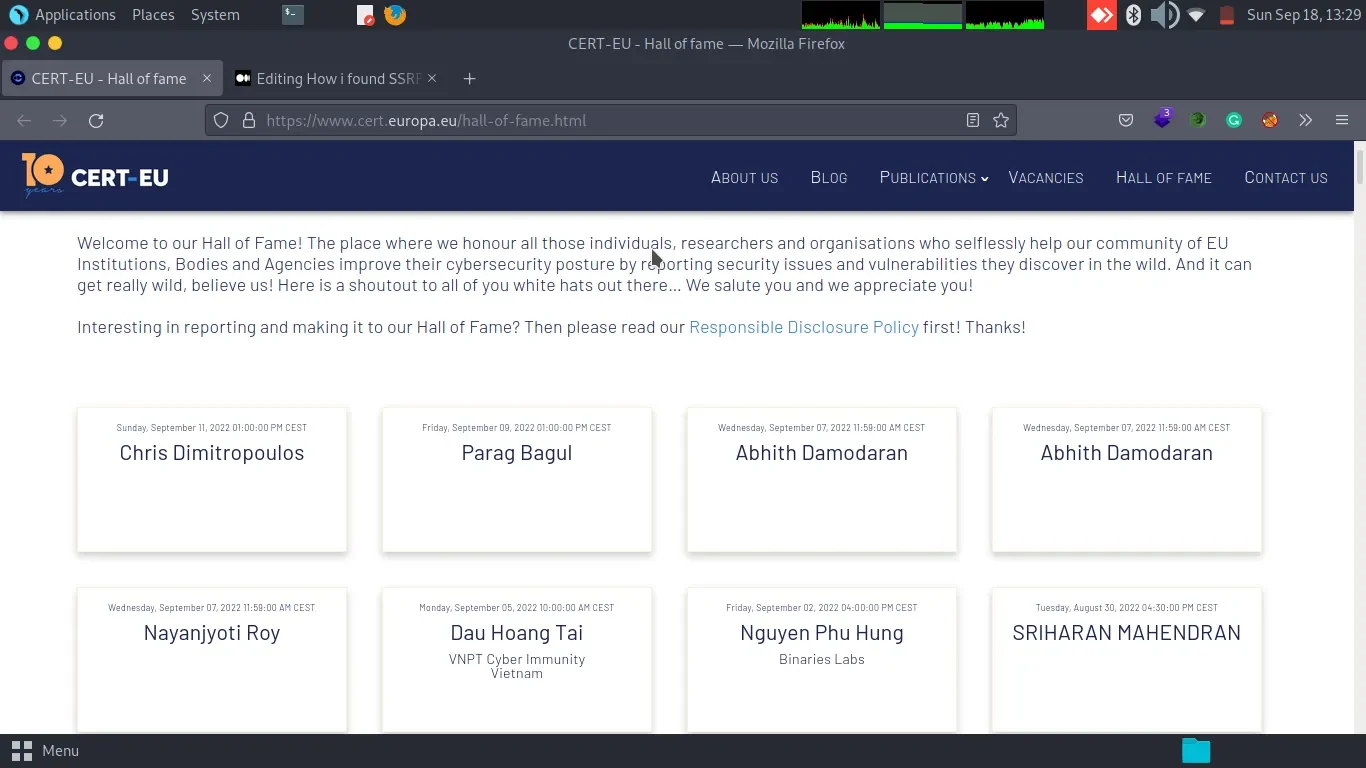
CERT-EU Hall of Fame
What happened, in plain words
A security researcher was looking at a large public website, europe.eu, and wanted to know what else lived under that name. Big websites are rarely one machine. They are usually a family of smaller sites, each with its own address, called a subdomain. So the researcher went looking for those smaller sites, one by one, the way you might walk around a building trying every door to see which ones are open.
One of those doors was eea.europa.eu. That site was running a piece of software called Apache, which is the program that hands out web pages to visitors. The version of Apache on that machine had a known flaw in it, a flaw with a public ID number: CVE-2021-40438. The flaw is a strange one. It lets a stranger craft a special web address, send it to the site, and make the site's own server go and fetch a second address of the stranger's choosing. The server does the fetching, not the stranger. The stranger just gets to see what came back.
That matters because of where the server lives. The server could reach an internal address, [redacted], which in AWS is used to retrieve instance metadata. Cloud computers have a private, internal address that only they can reach, [redacted], which answers questions about the machine itself: its name, its settings, and, most importantly, temporary login credentials it uses to talk to other AWS services. That internal address is not supposed to be reachable from the outside world. But the server can reach it, and the flaw let the researcher borrow the server's ability to do so.
So the researcher built a URL that said, in effect, "dear server, please go and read http://[redacted]/ for me and show me the answer". The server did exactly that. The researcher then walked down that internal address one folder at a time, reading the machine's public hostname along the way. At the end of that walk sat the prize: the machine's AccessKeyID, its SecrectAccessKey and its Token. Those three strings are the machine's login credentials for AWS. Anyone holding them can act as that machine towards the rest of Amazon's cloud, within whatever permissions the machine was given.
The researcher wrote it all up and sent it to CERT-EU, the European Union's computer security response team, which handles reports about EU institutions. Three days later came a reply, and later a place in the CERT-EU Hall of Fame, a public list of people who have reported security problems responsibly.
Why does this matter, in plain terms? A single out-of-date piece of software on one subdomain let an outsider, with no username and no password, read the login keys of a cloud machine belonging to an EU body. Nobody had to break a password or trick an employee. The door was simply open, and behind it was a key rack. The rest of this article explains each part of that story from scratch, with the exact requests the researcher sent, so that someone who has never done security work can follow it.
The background you need
Before the requests make sense, five ideas need to be in place. None of them is hard on its own. They only look complicated because security writing tends to assume you already know them. Here they are from zero.
What is server-side request forgery (SSRF)?
When you type an address into your browser, your browser is the thing making the request. It asks a website for a page, the website's server answers, and your browser shows you the result. That is the normal direction of travel: your computer asks, the server answers.
A server-side request forgery flips part of that around. Some websites have features where the server itself goes and fetches something on your behalf: a page that loads an image from another site, a service that checks whether a link you pasted is alive, a tool that pulls in data from a partner system. In each case the server makes an outgoing request. SSRF is the trick of getting that server to make a request to a place the attacker chooses, rather than the place the website intended.
The everyday comparison: imagine you are visiting an office and you are not allowed past reception. You ask the receptionist, "could you pop into the back room and read me what is on the whiteboard?" The receptionist has access you do not. If the receptionist does as asked without checking whether the request is reasonable, you have just read the whiteboard through someone else's legs. That is SSRF. The attacker never enters the back room; the server does it for them, and the attacker sees the answer.
The report defines it in one line: server-side request forgery is a web security vulnerability that allows an attacker to induce the server-side application to make requests to an unintended location. The key word is "unintended". The server was built to fetch certain things. SSRF makes it fetch something else.
Why does the attacker get to see the result? Because the server's answer comes back through the same website the attacker is talking to. The attacker sends a request to the vulnerable site, the vulnerable site's server fetches the attacker's chosen address, and the response from that address is passed back to the attacker. The attacker never needs a direct connection to the hidden place. The server is the middleman, and the middleman reports back.
What is Apache HTTP Server and mod_proxy?
A web server is a program that sits on a computer and answers requests for web pages. When your browser asks for a page, some piece of software on the other end has to receive that request, find the right content, and send it back. Apache HTTP Server, usually just called Apache, is one of the oldest and most widely used pieces of software for doing exactly that. It runs on a huge number of websites, including many government and institutional ones.
Apache is not one solid block. It is built from optional parts called modules, which you can switch on or off depending on what you need. One of those modules is mod_proxy. Its job is to let Apache forward requests to another server instead of answering them itself. This is how a lot of large websites are put together: one front server receives all the visitors and passes each request on to whichever machine behind it actually holds the content.
The everyday comparison: mod_proxy is a receptionist who takes calls and forwards them to the right desk. You ring the main number, the receptionist listens to what you want, and connects you to accounts, or support, or whoever handles it. Most of the time that is helpful and invisible. The problem starts when someone can persuade the receptionist to connect them to a desk they were never meant to reach.
The report describes the flaw as residing in mod_proxy, which is why the module matters here. A server without mod_proxy switched on does not have this forwarding behaviour at all, and so is not exposed to this particular bug.
What is CVE-2021-40438?
CVE stands for Common Vulnerabilities and Exposures. It is a public catalogue of known security flaws, and each one gets a permanent ID number so that everyone in the world can refer to the same problem by the same name. When you see something like CVE-2021-40438, you are looking at a catalogue entry: the year it was published, and a unique number for that specific flaw. The ID is not a score or a severity; it is just a label, like a case number at a police station.
CVE-2021-40438 is the flaw in this story. The report explains it directly: Apache released version 2.4.49 of HTTP Server, which included a fix for CVE-2021-40438, a critical server-side request forgery (SSRF) vulnerability affecting Apache HTTP Server 2.4.48 and earlier versions. The vulnerability resides in mod_proxy and allows remote, unauthenticated attackers to force vulnerable HTTP servers to forward requests to arbitrary servers, giving them the ability to obtain or tamper with resources that would potentially otherwise be unavailable to them.
Unpack that sentence, because every part of it matters:
- Critical is a severity label. It means the flaw is serious.
- Remote means the attacker does not need to be sitting at the machine or on the same network. They can be anywhere on the internet.
- Unauthenticated means the attacker does not need a username, a password, or any kind of account. No login is required at all.
- Forward requests to arbitrary servers means the server can be made to send a request to any address the attacker names, not just the ones it was configured for.
The affected versions are all Apache HTTP Server versions up to 2.4.48, provided mod_proxy is in use. CVE-2021-40438 is patched in Apache HTTP Server 2.4.49 and later. So there are two conditions for a machine to be vulnerable: it must be running Apache 2.4.48 or older, and it must have mod_proxy switched on. If either condition is missing, this particular bug does not apply.
The everyday comparison: think of a model of lock that turned out to have a flaw. The lock maker publishes a notice saying "all locks made before this date can be opened with a bent paperclip; the new model fixes it". The CVE is that notice. The version number is the date on the lock. If your door has the old lock, you are exposed until you replace it.
What is a cloud instance and its metadata service?
Instead of buying a physical computer and putting it in a room, many organisations rent a virtual computer from a cloud provider. Amazon Web Services, usually shortened to AWS, is the largest of these providers. The virtual computer you rent is called an instance. It behaves like a real machine: it has an operating system, it runs software, it has a network address, and it can be switched on and off. But it is not a box in your building; it is a slice of a much larger machine in one of Amazon's data centres.
Cloud instances need to know things about themselves. What is my name on the network? What region am I in? What settings was I given when I was created? And, crucially, what credentials should I use when I talk to other AWS services, such as storage or databases? Rather than storing all of that in a file that could be copied, AWS provides a small internal service that answers these questions on demand. It is called the instance metadata service.
The everyday comparison: a staff-only notice board inside an office. Employees can walk up to it and read the fire drill instructions, the Wi-Fi password, the list of who is on duty. Visitors cannot, because the board is inside the building and behind the front desk. The metadata service is that board. It is meant for the instance itself, and it is not meant to be readable from the open internet.
The most sensitive thing on that board is credentials. A cloud instance is usually given an identity, called an IAM role, which lets it use other AWS services without a human typing a password. To prove that identity, the instance can ask the metadata service for temporary keys. Those keys are what the researcher eventually extracted.
What is the magic IP [redacted]?
Every computer has addresses it uses to talk to other computers. Most of them are ordinary network addresses that can be reached from elsewhere if the network allows it. [redacted] is different. It is a special address that only means something from inside a particular machine or its immediate surroundings. In the cloud world it is often called the magic IP.
The report puts it plainly: the [redacted] IP address is a "magic" IP in the cloud world, in AWS it is used to retrieve user data and instance metadata specific to the instance. In other words, if you are the instance, asking [redacted] is asking yourself. If you are anyone else on the internet, that address leads nowhere useful, because it is not a public destination. It is internal by design.
The everyday comparison: an internal phone extension. Dialling 4001 from a desk inside the office reaches the IT helpdesk. Dialling 4001 from your mobile on the street reaches nothing, because that number only exists inside the office phone system. The magic IP is extension 4001. The instance can dial it. The outside world cannot.
That is exactly why the flaw is dangerous. The attacker cannot reach [redacted] from their own browser. But the vulnerable server can, because the server is the instance. SSRF lets the attacker borrow the server's ability to dial that internal extension, and the answer comes back through the website. The next sections show how the researcher found a server able to do this, and then walked it through the internal notice board one page at a time.
How the researcher found the vulnerable host
The starting point was not a specific machine but a whole domain: europe.eu. The researcher did not know in advance which server would turn out to be interesting. The first job was to find out what servers existed under that name at all.
That job is called subdomain enumeration. A domain like europe.eu is the main name, but organisations attach many smaller names to it, each pointing at a different machine or service. www.europe.eu is one. mail.europe.eu might be another. jobs.europe.eu, intranet.europe.eu, eea.europa.eu and so on. Each of these is a subdomain: a name that sits underneath the main domain and resolves to its own address.
The everyday comparison: a large office building has one street address, but inside it there are hundreds of rooms, each with its own number. If you only know the street address, you know where the building is but not what is inside it. Subdomain enumeration is walking the corridors and writing down every room number you can find. You are not breaking in yet. You are making a map.
Why do this? Because security is uneven. A large organisation may patch its main website carefully and forget a small subdomain that was set up years ago for a project, or a test system, or a partner. The main site might be modern and well defended; a forgotten subdomain might be running old software that nobody has looked at in years. The weak point is often not the front door but a side entrance nobody remembers exists. Enumerating subdomains is how you find those side entrances.
The researcher did exactly this against europe.eu, and the sweep surfaced the subdomain eea.europa.eu. That host was identified as vulnerable to CVE-2021-40438, the Apache mod_proxy flaw described earlier. In plain terms: this particular room in the building was running an old version of Apache with the proxy feature switched on, which is precisely the combination that the CVE affects.
The image sits where the report notes the subdomain was found and CVE research followed. The researcher notes that while reading up on CVE-2021-40438, something interesting came up. That "something interesting" is the nature of the flaw itself: it lets a server be made to fetch an address of the attacker's choosing, without any login. Once you understand that, the next question is not "can I break in?" but "what can this server reach that I cannot?" For a cloud-hosted machine, the answer to that question is the internal metadata address, and the rest of the article follows that thread.
What it records is the sequence: enumerate the domain, find eea.europa.eu, recognise the Apache flaw, and then start thinking about what the server could be made to fetch.
The exploitation step by step
This is the heart of the report: a sequence of web addresses, each one sent to eea.europa.eu, each one asking the server to go and fetch something on the researcher's behalf. The requests are shown exactly as they appear in the report. After each one there is a plain-words explanation of what every part of the address is doing, and why the researcher sent it.
One thing to hold in mind throughout. Every address below is a normal-looking URL that you could paste into a browser. That is the whole point. The researcher did not need a special tool, a login, or a program. They opened these addresses in a browser and read the answers on the screen. The server did the fetching; the browser just carried the request and displayed the reply.
Step 1: Simple SSRF payloads fail
The researcher started with a well-known public collection of SSRF test payloads, kept on GitHub in a project called PayloadsAllTheThings. A payload, in this context, is simply a crafted piece of input designed to make a system behave in a way it was not intended to. The collection is a shared library of such inputs, gathered from public research, so that testers do not have to invent every one from scratch.
The link used was:
https://github.com/swisskyrepo/PayloadsAllTheThings/blob/master/Server%20Side%20Request%20Forgery/README.md
Line by line, this is not a payload at all. It is an ordinary web address pointing at a page on GitHub, a site where people store and share code. The github.com part is the site. swisskyrepo is the account that maintains the collection. PayloadsAllTheThings is the project name. The long middle part, Server%20Side%20Request%20Forgery, is the name of a folder inside the project; the %20 pieces are how a space is written inside a web address, so that folder is called "Server Side Request Forgery". README.md is the file at the end, a text document that lists the payloads. The researcher opened this page to get ideas for inputs to try.
The report then says, in the researcher's own words, that simple SSRF payloads were not working.
The image sits at the point where the generic attempts had failed and the researcher was looking through the payload collection for something else to try. The report does not list which individual payloads were tried, or what each one returned. What it records is the outcome: the straightforward attempts did not get through on this host.
Why does that matter, and why did the researcher not stop there? Because a failed payload is information, not a dead end. When a simple SSRF attempt fails, it usually means one of a few things: the server is not fetching arbitrary addresses at all, or it is fetching them but filtering out the obvious ones, or the flaw needs a different shape of input than the generic examples use. The generic payloads in a public collection are written to cover the common cases. A specific bug in a specific piece of software often needs a specific construction. So the researcher changed direction: instead of pointing the server at random external addresses, point it at the one internal address that a cloud machine can always reach. That is the magic IP from the background section, [redacted].
The reasoning is worth spelling out, because it is the pivot of the whole finding. The generic payloads were trying to prove "this server will fetch a URL I choose". The researcher already knew from the CVE that this server could be made to forward requests to arbitrary servers. The more useful question was "what is worth fetching?" On a cloud machine, the most valuable thing the server can reach and the outside world cannot is its own metadata service. So the next payload aimed there.
Step 2: The magic IP and the first working payload
The researcher decided to use the payload for the magic IP. The report gives the general shape first, as an exploit syntax, and then the real request that was actually sent.
The exploit syntax was:
https://vulnerablewebsite/?unix:bunchofAAAA|http://ssrfpayload/
This is a template, not a real address. vulnerablewebsite stands in for the site being tested, and ssrfpayload stands in for the address the attacker wants the server to fetch. Everything else in the line is the actual trick, and it is worth taking apart piece by piece.
https://vulnerablewebsite/is the ordinary front of the request: the site being attacked, over the normal secure web protocol.?marks the start of the query string. A query string is the part of a web address after the question mark, where extra information is passed to the site, such as search terms or settings. Normally it looks like?search=cats. Here it holds something unusual.unix:is a scheme, the same kind of label as thehttp:orhttps:at the start of a normal address. A scheme tells software what kind of address follows and how to handle it.unix:is used for Unix domain sockets, which are a way for programs on the same machine to talk to each other without going over the network. It is like an internal intercom between two offices in the same building rather than a phone call to the outside.bunchofAAAAis filler. It stands in for the name of a socket, the internal connection point. It is not a real socket name; it is there to occupy the place where one would go.|is the pipe character. On a keyboard it is usually Shift and the backslash key. Here it acts as a separator, splitting the value into two halves: theunix:part before it, and the target address after it.http://ssrfpayload/is the address the attacker wants the server to go and fetch. In the template it is a placeholder; in the real request it becomes the metadata address.
So the whole line is a single request to the vulnerable site, carrying a query string that mixes a unix: socket reference, some filler, a pipe, and a second web address. The idea is that the vulnerable proxy reads this value, gets confused about which part is the socket and which part is the destination, and ends up fetching the address after the pipe. That confusion is the bug.
The real exploitation request was:
Why this worked: the root cause in simple terms
By this point the researcher had walked the whole metadata tree and pulled out the instance's keys. The natural question for a beginner is: why did any of this work at all? Why does a strange-looking web address with a unix: in it and a pipe in the middle make a server go and fetch something else? And why could the server reach [redacted] when the researcher's own browser could not? This section answers both, without sending any new requests.
The parsing bug in mod_proxy
Recall what mod_proxy does. It is the optional Apache module that lets the web server forward a request to another server instead of answering it itself. To do that, it has to read the incoming request, work out which part is the destination, and then make an outgoing connection to that destination. Reading a request and splitting it into its parts is called parsing. Parsing is where a great many security bugs live, because a parser has to make decisions about ambiguous input, and an attacker can craft input that makes it decide wrongly.
The everyday comparison: imagine a postal clerk who has to read the address on every envelope and decide where to send it. Normally the address is clear: name, street, town. But suppose someone writes an envelope with two addresses on it, one crossed out and one not, and a strange symbol in between. A careful clerk would reject it. A clerk following a set of rules that did not anticipate that shape might pick the wrong address and forward the letter somewhere it was never meant to go. The bug is not that the clerk is malicious. The bug is that the rules for reading the address had a gap.
CVE-2021-40438 is a gap of exactly that kind in how mod_proxy reads a request. The report describes the flaw as residing in mod_proxy and allowing remote, unauthenticated attackers to force vulnerable HTTP servers to forward requests to arbitrary servers. It does not spell out the internal parsing logic line by line, but the shape of every payload the researcher sent shows what the gap allows. Look again at the template:
https://vulnerablewebsite/?unix:bunchofAAAA|http://ssrfpayload/
The value after the ? is the query string, the part of a web address normally used for search terms and settings. A well-behaved server treats that value as data: it is a search term, a page number, a filter. It should never be interpreted as an instruction about where to send a network request. But in the vulnerable version, mod_proxy reads that value in a way that lets it influence the destination of the forwarded request. The unix: prefix makes the value look like a reference to a Unix domain socket, an internal connection point on the machine. The filler stands in for the socket's name. The pipe then separates that from a second address, and the proxy ends up treating the part after the pipe as the place to fetch.
In plain words: the server was handed a value that mixed two different kinds of address together, and the parser picked out the wrong one. Instead of ignoring the query string as data, it let the query string steer where the request went. That is the whole trick. There is no password to guess, no code to run, no file to upload. There is only a request whose query string is shaped so that the parser misreads it, and the result is that the server makes an outgoing request to an address the attacker chose.
Why does the pipe matter so much? Because it is the seam. Before the pipe is the unix: socket reference; after the pipe is the real destination. A parser that handles the two halves correctly would treat the whole thing as one socket reference and go no further. A parser with the bug lets the second half leak through as the destination. The pipe is the point where the two meanings are stitched together, and the bug is that the stitching is done wrongly.
Why does the unix: prefix matter? Because it is what gets the value past the earlier checks. A value that plainly said http://[redacted]/ in the query string might be recognised and refused. A value that begins with unix: looks, at first glance, like an internal socket reference, which is a legitimate kind of thing for a proxy to deal with. The prefix is the disguise. The pipe is where the disguise comes off and the real destination is revealed to the part of the code that makes the outgoing connection.
The report does not explain the parsing bug itself; it only shows that this construction is what made the vulnerable server forward the request. What follows from the payloads is that the proxy accepted the crafted value and issued the request to the address after the pipe, which is the behaviour the CVE describes. For a beginner, that is enough: the bug is a misreading of a crafted value, and the crafted value is the unix: prefix, the filler, the pipe, and the target, in that order.
Why the server could reach the magic IP but the browser could not
The second half of the "why" is about location, not code. The request to [redacted] did not come from the researcher's computer. It came from the Apache server on eea.europa.eu. That difference is the entire reason the trick works.
Think back to the internal phone extension from the background section. The magic IP [redacted] is extension 4001. It is a special address that only means something from inside the cloud instance. If the researcher had typed http://[redacted]/ into their own browser at home, the request would have gone out from their own machine, onto the public internet, looking for an address that is not a public destination. It would have failed, or reached something unrelated on their own local network. The address is internal by design.
But the vulnerable server is the instance. It sits inside the cloud network. When it makes a request to [redacted], that request never leaves the internal environment. It goes to the instance metadata service, the staff-only notice board described earlier, which answers because the request is coming from the instance itself. The metadata service has no reason to refuse: from its point of view, the instance is simply asking about itself, which is exactly what it is there for.
So the chain has two links, and both are needed:
- The parsing bug in
mod_proxylets the attacker choose the destination of the server's outgoing request. Without this, the server would only ever fetch what it was configured to fetch. - The server's location inside the cloud lets that chosen destination be the internal metadata address. Without this, the attacker could make the server fetch things, but not the one thing that holds the keys.
The researcher's browser supplied neither link. It only carried the crafted request to the vulnerable site and displayed the reply. The fetching, and the privileged position inside the cloud, belonged to the server. That is why SSRF is described as borrowing the server's access: the attacker does not gain the server's network position, they simply get the server to use it on their behalf and report back what it found.
Why nothing stopped it
A reasonable question is why the existing defences did not catch this. The report does not describe any network-level restriction on the host that would have blocked egress to [redacted], and the successful responses show there was none in effect for this path. From the proxy's point of view, the request was well formed: it was the server itself making an outbound connection to a link-local address, and nothing in the path filtered that destination. The metadata service answered because the request arrived from the instance, which is precisely the caller it is built to serve.
That is the uncomfortable lesson of the finding. Each piece behaved as designed. Apache forwarded a request because it was asked to. The metadata service answered because the instance asked. The gap was in the seam between them: the proxy should not have let a query string decide where to forward, and the network should not have let the web server reach the metadata service at all. Neither guard was in place, and so a single crafted URL was enough to carry an outsider from the public website to the instance's own credentials.
What an attacker could do with this
The final request in the chain returned three strings: AccessKeyID, SecrectAccessKey and Token. To a beginner these look like random text. In fact they are a complete set of login credentials, and understanding what they unlock is the whole point of the finding.
What the three strings are
AWS, like most cloud providers, lets programs talk to its services without a human typing a password. Instead of a username and password, a program proves who it is with a pair of keys, plus a short-lived token that goes with them. The three pieces work together:
- AccessKeyID is the public half of the pair. It is like a username: it identifies which identity is making the request. On its own it is not secret, but it is useless without the other half.
- SecrectAccessKey is the private half. It is like a password: it is the secret that proves the request really comes from the holder of the AccessKeyID. Anyone who has it can sign requests as that identity.
- Token is a session token. Cloud credentials of this kind are temporary, and the token ties the request to a particular short-lived session. It is like a visitor badge that is only valid for a few hours and only for the person it was issued to.
The everyday comparison: a staff pass. The AccessKeyID is the name printed on the front. The SecrectAccessKey is the magnetic stripe that the door reader checks. The Token is the expiry date and shift code that say this pass is valid right now. All three together get you through the door. Any one missing and the door stays shut.
The report describes the result plainly: in response, the researcher was able to extract AccessKeyID, SecrectAccessKey, and Token of the cloud instance.
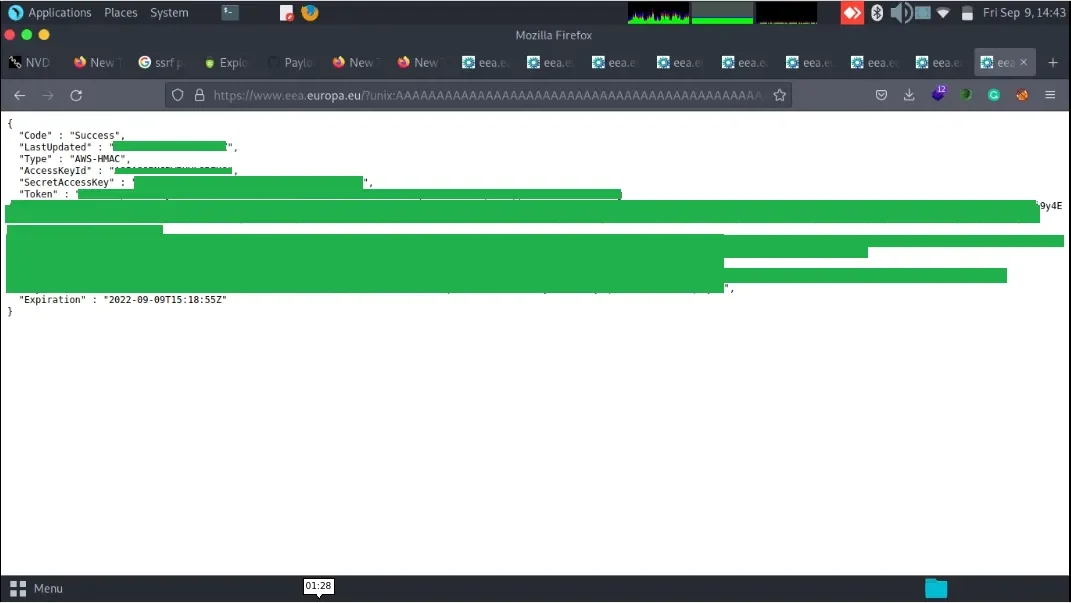
The image is captioned as the extracted AWS secret key and token. The caption in the report calls it the extracted AWS secret key and token. That is the moment the finding stops being "the server can be made to fetch a URL" and becomes "an outsider is holding the machine's keys".
What an IAM role is, and why these keys matter
The credentials do not belong to a person. They belong to the instance itself. In AWS, a machine is given an identity called an IAM role. IAM stands for Identity and Access Management, and a role is a named set of permissions that something can take on. When you give an instance a role, you are saying: this machine is allowed to do certain things in our cloud account, and here are the keys it should use to prove it is itself.
The everyday comparison: a role is a job description plus a set of keys. A cleaner in an office has a pass that opens the cleaning cupboard and the staff toilets, but not the safe. A manager's pass opens more doors. The pass does not say "cleaner" or "manager" on it in a way that matters; what matters is which doors it opens. The IAM role is the job description, and the credentials are the pass.
Because the researcher now held the instance's pass, they could act as the instance towards the rest of AWS. That means sending requests to AWS services, signed with those keys, and having AWS treat them as coming from the machine itself. The exposure is the finding: instance role credentials in the hands of an unauthenticated remote party.
What the attacker could actually do, and what limits it
The honest answer is: it depends on the role. The credentials let the holder do whatever the role was permitted to do, and nothing more. If the role was narrow, the damage is narrow. If the role was broad, the damage is broad.
What is established is that the credentials themselves were readable by an unauthenticated party. That is the part that matters for severity: a program cannot assume the role was narrow. It has to treat leaked credentials as potentially able to do everything the role could do, until proven otherwise.
In plain terms, the possibilities fall into a few shapes:
- Read access to data. If the role could read from storage, databases or other services, the holder could read the same things the machine could read. That might be public data, or it might be internal documents, backups or customer records.
- Write access. If the role could write, the holder could change or delete data, or plant files that other systems would later trust.
- Access to other services. A role often lets a machine talk to several AWS services. Each one the role can reach is another door the holder can open with the same pass.
- Nothing much. If the role was tightly limited, the keys may unlock very little. This is the case least-privilege design aims for, and it is why the size of the role matters so much.
It records the exposure, not an exploitation of it. For a beginner, the lesson is that the value of a leaked credential is set by the permissions behind it, and the person who finds the credential usually cannot know those permissions from the outside. They report it, and the defenders work out the blast radius.
The lesser impact: what else was read along the way
The credentials were the prize, but they were not the only thing the researcher read. Walking down the metadata tree also exposed the instance's own details. The researcher listed the AWS instance files and directories, read the contents of the meta-data folder, and read the public hostname. The report describes the first successful listing as full private data access.
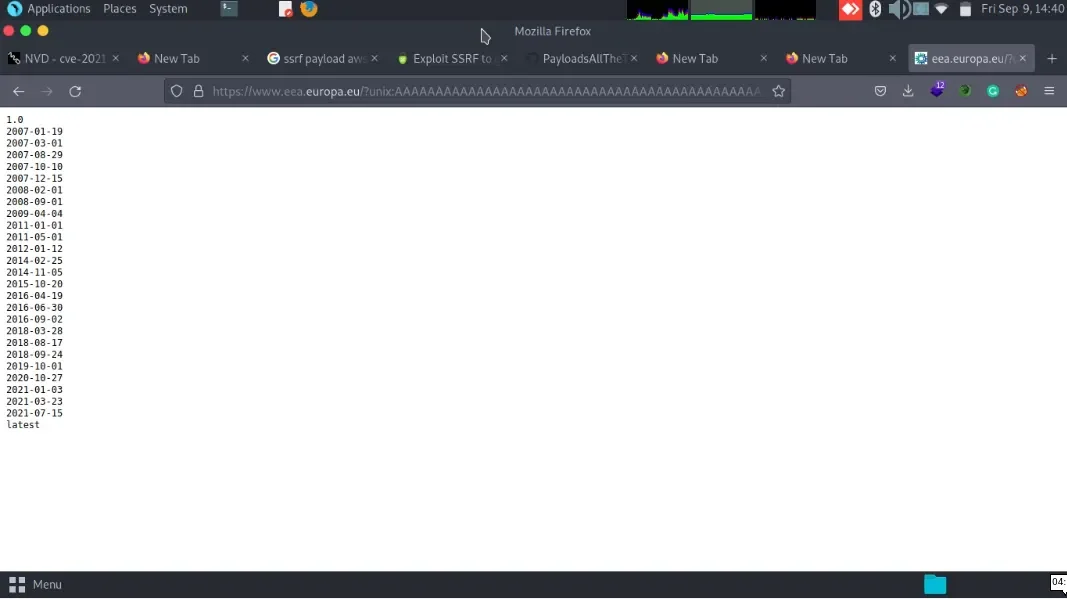
The image is captioned full private data access. The caption calls it full private data access. In plain words, the researcher had opened the staff notice board and could see what was pinned to it.
Why is this lesser impact than the credentials? Because a hostname and a directory listing are information, not keys. They tell you about the machine: what it is called, how it is set up, what categories of data the metadata service holds. That is useful to an attacker planning a next step, but on its own it does not let them do anything. The credentials do. The report does not reproduce the individual values returned for those paths, so the specific hostname and the full directory listing are not part of the record.
The public hostname deserves a word of explanation, because it sounds harmless. A hostname is the name a machine is known by on the network, the part of a web address before the first slash. A public hostname is the name by which the machine can be reached from outside. Knowing it tells an attacker how the machine presents itself to the world, which can help them find it, fingerprint it, or craft further requests against it. It is a small piece of a larger picture, and on its own it is not dangerous. It becomes useful when combined with other information, which is exactly why metadata services are meant to be private.
Why the combination is what makes this serious
Any one of these pieces alone would be a modest finding. A directory listing is a leak. A hostname is a leak. Credentials are the serious one. What makes the whole thing serious is that they arrived together, through a single flaw, without any login.
The chain is worth restating in plain words, because it is the reason the report exists:
- A public website ran an out-of-date Apache with the proxy feature switched on.
- A crafted URL made that server fetch an internal address of the researcher's choosing.
- The internal address was the cloud metadata service, which answered because the request came from the instance.
- The answer included the instance's own login credentials.
No password was guessed. No employee was tricked. No malware was installed. The door was open, and behind it was a key rack. That is the impact, and it is why the researcher reported it to CERT-EU rather than simply noting it and moving on.
How to fix it
The fix has two halves, and both matter. The first half is the one the report names directly: upgrade Apache. The second half is about the cloud machine behind it, and it is the half that stops the same outcome happening again through a different bug. A beginner might assume that patching the software is the end of the story. It is not, and understanding why is the most useful thing in this section.
Half one: upgrade Apache to 2.4.49 or later
The report states the fix plainly: CVE-2021-40438 is patched in Apache HTTP Server 2.4.49 and later. Any host still running 2.4.48 or earlier with mod_proxy in use should be upgraded to 2.4.49 or a later release.
In plain words: the version of Apache on eea.europa.eu had a gap in how it read a crafted web address, and the newer version closes that gap. Upgrading is the equivalent of replacing the faulty lock from the earlier comparison. The lock maker published a notice saying the old model can be opened with a bent paperclip; the new model cannot. You replace the lock, and the paperclip stops working.
Why does the upgrade fix this particular trick? Because the trick depended on mod_proxy misreading a value that mixed a unix: socket reference, some filler, a pipe, and a second web address. The patched version reads that value correctly. It no longer lets the query string steer where the forwarded request goes. The unix: prefix, the filler and the pipe are still just characters in a URL; they simply no longer have the effect they had on the old version.
There is a condition attached, and it is easy to miss. The flaw only applies when mod_proxy is switched on. A machine running Apache 2.4.48 without mod_proxy is not exposed to this bug, because it does not have the forwarding behaviour that the bug lives in. So the upgrade matters most on machines that act as proxies: front servers that pass requests on to other machines behind them. Those are exactly the machines that large websites tend to have.
So the remediation actually applied to this host is not part of the record. What the report does give is the correct fix for any host in the same position: move to 2.4.49 or later.
Why the upgrade alone is not enough
Here is the part that surprises people new to cloud security. Suppose you upgrade Apache perfectly. The parsing bug is gone. The crafted URL no longer makes the server fetch anything. Good. But the metadata service at [redacted] is still there, still answering, and still holding the instance's credentials. You have fixed the lock on the front door, but the key rack is still standing in the corridor, and any future bug that lets someone walk the corridor will reach it.
Think back to the two links in the chain from the "why this worked" section. The first link was the parsing bug in mod_proxy, which let the attacker choose the destination. The second link was the server's location inside the cloud, which let that destination be the internal metadata address. Upgrading Apache breaks the first link. It does nothing to the second. The server can still reach [redacted], and the metadata service will still answer any request that arrives from the instance, because from its point of view the instance is simply asking about itself.
That is why the fix has a second half. A patched Apache host that still has unrestricted access to the metadata service remains one bug away from the same outcome. The next SSRF, in Apache or in any other software on that machine, would walk the same corridor to the same key rack. The measures below are what close that gap.
Half two: require IMDSv2
The first cloud-side measure is to require IMDSv2 on EC2 instances. IMDS stands for Instance Metadata Service, the staff-only notice board from the background section. IMDSv2 is the second version of how instances are allowed to talk to it.
The difference between the versions is simple. Under the older arrangement, an instance could ask the metadata service a question with a plain request, the same kind of request a browser makes when you type an address. Under IMDSv2, the instance must first ask for a session token, a short-lived pass, and then present that token with every question. Without the token, the metadata service refuses to answer.
The everyday comparison: the notice board used to be readable by anyone who walked past it. Now there is a locked glass cover, and to open it you must first collect a key from the front desk and show it each time. A casual passer-by cannot read the board. Someone who has already collected a key still can, but collecting the key takes an extra step that a simple forwarded request cannot perform.
Why does that help against SSRF? Because the requests in this report were plain URLs with no token handling. The researcher sent a crafted address, the server fetched it, and the metadata service answered. Under IMDSv2, that same plain fetch would be refused, because it arrives without the session token. The attacker would need a way to make the server perform the two-step token exchange first, which is a much harder thing to arrange through a single crafted URL.
What it does establish is that the metadata service answered plain requests, which is the behaviour IMDSv2 is designed to prevent.
Half two, continued: restrict network access to [redacted]
The second cloud-side measure is to restrict which processes on the machine can reach [redacted] at all. The idea is that only the software that genuinely needs the metadata service should be able to talk to it, and everything else, especially the web server and its proxy workers, should be blocked from reaching that address.
The everyday comparison: the notice board is in a room, and the room has a door. Instead of leaving the door open to the whole corridor, you give keys only to the people whose job requires reading the board. The web server's job is to serve pages to visitors. It has no business reading the machine's own credentials. So it should not be able to reach the room where they are kept.
Why does this help? Because it removes the second link in the chain. Even if a future bug lets an attacker choose the destination of the server's outgoing request, the server cannot reach the metadata address, so the request goes nowhere useful. The attacker can make the server fetch other things, but not the one thing that holds the keys. This is defence in depth: the upgrade closes the known bug, and the network restriction limits what any unknown bug can achieve.
The metadata service answered the server's requests without restriction. That is the gap this measure closes.
Half two, continued: use least-privilege IAM roles
The third cloud-side measure is to give the instance's IAM role as little power as it needs and no more. Recall that an IAM role is the job description plus the set of keys. Least privilege means writing that job description as narrowly as possible: if the machine only needs to read from one storage bucket, the role should allow reading from that one bucket and nothing else. It should not be able to write, delete, or touch any other service.
The everyday comparison: the cleaner's pass opens the cleaning cupboard and the staff toilets, not the safe. If the cleaner's pass is lost, the loss is limited to the cupboard and the toilets. If every pass in the building opened every door, a single lost pass would be a disaster. Least privilege is the practice of making each pass open only the doors its holder actually needs.
Why does this help? Because it reduces the blast radius of leaked credentials. In this report, the researcher extracted AccessKeyID, SecrectAccessKey and Token. Those credentials are worth exactly as much as the role behind them. If the role was narrow, the keys unlock little. If the role was broad, the keys unlock a great deal. Least privilege is the measure that makes the answer to "what could an attacker do with these keys?" as small as possible, whatever the answer turns out to be.
This measure does not stop the credentials being read. It limits what reading them is worth. That is a different kind of protection from the first two, and it is the one that matters most when something else has already gone wrong.
Putting the fix together
The report presents the upgrade as the fix and does not set out a remediation plan of its own. The points above are what the exposure it demonstrated calls for. Laid out in order, they are:
- Upgrade Apache to 2.4.49 or later on every host running 2.4.48 or earlier with
mod_proxyin use. This closes the parsing bug that let the crafted URL work. - Require IMDSv2 on EC2 instances, so a plain forwarded request without a session token does not return credentials.
- Restrict egress from the instance so that only the processes that legitimately need the metadata service can reach
[redacted], and block it for the web server and proxy workers. - Reduce the blast radius of the instance role with least-privilege policies, so that leaked
AccessKeyID,SecrectAccessKeyandTokenare worth as little as possible.
The first measure fixes the known bug. The other three limit what any future bug can achieve. A host with all four in place would not have produced this finding, and would not produce the next one either.
What happened after the report
The researcher wrote up the finding and reported it to CERT-EU, the European Union's computer security response team, which handles reports about EU institutions. The report says the response came after 3 days. The researcher was then listed in the CERT-EU Hall of Fame, a public list of people who have reported security problems responsibly.
The image sits at the point where the report had been sent and the reply had arrived.
CERT-EU Hall of Fame
The second image is captioned CERT-EU Hall of Fame. In plain words, it is the public thank-you: a record that this person found a real problem and reported it responsibly rather than using it. For a beginner, that is the model to follow. Finding a flaw like this is not the end of the job. Reporting it to the people who can fix it is.
Glossary
- AccessKeyID: the public half of a pair of cloud credentials. It identifies which identity is making a request, like a username. On its own it is not secret, but it is useless without the secret half.
- Apache HTTP Server: one of the most widely used pieces of web server software. It receives requests for web pages and sends back the content.
- AWS (Amazon Web Services): the largest cloud provider. It rents virtual computers and other services over the internet.
- Cloud instance: a virtual computer rented from a cloud provider. It behaves like a real machine but is a slice of a larger machine in a data centre.
- CVE (Common Vulnerabilities and Exposures): a public catalogue of known security flaws. Each flaw gets a permanent ID number so everyone can refer to the same problem by the same name.
- CVE-2021-40438: the flaw in this report. An SSRF in Apache's
mod_proxy, affecting versions up to 2.4.48 and fixed in 2.4.49. It lets remote, unauthenticated attackers force the server to forward requests to arbitrary servers. - Domain: the main name of a website, such as
europe.eu. Smaller names can be attached underneath it. - EC2: Amazon's service for renting virtual computers. An EC2 instance is a cloud instance running on AWS.
- Egress: network traffic going out from a machine. Restricting egress means limiting where a machine is allowed to send requests.
- Exploit: a crafted input or technique that makes a vulnerability actually do something. The payloads in this report are exploits.
- Filler: in this report, a long run of
Acharacters placed in the payload to stand in for the name of a Unix socket. It occupies the place where a real socket name would go. - Hall of Fame: a public list of people who have reported security problems responsibly. CERT-EU keeps one.
- Hostname: the name a machine is known by on the network, the part of a web address before the first slash.
- IAM (Identity and Access Management): the part of AWS that controls who and what can do which things in a cloud account.
- IAM role: a named set of permissions that something, such as a cloud instance, can take on. It is the job description plus the set of keys.
- IMDS (Instance Metadata Service): the internal service that answers a cloud instance's questions about itself, including handing out temporary credentials.
- IMDSv2: the second version of the metadata service's access method. It requires the instance to collect a session token first and present it with every question, so plain requests without a token are refused.
- Instance metadata: the details a cloud instance can ask about itself: its name, its region, its settings, and its credentials.
- Least privilege: the practice of giving an identity only the permissions it actually needs and no more, so that a leaked credential is worth as little as possible.
- Link-local address: a network address that only means something on the local network segment, not on the public internet.
[redacted]is one. - Magic IP: the nickname for
[redacted], the internal address a cloud instance uses to reach its metadata service. - Metadata service: see IMDS. The staff-only notice board inside the cloud instance.
- mod_proxy: an optional Apache module that lets the web server forward requests to another server instead of answering them itself. The flaw in this report lives in it.
- Module: an optional part of a piece of software that can be switched on or off. Apache is built from modules.
- Parsing: reading an input and splitting it into its parts so the software can decide what to do with it. Many security bugs live in parsers.
- Payload: a crafted piece of input designed to make a system behave in a way it was not intended to.
- PayloadsAllTheThings: a public collection of test payloads kept on GitHub, used by security testers as a starting point.
- Pipe (
|): the vertical bar character, usually typed with Shift and the backslash key. In this report it separates theunix:socket reference from the target address in the payload. - Proxy: a server that forwards requests to another server on the requester's behalf.
mod_proxyis Apache's proxy feature. - Public hostname: the name by which a machine can be reached from outside its own network.
- Query string: the part of a web address after the question mark, used to pass extra information such as search terms or settings.
- Remote: reachable from anywhere on the internet, not just from the same machine or network.
- Scheme: the label at the start of a web address, such as
http:,https:orunix:, that tells software what kind of address follows and how to handle it. - SecrectAccessKey: the private half of a pair of cloud credentials. It is the secret that proves a request really comes from the holder of the AccessKeyID. (The spelling follows the report.)
- Session token: a short-lived pass that ties a request to a particular session. In this report, the
Tokenreturned alongside the AWS keys, and the token IMDSv2 requires. - Socket (Unix domain socket): a way for programs on the same machine to talk to each other without going over the network. The
unix:scheme refers to one. - SSRF (server-side request forgery): a web security vulnerability that lets an attacker induce the server-side application to make requests to an unintended location. The attacker borrows the server's ability to fetch things.
- Subdomain: a name that sits underneath a main domain and points at its own machine or service, such as
eea.europa.euundereurope.eu. - Subdomain enumeration: the process of finding every subdomain under a domain, by trying names and seeing which ones exist. It is how the researcher found the vulnerable host.
- Token: see session token. In this report, one of the three credential values extracted from the metadata service.
- Unauthenticated: reachable without a username, password or any kind of account. No login is required.
- Unix: a family of operating systems. Unix domain sockets are named after it.
- Vulnerability: a weakness in software or configuration that can be used to make a system behave in a way its owners did not intend.
- Web server: a program that sits on a computer and answers requests for web pages. Apache is one.
Variations to try (for learning)
Everything in this section is practice material. The requests below are the same shapes the researcher used, pointed at placeholders instead of a real site. Only send them to systems you own or have written permission to test. Sending them to a site you do not control is, at best, unauthorised testing and, at worst, a criminal offence in most countries. The point of the exercise is to learn to recognise the pattern, not to go looking for someone else's cloud keys.
The construction that worked on eea.europa.eu is worth trying wherever a host looks like it might be running a vulnerable Apache with mod_proxy. The shape is always the same: a unix: scheme in the query string, a long filler string standing in for the socket path, a pipe, and then the URL the proxy should fetch.
https://vulnerablewebsite/?unix:bunchofAAAA|http://ssrfpayload/
Line by line, this is a template, not a real address. https://vulnerablewebsite/ is the site you are testing, over the normal secure web protocol. The ? starts the query string, the part of a web address normally used for search terms and settings. unix: is a scheme label, the same kind of thing as http: or https:, that tells software what kind of address follows; here it points at a Unix domain socket, an internal connection point on the machine. bunchofAAAA is filler standing in for the socket's name. The | pipe separates the socket reference from the address after it. http://ssrfpayload/ is the address you want the server to fetch. The whole line is one request to the vulnerable site, carrying a query string shaped so that the buggy proxy misreads it and fetches the address after the pipe.
In the real requests the filler was a very long run of A characters, and the target was the metadata address. The variants below change only the part after the pipe, or the host, and each one is a concrete thing to send. For each, the question to ask is the same: did the response come from the place I named after the pipe, or did it come from the site itself? If it came from the place I named, the server fetched it for me, and that is the finding.
Walk the metadata tree
Start at the root of the metadata service and descend one path at a time, exactly as the researcher did. A positive result is a response body that lists files and directories rather than an error page or the site's normal content. In plain words, you are asking the server to read its own staff notice board, and you know it worked when you see the board's contents instead of the website's usual pages.
This asks the server to fetch the root of the metadata service. A positive result is a short list of folder names, the top level of the notice board. A negative result is the site's normal page, an error, or a timeout.
This asks for the latest folder, which is where the current version of the metadata lives. A positive result is a list containing meta-data and possibly other entries. You are one level deeper into the board.
This asks for the meta-data folder, the main section of the board. A positive result is a list of categories such as the instance's identity, its network settings and its hostname. This is the point where you can see the shape of what the machine knows about itself.
This asks for one specific value: the machine's public hostname, the name by which it can be reached from outside. A positive result is a single hostname string. It is a small piece of information, but it confirms the server is reading the board and not just echoing the site.
This asks for the identity-credentials branch, the part of the board that holds the machine's identity. A positive result is a short list of folder names, which tells you there is something to descend into. On eea.europa.eu this returned two directories.
This is the payoff path. It asks for the credentials themselves. A positive result is a response containing AccessKeyID, SecrectAccessKey and Token, as happened on eea.europa.eu. Anything short of that, such as a directory listing or a hostname, still confirms the SSRF and is worth reporting on its own.
Why walk the tree one step at a time instead of jumping straight to the last path? Because you do not know in advance what the board looks like. Different cloud setups, different versions and different configurations expose different folders. Walking down one level at a time tells you what exists, and it gives you a clear record of each step for your report. It also means that if a later step fails, you know exactly where the path stopped working.
Try the other metadata paths
The report only walks the identity-credentials branch. The same technique can be pointed at the other well-known paths under /latest/meta-data, and a positive result is any response that returns instance-specific data instead of an error. The report does not list these paths or their contents, so treat them as things to try rather than things that were shown to work.
In plain words, the notice board has more sections than the one the researcher read. Some sections hold the machine's name and network details; others hold the settings it was created with. Any of them returning real data confirms the same flaw. The value of trying them is that you learn what a metadata service typically exposes, which helps you recognise it on other systems.
Change the filler
The filler string is there to stand in for a Unix socket path. If a target rejects one length or one character, vary it: a shorter run of A, a longer one, or a different repeated character. A positive result is the same as before, a response from the metadata service rather than a proxy error.
The report shows two fillers in use, bunchofAAAA in the syntax example and bunchofA in the real requests, and a very long run of A in the first successful request. That suggests the exact value is not critical. In plain words, the filler is a placeholder, like writing "insert name here" on a form. What matters is that something occupies the place where the socket name would go, so that the parser has a value to misread. If one length fails, another may not.
Try other internal destinations
The pipe does not have to point at the metadata address. Point it at other addresses the server can reach but the outside world cannot, such as internal hosts and services on the server's own network. A positive result is a response that clearly comes from the internal service, for example a banner, a default page or an error message naming the internal host, rather than the target site's own content.
In plain words, the metadata service is one room behind the reception desk. There may be others: an internal admin panel, a database, a monitoring page. The same trick that opened the metadata room can be pointed at those. It is included because it is the natural next question once you understand the trick: what else can this server reach that I cannot?
Try other schemes and ports
The unix: prefix is what triggered the flaw on this host. On other targets, try the same construction with different schemes and with explicit ports after the pipe, for example http://[redacted]:80/. A positive result is the same metadata response arriving through a different scheme or port, which shows the proxy is following the crafted value rather than a fixed upstream.
A port is a numbered door on a machine. A web server usually listens on port 80 for plain web traffic and port 443 for secure traffic, but other services listen on other numbers. Writing :80 after the address tells the server which door to knock on. If the response still comes back from the metadata service, you have learned that the proxy follows whatever you put after the pipe, including the port, which is a useful thing to know when you are mapping what a server will do.
Look for the same flaw on other hosts
Run the same payload shape against every host in scope that might run Apache with mod_proxy, especially ones found during subdomain enumeration. A positive result is a metadata listing or any internal response. Because the flaw is reachable without authentication, no account is needed for any of these attempts.
In plain words, once you have a working shape, it is a key you can try in every lock you are allowed to touch. The hosts most worth trying are the ones that look like front servers: machines that pass requests on to other machines behind them. Those are the ones that have mod_proxy switched on, and they are the ones the bug lives in. Subdomain enumeration is how you find them, which is the same starting point the researcher used.
A note on what a positive result tells you
It is worth being clear about what each kind of result means, because beginners often stop too early or push too far.
- A directory listing from the metadata service means the SSRF works. The server fetched an internal address for you. That is a real finding, even if you go no further.
- A hostname or a settings value means the same thing, with a little more detail. It confirms the server is reading the board, not just reaching it.
- Credentials mean the impact is serious. The server handed you its own keys. Stop there, write it up, and report it. Do not try to use the keys; that turns a report into an intrusion.
- The site's normal page or an error means the payload did not get through on this host. That is not a failure of the technique, only of this attempt. Try a different filler, a different path, or a different host.
The researcher's own path followed exactly this logic. The simple payloads failed, so the shape was changed. The first metadata request worked, so the tree was walked. The credentials appeared, so the work stopped and the report was written. That is the discipline the exercise is meant to teach: go far enough to prove the impact, and no further.
How to hunt for this yourself
The finding in this report did not come from a single clever trick. It came from a sequence of ordinary observations, each one narrowing the search a little. This section lays out those observations as hunting signals: the things worth noticing, in the order they tend to appear, and what each one tells you. None of them requires special tools. All of them require patience and a habit of asking "what else could this machine reach?"
Signal one: enumerate subdomains first
The starting point was subdomain enumeration on europe.eu, which surfaced eea.europa.eu. That is the ordinary way to begin. You take a domain you are allowed to test, and you find out what lives underneath it.
Why start there? Because security is uneven across a large organisation. The main website may be modern, patched and carefully watched. A small subdomain set up years ago for a project, a test system or a partner may be running old software that nobody has looked at since. The weak point is often a side entrance nobody remembers exists, and enumeration is how you find those side entrances.
In plain words, you are making a map before you start knocking on doors. You write down every name you can find under the domain, and then you look at each one in turn. What it records is the sequence: enumerate the domain, find the subdomain, recognise the flaw.
Signal two: check the Apache version and whether mod_proxy is on
Once you have a list of hosts, the next question for each one is: what software is it running, and which version? The vulnerable component here is Apache HTTP Server up to 2.4.48 with mod_proxy in use. So the first filter during recon is version and module information for every host in scope.
A host that answers with an Apache banner in the affected range, or that behaves like a reverse proxy, is worth a payload. A reverse proxy is a server that receives requests and passes them on to machines behind it, which is exactly the behaviour mod_proxy provides. If a host forwards requests rather than answering them itself, it has the feature the bug lives in.
In practice, version information often shows up in response headers, the small lines of metadata a server sends back with every page, or in error pages that name the software. The point of the signal is not the method but the question: is this host running the affected version, and does it have the proxy feature switched on?
Signal three: notice cloud hosting
The whole chain depends on the vulnerable server being able to reach [redacted]. That is true of an EC2 instance and not of a host outside the cloud network. So a host that resolves to cloud infrastructure, or that serves content from a cloud-hosted origin, is a better candidate than one on a traditional data centre network.
In plain words, you are asking where the machine physically sits. A machine in a cloud provider's data centre has an internal metadata service behind it. A machine in a traditional server room may not. The same SSRF bug on the two machines has very different consequences, because only one of them has a key rack in the corridor.
The metadata responses themselves are what confirmed it. That is worth remembering: you do not always need to prove the hosting arrangement in advance. You can send the metadata payload and let the answer tell you. If the response comes back with AWS instance details, you were right. If it comes back with the site's normal page or an error, you have lost nothing but a request.
Signal four: do not give up when simple payloads fail
When generic SSRF payloads from a collection like PayloadsAllTheThings do not work, that is not a reason to stop. On this host the simple payloads failed and the cloud-specific construction worked. A host that ignores ordinary SSRF attempts is still worth trying with the unix: prefix, the filler and the pipe aimed at the metadata address.
Why is a failed payload information rather than a dead end? Because it tells you something about the host. A simple SSRF attempt failing usually means one of a few things: the server is not fetching arbitrary addresses at all, or it is fetching them but filtering out the obvious ones, or the flaw needs a different shape of input than the generic examples use.
The pivot in this report was to stop trying to prove "this server will fetch a URL I choose" and start asking "what is worth fetching?" The researcher already knew from the CVE that the server could be made to forward requests to arbitrary servers. The more useful question was which address the server could reach that the outside world could not. On a cloud machine, the answer is the metadata service. That is why the next payload aimed there.
Demonstrating impact: walk the metadata tree to credentials
Finding that a server will fetch an internal address is a real result, but it is not the same as showing what an attacker could do with it. The difference between "the server can be made to fetch a URL" and "instance role credentials are readable by an unauthenticated party" is the difference between an informational report and a critical one. The researcher closed that gap by walking the metadata tree one path at a time.
The walk went like this. Start at the root of the metadata service and descend one level at a time, reading the answer at each step:
- The root of the metadata service, to see what folders exist at the top.
- The
latestfolder, which holds the current version of the metadata. - The
meta-datafolder, the main section of the board. - The public hostname, a single value that confirms the server is reading the board rather than echoing the site.
- The
identity-credentials/ec2/branch, the part of the board that holds the machine's identity. - The final path under that branch, which returned
AccessKeyID,SecrectAccessKeyandToken.
Why one step at a time rather than jumping straight to the last path? Walking down one level at a time tells you what exists, gives you a clear record of each step for your report, and means that if a later step fails you know exactly where the path stopped working.
The discipline matters as much as the technique. Go far enough to prove the impact, and no further. When the credentials appeared, the researcher stopped, wrote the report and sent it to CERT-EU. Using them would turn a report into an intrusion.
Reporting it responsibly
It shows the acknowledgement from CERT-EU.
CERT-EU Hall of Fame
The second image shows the Hall of Fame entry. For someone learning, that is the model to follow.
The hunting checklist, in short
Pulled together, the signals form a checklist you can run against any domain you are allowed to test:
- Enumerate subdomains under the domain and write down every name you find.
- Fingerprint each host: what software is it running, which version, and does it behave like a proxy?
- Flag the Apache hosts in the affected range with
mod_proxyin use. - Notice cloud hosting: a host that resolves to cloud infrastructure is a better candidate for the metadata payload.
- Try the simple payloads first, then the cloud-specific construction with the
unix:prefix, the filler and the pipe. - Walk the metadata tree one level at a time, from the root through
latest,meta-dataand theidentity-credentialsbranch. - Stop at credentials, write the report, and send it to the people who can fix it.
Each step is ordinary on its own. What made the finding was doing all of them in order, and not stopping when the first attempts failed.
Glossary
- Blast radius: how much damage a leaked credential or a successful attack can do. A narrow role has a small blast radius; a broad one has a large one.
- CVE-2021-40438: the flaw in this report.
- Defence in depth: putting several independent protections in place, so that if one fails another still stands. The upgrade, IMDSv2, network restriction and least privilege are four layers of it.
- CERT-EU keeps one.
[redacted]is one.- Metadata service: see IMDS.
- The flaw in this report lives in it.
- Apache is built from modules.
- Many security bugs live in parsers.
- Port: a numbered door on a machine that a particular service listens on. Web servers usually use port 80 for plain traffic and 443 for secure traffic.
mod_proxyis Apache's proxy feature.- Reverse proxy: a server that receives requests from visitors and passes them on to machines behind it. A host that behaves this way has the forwarding feature the bug lives in.
- (The spelling follows the report.)
- Severity: a label for how serious a flaw is. The report calls CVE-2021-40438 critical.
- The
unix:scheme refers to one. - Token: see session token.
- No login is required.
- Unix: a family of operating systems. Unix domain sockets are named after it.
- Apache is one.