LDAP anonymous login story of my 3 simple P3 findings
The target exposed an LDAP service on port 389 that allowed anonymous binding, so an attacker could connect and search the directory without credentials. The author confirmed this on three different domains and could view internal directory information.
 Published on tamimhasan404.medium.com
Hello hackers. I hope you are well.
The full write-up lives on its author's site
It belongs to its author, so we link to it rather than copy it. The other two tabs are our own rewrites, checked against it.
Context
This is a short write-up about an LDAP anonymous login finding on a Department of Homeland Security target. The author, Tamim Hasan (@tamimhasan404), keeps the real domain name private and refers to the target as xyz.dhs.gov throughout.
LDAP, the Lightweight Directory Access Protocol, is described in the report as an open, vendor-neutral, industry standard application protocol for accessing and maintaining distributed directory information services over an Internet Protocol network. In normal operation a client binds to the directory, usually with credentials, and then searches it. The standard port for LDAP communication is 389, although other ports can be used; the report notes that if the server must be startable as a regular user, an unprivileged port is used, by default 1389, and that port numbers below 1024 require privileged access.
The feature at issue is the bind step. When anonymous binding is enabled, a client can bind and search the directory without logging in, so no bind DN and no bind password are needed.
Setup
The report describes no accounts, roles or special access. The only tools involved are ldapsearch and Nmap, and the precondition is simply that the LDAP port is reachable from the internet. The author notes that ldapsearch has to be installed first.
Finding it
During hunting on the target, the author found three open ports.

The other ports were nothing special, but port 389 caught his attention. Searching about the port, he found the description that LDAP TCP and UDP port 389 is used for Directory, Replication, User and Computer Authentication, Group Policy and Trusts. He then searched for vulnerabilities related to LDAP being exposed with its default port open on a website, and found that in that situation there is a chance of a Malformed Bind Request (LDAP Anonymous Login).
Exploitation
Step 1: Query the directory with ldapsearch
After installing ldapsearch, the check is:
ldapsearch -h <targetip> 389 -x -s base -b '' "(objectClass=*)" "*" +
This performs a simple bind (-x) against port 389 on the target, uses a base-level search scope (-s base) with an empty search base (-b ''), filters on (objectClass=*), and requests all user attributes (*) plus operational attributes (+). If the server accepts the bind without credentials and answers the search, anonymous binding is in place.
Step 2: Verify with Nmap
As an alternative, the Nmap script can be used directly:
nmap -n -sV - script "ldap* and not brute" xyx.dhs.gov
The command runs version detection (-sV) without DNS resolution (-n) and selects the LDAP-related scripts while excluding brute-force ones ("ldap* and not brute").
With this, the author says he could see the internal directory and other information without authentication. He does not show everything for security purposes.
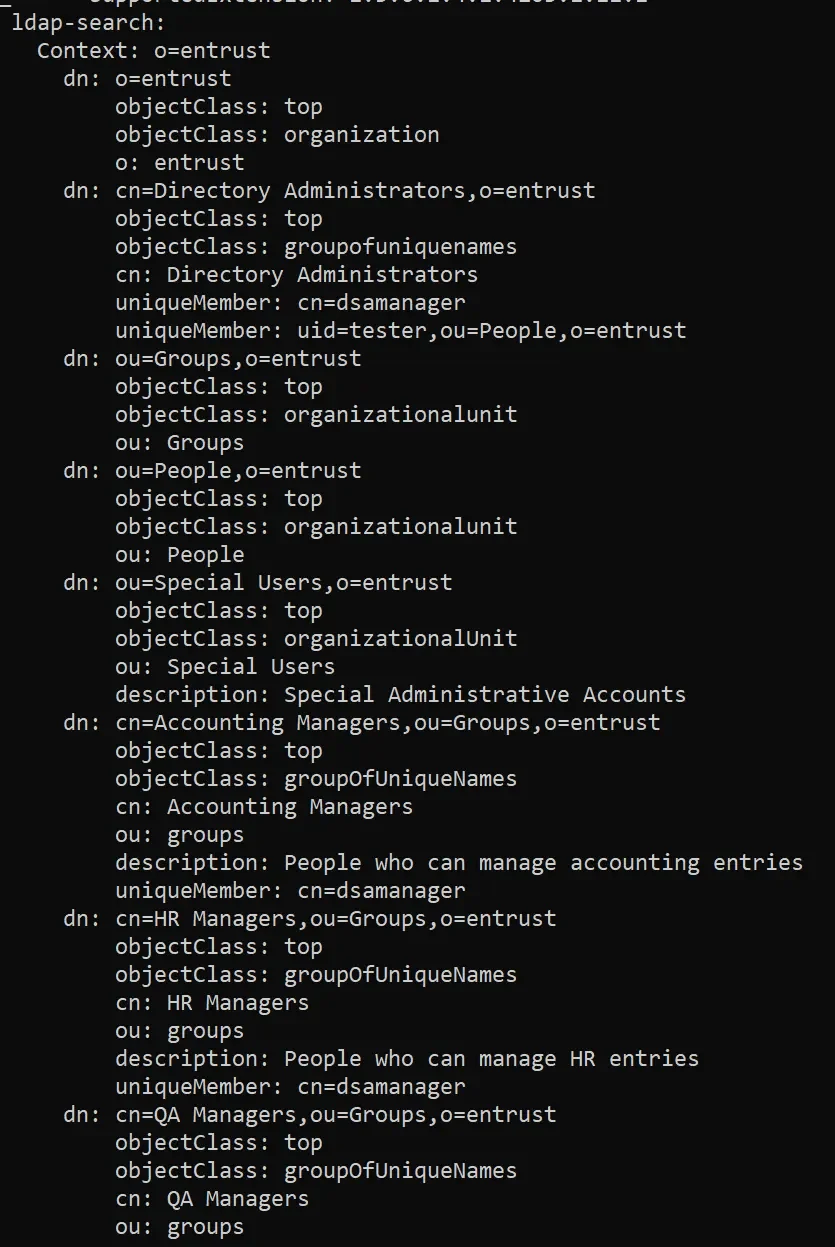
Step 3: Report
With anonymous LDAP login confirmed, the author did not dig deeper and reported it to the Department of Homeland Security: Vulnerability Disclosure Program. The response followed, and the finding was listed on their hall of fame.
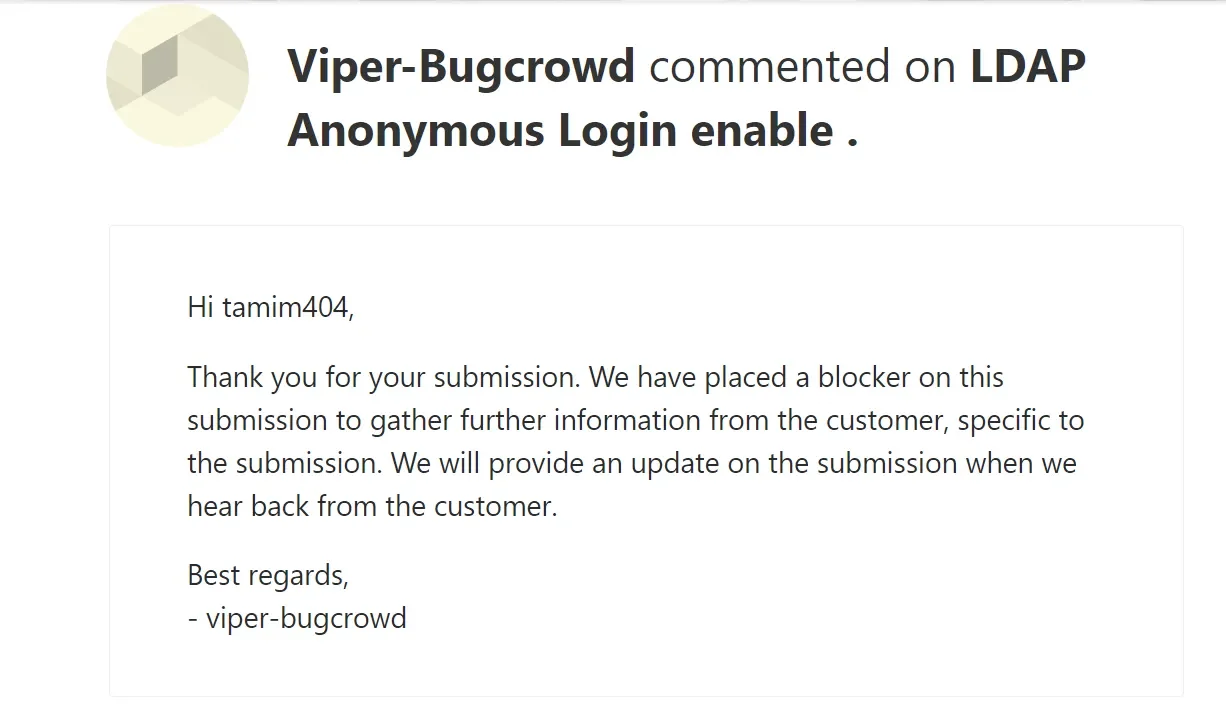
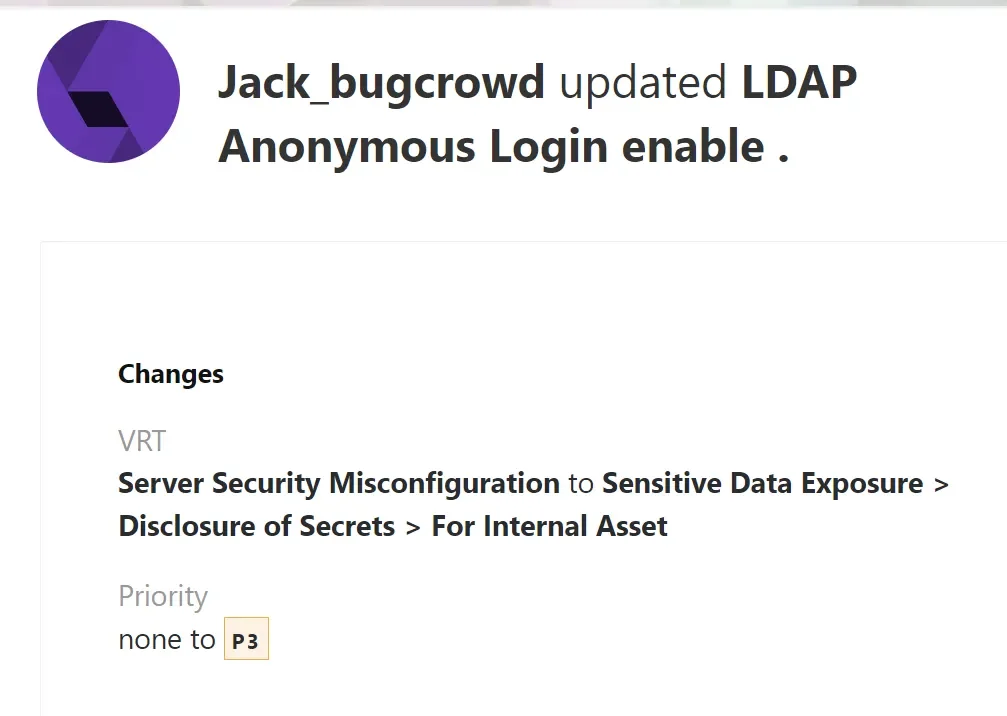

After that, the author mass hunted on the DHS program and found the same type of vulnerability in three different domains.
Root cause
The directory server accepts a bind with no credentials and then allows searches, so an unauthenticated client can read directory contents. The report frames this as anonymous LDAP binding being enabled. It does not describe the server product, version or configuration file involved, so the exact setting that allowed it is not stated. The service was open on port 389 and answered anonymous queries.
Impact
As the report puts it: if anonymous LDAP binding is enabled, it allows an attacker to connect and search the directory (bind and search) without logging in, and attackers do not need to include binddn and bindpasswd. In this case the author could see internal directory information without authentication. The report does not enumerate which objects or attributes were exposed, nor how far the access extended beyond reading.
Fix
The report does not say what the programme changed. The measure implied by the finding is to disable anonymous binding on the directory server so that a bind requires credentials.
Variants to test
- Run the
ldapsearchcommand above against any host with port 389 reachable. A positive result is a returned entry set rather than a bind error or refusal. - Run the Nmap script selection
"ldap* and not brute"against the host. A positive result is script output describing the directory rather than an authentication failure. - Repeat on other hosts in the same programme: the author found the same issue on three further DHS domains, so sibling domains are worth checking with the same two commands.
- For deeper follow-up once anonymous bind works, the report points to HackTricks' LDAP material, windapsearch, ldapnomnom (anonymous brute force of Active Directory usernames from domain controllers by abusing LDAP Ping requests, cLDAP) and HEKATOMB.
The author's closing tip: do not always look for XSS, CSRF and other common issues; give some importance to network and server related vulnerabilities, and when something during recon is unfamiliar, search for it and dig deep.
What happened, in plain words
A security researcher found that a server belonging to the US Department of Homeland Security was running a directory service that let anyone look inside it without a username or password. Think of it like a company phone book that was left on a public pavement: anyone walking past could open it and read the names and numbers inside, even though the book was meant only for staff. The researcher reported it, the programme accepted it, and his name went on their hall of fame. He then looked at other DHS domains and found the same mistake on three more.
The service in question is called LDAP. The rest of this article explains what that is, how he found the open door, the two commands he used to confirm it, and what it means.
What is LDAP
The report describes LDAP as the Lightweight Directory Access Protocol: an open, vendor-neutral, industry standard application protocol for accessing and maintaining distributed directory information services over an Internet Protocol network.
That sentence is dense, so let us unpack it word by word.
- Protocol means an agreed way of talking, like a shared language between two computers. When your browser talks to a website it uses a protocol called HTTP; when a mail program fetches mail it may use one called IMAP. LDAP is simply another of these languages, designed for one specific job.
- Directory here does not mean a folder on your computer. It means a structured list of records, much like a company's internal phone book or an office building's list of who sits in which room. Each record describes a person, a computer, a printer, a group, or similar. A directory is built for looking things up quickly, not for storing documents.
- Lightweight just means it was designed to be simpler than an older, heavier standard that came before it.
- Open and vendor-neutral means no single company owns it; many different products from many different makers can speak it, and they can all talk to each other.
- Distributed means the information can be spread across more than one server rather than sitting in a single machine.
- Internet Protocol network means an ordinary computer network, the same kind the internet runs on.
In everyday life, the closest comparison is a building's reception desk. You walk up, say who you are looking for, and the receptionist checks a list and tells you the room number. LDAP is the language a computer uses to ask that reception desk questions and to keep the list up to date.
The bind step, which is the heart of this story
Before a client can search a directory, it normally has to bind. Binding is the LDAP word for logging in: the client presents a name (called a bind DN, short for bind distinguished name, which is the directory's way of writing a full username) and a password (the bind password). Only after a successful bind is the client allowed to search.
When anonymous binding is switched on, the server skips that check. A client can bind with nothing at all, no name and no password, and then search the directory as if it were a legitimate user. That is the mistake found here.
Ports, and why 389 matters
A port is a numbered doorway on a computer. One machine can run many services at once, and each service listens on its own number so that incoming traffic reaches the right one. Your browser connecting to a website normally uses port 443 (or 80 for plain, unencrypted sites); mail servers use other numbers. The standard port for LDAP is 389.
The report adds some detail about port numbering: other ports can be used for LDAP, and if the server must be startable by a regular, non-administrator user, an unprivileged port is used, by default 1389. Port numbers below 1024 require privileged access, meaning only an administrator can open a service on them.
Background scenario
The author does not disclose the real domain name, so he calls the target xyz.dhs.gov throughout. While hunting, he found that the target had three ports open.
The other ports were nothing special, but port 389 caught his attention. This is the first real lesson of the write-up: during reconnaissance, you look at what a machine exposes and ask what each exposed thing is for. A port number on its own is meaningless until you know which service lives behind it.
So he searched about the port and found the description that LDAP TCP and UDP port 389 is used for Directory, Replication, User and Computer Authentication, Group Policy and Trusts. In plain terms, that description says this doorway is used for looking things up in the directory, for copying directory data between servers, for checking users' and computers' identities when they log in, for distributing settings to machines across an organisation, and for trust relationships between different parts of a network. In other words: this is not a decorative service, it is part of how the organisation's computers know who everyone is.
He then searched for vulnerabilities related to LDAP being exposed with its default port open on a website, and found that in that situation there is a chance of a Malformed Bind Request (LDAP Anonymous Login). A vulnerability is simply a weakness that lets someone do something they should not be able to do. Here the weakness is not a bug in the code in the usual sense; it is a setting that was left in a permissive state.
Now time to test
Knowing that a service might be misconfigured is not the same as knowing it is. The next step is to ask the server a question and see how it answers. The author notes that you first need to install ldapsearch, a small command-line program that speaks LDAP, and then you can check it.
Step 1: Query the directory with ldapsearch
ldapsearch -h <targetip> 389 -x -s base -b '' "(objectClass=*)" "*" +
Line by line, in plain words:
ldapsearchis the name of the program being run. Everything after it is an instruction to that program.-h <targetip>tells it which machine to talk to. The angle brackets are a placeholder: in a real run you would type the actual address of the server there. The report keeps it generic.389is the port number, the doorway described above.-xselects a simple bind, meaning the basic, unencrypted way of logging in rather than a fancier negotiated one. Crucially, no username and no password are supplied anywhere in this command. That is the whole point: the command is deliberately trying to log in with nothing.-s basesets the search scope to base level. Scope is how far from the starting point the search should reach. Base means "only the starting entry itself", not everything underneath it. Starting small like this is a cautious way to test: it asks one question rather than demanding the entire directory.-b ''sets the search base to an empty string. The search base is the point in the directory tree where the search begins; an empty value means "start at the very top"."(objectClass=*)"is the filter, the condition that decides which entries are returned.objectClassis a standard field that every directory entry has, describing what kind of thing it is (a person, a group, and so on). The asterisk means "any value", so the filter says "give me entries of any kind"."*"asks for all ordinary attributes, which are the fields of each entry: names, descriptions, and so on.+asks for the operational attributes as well, the behind-the-scenes bookkeeping fields that a directory keeps about each entry.
Why this command? Because it is the smallest possible polite question. If the server answers with entries, it means the server accepted a login with no credentials and then let the client read data. If anonymous binding were disabled, the server would refuse at the bind stage and the command would come back with an error instead of results.
Step 2: Verify with Nmap
As an alternative, the Nmap script can be used directly:
nmap -n -sV - script "ldap* and not brute" xyx.dhs.gov
Nmap is a well-known tool for mapping what is running on a machine. Line by line:
nmapis the program being run.-nmeans do not perform DNS resolution, that is, do not waste time turning names into addresses; work with what is given.-sVturns on version detection: Nmap will try to work out not just that a service is present but which software and which version it is.- script "ldap* and not brute"selects which of Nmap's built-in scripts to run. Scripts are small ready-made checks. The selection here means: run the scripts whose names start withldap, but exclude any that work by brute force. Brute force means trying many passwords in sequence, which is noisy and slow; the author deliberately avoids it, because the question is only whether anonymous access is allowed, not whether a password can be guessed.xyx.dhs.govis the target host name. Note that it is spelledxyxhere, while the rest of the write-up usesxyz; the command is reproduced exactly as it appears.
The Nmap script is offered as an alternative way to verify the same thing.
With this, the author says he could see the internal directory and other information without authentication. He does not show everything, for security purposes. That restraint is worth noticing: a good report proves the problem exists without publishing the sensitive contents it exposed.
Step 3: Report
With anonymous LDAP login confirmed, the author did not dig deeper and reported it to the Department of Homeland Security: Vulnerability Disclosure Program. A vulnerability disclosure programme is an official channel a organisation runs so that outsiders can report security problems safely, instead of publishing them or selling them. Reporting through it is the legitimate route.
Why stop digging? Once you have shown that anyone on the internet can read the directory, the point is proven. The author says he did not dig deeper once anonymous login was confirmed.
The response followed, and the finding was listed on their hall of fame. A hall of fame is a public page where an organisation thanks researchers who reported valid issues; it is recognition rather than payment.
After that, the author mass hunted on the DHS programme and found the same type of vulnerability in three different domains. Mass hunting means applying the same check across many hosts in a programme rather than stopping at the first hit. This is a common pattern: one misconfiguration in an organisation often means the same misconfiguration was copied to sibling systems.
Why it happens
A directory server that accepts a bind with no credentials and then allows searches will let an unauthenticated client read directory contents. The report frames this as anonymous LDAP binding being enabled. It does not describe the server product, version or configuration file involved, so the exact setting that allowed it is not stated. What can be said is that the service was open on port 389 and answered anonymous queries.
Impact
As the report puts it: if anonymous LDAP binding is enabled, it allows an attacker to connect and search the directory (bind and search) without logging in, and attackers do not need to include binddn and bindpasswd. In this case the author could see internal directory information without authentication.
In everyday terms: the reception desk answered questions from a stranger with no badge, and read out entries from the staff list. The report does not enumerate which objects or attributes were exposed, nor how far the access extended beyond reading. That is a fair limit to state: the finding is about unauthorised reading, and the write-up does not claim more.
Fix
The report does not say what the programme changed. The measure implied by the finding is to disable anonymous binding on the directory server so that a bind requires credentials.
Variants to test
If you want to try the same check yourself, these are the variations the write-up supports.
- Run the
ldapsearchcommand above against any host with port 389 reachable. A positive result is a returned entry set rather than a bind error or refusal. In other words, success looks like data coming back, not a polite rejection. - Run the Nmap script selection
"ldap* and not brute"against the host. A positive result is script output describing the directory rather than an authentication failure. - Repeat on other hosts in the same programme: the author found the same issue on three further DHS domains, so sibling domains are worth checking with the same two commands.
- For deeper follow-up once anonymous bind works, the report points to HackTricks' LDAP material, windapsearch, ldapnomnom (anonymous brute force of Active Directory usernames from domain controllers by abusing LDAP Ping requests, cLDAP) and HEKATOMB. These are further reading and tooling; the write-up itself does not go into them.
Tips
The author's closing tip: do not always look for XSS, CSRF and other common issues; give some importance to network and server related vulnerabilities, and when something during recon is unfamiliar, search for it and dig deep.
Two of those terms deserve a plain explanation. XSS, cross-site scripting, is a web flaw where an attacker gets their own code to run inside someone else's browser on a trusted site. CSRF, cross-site request forgery, is a web flaw where a logged-in user's browser is tricked into sending a request the user did not intend. Both are common web issues, which is why the author advises not to focus only on them. Network and server issues like an open directory are less fashionable and therefore less picked over.
Recon, short for reconnaissance, is the looking-around phase: finding out what hosts exist, which ports are open, and what software answers. The advice to search for anything unfamiliar is simple and effective. A port number you do not recognise is not noise; it is a question, and the answer is usually one search away.
Glossary
- Anonymous binding: an LDAP login that succeeds with no username and no password, letting a client search the directory unauthenticated.
- Attribute: a named field of a directory entry, such as a person's name or description; operational attributes are the bookkeeping fields the server keeps about each entry.
- Bind: the LDAP step of logging in to the directory, normally with a name and password.
- Bind DN: the directory's way of writing a full username, presented during a bind.
- Bind password: the password presented during a bind.
- Brute force: trying many passwords or names in sequence until one works; noisy and slow, and deliberately excluded from the Nmap check here.
- CSRF (cross-site request forgery): a web flaw where a logged-in user's browser is tricked into sending a request the user did not intend.
- Directory: a structured list of records about people, computers and other objects, built for fast lookups, like a company phone book.
- Distinguished name (DN): the full, unique path of an entry in the directory tree.
- DNS resolution: turning a host name into a numeric address; Nmap's
-noption skips it. - Filter: the condition in a directory search that decides which entries are returned, for example
(objectClass=*). - Hall of fame: a public page where an organisation thanks researchers who reported valid issues.
- Impact: what an attacker could actually do or see because of a weakness.
- LDAP (Lightweight Directory Access Protocol): an open, vendor-neutral, industry standard application protocol for accessing and maintaining distributed directory information services over an Internet Protocol network.
- ldapsearch: a command-line program that speaks LDAP and can query a directory.
- Mass hunting: applying the same check across many hosts in a programme rather than stopping at the first result.
- Nmap: a tool for discovering which hosts are up, which ports are open and which software is answering.
- objectClass: a standard directory field describing what kind of thing an entry is, such as a person or a group.
- Operational attributes: behind-the-scenes bookkeeping fields a directory keeps about each entry, requested with
+. - Port: a numbered doorway on a computer through which one service receives traffic; LDAP's standard port is 389.
- Privileged port: a port numbered below 1024, which only an administrator can open a service on.
- Protocol: an agreed way for two computers to talk, like a shared language.
- Recon (reconnaissance): the looking-around phase of a test, finding hosts, open ports and running software.
- Scope: how far from the starting point a directory search reaches; base scope means only the starting entry itself.
- Search base: the point in the directory tree where a search begins; an empty value means the very top.
- Simple bind: the basic LDAP login method, selected with
-x, as opposed to a fancier negotiated one. - Version detection: working out which software and version is answering on a port, as Nmap's
-sVdoes. - Vulnerability: a weakness that lets someone do something they should not be able to do.
- Vulnerability disclosure programme: an official channel an organisation runs so outsiders can report security problems safely.
- XSS (cross-site scripting): a web flaw where an attacker gets their own code to run inside someone else's browser on a trusted site.



