How I Hacked Billion Android Users Social And 3rd Party Account | A Story About 5000$ Bug
The report describes a deep link hijacking vulnerability on Android where a malicious app could register to handle links and, after an update, intercept any link without user confirmation. This could allow an attacker to steal tokens, password reset links, and other sensitive information.
 Published on medium.com
Android has a component called app link to say it exactly it’s called deep link which is specifically developed for triggering any mobile application. As mentioned earlier, even if the app is updated it is possible to hijack it. how a researcher exploits it is … when an attacker develops an app he develops it with a…
The full write-up lives on its author's site
It belongs to its author, so we link to it rather than copy it. The other two tabs are our own rewrites, checked against it.
Context
This write-up describes a vulnerability in Android's handling of deep links (app links). Deep links are links that send users directly to an app instead of a website or a store, taking them straight to specific in-app locations. They work by specifying a custom URL scheme (iOS Universal Links) or an intent URL (on Android devices) that opens the app if it is already installed. Deep links can also be set to direct users to specific events or pages, which can tie into campaigns.
The researcher's argument is that this mechanism can be abused: a malicious app that registers a deep link can, once the user has granted a default-handling choice, be updated so that it reacts to any link without the user being asked again. The report was submitted to the Android OS security team and rewarded with $5000. The vulnerability was discovered by karthithehacker (Karthikeyan.V); the report was collaborated on and written by jeyasri.A (jeyasri__001), with the article written by Agnes Rusaliya.
Setup
The report does not describe a lab setup, Android version, device model or tooling. What it does describe is the precondition for the attack:
- The attacker develops an app that registers a deep link. In the researcher's own test the deep link used was
https://cappriciosec.com. - The app is distributed through Google Play, so users install it and later receive updates through the store.
- The user must click a link that resolves to the app and be shown the Android prompt asking whether to open it "JUST ONCE" or "ALWAYS".
Finding it
The researcher noticed that the choice a user makes in that prompt is remembered by the system. If the user picks "ALWAYS", the app opens automatically every time the matching link is clicked, with no prompt. The researcher then considered what happens when the app that owns that choice ships an update: the update can change the app's behaviour, and because the user already granted the "ALWAYS" choice, the new behaviour is triggered by links without any further prompt. That is the point the report calls vulnerable: after the update, any link is allowed to process and no pop-up appears, all without the user's knowledge.
Exploitation
Step 1: Build the malware with a deep link hijacking payload
The researcher develops the malware with his own deep link hijacking payload and tests it against his own deep link:
https://cappriciosec.com
At this stage the app is programmed so that it is triggered only by the cappriciosec.com link.
Step 2: The user clicks the link and is prompted
Whenever the user clicks this link, a prompt appears asking to select either "JUST ONCE" or "ALWAYS".
Step 3: The user chooses "ALWAYS"
When the user clicks "ALWAYS", the malware opens, and from then on whenever the user clicks the link it is triggered automatically. This is the basic mechanism the attack relies on.
Step 4: Add a payload that triggers on any app link
The researcher modifies the malware. In the first case it was programmed to trigger only on cappriciosec.com; he then adds an additional payload that triggers on any app link.
Step 5: Release an update through Google Play
The researcher releases an update in the Google Play store. Users receive the update and install it.
Step 6: The new payload takes effect under the old permission
After the update, the malware's functionality changes because the researcher shipped a new payload. The user had already allowed access, so the malware is triggered by that permission. Whenever the user clicks the Cappriciosec link it fires, and now if the user opens any link it will automatically trigger the malware, and the pop-up will never ask the user to choose "just once" or "always" again.
Root cause
The report's description is that the user allowed permission to open cappriciosec.com, but after the update any link is allowed to process and no pop-up appears. Earlier the user allowed permission to open cappriciosec.com, but after the update any link is allowed to process and no pop-up appears. The report frames this as the vulnerable part: the change happens without the user's knowledge. The report frames the vulnerable part as the change happening without the user's knowledge. The report does not go into the platform code that implements the default-handler choice, so the exact mechanism is only described at this behavioural level.
Impact
The report states that without the update it was possible to inject a payload. The greater impact is that it is easy to bypass validation such as two-factor authentication, email verification code or token, password reset link or token, and account credentials. Any web-related things can be easily hijacked. The researcher's scenario is that if a password reset link is sent, the link goes to the attacker, who can steal the token and do whatever he wants.
These are the report's own claims; it does not include a demonstration against a specific third-party service, and it notes that the payload, malware source code and POC videos are withheld at the request of the Android security team, who were asked to keep the CVE private.
Fix
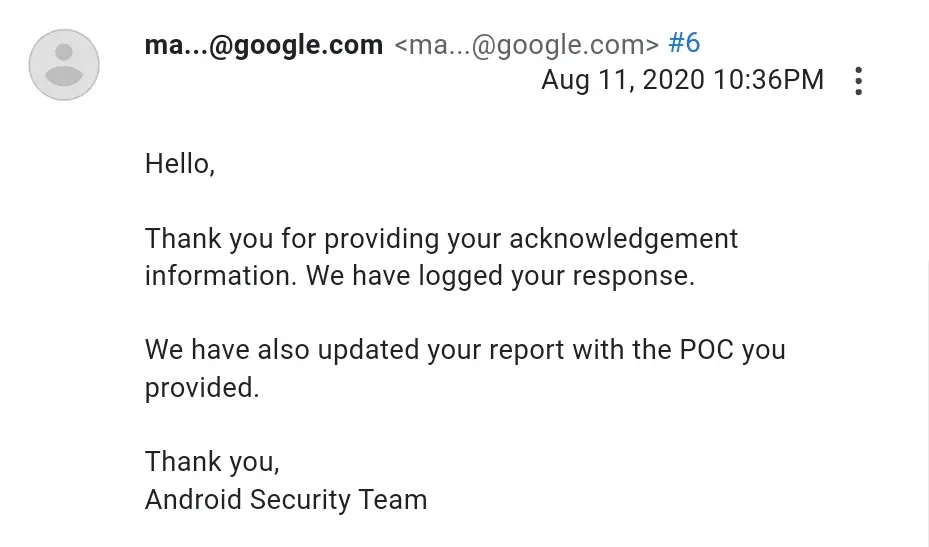
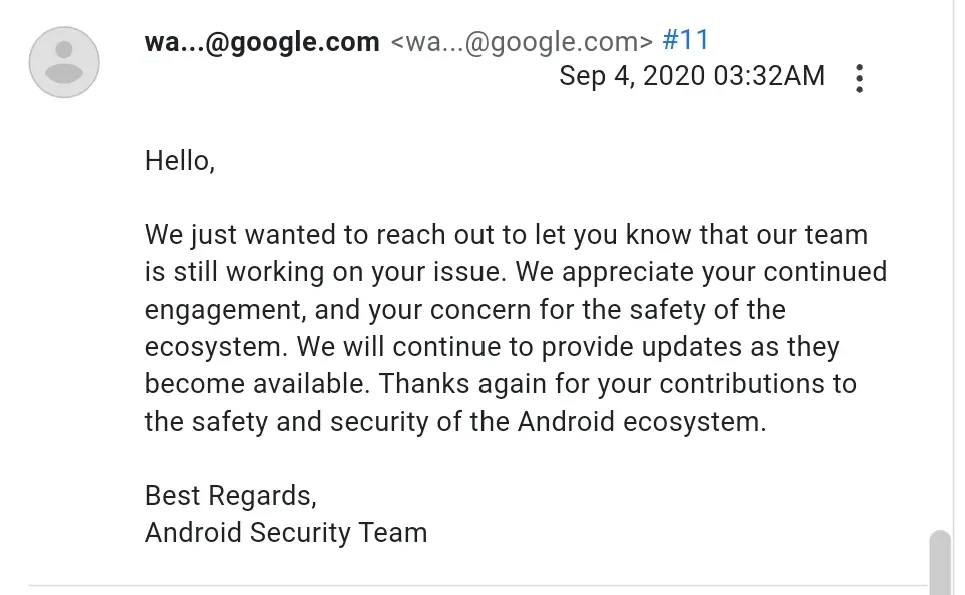
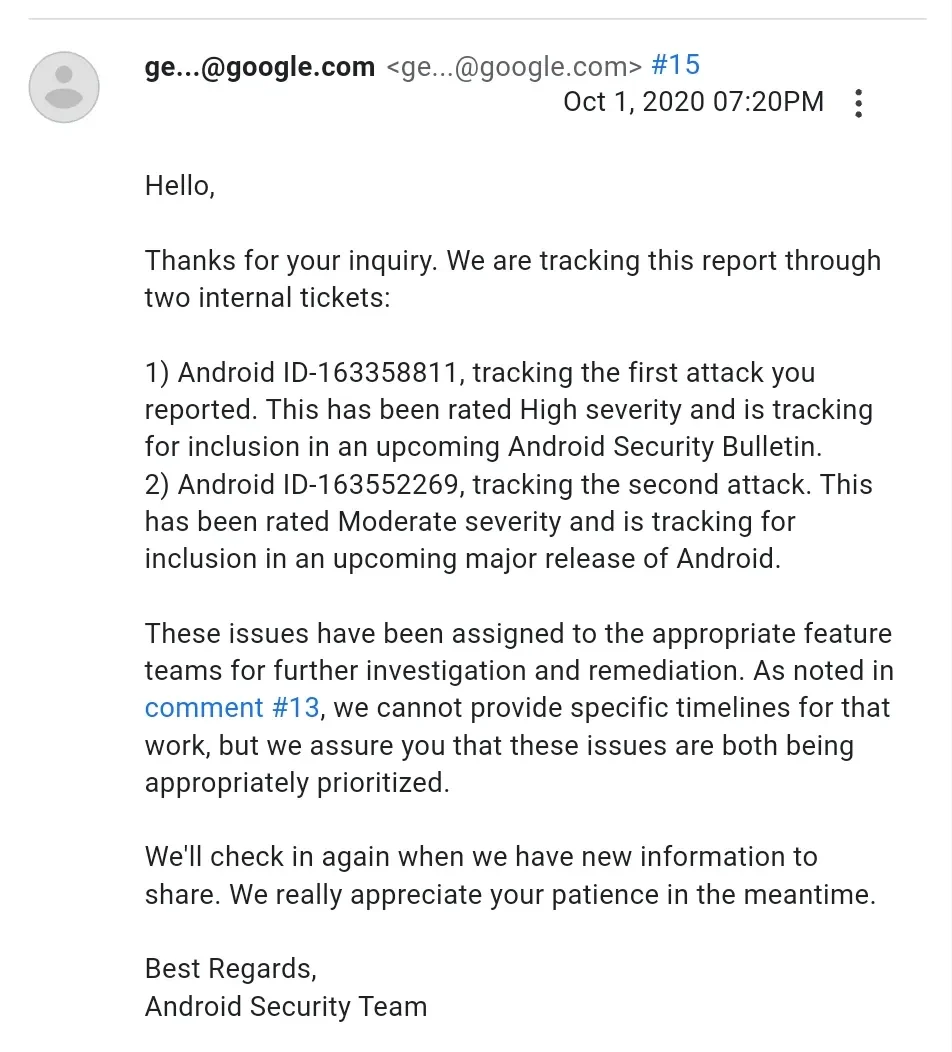
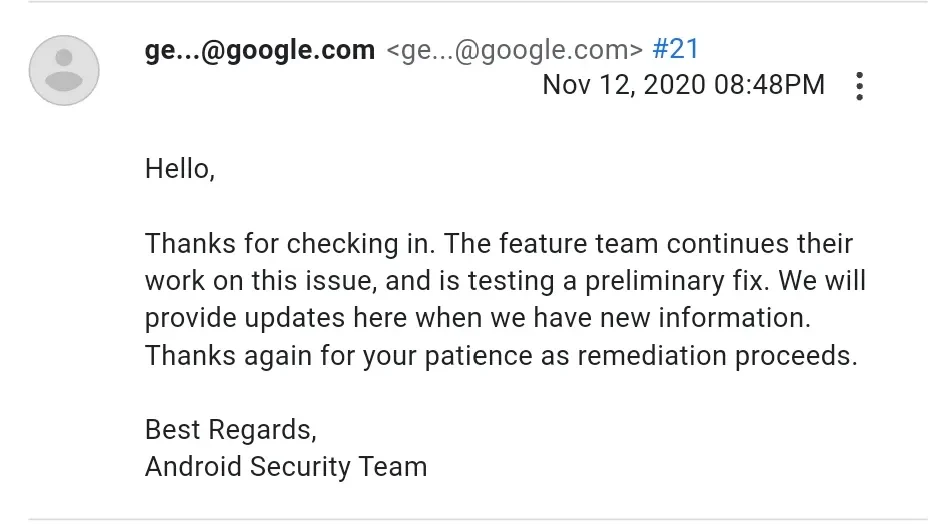
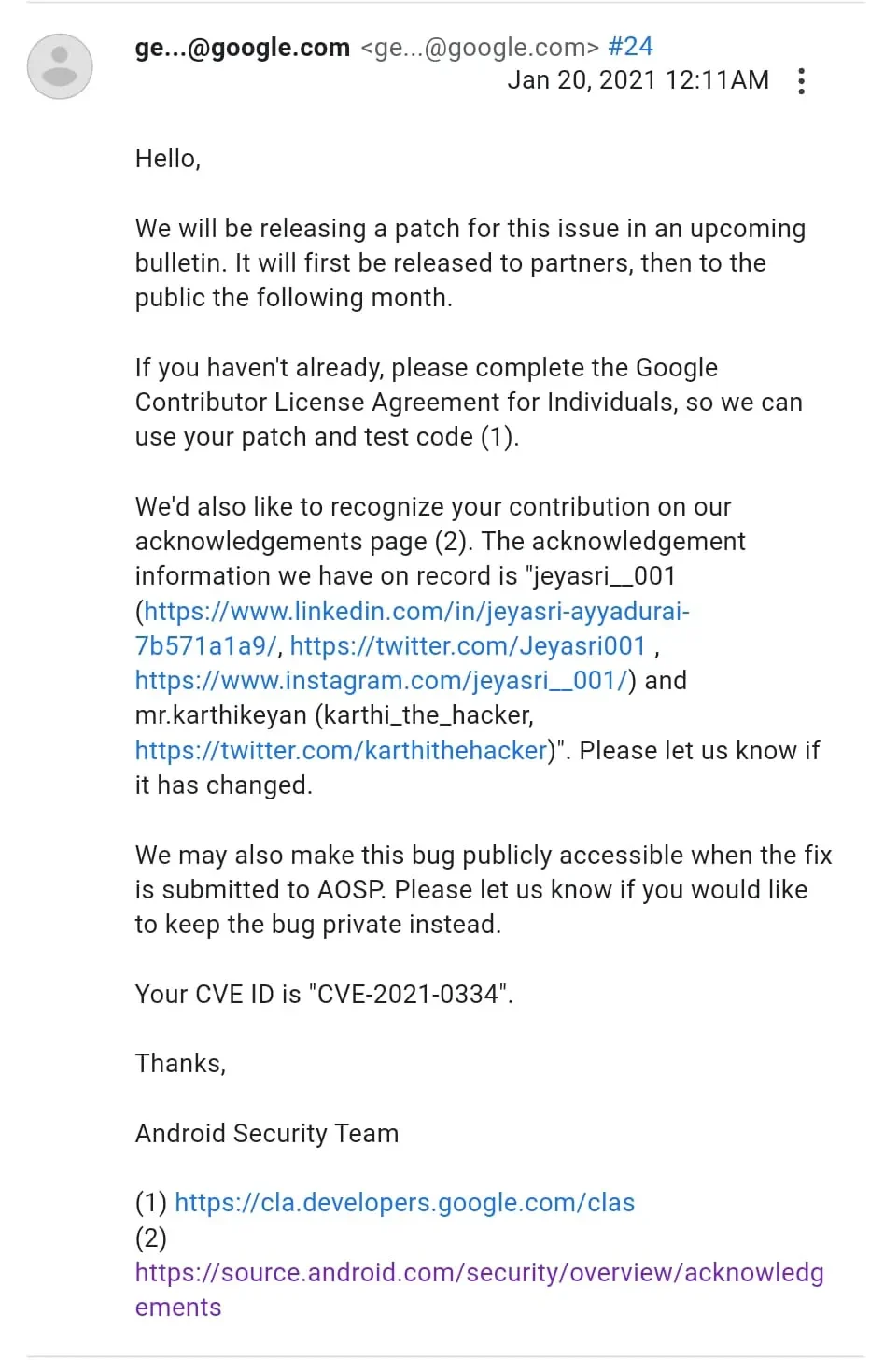
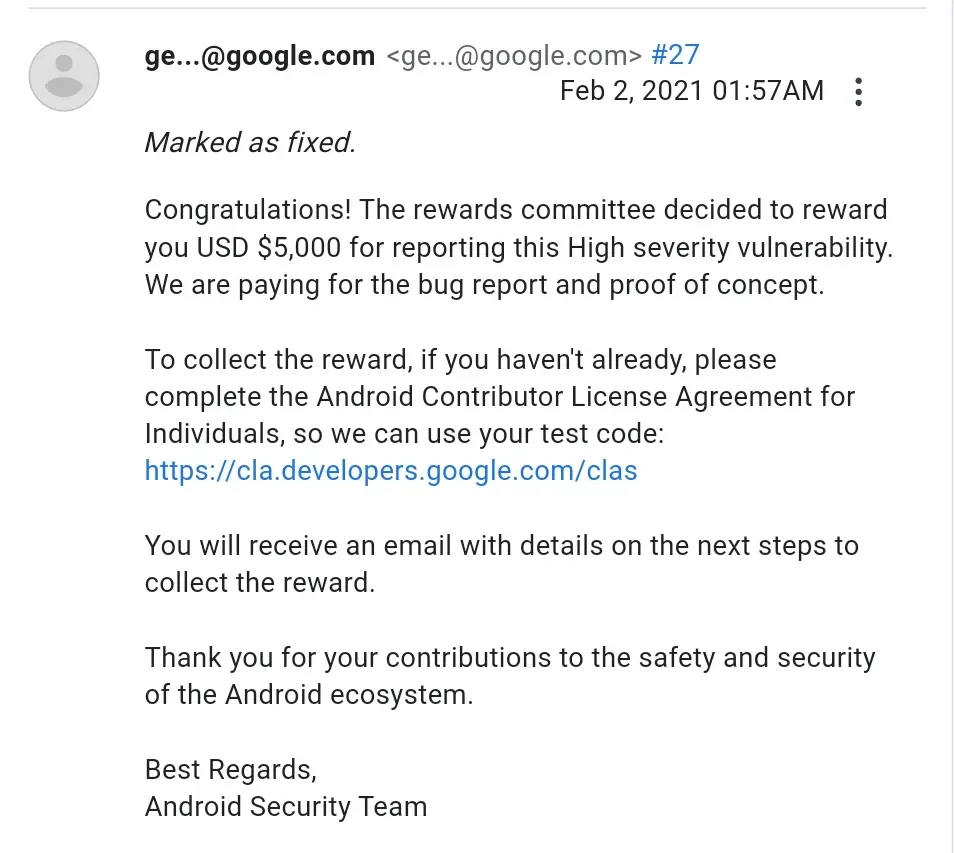
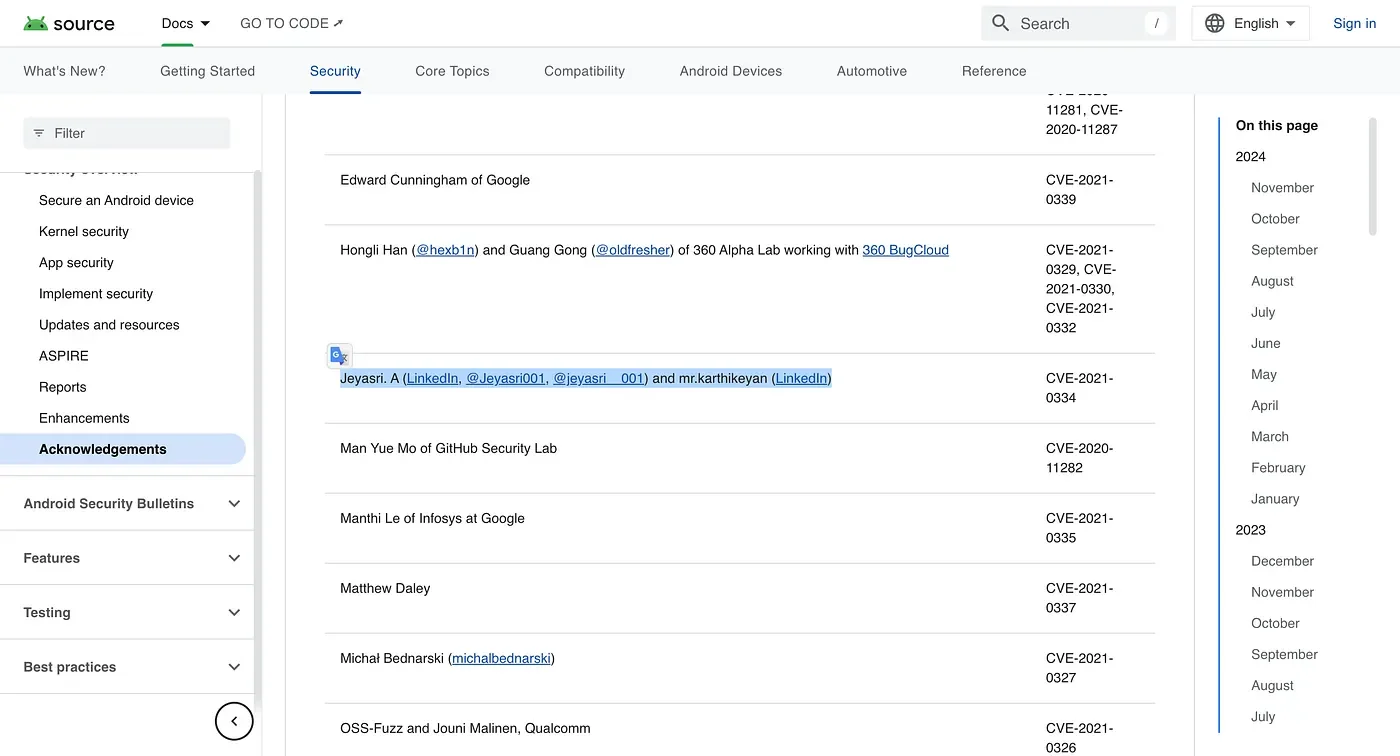
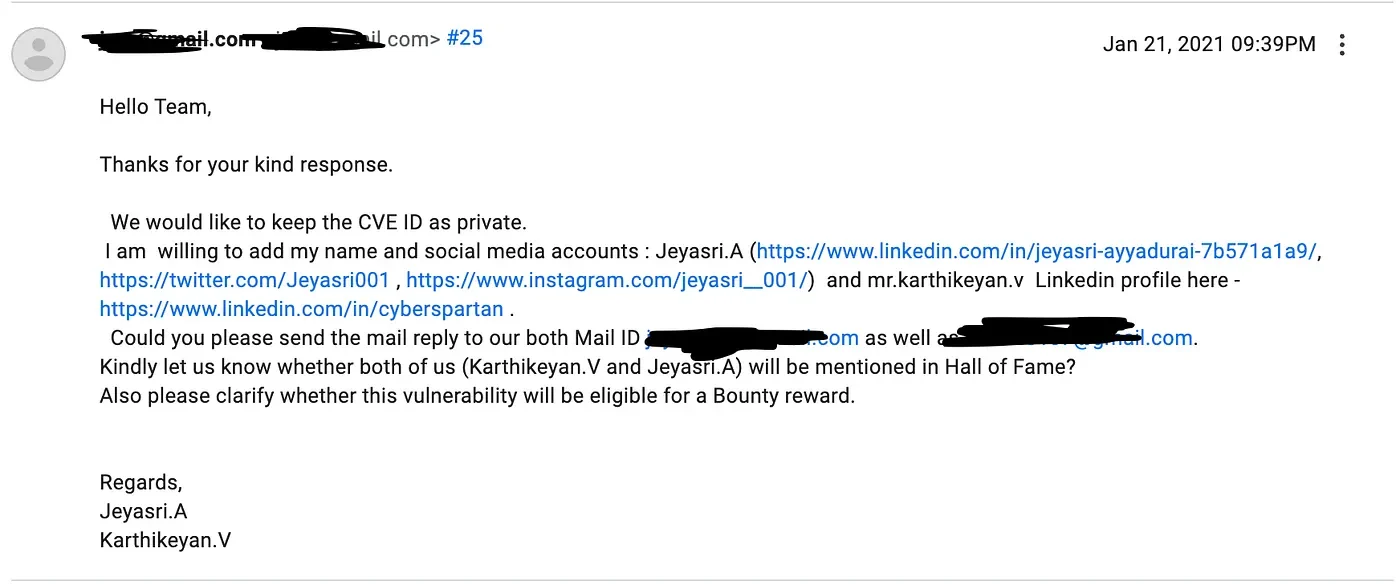
The report gives a timeline rather than a description of the code change. It was reported to the Android OS security team on Aug 7, 2020 12:11PM, the issue was created on Aug 10, 2020 11:37PM, and it was assigned on Aug 11, 2020 10:42AM. The fixed date is Feb 2, 2021 1:57AM, the same date as the reward, and the acknowledgement is recorded on the Android security acknowledgements page. The reward was $5000. The report does not state what the fix changed.
Variants to test
The report does not list variants. Based on the mechanism it describes, the following are worth checking on other targets:
- Default-handler persistence across updates. Install an app that registers a link, choose "ALWAYS", then ship an update that handles a broader set of links. A positive result is that links outside the original scope open the app with no prompt.
- Scope of the granted link. Register a narrow link, get the user to accept it, then add handling for other schemes or hosts in an update. A positive result is that the new links resolve to the app silently.
- Sensitive flows delivered by link. Trigger password reset, email verification or token delivery through a link that the app handles. A positive result is that the token or code reaches the app rather than the intended handler.
- Prompt suppression after update. Confirm whether the system re-prompts after an update changes the app's intent filters. A positive result is that no prompt appears and the link is handled automatically.
Note
The authors requested that the Android security team keep the CVE private, so the payload, malware source code and POC videos are not disclosed.
What happened, in plain words
A security researcher found a way to abuse a normal Android feature called a deep link. A deep link is a link that opens an app directly instead of opening a website in your browser. For example, when you tap a link in a message and your phone jumps straight into a shopping app on the right product page, that is a deep link at work.
The researcher built an app that registered its own deep link. When a user tapped that link, Android showed the usual prompt asking whether to open the link "JUST ONCE" or "ALWAYS". The user chose "ALWAYS", which tells Android to remember the choice and stop asking. The researcher then shipped an update to the app through Google Play. After the update, the app no longer reacted only to its own link: it reacted to any link, and the pop-up no longer appeared. That silent widening of what the app could open is the vulnerability the report describes.
The report was submitted to the Android OS security team and rewarded with $5000. The vulnerability was discovered by karthithehacker (Karthikeyan.V). The report was collaborated on and written by jeyasri.A (jeyasri__001), and the article was written by Agnes Rusaliya.
Background: what a deep link is
The report starts by explaining deep links in its own words. A deep link is a type of link that sends users directly to an app instead of a website or a store. It takes the user straight to a specific place inside the app, which saves them the effort of finding that page themselves and improves the experience.
Deep linking works by specifying a custom URL scheme (on iOS, Universal Links) or an intent URL (on Android) that opens the app if it is already installed. Deep links can also be set to send users to specific events or pages, which can tie into campaigns.
A simple comparison: a deep link is like a hotel key card that opens not just the front door but your exact room. A normal web link is like being dropped at the hotel entrance and having to walk to reception and ask where your room is.
The attack idea
Android has a component called an app link, or more precisely a deep link, that is specifically built for triggering a mobile application. The report says that even if the app is updated, it is still possible to hijack it.
The researcher's explanation of how the attack works: when an attacker develops an app, he develops it with a deep link. That deep link then triggers the evil website. The report gives an everyday scenario: if an update comes out today and another update comes out the next day, a lot of users install and update the app. Whatever is placed in the deep link gets loaded by the app. If a password reset link is sent, the link goes to the attacker, who can steal the token and do whatever he wants. That is the scenario.
The researcher develops the malware with a deep link hijacking payload to exploit any Android application that has deep links integrated.
Two terms worth unpacking here:
- Malware: software written to do something harmful or unwanted on a device, usually while looking like an ordinary app.
- Payload: the part of the malware that actually does the harmful action. If malware is a delivery van, the payload is the parcel inside it.
The steps, one by one
The report lists six steps. Below each one is explained in plain words, including why the step matters.
Step 1: Build the malware with a deep link hijacking payload
The researcher develops the malware with his own deep link hijacking payload. He then tests it on his own deep link:
https://cappriciosec.com
This is a plain web address. In the test, the app is set up so that this address is the one that opens it. Testing on your own link first is a way to check that the mechanism works before pointing it at anything else. At this stage the app is programmed so that it is triggered only by the cappriciosec.com link.
Step 2: The user clicks the link and is prompted
Whenever the user clicks this link, a prompt appears asking to select either "JUST ONCE" or "ALWAYS".
This prompt is Android's way of asking which app should handle the link. "JUST ONCE" means open it this time only. "ALWAYS" means remember this app as the default for this kind of link and stop asking.
Step 3: The user chooses "ALWAYS"
When the user clicks "ALWAYS", the malware opens, and from then on whenever the user clicks the link it is triggered automatically. This is the basic mechanism the attack relies on.
The important part is that the user made a decision once, and Android stored it. The user is not asked again for that link.
Step 4: Add a payload that triggers on any app link
The researcher modifies the malware. In the first case it was programmed to trigger only on cappriciosec.com. He then adds an additional payload that triggers on any app link.
This is the turning point. The app's behaviour is being changed from "react to one specific address" to "react to any address". The user has not been told about this change.
Step 5: Release an update through Google Play
The researcher releases an update in the Google Play store. Users receive the update and install it.
Updates are normal and expected. Users trust them, and the store delivers them without the user inspecting what changed inside the app.
Step 6: The new payload takes effect under the old permission
After the update, the malware's functionality changes because the researcher shipped a new payload. The user had already allowed access, so the malware is triggered by that permission. Whenever the user clicks the Cappriciosec link it fires, and now if the user opens any link it will automatically trigger the malware, and the pop-up will never ask the user to choose "just once" or "always" again.
In short: the permission the user granted in step 3 is still in force, but the code acting on it has been replaced with something broader. The user's old decision now covers behaviour they never agreed to.
Why it is vulnerable
Earlier it was mentioned that the user allowed permission to open cappriciosec.com, but after the update any link is allowed to process and no pop-up appears. This all happens without the user's knowledge, so this is the vulnerable part.
The report's description is that the user allowed permission to open cappriciosec.com, but after the update any link is allowed to process and no pop-up appears. The report frames the vulnerable part as the change happening without the user's knowledge. So an update can widen what the granted permission covers. The report does not go into the platform code that implements the default-handler choice, so the exact mechanism is only described at this behavioural level.
A comparison: it is like giving a delivery company a permanent key to your building because they promised to deliver only to your flat. If the company later changes its routes and starts entering every flat, your original permission is still on record, and nobody asks you again.
Impact
The greater impact is that it is easy to bypass validation such as two-factor authentication, email verification code or token, password reset link or token, and account credentials. Any web-related things can be easily hijacked.
Some of those terms, from zero:
- Two-factor authentication (2FA): logging in with two things, usually a password plus a one-time code. The code is meant to prove it is really you.
- Email verification code or token: a short code or a long random string sent to your email to prove you control that address.
- Password reset link or token: a special link, or the random string inside it, that lets you set a new password. Anyone who has it can usually take over the account.
- Account credentials: your username and password, or anything else that proves who you are.
The researcher's scenario is that if a password reset link is sent, the link goes to the attacker, who can steal the token and do whatever he wants.
These are the report's own claims. It does not include a demonstration against a specific third-party service, and it notes that the payload, malware source code and POC videos are withheld at the request of the Android security team, who were asked to keep the CVE private.
A CVE is a public identifier for a known security flaw, so that people can refer to the same issue by the same name.
Timeline and reward
The report gives a timeline rather than a description of the code change:
| Event | Date and time |
|---|---|
| Reported to Android OS security team | Aug 7, 2020 12:11PM |
| Issue created | Aug 10, 2020 11:37PM |
| Assigned | Aug 11, 2020 10:42AM |
| Fixed | Feb 2, 2021 1:57AM |
| Rewarded | Feb 2, 2021 1:57AM |
The acknowledgement is recorded on the Android security acknowledgements page, and the reward was $5000. The report does not state what the fix changed.
Things worth checking on other targets
The report does not list variants. Based on the mechanism it describes, the following are worth checking on other targets:
- Default-handler persistence across updates. Install an app that registers a link, choose "ALWAYS", then ship an update that handles a broader set of links. A positive result is that links outside the original scope open the app with no prompt.
- Scope of the granted link. Register a narrow link, get the user to accept it, then add handling for other schemes or hosts in an update. A positive result is that the new links resolve to the app silently.
- Sensitive flows delivered by link. Trigger password reset, email verification or token delivery through a link that the app handles. A positive result is that the token or code reaches the app rather than the intended handler.
- Prompt suppression after update. Confirm whether the system re-prompts after an update changes the app's intent filters. A positive result is that no prompt appears and the link is handled automatically.
Note
The authors requested that the Android security team keep the CVE private, so the payload, malware source code and POC videos are not disclosed.
Glossary
- Android: the operating system that runs on most phones that are not made by Apple.
- App link / deep link: a link that opens a specific app, and often a specific place inside it, instead of a website.
- Custom URL scheme: a made-up address prefix that belongs to one app, so the system knows which app should open it.
- Intent URL: on Android, a link format that tells the system which app should handle it.
- iOS Universal Links: Apple's equivalent of deep links, which open an app from a normal web address.
- Default handler: the app the system has been told to use automatically for a certain kind of link.
- Prompt ("JUST ONCE" / "ALWAYS"): the Android dialog that asks whether to open a link one time only or to remember the choice.
- Malware: software written to do something harmful or unwanted, usually while looking like an ordinary app.
- Payload: the part of the malware that performs the harmful action.
- Hijack: to take control of something that was meant to go somewhere else, such as a link that should open a website but opens an attacker's app instead.
- Token: a long random string that acts like a temporary key, proving you are allowed to do something.
- Two-factor authentication (2FA): logging in with two separate proofs, usually a password plus a one-time code.
- Email verification code: a short code sent to your email to prove you control that address.
- Password reset link: a special link that lets you set a new password, and which anyone holding it can usually use.
- Account credentials: the username and password, or other proof of identity, for an account.
- HTTP: the language browsers and servers use to exchange web pages and data.
- CVE: a public identifier for a known security flaw.
- POC (proof of concept): a demonstration that a vulnerability really works, often a video or sample code.
- Google Play: Google's app store for Android, which also delivers app updates.
- Vulnerability: a weakness that lets someone make a system do something it was not meant to do.





