I hate you, so I pawn your Google Open Gallery
The Open Gallery service allowed a user to change the subdomain of their exhibition by modifying the request, without verifying ownership. An attacker could take over another user's exhibition subdomain and replace its content with their own.
 Published on blog.yappare.com
Hi, long time no see. Quite busy with works and probably will not able to update too much in future.
The full write-up lives on its author's site
It belongs to its author, so we link to it rather than copy it. The other two tabs are our own rewrites, checked against it.
Context
Open Gallery is a Google service that lets a user share exhibition art material. Each exhibition is published under its own subdomain of culturalspot.org, for example something.culturalspot.org. The subdomain is chosen when the exhibition is created, and according to the report it cannot be changed once the name has been saved.
The report describes a bug in the way that saved domain name is handled when the exhibition settings are saved again. The researcher changed the domain value in the intercepted save request to another user's domain, and that exhibition then served the attacker's content.
Setup
The researcher created two separate Open Gallery accounts, each with its own exhibition:
jablor.culturalspot.org, created with[redacted].test333.culturalspot.org, created withprakhar'[redacted].
Both exhibitions were in their normal state before the test. The report shows the exhibition page for each account at that point.
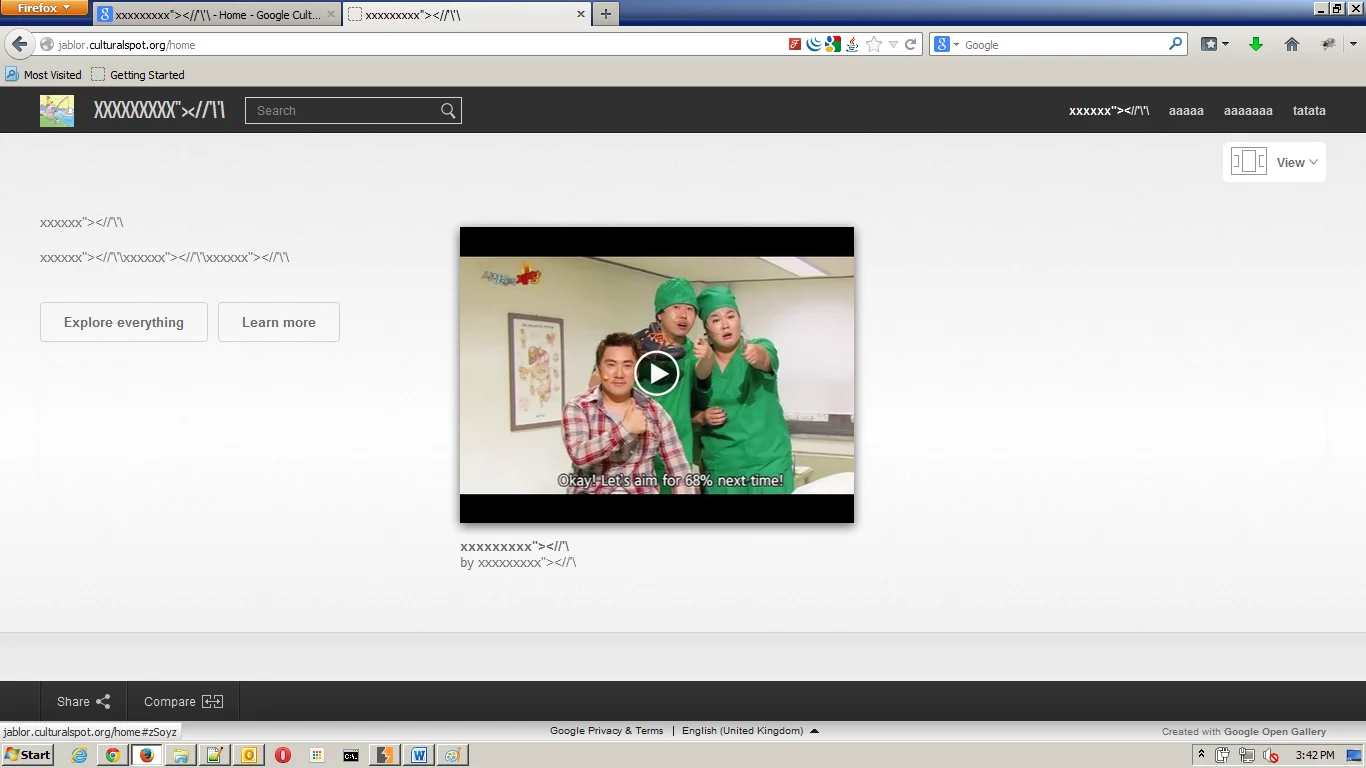
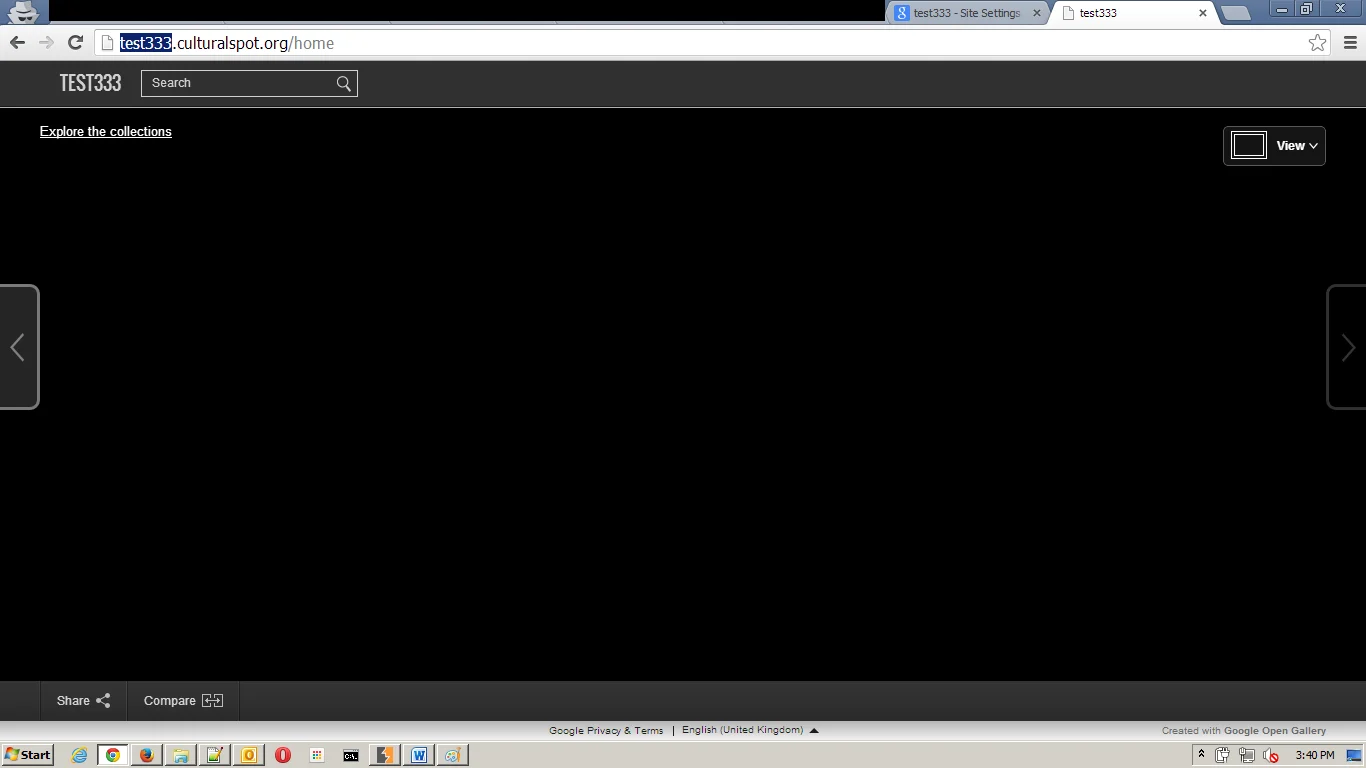
The tool used was Burp Suite, run as a proxy so that the save request could be intercepted and modified. No versions are given in the report.
Finding it
The researcher already knew that the exhibition domain is fixed after creation: the report states plainly that the domain cannot be changed once the name is saved. That makes the domain an identifier that the server should treat as belonging to one exhibition and one account.
Exploitation
Step 1: capture the save request
With Burp running as a proxy, the researcher saved the current settings of the jablor.culturalspot.org exhibition from the attacker account. The save request was intercepted during that process.
Step 2: change the domain in the request
In the intercepted request, the domain value was changed from the attacker's own domain to the target's domain:
The report does not reproduce the full HTTP request, so the parameter name, method and headers are not shown.
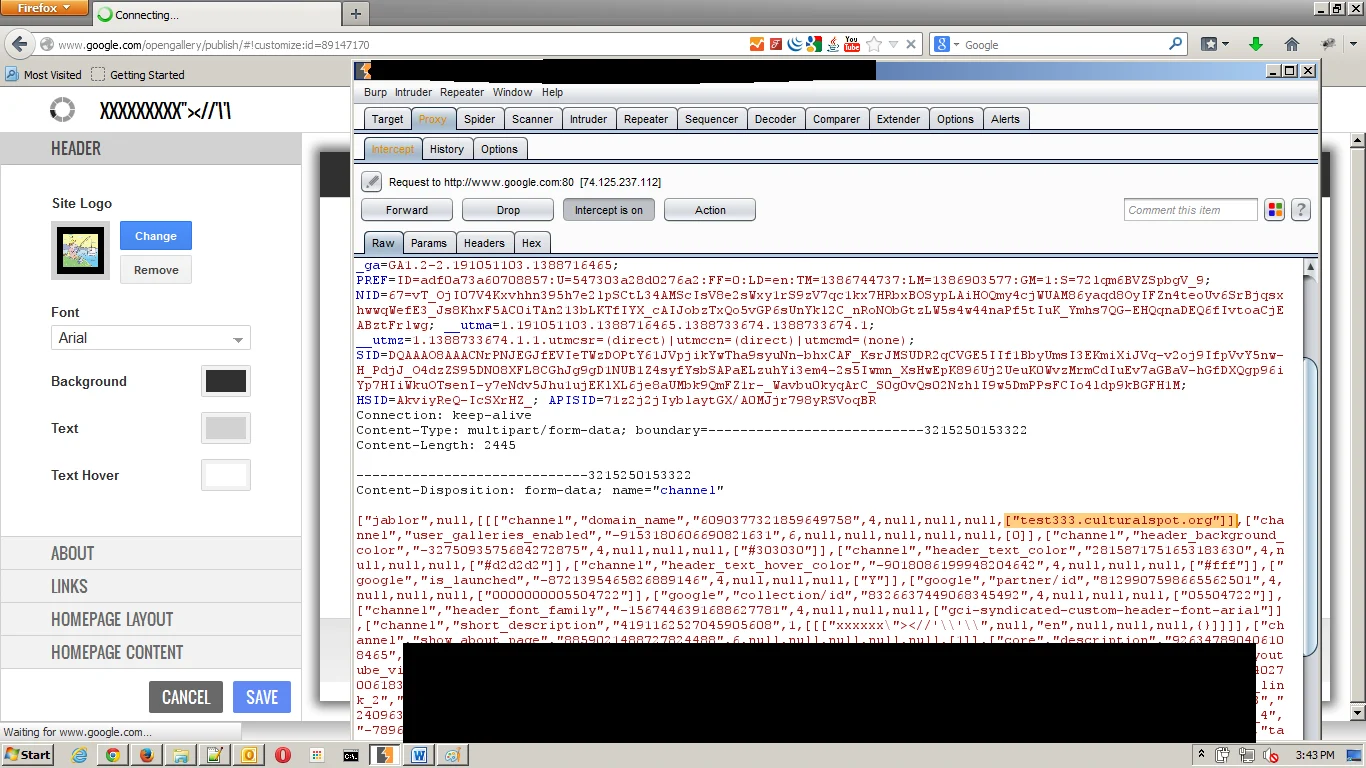
Step 3: observe the result
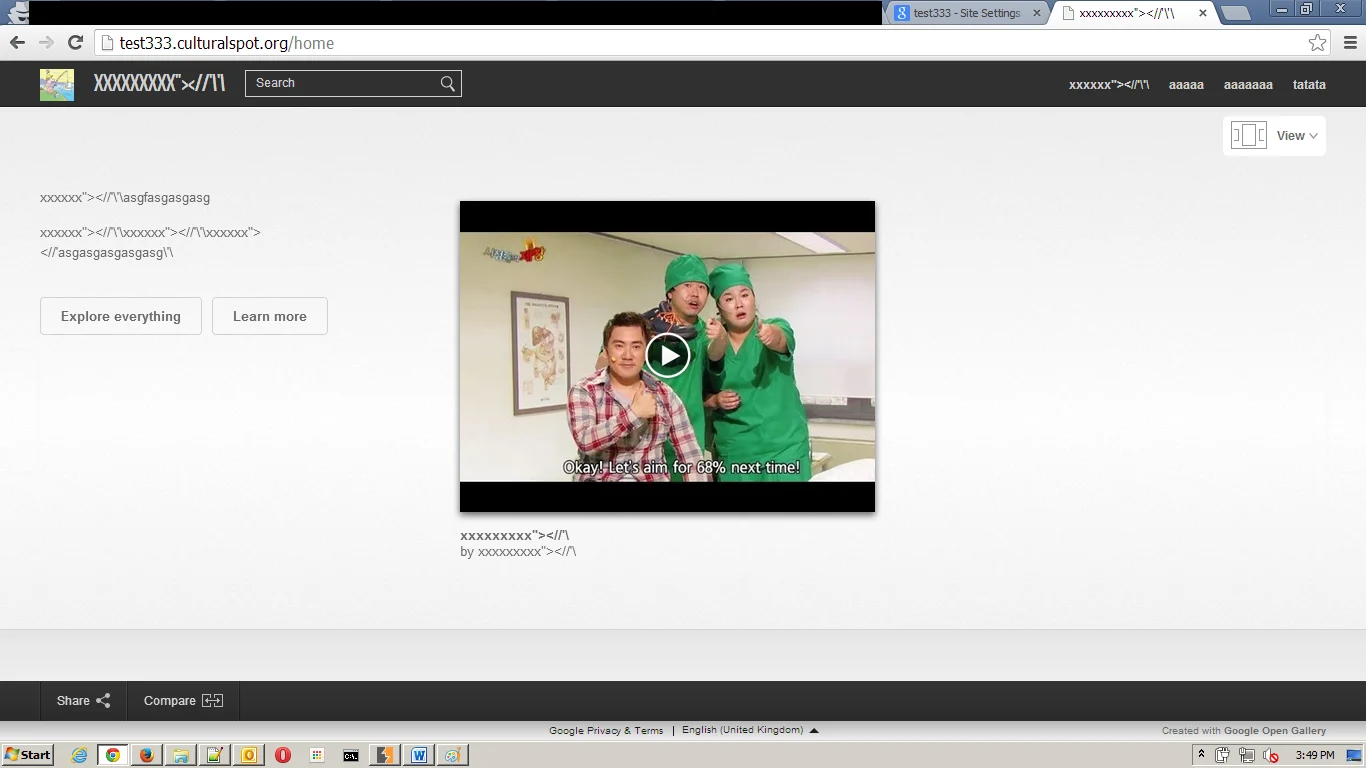
The save was forwarded. The target's exhibition changed to the attacker's content, and the target's domain came under the attacker's control. The victim sees their own domain serving the attacker's content, and that content is controlled by the attacker.
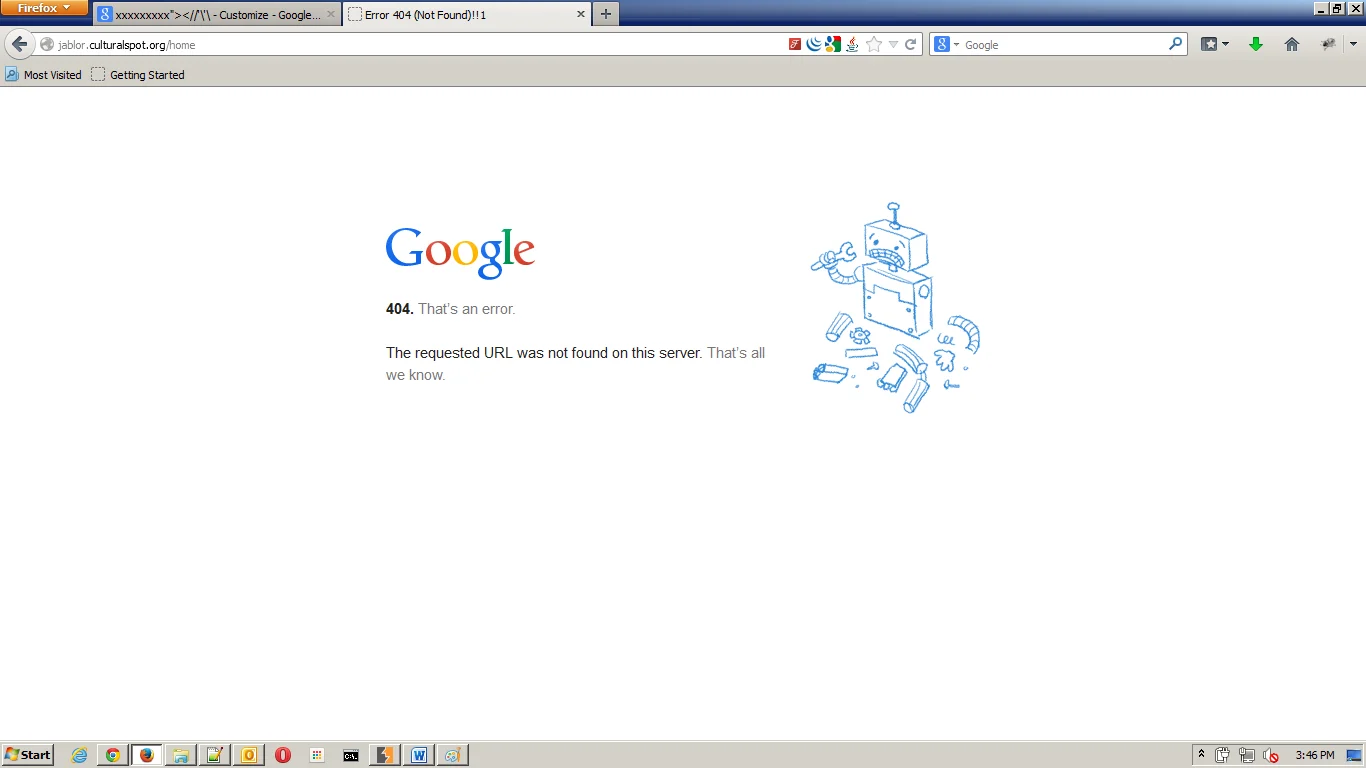
Because the domain is a single value tied to one exhibition, the attacker's original exhibition stopped existing under its own name once it was moved to the victim's URL.
Root cause
The report does not explain the cause. It shows only that changing the domain in the intercepted save request made the victim's exhibition serve the attacker's content.
Impact
An attacker with an Open Gallery account could take over another user's exhibition domain by saving their own settings with the victim's domain in the request. The victim's domain would then serve the attacker's content, and the attacker would control what is shown there. The attacker's own exhibition would no longer exist under its original name.
The report does not describe any further consequences, such as access to the victim's account data, and does not state how the victim's domain was discovered. The only precondition shown is that the attacker knows the victim's culturalspot.org subdomain.
Fix
The report states that the issue was fixed by the Google team. A fix that would address this behaviour is to validate the domain on the server against the authenticated account before applying a save, and to reject any domain that the caller does not own.
Variants to test
- Domain or slug fields in save and update endpoints. Intercept the save request for a resource with a fixed public name and swap the name for another account's name. A positive result is that the other account's resource starts serving your content.
- Hidden or read-only fields in forms. Look for fields the interface marks as unchangeable, such as a subdomain, username or workspace name, and send a modified value. A positive result is that the server accepts the new value.
- Ownership checks on identifiers. Create two accounts and try to reference the second account's identifier from the first account's update request. A positive result is that the update is applied to the other account's object instead of being rejected.
- Name reuse after a move. After a successful takeover, check whether the original name becomes free and can be claimed by a third account. A positive result is that the original name can be registered again, which shows the move was applied globally rather than only in the attacker's view.
What happened, in plain words
Google runs a service called Open Gallery. It lets people put their art exhibitions online. When you create an exhibition, Open Gallery gives it its own web address, a subdomain of culturalspot.org, for example something.culturalspot.org. A subdomain is the part of a web address that comes before the main domain name, like the www in www.example.com. Here it is the exhibition's own name inside Google's culturalspot.org site.
According to the report, that name is chosen when the exhibition is created and cannot be changed once it has been saved. You would expect that rule to be enforced by Google's computers, not just by the buttons on the page.
The researcher intercepted the save request for his own exhibition, changed the domain in it to another account's domain, and the victim's exhibition then served his content. So one account could send a save with another account's domain in it, and take over that exhibition.
A simple comparison: a cloakroom that hands out coats to anyone who reads out a ticket number, without checking that the ticket is theirs.
The setup
The researcher created two separate Open Gallery accounts, each with its own exhibition:
jablor.culturalspot.org, created with[redacted].test333.culturalspot.org, created withprakhar'[redacted].
Both exhibitions were in their normal state before the test. The report shows the exhibition page for each account at that point.
The tool used was Burp Suite. Burp Suite is a program that sits between your browser and the website, like a post office that opens every letter, lets you read it, change it, and then sends it on. It is used here as a proxy: the browser is configured to send its traffic through Burp, so the save request can be intercepted and modified before it reaches Google. No versions are given in the report.
Finding it
The researcher already knew that the exhibition domain is fixed after creation: the report states plainly that the domain cannot be changed once the name is saved. That makes the domain an identifier, a label that the server should treat as belonging to one exhibition and one account.
The reasoning is: if the page hides the field or refuses to let you edit it, but the server still reads the value from the request, then editing the request directly gets around the page.
Exploitation
Step 1: capture the save request
With Burp running as a proxy, the researcher saved the current settings of the jablor.culturalspot.org exhibition from the attacker account. The save request was intercepted during that process. The reason for doing this is to get a copy of the exact message the browser sends when saving, so it can be edited by hand.
Step 2: change the domain in the request
In the intercepted request, the domain value was changed from the attacker's own domain to the target's domain:
This block shows the swap: the left side is the attacker's own exhibition name, the right side is the victim's. The arrow means "replaced with". The researcher took the value that was already in the request and typed the victim's domain in its place.
The report does not reproduce the full HTTP request, so the parameter name, method and headers are not shown.
Step 3: observe the result
The save was forwarded. The target's exhibition changed to the attacker's content, and the target's domain came under the attacker's control. The victim sees their own domain serving the attacker's content, and that content is controlled by the attacker.
Because the domain is a single value tied to one exhibition, the attacker's original exhibition stopped existing under its own name once it was moved to the victim's URL.
Root cause
The report does not explain the cause. It shows only that changing the domain in the intercepted save request made the victim's exhibition serve the attacker's content.
In plain terms: the page said "you cannot change this", but the server never checked. Anything the page merely hides or greys out can usually be changed by anyone who edits the request, because the page is just a picture drawn by your browser and the request is the real instruction.
Impact
An attacker with an Open Gallery account could take over another user's exhibition domain by saving their own settings with the victim's domain in the request. The victim's domain would then serve the attacker's content, and the attacker would control what is shown there. The attacker's own exhibition would no longer exist under its original name.
The report does not describe any further consequences, such as access to the victim's account data, and does not state how the victim's domain was discovered. The only precondition shown is that the attacker knows the victim's culturalspot.org subdomain.
Fix
The report states that the issue was fixed by the Google team. A fix that would address this behaviour is to validate the domain on the server against the authenticated account before applying a save, and to reject any domain that the caller does not own.
Variants to test
These are the same ideas applied to other features, useful when you are learning to look for this class of bug.
- Domain or slug fields in save and update endpoints. Intercept the save request for a resource with a fixed public name and swap the name for another account's name. A positive result is that the other account's resource starts serving your content.
- Hidden or read-only fields in forms. Look for fields the interface marks as unchangeable, such as a subdomain, username or workspace name, and send a modified value. A positive result is that the server accepts the new value.
- Ownership checks on identifiers. Create two accounts and try to reference the second account's identifier from the first account's update request. A positive result is that the update is applied to the other account's object instead of being rejected.
- Name reuse after a move. After a successful takeover, check whether the original name becomes free and can be claimed by a third account. A positive result is that the original name can be registered again, which shows the move was applied globally rather than only in the attacker's view.
Glossary
- Subdomain: the part of a web address before the main domain, such as
shopinshop.example.com; here each exhibition gets its own subdomain ofculturalspot.org. - Domain: the main name of a website, such as
culturalspot.org; a subdomain sits in front of it. - Open Gallery: the Google service described in the report, which lets a user publish exhibition art material under a
culturalspot.orgsubdomain. - Exhibition: the unit of content in Open Gallery; each one has its own subdomain and its own settings.
- Request: the message your browser sends to a server when you do something, such as saving a form.
- Response: the message the server sends back.
- Server: the computer that stores the website and answers requests.
- Client: the program making the request, usually your browser.
- Proxy: a program that sits between browser and server and can read or change the traffic; Burp Suite is one.
- Burp Suite: a tool used to intercept and modify web requests.
- Intercept: to stop a request on its way so it can be inspected or edited before being forwarded.
- Parameter: a named value inside a request, for example a field in a form.
- Header: extra information attached to a request or response, such as the type of content or a cookie.
- HTTP request: the standard format of a message a browser sends to a web server.
- Authenticated account: an account the server knows is really you, usually because you logged in.
- Access control: the rules that decide who is allowed to do what; broken access control means the server does not enforce them.
- Insecure direct object reference: a bug where the server accepts an identifier from the client (such as a name or number) without checking that the client owns it.
- Identifier: a value that names a specific object, such as a subdomain naming one exhibition.
- Client-supplied value: any value that comes from the browser and can therefore be edited by the user.
- Root cause: the underlying reason a bug exists, as opposed to its visible symptom.
- Impact: what an attacker can actually do because of the bug.
- Slug: a short name used in a web address to identify a page or resource.
- Endpoint: a specific address on a server that accepts requests, such as the one that handles saving settings.
- Read-only field: a form field the page does not let you edit; it can still be changed in the request itself.
- Takeover: when an attacker gains control of something that belongs to another user, here the victim's exhibition domain.

