The Time I Hacked Google’s Manual Actions Database
The API endpoint for Google's manual actions viewer did not perform authorisation checks, allowing any domain name to be queried. An attacker could view penalties for any site, enabling negative SEO attacks.
 Published on tomanthony.co.uk
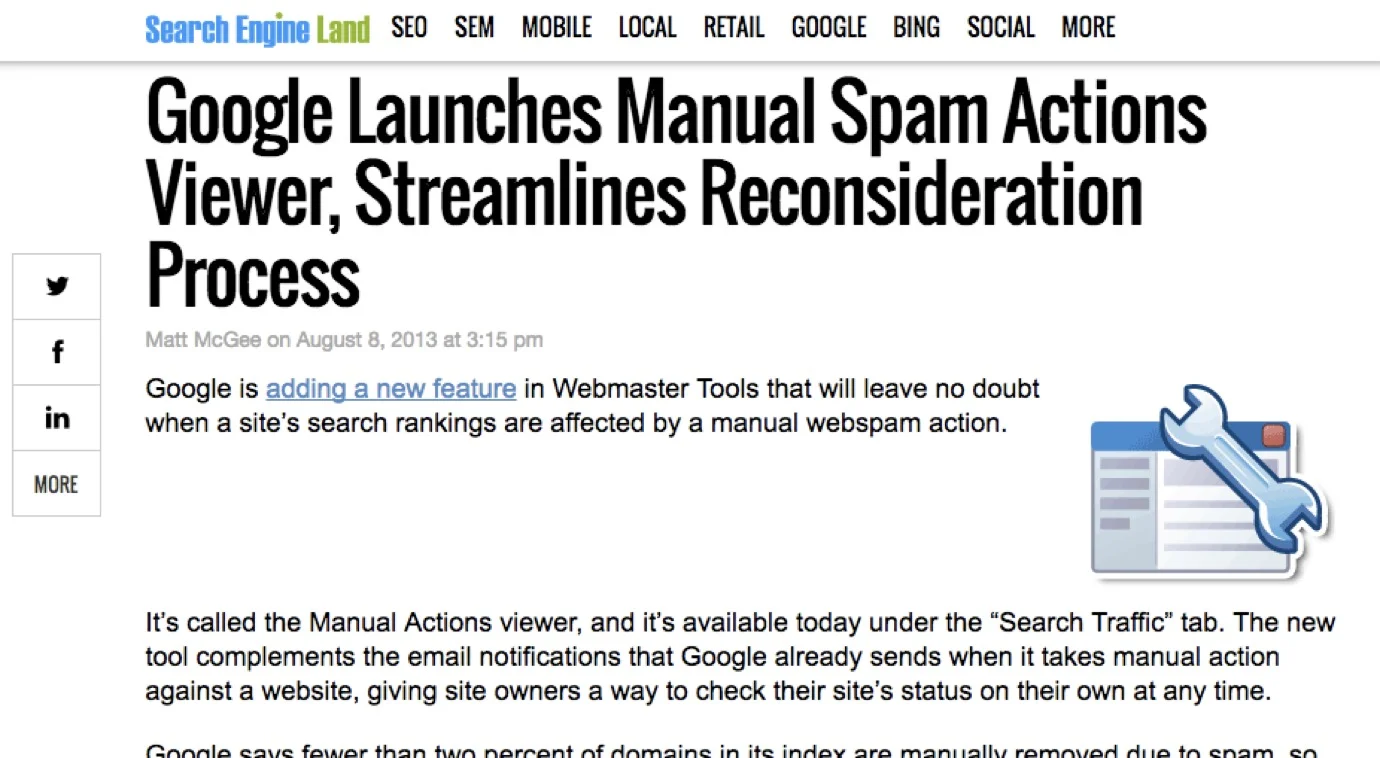
August 9th 2013 was a Friday. I remember being at work and hearing that the evening before Google had released a viewer for manual actions.
The full write-up lives on its author's site
It belongs to its author, so we link to it rather than copy it. The other two tabs are our own rewrites, checked against it.
Context
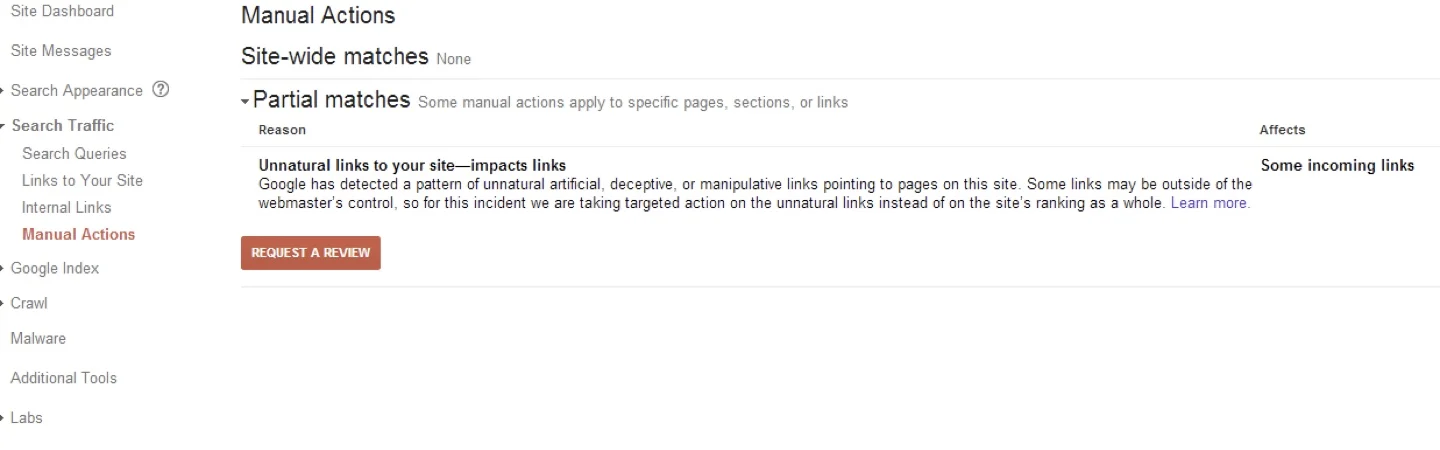
On the evening of 8 August 2013 Google released a viewer for manual actions, the penalties it applies to sites by hand. Before that, site owners had no way of knowing whether Google was penalising them. The tool let an authenticated owner of a site, through the Google Webmaster Tools account (as it was then called), see the manual actions recorded against that site.
The researcher worked at an SEO agency that wanted to review the reports for all of its customers. The agency could do that legitimately because it had access to those customers' Webmaster Tools accounts. The interesting question was whether the API behind the viewer checked that the caller was entitled to the site being requested.
Setup
The agency had access to its customers' Webmaster Tools accounts, and the researcher inspected the API calls the viewer made. No special tooling is described beyond replaying a captured request with a modified value. The work was done on his own time.
Finding it
The first check was whether the API leaked any additional information about penalties beyond what the viewer displayed. It did not.
That led to the real test: could he retrieve reports for sites he should not have had access to? The request that the viewer sent to the API carried the site in its payload. The captured payload looked like this:
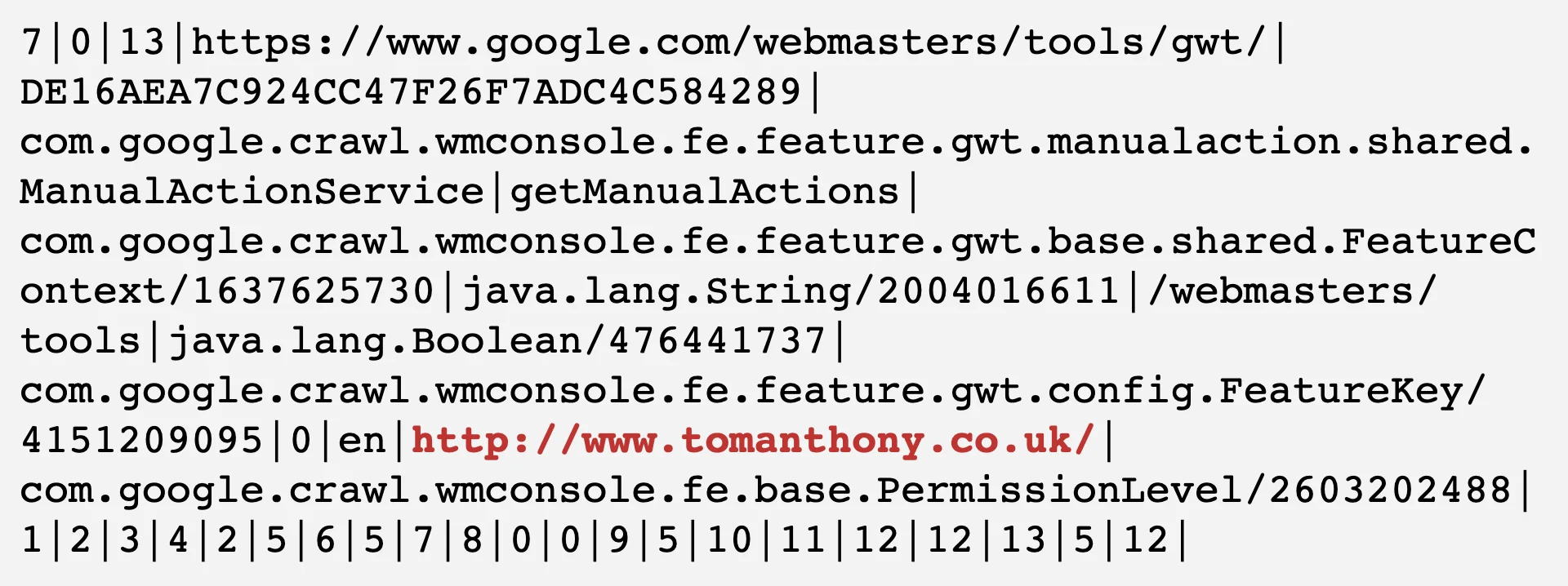
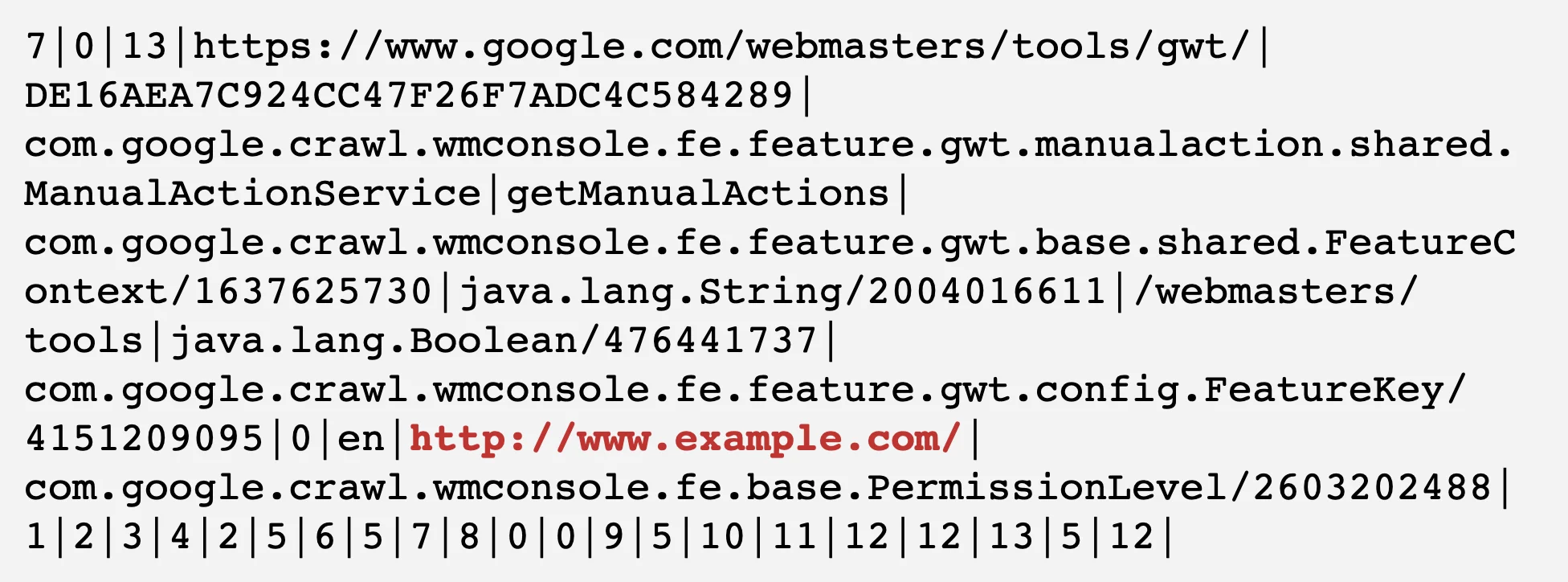
The interesting part is the site identifier in the payload. He replayed the request with that value changed:
Exploitation
Step 1: capture the legitimate request
With access to a customer's Webmaster Tools account, open the manual actions viewer and capture the API request it sends. The payload contains the domain being viewed.
Step 2: replay with a different domain
Replay the same request, changing only the domain in the payload to one the account has no access to. The change was to the site value in the payload, swapped for another domain.
Step 3: observe the result
It worked. Any domain name placed in that field returned the penalties associated with that domain. There appeared to be no authorisation being done at all, which the researcher describes as a serious and surprising oversight by Google.
Root cause
The API trusted the site identifier supplied by the client and returned the corresponding manual actions without checking that the authenticated user had any relationship to that site. In other words, authentication of the caller existed (the request came from a logged-in Webmaster Tools session), but authorisation of the requested resource did not. The report does not describe the server-side code, so the exact mechanism is not stated; the observable behaviour is that the domain in the payload alone determined which report came back.
Impact
An attacker with a Webmaster Tools account could read the manual actions for arbitrary domains. In the hands of a black-hat SEO, the researcher notes, this was the key to the castle: you could target negative SEO attacks at competitors to amplify penalties they already had, and recovery from such a targeted attack would have been very difficult for the victims. The exposure was read access to the manual actions database, not modification of it.
Fix
The researcher reported the issue immediately, both to Google's bug bounty programme (his introduction to bug bounty) and by email to Matt Cutts, who replied in under 15 minutes and was grateful. Within a few hours Google pulled the tool down, publicly blaming a 'snag':
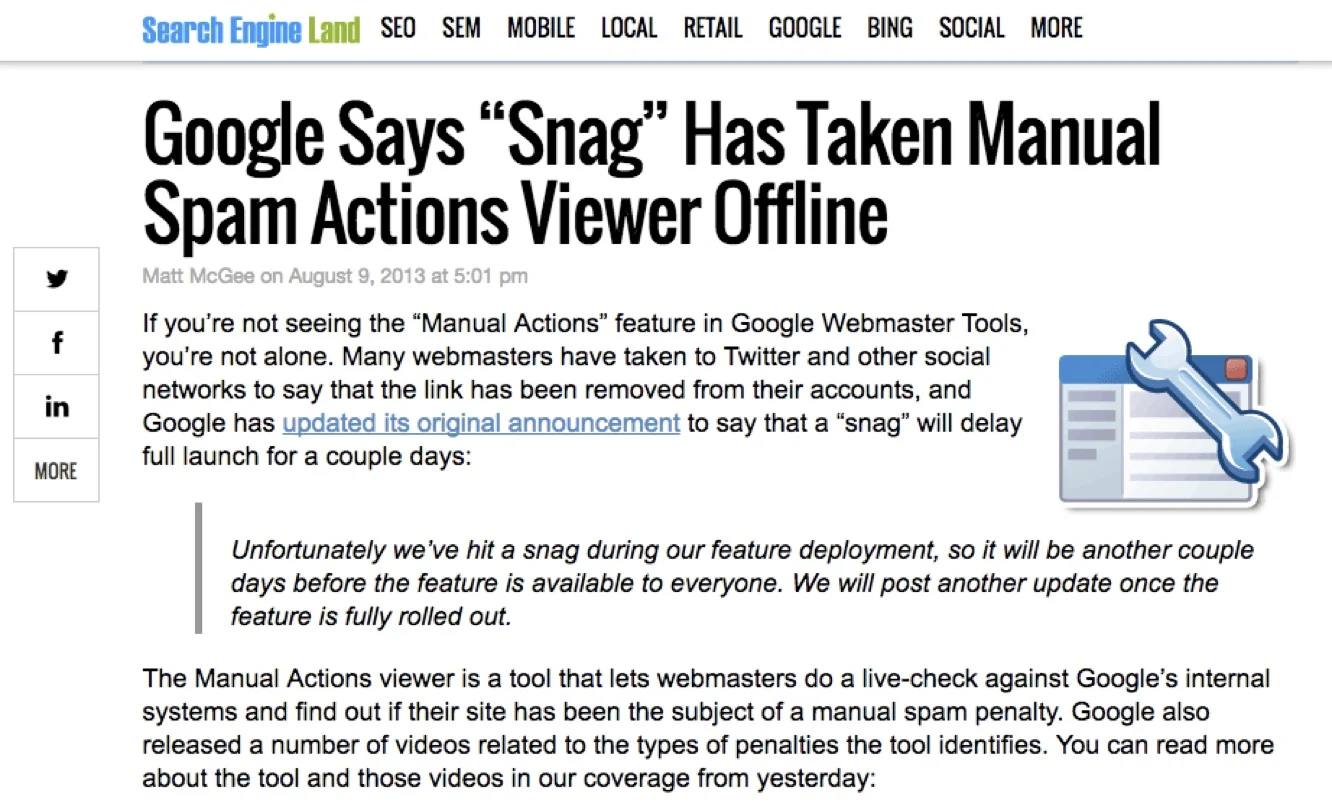
It came back online after the weekend with no explanation of why it had been taken down. The report does not describe the code change; the implication is that the endpoint was corrected to authorise the requested site against the caller's account before returning a report. Google paid a $5000 bounty under its bug bounty programme.
Variants to test
- Swap the site or property identifier in any reporting API for one belonging to another account. A positive result is a report for a site the session has no access to.
- Try identifiers in different formats (bare domain, URL, numeric property ID) to see whether validation is applied to one form but not another. A positive result is any form that returns another account's data.
- Replay the request with the session of a low-privilege or newly created account against a high-value target. A positive result is data returned despite no sharing or delegation existing.
- Check whether the same identifier is trusted in related endpoints (reconsideration, crawl errors, search analytics). A positive result is any endpoint returning per-site data for an unauthorised site.
- Remove or blank the identifier and observe whether the API falls back to a default or returns another tenant's data. A positive result is data returned without a valid, authorised identifier.
What happened, in plain words
In August 2013 Google launched a new feature inside its Webmaster Tools service (the dashboard where site owners manage how Google sees their site). The feature let an owner see the manual actions recorded against their site. A manual action is a penalty that a real person at Google has applied to a website by hand, for example because the site broke Google's rules. Before this feature existed, a site owner had no way of knowing whether Google was punishing them.
The researcher worked at an SEO agency. SEO means search engine optimisation, the work of helping websites rank better in Google. The agency looked after many customers, and it could legitimately open each customer's manual actions report because each customer had given the agency access to their Webmaster Tools account.
While using the new feature, the researcher looked at the network traffic his browser was sending to Google. He found that the request carrying the site name could simply be edited to name any website, and Google would return that site's penalties. There was no check that the person asking was allowed to see that site. He reported it, Google took the feature offline and paid him a $5000 bug bounty. A bug bounty is a reward a company pays to someone who reports a security problem responsibly instead of abusing it.
Background ideas you need first
A few everyday ideas make the rest of this easy to follow.
- A website is two things talking to each other. Your browser (the page you see) is the front end. Behind it sits a server, a computer that holds the data and answers questions. The front end asks, the server answers.
- An API is the waiter between them. When the page needs data, it does not fetch the whole database; it sends a small, structured request to a specific address on the server, called an API endpoint, and gets a structured answer back, usually in a format called JSON (plain text laid out as labelled values). Think of a restaurant: you do not walk into the kitchen, you tell the waiter what you want, and the waiter brings it. The API is the waiter.
- A request has parts. It has an address (the URL), sometimes a payload (the data you send along, like the order you write on the menu), and often a cookie or session token. A cookie is a small piece of text your browser stores and sends back with every request so the server can recognise you, the way a wristband at an event proves you already paid to get in. The server uses it to know who is asking.
- Authentication versus authorisation. These sound alike but are different. Authentication is proving who you are: showing your passport. Authorisation is checking whether you, once identified, are allowed to do this particular thing: the passport does not mean you may enter every room in the building. Most serious access bugs are authorisation failures, not authentication failures.
- Broken access control is the name for exactly that: the system knows who you are but does not check whether you are allowed to see the thing you asked for. It is like a hotel that checks your key card at the front door but then lets any guest open any room.
- Replaying a request means capturing a request your browser already sent, then sending the same request again, possibly with one value changed. Browsers have a built-in tool for this: open the developer tools (usually F12), go to the Network tab, and you can see every request the page made. You can copy one and resend it with an edited value. No special software is needed.
The setup
The agency had access to its customers' Webmaster Tools accounts, and the researcher opened the new manual actions viewer and inspected the API calls behind it. The only technique involved was capturing one of those requests and sending it again with a value changed. He did this on his own time, not as agency work.
Finding it
Step 1: check whether the API gives away extra data
His first question was modest: does the API behind the viewer reveal more about penalties than the page itself shows? For example, does it include hidden notes or extra fields? He checked, and it did not. So the API was not leaking anything beyond what the page displayed.
Step 2: the real test
That led to the important question. The agency could see its customers' reports because those customers had granted access. But could the researcher see reports for sites he had no access to? If the server only checked that he was logged in, and never checked that he was allowed to see the requested site, the answer would be yes.
The request the viewer sent to the API carried the site identifier in its payload. The captured payload looked like this:
The payload is the data the browser sends to the server, the order written on the menu. The interesting part is the site identifier: the value that tells the server which website's report is wanted. Everything else in the request is the normal scaffolding of a logged-in session.
Step 3: replay with a different domain
He replayed the same request, changing only that site identifier to a domain the account had no relationship with:
In plain words: same request, same logged-in session, same everything, except the name of the site. If the server were doing its job, it would look at the session, look at the requested site, notice the two do not belong together, and refuse. The whole test is whether it refuses.
Step 4: the result
It worked. Any domain name placed in that field returned the penalties associated with that domain. There appeared to be no authorisation being done at all, which the researcher describes as a serious and surprising oversight by Google.
So the server was doing authentication (it knew who was asking, because the request came from a logged-in Webmaster Tools session) but not authorisation (it never checked whether that person was entitled to the site named in the payload). The domain in the payload alone decided which report came back.
Why this mattered
An attacker with a Webmaster Tools account could read the manual actions for arbitrary domains. The exposure was read access to the manual actions database, not the ability to change it.
For a black-hat SEO, someone who uses dirty tricks to manipulate search rankings, this was the key to the castle. If you could see that a competitor already had a penalty, you could aim a negative SEO attack at them: deliberately sending them bad signals (spammy links, for example) designed to make Google's judgement worse. Amplifying a penalty a site already had would have made recovery very difficult for the victim. The researcher's point is that the harm was not just embarrassment for Google; it was a weapon for people willing to use it.
Reporting and the fix
He reported the issue immediately, in two ways: through Google's bug bounty programme (his first ever bug bounty report) and by email to Matt Cutts. Matt replied in under 15 minutes, was grateful, and was very nice about the whole thing. Within a few hours Google pulled the tool down, publicly blaming a 'snag':
It came back online after the weekend with no explanation of why it had been taken down. The report does not describe the code change; the implication is that the endpoint was corrected to check the requested site against the caller's account before returning a report. Google paid a $5000 bounty under its bug bounty programme, and that payout introduced the researcher to the world of bug bounties.
Variants to test
The same idea applies to many reporting APIs, not just this one. These are the checks worth trying, each with the result that would confirm a problem:
- Swap the site or property identifier in any reporting API for one belonging to another account. A positive result is a report for a site the session has no access to.
- Try identifiers in different formats (bare domain, URL, numeric property ID) to see whether validation is applied to one form but not another. A positive result is any form that returns another account's data.
- Replay the request with the session of a low-privilege or newly created account against a high-value target. A positive result is data returned despite no sharing or delegation existing.
- Check whether the same identifier is trusted in related endpoints (reconsideration, crawl errors, search analytics). A positive result is any endpoint returning per-site data for an unauthorised site.
- Remove or blank the identifier and observe whether the API falls back to a default or returns another tenant's data. A positive result is data returned without a valid, authorised identifier.
Glossary
- API: the set of addresses a server exposes so that a page (or another program) can ask it for data or actions, like a waiter taking orders to the kitchen.
- API endpoint: one specific address on the server that answers one kind of request.
- Authentication: proving who you are, for example by logging in.
- Authorisation: checking whether an identified user is allowed to do or see the specific thing they asked for.
- Black-hat SEO: search engine optimisation using tricks that break search engine rules, often to harm competitors or game rankings.
- Broken access control: a vulnerability where the system fails to check that a user is allowed to access the requested resource.
- Bug bounty: a programme that pays people for responsibly reporting security problems.
- Cookie / session token: a small piece of text the browser stores and sends with requests so the server can recognise the logged-in user.
- Developer tools: the built-in panel in a browser (often opened with F12) that shows requests, responses and page code.
- JSON: a plain-text format for structured data, made of labelled values.
- Manual action: a penalty applied to a website by a person at Google rather than automatically.
- Negative SEO: attacking a competitor's search rankings, for example by sending them spammy links.
- Payload: the data sent along with a request, as opposed to the address it is sent to.
- Replay: sending a captured request again, usually with one value changed.
- SEO: search engine optimisation, the work of improving how a site ranks in search results.
- Webmaster Tools: Google's dashboard (as it was then called) where site owners manage how Google sees their site.


