Stored Cross-Site scripting in the infographics using links
The infographics editor allowed users to insert links that were not validated on the server, so an attacker could intercept the request and replace a benign link with a JavaScript URI. When a victim clicked the link on the public infographic page, the script executed in the context of the site.

- Triaged in 4 days
- Fixed in 35 days
- Disclosed after 46 days
##Description Hello. I discovered, that it is possible to conduct Stored XSS attack in the public infographics pages. Upon pasting the link, we can intercept the request, and change the link source to the malicious - which will result to the Stored XSS
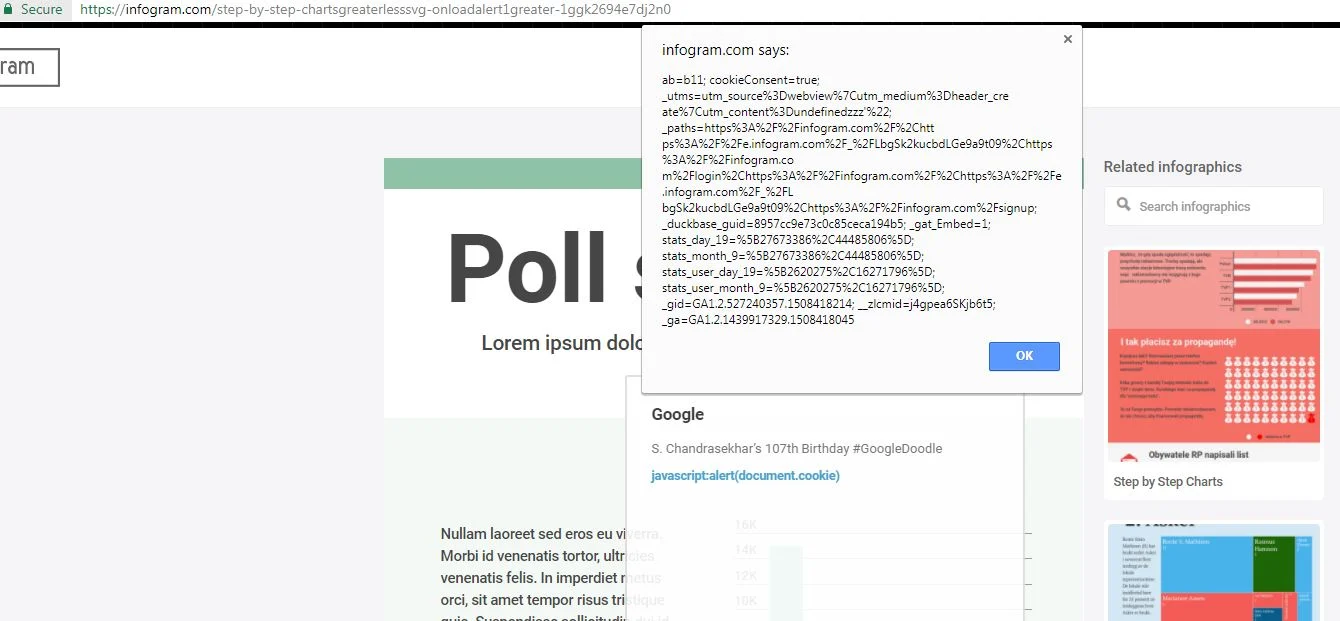
##POC https://infogram.com/step-by-step-chartsgreaterlesssvg-onloadalert1greater-1ggk2694e7dj2n0 Click on the
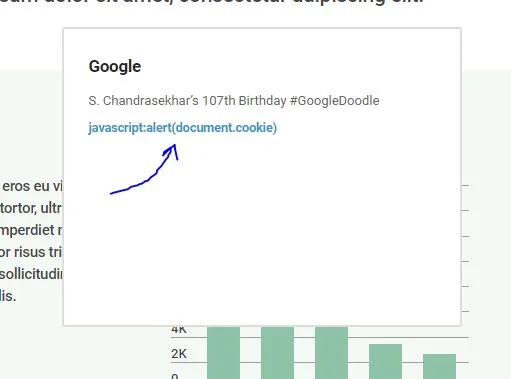
You will be XSSed:
##Reproduction steps
- Create some infographic
- Use
Add media:
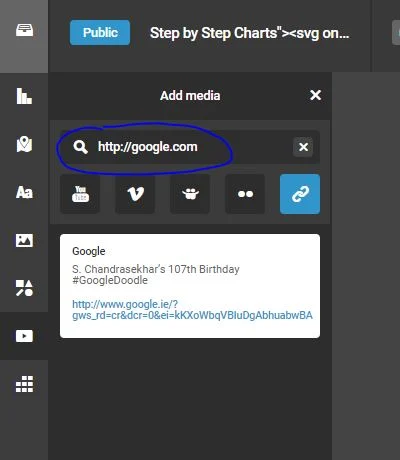
and type some link, for example, http://google.com 3. Start web debugger, and enable interception mode. 4. Insert the link 5. Catch the request to the
https://infogram.com/api/infographics/update/[_your_project_id]
and change
http://google.com
to the
javascript:alert(document.domain)
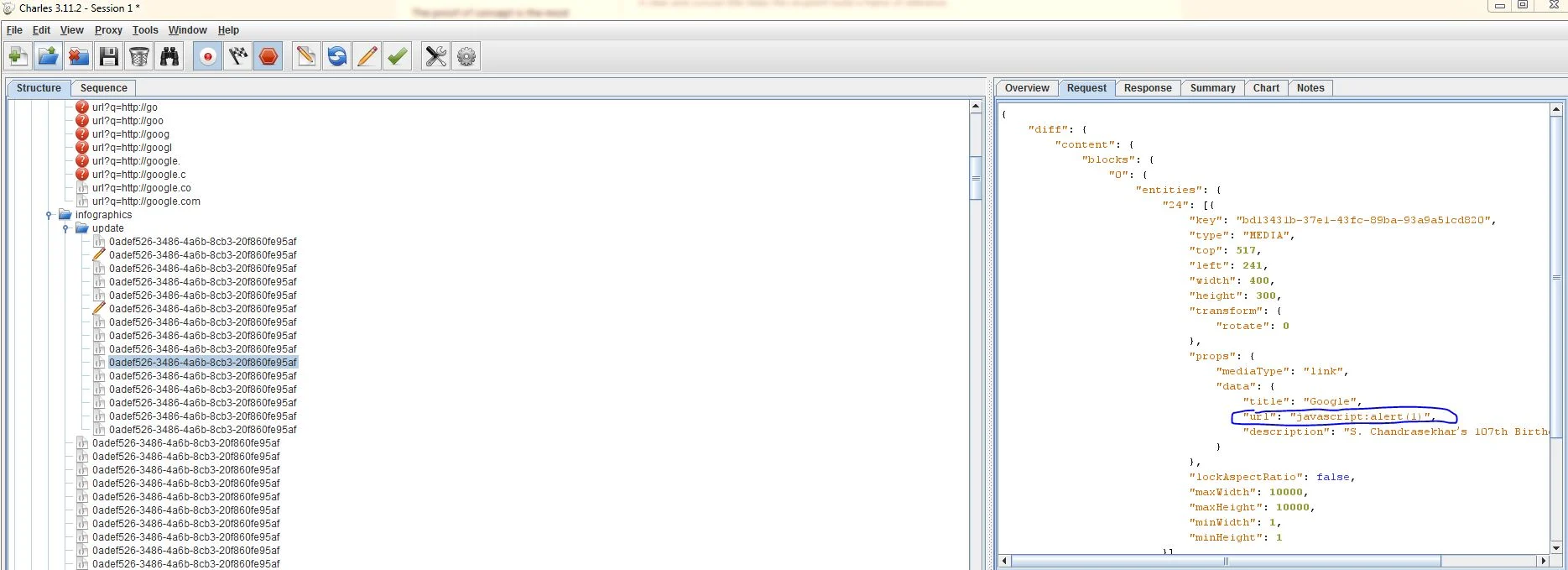
- Execute the request, and make infographic Public
- Visit it and click the link to ensure that XSS works.
##Suggested fix
Check the inserted links on the server side - they must start with the pattern http[s]://
Not written yet. The AI write-up for this report has not been written yet. The Original tab links to the source.
How it worked
Root cause
Likely the server accepted any link value without validating that it used a safe scheme such as http or https, allowing javascript: URIs to be stored and later rendered as clickable links.
Impact
An attacker could run JavaScript in the browser of anyone who clicked the link on the public infographic.
What the attacker needed
Ability to create an infographic; ability to intercept and modify requests; victim clicks the malicious link
How it was found
- Create an infographic.
- Use the Add media option and type a normal link such as http://google.com.
- Enable interception in a web debugger.
- Insert the link and catch the request to the infographics update API endpoint.
- Change the link value to a JavaScript URI and execute the request.
- Make the infographic public, visit it, and click the link to confirm the script runs.
Explained by bugbounty.wiki with AI from the original and checked against quotes from it; it can still be wrong. Read the original before relying on a detail.
Not written yet. The AI write-up for this report has not been written yet. The Original tab links to the source.
A stored cross-site scripting (XSS) flaw lets an attacker save malicious code on a website, so it runs in other visitors' browsers later. Here, the site let users add a link to an infographic but did not check what kind of link it was. By tampering with the request, the attacker could make the link run JavaScript instead of just opening a web page.
What is XSS?
Script an attacker supplies runs in another user's browser, on the target's origin, with that user's session.






