Stored XSS in the Custom Logo link (non-Basic plan required)
The Custom Logo link field on Infogram allowed a stored cross-site scripting attack because the URL validation only blacklisted the lowercase 'javascript' string and did not require the value to start with http(s)://. An attacker could save a crafted link that executes JavaScript when a visitor clicks the logo on a public infographic.

- Triaged in 47 hours
- Fixed in 30 days
- Disclosed after 31 days
##Description Hello. Recently i contacted with Infogram, and requested trial of the Business version to test some features, which was unavailable in the Basic version. I discovered the stored cross-site scripting issue in the Custom Logo link.
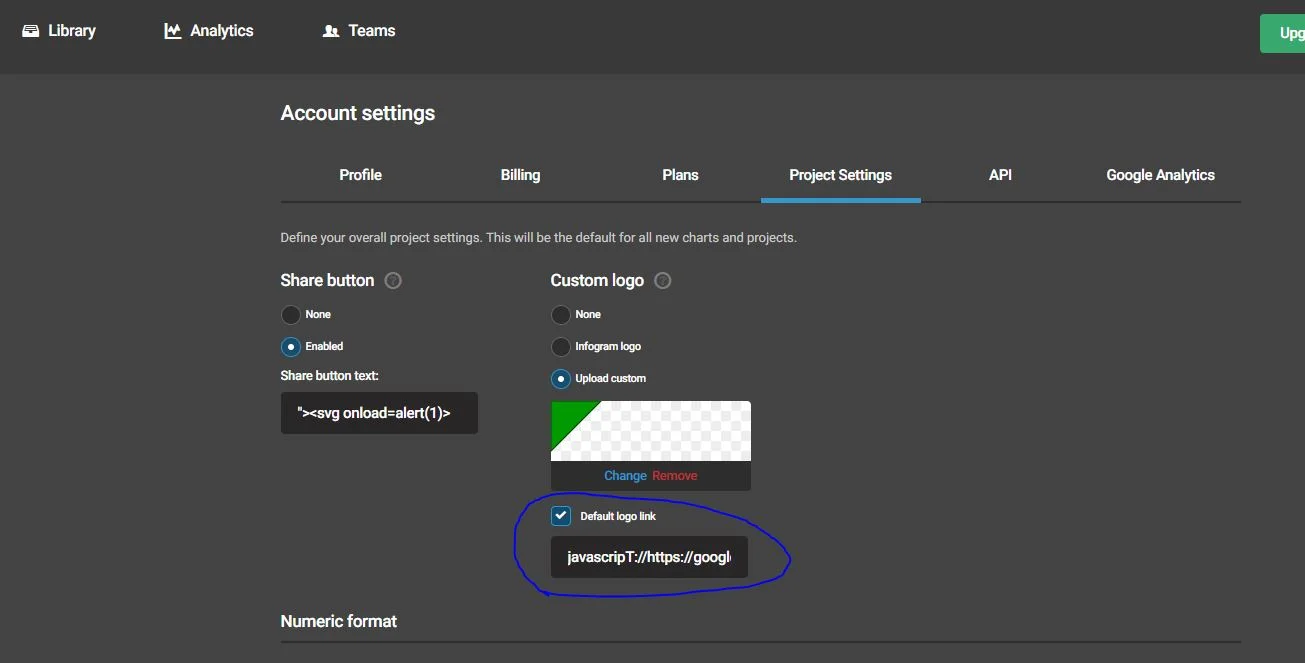
There was some URL checks in place, but i was able to bypass them, because position of the http[s]:// was not checked (string could start with other arbitrary symbols)
##POC Visit this infographic: https://infogram.com/your-first-project-title-1ggk269n94yj2n0 Scroll to the end of the page, and click the logo in the borrom-right (green triangle):
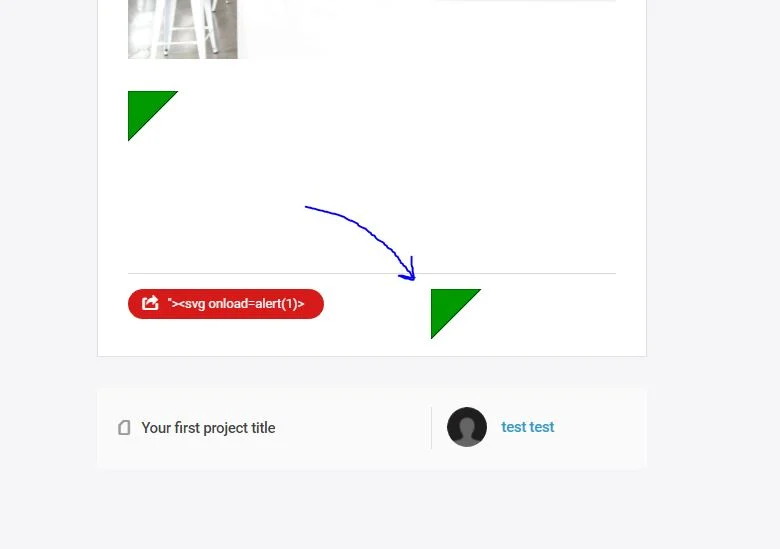
The XSS with document.domain payload will be executed.
##Reproduction steps
- You need a Business account.
- Visit the https://infogram.com/app/#settings/infographic ->
Project Settings - Change the logo link to the
javascripT://https://google.com%0aalert(1);//https://google.com
- Create some infographic, make it public, visit and click the logo
##Why it works
The javascript string was blacklisted, but using capital letter, i was able to bypass the filter.
javascript:alert didn't work (looks like due to the protocol check - http:// became appended to the payload),
but javascripT:// successfully bypassed the filter. Now, since it checks for the http[s] protocol, we can bypass it using comment:
javascripT://https://google.com%0aalert(1);//https://google.com
When clicking such link,
browser sees it as javascript: payload with following JS code:
//https://google.com
alert(1);
//https://google.com
##Suggested fix
The validator should check, that Logo Link string must strictly start with http[s]://.
Not written yet. The AI write-up for this report has not been written yet. The Original tab links to the source.
How it worked
Root cause
The validator used a case-sensitive blacklist for the 'javascript' scheme and did not enforce that the URL strictly begins with http:// or https://.
Impact
An attacker could execute JavaScript in the browser of anyone who clicked the logo on a public infographic.
What the attacker needed
A Business plan account; victim clicks the logo on a public infographic
How it was found
- Obtain a Business account.
- Open the Project Settings page for an infographic.
- Set the logo link to a crafted value that starts with a mixed-case javascript scheme and includes a comment to satisfy the http check.
- Create a public infographic and visit it.
- Click the logo in the bottom-right corner to trigger the script.
Explained by bugbounty.wiki with AI from the original and checked against quotes from it; it can still be wrong. Read the original before relying on a detail.
Not written yet. The AI write-up for this report has not been written yet. The Original tab links to the source.
Cross-site scripting (XSS) is when a website lets an attacker sneak JavaScript code into a page, and that code runs in other visitors' browsers. Here, a link meant to point to a logo was allowed to start with 'javascript:' instead of 'http:', so clicking it ran the attacker's code. The site tried to block this by banning the word 'javascript', but it missed a version with a capital letter.
What is XSS?
Script an attacker supplies runs in another user's browser, on the target's origin, with that user's session.






