XSS in Widget Review Form Preview in settings
A stored cross-site scripting vulnerability existed in the widget review form preview, where an attacker could inject a script into the success message field. When the form was previewed, the script executed, potentially allowing an attacker to run code in the context of other users such as an admin.
 Originally disclosed on HackerOne
- Triaged in 32 days
- Fixed in 46 days
- Paid in 32 days
- Disclosed after 4 months
Summary:
Hi team,
I found a XSS vulenrability in the widget review form preview. The payload is added in the success message and triggers when you preview the form
Steps To Reproduce:
- Login to your Shopify account and open Judge.Me App
- Go to 'Settings' -> 'Review Widget' -> 'Widget Form'
- Go the the success message and add this XSS payload to the text: "><img src=x onerror=alert(document.domain)>
- Click Preview to trigger the XSS
- Save the changes and now every time someone preview the form XSS would trigger
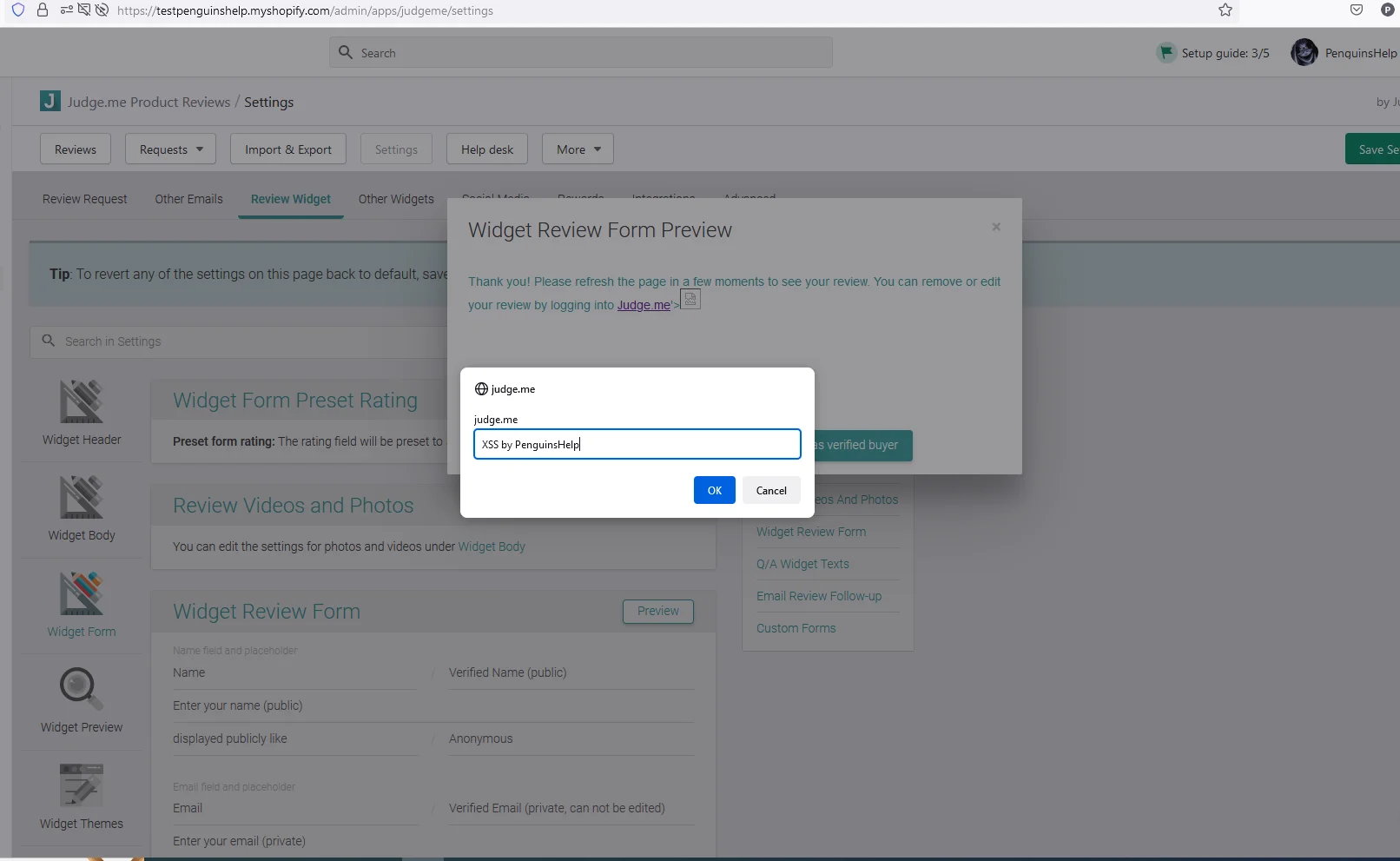
Supporting Material/References:
Admin can invite Staff user with limited permission, that staff can then add the payload and perform scripts to other users like the Admin.
If there's anything I can help with please let me know.
Have a great day!
Cheers, PenguinsHelp
Impact
Stored XSS
Not written yet. The AI write-up for this report has not been written yet. The Original tab links to the source.
How it worked
Root cause
Likely the success message field was rendered without proper output encoding or sanitisation, allowing HTML and script injection.
Impact
A staff user with limited permissions could inject a script that executes when other users, including admins, preview the form, potentially leading to actions being performed on their behalf.
What the attacker needed
A Shopify account with Judge.Me app access; Staff user with permission to edit widget form; Victim previews the form
How it was found
- Log in to Shopify and open the Judge.Me app.
- Navigate to Settings, then Review Widget, then Widget Form.
- In the success message field, insert a script payload.
- Click Preview to trigger the script.
- Save the changes so the script runs whenever the form is previewed.
Explained by bugbounty.wiki with AI from the original and checked against quotes from it; it can still be wrong. Read the original before relying on a detail.
Not written yet. The AI write-up for this report has not been written yet. The Original tab links to the source.
Cross-site scripting (XSS) is a flaw where a website displays user input without properly neutralising it, so a malicious script runs in another person's browser. Here, a low-privileged staff member could type a script into a message field, and when an admin previewed the form, the script ran as if the admin had run it themselves.
What is XSS?
Script an attacker supplies runs in another user's browser, on the target's origin, with that user's session.