Stored XSS in Name of Team Member Invitation
A stored cross-site scripting flaw existed in the name field when adding a team member. An attacker could inject a script that would run in the victim's browser when they joined the team, preventing them from logging out or using their account.

- Disclosed after 7 days
hello team i have found an stored in add team member ##Step to reproduce
- Go to https://localizestaging.com/organization/team?filter=all
- click on add team member
- On the name, enter payload: </script><svg onload=alert(document.domain)>
- and in the email add your victim email
- when he join the team the xss will trigger.
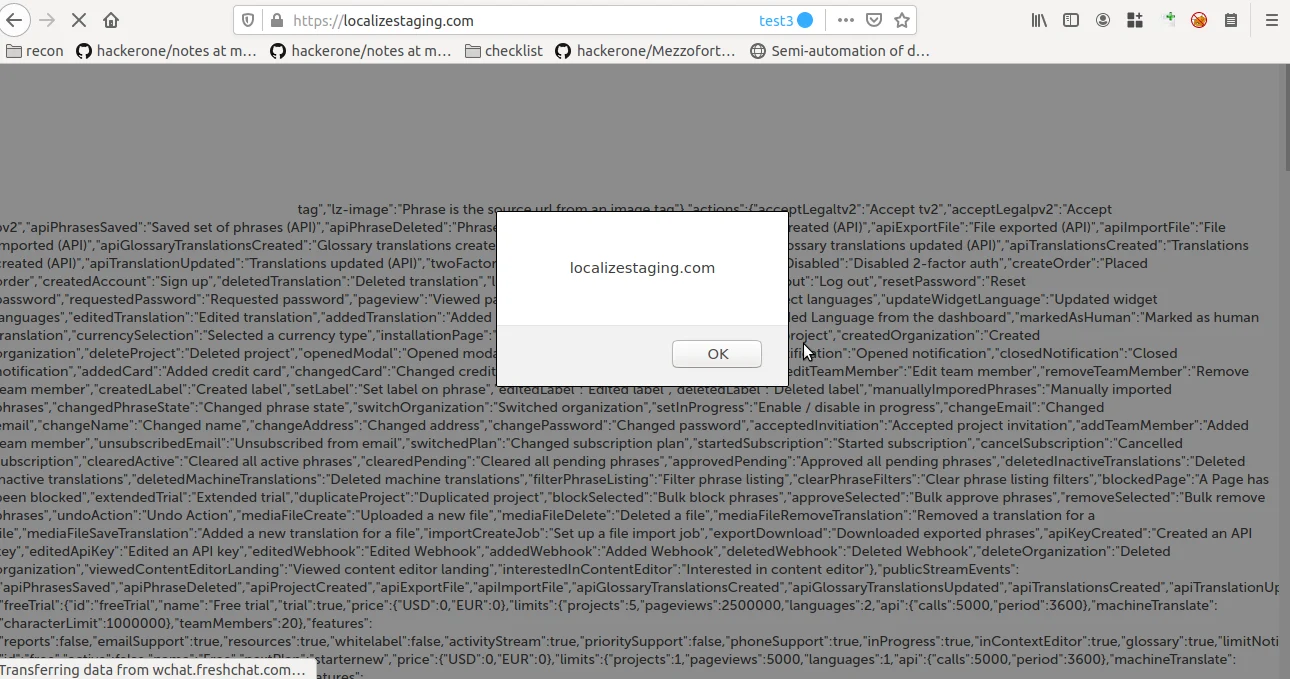
now victim , can't logout, he can't do anything in his account
best regards @moodiabdoul3
Impact
the victim can nothing in his account
Not written yet. The AI write-up for this report has not been written yet. The Original tab links to the source.
How it worked
Root cause
Likely the application did not properly sanitise or encode the team member name before displaying it to other users.
Impact
The victim could not log out or perform any actions in their account.
What the attacker needed
Attacker can add team members; victim joins the team
How it was found
- Go to the team management page.
- Click on add team member.
- Enter a script payload in the name field.
- Enter the victim's email address.
- When the victim joins the team, the script runs.
Explained by bugbounty.wiki with AI from the original and checked against quotes from it; it can still be wrong. Read the original before relying on a detail.
Not written yet. The AI write-up for this report has not been written yet. The Original tab links to the source.
Stored cross-site scripting (XSS) is when a website saves harmful code, like a script, and later shows it to other users. Here, the attacker put a script in a team member's name, and when the victim joined, the script ran in their browser. This let the attacker mess with the victim's account, for example by stopping them from logging out.
What is XSS?
Script an attacker supplies runs in another user's browser, on the target's origin, with that user's session.



