Moderator user has access to owner's support portal and tickets
A user granted only the Moderator role through Streamlabs shared access could reach the owner's support portal and view, create or edit that owner's support tickets and profile. The shared session between the main site and the support portal was not scoped to the limited role.

- Triaged in 6 days
- Fixed in 8 days
- Paid in 8 days
- Disclosed after 15 days
Summary:
Hi there,
In https://streamlabs.com, there's a function where users can share his account to other users to manage their dashboard via following link.
https://streamlabs.com/dashboard#/settings/shared-access.
In shared-access setting, user can invite other user with two roles Moderator and Administrator
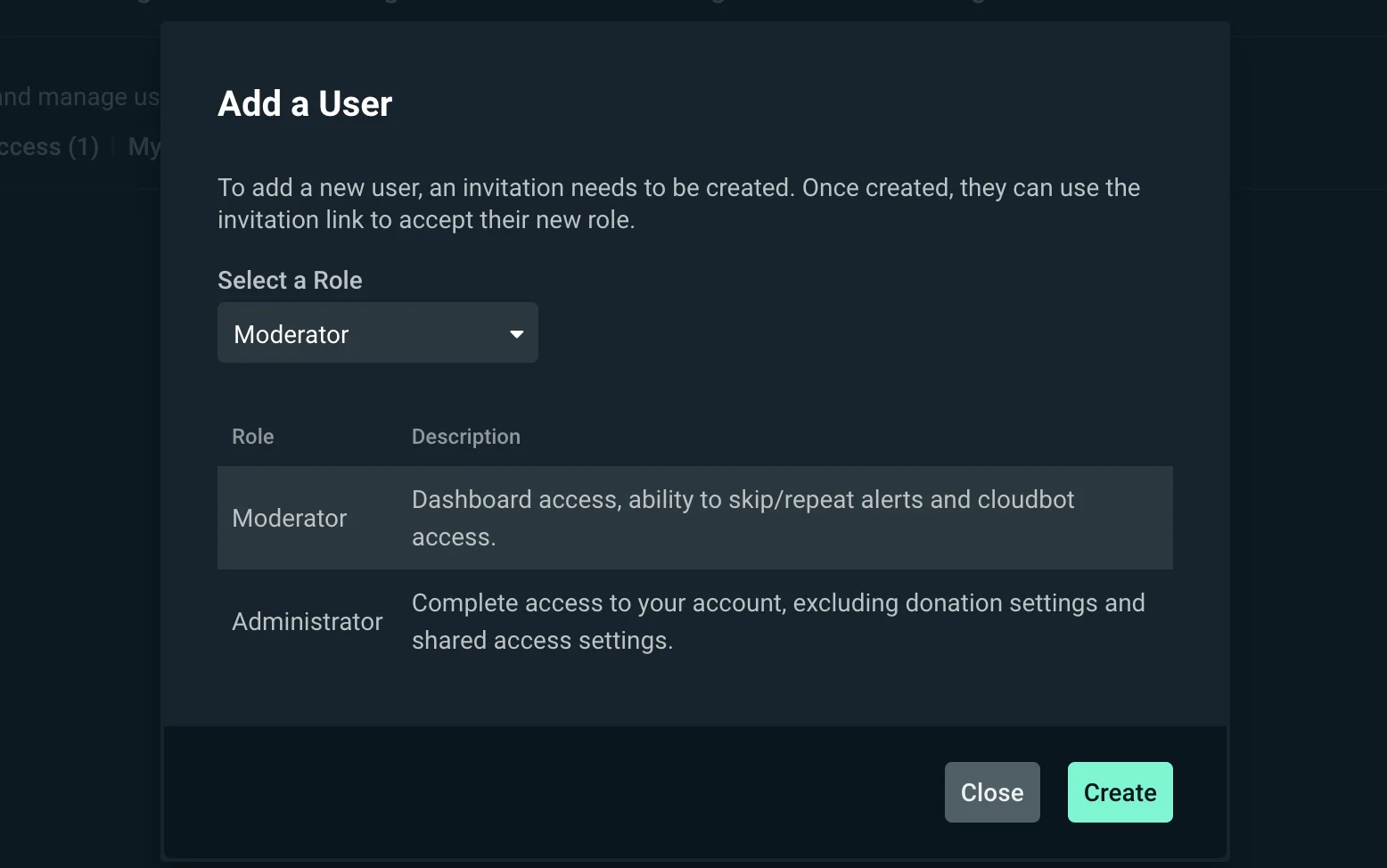
As you can see in above picture, Moderator has only access to Dashboard access, ability to skip/repeat alerts and cloudbot access.
But due to improper session management between https://streamlabs.com and https://support.streamlabs.com, Shared-access users can view/create/edit parent user's support tickets and profile which they should not access to.
Steps To Reproduce:
Let's suppose there are two users which named User A and User B.
-
Login to User A account and browse to https://streamlabs.com/dashboard#/settings/shared-access
-
Create an invitation link with Moderator role and copy link and Logout.
-
Login to User B account and accept the invitation by pasting copied link.
-
Browse to https://streamlabs.com/dashboard#/settings/shared-access and you should notice that you have Moderator access to User A account.
-
Click the User A name and you'll see the message in header of the page, "You are currently acting as User A, click here to return to User B"
-
Normally you only should be able to access dashboard and cloud bot function.
-
Now, just browse the following link then you'll be logged into User A's support tickets account.
https://streamlabs.com/zendesk?brand_id=1&locale_id=1&return_to=https://support.stramlabs.com
I've attached proof of concept video, hope it helps for you.
Impact
As I mentioned in above, Shared Access users can create/view/edit parent user's support tickets and profile which they shouldn't .
Not written yet. The AI write-up for this report has not been written yet. The Original tab links to the source.
How it worked
Root cause
Likely the support portal trusted the shared-access session without checking the invited user's role, so a Moderator inherited the owner's support identity.
Impact
A Moderator-level shared user could view, create and edit the account owner's support tickets and profile, which exceeds the role's intended permissions.
What the attacker needed
Owner invites a user as Moderator; invited user accepts the link; invited user opens the support portal link
How it was found
- Log in as the owner and open the shared-access settings page.
- Create an invitation with the Moderator role, copy the link and log out.
- Log in as the second user and accept the invitation using the copied link.
- Confirm the second user now has Moderator access to the owner's account.
- Open the support portal link while acting as the owner.
- Observe that the second user is logged into the owner's support tickets account.
Explained by bugbounty.wiki with AI from the original and checked against quotes from it; it can still be wrong. Read the original before relying on a detail.
Not written yet. The AI write-up for this report has not been written yet. The Original tab links to the source.
Streamlabs lets you give another person limited access to your account, for example as a Moderator who can only manage alerts. That person should not be able to touch your support tickets. Because the login session was shared between the main site and the separate support site, the limited user was treated as the account owner there.
What is Access control?
A user can do something their role should not allow: reach an admin function, act on a feature they have not paid for, or skip a permission check. IDOR is the special case where the object belongs to someone else.