Facebook chat / dashboard content injection
The Facebook chat and dashboard preview feature built link previews from client-supplied data, so a tampered request could make a preview show one site's title, image and description while the clickable link pointed to a different domain. An attacker could therefore craft a message that looks like a trusted newspaper article but sends the victim elsewhere.

Some time ago a friend of mine was spear-phished with a message through the Facebook chat, this happened before Facebook patched the chat application, allowing to exchange of messages only between people connected as friends. While I was analyzing the message, I noticed that it looked like a legit message, with a link…
The full write-up lives on its author's site
It belongs to its author, so we link to it rather than copy it. The other two tabs are our own rewrites, checked against it.
Context
Facebook's chat and "board" features generate a preview box whenever someone writes a full URL in a message. A Facebook crawler fetches the target website, reads markup headers such as og:title and og:description along with an icon of the page, and returns a preview box. This is ordinary OpenGraph markup, nothing new.
The researcher's interest started with a friend who was spear-phished through a Facebook chat message. The message arrived before Facebook patched the chat application so that messages could only be exchanged between people connected as friends. The message looked legitimate: a link to a newspaper page, a title, a body and an image. Below the description, however, there was a small grey text area containing a pseudo-random generated domain, similar to the killswitch domain used by WannaCry ransomware.
Searching on Google, the researcher found that someone had already reported a similar finding to the Facebook Security Team, but it was not exactly the same issue: that earlier report only talked about the ability to inject an arbitrary URL inside OpenGraph tags. The researcher decided to go further.
Setup
The testing was done with Burp Suite, intercepting all traffic from and to the website, using repubblica.it (an Italian newspaper) as the target. The researcher sent messages to himself so as not to violate Facebook's disclosure rules.
A second tool, Mitmproxy, was used later. It is a Python software that acts as an HTTP proxy like Burp Suite but can change every aspect of an HTTP request or response at runtime, and can also be used as an interactive console to change and inspect HTTP requests.
Finding it
While analysing the phishing message, the researcher noticed that the Facebook web application uses client-side data to generate the final preview box. That was unexpected: the preview is built from data the client sends, not only from what the crawler retrieved from the target site.
Exploitation
Step 1: intercept the preview request
With Burp Suite intercepting traffic, the researcher sent a message containing a repubblica.it URL and observed the request that produces the preview.
Step 2: change the URLs in the request
The URLs in the intercepted request were modified.
Step 3: forward the message
After forwarding the message, the preview appeared.
The original URL, the icon, the title and the body are taken directly from the repubblica.it website, except for the small greyed text below, which reads "google.it".
Step 4: click the preview
Clicking on the preview leads to the injected destination.
At this stage the researcher established four facts:
- The output URL is what was sent from the AJAX POST request.
- URLs are not encoded.
- The server does not validate whether the input URL is the same one that was typed.
- The server does not validate whether the result mismatches the tampered request.
Step 5: automate with Mitmproxy
The researcher wrote a small Python script that takes everything from the POST request sent to the /messaging/send endpoint and replaces every URL (www.repubblica.it) with the attacker's domain, using a regular expression.
Because the server somehow does not like query string parameters, the researcher configured a website to perform a permanent redirect to a YouTube video.
After clicking on the preview:
Video PoC
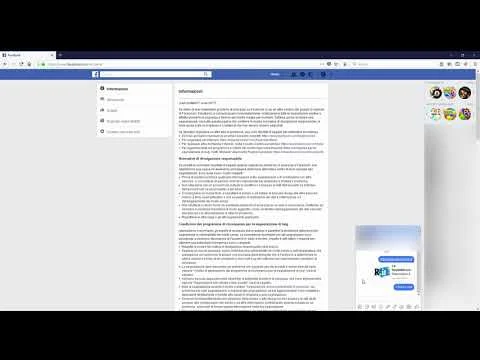
Root cause
The researcher observed that the preview box is generated from client-side data, and that the output URL is what was sent in the AJAX POST request: URLs are not encoded, and the server does not validate that the input URL matches what was typed or that the result matches the tampered request. The visible title, body and icon still come from the crawled page (repubblica.it in the test), so the preview looks legitimate while the link target is attacker-controlled. The small greyed text below the description is where the mismatch shows.
Impact
An attacker can craft a chat message whose preview looks like a legitimate article, with the real title, body and image of a trusted site, but whose link points to an attacker-controlled domain. The phishing message that started the investigation looked like a legitimate newspaper preview with a pseudo-random domain in the small grey text below the description. The researcher notes that the message arrived before Facebook restricted chat messages to friends.
Facebook's security team was already aware of the issue. Their response:
They considered it a "low-impact risk" and, most probably, will not fix it.
Fix
The report does not describe a fix.
Variants to test
- Send a message containing a URL to a site you control and intercept the POST to /messaging/send.
- Replace every URL in the request with a different domain using a regular expression, as the Mitmproxy script did. A positive result is a preview whose title, body and icon still come from the original site while the link points to the new domain.
- Point the replaced URL at a host that performs a permanent redirect, since the server did not seem to like query string parameters in this test. A positive result is the preview link following the redirect to the final destination.
- Check whether the greyed text below the description shows the injected domain. A positive result is the mismatch being visible there while the rest of the preview looks legitimate.
What happened, in plain words
Facebook chat shows a small preview box whenever you paste a full web address into a message. You have seen this: you type a link to a news article, and Facebook replies with a little card containing the article's title, a short description, a picture and a clickable link. This report is about a flaw in the way Facebook built that card.
The researcher found that the card's link could be changed to a different address while the title, description and picture still came from the real, trusted website, with the injected domain shown in the small grey text. The result is a message that looks like a genuine newspaper article but sends you somewhere else when you click it, with the injected domain visible in the small grey text. That is what makes it useful to a phisher: the victim sees a familiar, trustworthy preview and does not look closely at where the link really goes.
The investigation started with a friend of the researcher who received a phishing message through Facebook chat. The message arrived before Facebook changed the chat application so that messages could only be exchanged between people connected as friends. The message looked legitimate: a link to a newspaper page, a title, a body and an image. Below the description, however, there was a small grey text area containing a pseudo-random generated domain, similar to the killswitch domain used by WannaCry ransomware.
A few terms used above, explained from zero:
- Phishing: a message that pretends to come from someone or something you trust, in order to make you click a link or hand over information. Think of a letter that looks like it comes from your bank but has a different return address printed in tiny letters at the bottom.
- Spear-phishing: phishing aimed at one particular person, rather than sent out to thousands at random. Like a con artist who has read your social media profile before calling you.
- Domain: the part of a web address that names the site, such as
example.com. It is like the street address on an envelope. - Pseudo-random generated domain: a domain name that looks like a meaningless jumble of letters, produced by a program rather than chosen by a person. The report compares it to the killswitch domain used by WannaCry ransomware, which is simply a name of that kind.
- Ransomware: malicious software that locks your files and demands payment to unlock them. You do not need to know more than that for this report.
Searching on Google, the researcher found that someone had already reported a similar finding to the Facebook Security Team, but it was not exactly the same issue: that earlier report only talked about the ability to inject an arbitrary URL inside OpenGraph tags. The researcher decided to go further.
- OpenGraph tags: hidden labels inside a web page that tell social networks what title, description and picture to show when the page is shared. Think of the label on a jar that says what is inside, so a shop can display it without opening the jar.
- Inject an arbitrary URL: put a web address of your choosing into a place where the site expected something else. Like writing your own address on a form that was supposed to be filled in by the shop.
Analysis
The Facebook chat and board features implement a functionality to generate a preview box whenever someone writes a full URL in a message. The Facebook crawler then scans the target website, takes some markup header parameters such as og:title and og:description along with an icon of the page, and returns a preview box. This is part of the already known OpenGraph Markup Language, nothing new.
- Crawler: a program that visits a web page automatically, the way a person would with a browser, and reads what is on it. Think of a librarian who walks to a shelf, opens a book and copies out the title page.
- Markup header parameters: pieces of information written into the page's code, not shown as normal text, that describe the page. The
og:titleandog:descriptionlabels are examples: one holds the title, the other a short description. - Icon: the small picture associated with a site, often called a favicon.
What the researcher did not expect is that the Facebook web application uses client-side data to generate the final preview box.
- Client-side data: information that comes from your own browser (the client) rather than from Facebook's servers. Your browser is the client; Facebook's computers are the server. If the server trusts what the client sends without checking it, a user can send something different from what they actually typed.
Video PoC
The video is a proof of concept: a recording showing the behaviour in action. A proof of concept (PoC) is a small demonstration that a flaw is real, rather than just a theory.
Getting hands dirty
Starting Burp Suite, the researcher began to intercept all the traffic from and to the website, using repubblica.it as a target, an Italian newspaper.
- Burp Suite: a program that sits between your browser and a website and lets you look at, pause and edit the messages going back and forth. Think of a postal worker who can open each letter, read it, change a word and seal it again before delivery.
- Intercept: to catch a message in transit and hold it so you can inspect or modify it before it continues.
- Traffic: the requests your browser sends and the responses the website sends back.
Note: the researcher tested it by sending messages to himself in order not to violate Facebook's disclosure rules.
- Disclosure rules: the terms a company sets for security researchers, saying what they may test and how they must report it. Sending test messages only to yourself avoids bothering real users.
The screenshot shows the intercepted request that produces the preview, captured while sending a message containing a repubblica.it URL.
And, by changing those URLs:
This screenshot shows the same request after the web addresses inside it were edited by hand.
And after forwarding the message:
The message was then allowed to continue on its way, and the preview appeared in the chat.
The original URL, the icon, the title and the body are taken directly from the repubblica.it website, except for that little greyed text below, which reads "google.it". When we click on it we will get:
Clicking the preview leads to the injected destination rather than to repubblica.it.
Bullseye!
At this stage we know:
- The output URL is what we sent from the AJAX POST request.
- URLs are not encoded.
- The server does not validate if the input URL is the same that we typed it.
- Server does not validate if the result mismatch with our tampered request.
Each of those points, in plain words:
- AJAX POST request: a message your browser sends to a website in the background, without reloading the page, carrying data with it. AJAX is the technique; POST is the type of message used when you are sending information rather than just asking for a page. Think of a waiter carrying your written order to the kitchen: the order form is the POST request, and the kitchen is the server.
- Output URL: the address the preview will actually link to, as opposed to the address that was typed.
- Encoded: converted into a safe form so that special characters cannot be misread. For example, a space in a web address is normally written as
%20. If addresses are not encoded, characters inside them can be interpreted in unintended ways. - Validate: check that something is correct before acting on it. Here, the server did not check that the address in the request matched the address the user typed, nor that the finished preview matched the request that produced it.
- Tampered request: a request that was deliberately altered in transit, in this case by Burp Suite.
Mitmproxy to the rescue!
Mitmproxy is basically a Python software that acts as an HTTP proxy like Burp Suite but with the ability to change every aspect of an HTTP request or response at runtime; it can even be used as an interactive console to change and inspect HTTP requests.
- HTTP proxy: a program that all your web traffic passes through, so it can watch and alter it. The postal worker comparison from Burp Suite applies here too.
- Python: a programming language, popular because it is readable.
- Runtime: while the program is running, as opposed to beforehand.
- HTTP request and response: the request is what your browser asks for; the response is what the website sends back. A conversation in two turns.
- Interactive console: a window where you type commands and see results immediately, one at a time.
The researcher wrote a small Python script that takes everything from the POST request sent to the /messaging/send endpoint and replaces every URL (www.repubblica.it) with the attacker's domain, using a regular expression.
- Endpoint: a specific address on a website that accepts a particular kind of request.
/messaging/sendis the endpoint that handles sending a chat message. Think of it as a particular counter in a large office: this one deals with outgoing mail. - Regular expression: a pattern for finding text. For example, a pattern can mean "anything that looks like a web address", and the script replaces every match with something else. Like a highlighter that marks every phone number on a page so you can cross them out and write new ones.
- Attacker's domain: the web address controlled by the person carrying out the attack, where the victim will actually be sent.
Because the server somehow does not like query string parameters, the researcher configured a website to perform a permanent redirect to a YouTube video.
- Query string parameters: the extra pieces at the end of a web address after a question mark, such as
?id=5, which pass details to the page. The report does not say why the server rejected them, only that it did. - Permanent redirect: an instruction from a website telling the browser "this page has moved for good, go to this other address instead". Like a shop with a sign on the door pointing to its new location.
After clicking on it:
This screenshot shows the result of clicking the preview once the redirect was in place.
Foot notes
Facebook's security team is already aware of this issue and this is the response:
The screenshot shows the reply from Facebook's security team. They considered it a "low-impact risk" and, most probably, will not fix it.
Please note: this vulnerability has been
The sentence is cut off at that point in the report.
Glossary
- AJAX POST request: a background message from your browser to a website that carries data, without reloading the page.
- Attacker's domain: the web address controlled by the person carrying out the attack.
- Burp Suite: a tool that sits between browser and website and lets you inspect, pause and edit the traffic.
- Client-side data: information supplied by your own browser rather than by the website's servers.
- Crawler: a program that visits web pages automatically and reads their contents.
- Disclosure rules: a company's terms for security researchers about what may be tested and how findings must be reported.
- Encoded: converted into a safe form so special characters cannot be misread, for example a space written as
%20. - Endpoint: a specific address on a website that accepts a particular kind of request, such as
/messaging/sendfor sending a chat message. - HTTP proxy: a program that web traffic passes through, able to watch and alter it.
- HTTP request and response: the browser's ask and the website's answer.
- Icon: the small picture associated with a site, also called a favicon.
- Inject an arbitrary URL: place a web address of your choosing where the site expected something else.
- Interactive console: a window where commands are typed and results appear immediately.
- Intercept: catch a message in transit and hold it for inspection or editing.
- Markup header parameters: pieces of information in a page's code, not shown as normal text, that describe the page, such as
og:titleandog:description. - Mitmproxy: a Python-based HTTP proxy that can change any part of a request or response while it runs.
- OpenGraph tags: hidden labels in a web page that tell social networks which title, description and picture to show when the page is shared.
- Output URL: the address a preview actually links to, as opposed to the address typed.
- Permanent redirect: a website's instruction that a page has moved for good and the browser should go to a new address.
- Phishing: a message pretending to come from someone trusted, to make you click a link or give information.
- Proof of concept (PoC): a small demonstration that a flaw is real.
- Pseudo-random generated domain: a domain name that looks like a meaningless jumble, produced by a program rather than chosen by a person.
- Query string parameters: the extra pieces at the end of a web address after a question mark, such as
?id=5. - Ransomware: malicious software that locks files and demands payment to unlock them.
- Regular expression: a pattern for finding text, used to match and replace every web address in a request.
- Runtime: while a program is running, as opposed to beforehand.
- Spear-phishing: phishing aimed at one particular person rather than sent out at random.
- Tampered request: a request deliberately altered in transit.
- Traffic: the requests a browser sends and the responses a website returns.




