P3 (Medium) : How I Gain Access To NASA's Internal Workspace?!
A PDF document on a NASA website contained a direct link to an internal Slack workspace. Anyone with any Gmail account could join that workspace and access internal discussions.
 Published on medium.com
Cybersecurity
The full write-up lives on its author's site
It belongs to its author, so we link to it rather than copy it. The other two tabs are our own rewrites, checked against it.
Context
NASA runs a public bug bounty program, and this write-up describes a finding on NASA's public web presence that led to an internal collaboration workspace. The feature involved is not an application endpoint in the usual sense: it is a PDF document published on a nasa.gov host that contained a direct invitation link to NASA's internal Slack workspace. The document was indexed by Google and therefore discoverable by anyone using a search engine.
Setup
The researcher needed no account on the target, no special tooling and no prior access: the technique used was Google Dorking. The technique used was Google Dorking, which the author describes as crafting advanced search operators to uncover exposed files, login pages and internal documents that are not meant to be publicly accessible.
Finding it
The researcher was running Google Dorking queries when a simple search surfaced a PDF on NASA's website. The query used was:
site:"*.nasa.gov" | "slack"
The site: operator restricts results to the given domain pattern, here any subdomain of nasa.gov, and the quoted "slack" term asks for pages mentioning Slack. The pipe character is treated by Google as an OR, so the query matches results for either condition. The result the researcher cared about was a PDF document hosted on a NASA site that contained a direct link to the organisation's internal Slack workspace.

A link to a collaboration workspace inside a publicly indexed document is worth attention because such links are often invitation links: if they are still active, anyone who finds them can join.
Exploitation
Step 1: Open the invitation link from the PDF
The researcher clicked the link found in the PDF. No crafted request, header manipulation or authentication bypass was involved: the link itself was the entry point.
Step 2: Join the workspace with any Gmail account
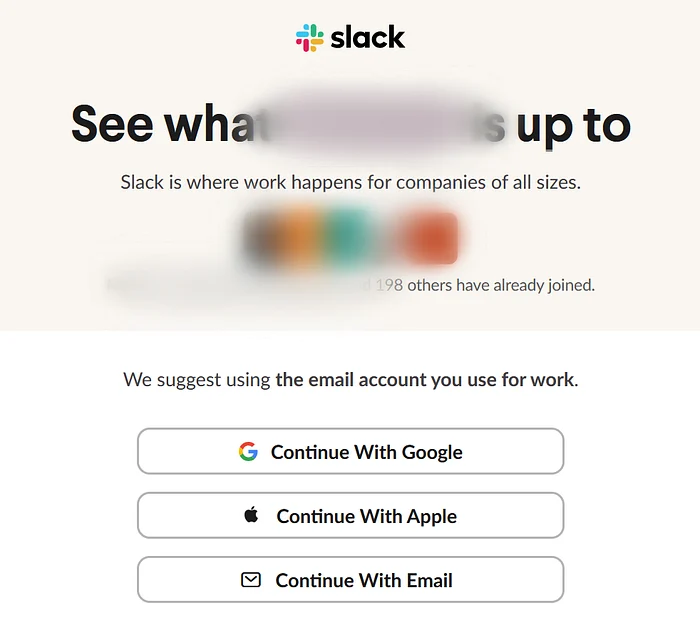
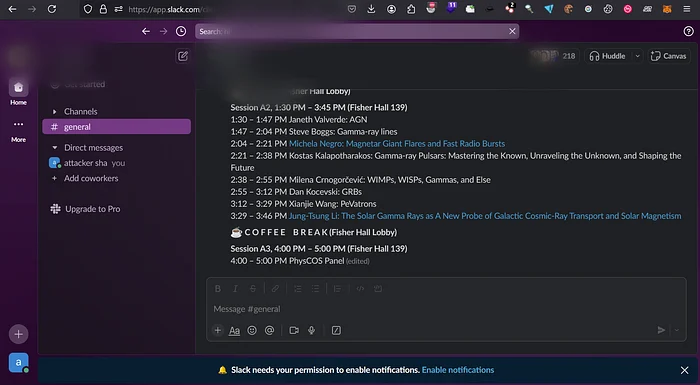
The invitation link accepted a sign-up using any Gmail account, and the researcher was able to join the workspace and gain access to its internal discussions. The author states that any Gmail account could be used for this, so the check was not tied to a NASA identity or an approved email domain.
Root cause
The report does not describe the configuration of the Slack workspace or the invitation link beyond what happened. What it shows is that a document published on a public NASA host contained a working invitation to an internal workspace, and that the invitation did not restrict joining to authorised email domains. The document was indexed by search engines, so the link was reachable by anyone who ran the query, and the invitation link was open to any Gmail account. Whether the link was a shared invitation, a legacy link or a misconfigured domain restriction is not stated in the report.
Impact
Anyone could join the Slack workspace with any Gmail account. Slack channels often hold confidential information such as internal conversations, sensitive documents and project plans, and anyone who got in could access all of this. The impact therefore depends on what the workspace contained and on how long the open invitation stayed live; the report does not enumerate the channels or data the researcher saw.
Fix
The report does not say what remediation was applied. The measures that would address the issue are to revoke or rotate the exposed invitation link, restrict workspace joining to approved email domains, and remove or sanitise the link in the published PDF so that it is no longer indexed.
Variants to test
- Run the same style of query against other government and enterprise domains, for example
site:"*.example.gov" | "slack", and look for PDFs, presentations and intranet pages that contain invitation links. A positive result is a document that links to a workspace join page. - Try the same with other collaboration platforms, replacing the quoted term with
"teams","discord"or"invite". A positive result is an invitation URL that opens a join flow without an existing account. - When an invitation link is found, test whether it accepts a personal email address from a free provider. A positive result is a completed sign-up and visibility of channels or messages.
- Search for exposed documents that reference internal tooling, such as
site:"*.example.gov" filetype:pdf "internal", and check whether any linked resource is reachable without authentication. - Check whether the same document or link is still cached or mirrored elsewhere, for example in search engine caches or on other hosts, after the original is removed.
Timeline
| Stage | Date |
|---|---|
| Submitted | 19 July 2024 |
| Triaged | 7 August 2024 |
| Accepted (P3 Medium) | 9 August 2024 |
| Disclosure | 28 August 2024 |
What happened, in plain words
A security researcher found a document on a NASA website that anyone could open in a browser. Inside that document was a link that let people join NASA's internal Slack workspace, which is the chat system NASA staff use to talk to each other. The link did not check who you were: any Gmail address could be used to sign up and get in. The researcher found the document by searching Google with a special query, joined the workspace, and reported it to NASA's bug bounty program. NASA accepted it as a medium severity issue (P3).
This article walks through the whole thing from zero. You only need to know how to use a browser and a computer. Every technical word is explained the first time it appears, and there is a glossary at the end.
Background: what is a bug bounty program?
Many large organisations, including NASA, run a bug bounty program. This is an official arrangement where outside people are allowed, and sometimes paid, to look for security weaknesses in the organisation's systems and report them privately. The organisation sets rules about what is in scope and how to report. In return, the organisation gets to fix problems before criminals find them.
A finding like this one is called a vulnerability: a weakness that lets someone do something they should not be able to do. The person who reports it is the researcher. The report is the write-up of what they found and how.
Background: what is Slack?
Slack is a collaboration tool. Think of it as a set of private chat rooms, called channels, grouped into a workspace. A company creates one workspace and invites its staff. Inside, people post messages, share files and plan projects. Because it is used for everyday internal conversation, a workspace often contains things that were never meant for the public: internal discussions, sensitive documents, project plans.
Normally you join a workspace only if someone invites you, and many organisations restrict joining to email addresses on their own company domain. A domain is the part of an email address after the @ sign, for example nasa.gov. A Gmail address is on the gmail.com domain, which is a free public email service open to anyone.
Background: what is Google Dorking?
Google Dorking, also called Google Hacking, is the technique of using advanced search operators in Google to find things that were not meant to be easy to find. The author describes it as crafting specific search queries, often called dorks, to uncover things like exposed files, login pages and internal documents that are not meant to be publicly accessible.
A simple comparison: a normal Google search is like asking a librarian for a book by its title. Google Dorking is like asking the librarian for every book that mentions a certain word and was published by a certain publisher, then looking through the pile for something that should not have been on the shelf.
The key idea is that Google builds an index of the web. It visits pages, reads them, and stores what they contain so it can answer searches quickly. If a document is publicly reachable and Google has indexed it, a search can surface it even if no one linked to it prominently. The document itself was not hacked; it was simply public and findable.
The setup
The researcher needed no account on the target, no special tooling and no prior access: the technique used was Google Dorking.
A PDF is a document format that browsers can open directly. An invitation link is a web address that, when opened, starts the process of joining a workspace. If the link is still active, whoever opens it can go through that process.
Finding it
The researcher was running Google Dorking queries when a simple search surfaced a PDF on NASA's website. The query used was:
site:"*.nasa.gov" | "slack"
Line by line, in plain words:
site:"*.nasa.gov"tells Google to only return results from websites whose address ends innasa.gov. The*is a wildcard meaning any subdomain, so it coverswww.nasa.gov,something.nasa.govand so on. A subdomain is a prefix added in front of the main domain to point at a particular service.|is the pipe character. Google treats it as OR, meaning a result can match either side of it."slack"in quotes asks for pages that mention the word Slack. The quotes keep it as an exact term.
So the query asks Google for pages on any NASA subdomain that mention Slack. The result the researcher cared about was a PDF document hosted on a NASA site that contained a direct link to the organisation's internal Slack workspace.
Why does this matter? A link to a collaboration workspace inside a publicly indexed document is worth attention because such links are often invitation links. If they are still active, anyone who finds them can join. The document was public by design, and Google had indexed it, so the link was reachable by anyone who ran the query.
Exploitation
Step 1: Open the invitation link from the PDF
The researcher clicked the link found in the PDF. No crafted request, header manipulation or authentication bypass was involved: the link itself was the entry point.
To unpack that: a crafted request means building a special web request by hand to trick a server. Header manipulation means altering the extra information a browser sends with each request. An authentication bypass means getting past a login check without valid credentials. None of that was needed here. The link simply did what it was designed to do, and the design was too open.
Step 2: Join the workspace with any Gmail account
The invitation link accepted a sign-up using any Gmail account, and the researcher was able to join the workspace and gain access to its internal discussions. The author states that any Gmail account could be used for this, so the check was not tied to a NASA identity or an approved email domain.
Why this is a problem: joining a workspace should require proof that you belong, usually an email address on the organisation's own domain. Here the only requirement was an email address from a free public service that anyone can create in minutes. That means the barrier to entry was effectively zero.
Root cause
The report does not describe the configuration of the Slack workspace or the invitation link beyond what happened. What it shows is that a document published on a public NASA host contained a working invitation to an internal workspace, and that the invitation did not restrict joining to authorised email domains. The document was indexed by search engines, so the link was reachable by anyone who ran the query. In plain words, the root cause is the combination of two ordinary things: a public document that contained an open invitation, and an invitation that did not check who was accepting it.
The invitation link was open to any Gmail account. Whether the link was a shared invitation, a legacy link or a misconfigured domain restriction is not stated in the report.
Impact
Anyone could join the Slack workspace with any Gmail account. Slack channels often hold confidential information such as internal conversations, sensitive documents and project plans, and anyone who got in could access all of this.
The impact therefore depends on what the workspace contained and on how long the open invitation stayed live. The report does not enumerate the channels or data the researcher saw.
Fix
The report does not say what remediation was applied. The measures that would address the issue are:
- Revoke or rotate the exposed invitation link. Revoking means switching it off so it no longer works; rotating means replacing it with a new one that only the right people receive.
- Restrict workspace joining to approved email domains, so a Gmail address cannot complete the sign-up.
- Remove or sanitise the link in the published PDF so that it is no longer indexed. Sanitising means editing the document so the sensitive link is gone.
Variants to test
If you want to look for similar issues yourself, within the rules of a program, here are the same ideas written out for a beginner:
- Run the same style of query against other government and enterprise domains, for example
site:"*.example.gov" | "slack", and look for PDFs, presentations and intranet pages that contain invitation links. A positive result is a document that links to a workspace join page. - Try the same with other collaboration platforms, replacing the quoted term with
"teams","discord"or"invite". A positive result is an invitation URL that opens a join flow without an existing account. - When an invitation link is found, test whether it accepts a personal email address from a free provider. A positive result is a completed sign-up and visibility of channels or messages.
- Search for exposed documents that reference internal tooling, such as
site:"*.example.gov" filetype:pdf "internal", and check whether any linked resource is reachable without authentication. Thefiletype:pdfpart limits results to PDF files. - Check whether the same document or link is still cached or mirrored elsewhere, for example in search engine caches or on other hosts, after the original is removed. A cache is a stored copy that a search engine or another service keeps, which can outlive the original page.
Timeline
| Stage | Date |
|---|---|
| Submitted | 19 July 2024 |
| Triaged | 7 August 2024 |
| Accepted (P3 Medium) | 9 August 2024 |
| Disclosure | 28 August 2024 |
Triaged means the program looked at the report and confirmed it was worth investigating. Accepted means they agreed it was a real issue and rated it. P3 Medium is a severity rating: a middle level, serious enough to fix but not the most critical kind. Disclosure is when the report was made public.
Glossary
- Bug bounty program: an official scheme where outside researchers are allowed to find and privately report security weaknesses, often for a reward.
- Vulnerability: a weakness that lets someone do something they should not be able to do.
- Researcher: the person who looks for and reports the weakness.
- Slack: a collaboration tool made of chat rooms called channels, grouped into a workspace.
- Workspace: a company's private area inside Slack, containing its channels and members.
- Channel: a chat room inside a Slack workspace.
- Domain: the part of a web or email address after the @ sign or before the path, such as
nasa.gov. - Subdomain: a prefix added in front of a domain to point at a particular service, such as
www.nasa.gov. - Gmail: Google's free public email service, open to anyone.
- Google Dorking: using advanced search operators in Google to find exposed files, login pages and internal documents that are not meant to be publicly accessible.
- Dork: a specific search query built with those advanced operators.
- Search index: the stored copy of web pages that a search engine reads to answer queries quickly.
- PDF: a document format that browsers can open directly.
- Invitation link: a web address that, when opened, starts the process of joining a workspace.
- Crafted request: a web request built by hand to try to trick a server.
- Header manipulation: altering the extra information a browser sends with each request.
- Authentication bypass: getting past a login check without valid credentials.
- Root cause: the underlying reason a weakness exists.
- Information disclosure: a weakness that lets someone see information they were not supposed to see.
- Remediation: the fix applied to close a weakness.
- Revoke: switch a link or credential off so it no longer works.
- Rotate: replace a link or credential with a new one that only the right people receive.
- Sanitise: edit a document or data so sensitive content is removed.
- Cache: a stored copy kept by a search engine or other service, which can outlive the original page.
- Triaged: the stage where a program reviews a report and confirms it is worth investigating.
- P3 Medium: a middle severity rating, serious enough to fix but not the most critical kind.
- Disclosure: the point at which a report is made public.

