Ability to control the filename when uploading a logo or favicon on theming
When uploading a logo or favicon in the theming settings, the filename could be controlled by modifying the request's key parameter. An attacker could therefore place files with arbitrary names in the web application and also learn the server path from an error message.

- Triaged in 14 hours
- Fixed in 3 months
- Paid in 3 months
- Disclosed after 5 months
Summary by the program
Security advisory at https://github.com/nextcloud/security-advisories/security/advisories/GHSA-ch7f-px7m-hg25
The report
Summary:
Hello,
When uploading a logo or favicon the filename can be controlled by attacker since the key can be modified which serves as the filename.
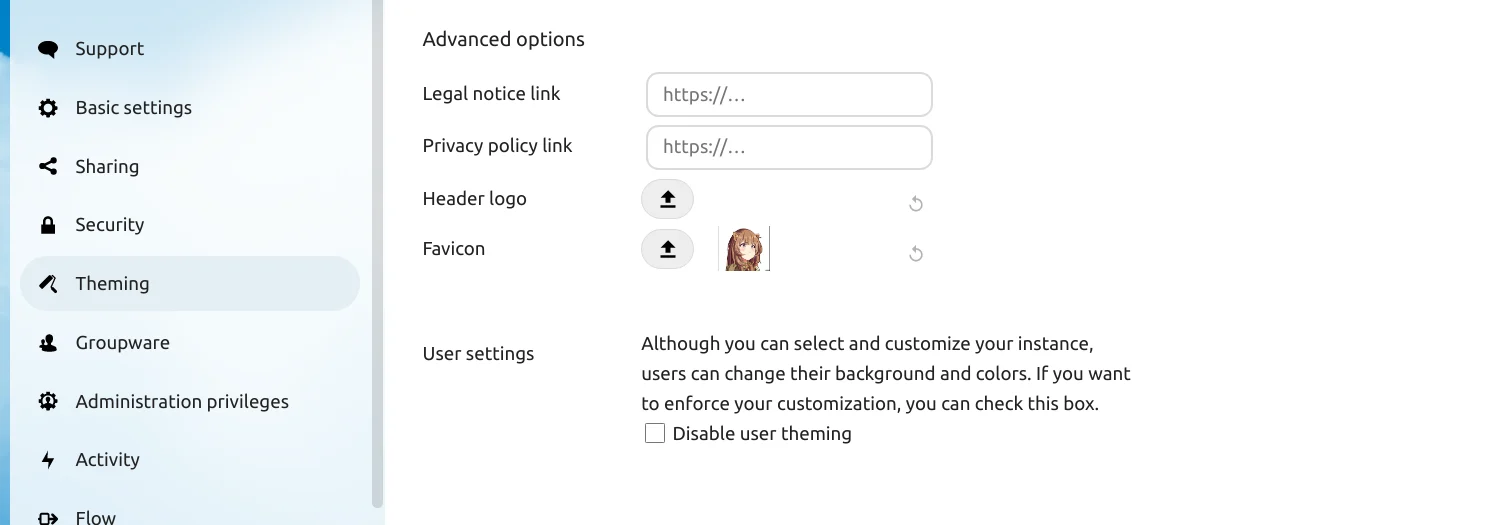
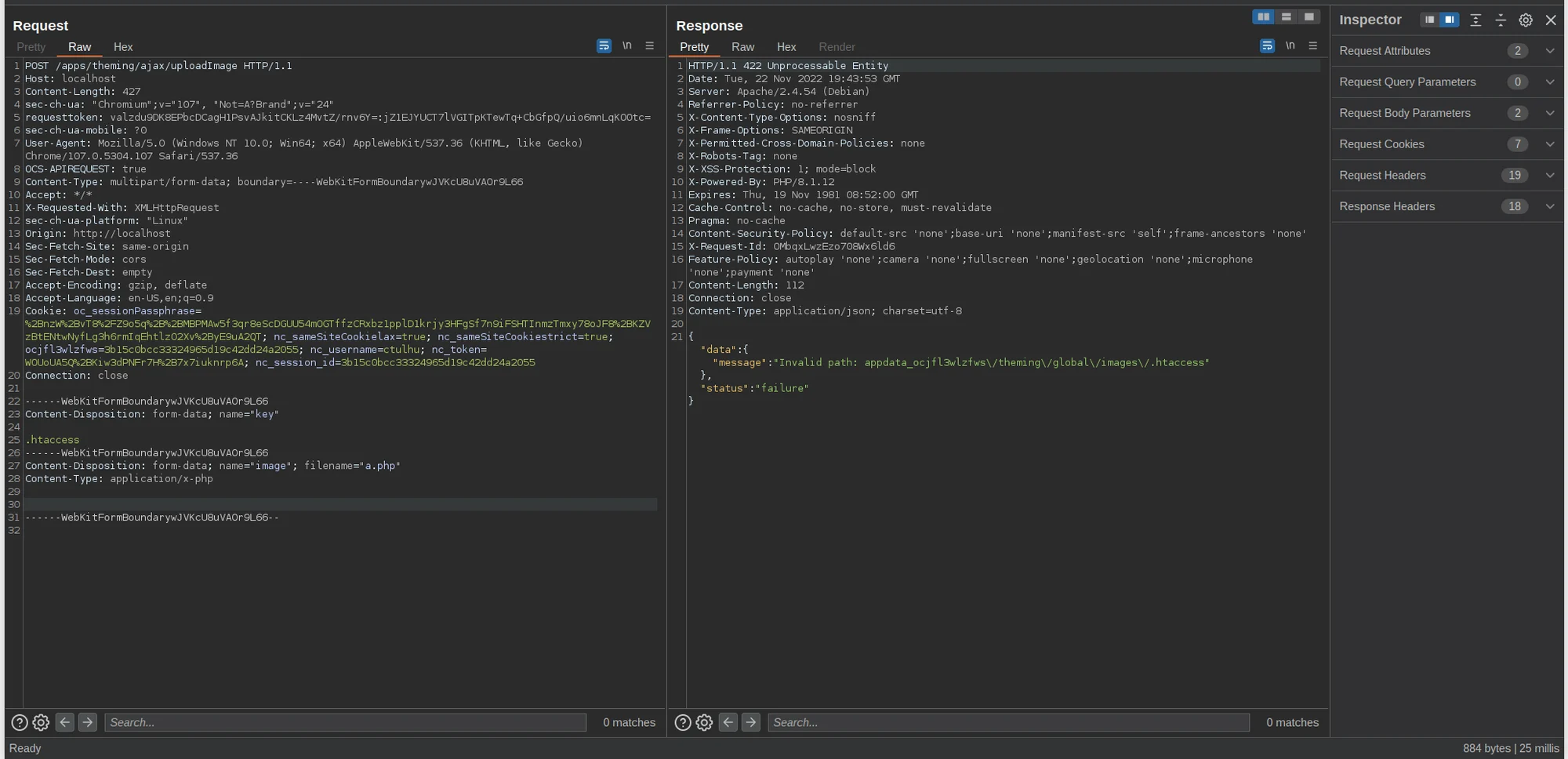
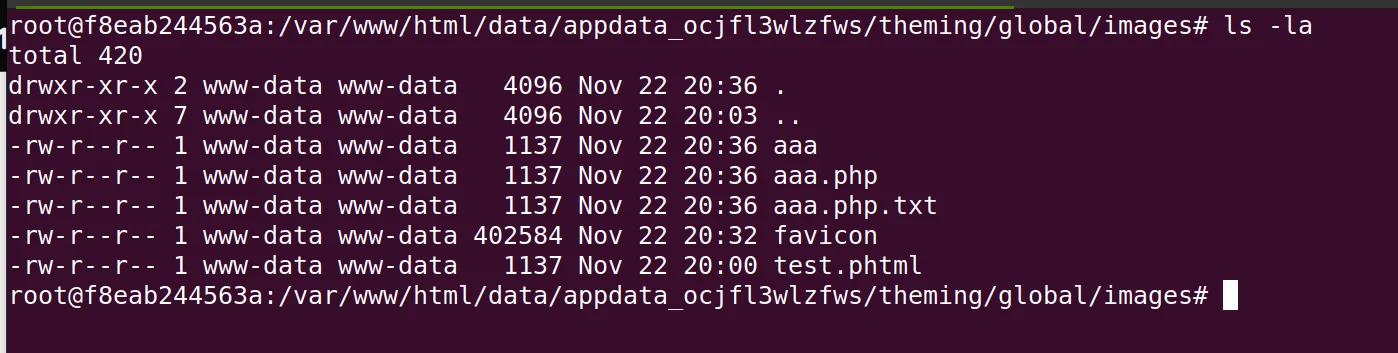
Due to an error the path is also disclosed
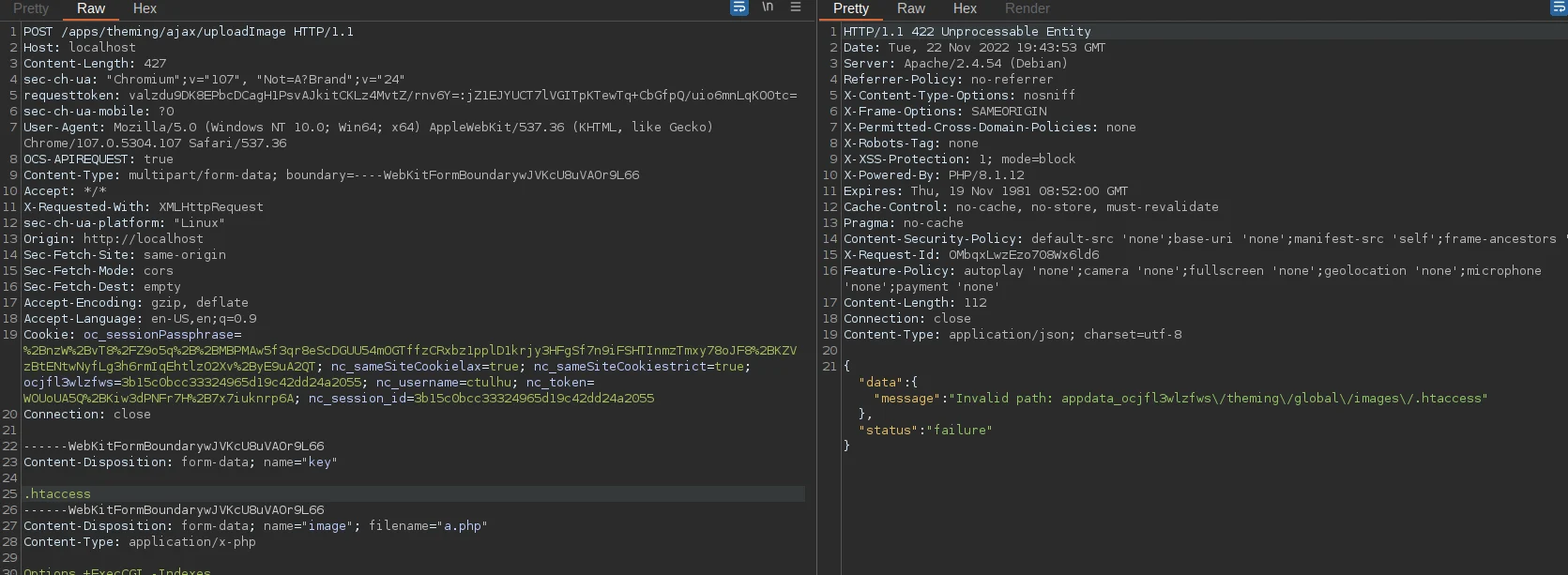
Steps To Reproduce:
[add details for how we can reproduce the issue]
- go to
http://localhost/settings/admin/theming - upload a logo or favicon
- intercept the request using burp
- modify the key
Impact
The attacker can upload any files directly in the webapp and path disclosure. Combining both information can be useful in later attacks.
Not written yet. The AI write-up for this report has not been written yet. The Original tab links to the source.
How it worked
Root cause
Likely the upload handler used a client-supplied key as the stored filename without validating or normalising it.
Impact
An attacker could upload files with attacker-chosen names directly into the web application and obtain a path disclosure, which the reporter suggests could help in later attacks.
What the attacker needed
Access to theming settings; ability to intercept HTTP requests
How it was found
- Open the theming settings page in the admin area.
- Upload a logo or favicon.
- Intercept the upload request with a proxy tool.
- Change the key value in the request.
Explained by bugbounty.wiki with AI from the original and checked against quotes from it; it can still be wrong. Read the original before relying on a detail.
Not written yet. The AI write-up for this report has not been written yet. The Original tab links to the source.
The theming settings let you upload a logo or favicon. The upload request has a field that names the file, and changing it changes the stored filename. This could let someone store files under chosen names and see the server path.
What is File upload?
An upload feature accepts a file that the server or other users' browsers then treat as code or as something trusted.