Delete All Data of Any User
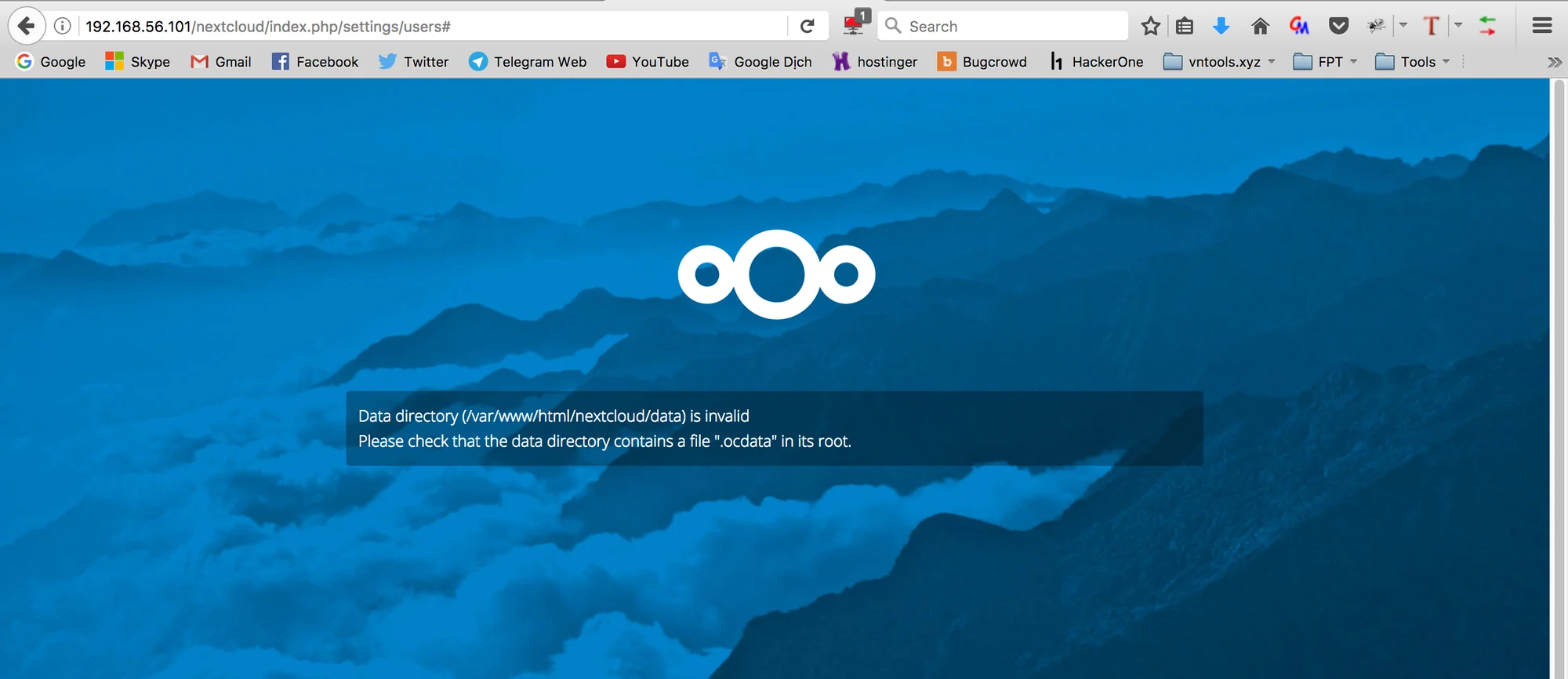
An admin user could create a new user with the username '.' and then delete that user, causing the Nextcloud app to remove the entire data folder. This allowed deletion of all data on the website.

- Triaged in 3 hours
- Fixed in 4 months
- Paid in 4 months
- Disclosed after 2.9 years
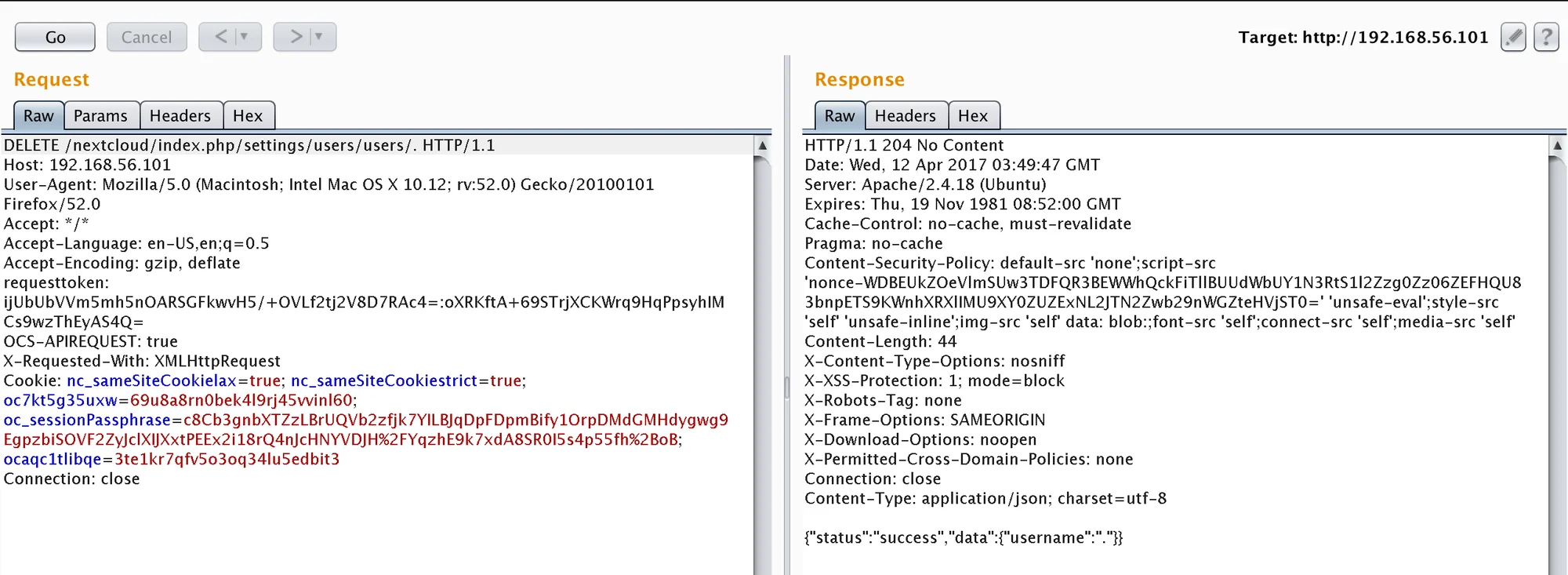
If you are user have permission manage user(admin group), you can delete all data off website. step:
- Create new user with username is '.'.
- Delete user, who just have been created.
Cause: when you create new use, nextcloud app will make a new folder same name with username, which have been created. in folder (sourceweb/data) Unfortunately, if username is '.', nextcloud app will make a new folder has name is '.'. And when you delete user, nextcloud app will remote all folder 'data'.
Attachments
Not written yet. The AI write-up for this report has not been written yet. The Original tab links to the source.
How it worked
Root cause
Likely the application used the username directly as a folder name without sanitising special characters like '.', so deleting the user's folder resolved to the parent data directory.
Impact
An admin user could delete all data on the website.
What the attacker needed
Admin privileges (manage user permission)
How it was found
- Create a new user with the username '.'.
- Delete the user that was just created.
Explained by bugbounty.wiki with AI from the original and checked against quotes from it; it can still be wrong. Read the original before relying on a detail.
Not written yet. The AI write-up for this report has not been written yet. The Original tab links to the source.
A user with admin rights could create a new account named '.' (a single dot). When that account was deleted, the system mistakenly deleted the whole data folder instead of just that user's folder, wiping all data.
What is Path traversal?
Input that builds a file path escapes the intended folder, reading or writing files the application should never touch.




