[serve] Directory listing and File access even when they have been set to be ignored
The serve module's ignore configuration was case-sensitive, so a request with different letter casing could bypass the ignore list and access files or directories that were meant to be hidden. An attacker could read the contents of an ignored file or list an ignored directory.

- Triaged in 11 days
- Fixed in 2 months
- Disclosed after 2 months
I would like to report a vulnerability in serve on macOS. It allows listing directory and reading local files on the target server.
Module
module name: serve
version: 6.5.3
npm page: https://www.npmjs.com/package/serve
Module Description
Ever wanted to share a project on your network by running just a command? Then this module is exactly what you're looking for: It provides a neat interface for listing the directory's contents and switching into sub folders.
In addition, it's also awesome when it comes to serving static sites!
Vulnerability
Steps To Reproduce:
On macOS:
- Install serve:
$ npm i serve
- Create an application that uses serve for file serving listing and set a few folders and files in the
ignoreconfig.
const serve = require('serve')
const server = serve(__dirname, {
      port: 6060,
      ignore: ['sec', 'secret.html']
})
- Run the app
$ node app.js
-
Now, the current directory will be served by this module on port
6060with the exception of foldersecand filesecret.html -
If we try to request these ignored files/directories, we get a
Not Founderror
$ curl --path-as-is 'http://127.0.0.1:6060/secret.html'
Not Found
or if we replace e character with URI encoded form %65, it still be ignored:
$ curl --path-as-is 'http://127.0.0.1:6060/s%65cret.html'
Not Found
- However, I found a way to access that file by using uppercase format.
$ curl --path-as-is 'http://127.0.0.1:6060/sECret.html'
This is secret content!!
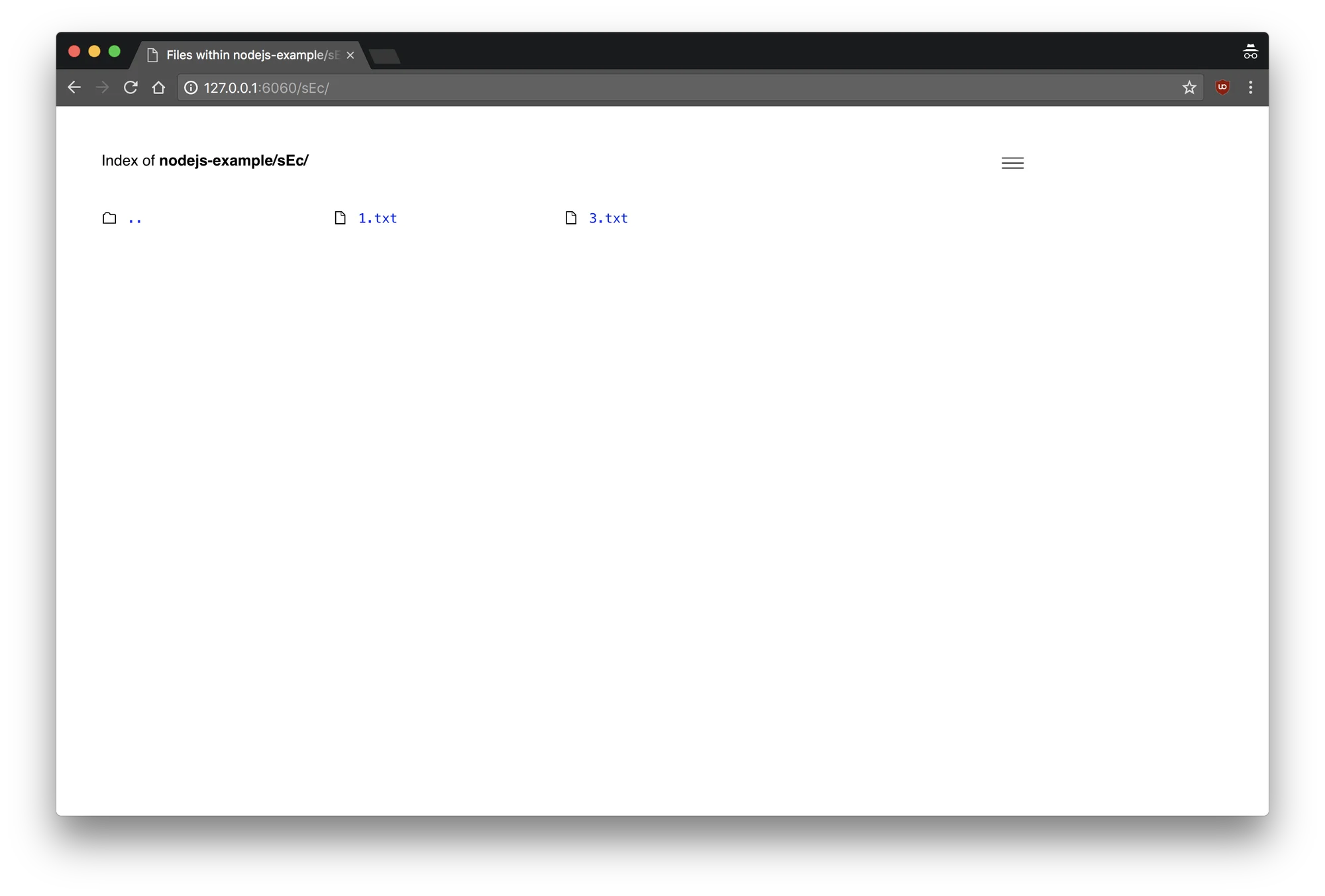
To list an ignored directory:
http://127.0.0.1:6060/sEc
Supporting Material/References:
- macOS High Sierra 10.13.3
- node v8.10.0
- npm 5.6.0
- Chrome Version 65.0.3325.162 (Official Build) (64-bit)
Wrap up
- I contacted the maintainer to let them know: N
- I opened an issue in the related repository: N
Impact
It bypasses the ignore files/directories feature and allows an attacker to read a file or list the directory that the victim has not allowed access to.
Not written yet. The AI write-up for this report has not been written yet. The Original tab links to the source.
How it worked
Impact
An attacker could bypass the ignore feature and read files or list directories that the victim had not allowed access to.
What the attacker needed
Serve module used with an ignore list; network access to the server
How it was found
- Install the serve module.
- Create an app that uses serve with an ignore list containing a folder and a file.
- Run the app so the directory is served on a local port.
- Request the ignored file with its exact name and observe a Not Found error.
- Request the same file with different letter casing and observe its contents returned.
Explained by bugbounty.wiki with AI from the original and checked against quotes from it; it can still be wrong. Read the original before relying on a detail.
Not written yet. The AI write-up for this report has not been written yet. The Original tab links to the source.
The serve tool lets you share a folder over the network and hide certain files by listing them in an 'ignore' setting. The check for hidden files only matched the exact letter case, so asking for the same file with different capitalisation slipped past the check. This meant someone could still see files the owner wanted to keep private.
What is Misconfiguration?
Settings left unsafe: exposed panels, open storage buckets, debug modes, default credentials.