[tianma-static] Stored xss on filename
The tianma-static module did not sanitise filenames, so a file named with HTML markup could cause stored cross-site scripting when served. An attacker could execute arbitrary JavaScript in a victim's browser.
 Originally disclosed on HackerOne
- Triaged in 30 days
- Fixed in 2 months
- Disclosed after 2 months
I would like to report stored xss in tianma-static It allows anyone to execute arbitary javascript for doing anything.
Module
module name: tianma-static
version: 1.0.4
npm page: https://www.npmjs.com/package/tianma-static
Module Description
Provide a static file service.
Vulnerability
Vulnerability Description
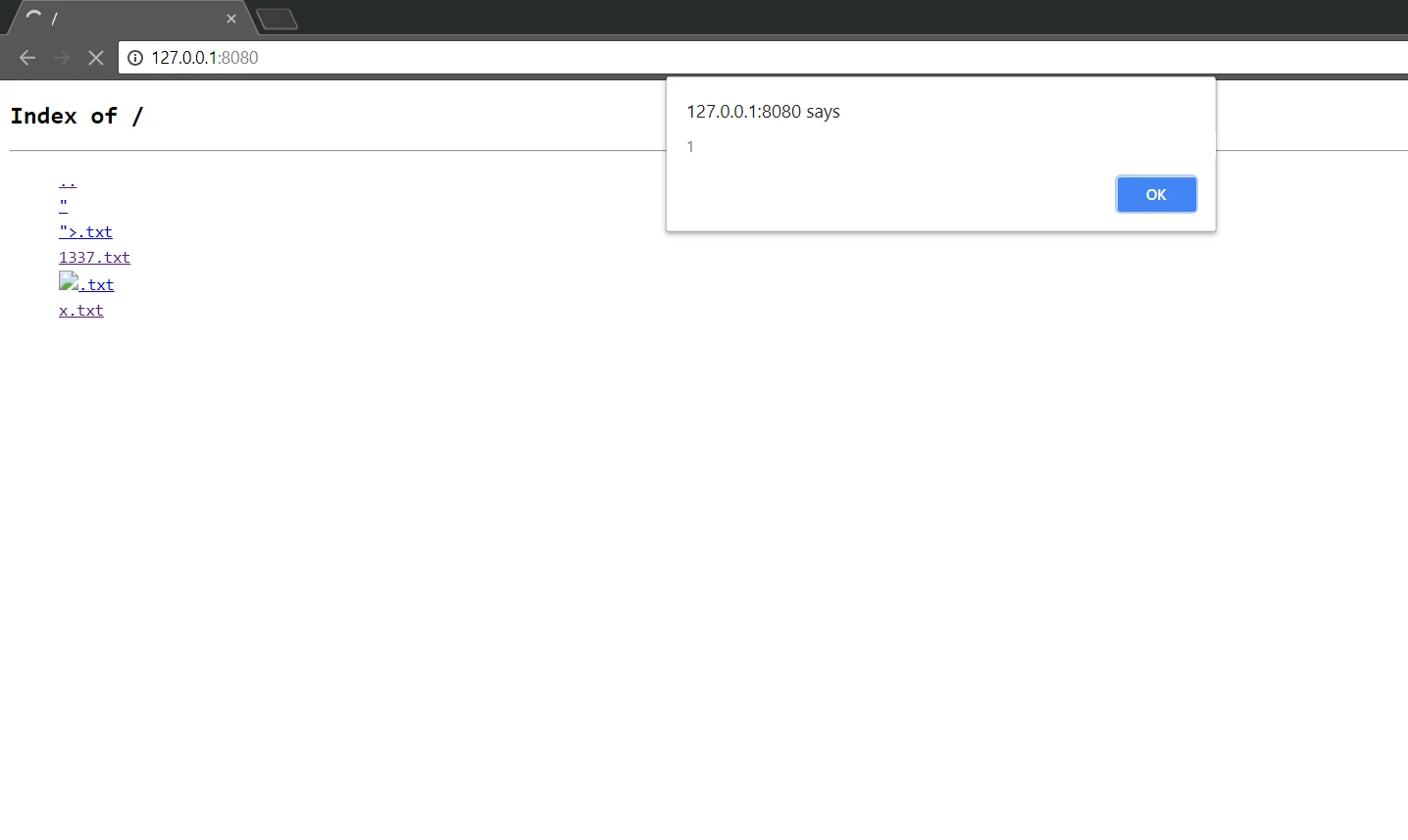
it was possible to embed malicious js code in filename there was no sanitization performed.
Steps To Reproduce:
- create filename
<img src=x onerror=alert(1)> - start tianma-static
- xss fired
F340845
Wrap up
- I contacted the maintainer to let them know: N
- I opened an issue in the related repository: N
Impact
It allows anyone to execute arbitary javascript for doing anything.
Attachments
Not written yet. The AI write-up for this report has not been written yet. The Original tab links to the source.
How it worked
Root cause
Likely the server inserted filenames into HTML output without escaping or sanitising them.
Impact
A crafted filename can cause arbitrary JavaScript to execute in a browser.
What the attacker needed
Ability to create a file with a crafted name
Explained by bugbounty.wiki with AI from the original and checked against quotes from it; it can still be wrong. Read the original before relying on a detail.
Not written yet. The AI write-up for this report has not been written yet. The Original tab links to the source.
A static file server hands files to the browser. If a file's name contains HTML, the server may put that name into the page without cleaning it, so the browser treats it as code. That lets an attacker run their own JavaScript in someone else's browser.
What is XSS?
Script an attacker supplies runs in another user's browser, on the target's origin, with that user's session.